
A Vim-style LaTeX TUI editor.

Project description
txtr
A Vim-style LaTeX editor for the terminal.
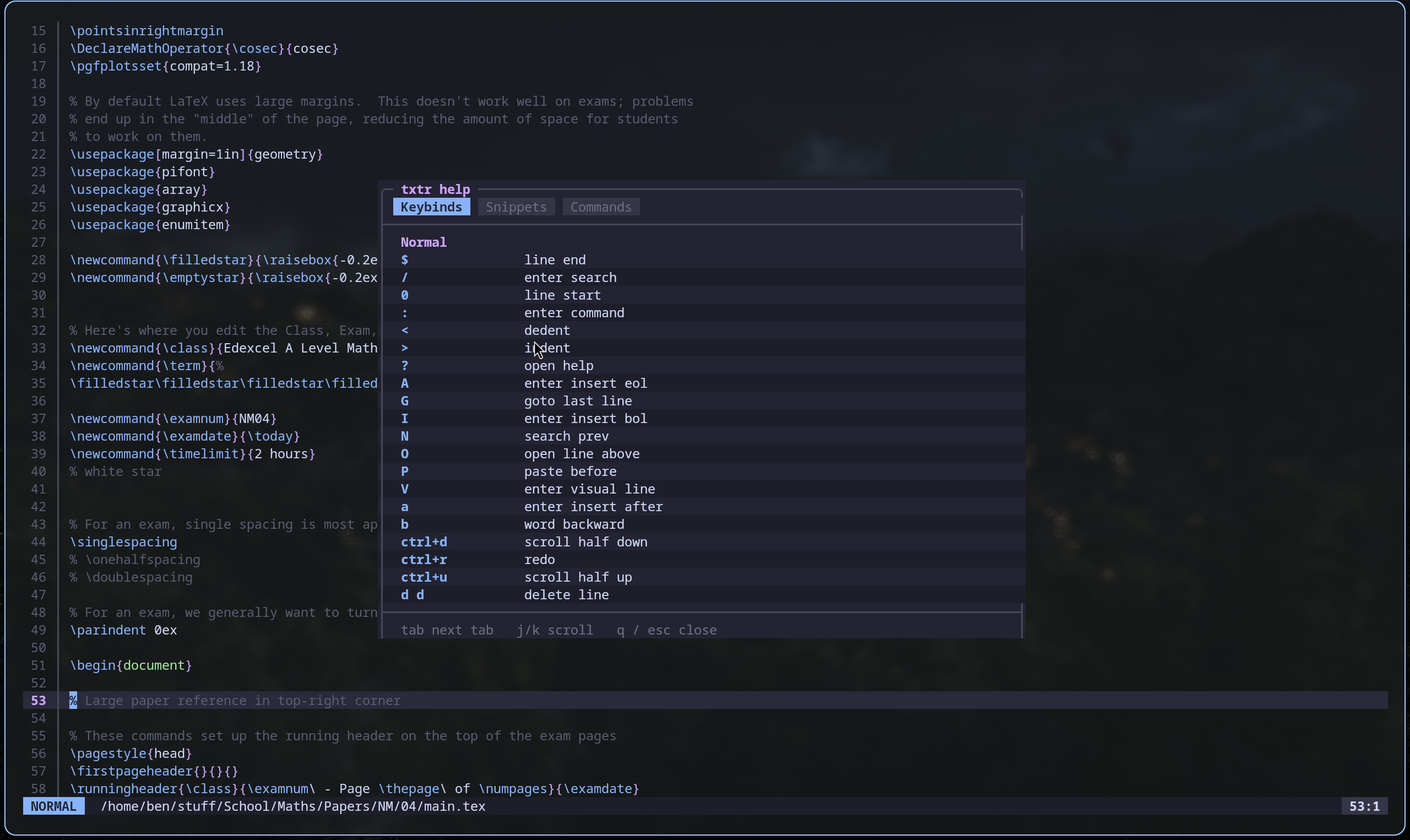
txtr (aka texitor) is a terminal-based LaTeX editor built for speed. It combines Vim-style modal editing with a built-in snippet engine, syntax highlighting, and autocompletions.
Under active development. Expect bugs :)
Installation
pip install texitor
Requires Python 3.11 or later.
Usage
txtr file.tex
If the file does not exist, txtr creates it. Config and snippets are seeded to ~/.config/txtr/ on first run.
Modes
txtr is modal, like Vim. The current mode is shown in the statusbar.
| Mode | Enter |
|---|---|
| Normal | Escape or Ctrl+[ |
| Insert | i I a A o O |
| Visual | v |
| Visual Line | V |
| Command | : |
| Search | / |
Keybinds
Normal mode
| Key | Action |
|---|---|
h j k l |
Move cursor |
w b e |
Word forward / backward / end |
0 $ |
Line start / end |
gg G |
First / last line |
Ctrl+d Ctrl+u |
Scroll half page down / up |
dd |
Delete line (yanks to register) |
yy |
Yank line |
p P |
Paste after / before cursor |
u Ctrl+r |
Undo / redo |
x |
Delete character |
r |
Replace character |
> < |
Indent / dedent line |
? |
Open help menu |
n N |
Next / previous search match |
Insert mode
| Key | Action |
|---|---|
Tab |
Expand snippet or insert tab |
Shift+Tab |
Clear snippet tab stops |
Ctrl+Space |
Accept autocomplete |
Ctrl+w |
Delete word before cursor |
Ctrl+u |
Delete to line start |
Visual / Visual Line mode
| Key | Action |
|---|---|
y |
Yank selection |
d |
Delete selection |
> < |
Indent / dedent selection |
Commands
Type : in Normal mode to enter Command mode.
| Command | Description |
|---|---|
:w |
Save file |
:q |
Quit |
:wq |
Save and quit |
:e <file> |
Open file |
:help / :h |
Open help menu |
:snippets / :snips |
Open snippets tab in help |
:config show |
Open config panel |
:config get <key> |
Print a config value |
:config set <key> <value> |
Set a config value (persisted to disk) |
Config keys use dot notation, e.g. :config set editor.tab_width 2. Section prefix is optional for unambiguous keys.
Snippets
[readme wip]
Configuration
Config lives at ~/.config/txtr/config.toml. Edit it directly or use :config set inside the editor.
[editor]

tab_width = 4
auto_pairs = true
system_clipboard = false

[theme]

name = "catppuccin"   # catppuccin, gruvbox, or custom
custom_path = ""      # path to custom theme toml (when name = "custom")

[statusbar]

show_col = true
show_mode = true
Themes
Two built-in themes: catppuccin (default) and gruvbox. Switch with:
:config set theme.name gruvbox
Restart txtr for the theme to take effect.
Custom themes — set name = "custom" and point custom_path at a TOML file defining the 17 color fields. A full template with all fields is documented in ~/.config/txtr/config.toml.
System Clipboard
By default txtr uses an internal yank register. To use the system clipboard:
:config set editor.system_clipboard true
Requires wl-copy (Wayland), xclip or xsel (X11), or pbcopy (macOS).
Contributing
txtr is early-stage. If you find a bug or want to add something, open an issue or PR on GitHub.
tl;dr - just make a pr ...
Release history Release notifications | RSS feed


Download files
Download the file for your platform. If you're not sure which to choose, learn more about installing packages.
Source Distribution
Built Distribution
Filter files by name, interpreter, ABI, and platform.
If you're not sure about the file name format, learn more about wheel file names.
Copy a direct link to the current filters
File details
Details for the file texitor-1.8.5.tar.gz.
File metadata
- Download URL: texitor-1.8.5.tar.gz
- Upload date:
- Size: 47.7 kB
- Tags: Source
- Uploaded using Trusted Publishing? No
- Uploaded via: twine/6.2.0 CPython/3.13.12
File hashes
| Algorithm | Hash digest | |
|---|---|---|
| SHA256 |
7d1ad7fadb2fa8a4ae36350b55f82d411c9ff4a7c2eb7f0decfc44a9c2e4231a
|
|
| MD5 |
c7515998bcb6e6d9dff4d0e6a6df6350
|
|
| BLAKE2b-256 |
16c273a1e6cf357224dcdcd539ee20ee81b81c28aa35b21bd528ad30160d6902
|
File details
Details for the file texitor-1.8.5-py3-none-any.whl.
File metadata
- Download URL: texitor-1.8.5-py3-none-any.whl
- Upload date:
- Size: 54.6 kB
- Tags: Python 3
- Uploaded using Trusted Publishing? No
- Uploaded via: twine/6.2.0 CPython/3.13.12
File hashes
| Algorithm | Hash digest | |
|---|---|---|
| SHA256 |
cb4e6a589caa195de16e40231200091328087f2125b86bd5b8c37cbccfd1b18d
|
|
| MD5 |
1e6993d774ed47cd16919efc0a9fc516
|
|
| BLAKE2b-256 |
20af422a1279c43cc519067b608cd63686cc361382fbbd880fff5cdbc3429121
|






