
text-to-reality
Give your agent the power to build real things.
text-to-cad makes a part. text-to-reality makes the working device.



Describe something you want to exist. Your agent turns it into a build package anyone can put together by following pictures:
- a parts list you can order, using parts that plug together
- 3D-printable parts for the case and mounts
- the wiring, every wire and which connector it goes in
- the code, ready to load
- a step-by-step picture guide written for someone who has never built electronics
- tests, so you know it works
No soldering, no breadboard, no electronics experience required. It runs on your machine: no account, no API key, and your projects are plain folders you own.
Example: Agent Meter
"Build me a little desk character that shows what my coding agent is doing and how much of my Claude allowance is left."
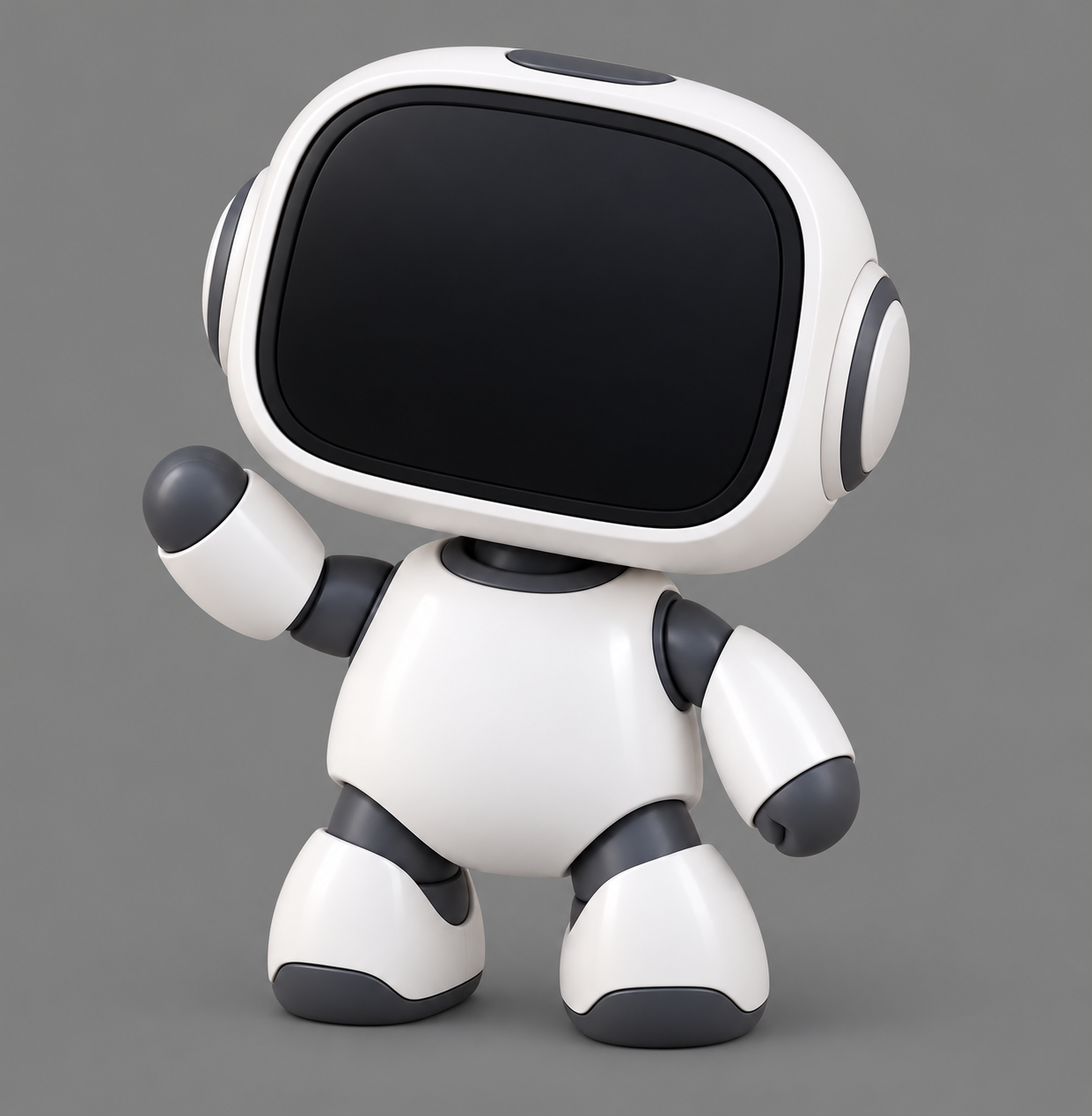
Agent Meter illustrates this workflow: a Seeed Studio XIAO ESP32-S3 and a small screen inside a printed character, wired with plug-on connectors, with firmware and a picture guide. Its face shows when your agent is working, finished or waiting on you, plus your remaining allowance.
Install
Ask your agent
Install text-to-reality from https://github.com/ai-wes/text-to-reality
Or install it yourself. text-to-reality runs through uv:
check it's installed with uv --version, or use
uv's installer. Then run the
commands for your agent and restart it.
Claude Code
claude plugin marketplace add ai-wes/text-to-reality
claude plugin install text-to-reality@ai-wes
To update: claude plugin marketplace update ai-wes, then
claude plugin update text-to-reality@ai-wes.
Codex
codex plugin marketplace add ai-wes/text-to-reality
codex plugin add text-to-reality@ai-wes
Cursor
Cursor also loads the Claude Code plugin; if that's installed, skip this.
git clone --depth 1 https://github.com/ai-wes/text-to-reality ~/.cursor/plugins/local/text-to-reality
Claude Desktop
Add the server to Claude Desktop's config (Settings > Developer > Edit Config), then
restart. If it can't find uvx, use its full path (which uvx).
{
  "mcpServers": {
    "text-to-reality": {
      "command": "uvx",
      "args": ["--no-config", "--managed-python", "--python", "3.13", "--from", "text-to-reality==0.1.0", "text-to-reality", "mcp"]
    }
  }
}
Projects are saved in text-to-reality/ in the folder the app starts in; set
TEXT_TO_REALITY_DIR in env to choose another folder.
Other agents
npx skills add ai-wes/text-to-reality
Then add the MCP server above to your agent's MCP config.
Works with text-to-cad
text-to-reality plans the whole device; text-to-cad is great at the printed parts. Install both, and the agent uses text-to-cad for the printed parts when it's available.
How it works
Each build is a folder. The agent fills in seven stages and checks them:
| Stage | What's in it |
|---|---|
| Requirements | brief.md: what it does, size, power, budget, how you'll know it works |
| Parts | bom.json: every part and quantity |
| Printed parts | CAD source and STL/3MF files |
| Electronics | wiring.json: every wire, its color, and its connector |
| Code | firmware source and how to load it |
| Assembly | the picture guide |
| Testing | what to check, and what a pass looks like |
The local MCP server gives the agent tools to create projects, record files, catch files edited after they were checked, validate the package, keep a build history, and look up board header layouts and plug-on parts.
You can also check a folder yourself:
uvx text-to-reality check ./text-to-reality/my-build
Parts that plug together
Loose jumper wires fall off and get swapped. JIG_ makes connectors that turn the wires going to one row of pins into a single plug, so wiring becomes plugging things in.
The agent uses JIG_ connectors by default. It looks up each board's pin rows, picks one connector per row, lists what to buy, and notes any row a connector can't fit. Get them at jig-robotics.com →
Each connector is a base that holds the wires in order and a cover that snaps on. The picture guide shows how to load it, close it and plug it on.
License
MIT
1 maintainer

Metadata
1 maintainer
Release files for text-to-reality 0.1.0
For a detailed explanation of source distributions (sdists) and built distributions (wheels), please see the package formats documentation.
Source distribution (sdist)
| File | Size | Uploaded | |
|---|---|---|---|
| text_to_reality-0.1.0.tar.gz | 227.4 kB | Details |
Built distribution (wheel)
| File | Interpreter | ABI | Platform | Reset |
|---|---|---|---|---|
| text_to_reality-0.1.0-py3-none-any.whl | Python 3 | none | any | Details |
Total release size: 476.0 kB
Release files / text_to_reality-0.1.0.tar.gz
| Download URL | text_to_reality-0.1.0.tar.gz |
|---|---|
| Size | 227.4 kB |
| Tags | Source |
|
SHA-256 checksum How to use checksums |
e180e953f930b079094c749b16598fabb882f148c6841ca297b0f09d0a41780d
|
|
BLAKE2b-256 checksum How to use checksums |
a0b78824cf5cf015b87fab0f381a5c9c4a203946ad6115c0ad2f749e98dc498e
|
| Upload date | |
|
Uploaded using Trusted Publishing? What is trusted publishing? |
No |
| Uploaded via |
uv/0.11.25 {"installer":{"name":"uv","version":"0.11.25","subcommand":["publish"]},"python":null,"implementation":{"name":null,"version":null},"distro":{"name":"Ubuntu","version":"24.04","id":"noble","libc":null},"system":{"name":null,"release":null},"cpu":null,"openssl_version":null,"setuptools_version":null,"rustc_version":null,"ci":null}
|
Release files / text_to_reality-0.1.0-py3-none-any.whl
| Download URL | text_to_reality-0.1.0-py3-none-any.whl |
|---|---|
| Size | 248.6 kB |
| Tags | Python 3 |
|
SHA-256 checksum How to use checksums |
7a6991611d7a50ac26b1275c37dce62d7824c4f765162e485e78d878f6ce4df7
|
|
BLAKE2b-256 checksum How to use checksums |
5b5e23d353167a0a94e9d69dbfc69420812cd2f7b86ec2c8e7a702dc9b558f7d
|
| Upload date | |
|
Uploaded using Trusted Publishing? What is trusted publishing? |
No |
| Uploaded via |
uv/0.11.25 {"installer":{"name":"uv","version":"0.11.25","subcommand":["publish"]},"python":null,"implementation":{"name":null,"version":null},"distro":{"name":"Ubuntu","version":"24.04","id":"noble","libc":null},"system":{"name":null,"release":null},"cpu":null,"openssl_version":null,"setuptools_version":null,"rustc_version":null,"ci":null}
|














