
TextCanvas




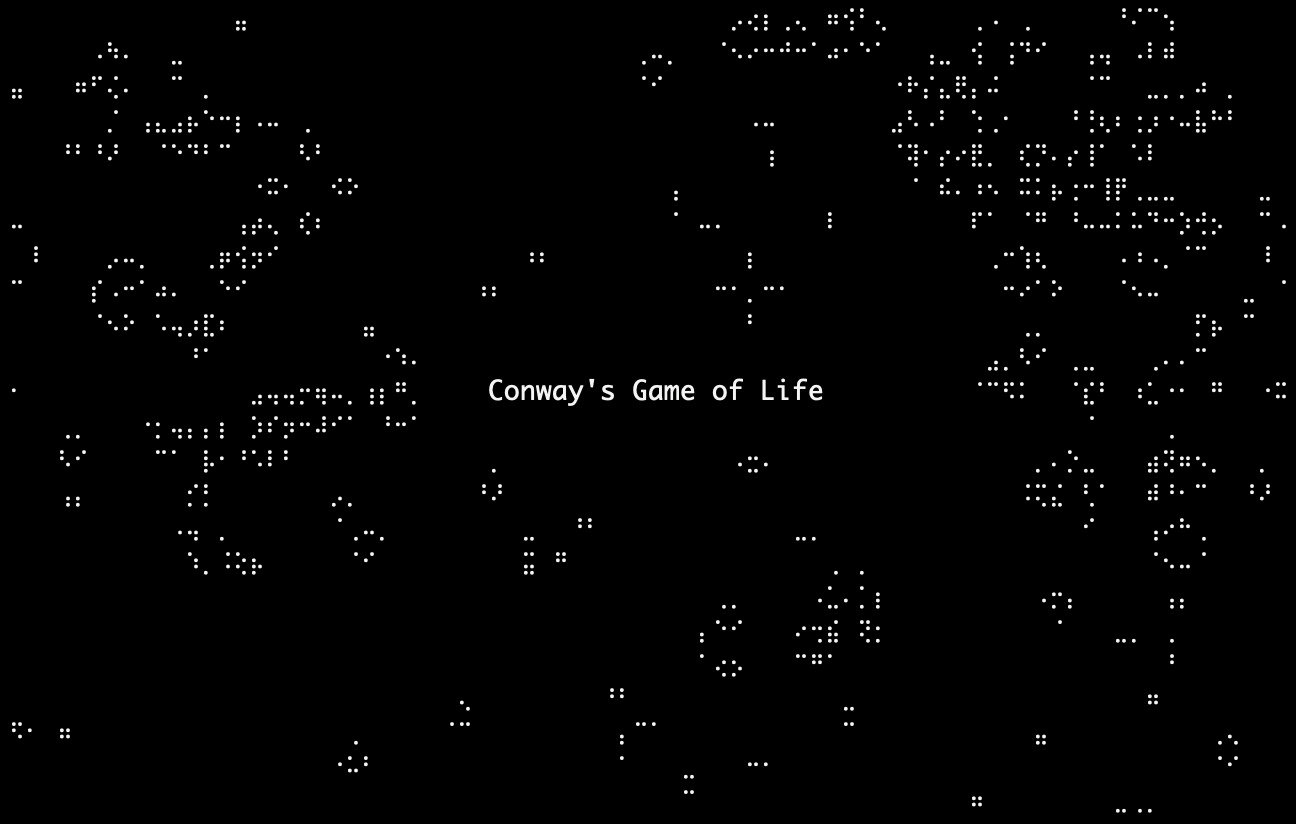
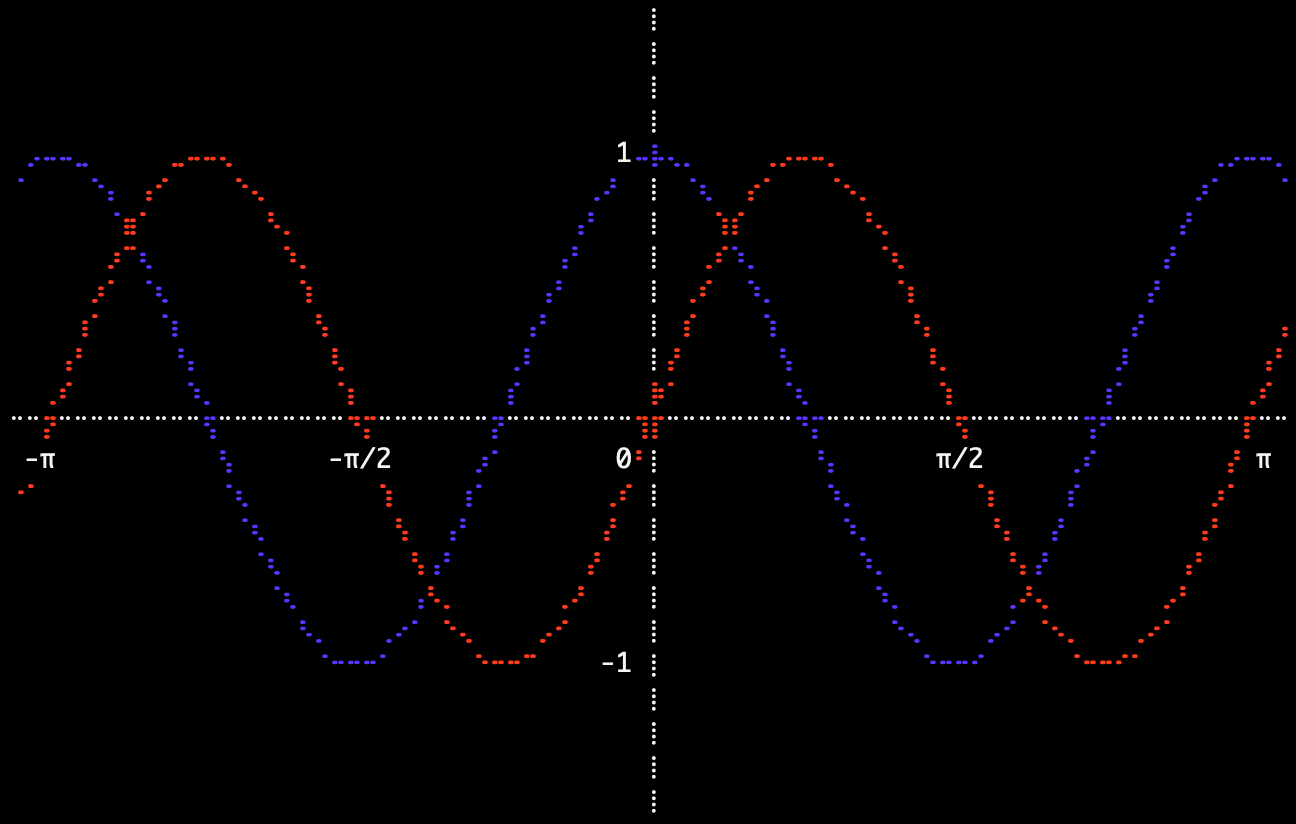
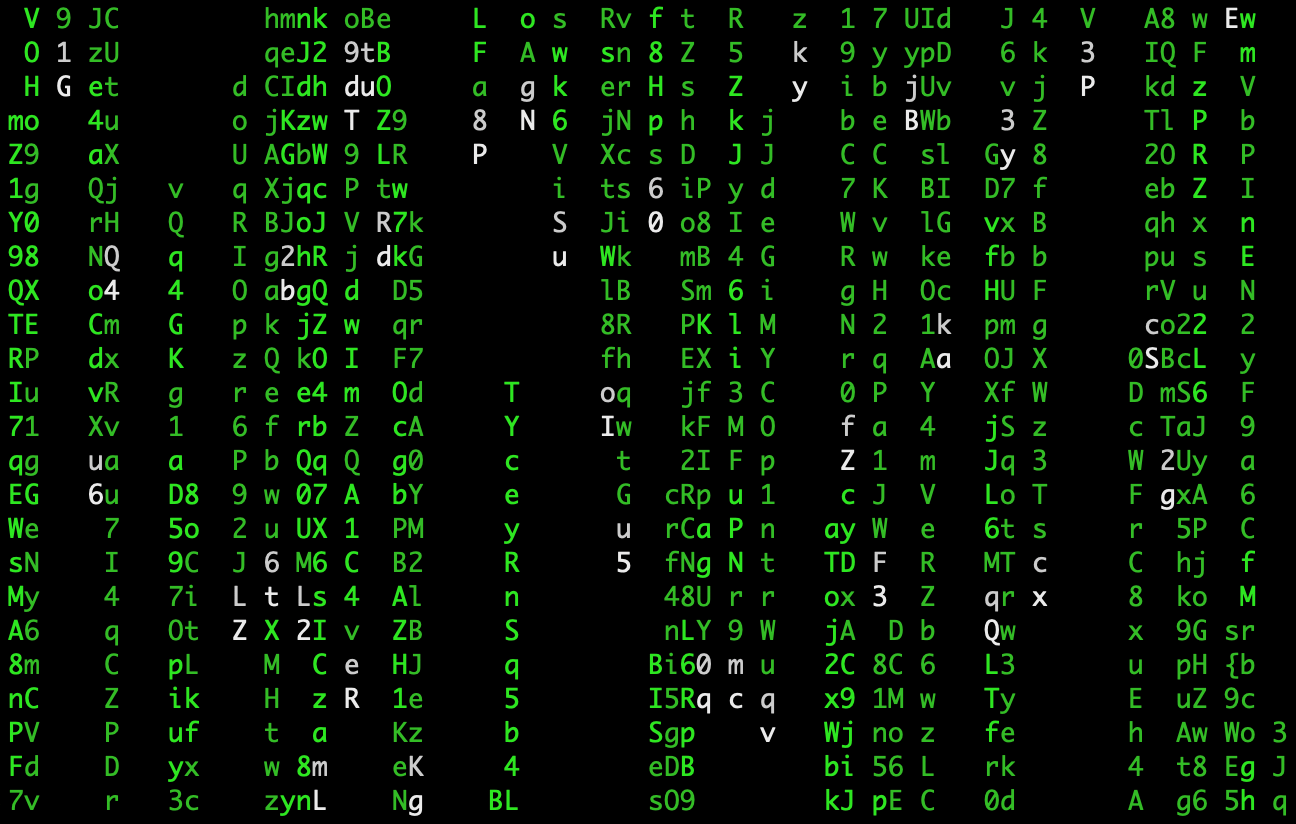
TextCanvas is an HTML Canvas-like surface that can be used to draw to the terminal. Other use cases include visual checks for mathematical computations (i.e. does the graph at least look correct?), or snapshot testing (may not be the most accurate, but can have great documentation value).
It is inspired by drawille1, which uses Braille Unicode characters to increase the resolution of the terminal by a factor of 8 (8 Braille dots in one terminal character).
The API is inspired by JavaScript's Canvas API.
Examples
⠀⠀1⠀⡤⠤⠤⠤⠤⠤⠤⠤⠤⠤⠤⠤⠤⠤⠤⠤⠤⠤⠤⠤⠤⠤⠤⠤⢤⠀⠀⠀⠀⠀⠀⠀⠀⠀⠀⠀⠀⠀⠀⠀⠀⠀⠀⠀⠀⠀⠀⠀⠀⠀⠀⠀⠀⠀⠀⠀⠀⠀⠀⠀⠀⠀⠀⠀⠀⠀⠀⠀⠀⠀⠀⠀⠀⠀⠀⠀
⠀⠀⠀⠀⡇⠉⠉⠢⢄⠀⠀⠀⠀⠀⠀⠀⠀⠀⠀⠀⠀⠀⠀⠀⠀⠀⠀⠀⢸⠀⠀⠀⠀⠀⠀⠀⠀⠀⠀⠀⠀⠀⠀⠀⠀⠀⠀⠀⠀⠀⠀⠀⠀⠀⠀⠀⠀⠀⠀⠀⠑⠢⣀⠀⠀⠀⠀⠀⠀⠀⠀⠀⠀⠀⠀⠀⠀⠀⠀⠀
⠀⠀⠀⠀⡇⠀⠀⠀⠀⠱⡀⠀⠀⠀⠀⠀⠀⠀⠀⠀⠀⠀⠀⠀⠀⠀⠀⠀⢸⠀⠀⠀⠀⠀⠀⠀⠀⠀⠀⠀⠀⠀⠀⠀⠀⠀⠀⠀⠀⠀⠀⠀⠀⠀⠀⠀⠀⠀⠀⠀⠀⠀⠀⠑⠢⣀⠀⠀⠀⠀⠀⠀⠀⠀⠀⠀⠀⠀⠀⠀
⠀⠀⠀⠀⡇⠀⠀⠀⠀⠀⠈⢆⠀⠀⠀⠀⠀⠀⠀⠀⠀⠀⠀⠀⠀⠀⢀⠖⢸⠀⠀⠀⠀⠀⠀⠀⠀⠀⠀⠀⠀⠀⠀⠀⠀⠀⠀⣀⢤⠢⡀⠀⠀⠀⠀⠀⠀⠀⠀⠀⠀⠀⠀⠀hello,⠢world⠀⠀⠀⠀
⠀⠀⠀⠀⡇⠀⠀⠀⠀⠀⠀⠀⠣⡀⠀⠀⠀⠀⠀⠀⠀⠀⠀⠀⠀⡠⠃⠀⢸⠀⠀⠀⠀⠀⠀⠀⠀⠀⠀⠀⠀⠀⠀⣀⠤⠒⠉⢠⠃⠀⠈⠢⡀⠀⠀⠀⠀⠀⠀⠀⠀⠀⠀⠀⠀⠀⠀⠀⠀⠀⠀⠀⠉⠢⢄⠀⠀⠀⠀⠀
⠀⠀⠀⠀⡇⠀⠀⠀⠀⠀⠀⠀⠀⠑⡄⠀⠀⠀⠀⠀⠀⠀⠀⠀⡰⠁⠀⠀⢸⠀⠀⠀⠀⠀⠀⠀⠀⠀⠀⢀⠤⠒⠉⠀⠀⠀⡠⠃⠀⠀⠀⠀⠘⢄⠀⠀⠀⠀⠀⠀⠀⠀⠀⠀⠀⠀⠀⠀⠀⠀⠀⠀⠀⠀⠀⠉⠢⢄⠀⠀
⠀⠀⠀⠀⡇⠀⠀⠀⠀⠀⠀⠀⠀⠀⠈⠢⡀⠀⠀⠀⠀⠀⢀⠔⠁⠀⠀⠀⢸⠀⠀⠀⠀⠀⠀⠀⠀⠀⢠⠃⠑⠢⡀⠀⠀⡰⠁⠀⠀⠀⠀⠀⠀⠀⠑⢄⠀⠀⠀⠀⠀⠀⠀⠀⠀⠀⠀⠀⠀⠀⠀⠀⠀⠀⠀⠀⠀⠀⠀⠀
⠀⠀⠀⠀⡇⠀⠀⠀⠀⠀⠀⠀⠀⠀⠀⠀⠈⠢⠤⡠⠤⠒⠁⠀⠀⠀⠀⠀⢸⠀⠀⠀⠀⠀⠀⠀⠀⡠⠃⠀⠀⠀⠈⠢⣴⠁⠀⠀⠀⠀⠀⠀⠀⠀⠀⠀⠑⢄⠀⠀⠀⠀⠀⠀⠀⠀⠀⠀⠀⠀⠀⠀⠀⠀⠀⠀⠀⠀⠀⠀
⠀-1⠀⠓⠒⠒⠒⠒⠒⠒⠒⠒⠒⠒⠒⠒⠒⠒⠒⠒⠒⠒⠒⠒⠒⠒⠒⠚⠀⠀⠀⠀⠀⠀⠀⡰⠁⠀⠀⠀⠀⠀⡔⠁⠑⠤⡀⠀⠀⠀⠀⠀⠀⠀⠀⠀⠀⠑⡄⠀⠀⠀⠀⠀⠀⠀⠀⠀⠀⠀⠀⠀⠀⠀⠀⠀⠀⠀⠀
⠀⠀⠀⠀0⠀⠀⠀⠀⠀⠀⠀⠀⠀⠀⠀⠀⠀⠀⠀⠀⠀⠀⠀⠀⠀⠀⠀⠀5⠀⠀⠀⠀⠀⡴⠁⠀⠀⠀⠀⠀⡜⠀⠀⠀⠀⠈⠢⣀⠀⠀⠀⠀⠀⠀⠀⠀⠀⠈⠢⡀⠀⠀⠀⠀⠀⠀⠀⠀⠀⠀⠀⠀⠀⠀⠀⠀⠀⠀
⠀⠀⠀⠀⠀⠀⠀⠀⠀⠀⠀⠀⠀⠀⠀⠀⠀⠀⠀⠀⠀⠀⠀⠀⠀⠀⠀⠀⠀⠀⠀⠀⠀⠀⡜⠀⠀⠀⠀⠀⢀⠜⠀⠀⠀⠀⠀⠀⠀⠀⡵⠒⠒⠒⠒⠒⠲⠤⠤⠤⠤⠬⢦⠀⠀⠀⠀⠀⠀⠀⠀⠀⠀⠀⠀⠀⠀⠀⠀⠀
⠀⠀⠀⠀⠀⠀⠀⠀⠀⠀⠀⠀⠀⠀⠀⠀⠀⠀⠀⠀⠀⠀⠀⠀⠀⠀⠀⠀⠀⠀⠀⠀⢀⠜⠀⠀⠀⠀⠀⢀⠎⠀⠀⠀⠀⠀⠀⠀⠀⡼⠁⠀⠀⠀⠀⠀⠀⠀⠀⠀⠀⢠⠃⠀⠀⠀⠀⠀⠀⠀⠀⠀⠀⠀⠀⠀⠀⠀⠀⠀
⠀⠀⠀⠀⠀⠀⠀⠀⠀⠀⠀⠀⠀⠀⠀⠀⠀⠀⠀⠀⠀⠀⠀⠀⠀⠀⠀⠀⠀⠀⠀⢀⠎⠀⠀⠀⠀⠀⢀⠎⠀⠀⠀⠀⠀⠀⠀⠀⡼⠁⠀⠀⠀⠀⠀⠀⠀⠀⠀⠀⢠⠃⠀⠀⠀⠀⠀⠀⠀⠀⠀⠀⠀⠀⠀⠀⠀⠀⠀⠀
⠀⠀⠀⠀⠀⠀⠀⠀⠀⠀⠀⠀⠀⠀⠀⠀⠀⠀⠀⠀⠀⠀⠀⠀⠀⠀⠀⠀⠀⠀⠀⠪⣄⡀⠀⠀⠀⢠⠊⠀⠀⠀⠀⠀⠀⠀⠀⡼⠁⠀⠀⠀⠀⠀⠀⠀⠀⠀⠀⢀⠎⠀⠀⠀⠀⠀⠀⠀⠀⠀⠀⠀⠀⠀⠀⠀⠀⠀⠀⠀
⠀⠀⠀⠀⠀⠀⠀⠀⠀⠀⠀⠀⠀⠀⠀⠀⠀⠀⠀⠀⠀⠀⠀⠀⠀⠀⠀⠀⠀⠀⠀⠀⠈⠪⡑⠢⢤⡃⠀⠀⠀⠀⠀⠀⠀⠀⡼⠁⠀⠀⠀⠀⠀⠀⠀⠀⠀⠀⢀⠎⠀⠀⠀⠀⠀⠀⠀⠀⠀⠀⠀⠀⠀⠀⠀⠀⠀⠀⠀⠀
⠀⠀⠀⠀⠀⠀⠀⠀⠀⠀⠀⠀⠀⠀⠀⠀⠀⠀⠀⠀⠀⠀⠀⠀⠀⠀⠀⠀⠀⠀⠀⠀⠀⠀⠈⠢⢇⡈⠒⠤⣀⠀⠀⠀⠀⡼⠁⠀⠀⠀⠀⠀⠀⠀⠀⠀⠀⠀⡞⠀⠀⠀⠀⠀⠀⠀⠀⠀⠀⠀⠀⠀⠀⠀⠀⠀⠀⠀⠀⠀
⠀⠀⠀⠀⠀⠀⠀⠀⠀⠀⠀⠀⠀⠀⠀⠀⢀⠀⠀⠀⠀⠀⠀⠀⠀⠀⠀⠀⠀⠀⠀⠀⠀⠀⠀⠀⠀⠈⠑⠢⢄⡉⠒⠤⡼⠁⠀⠀⠀⠀⠀⠀⠀⠀⠀⠀⠀⡜⠀⠀⠀⠀⠀⠀⠀⠀⠀⠀⠀⠀⢀⠀⠀⠀⠀⠀⠀⠀⠀⠀
⠀⠀⠀⠀⠀⠀⠀⠀⠀⠀⠀⠀⠀⢀⡠⠊⠁⠉⠢⣀⠀⠀⠀⠀⠀⠀⠀⠀⠀⠀⠀⠀⠀⠀⠀⠀⠀⠀⠀⠀⠀⠈⠑⠢⢌⡑⠤⡀⠀⠀⠀⠀⠀⠀⠀⠀⡜⠀⠀⠀⠀⠀⠀⠀⠀⠀⠀⠀⢀⣴⣿⣷⣄⠀⠀⠀⠀⠀⠀⠀
⠀⠀⠀⠀⠀⠀⠀⠀⠀⠀⠀⠀⠀⢣⠀⠀⠀⠀⠀⢠⠃⠀⠀⠀⠀⠀⠀⠀⠀⠀⠀⠀⠀⠀⠀⠀⠀⠀⠀⠀⠀⠀⠀⠀⠀⠈⠑⠪⢕⡦⣀⠀⠀⠀⠀⡰⠁⠀⠀⠀⠀⠀⠀⠀⠀⠀⠀⢴⣿⣿⣿⣿⣿⣷⠄⠀⠀⠀⠀⠀
⠀⠀⠀⠀⠀⠀⠀⠀⠀⠀⠀⠀⠀⠀⢇⠀⠀⠀⢀⠎⠀⠀⠀⠀⠀⠀⠀⠀⠀⠀⠀⠀⠀⠀⠀⠀⠀⠀⠀⠀⠀⠀⠀⠀⠀⠀⠀⠀⠀⠈⠑⠳⢦⣀⡰⠁⠀⠀⠀⠀⠀⠀⠀⠀⠀⠀⠀⠀⠙⢿⣿⣿⠟⠁⠀⠀⠀⠀⠀⠀
⠀⠀⠀⠀⠀⠀⠀⠀⠀⠀⠀⠀⠀⠀⠈⠉⠉⠉⠉⠀⠀⠀⠀⠀⠀⠀⠀⠀⠀⠀⠀⠀⠀⠀⠀⠀⠀⠀⠀⠀⠀⠀⠀⠀⠀⠀⠀⠀⠀⠀⠀⠀⠀⠈⠁⠀⠀⠀⠀⠀⠀⠀⠀⠀⠀⠀⠀⠀⠀⠀⠙⠁⠀⠀⠀⠀⠀⠀⠀⠀
⠀⠀⠀⠀⠀⠀⠀⠀⠀⠀⠀⠀⠀⠀⠀⠀⠀⠀⠀⠀⠀⠀⠀⠀⠀⠀⠀⠀⠀⠀⠀⠀⠀⠀⠀⠀⠀⠀⠀⠀⠀⠀⠀⠀⠀⠀⠀⠀⠀⠀⠀⠀⠀⠀⠀⠀⠀⠀⠀⠀⠀⠀⠀⠀⠀⠀⠀⠀⠀⠀⠀⠀⠀⠀⠀⠀⠀⠀⠀⠀
⠀⠀⠀⠀⠀⠀⠀⠀⠀⠀⠀⠀⠀⠀⠀⠀⠀⠀⠀⠀⠀⠀⠀⠀⠀⠀⠀⠀⠀⠀⠀⠀⠀⠀⠀⠀⠀⠀⠀⠀⠀⠀⠀⠀⠀⠀⠀⠀⠀⠀⠀⠀⠀⠀⠀⠀⠀⠀⠀⠀⠀⠀⠀⠀⠀⠀⠀⠀⠀⠀⠀⠀⠀⠀⠀⠀⠀⠀⠀⠀
⠀⠀⠀⠀⠀⠀⠀⠀⠀⠀⠀⠀⠀⠀⠀⠀⠀⠀⠀⠀⠀⠀⠀⠀⠀⠀⠀⠀⠀⠀⠀⠀⠀⠀⠀⠀⠀⠀⠀⠀⠀⠀⠀⠀⠀⠀⠀⠀⠀⠀⠀⠀⠀⠀⠀⠀⠀⠀⠀⠀⠀⠀⠀⠀⠀⠀⠀⠀⠀⠀⠀⠀⠀⠀⠀⠀⠀⠀⠀⠀
More examples
Shapes
| Rust | Python | |
|---|---|---|
|
let mut canvas = TextCanvas::new(15, 5);
canvas.stroke_line(0, 0, canvas.w(), canvas.h());
canvas.draw_text("hello, world", 1, 2);


let mut canvas = TextCanvas::new(15, 5);
canvas.stroke_rect(5, 5, 20, 10);


let mut canvas = TextCanvas::new(15, 5);
canvas.stroke_triangle(5, 5, 20, 10, 4, 17);


let mut canvas = TextCanvas::new(15, 5);
canvas.stroke_circle(canvas.cx(), canvas.cy(), 7);


let mut canvas = TextCanvas::new(15, 5);
canvas.stroke_ngon(canvas.cx(), canvas.cy(), 7, 5, PI / 2.0);
|
canvas = TextCanvas(15, 5)
canvas.stroke_line(0, 0, canvas.w, canvas.h)
canvas.draw_text("hello, world", 1, 2)


canvas = TextCanvas(15, 5)
canvas.fill_rect(5, 5, 20, 10)


canvas = TextCanvas(15, 5)
canvas.fill_triangle(5, 5, 20, 10, 4, 17)


canvas = TextCanvas(15, 5)
canvas.fill_circle(canvas.cx, canvas.cy, 7)


canvas = TextCanvas(15, 5)
canvas.fill_ngon(canvas.cx, canvas.cy, 7, 4, 0.0)
|
Plots
| Rust | Python | |
|---|---|---|
|
let mut canvas = TextCanvas::new(15, 5);
let x: Vec<f64> = (-5..=5).map(f64::from).collect();
let y: Vec<f64> = (-5..=5).map(f64::from).collect();

// Row 1.
Plot::line(&mut canvas, &x, &y);
Plot::scatter(&mut canvas, &x, &y);
Plot::bars(&mut canvas, &x, &y);

// Row 2.
Plot::function(&mut canvas, -10.0, 10.0, &|x| x * x);
Plot::function_filled(&mut canvas, -10.0, 10.0, &|x| x * x);

// Row 3.
Plot::stroke_xy_axes(&mut canvas, &x, &y);
Plot::line(&mut canvas, &x, &y);

let f = |x: f64| x.sin();
Plot::stroke_xy_axes_of_function(&mut canvas, -3.0, 7.0, &f);
Plot::function(&mut canvas, -3.0, 7.0, &f);
|
canvas = TextCanvas(15, 5)
x: list[float] = list(range(-5, 6))
y: list[float] = list(range(-5, 6))

# Row 1.
Plot.line(canvas, x, y)
Plot.scatter(canvas, x, y)
Plot.bars(canvas, x, y)

# Row 2.
Plot.function(canvas, -10.0, 10.0, lambda x: x ** 2)
Plot.function_filled(canvas, -10.0, 10.0, lambda x: x ** 2)

# Row 3.
Plot.stroke_xy_axes(canvas, x, y)
Plot.line(canvas, x, y)

f = lambda x: math.sin(x)
Plot.stroke_xy_axes_of_function(canvas, -3.0, 7.0, f)
Plot.function(canvas, -3.0, 7.0, f)
|
Charts
| Rust | Python | |
|---|---|---|
|
let mut canvas = TextCanvas::new(35, 10);

let x: Vec<f64> = (-5..=5).map(f64::from).collect();
let y: Vec<f64> = (-5..=5).map(f64::from).collect();

Chart::line(&mut canvas, &x, &y);


let mut canvas = TextCanvas::new(35, 10);

let x: Vec<f64> = (-5..=5).map(f64::from).collect();
let y: Vec<f64> = (-5..=5).map(f64::from).collect();

Chart::scatter(&mut canvas, &x, &y);


let mut canvas = TextCanvas::new(35, 10);

let x: Vec<f64> = (-5..=5).map(f64::from).collect();
let y: Vec<f64> = (-5..=5).map(f64::from).collect();

Chart::bars(&mut canvas, &x, &y);


let mut canvas = TextCanvas::new(35, 10);

let f = |x: f64| x.cos();

Chart::function(&mut canvas, 0.0, 5.0, &f);


let mut canvas = TextCanvas::new(35, 10);

let f = |x: f64| x.cos();

Chart::function_filled(&mut canvas, 0.0, 5.0, &f);
|
canvas = TextCanvas(35, 10)

x: list[float] = list(range(-5, 6))
y: list[float] = list(range(-5, 6))

Chart.line(canvas, x, y)


canvas = TextCanvas(35, 10)

x: list[float] = list(range(-5, 6))
y: list[float] = list(range(-5, 6))

Chart.scatter(canvas, x, y)


canvas = TextCanvas(35, 10)

x: list[float] = list(range(-5, 6))
y: list[float] = list(range(-5, 6))

Chart.bars(canvas, x, y)


canvas = TextCanvas(35, 10)

f = lambda x: math.cos(x)

Chart.function(canvas, 0.0, 5.0, f)


canvas = TextCanvas(35, 10)

f = lambda x: math.cos(x)

Chart.function_filled(canvas, 0.0, 5.0, f)
|
3D
(See examples/cube.rs.)
⠀⠀⠀⠀⠀⠀⠀⠀⠀⠀⠀⠀⠀⠀⠀⠀⠀⠀⠀⠀⠀⠀⠀⠀⠀⠀⠀⠀⠀⠀⠀⠀⠀⠀⠀⠀⠀⠀⠀⠀⠀⠀⠀⠀⠀⠀⠀⠀⠀⠀⠀⠀⠀⠀⠀⠀⠀⠀⠀⠀⠀⠀⠀⠀⠀⠀⠀⠀⠀⠀⠀⠀⠀⠀⠀⠀⠀⠀⠀⠀
⠀⠀⠀⠀⠀⠀⠀⠀⠀⠀⠀⠀⠀⠀⠀⠀⠀⠀⠀⠀⠀⠀⠀⠀⠀⠀⠀⠀⠀⠀⠀⠀⠀⠀⠀⠀⠀⠀⠀⠀⠀⠀⠀⠀⠀⠀⠀⠀⠀⠀⠀⠀⠀⠀⠀⠀⠀⠀⠀⠀⠀⠀⠀⠀⠀⠀⠀⠀⠀⠀⠀⠀⠀⠀⠀⠀⠀⠀⠀⠀
⠀⠀⠀⠀⠀⠀⠀⠀⠀⠀⠀⠀⠀⠀⠀⠀⠀⠀⠀⠀⠀⠀⠀⠀⠀⠀⠀⠀⠀⠀⠀⠀⠀⠀⠀⠀⠀⠀⠀⠀⠀⠀⠀⠀⠀⠀⠀⠀⠀⠀⠀⠀⠀⠀⠀⠀⠀⠀⠀⠀⠀⠀⠀⠀⠀⠀⠀⠀⠀⠀⠀⠀⠀⠀⠀⠀⠀⠀⠀⠀
⠀⠀⠀⠀⠀⠀⠀⠀⠀⠀⠀⠀⠀⠀⠀⠀⠀⠀⠀⠀⠀⠀⠀⠀⠀⠀⠀⠀⠀⠀⠀⠀⠀⠀⠀⠀⠀⠀⠀⠀⠀⠀⠀⠀⠀⠀⠀⠀⠀⠀⠀⠀⠀⠀⠀⠀⠀⠀⠀⠀⠀⠀⠀⠀⠀⠀⠀⠀⠀⠀⠀⠀⠀⠀⠀⠀⠀⠀⠀⠀
⠀⠀⠀⠀⠀⠀⠀⠀⠀⠀⠀⠀⠀⠀⠀⠀⠀⠀⠀⠀⠀⠀⠀⠀⠀⠀⠀⠀⠀⠀⠀⠀⠀⠀⠀⢀⣀⣀⡠⢤⣀⠀⠀⠀⠀⠀⠀⠀⠀⠀⠀⠀⠀⠀⠀⠀⠀⠀⠀⠀⠀⠀⠀⠀⠀⠀⠀⠀⠀⠀⠀⠀⠀⠀⠀⠀⠀⠀⠀⠀
⠀⠀⠀⠀⠀⠀⠀⠀⠀⠀⠀⠀⠀⠀⠀⠀⠀⠀⠀⠀⠀⠀⠀⠀⠀⠀⠀⠀⢠⣤⠒⠒⠒⠉⠉⠁⠀⠀⢀⠇⠀⠉⠢⢄⡀⠀⠀⠀⠀⠀⠀⠀⠀⠀⠀⠀⠀⠀⠀⠀⠀⠀⠀⠀⠀⠀⠀⠀⠀⠀⠀⠀⠀⠀⠀⠀⠀⠀⠀⠀
⠀⠀⠀⠀⠀⠀⠀⠀⠀⠀⠀⠀⠀⠀⠀⠀⠀⠀⠀⠀⠀⠀⠀⠀⠀⠀⠀⠀⡎⠀⠑⠢⣀⠀⠀⠀⠀⠀⡎⠀⠀⠀⠀⠀⠈⠒⠤⡀⠀⠀⠀⠀⠀⠀⠀⠀⠀⠀⠀⠀⠀⠀⠀⠀⠀⠀⠀⠀⠀⠀⠀⠀⠀⠀⠀⠀⠀⠀⠀⠀
⠀⠀⠀⠀⠀⠀⠀⠀⠀⠀⠀⠀⠀⠀⠀⠀⠀⠀⠀⠀⠀⠀⠀⠀⠀⠀⠀⢠⠃⠀⠀⠀⠀⠑⠢⢄⠀⡸⠀⠀⠀⠀⠀⠀⠀⠀⠀⠈⠑⠢⣀⠀⠀⠀⠀⠀⠀⠀⠀⠀⠀⠀⠀⠀⠀⠀⠀⠀⠀⠀⠀⠀⠀⠀⠀⠀⠀⠀⠀⠀
⠀⠀⠀⠀⠀⠀⠀⠀⠀⠀⠀⠀⠀⠀⠀⠀⠀⠀⠀⠀⠀⠀⠀⠀⠀⠀⠀⡜⠀⠀⠀⠀⠀⠀⠀⠀⢹⠣⢄⠀⠀⠀⠀⠀⠀⠀⠀⠀⠀⠀⠀⠉⠢⢄⡀⠀⠀⠀⠀⠀⠀⠀⠀⠀⠀⠀⠀⠀⠀⠀⠀⠀⠀⠀⠀⠀⠀⠀⠀⠀
⠀⠀⠀⠀⠀⠀⠀⠀⠀⠀⠀⠀⠀⠀⠀⠀⠀⠀⠀⠀⠀⠀⠀⠀⠀⠀⢀⠇⠀⠀⠀⠀⠀⠀⠀⢀⠇⠀⠀⠉⠢⢄⠀⠀⠀⠀⠀⠀⠀⠀⠀⠀⠀⢀⡞⠀⠀⠀⠀⠀⠀⠀⠀⠀⠀⠀⠀⠀⠀⠀⠀⠀⠀⠀⠀⠀⠀⠀⠀⠀
⠀⠀⠀⠀⠀⠀⠀⠀⠀⠀⠀⠀⠀⠀⠀⠀⠀⠀⠀⠀⠀⠀⠀⠀⠀⠀⢸⠀⠀⠀⠀⠀⠀⠀⠀⡎⠀⠀⠀⠀⠀⠀⠉⠢⢄⠀⠀⠀⠀⠀⠀⠀⡠⡻⠁⠀⠀⠀⠀⠀⠀⠀⠀⠀⠀⠀⠀⠀⠀⠀⠀⠀⠀⠀⠀⠀⠀⠀⠀⠀
⠀⠀⠀⠀⠀⠀⠀⠀⠀⠀⠀⠀⠀⠀⠀⠀⠀⠀⠀⠀⠀⠀⠀⠀⠀⠀⡇⠀⠀⠀⠀⠀⠀⣠⠜⠤⡀⠀⠀⠀⠀⠀⠀⠀⠀⠉⠒⢄⡀⠀⠀⡔⢡⠃⠀⠀⠀⠀⠀⠀⠀⠀⠀⠀⠀⠀⠀⠀⠀⠀⠀⠀⠀⠀⠀⠀⠀⠀⠀⠀
⠀⠀⠀⠀⠀⠀⠀⠀⠀⠀⠀⠀⠀⠀⠀⠀⠀⠀⠀⠀⠀⠀⠀⠀⠀⢰⠁⠀⠀⠀⢀⠴⠊⠀⠀⠀⠈⠑⢄⡀⠀⠀⠀⠀⠀⠀⠀⠀⠈⢲⢎⣀⠏⠀⠀⠀⠀⠀⠀⠀⠀⠀⠀⠀⠀⠀⠀⠀⠀⠀⠀⠀⠀⠀⠀⠀⠀⠀⠀⠀
⠀⠀⠀⠀⠀⠀⠀⠀⠀⠀⠀⠀⠀⠀⠀⠀⠀⠀⠀⠀⠀⠀⠀⠀⠀⡎⠀⢀⡠⠚⠁⠀⠀⠀⠀⠀⠀⠀⠀⠈⠒⢄⡀⠀⠀⠀⠀⠀⡰⠁⢀⠎⠀⠀⠀⠀⠀⠀⠀⠀⠀⠀⠀⠀⠀⠀⠀⠀⠀⠀⠀⠀⠀⠀⠀⠀⠀⠀⠀⠀
⠀⠀⠀⠀⠀⠀⠀⠀⠀⠀⠀⠀⠀⠀⠀⠀⠀⠀⠀⠀⠀⠀⠀⠀⢠⣣⠔⠉⠀⠀⠀⠀⠀⠀⠀⠀⠀⠀⠀⠀⠀⠀⠈⠢⢄⠀⢀⠜⠀⡰⠁⠀⠀⠀⠀⠀⠀⠀⠀⠀⠀⠀⠀⠀⠀⠀⠀⠀⠀⠀⠀⠀⠀⠀⠀⠀⠀⠀⠀⠀
⠀⠀⠀⠀⠀⠀⠀⠀⠀⠀⠀⠀⠀⠀⠀⠀⠀⠀⠀⠀⠀⠀⠀⠀⠈⠢⢄⠀⠀⠀⠀⠀⠀⠀⠀⠀⠀⠀⠀⠀⠀⠀⠀⠀⠀⢩⠊⢀⠜⠀⠀⠀⠀⠀⠀⠀⠀⠀⠀⠀⠀⠀⠀⠀⠀⠀⠀⠀⠀⠀⠀⠀⠀⠀⠀⠀⠀⠀⠀⠀
⠀⠀⠀⠀⠀⠀⠀⠀⠀⠀⠀⠀⠀⠀⠀⠀⠀⠀⠀⠀⠀⠀⠀⠀⠀⠀⠀⠑⠢⡀⠀⠀⠀⠀⠀⠀⠀⠀⠀⠀⠀⠀⠀⠀⢠⠃⡠⠃⠀⠀⠀⠀⠀⠀⠀⠀⠀⠀⠀⠀⠀⠀⠀⠀⠀⠀⠀⠀⠀⠀⠀⠀⠀⠀⠀⠀⠀⠀⠀⠀
⠀⠀⠀⠀⠀⠀⠀⠀⠀⠀⠀⠀⠀⠀⠀⠀⠀⠀⠀⠀⠀⠀⠀⠀⠀⠀⠀⠀⠀⠈⠒⢄⠀⠀⠀⠀⠀⠀⠀⠀⠀⠀⠀⢠⢃⠜⠁⠀⠀⠀⠀⠀⠀⠀⠀⠀⠀⠀⠀⠀⠀⠀⠀⠀⠀⠀⠀⠀⠀⠀⠀⠀⠀⠀⠀⠀⠀⠀⠀⠀
⠀⠀⠀⠀⠀⠀⠀⠀⠀⠀⠀⠀⠀⠀⠀⠀⠀⠀⠀⠀⠀⠀⠀⠀⠀⠀⠀⠀⠀⠀⠀⠀⠉⠢⣀⠀⠀⠀⠀⠀⠀⠀⢠⡣⠊⠀⠀⠀⠀⠀⠀⠀⠀⠀⠀⠀⠀⠀⠀⠀⠀⠀⠀⠀⠀⠀⠀⠀⠀⠀⠀⠀⠀⠀⠀⠀⠀⠀⠀⠀
⠀⠀⠀⠀⠀⠀⠀⠀⠀⠀⠀⠀⠀⠀⠀⠀⠀⠀⠀⠀⠀⠀⠀⠀⠀⠀⠀⠀⠀⠀⠀⠀⠀⠀⠀⠑⢄⡀⠀⠀⠀⢠⡗⠁⠀⠀⠀⠀⠀⠀⠀⠀⠀⠀⠀⠀⠀⠀⠀⠀⠀⠀⠀⠀⠀⠀⠀⠀⠀⠀⠀⠀⠀⠀⠀⠀⠀⠀⠀⠀
⠀⠀⠀⠀⠀⠀⠀⠀⠀⠀⠀⠀⠀⠀⠀⠀⠀⠀⠀⠀⠀⠀⠀⠀⠀⠀⠀⠀⠀⠀⠀⠀⠀⠀⠀⠀⠀⠈⠢⢄⢠⠋⠀⠀⠀⠀⠀⠀⠀⠀⠀⠀⠀⠀⠀⠀⠀⠀⠀⠀⠀⠀⠀⠀⠀⠀⠀⠀⠀⠀⠀⠀⠀⠀⠀⠀⠀⠀⠀⠀
⠀⠀⠀⠀⠀⠀⠀⠀⠀⠀⠀⠀⠀⠀⠀⠀⠀⠀⠀⠀⠀⠀⠀⠀⠀⠀⠀⠀⠀⠀⠀⠀⠀⠀⠀⠀⠀⠀⠀⠀⠁⠀⠀⠀⠀⠀⠀⠀⠀⠀⠀⠀⠀⠀⠀⠀⠀⠀⠀⠀⠀⠀⠀⠀⠀⠀⠀⠀⠀⠀⠀⠀⠀⠀⠀⠀⠀⠀⠀⠀
⠀⠀⠀⠀⠀⠀⠀⠀⠀⠀⠀⠀⠀⠀⠀⠀⠀⠀⠀⠀⠀⠀⠀⠀⠀⠀⠀⠀⠀⠀⠀⠀⠀⠀⠀⠀⠀⠀⠀⠀⠀⠀⠀⠀⠀⠀⠀⠀⠀⠀⠀⠀⠀⠀⠀⠀⠀⠀⠀⠀⠀⠀⠀⠀⠀⠀⠀⠀⠀⠀⠀⠀⠀⠀⠀⠀⠀⠀⠀⠀
⠀⠀⠀⠀⠀⠀⠀⠀⠀⠀⠀⠀⠀⠀⠀⠀⠀⠀⠀⠀⠀⠀⠀⠀⠀⠀⠀⠀⠀⠀⠀⠀⠀⠀⠀⠀⠀⠀⠀⠀⠀⠀⠀⠀⠀⠀⠀⠀⠀⠀⠀⠀⠀⠀⠀⠀⠀⠀⠀⠀⠀⠀⠀⠀⠀⠀⠀⠀⠀⠀⠀⠀⠀⠀⠀⠀⠀⠀⠀⠀
Quick Start
| Rust | Python |
|---|---|
use textcanvas::{Color, TextCanvas};

// 80×24 characters, yielding 160×96 screen pixels.
let mut canvas = TextCanvas::new(80, 24);

canvas.stroke_line(0, 0, canvas.w(), canvas.h());
canvas.draw_text("hello, world", 34, 12);

canvas.set_color(Color::new().red().bg_bright_blue());
canvas.fill_triangle(108, 55, 120, 60, 90, 67);

print!("{canvas}");
|
from textcanvas.textcanvas import Color, TextCanvas

# 80×24 characters, yielding 160×96 screen pixels.
canvas = TextCanvas(80, 24)

canvas.stroke_line(0, 0, canvas.w, canvas.h)
canvas.draw_text("hello, world", 34, 12)

canvas.set_color(Color().red().bg_bright_blue())
canvas.fill_triangle(108, 55, 120, 60, 90, 67)

print(canvas)
|
Check out examples/ for more.
How It Works
Braille characters start at Unicode offset U2800 (hexadecimal), and
work by addition (binary flags really, just like chmod):
2800 + (1 + 2) = 2803 <=> U2801 (⠁) + U2802 (⠂) = U2803 (⠃)

2800 + (3 + 4) = 2807 <=> U2803 (⠃) + U2804 (⠄) = U2807 (⠇)
One character is 8 pixels, and we individually turn pixels on or off by adding or subtracting the value of the dot we want.
Each dot has its value (again, this is hexadecimal):
┌──────┐  ┌────────────┐
│ •  • │  │  0x1   0x8 │
│ •  • │  │  0x2  0x10 │
│ •  • │  │  0x4  0x20 │
│ •  • │  │ 0x40  0x80 │
└──────┘  └────────────┘
For example, to turn off the right pixel from the second row:
0x28FF (⣿) - 0x10 (⠐) = 0x28ef (⣯)
Or the whole second row:
0x28FF (⣿) - 0x12 (⠒) = 0x28ed (⣭)
This works in binary as well:
┌──────┐  ┌──────┐
│ •  • │  │ 1  4 │
│ •  • │  │ 2  5 │
│ •  • │  │ 3  6 │
│ •  • │  │ 7  8 │
└──────┘  └──────┘
These numbers define how dots are mapped to a bit array (ordering is historical, 7 and 8 were added later):
Bits: 0 0 0 0 0 0 0 0
Dots: 8 7 6 5 4 3 2 1
For example, to turn on the first two rows, we would activate bit 1, 4, 2, and 5:
0 0 0 1 1 0 1 1

Note that: 0b11011 = 0x1b = 0x1 + 0x8 + 0x2 + 0x10 (see hex chart)
Carrying on with this example, we could turn off the first row and turn on the last row like so:
Current pattern:  00011011
First row (1, 4): 00001001
Last row (7, 8):  11000000

0b11011 - 0b1001 + 0b11000000 = 0b11010010
  0x1b  -   0x9  +    0xc0    =    0xd2

0x2800 + 0b11010010 = 0x28d2 (⣒)
See Also
Packages
TextCanvas provides the same API for both Python and Rust. The Python package is available on PyPI, and the Rust crate is available on crates.io with its API documentation on docs.rs.
1 maintainer

Release files for textcanvas 3.9.0
For a detailed explanation of source distributions (sdists) and built distributions (wheels), please see the package formats documentation.
Source distribution (sdist)
| File | Size | Uploaded | |
|---|---|---|---|
| textcanvas-3.9.0.tar.gz | 57.2 kB | Details |
Built distribution (wheel)
| File | Interpreter | ABI | Platform | Reset |
|---|---|---|---|---|
| textcanvas-3.9.0-py3-none-any.whl | Python 3 | none | any | Details |
Total release size: 96.7 kB
Release files / textcanvas-3.9.0.tar.gz
| Download URL | textcanvas-3.9.0.tar.gz |
|---|---|
| Size | 57.2 kB |
| Tags | Source |
|
SHA-256 checksum How to use checksums |
8c7dcb9a652f3a6863f548844fab8ac6379776444540abf1aa969a10bb88acbf
|
|
BLAKE2b-256 checksum How to use checksums |
d44c271b58686438d7d48d357be4c0638726d7796d1e231f61776a6a6c325317
|
| Upload date | |
|
Uploaded using Trusted Publishing? What is trusted publishing? |
Yes |
| Uploaded via |
twine/7.0.0 CPython/3.13.14
|
Provenance
Provenance describes where a file came from. On PyPI, provenance is shared via attestations, which provide a verifiable record of the build or publishing details. View details, limitations and caveats.


PyPI Publish Attestation
PyPI verified that this artifact, at this checksum, originated from the publisher listed below.
Signed by GitHub Actions, verified by PyPI on Aug 1, 2026.
Transparency logRelease files / textcanvas-3.9.0-py3-none-any.whl
| Download URL | textcanvas-3.9.0-py3-none-any.whl |
|---|---|
| Size | 39.5 kB |
| Tags | Python 3 |
|
SHA-256 checksum How to use checksums |
4b00b95a3c7c1a44c01c5391a629bf12e2ff42df560bfb830e67febb16172795
|
|
BLAKE2b-256 checksum How to use checksums |
8418889226bbed41c1aeb0f49bb6eea94904a16ad96a2dc3941adc7dfda63039
|
| Upload date | |
|
Uploaded using Trusted Publishing? What is trusted publishing? |
Yes |
| Uploaded via |
twine/7.0.0 CPython/3.13.14
|
Provenance
Provenance describes where a file came from. On PyPI, provenance is shared via attestations, which provide a verifiable record of the build or publishing details. View details, limitations and caveats.
PyPI Publish Attestation
PyPI verified that this artifact, at this checksum, originated from the publisher listed below.
Signed by GitHub Actions, verified by PyPI on Aug 1, 2026.
Transparency log













