
Texteller is a tool for converting rendered image to original latex code

Project description
📄 English | 中文
 𝚃𝚎𝚡𝚃𝚎𝚕𝚕𝚎𝚛





https://github.com/OleehyO/TexTeller/assets/56267907/532d1471-a72e-4960-9677-ec6c19db289f
TexTeller is an end-to-end formula recognition model, capable of converting images into corresponding LaTeX formulas.
TexTeller was trained with 80M image-formula pairs (previous dataset can be obtained here), compared to LaTeX-OCR which used a 100K dataset, TexTeller has stronger generalization abilities and higher accuracy, covering most use cases.
[!NOTE] If you would like to provide feedback or suggestions for this project, feel free to start a discussion in the Discussions section.
🔖 Table of Contents |

Images that can be recognized by TexTeller |
📮 Change Log
-
[2024-06-06] TexTeller3.0 released! The training data has been increased to 80M (10x more than TexTeller2.0 and also improved in data diversity). TexTeller3.0's new features:
-
Support scanned image, handwritten formulas, English(Chinese) mixed formulas.
-
OCR abilities in both Chinese and English for printed images.
-
-
[2024-05-02] Support paragraph recognition.
-
[2024-04-12] Formula detection model released!
-
[2024-03-25] TexTeller2.0 released! The training data for TexTeller2.0 has been increased to 7.5M (15x more than TexTeller1.0 and also improved in data quality). The trained TexTeller2.0 demonstrated superior performance in the test set, especially in recognizing rare symbols, complex multi-line formulas, and matrices.
Here are more test images and a horizontal comparison of various recognition models.
🚀 Getting Started
-
Install uv:
pip install uv
-
Install the project's dependencies:
uv pip install texteller
-
If your are using CUDA backend, you may need to install
onnxruntime-gpu:uv pip install texteller[onnxruntime-gpu]
-
Run the following command to start inference:
texteller inference "/path/to/image.{jpg,png}"
See
texteller inference --helpfor more details
🌐 Web Demo
Run the following command:
texteller web
Enter http://localhost:8501 in a browser to view the web demo.
[!NOTE] Paragraph recognition cannot restore the structure of a document, it can only recognize its content.
🖥️ Server
We use ray serve to provide an API server for TexTeller. To start the server, run the following command:
texteller launch
| Parameter | Description |
|---|---|
-ckpt |
The path to the weights file,default is TexTeller's pretrained weights. |
-tknz |
The path to the tokenizer,default is TexTeller's tokenizer. |
-p |
The server's service port,default is 8000. |
--num-replicas |
The number of service replicas to run on the server,default is 1 replica. You can use more replicas to achieve greater throughput. |
--ncpu-per-replica |
The number of CPU cores used per service replica,default is 1. |
--ngpu-per-replica |
The number of GPUs used per service replica,default is 1. You can set this value between 0 and 1 to run multiple service replicas on one GPU to share the GPU, thereby improving GPU utilization. (Note, if --num_replicas is 2, --ngpu_per_replica is 0.7, then 2 GPUs must be available) |
--num-beams |
The number of beams for beam search,default is 1. |
--use-onnx |
Perform inference using Onnx Runtime, disabled by default |
To send requests to the server:
# client_demo.py

import requests

server_url = "http://127.0.0.1:8000/predict"

img_path = "/path/to/your/image"
with open(img_path, 'rb') as img:
    files = {'img': img}
    response = requests.post(server_url, files=files)

print(response.text)
🐍 Python API
We provide several easy-to-use Python APIs for formula OCR scenarios. Please refer to our documentation to learn about the corresponding API interfaces and usage.
🔍 Formula Detection
TexTeller's formula detection model is trained on 3,415 images of Chinese materials and 8,272 images from the IBEM dataset.

We provide a formula detection interface in the Python API. Please refer to our API documentation for more details.
🏋️♂️ Training
Please setup your environment before training:
-
Install the dependencies for training:
uv pip install texteller[train]
-
Clone the repository:
git clone https://github.com/OleehyO/TexTeller.git
Dataset
We provide an example dataset in the examples/train_texteller/dataset/train directory, you can place your own training data according to the format of the example dataset.
Training the Model
In the examples/train_texteller/ directory, run the following command:
accelerate launch train.py
Training arguments can be adjusted in train_config.yaml.
📅 Plans
-
Train the model with a larger dataset -
Recognition of scanned images -
Support for English and Chinese scenarios -
Handwritten formulas support - PDF document recognition
- Inference acceleration
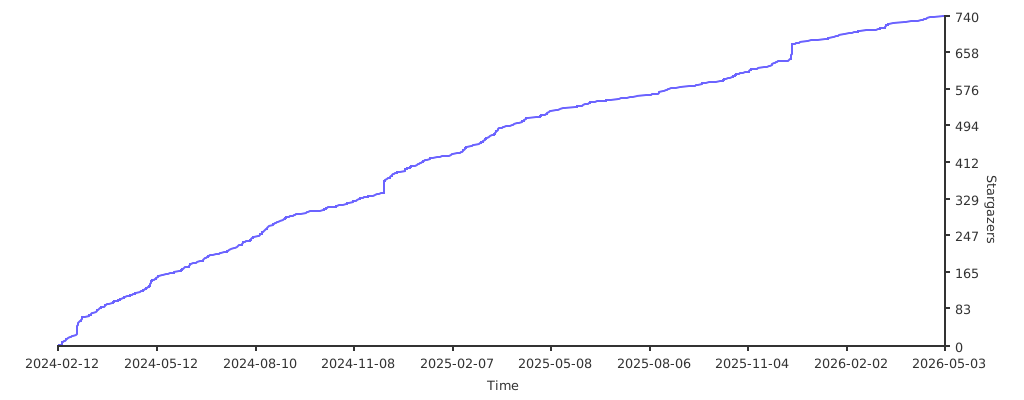
⭐️ Stargazers over time
👥 Contributors



Download files
Download the file for your platform. If you're not sure which to choose, learn more about installing packages.
Source Distribution
Built Distribution
Filter files by name, interpreter, ABI, and platform.
If you're not sure about the file name format, learn more about wheel file names.
Copy a direct link to the current filters
File details
Details for the file texteller-1.0.2.tar.gz.
File metadata
- Download URL: texteller-1.0.2.tar.gz
- Upload date:
- Size: 21.3 MB
- Tags: Source
- Uploaded using Trusted Publishing? No
- Uploaded via: uv/0.6.14
File hashes
| Algorithm | Hash digest | |
|---|---|---|
| SHA256 |
dcd5bcfa912bf32490af05539f3495bb6ea81fbcc426f818e724bbe05e237db9
|
|
| MD5 |
fb2e9e7f619c5af086e08309e494634f
|
|
| BLAKE2b-256 |
482f2752dfbdf95a8c59109fd46bb340b2f66cbe41a41a824b4a914ad1d5ed30
|
File details
Details for the file texteller-1.0.2-py3-none-any.whl.
File metadata
- Download URL: texteller-1.0.2-py3-none-any.whl
- Upload date:
- Size: 82.9 kB
- Tags: Python 3
- Uploaded using Trusted Publishing? No
- Uploaded via: uv/0.6.14
File hashes
| Algorithm | Hash digest | |
|---|---|---|
| SHA256 |
0c90425f6aec3e6f0c4dab4ba939065766e6d1c2a440b6ecedfbd7de9f8dad5d
|
|
| MD5 |
3ccb4ce52787681ca13bf51b33550b54
|
|
| BLAKE2b-256 |
07c9de1f304ca03b97cd9b7c15540decff20993cb6d988b2e97955c0631a1ac4
|






