
A visual coutndown widget for Textal applications

Project description
textual-countdown
Introduction
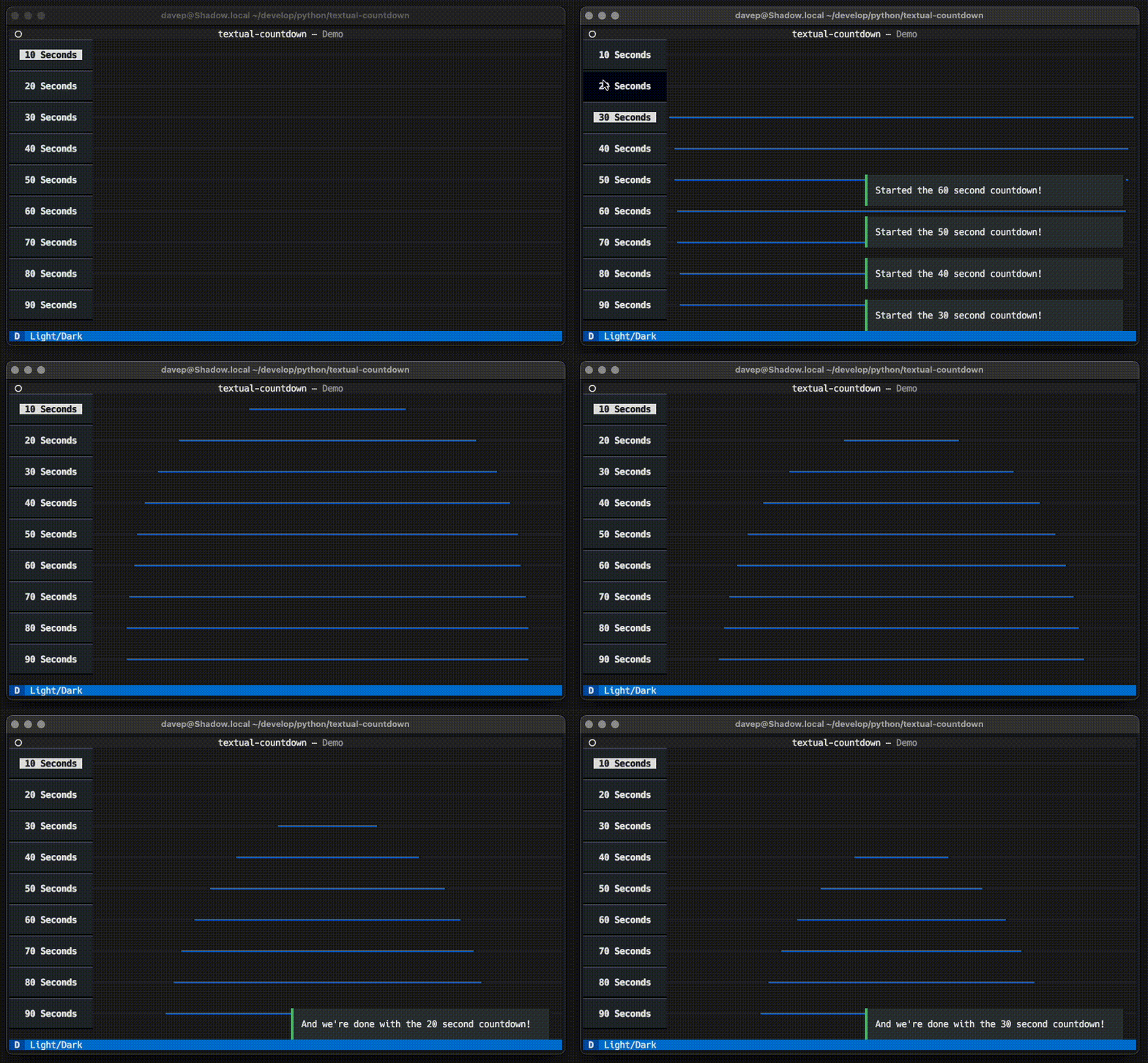
This library provides a simple visual countdown widget, designed to subtly let the user know that a period of time is passing; essentially a simple "wait some time" progress bar.
Uses could be as a non-intrusive countdown in some sort of quiz application, or a cool-down display in an application that's waiting to hit a busy API endpoint again.
Installing
The package can be installed with pip or related tools, for example:
$ pip install textual-countdown
Demo
Once installed, you can try a demo of the library with:
$ python -m textual_countdown
Using the widget
To import the widget, do:
from textual_countdown import Countdown
The Countdown widget can then be composed into your application like any
other Textual widget.
Controlling the countdown
The widget provides the following methods:
start(countdown: float) -> None-- call this to start a countdown, giving the number of seconds to count down.cancel() -> None-- to cancel a countdown.
There is also a is_running property to check if the countdown is running.
Events
The following events will be sent from the widget:
Countdown.Started-- posted when a countdown starts.Countdown.Finished-- posted when a countdown finishes.Countdown.Cancelled-- posted if a countdown is cancelled.
All events have a countdown property that points to the widget that sent
them; Started and Finished also have a counting property that gives
the amount of time being counted.
Styling
The non-counting colour for the countdown display is controlled by the
standard Textual colour CSS style. The active time-remaining portion of
the display is controlled by a countdown--remaining component class.
As an example, if you wanted to colour the non-running/expired portion of a countdown as red, and the time remaining as green, you could do:
Countdown {
    color: red;

    &> .countdown--remaining {
        color: green;
    }
}
Additionally, when a Countdown is running, it will have a
countdown--running class applied; this allows styling of non-running and
running countdown widgets.


Download files
Download the file for your platform. If you're not sure which to choose, learn more about installing packages.
Source Distribution
Built Distribution
Filter files by name, interpreter, ABI, and platform.
If you're not sure about the file name format, learn more about wheel file names.
Copy a direct link to the current filters
File details
Details for the file textual-countdown-0.1.1.tar.gz.
File metadata
- Download URL: textual-countdown-0.1.1.tar.gz
- Upload date:
- Size: 5.0 kB
- Tags: Source
- Uploaded using Trusted Publishing? No
- Uploaded via: twine/5.0.0 CPython/3.12.2
File hashes
| Algorithm | Hash digest | |
|---|---|---|
| SHA256 |
c644551c7808308813957cd2ae3170e167050430fe045f545d4960b4354582dc
|
|
| MD5 |
344825025f9e821d03f2225198a768ac
|
|
| BLAKE2b-256 |
ce8a792e987347559e7c596d06f244f3da15dc8ad830243838ffde10616f6473
|
File details
Details for the file textual_countdown-0.1.1-py3-none-any.whl.
File metadata
- Download URL: textual_countdown-0.1.1-py3-none-any.whl
- Upload date:
- Size: 5.6 kB
- Tags: Python 3
- Uploaded using Trusted Publishing? No
- Uploaded via: twine/5.0.0 CPython/3.12.2
File hashes
| Algorithm | Hash digest | |
|---|---|---|
| SHA256 |
38731db208bb76be491d20df3fb3d6890524f1bee603a4ac8c798418a84a7f4d
|
|
| MD5 |
d50b15b5c126d07eb9d3d53b4e335502
|
|
| BLAKE2b-256 |
385cc76c3fcd129bd15ee5a7db2caad47c92b8c3203236b9b1d3403073b4d6e3
|






