
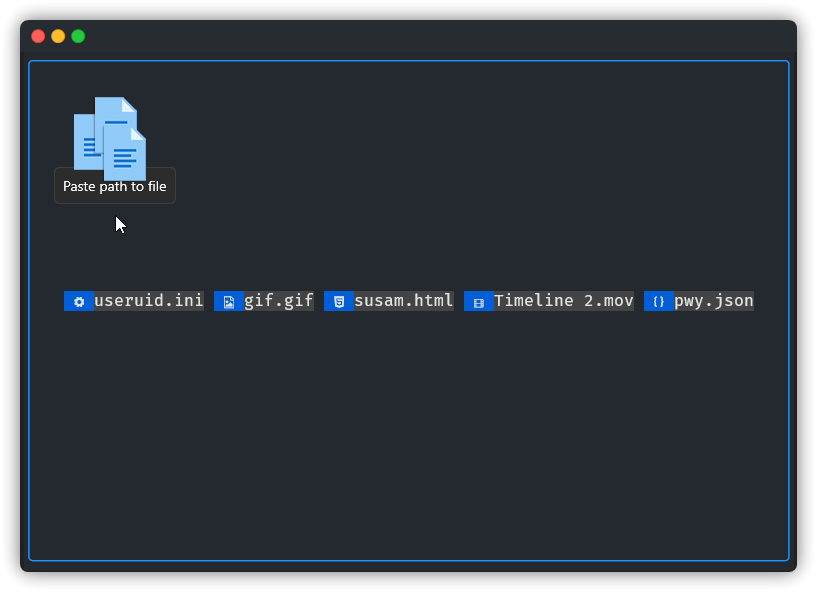
textual-filedrop
Add filedrop support to your Textual apps, easily drag and drop files into your terminal apps.
Tested on
WindowsandmacOS.
Nerd Font is required to display file icons.
Install
pip install textual-filedrop
or
git clone https://github.com/agmmnn/textual-filedrop.git
cd textual-filedrop
poetry install
Note
Since version 0.10.0 Textual supports bubble for the paste event (Textualize/textual#1434). So if the terminal where your app is running treats the file drag and drop as a paste event, you can catch it yourself with the on_paste function without widget.
Usage
getfiles
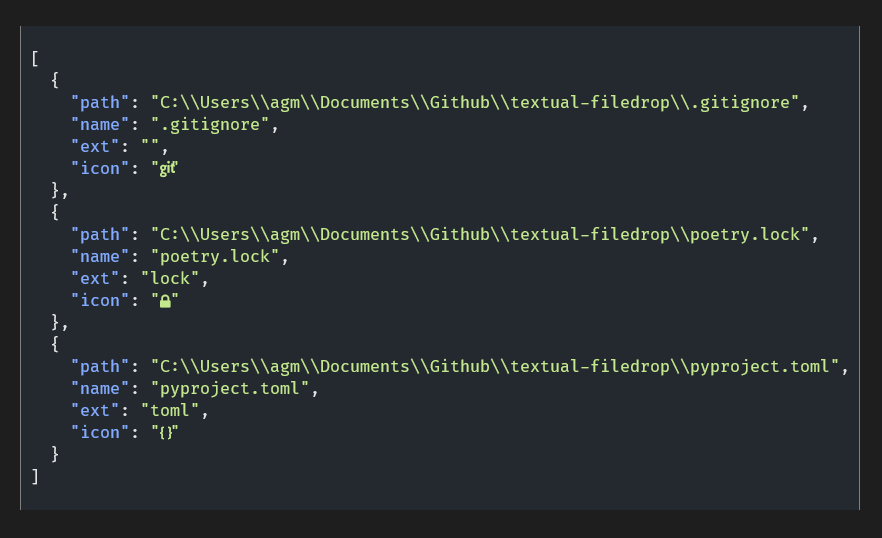
getfiles returns an object containing the path, filename, extension and icon of the files.
from textual_filedrop import getfiles

class MyApp(App):
...
    def on_paste(self, event) -> None:
        files = getfiles(event)
        print(files)
FileDrop Widget
As long as the FileDrop widget is in focus, it will give the information of the dragged files and render the file names with their icons on the screen.
from textual_filedrop import FileDrop
# add FileDrop widget to your app
yield FileDrop(id="filedrop")
# focus the widget
self.query_one("#filedrop").focus()
# when the files are dropped
def on_file_drop_dropped(self, message: FileDrop.Dropped) -> None:
    path = message.path
    filepaths = message.filepaths
    filenames = message.filenames
    filesobj = message.filesobj
    print(path, filepaths, filenames, filesobj)


# output: path, [filepaths], [filenames], [filesobj]
You can find more examples here.
Examples
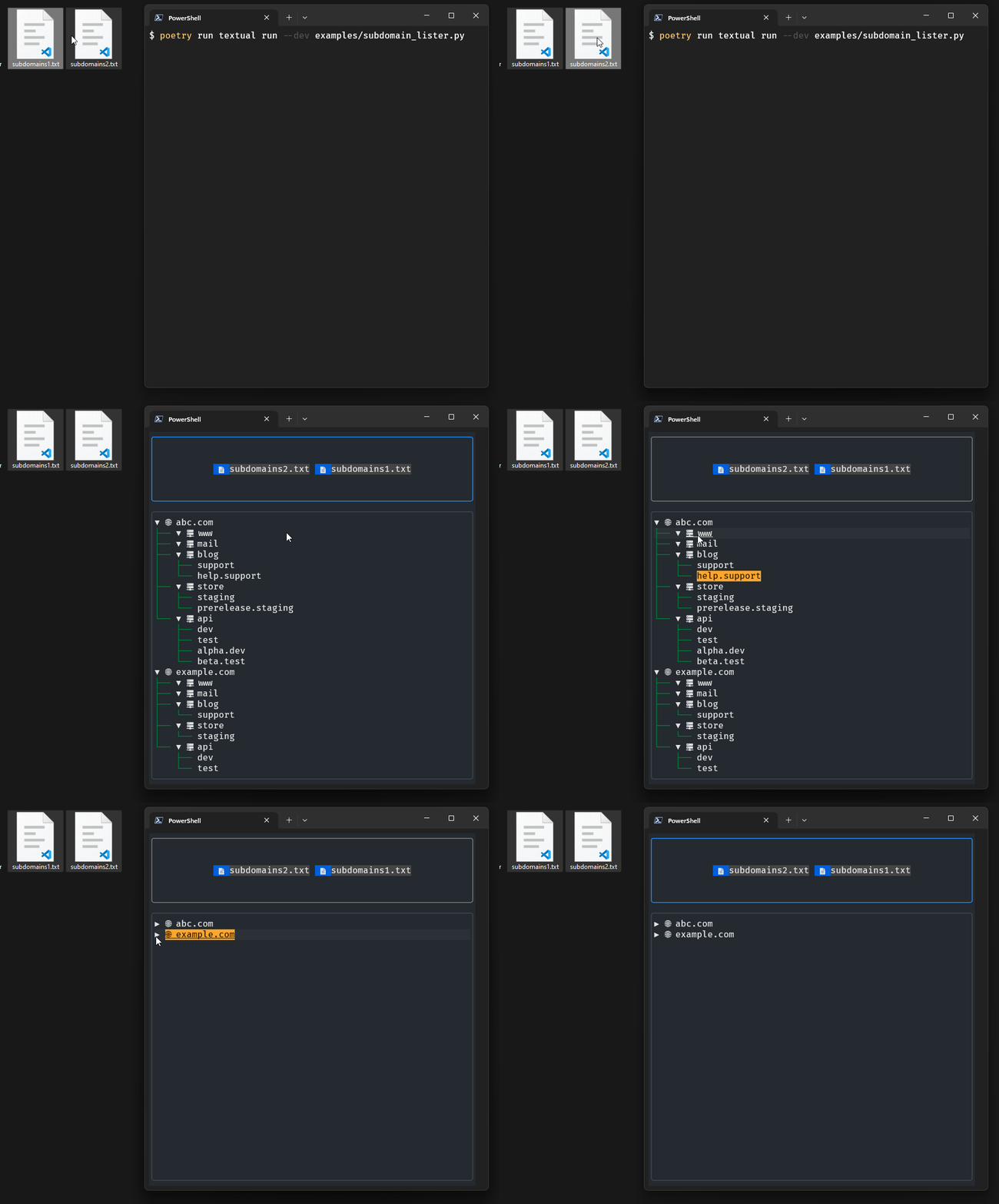
subdomain_lister.py
Drag and drop the subdomain list files and see the results as a tree list.
fullscreen.py
Fullscreen example, will show the results in the textual console.
hidden.py
As long as focus is on, the FileDrop widget will be active even if it is not visible on the screen.
without_widget.py
An example that renders the object with the information of the dragged files returned from the getfiles function to the screen with rich.json.
Dev
poetry install

textual console
poetry run textual run --dev examples/subdomain_lister.py
1 maintainer

Metadata
1 maintainer
Release files for textual-filedrop 0.3.5
For a detailed explanation of source distributions (sdists) and built distributions (wheels), please see the package formats documentation.
Source distribution (sdist)
| File | Size | Uploaded | |
|---|---|---|---|
| textual_filedrop-0.3.5.tar.gz | 7.7 kB | Details |
Built distribution (wheel)
| File | Interpreter | ABI | Platform | Reset |
|---|---|---|---|---|
| textual_filedrop-0.3.5-py3-none-any.whl | Python 3 | none | any | Details |
Total release size: 15.6 kB
Release files / textual_filedrop-0.3.5.tar.gz
| Download URL | textual_filedrop-0.3.5.tar.gz |
|---|---|
| Size | 7.7 kB |
| Tags | Source |
|
SHA-256 checksum How to use checksums |
3afadb2e913827a230307776cedfcd3b40c5654c9e9c56b72f1fddba641587ac
|
|
BLAKE2b-256 checksum How to use checksums |
9b1673864d6c1f182c96b3186e5d9328d2251fcdb4241d1e5d57d3027e8957f1
|
| Upload date | |
|
Uploaded using Trusted Publishing? What is trusted publishing? |
No |
| Uploaded via |
poetry/1.3.2 CPython/3.11.2 Windows/10
|
Release files / textual_filedrop-0.3.5-py3-none-any.whl
| Download URL | textual_filedrop-0.3.5-py3-none-any.whl |
|---|---|
| Size | 7.8 kB |
| Tags | Python 3 |
|
SHA-256 checksum How to use checksums |
98d6751a37a363566927e628c1f1d47b013dfbe5ff189906366cbea0e6d16c6d
|
|
BLAKE2b-256 checksum How to use checksums |
e7d5848201ba230a52ea02c7907e620b4c649ee45d2d18f485d919311e51ae00
|
| Upload date | |
|
Uploaded using Trusted Publishing? What is trusted publishing? |
No |
| Uploaded via |
poetry/1.3.2 CPython/3.11.2 Windows/10
|














