
Turn your Textual TUIs in to web applications

Project description
textual-serve
Every Textual application is now a web application.
With 3 lines of code, any Textual app can run in the browser.
|
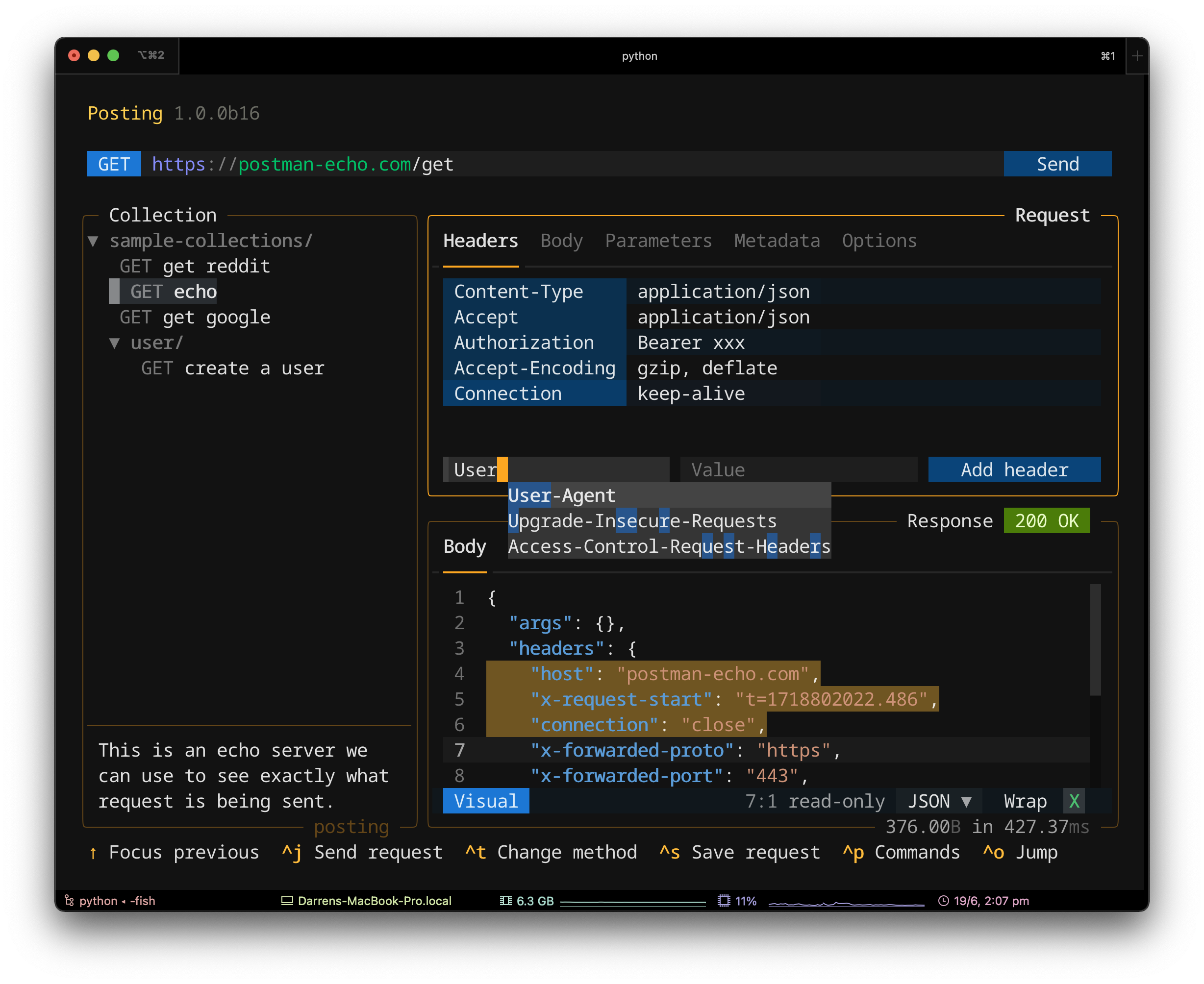
This is Posting running in the terminal. |
|
|
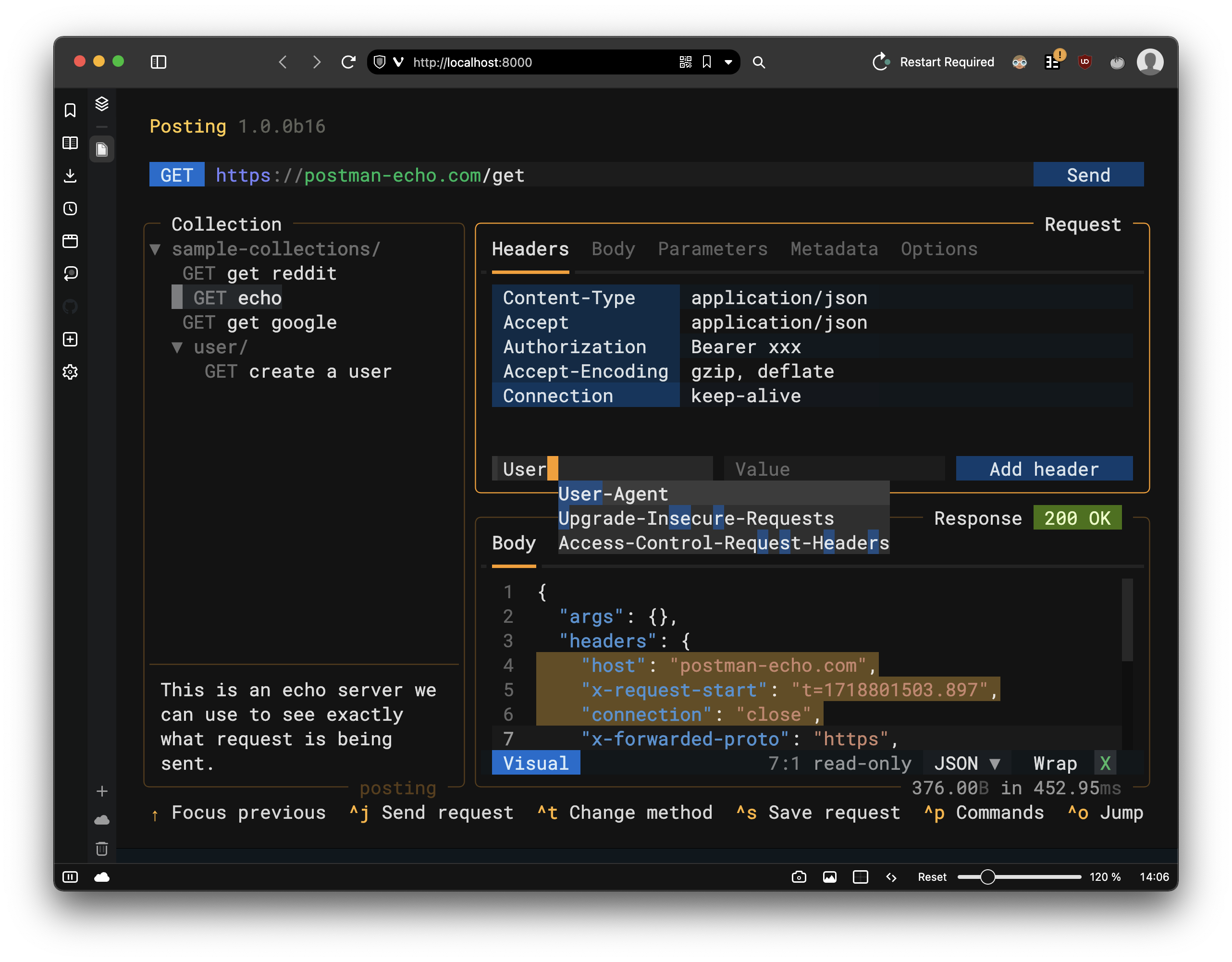
This is Posting running in the browser. |
|
Getting Started
First, install (or upgrade) Textual.
Then install textual-serve from PyPI:
pip install textual-serve
Creating a server
First import the Server class:
from textual_serve.server import Server
Then create a Server instance and pass the command that launches your Textual app:
server = Server("python -m textual")
The command can be anything you would enter in the shell, as long as it results in a Textual app running.
Finally, call the serve method:
server.serve()
You will now be able to click on the link in the terminal to run your app in a browser.
Summary
Run this code, visit http://localhost:8000
from textual_serve.server import Server

server = Server("python -m textual")
server.serve()
Configuration
The Server class has the following parameters:
| parameter | description |
|---|---|
| command | A shell command to launch a Textual app. |
| host | The host of the web application (defaults to "localhost"). |
| port | The port for the web application (defaults to 8000). |
| title | The title show in the web app on load, leave as None to use the command. |
| public_url | The public URL, if the server is behind a proxy. None for the local URL. |
| statics_path | Path to statics folder, relative to server.py. Default uses directory in module. |
| templates_path | Path to templates folder, relative to server.py. Default uses directory in module. |
The Server.serve method accepts a debug parameter.
When set to True, this will enable textual devtools.
How does it work?
When you visit the app URL, the server launches an instance of your app in a subprocess, and communicates with it via a websocket.
This means that you can serve multiple Textual apps across all the CPUs on your system.
Note that Textual-serve uses a custom protocol to communicate with Textual apps. It does not simply expose a shell in your browser. There is no way for a malicious user to do anything the app-author didn't intend.
See also
See also textual-web which serves Textual apps on a public URL.
You can consider this project to essentially be a self-hosted equivalent of Textual-web.


Download files
Download the file for your platform. If you're not sure which to choose, learn more about installing packages.
Source Distribution
Built Distribution
Filter files by name, interpreter, ABI, and platform.
If you're not sure about the file name format, learn more about wheel file names.
Copy a direct link to the current filters
File details
Details for the file textual_serve-1.1.2.tar.gz.
File metadata
- Download URL: textual_serve-1.1.2.tar.gz
- Upload date:
- Size: 893.0 kB
- Tags: Source
- Uploaded using Trusted Publishing? No
- Uploaded via: python-httpx/0.23.3
File hashes
| Algorithm | Hash digest | |
|---|---|---|
| SHA256 |
0ccaf9b9df9c08d4b2d7a0887cad3272243ba87f68192c364f4bed5b683e4bd4
|
|
| MD5 |
bb6e4983dafee38d21d9e1896744fbdd
|
|
| BLAKE2b-256 |
274109d5695b050d592ff58422be2ca5c9915787f59ff576ca91d9541d315406
|
File details
Details for the file textual_serve-1.1.2-py3-none-any.whl.
File metadata
- Download URL: textual_serve-1.1.2-py3-none-any.whl
- Upload date:
- Size: 447.3 kB
- Tags: Python 3
- Uploaded using Trusted Publishing? No
- Uploaded via: python-httpx/0.23.3
File hashes
| Algorithm | Hash digest | |
|---|---|---|
| SHA256 |
147d56b165dccf2f387203fe58d43ce98ccad34003fe3d38e6d2bc8903861865
|
|
| MD5 |
14f22fdfb451f528b95ebb29e5ae1d31
|
|
| BLAKE2b-256 |
7cfb0006f86960ab8a2f69c9f496db657992000547f94f53a2f483fd611b4bd2
|






