
textual-themes










Retro color themes for Textual TUI applications.
41 carefully crafted themes inspired by classic computers, operating systems, vintage diver watches, comic-book color schemes, 80s pastel, Spielberg-era cinema, motorsport liveries, reggae roots and mafia-noir cinema.
⚠ Trademark Disclaimer
This is an independent, fan-made, non-commercial project. Theme names are descriptive of the visual style only — no third-party trademarks are used as theme names. Any remaining brand reference in descriptive text (e.g. "PETSCII style", "GEM Desktop", "Cinnamon-style") is purely descriptive and not affiliated with, endorsed by, sponsored by, or licensed by the respective trademark owners.
Gallery
Click any thumbnail to open the full-size SVG. Screenshots are taken from
the bundled demo app (python -m textual_themes).
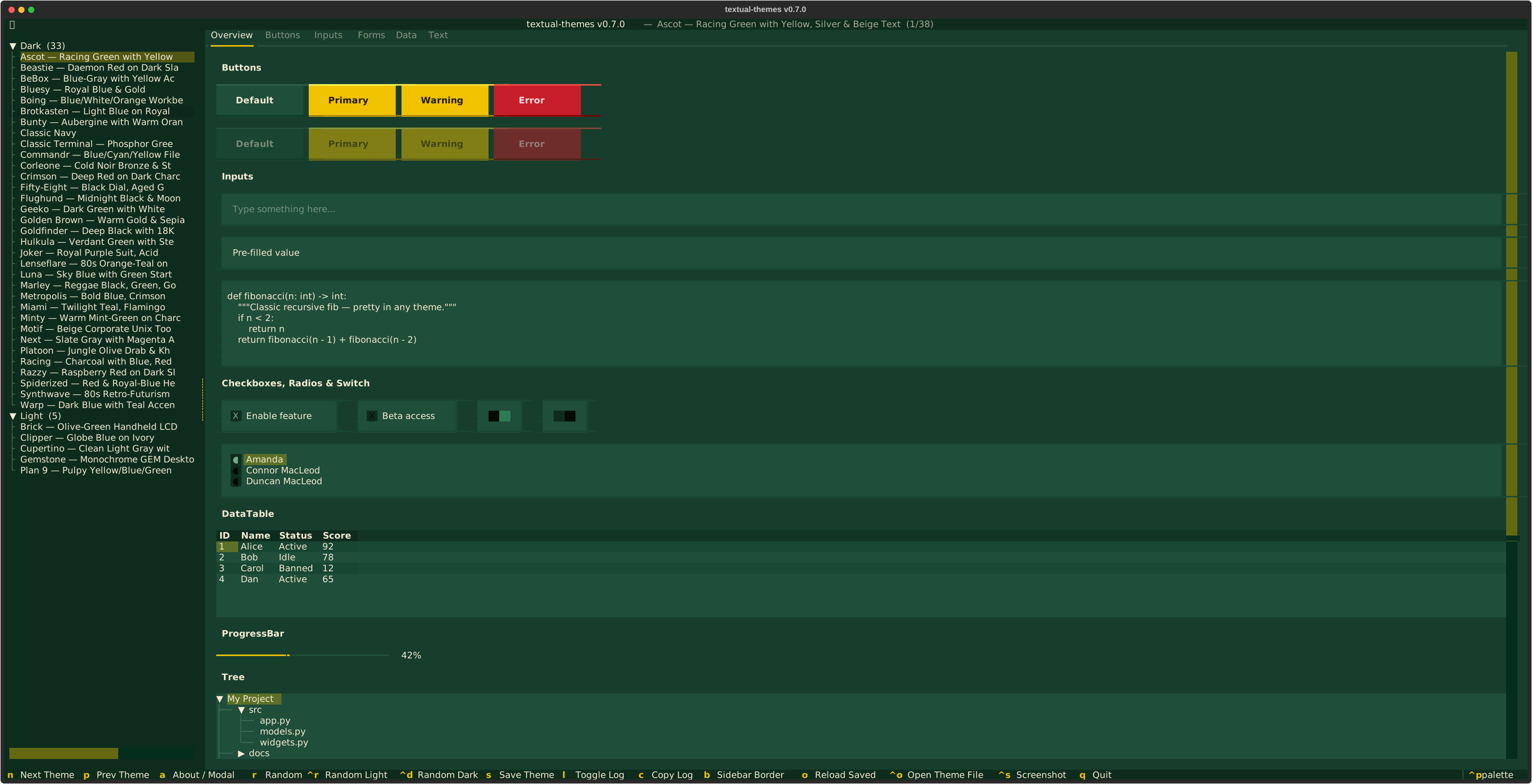 Ascot |
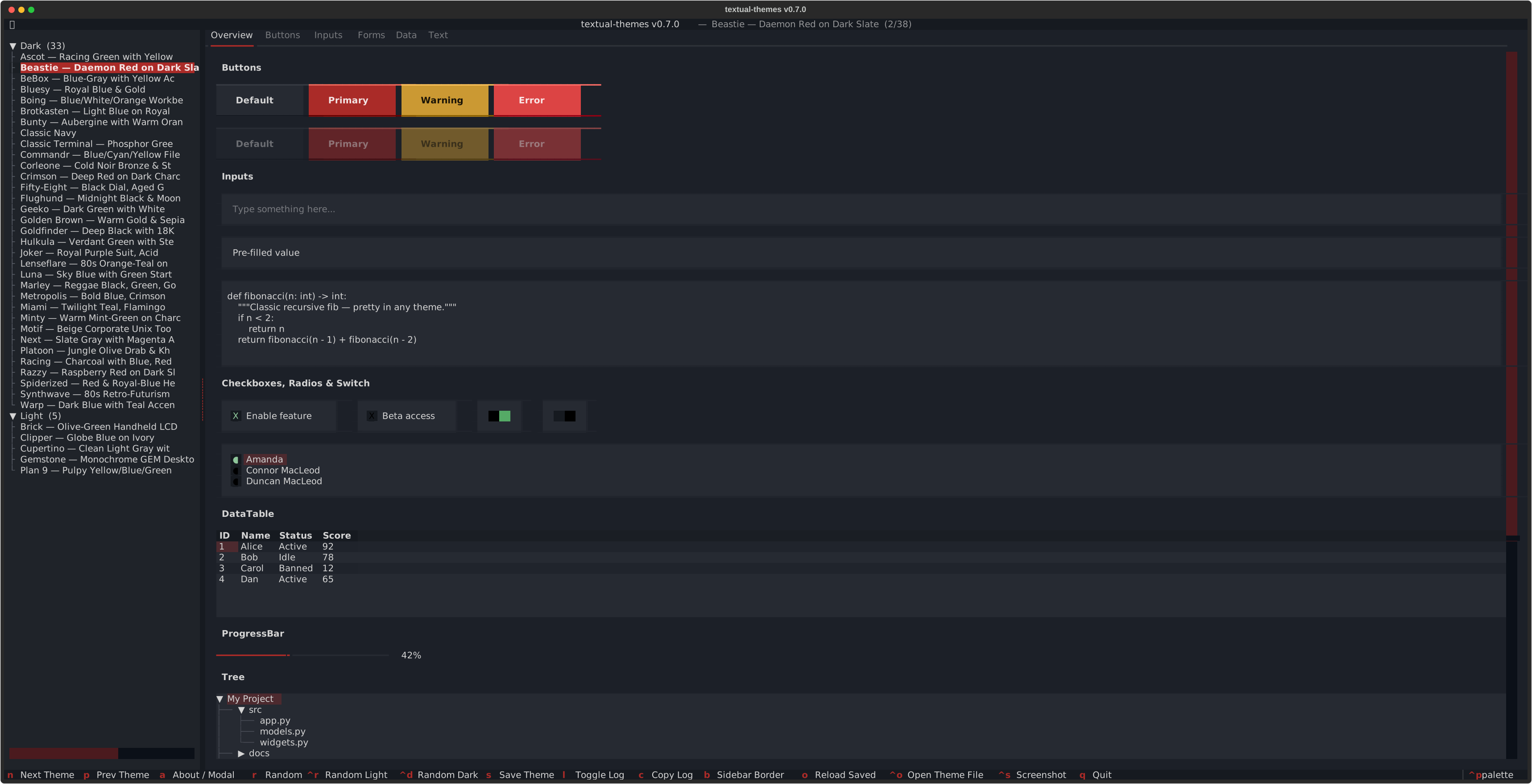 Beastie |
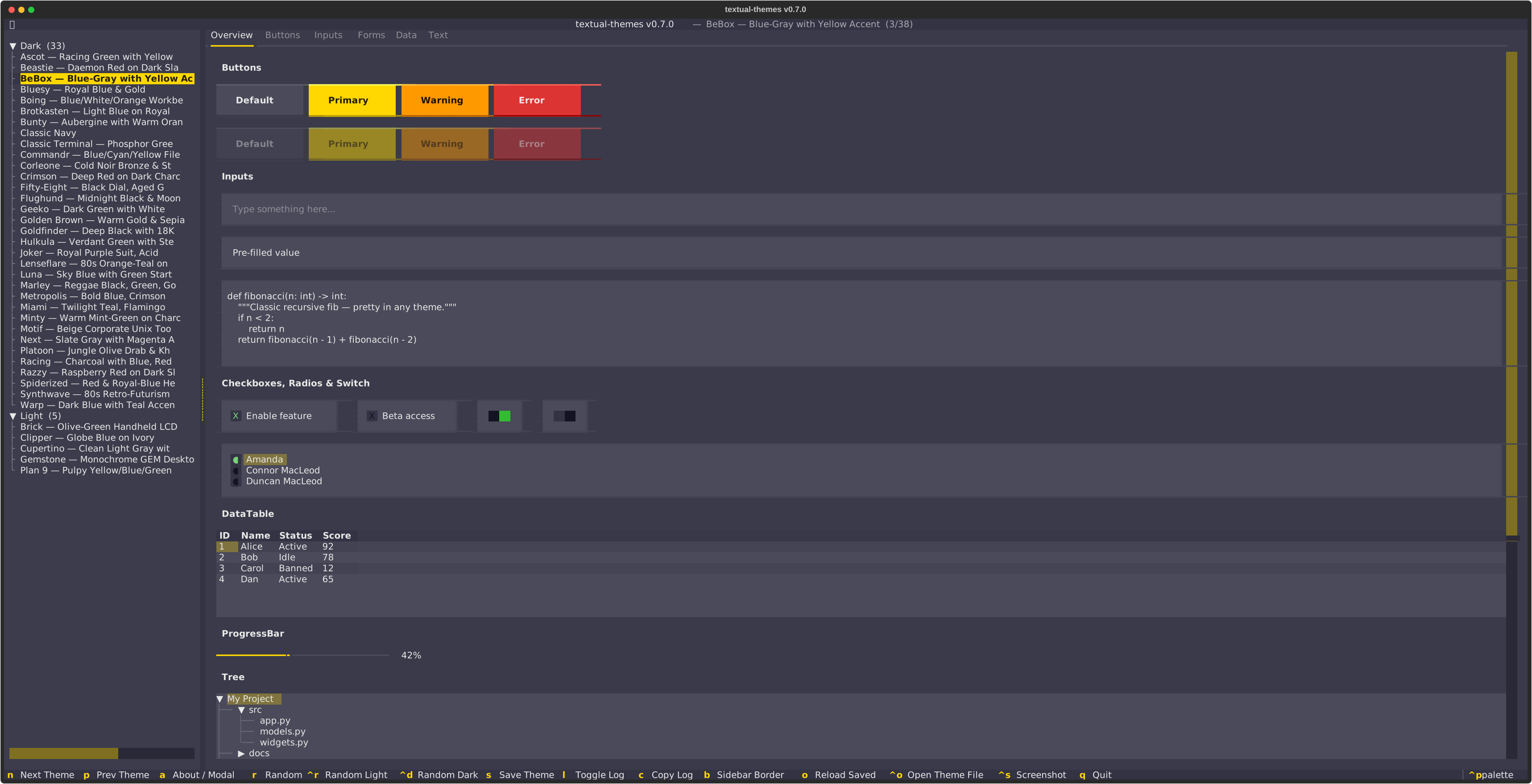 BeBox |
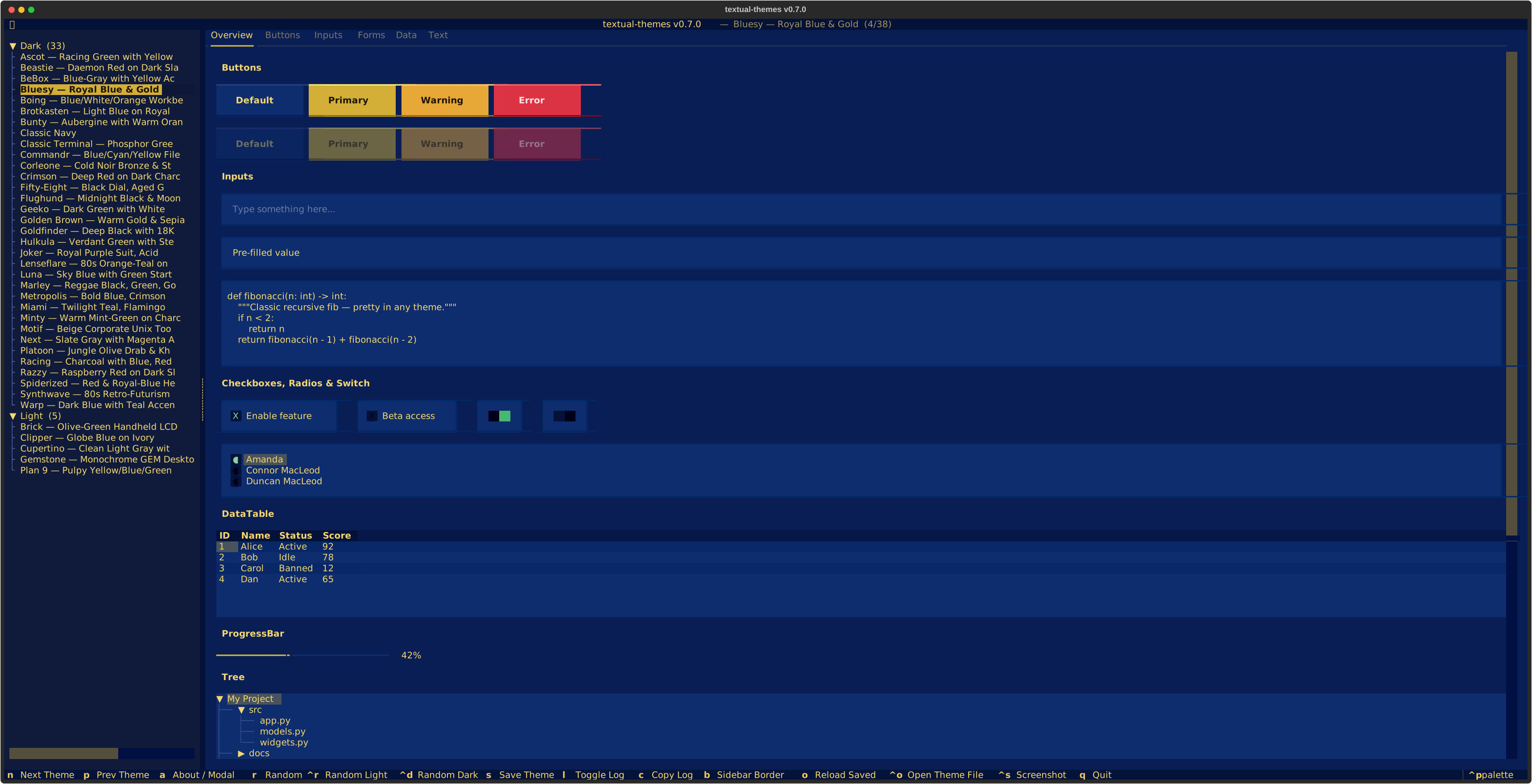 Bluesy |
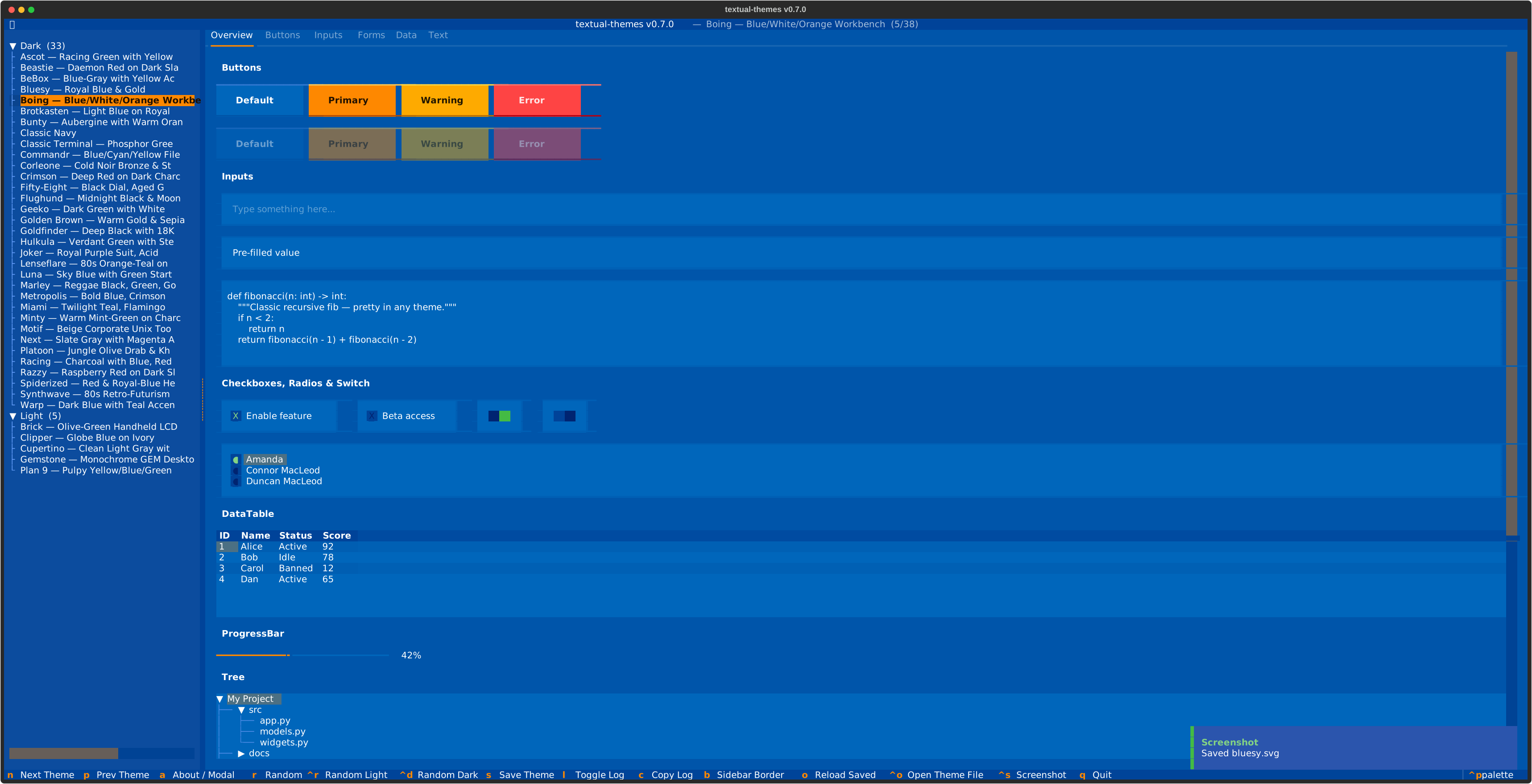 Boing |
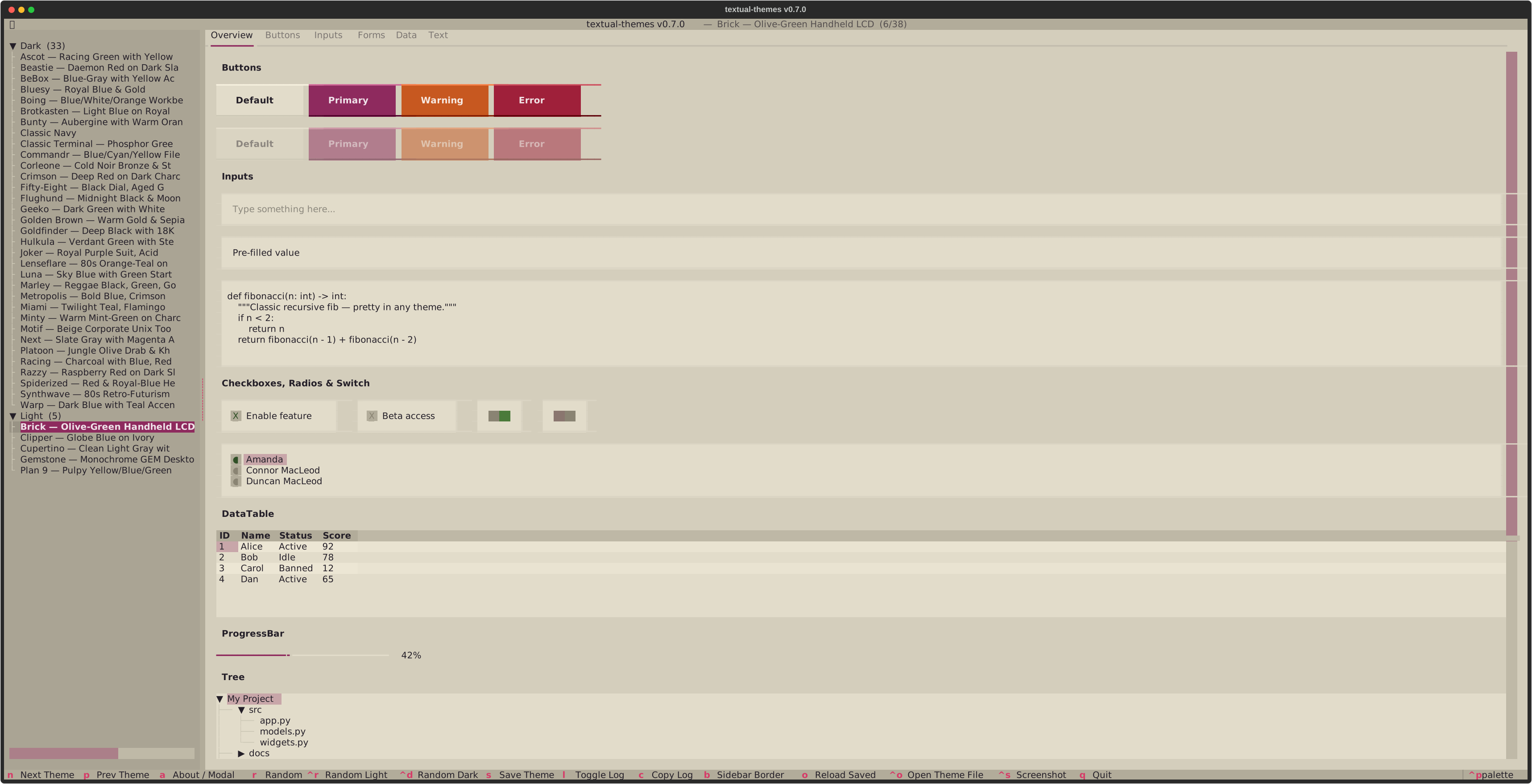 Brick |
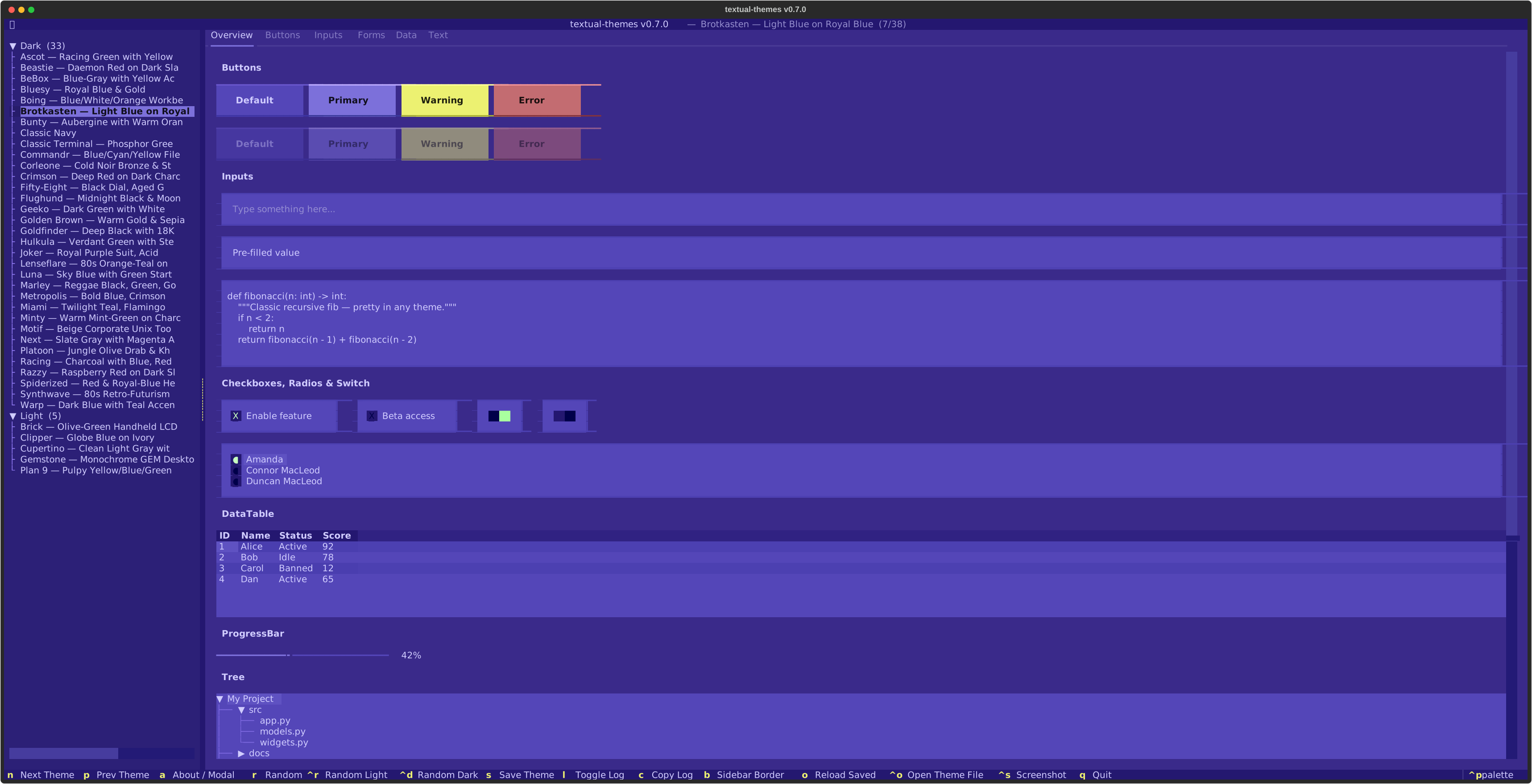 Brotkasten |
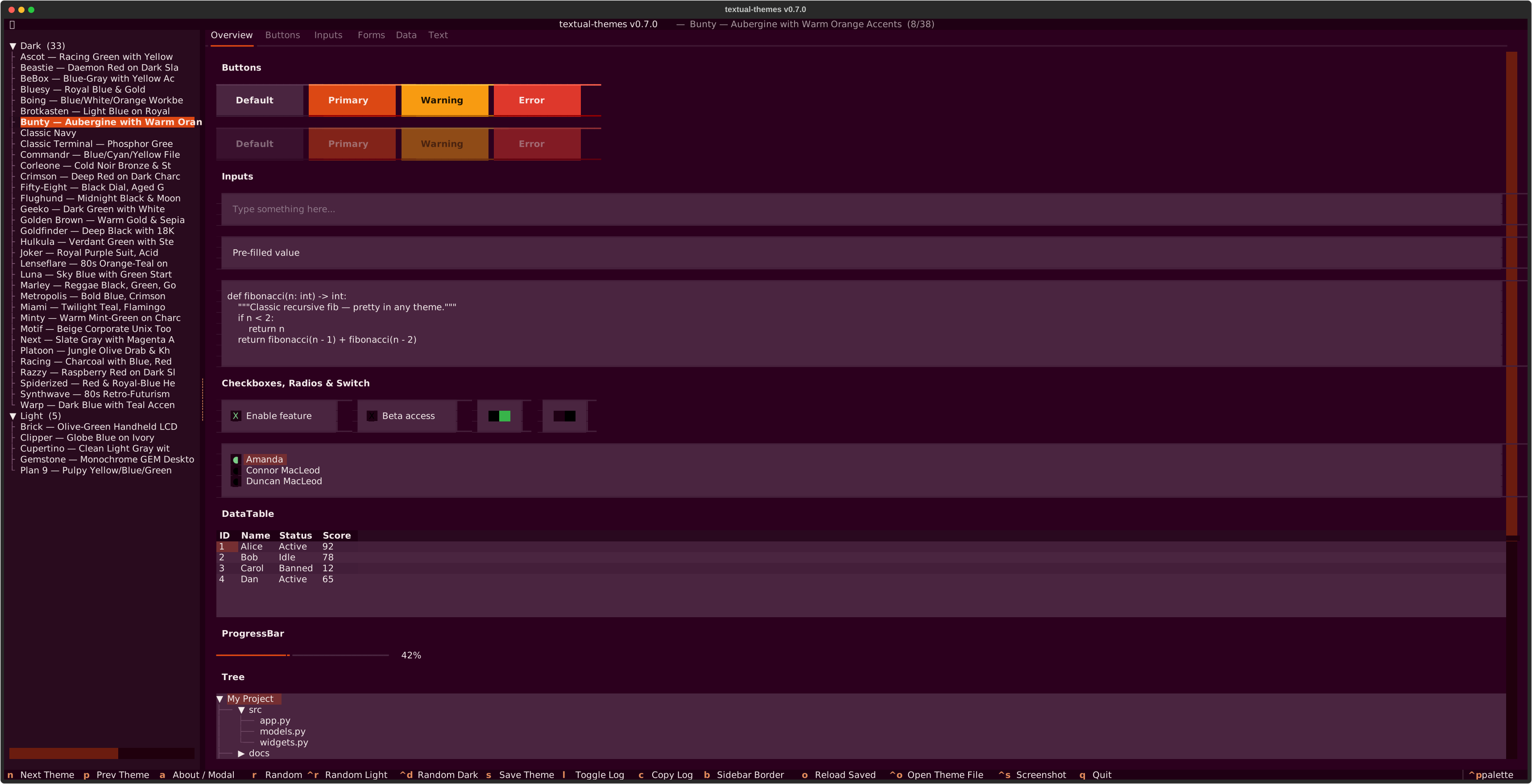 Bunty |
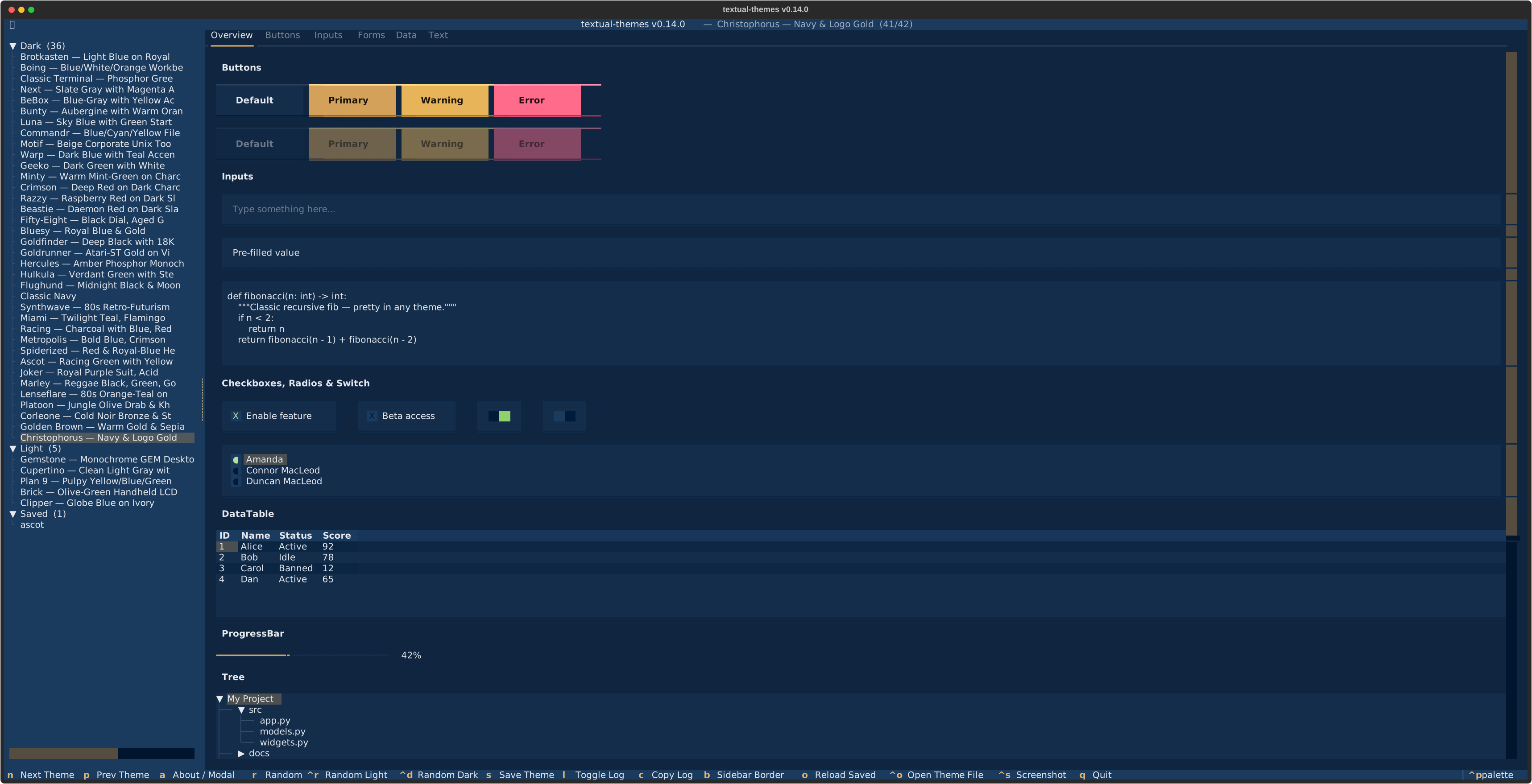 Christophorus |
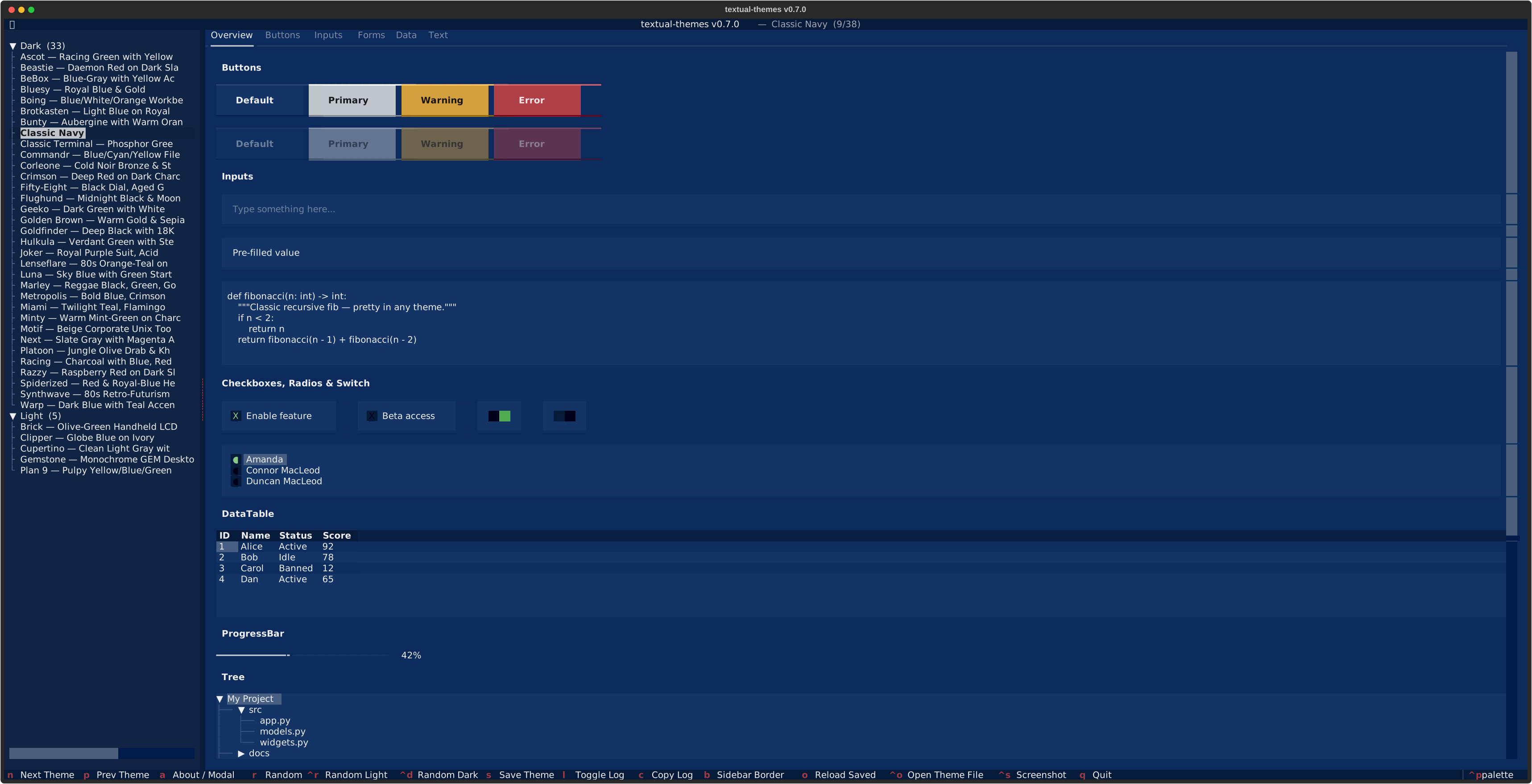 Classic Navy |
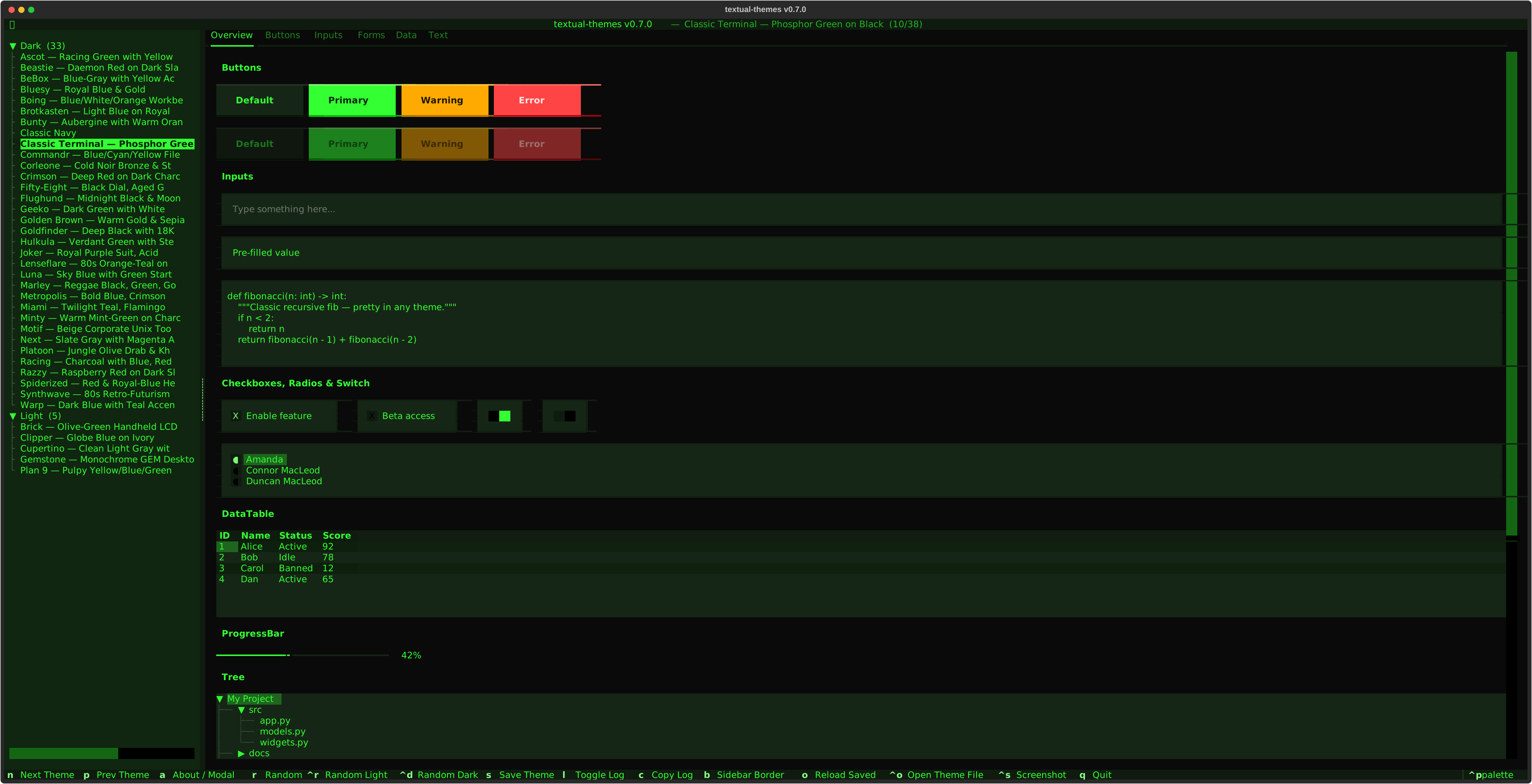 Classic Terminal |
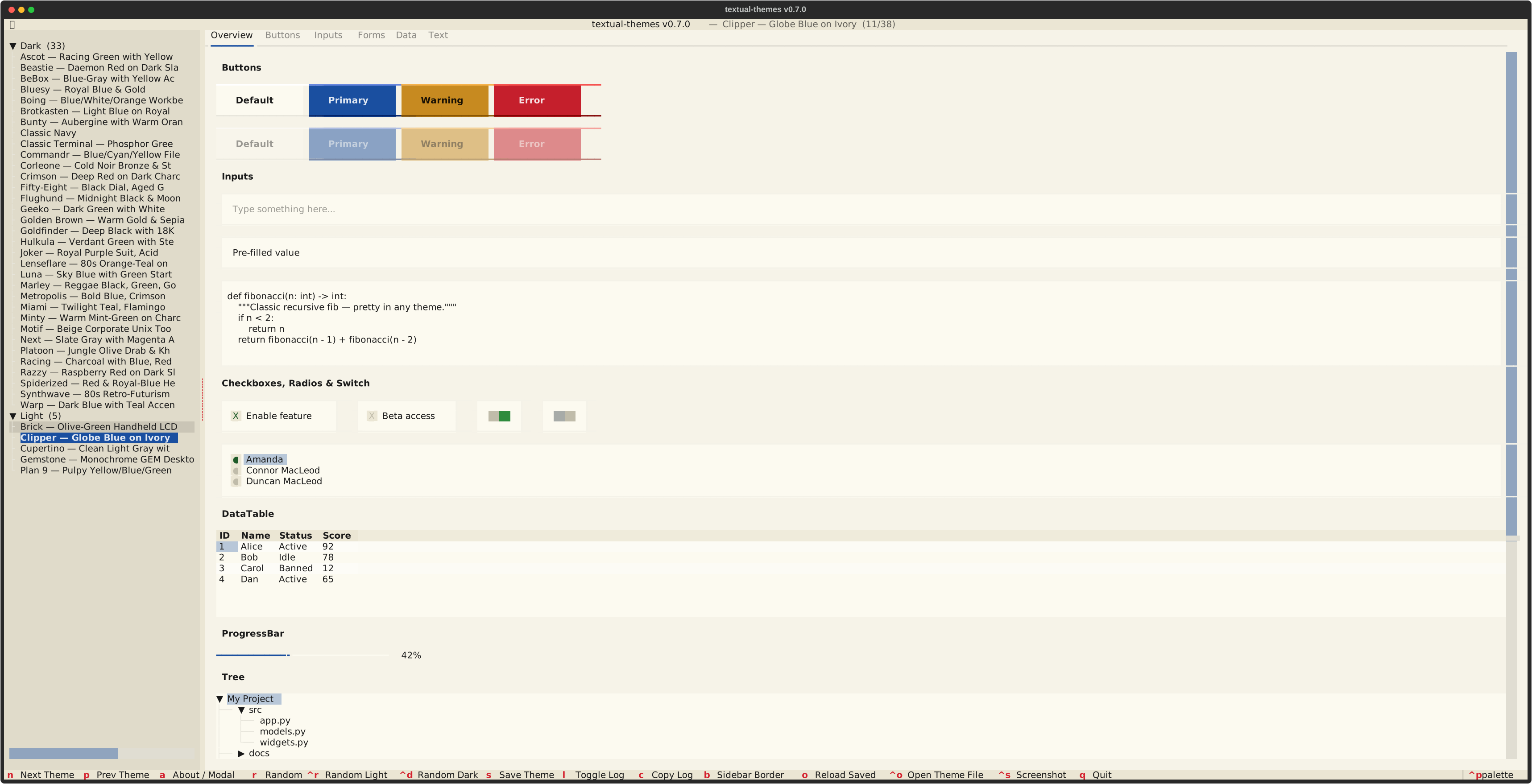 Clipper |
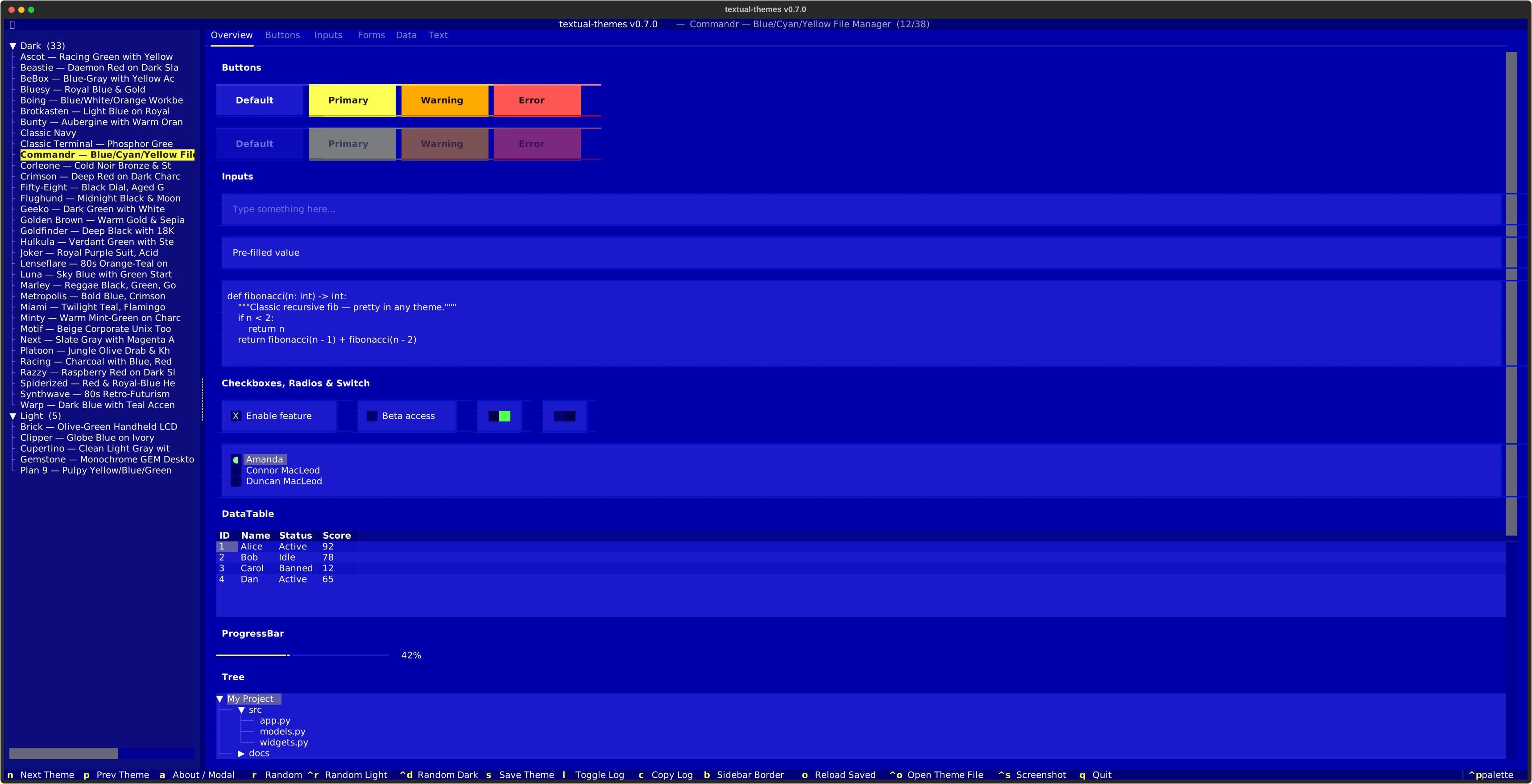 Commandr |
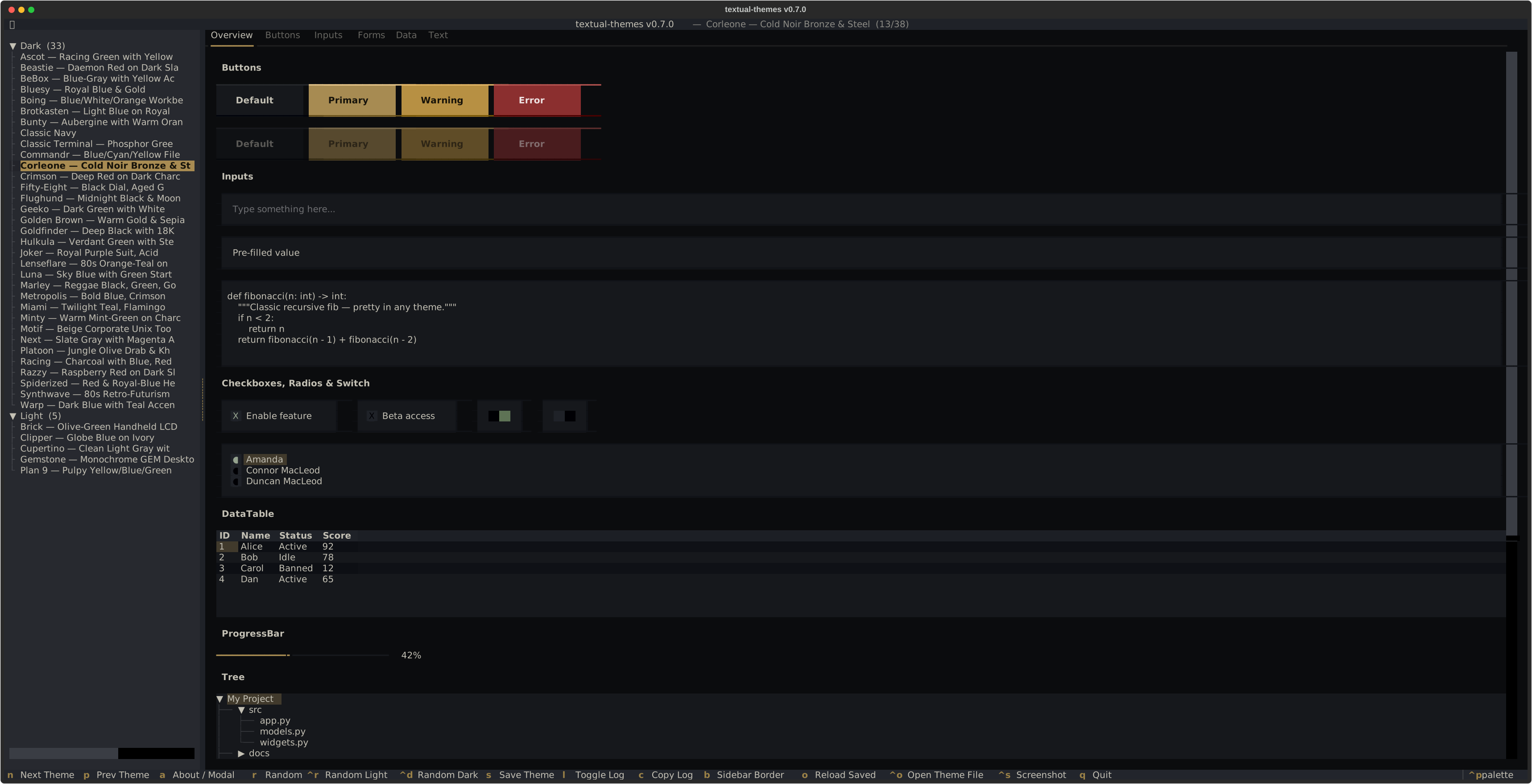 Corleone |
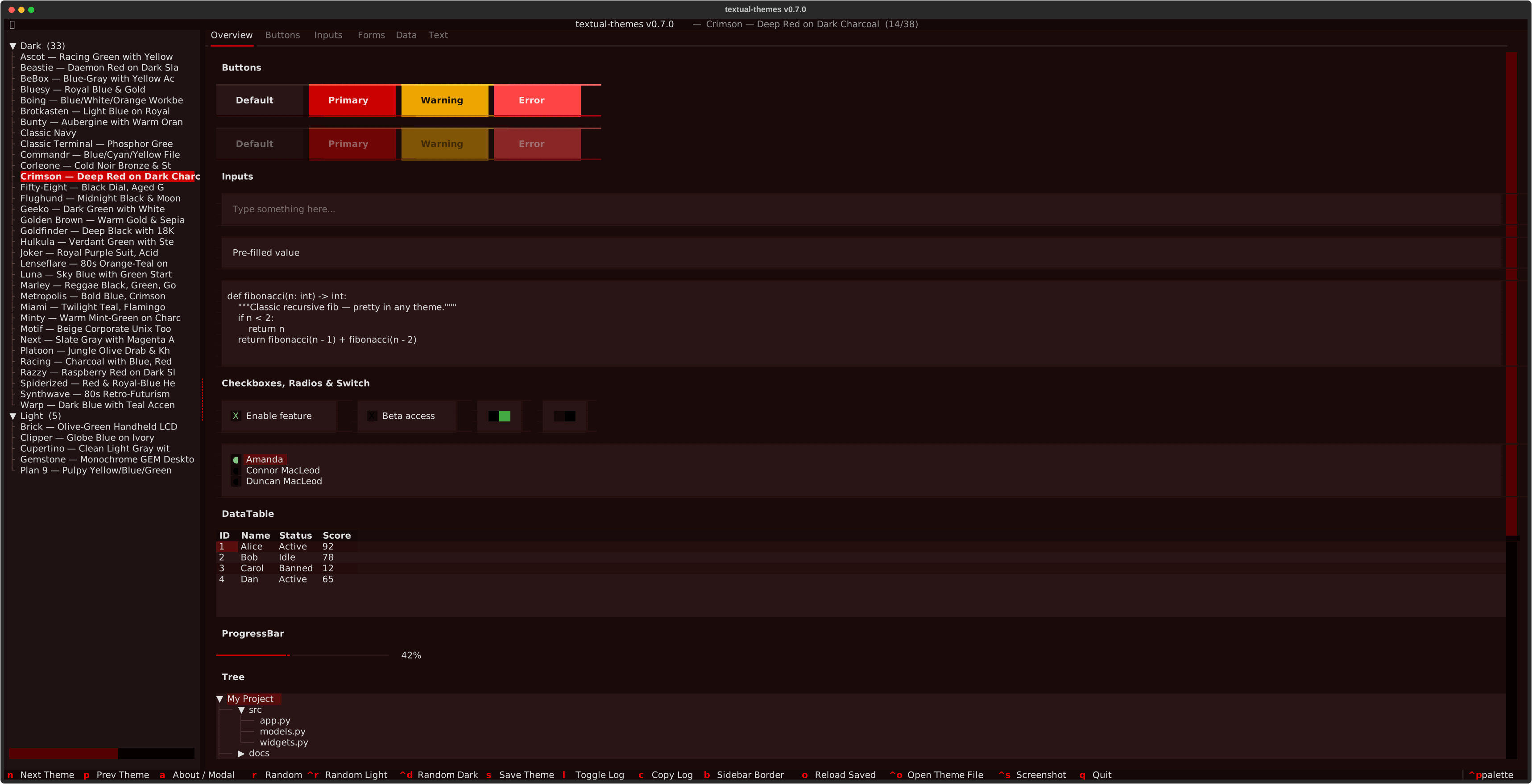 Crimson |
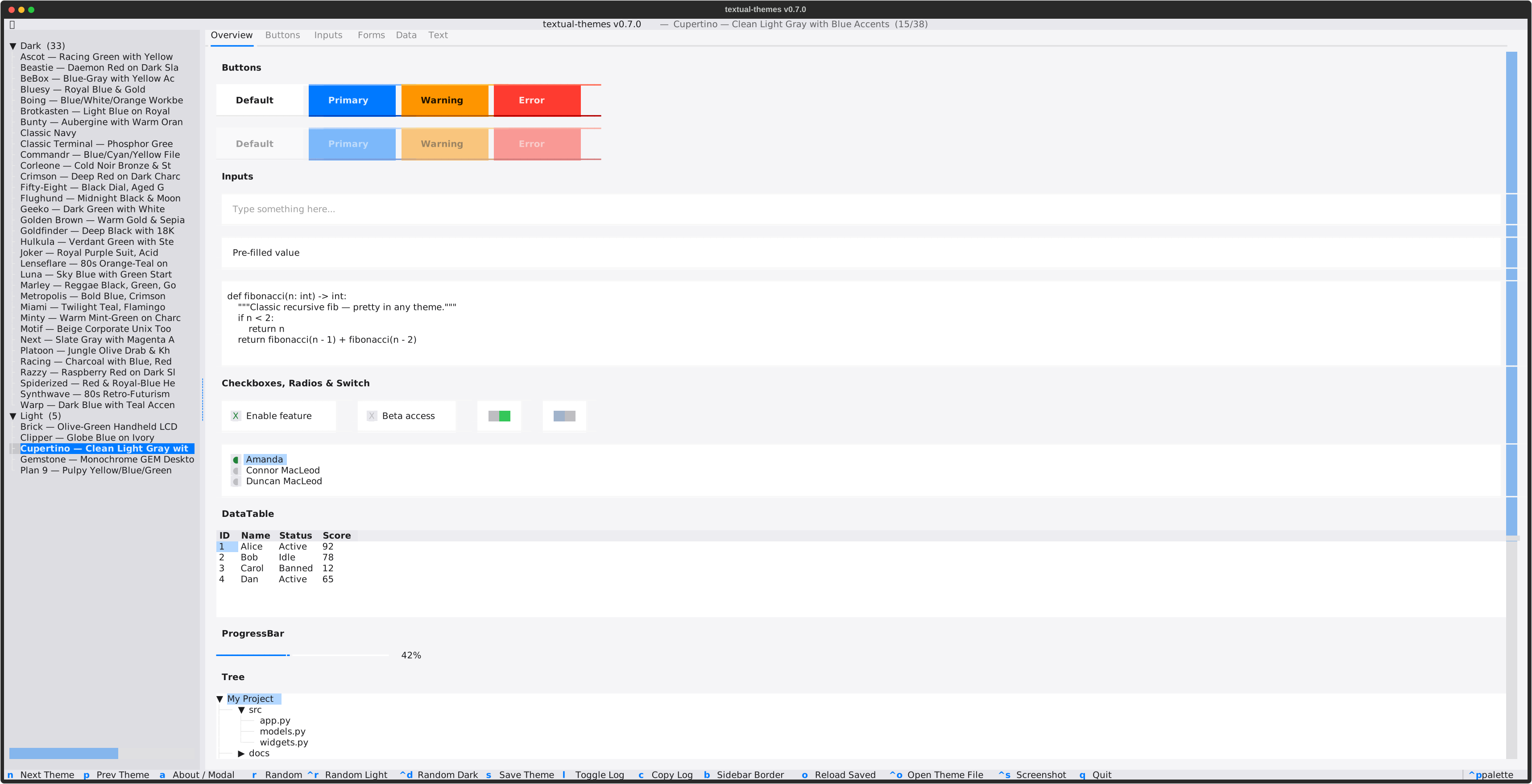 Cupertino |
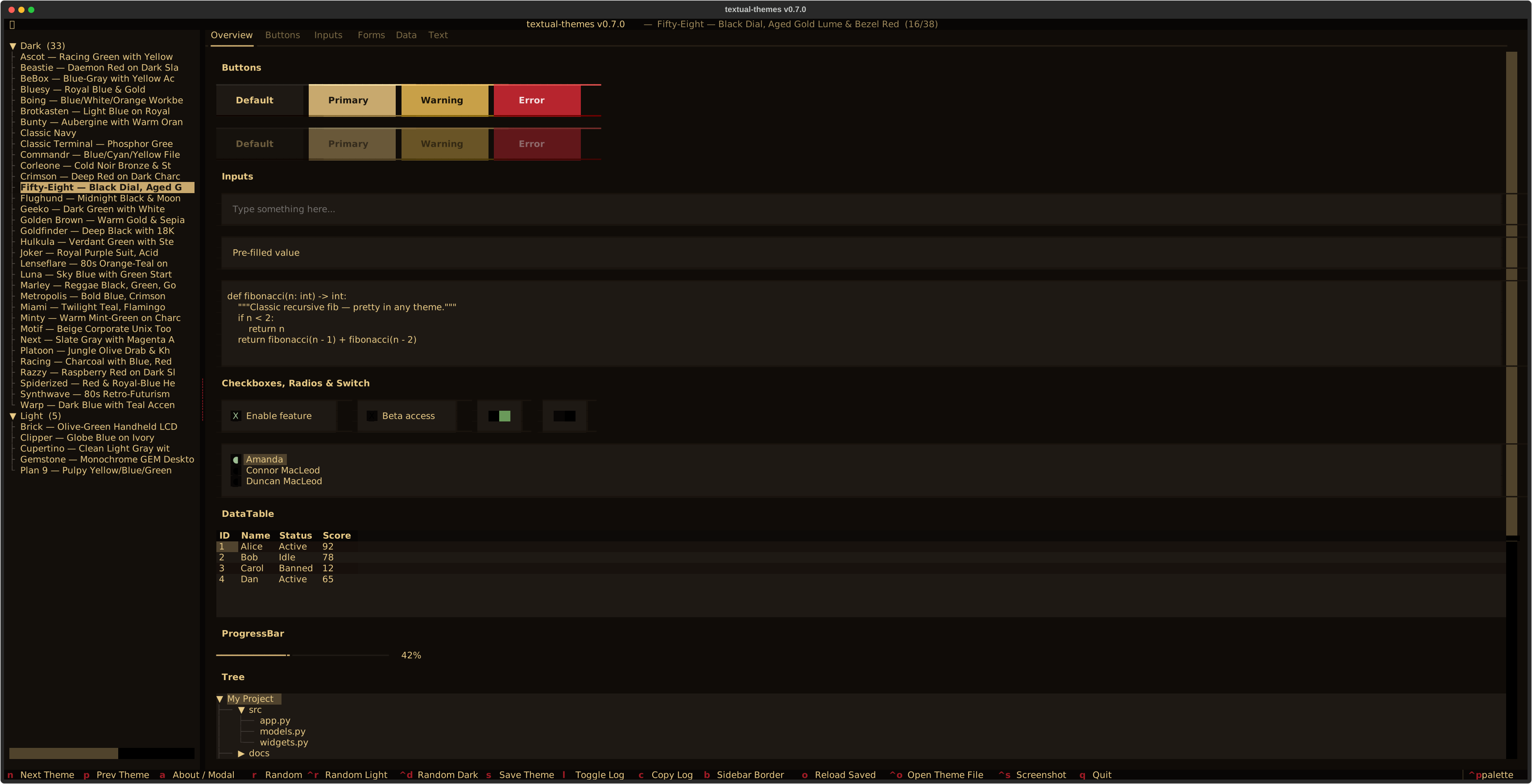 Fifty-Eight |
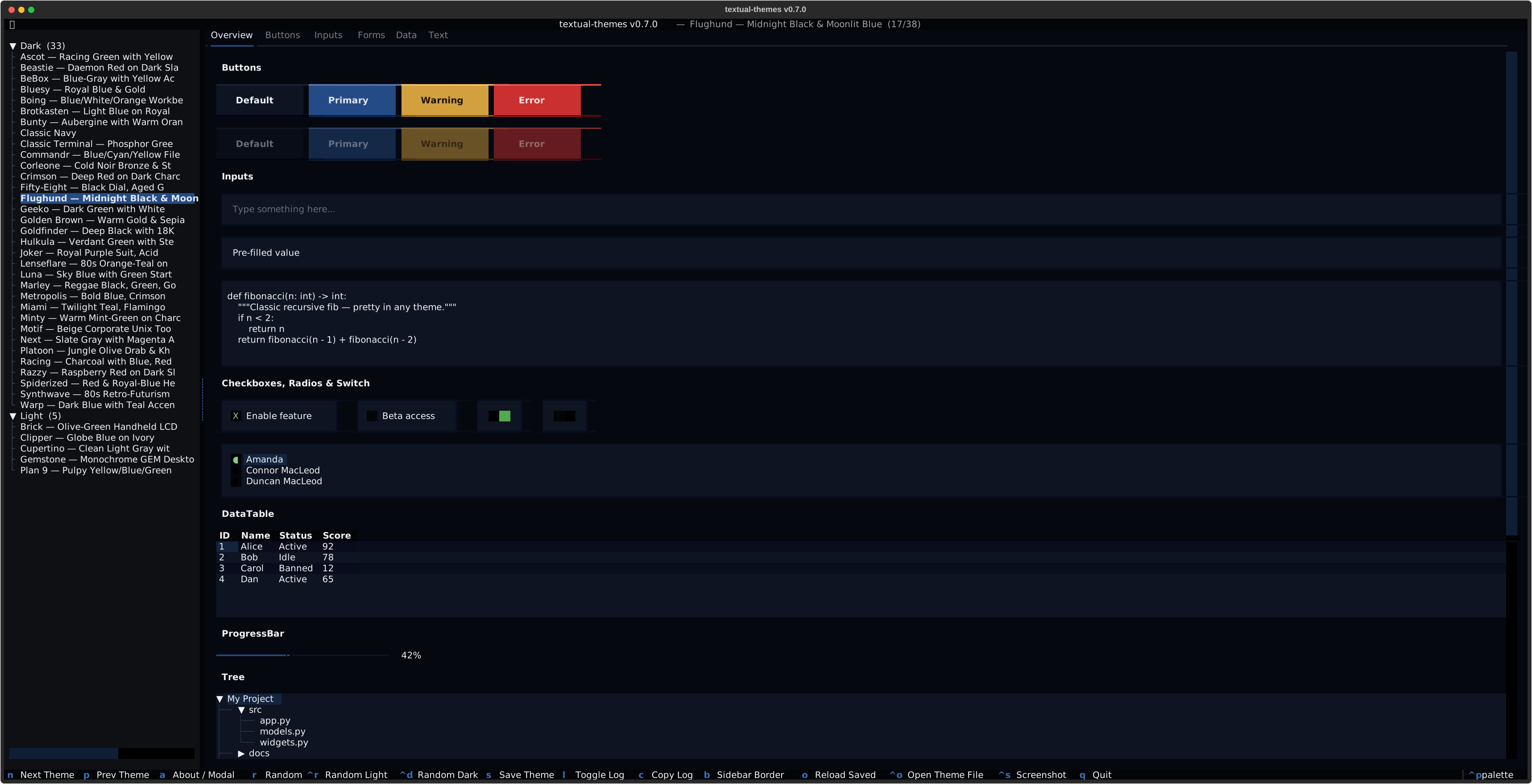 Flughund |
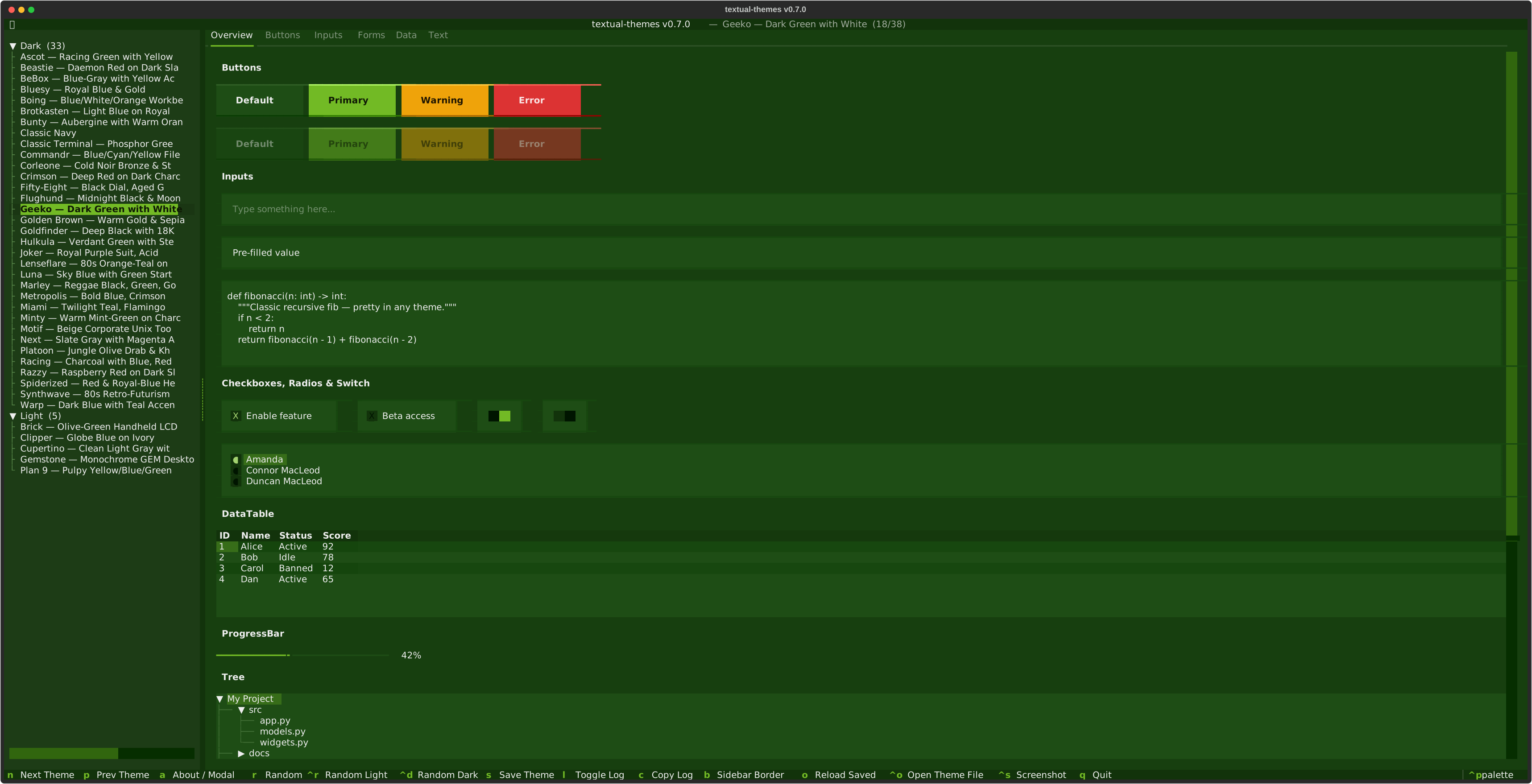 Geeko |
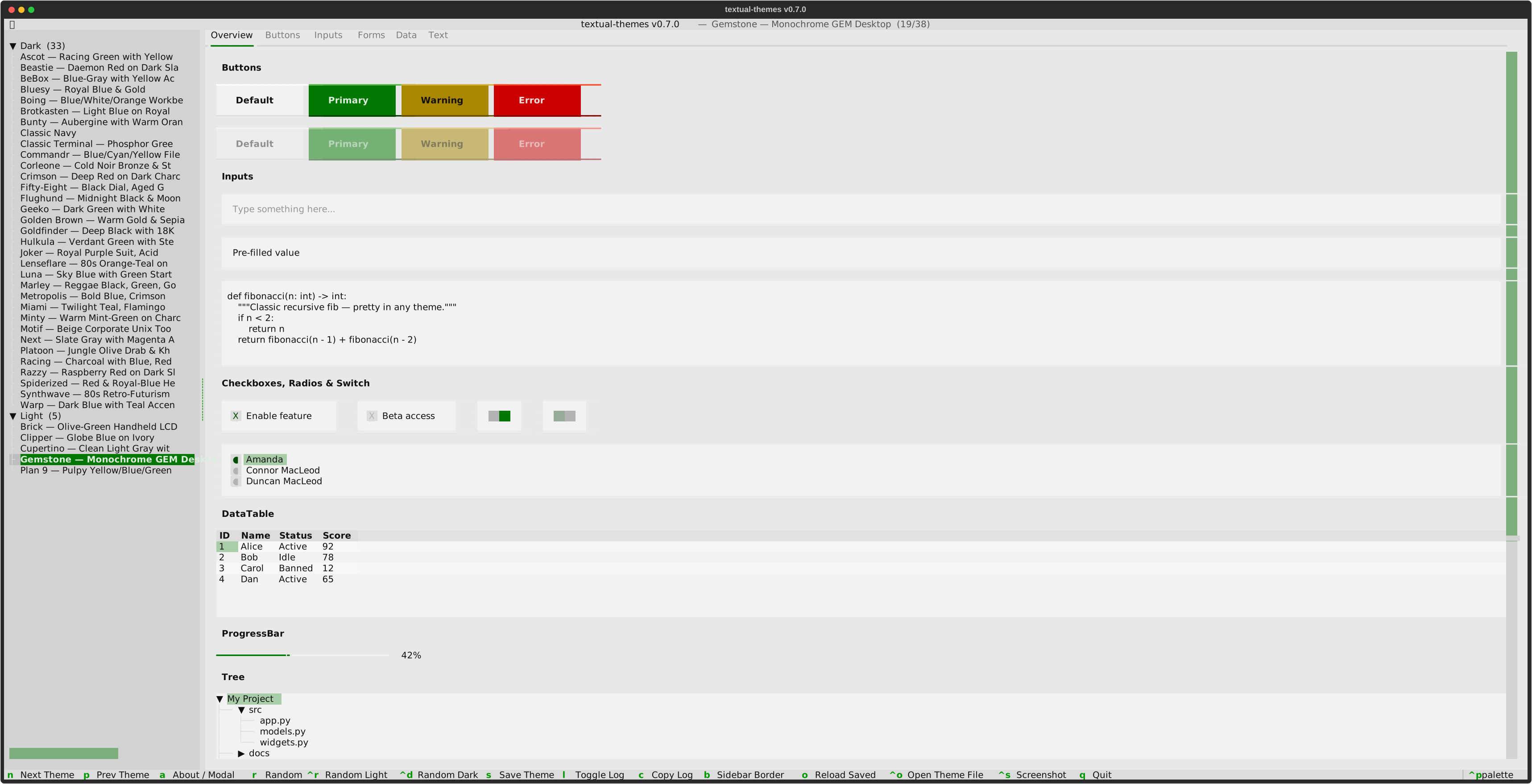 Gemstone |
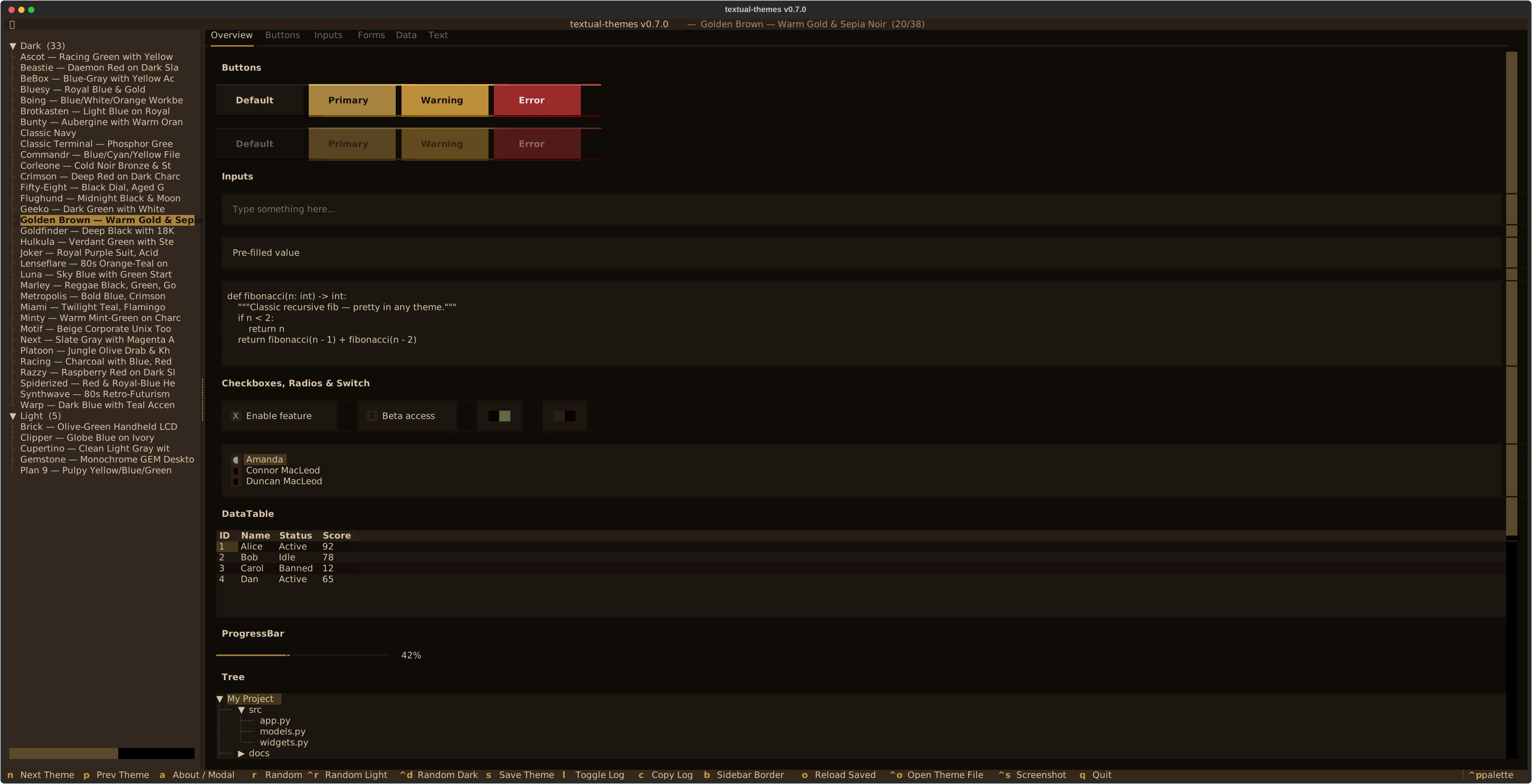 Golden Brown |
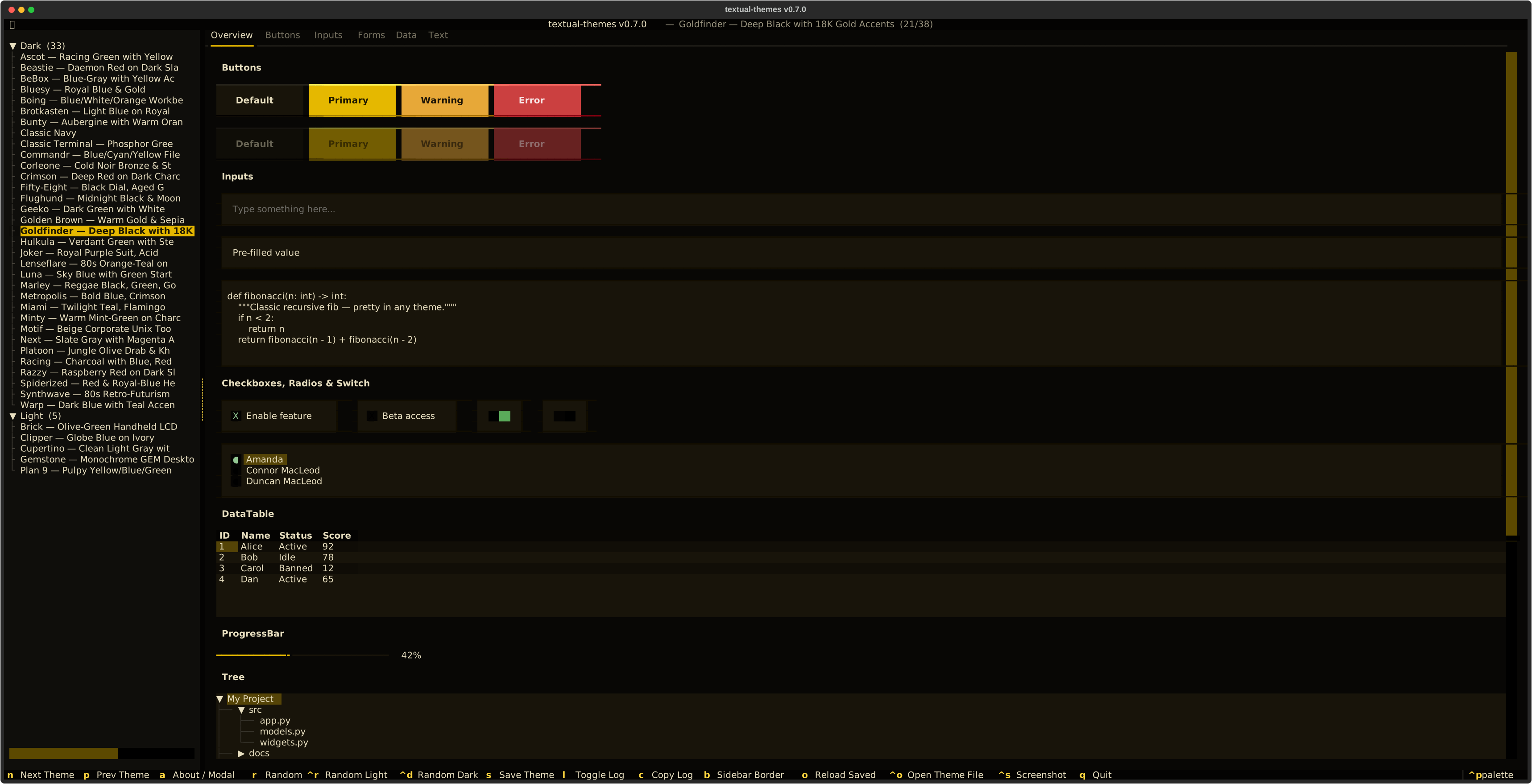 Goldfinder |
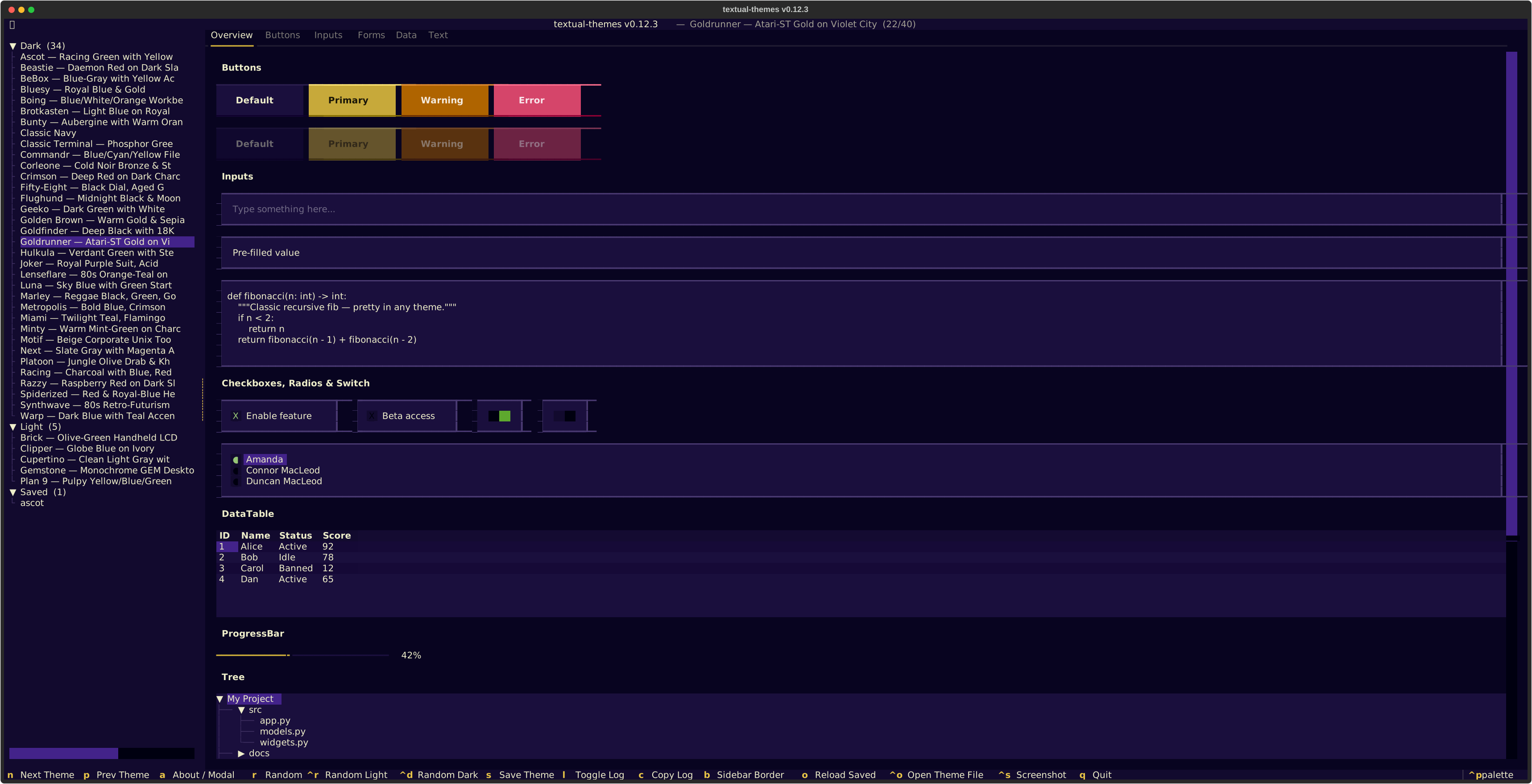 Goldrunner |
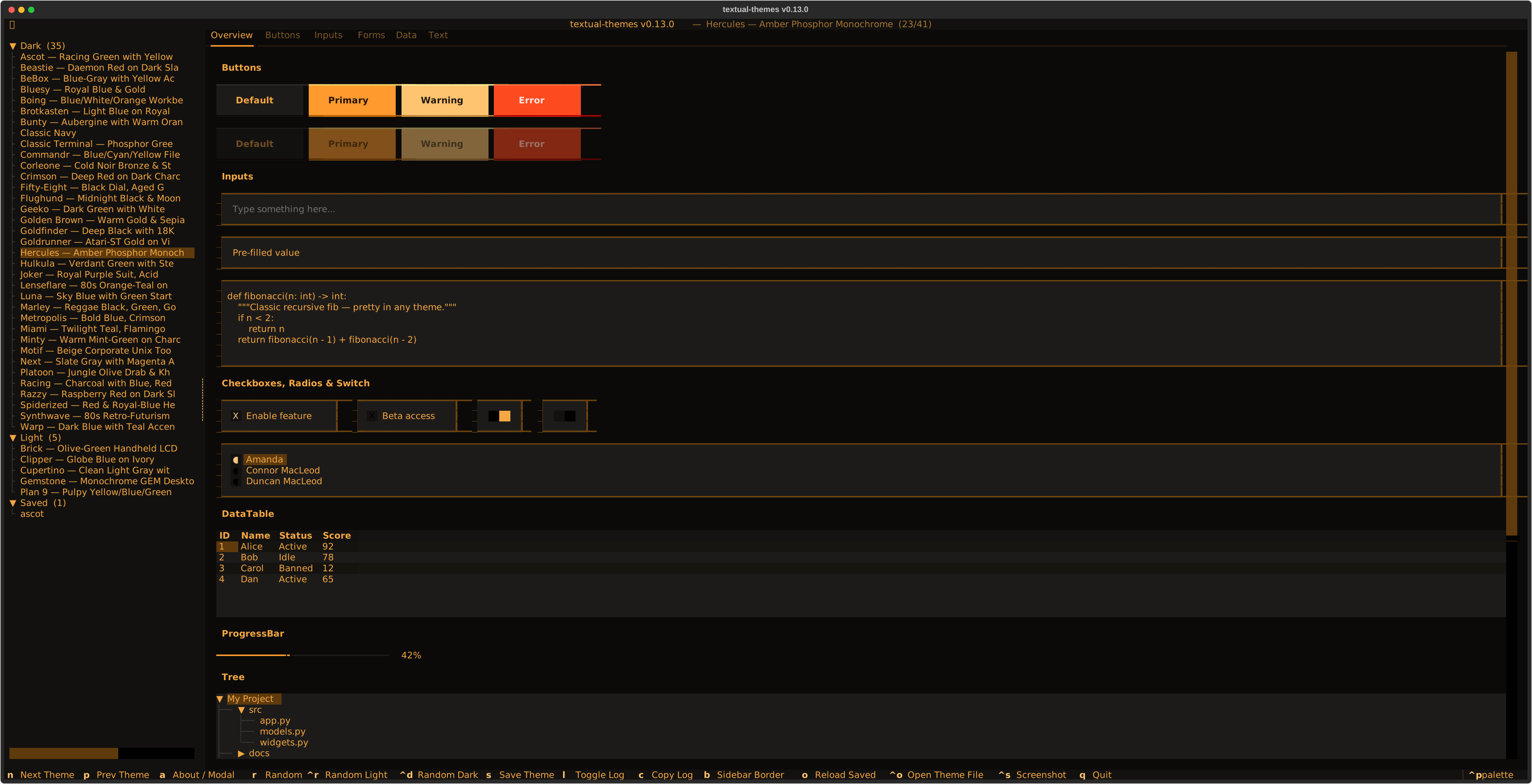 Hercules |
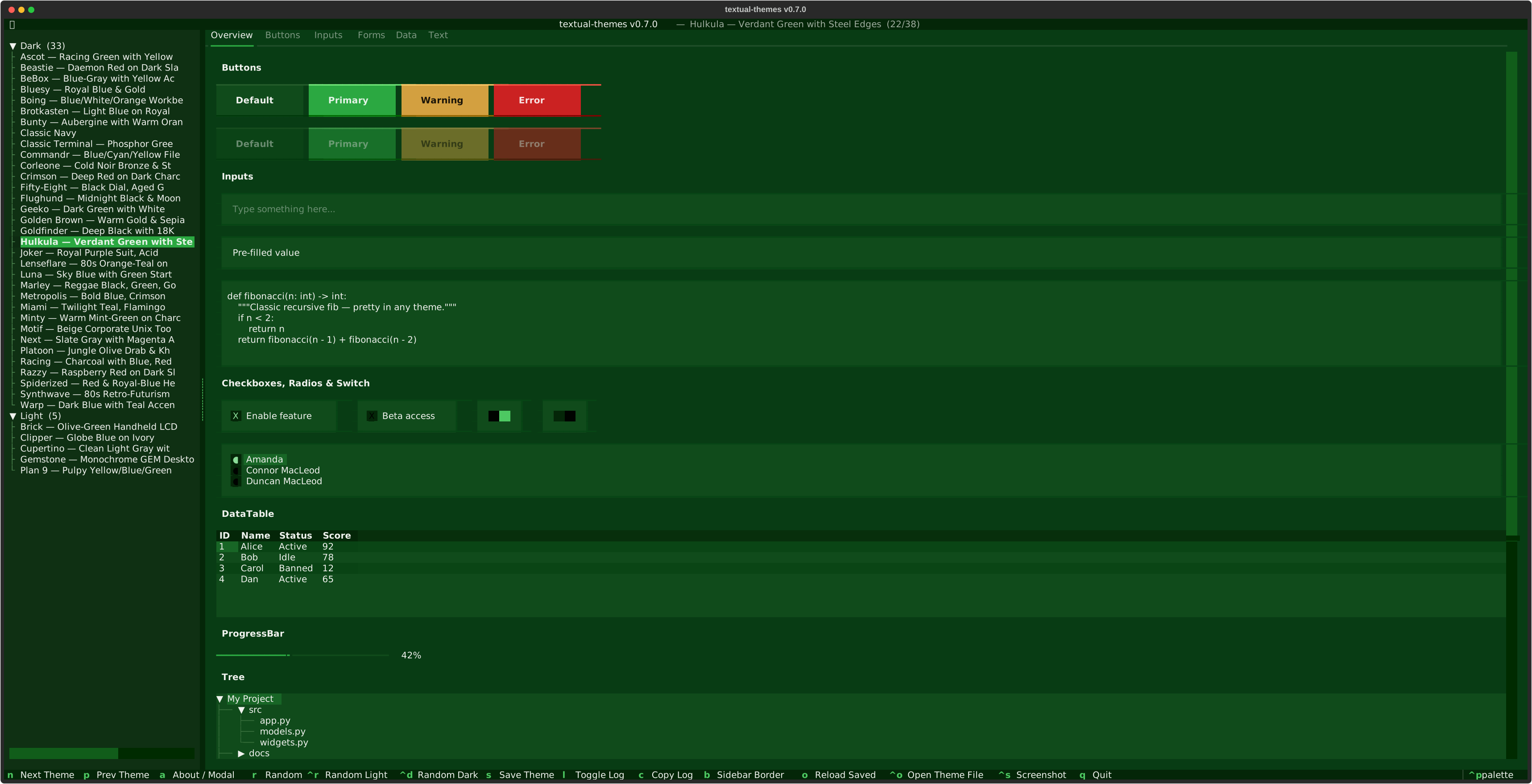 Hulkula |
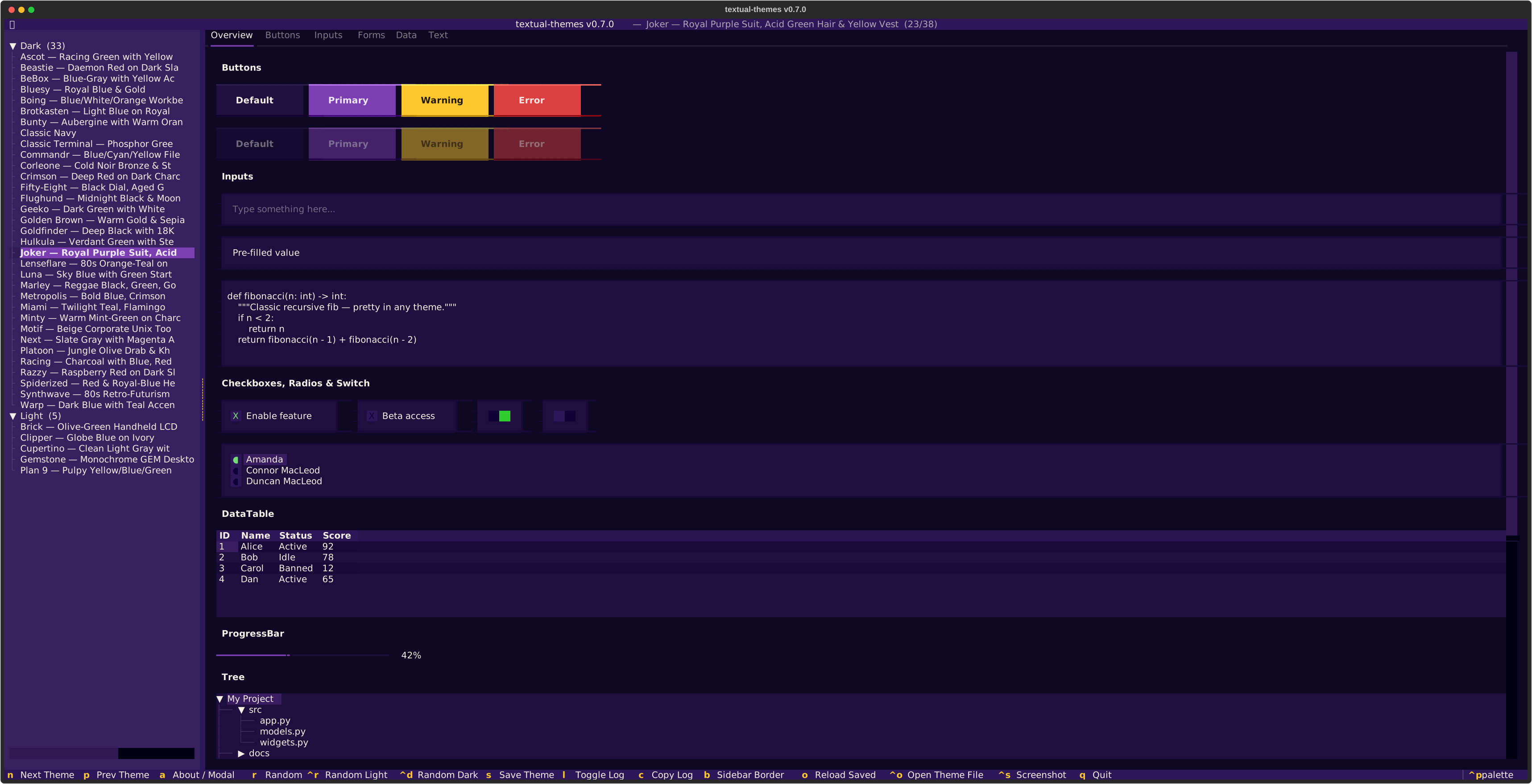 Joker |
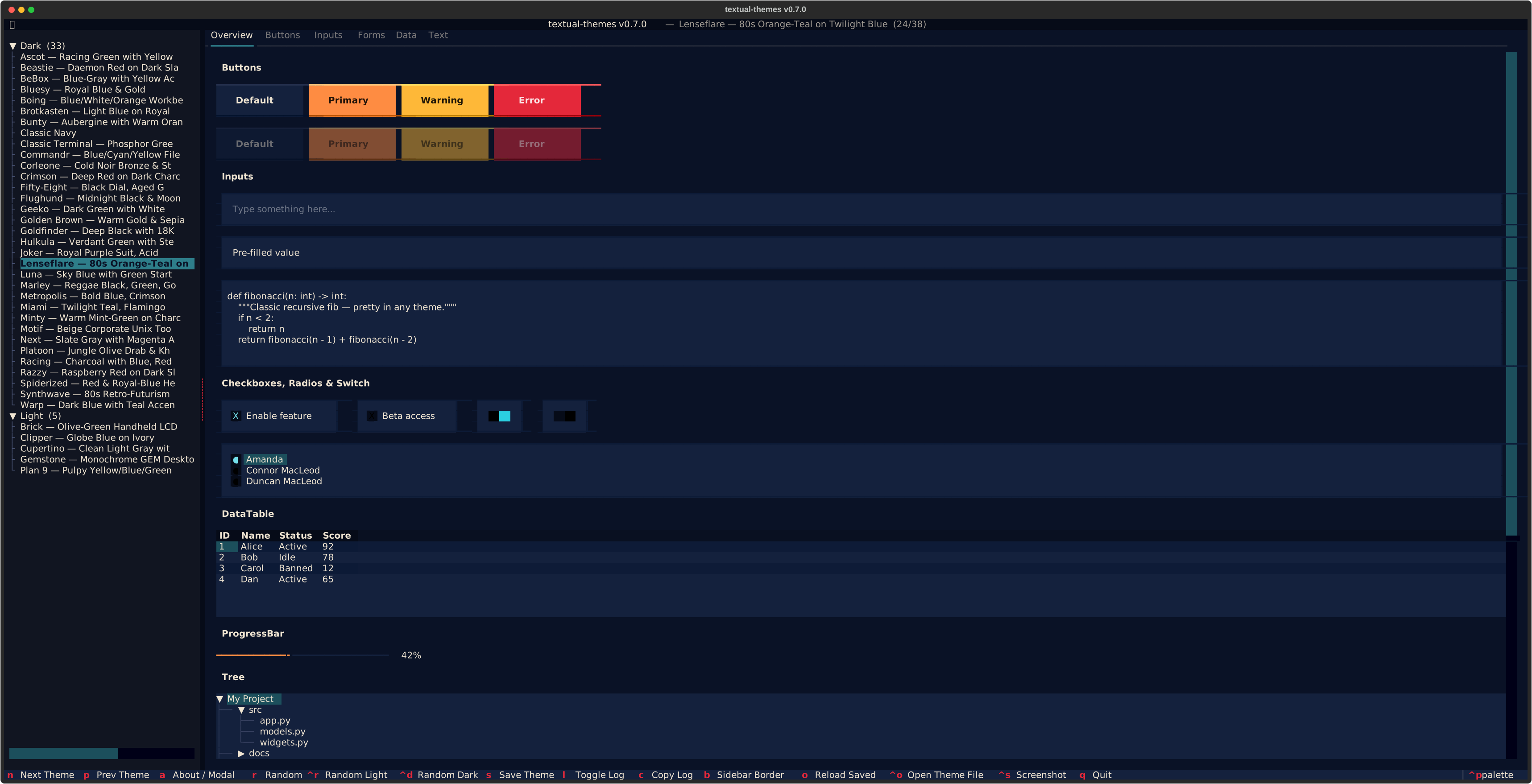 Lenseflare |
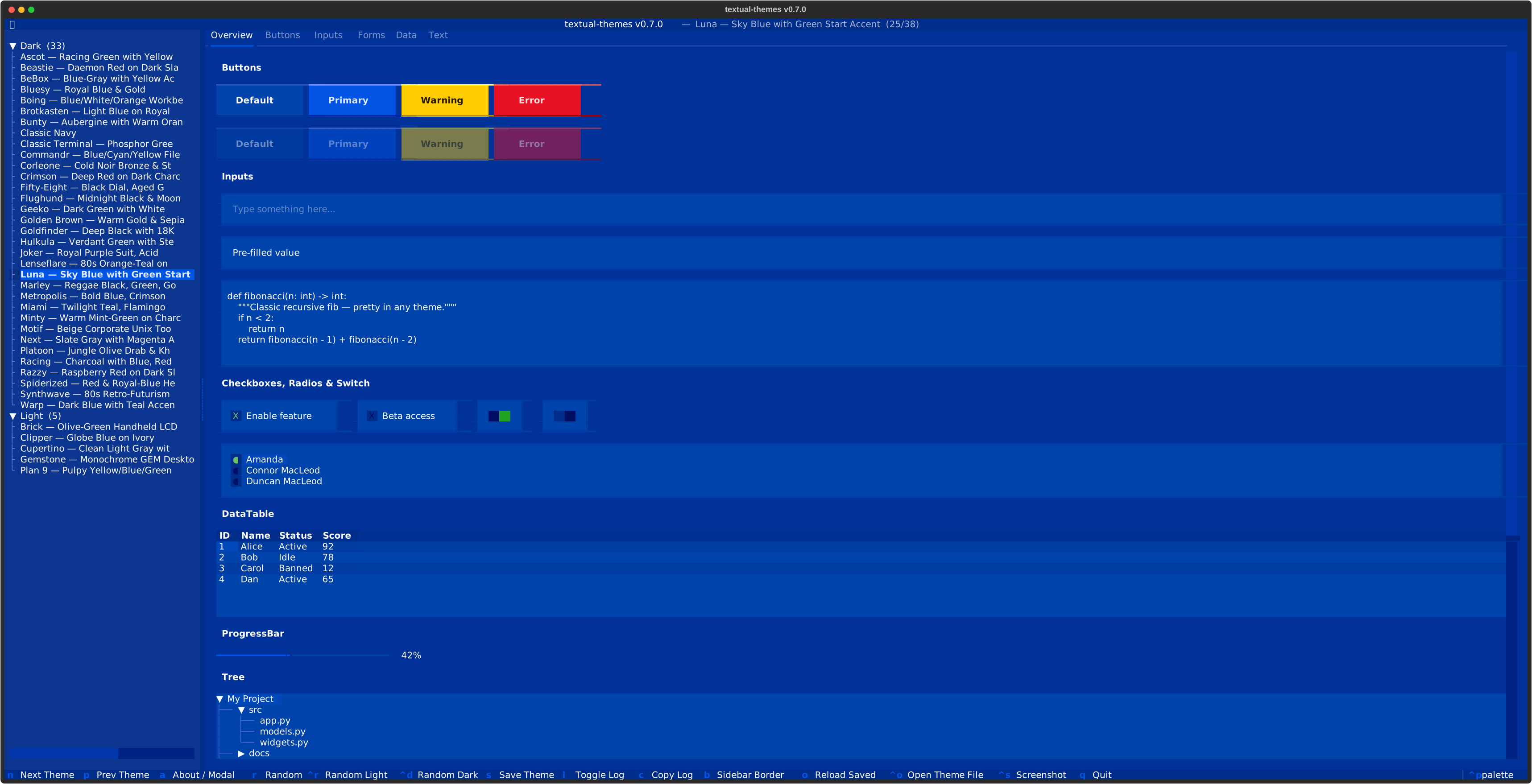 Luna |
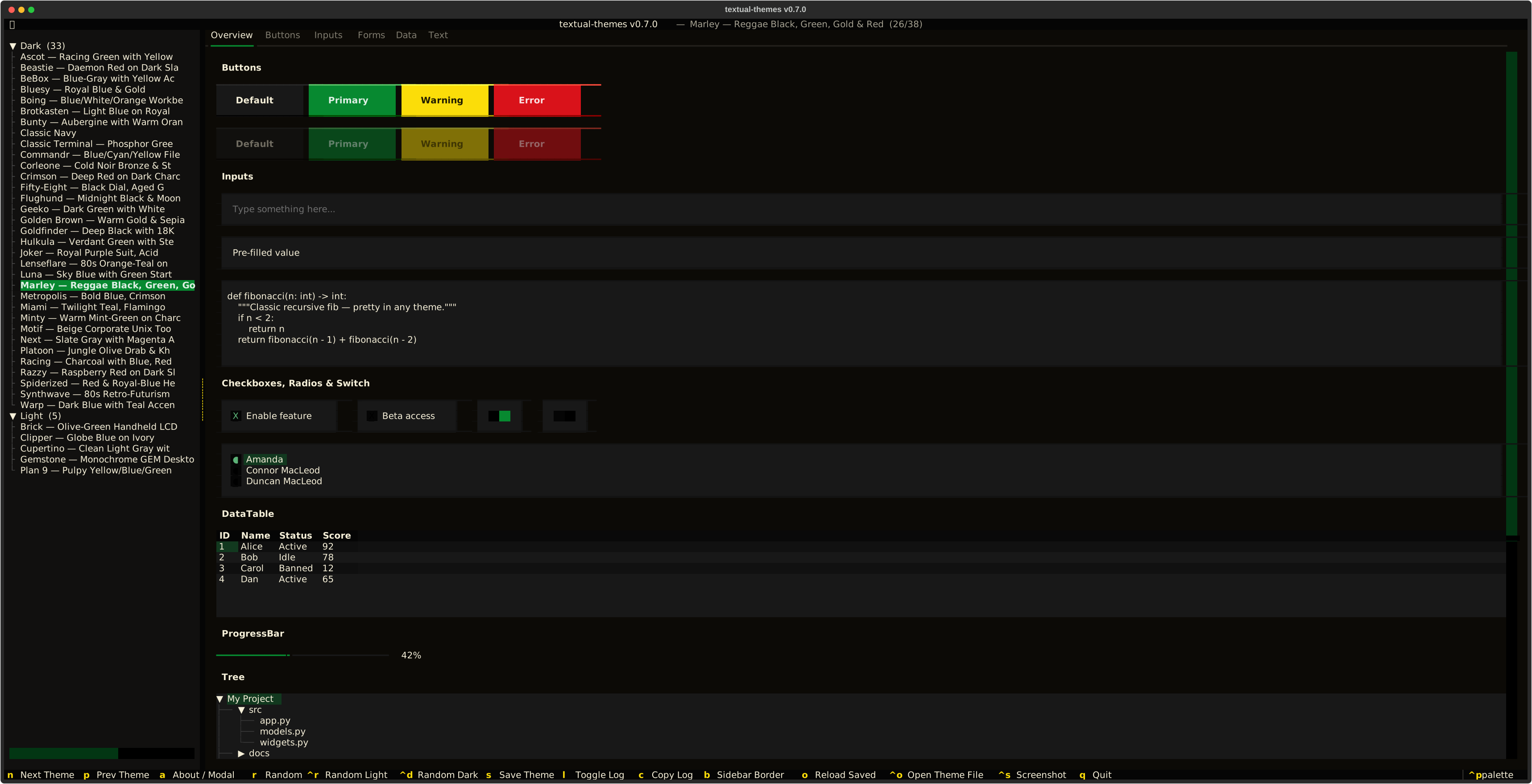 Marley |
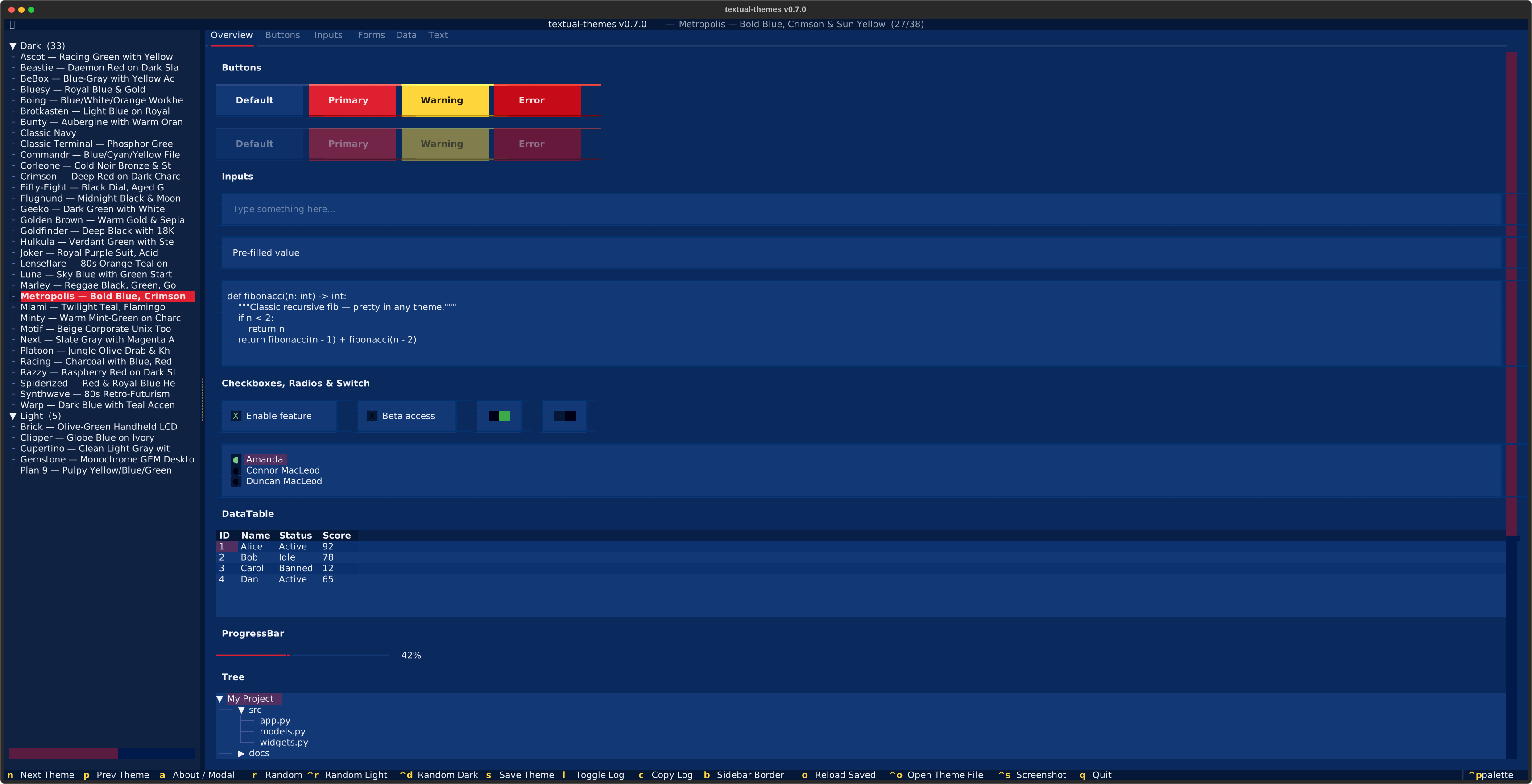 Metropolis |
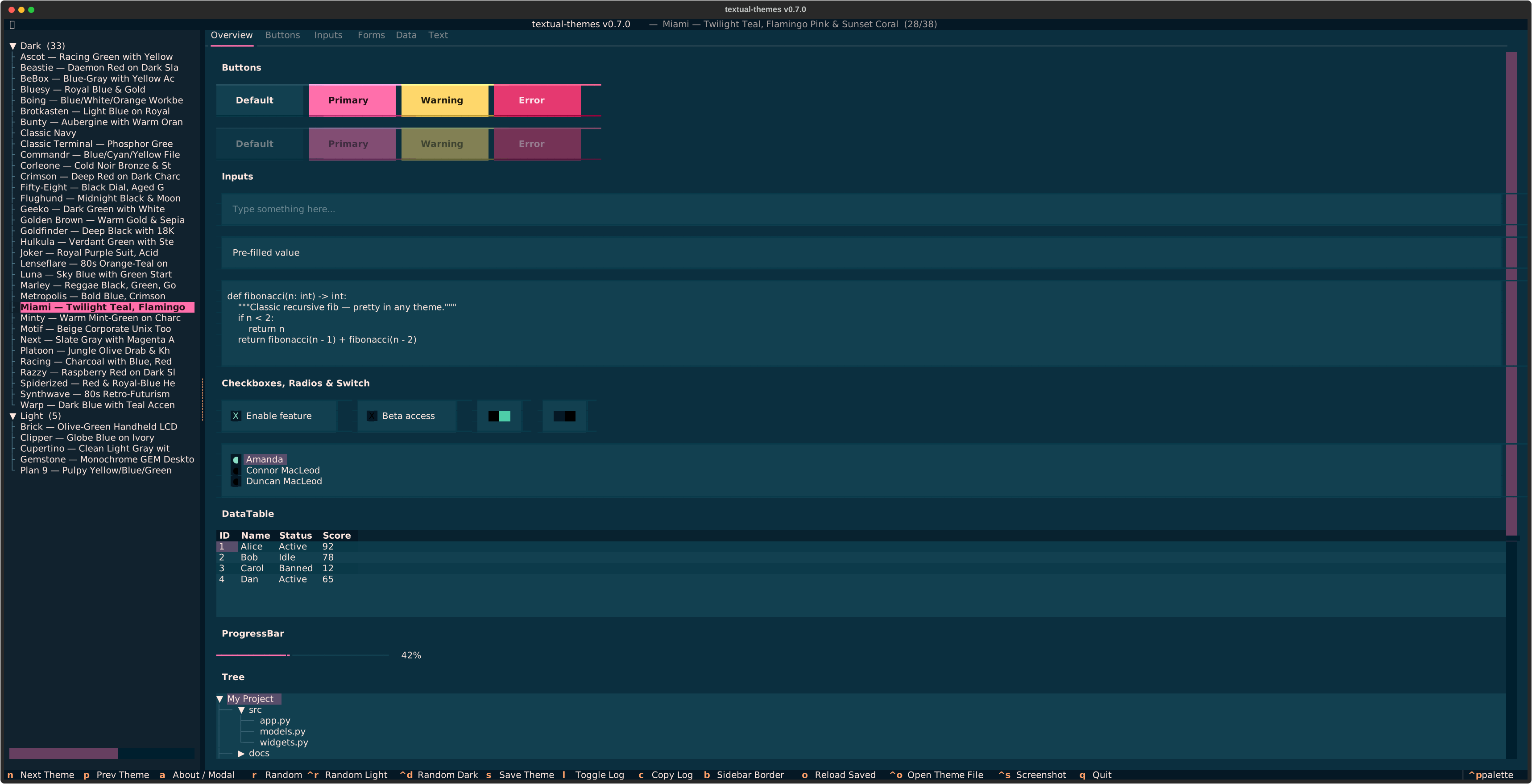 Miami |
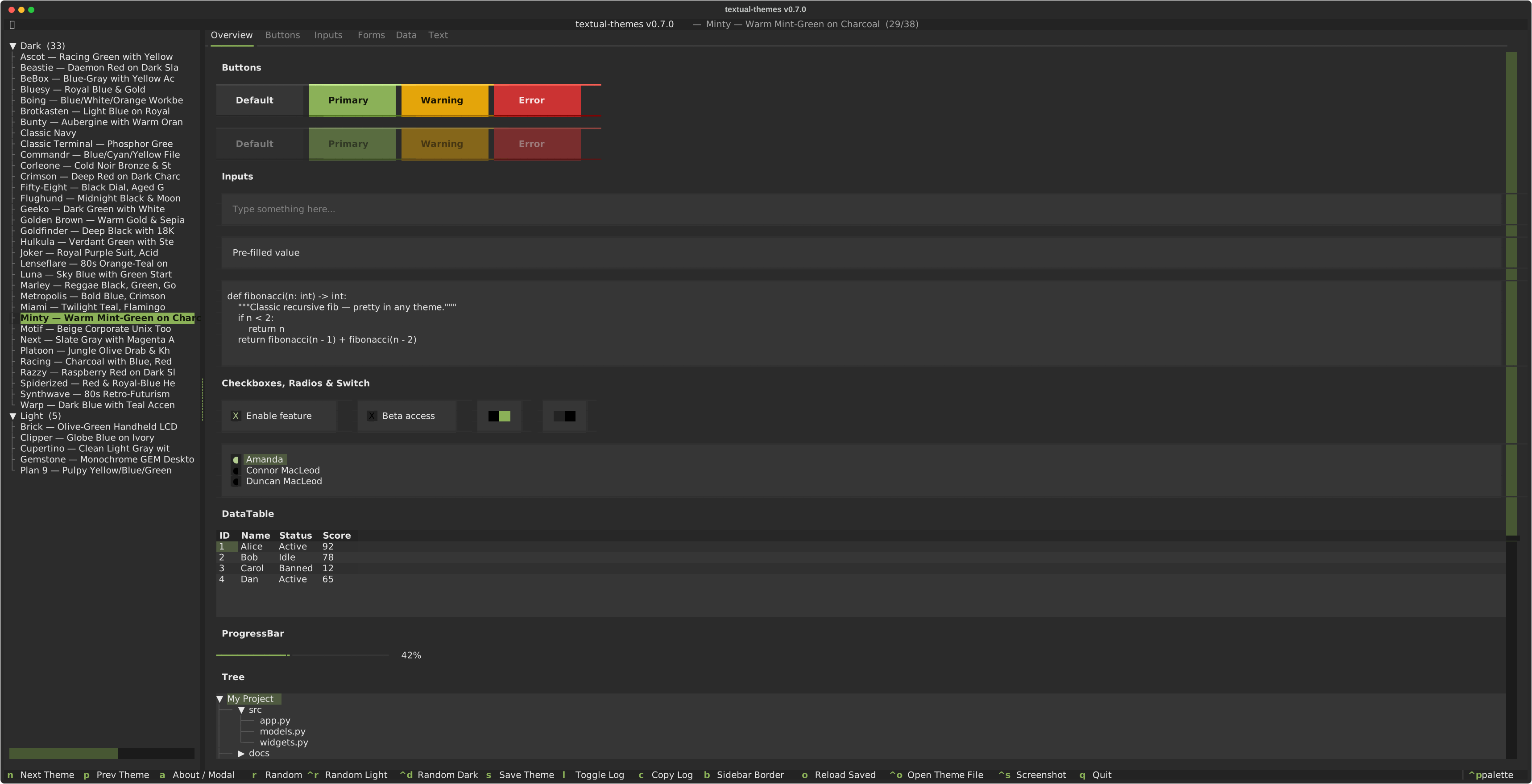 Minty |
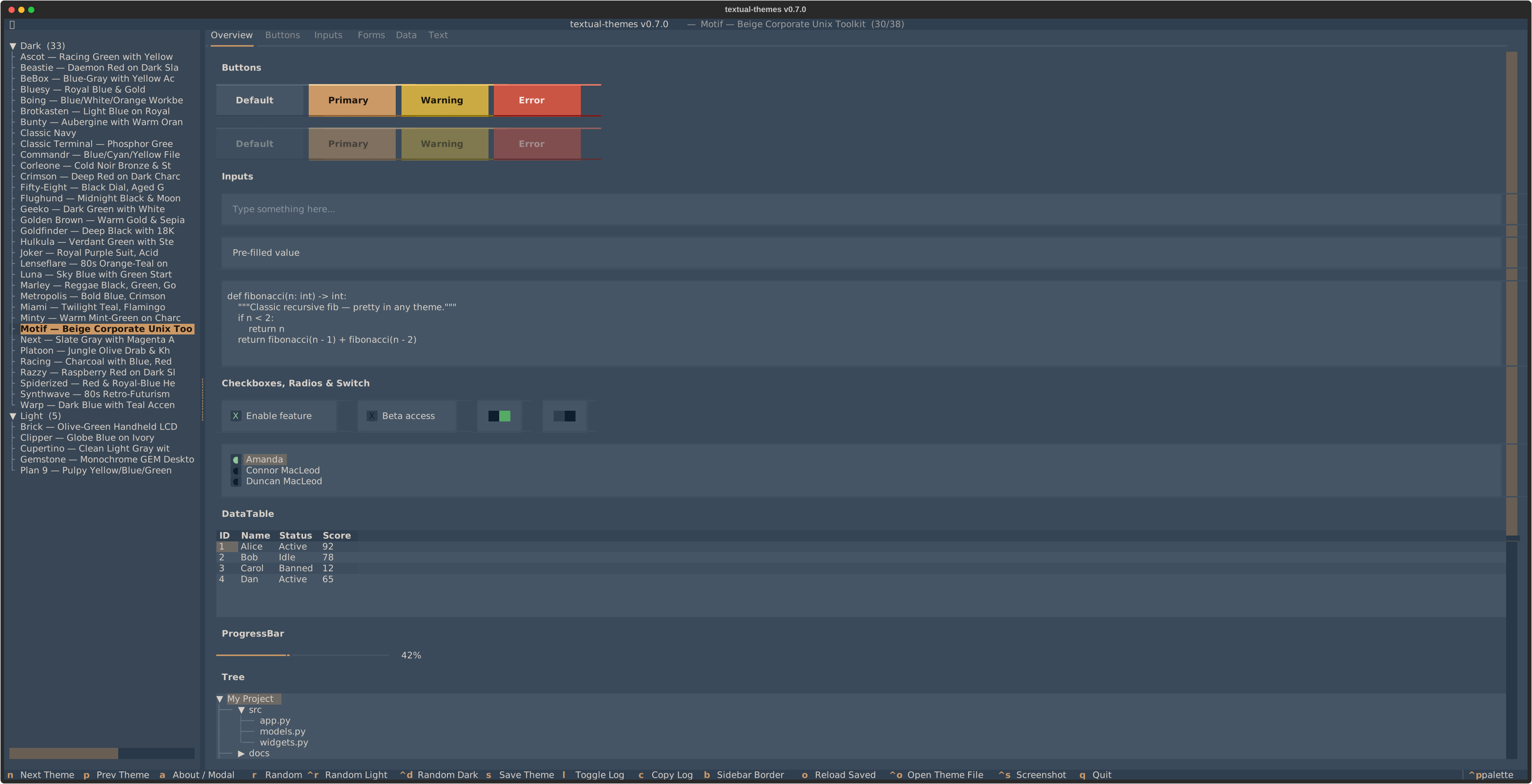 Motif |
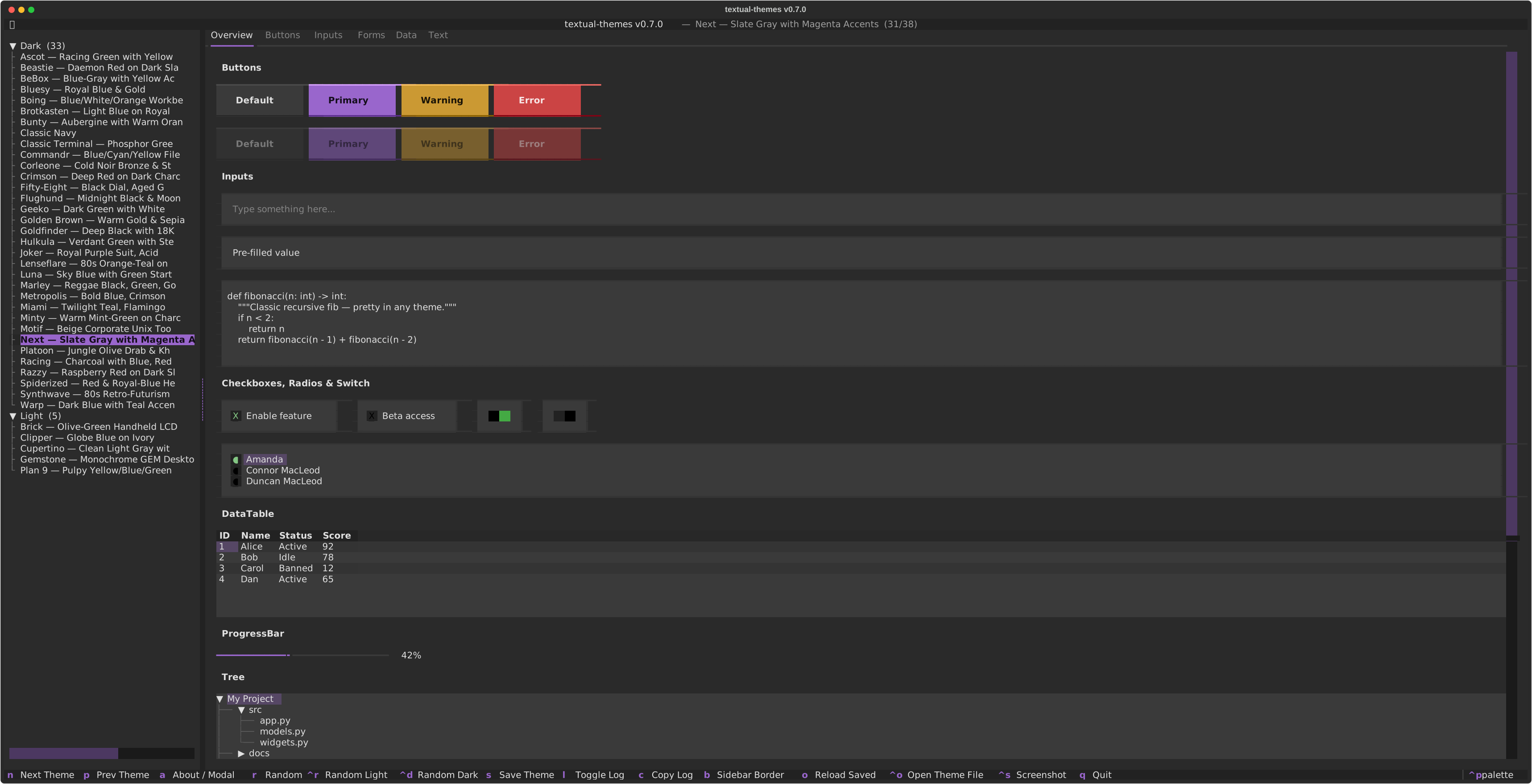 Next |
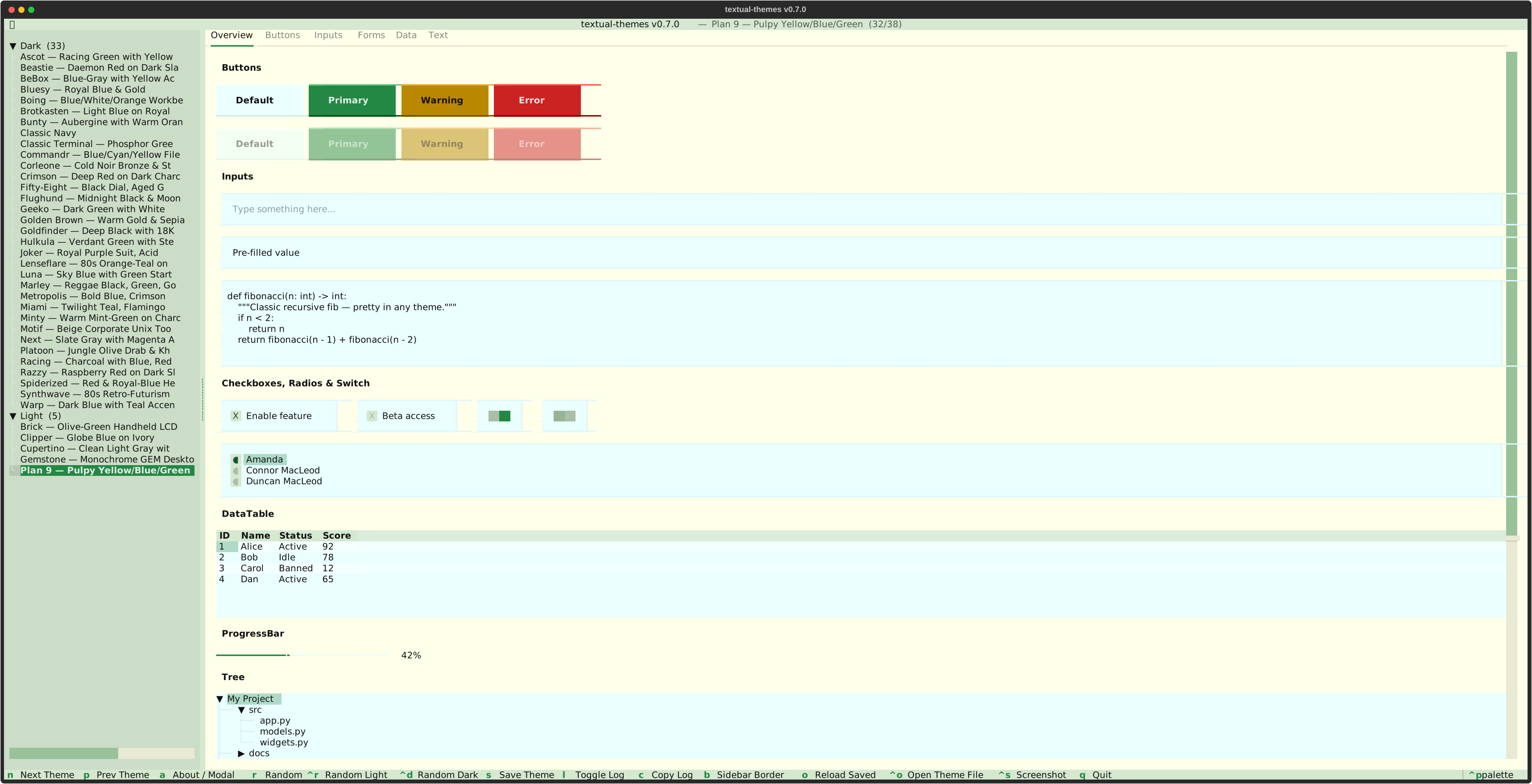 Plan 9 |
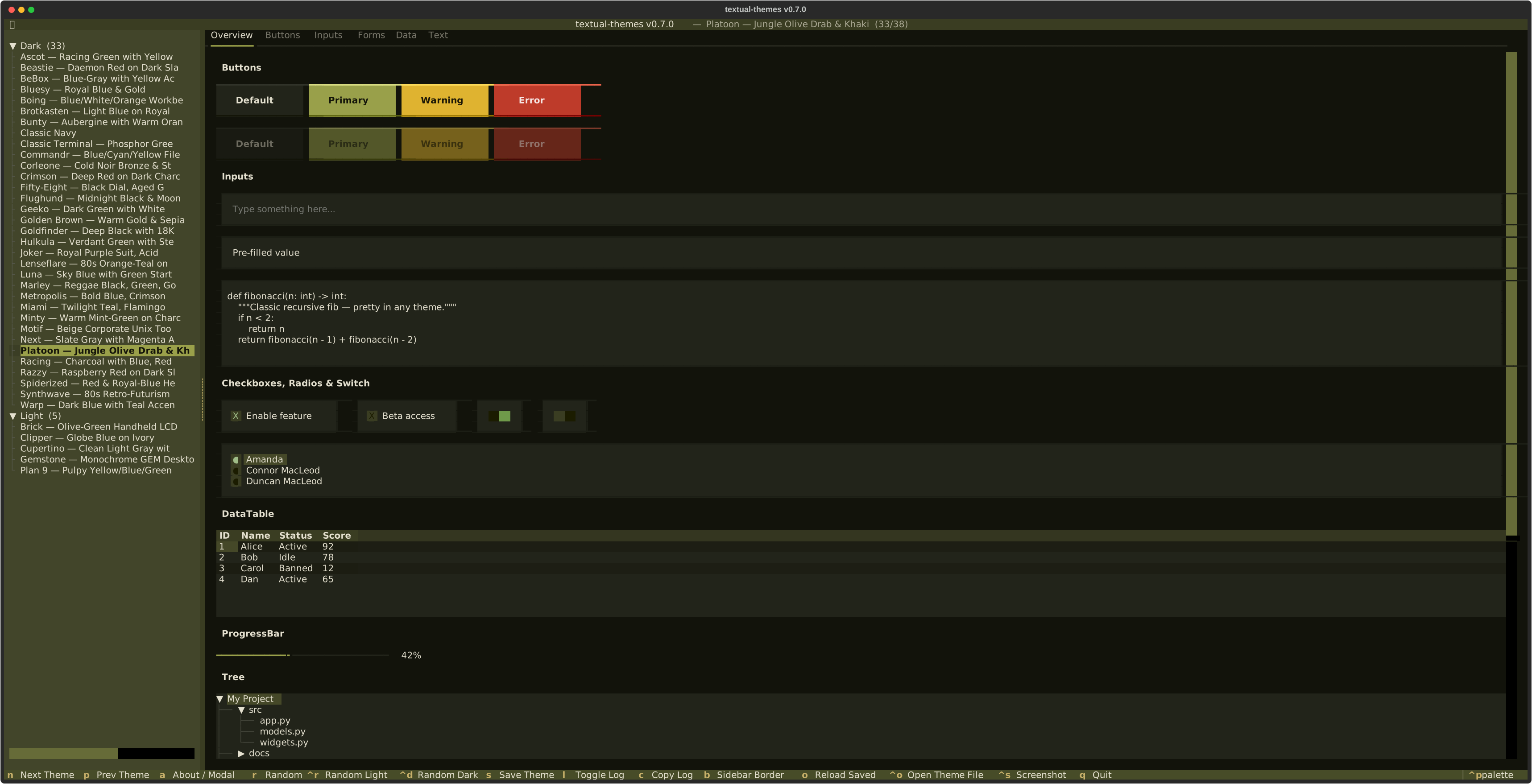 Platoon |
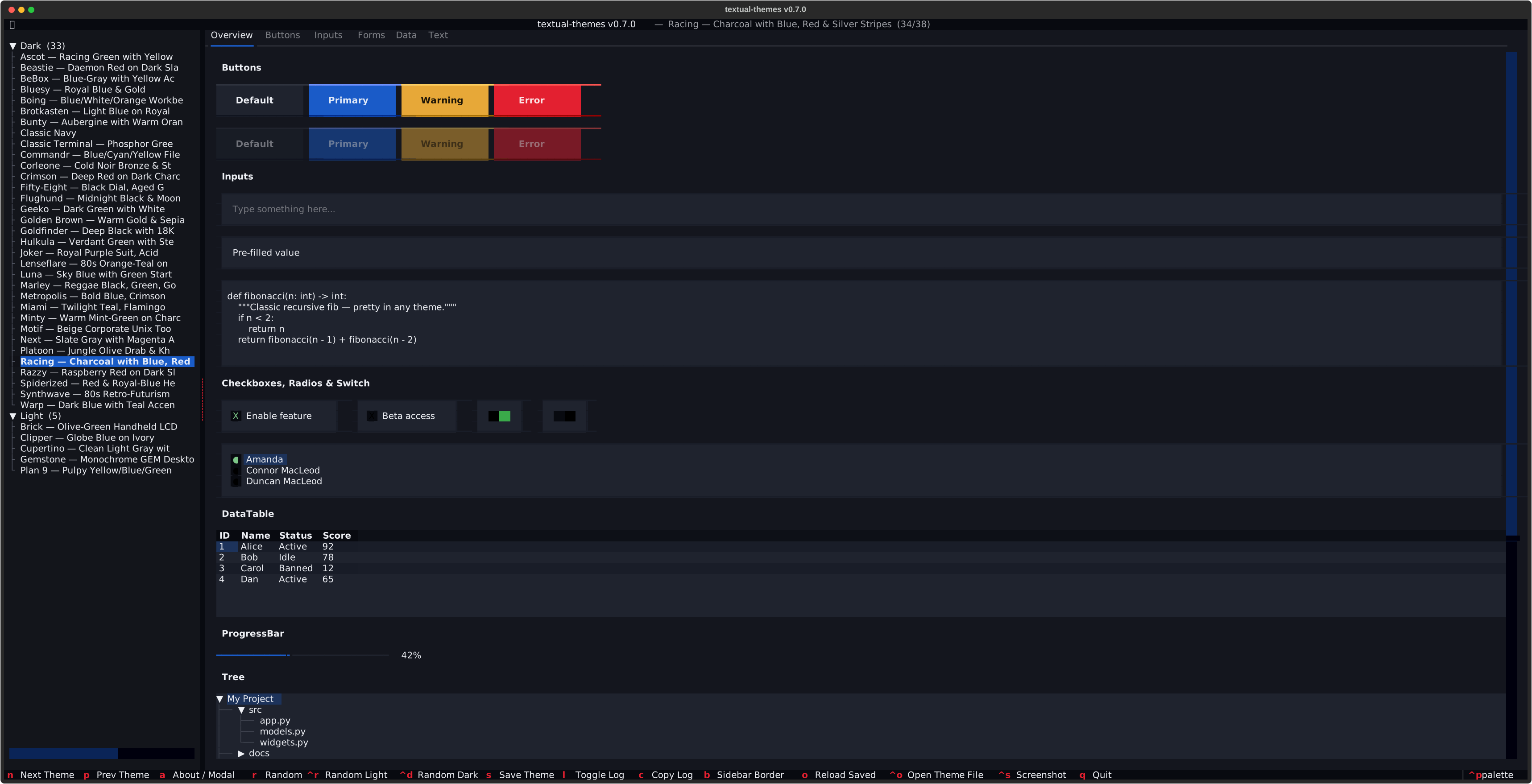 Racing |
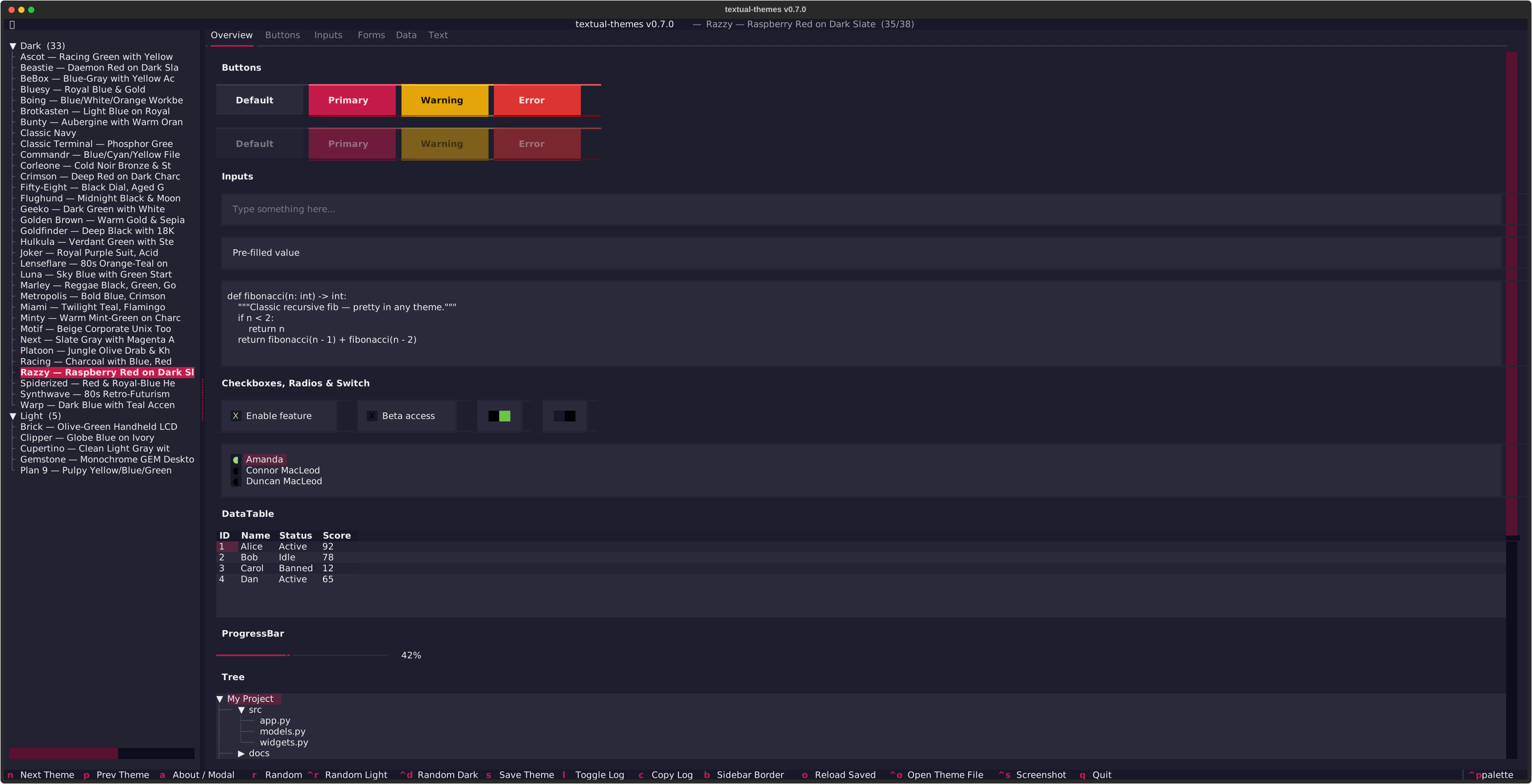 Razzy |
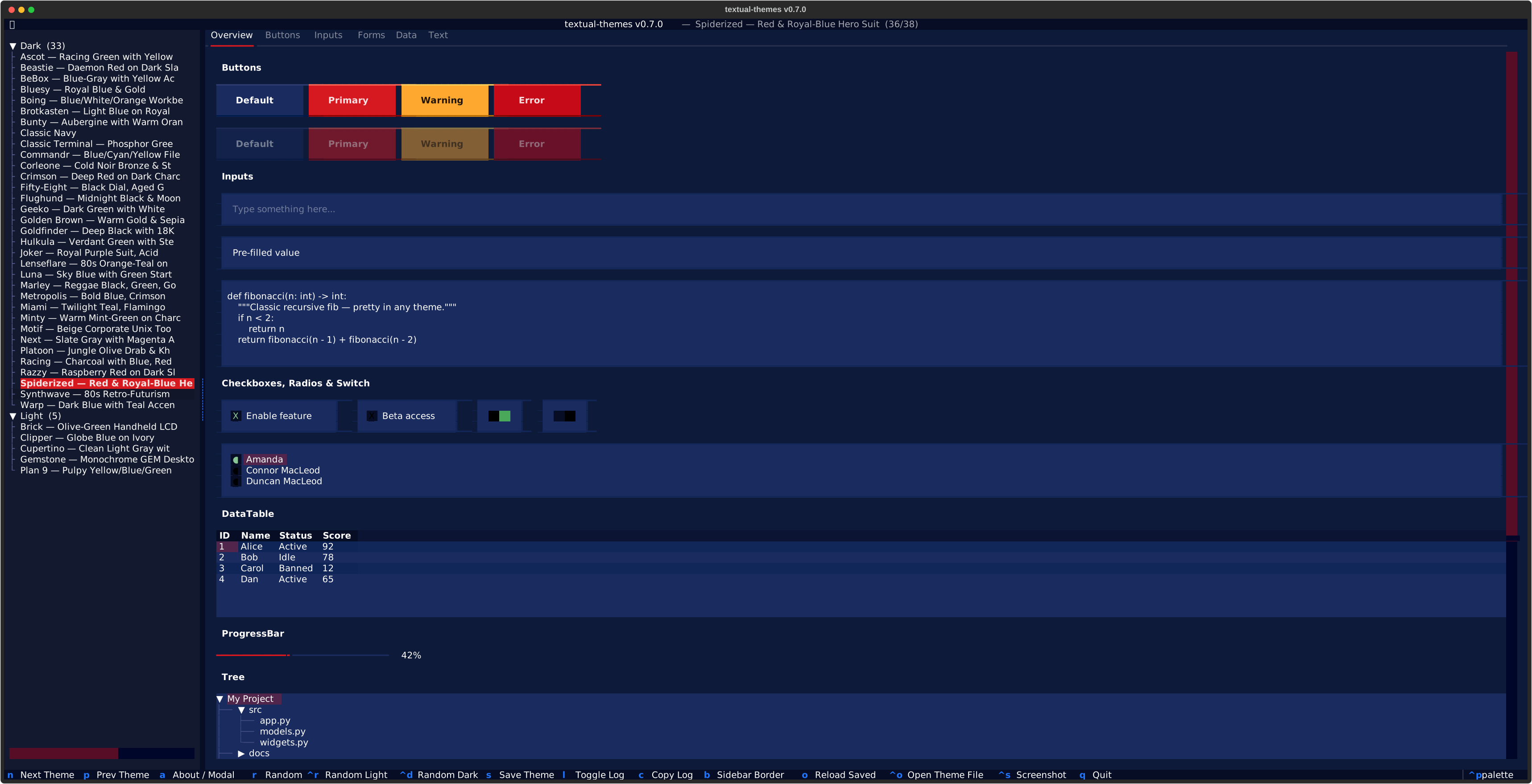 Spiderized |
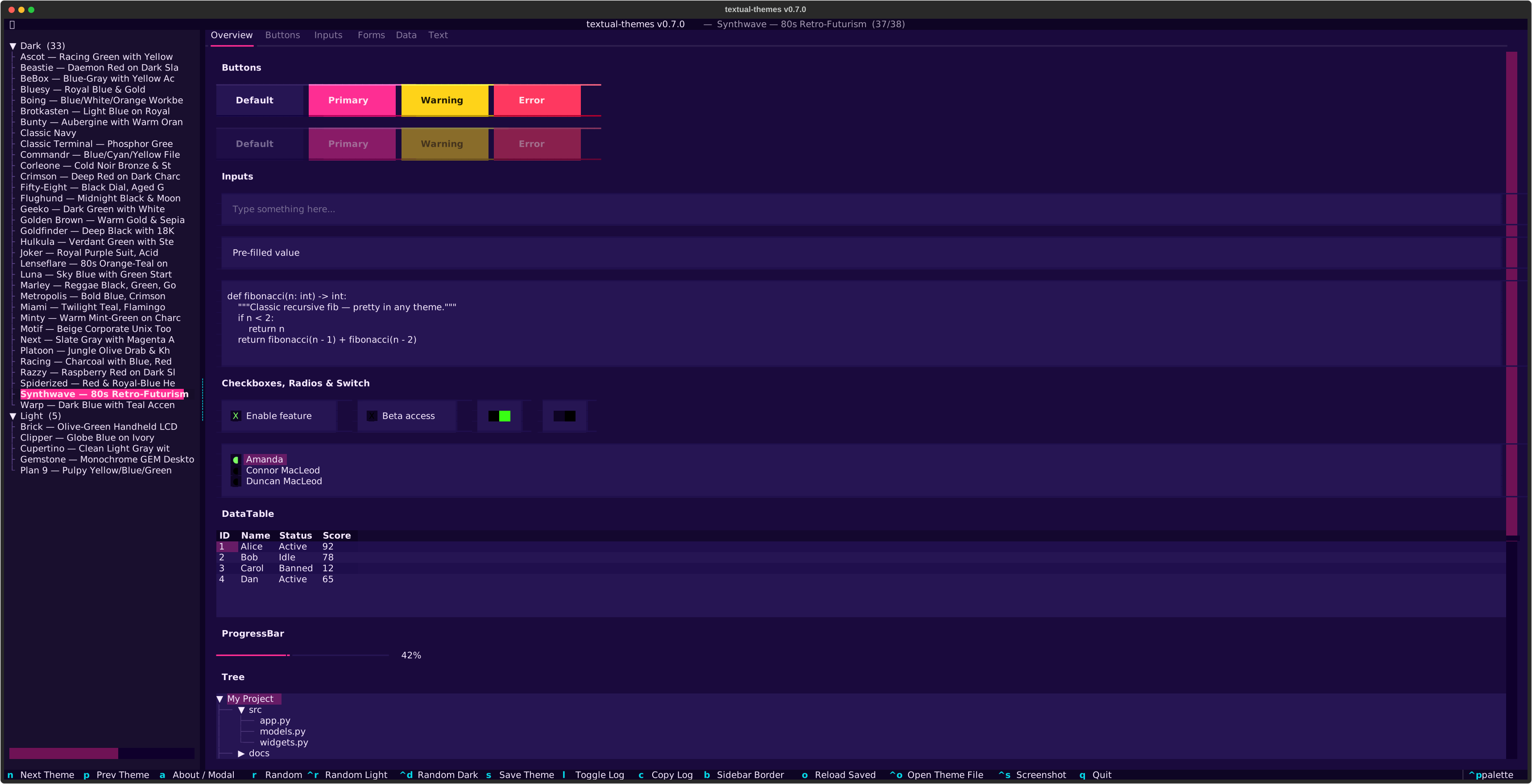 Synthwave |
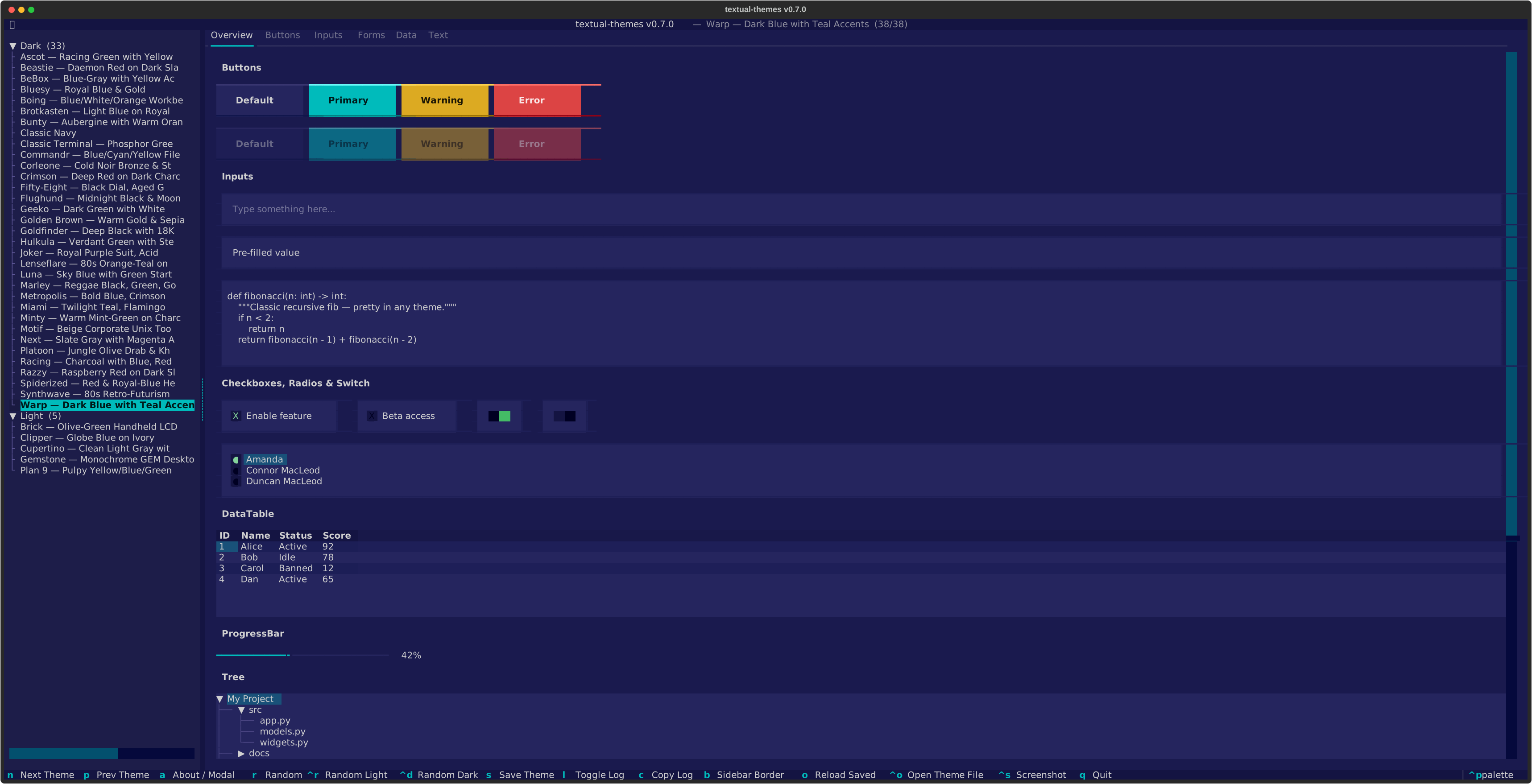 Warp |
Themes
Dark Themes
| Theme | Style |
|---|---|
| Ascot | Le-Mans racing green with signal yellow, silver and beige text |
| Beastie | Daemon red on dark slate |
| BeBox | Blue-gray with yellow status-bar accent |
| Bluesy | Royal blue with rich yellow-gold accents |
| Boing | Three-color workbench palette: blue/white/orange |
| Brotkasten | Light blue on royal blue, the iconic 8-bit color cast (PETSCII) |
| Bunty | Aubergine with warm orange accents |
| Christophorus | Navy and gold from the Christophorus logo |
| Classic Navy | Deep navy with silver and muted brick-red |
| Classic Terminal | Phosphor-green on black (CRT) |
| Commandr | Blue/cyan/yellow file-manager palette |
| Corleone | Cold mafia-noir — bronze, steel-gray and ash on bluish black |
| Crimson | Deep red on dark charcoal |
| Fifty-Eight | Black dial with aged gold lume + bezel red (vintage diver) |
| Flughund | Midnight black & moonlit blue |
| Geeko | Dark green with white |
| Golden Brown | Warm mafia-noir — antique gold, sepia and parchment on warm black |
| Goldfinder | Deep black with 18K gold accents — villain glamour |
| Goldrunner | Atari-ST shooter palette: golden ship, magenta city, green tiles on black |
| Hulkula | Vivid green rage with steel-gray edges |
| Joker | Comic Gotham villain — royal purple suit, acid-green hair, yellow vest |
| Lenseflare | 80s Spielberg orange-teal bichromatic on twilight blue |
| Luna | Sky-blue task-bar with green start button |
| Marley | Reggae roots palette — black, green, gold and red |
| Metropolis | Bold blue, crimson red and sun yellow primary triad |
| Miami | Pastel 80s — twilight teal, flamingo pink, sunset coral |
| Minty | Warm mint-green on charcoal |
| Motif | Beige slate-gray corporate Unix toolkit |
| Next | Dark gray with magenta accents — workstation-era 3D bevels |
| Platoon | Muted military olive-drab with khaki accent on near-black |
| Racing | Charcoal with deep blue, cherry red and silver stripes |
| Razzy | Raspberry red on dark slate |
| Spiderized | Red & royal-blue hero suit (high-contrast) |
| Synthwave | Deep purple with neon pink and electric cyan |
| Warp | Dark blue with teal accents |
Light Themes
| Theme | Style |
|---|---|
| Brick | Olive-green handheld LCD on beige-gray case |
| Clipper | Globe blue on ivory — jet-age livery |
| Cupertino | Clean light gray with blue accents |
| Gemstone | Monochrome GEM Desktop look |
| Plan 9 | Pulpy yellow/blue/green |
Installation
Add the themes to your own Textual project:
pip install "textual-themes[textual] @ git+https://github.com/michaelblaess/textual-themes.git"
The textual extra is what pulls in Textual itself, and nothing else comes
with it - the themes are plain data.
Leave the extra off and you get that data on its own:
pip install git+https://github.com/michaelblaess/textual-themes.git
textual_themes.palettes then gives you all 41 palettes with no dependency
beyond the standard library. That is the way in for anything that wants the
colours without a TUI framework - a Qt application compiled with Nuitka, a
static site generator, a script. The theme objects in textual_themes.themes
still need Textual and say so if it is missing.
The bundled storybook additionally needs textual-widgets, which lives in the
demo extra, so consumers are never forced into that dependency:
pip install "textual-themes[demo] @ git+https://github.com/michaelblaess/textual-themes.git"
Storybook
Browse all 41 themes interactively in the bundled storybook. Install it with
a single command — it sets up an isolated environment and adds a
textual-themes-demo launcher to your PATH:
Linux / macOS
curl -fsSL https://raw.githubusercontent.com/michaelblaess/textual-themes/main/install.sh | bash
Windows (PowerShell)
irm https://raw.githubusercontent.com/michaelblaess/textual-themes/main/install.ps1 | iex
Then launch it:
textual-themes-demo
Requires Python 3.12+ and git. To update later, just run the installer
again; to remove it, delete ~/.textual-themes (Linux/macOS) or
%LOCALAPPDATA%\textual-themes (Windows) and the textual-themes-demo
launcher.
Quick Start
from textual.app import App, ComposeResult
from textual.widgets import Header, Footer, Static

from textual_themes import register_all

class MyApp(App):
    BINDINGS = [("t", "next_theme", "Theme")]

    def __init__(self):
        super().__init__()
        register_all(self)
        self.theme = "brotkasten"

    def compose(self) -> ComposeResult:
        yield Header()
        yield Static("Hello from the past!")
        yield Footer()

    def action_next_theme(self):
        from textual_themes import RETRO_THEME_NAMES
        names = RETRO_THEME_NAMES
        idx = names.index(self.theme) if self.theme in names else -1
        self.theme = names[(idx + 1) % len(names)]

MyApp().run()
Usage
Register all themes at once
from textual_themes import register_all

class MyApp(App):
    def __init__(self):
        super().__init__()
        register_all(self)       # registers all 41 themes
        self.theme = "boing"     # pick one
Register individual themes
from textual_themes import BROTKASTEN_THEME, CLASSIC_TERMINAL_THEME

class MyApp(App):
    def __init__(self):
        super().__init__()
        self.register_theme(BROTKASTEN_THEME)
        self.register_theme(CLASSIC_TERMINAL_THEME)
        self.theme = "classic-terminal"
Available constants
from textual_themes import (
    # Individual Theme objects
    BROTKASTEN_THEME,
    BOING_THEME,
    GEMSTONE_THEME,
    CLASSIC_TERMINAL_THEME,
    NEXT_THEME,
    BEBOX_THEME,
    BUNTY_THEME,
    CUPERTINO_THEME,
    LUNA_THEME,
    COMMANDR_THEME,
    PLAN9_THEME,
    MOTIF_THEME,
    WARP_THEME,
    GEEKO_THEME,
    MINTY_THEME,
    CRIMSON_THEME,
    RAZZY_THEME,
    BEASTIE_THEME,
    FIFTY_EIGHT_THEME,
    BLUESY_THEME,
    GOLDFINDER_THEME,
    HULKULA_THEME,
    FLUGHUND_THEME,
    CLASSIC_NAVY_THEME,
    BRICK_THEME,
    CLIPPER_THEME,
    SYNTHWAVE_THEME,
    MIAMI_THEME,
    RACING_THEME,
    METROPOLIS_THEME,
    SPIDERIZED_THEME,

    # Collections
    RETRO_THEMES,          # list[Theme] — all 41 themes
    RETRO_THEME_NAMES,     # list[str]   — ["brotkasten", "boing", ...]
    THEME_DISPLAY_NAMES,   # dict[str, str]

    # Helper
    register_all,          # register_all(app) — registers all themes
)
Theme names
Use these slugs with app.theme = "...":
| Slug | Display |
|---|---|
brotkasten |
Brotkasten — Light Blue on Royal Blue |
boing |
Boing — Blue/White/Orange Workbench |
gemstone |
Gemstone — Monochrome GEM Desktop |
classic-terminal |
Classic Terminal — Phosphor Green on Black |
next |
Next — Slate Gray with Magenta Accents |
bebox |
BeBox — Blue-Gray with Yellow Accent |
bunty |
Bunty — Aubergine with Warm Orange Accents |
cupertino |
Cupertino — Clean Light Gray with Blue Accents |
luna |
Luna — Sky Blue with Green Start Accent |
commandr |
Commandr — Blue/Cyan/Yellow File Manager |
plan9 |
Plan 9 — Pulpy Yellow/Blue/Green |
motif |
Motif — Beige Corporate Unix Toolkit |
warp |
Warp — Dark Blue with Teal Accents |
geeko |
Geeko — Dark Green with White |
minty |
Minty — Warm Mint-Green on Charcoal |
crimson |
Crimson — Deep Red on Dark Charcoal |
razzy |
Razzy — Raspberry Red on Dark Slate |
beastie |
Beastie — Daemon Red on Dark Slate |
fifty-eight |
Fifty-Eight — Black Dial, Aged Gold Lume & Bezel Red |
bluesy |
Bluesy — Royal Blue & Gold |
goldfinder |
Goldfinder — Deep Black with 18K Gold Accents |
goldrunner |
Goldrunner — Atari-ST Gold on Violet City |
hercules |
Hercules — Amber Phosphor Monochrome |
hulkula |
Hulkula — Verdant Green with Steel Edges |
flughund |
Flughund — Midnight Black & Moonlit Blue |
classic-navy |
Classic Navy |
brick |
Brick — Olive-Green Handheld LCD |
clipper |
Clipper — Globe Blue on Ivory |
synthwave |
Synthwave — 80s Retro-Futurism |
miami |
Miami — Twilight Teal, Flamingo Pink & Sunset Coral |
racing |
Racing — Charcoal with Blue, Red & Silver Stripes |
metropolis |
Metropolis — Bold Blue, Crimson & Sun Yellow |
spiderized |
Spiderized — Red & Royal-Blue Hero Suit |
christophorus |
Christophorus — Navy & Logo Gold |
Requirements
- Python >= 3.12
- Textual >= 0.85
Editing themes
To tweak an existing theme or design a new one interactively, try
textual-theme-editor
by Tom J Gooding — a standalone visual theme editor for Textual. Install it
separately (pip install textual-theme-editor); it is GPLv3-licensed and not
a dependency of this package.
License
Apache License 2.0 — see LICENSE.
1 maintainer

Metadata
1 maintainer
Release files for textual-themes 0.15.1
For a detailed explanation of source distributions (sdists) and built distributions (wheels), please see the package formats documentation.
Source distribution (sdist)
| File | Size | Uploaded | |
|---|---|---|---|
| textual_themes-0.15.1.tar.gz | 45.5 kB | Details |
Built distribution (wheel)
| File | Interpreter | ABI | Platform | Reset |
|---|---|---|---|---|
| textual_themes-0.15.1-py3-none-any.whl | Python 3 | none | any | Details |
Total release size: 84.6 kB
Release files / textual_themes-0.15.1.tar.gz
| Download URL | textual_themes-0.15.1.tar.gz |
|---|---|
| Size | 45.5 kB |
| Tags | Source |
|
SHA-256 checksum How to use checksums |
03d472f39e9d5c2b861fb947e972e9bf6f7e9b9615926dfc812297a3885430e4
|
|
BLAKE2b-256 checksum How to use checksums |
185c597e34b81d9fed99c6ca4d1ba719b4a4a809ec2685994ec54ada1f95e7f5
|
| Upload date | |
|
Uploaded using Trusted Publishing? What is trusted publishing? |
Yes |
| Uploaded via |
twine/7.0.0 CPython/3.13.14
|
Provenance
Provenance describes where a file came from. On PyPI, provenance is shared via attestations, which provide a verifiable record of the build or publishing details. View details, limitations and caveats.


PyPI Publish Attestation
PyPI verified that this artifact, at this checksum, originated from the publisher listed below.
Signed by GitHub Actions, verified by PyPI on Oct 5, 2026.
Transparency logRelease files / textual_themes-0.15.1-py3-none-any.whl
| Download URL | textual_themes-0.15.1-py3-none-any.whl |
|---|---|
| Size | 39.1 kB |
| Tags | Python 3 |
|
SHA-256 checksum How to use checksums |
c3b1a5fec74def967fbffdf6e51908e5185bdd4e308c4c466b7052c9c508e7f5
|
|
BLAKE2b-256 checksum How to use checksums |
6c0854b09ff6fcd64b435b3b75fda230cf6cb54467fe0b2511ca6a7d8e0e86ad
|
| Upload date | |
|
Uploaded using Trusted Publishing? What is trusted publishing? |
Yes |
| Uploaded via |
twine/7.0.0 CPython/3.13.14
|
Provenance
Provenance describes where a file came from. On PyPI, provenance is shared via attestations, which provide a verifiable record of the build or publishing details. View details, limitations and caveats.
PyPI Publish Attestation
PyPI verified that this artifact, at this checksum, originated from the publisher listed below.
Signed by GitHub Actions, verified by PyPI on Oct 5, 2026.
Transparency log













