
Modern Text User Interface framework

Project description




Textual
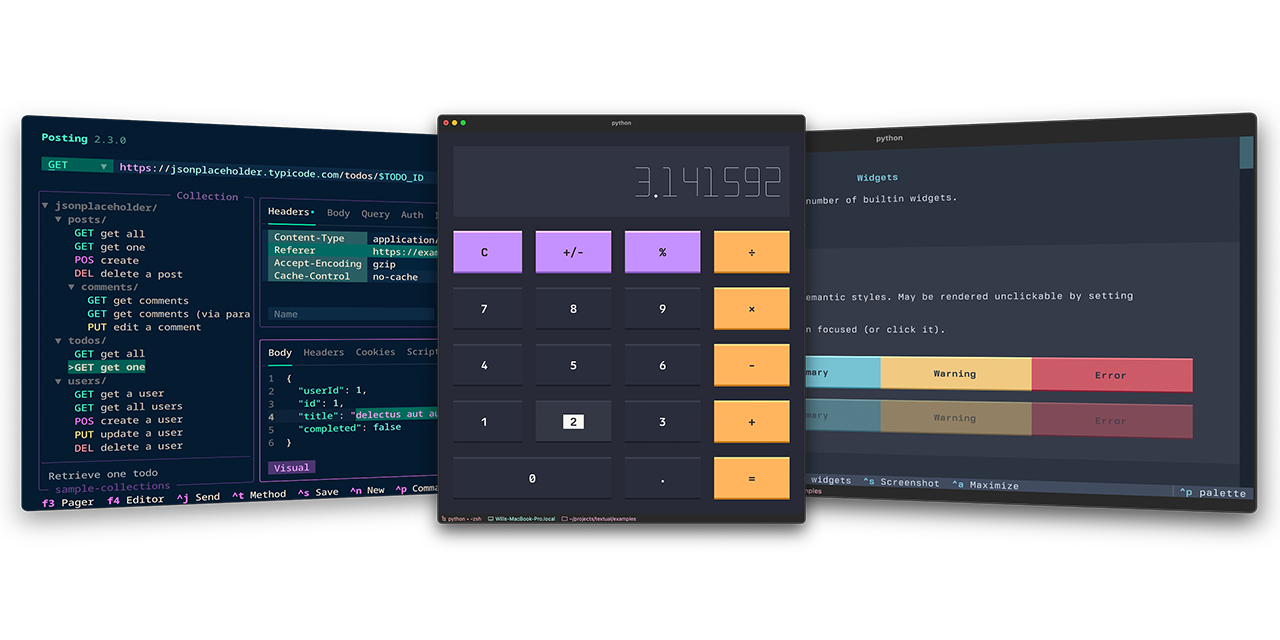
Build cross-platform user interfaces with a simple Python API. Run your apps in the terminal or a web browser.
Textual's API combines modern Python with the best of developments from the web world, for a lean app development experience. De-coupled components and an advanced testing framework ensure you can maintain your app for the long-term.
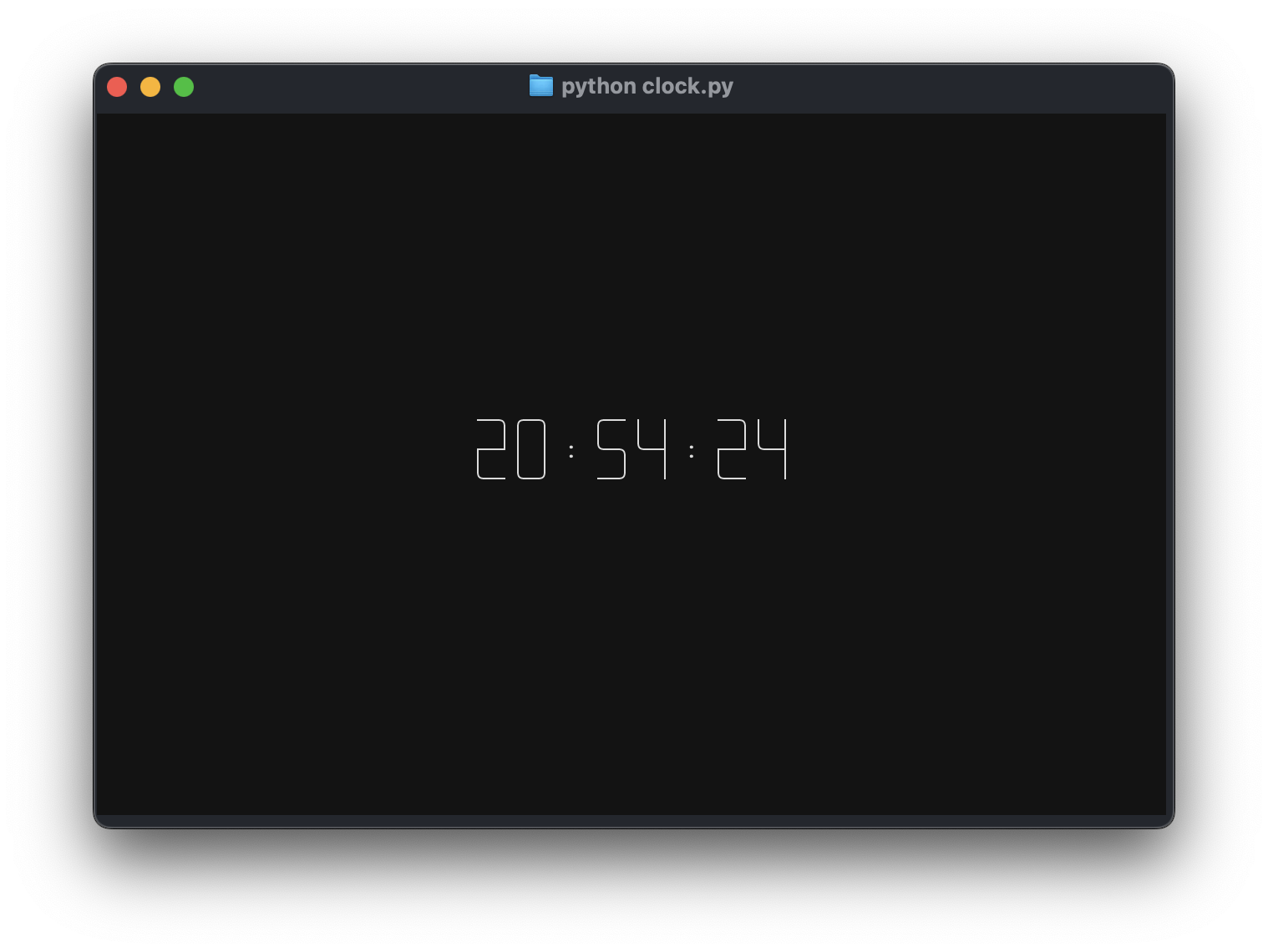
Want some more examples? See the examples directory.
"""
An App to show the current time.
"""

from datetime import datetime

from textual.app import App, ComposeResult
from textual.widgets import Digits


class ClockApp(App):
    CSS = """
    Screen { align: center middle; }
    Digits { width: auto; }
    """

    def compose(self) -> ComposeResult:
        yield Digits("")

    def on_ready(self) -> None:
        self.update_clock()
        self.set_interval(1, self.update_clock)

    def update_clock(self) -> None:
        clock = datetime.now().time()
        self.query_one(Digits).update(f"{clock:%T}")


if __name__ == "__main__":
    app = ClockApp()
    app.run()
[!TIP] Textual is an asynchronous framework under the hood. Which means you can integrate your apps with async libraries — if you want to. If you don't want or need to use async, Textual won't force it on you.

Widgets
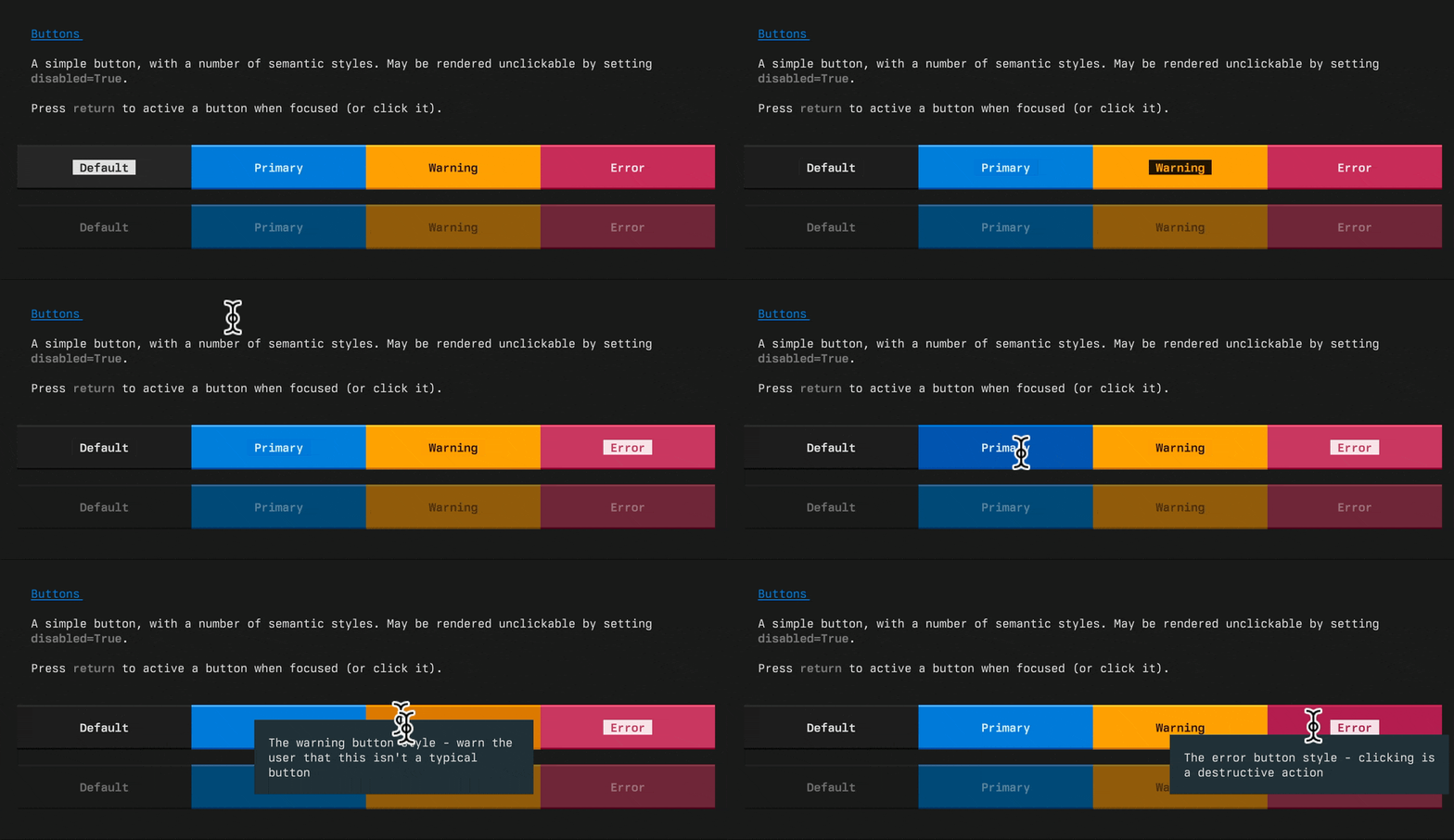
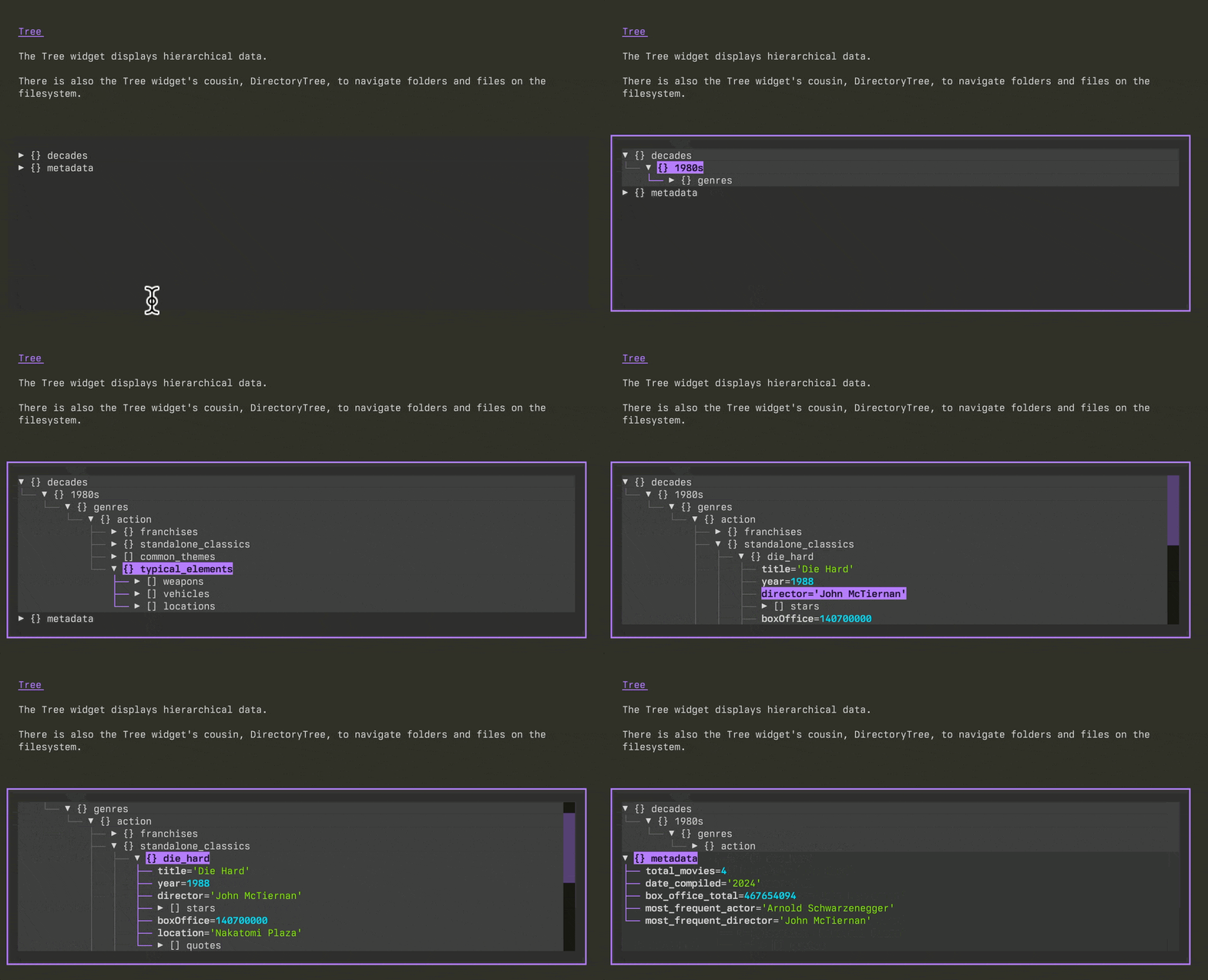
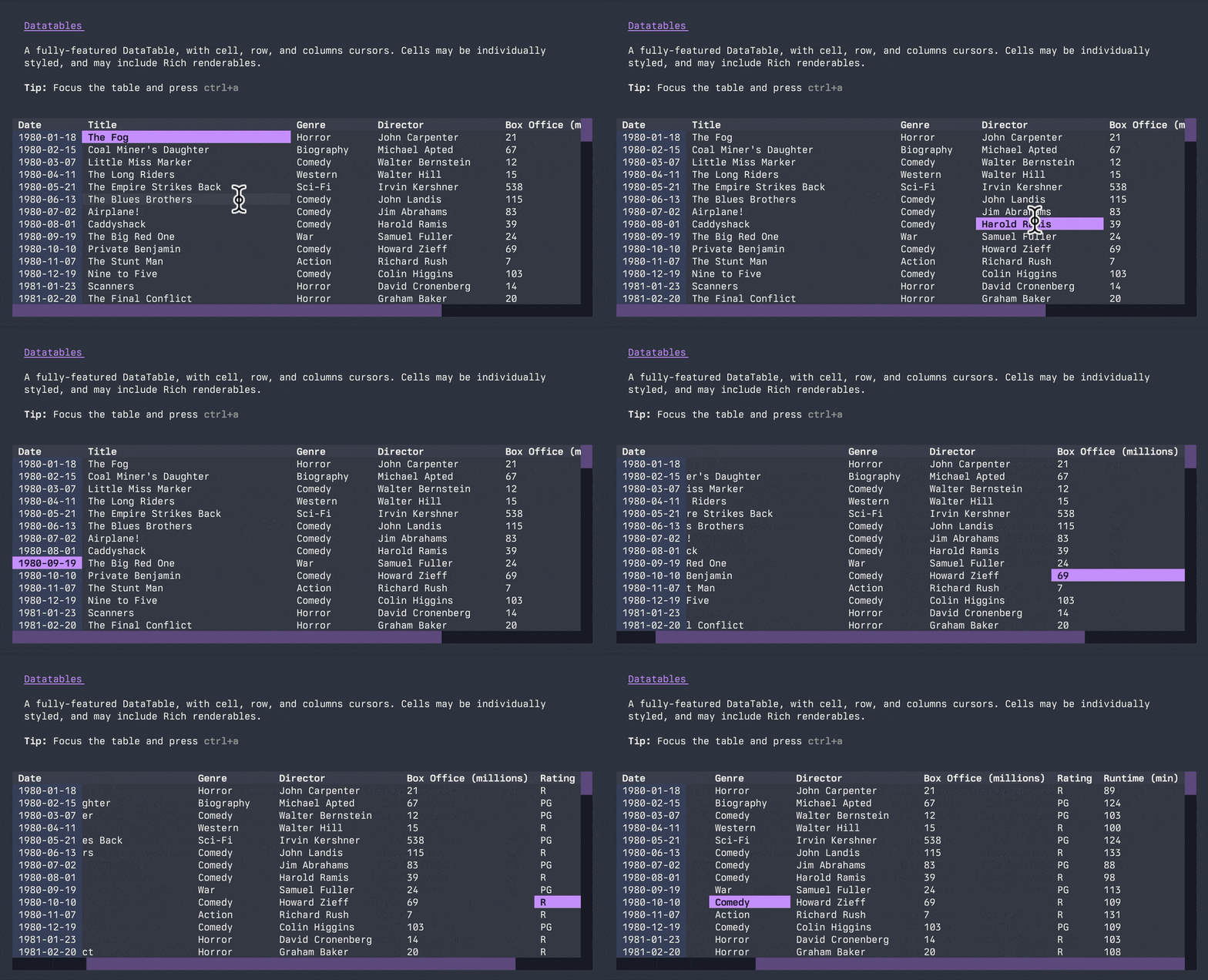
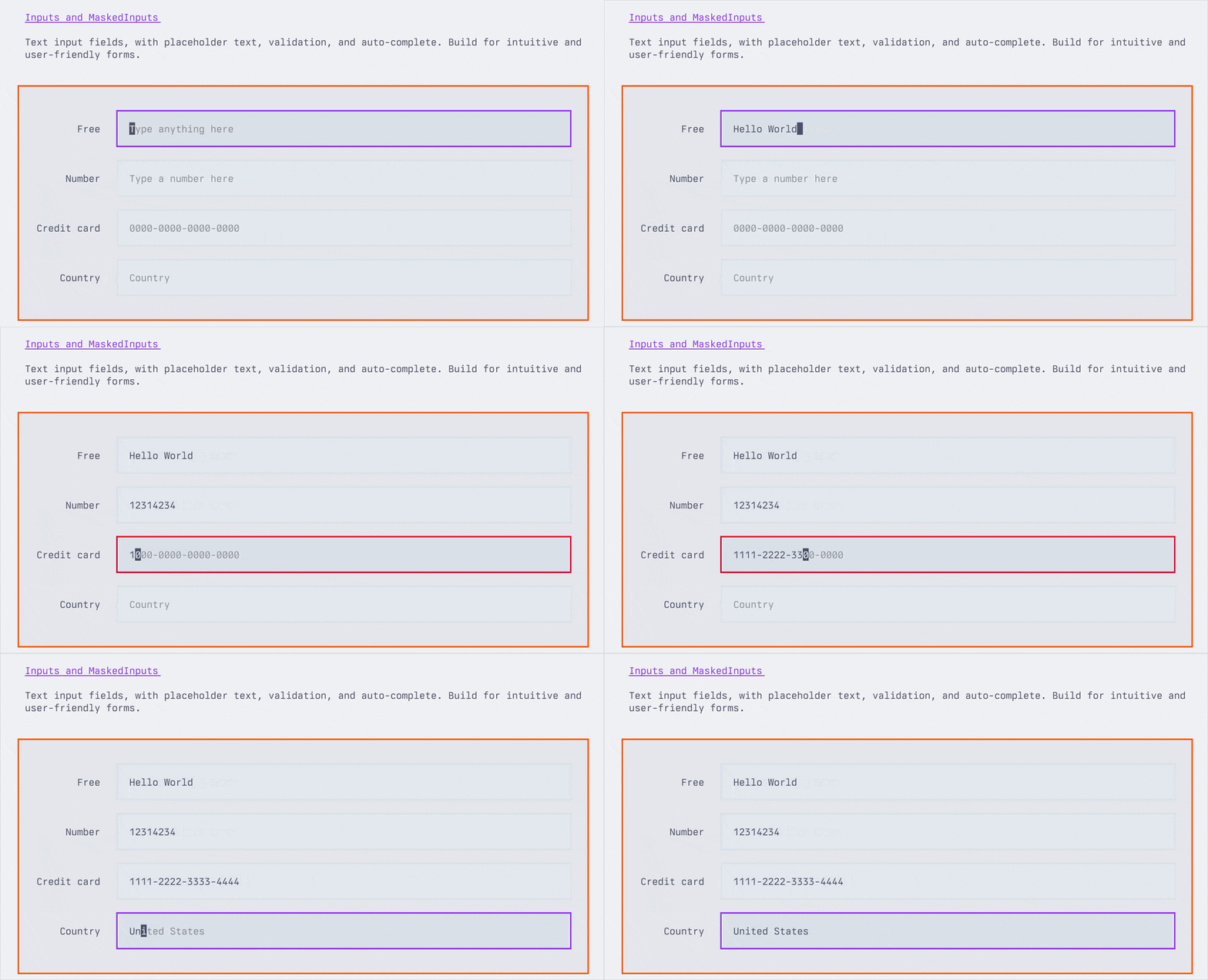
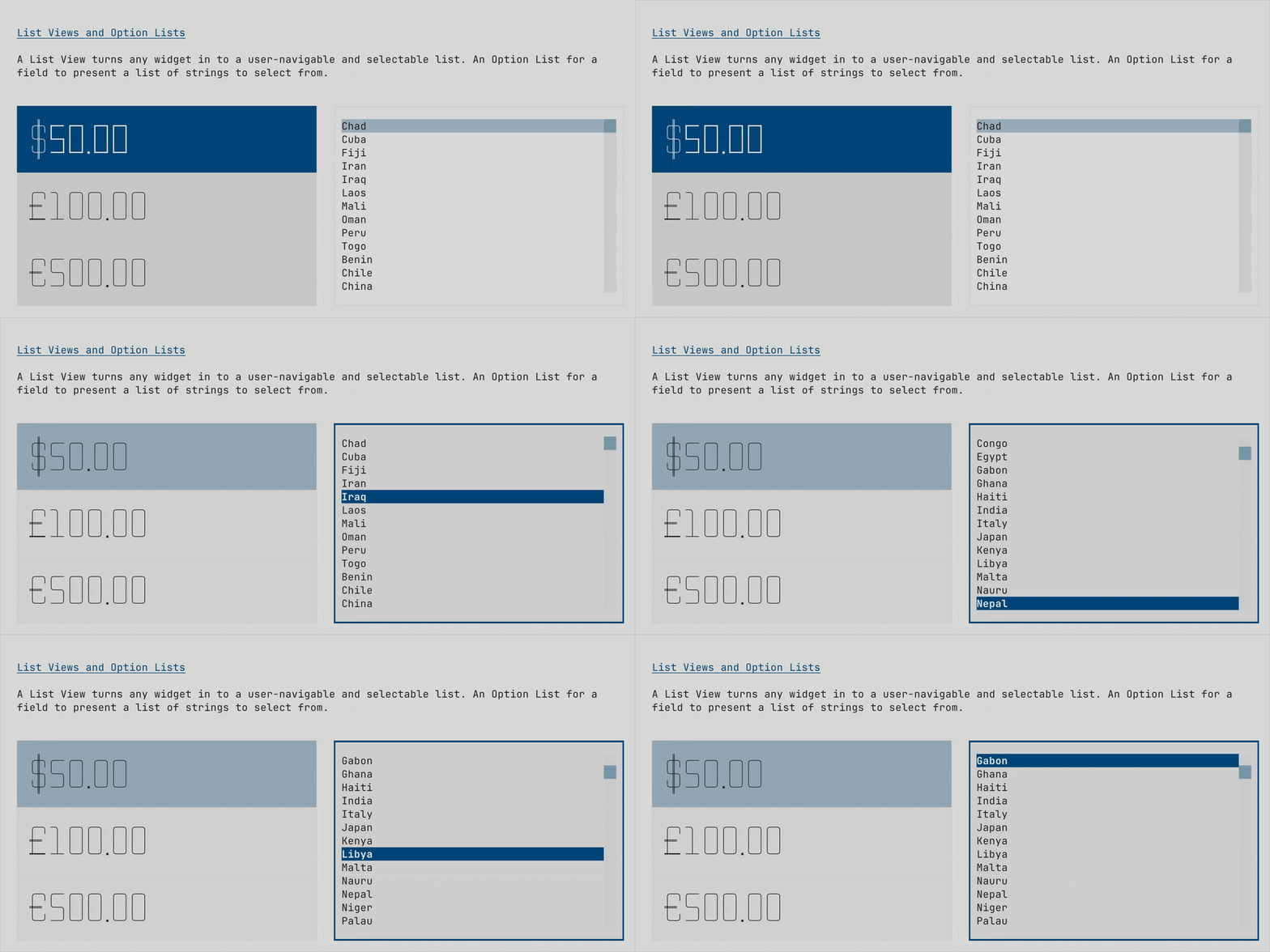
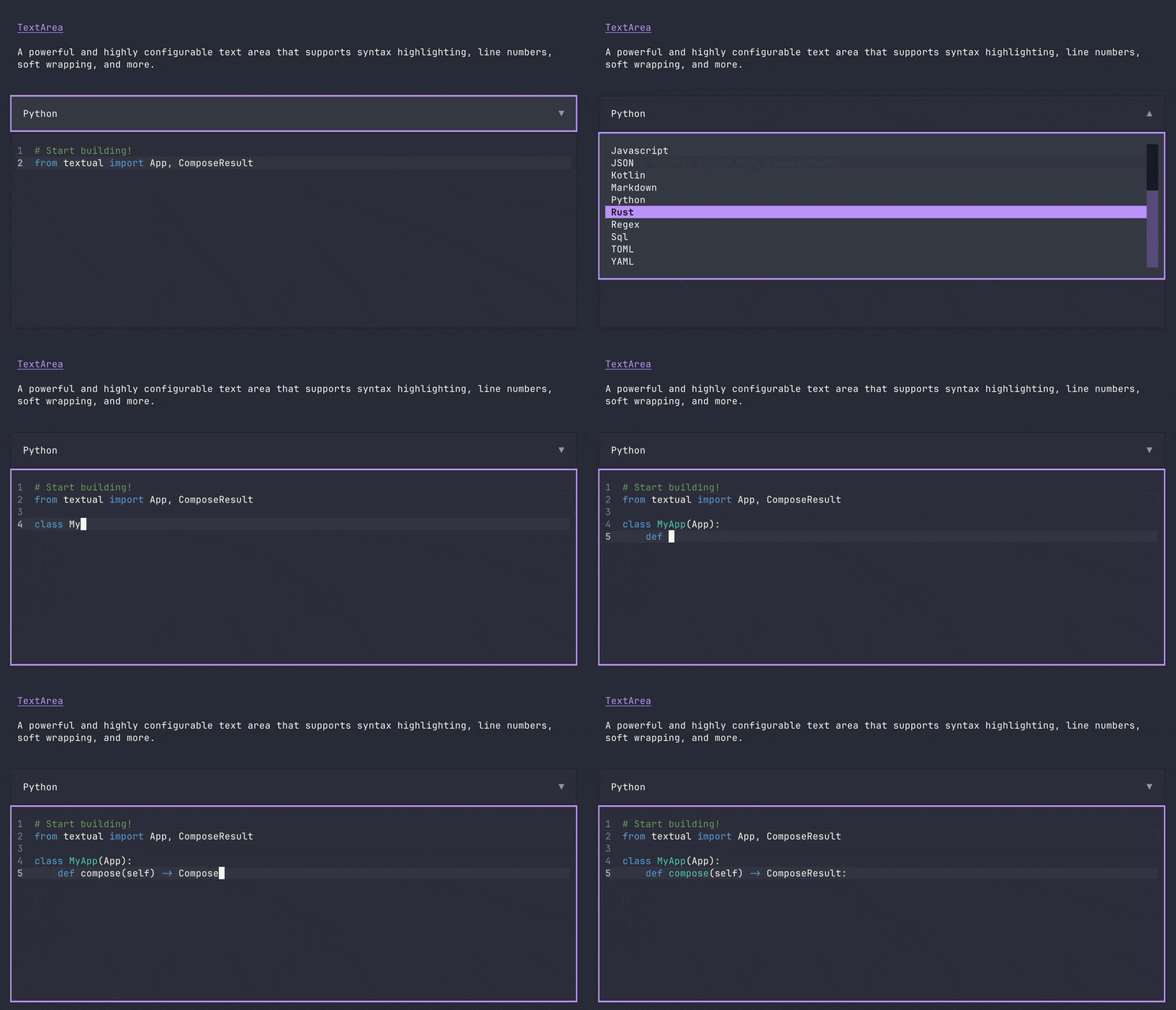
Textual's library of widgets covers everything from buttons, tree controls, data tables, inputs, text areas, and more… Combined with a flexible layout system, you can realize any User Interface you need.
Predefined themes ensure your apps will look good out of the box.
|
|
|
|
|
|
|
|
|
Installing
Install Textual via pip:
pip install textual textual-dev
See getting started for details.
Demo
Run the following command to see a little of what Textual can do:
python -m textual
Or try the textual demo without installing (requires uv):
uvx --python 3.12 textual-demo
Dev Console
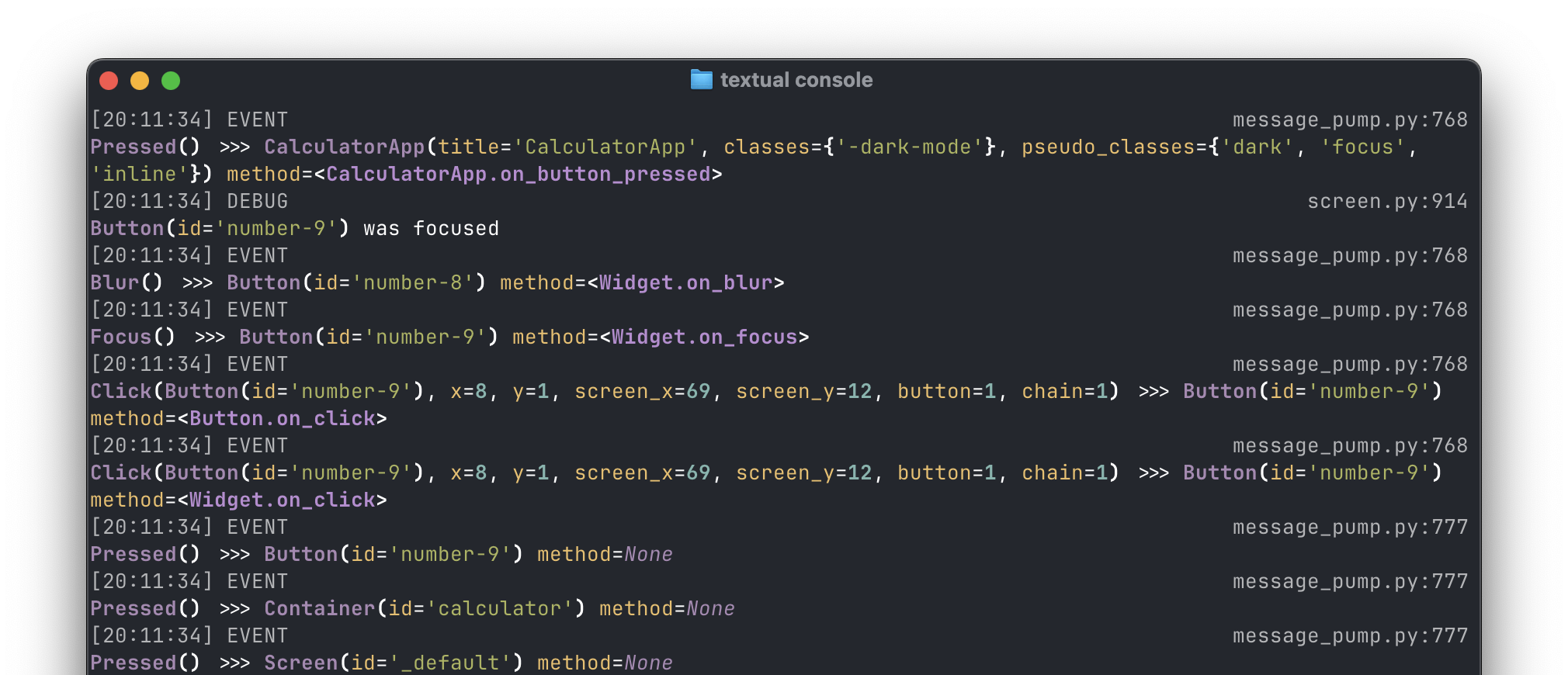
How do you debug an app in the terminal that is also running in the terminal?
The textual-dev package supplies a dev console that connects to your application from another terminal.
In addition to system messages and events, your logged messages and print statements will appear in the dev console.
See the guide for other helpful tools provided by the textual-dev package.
Command Palette
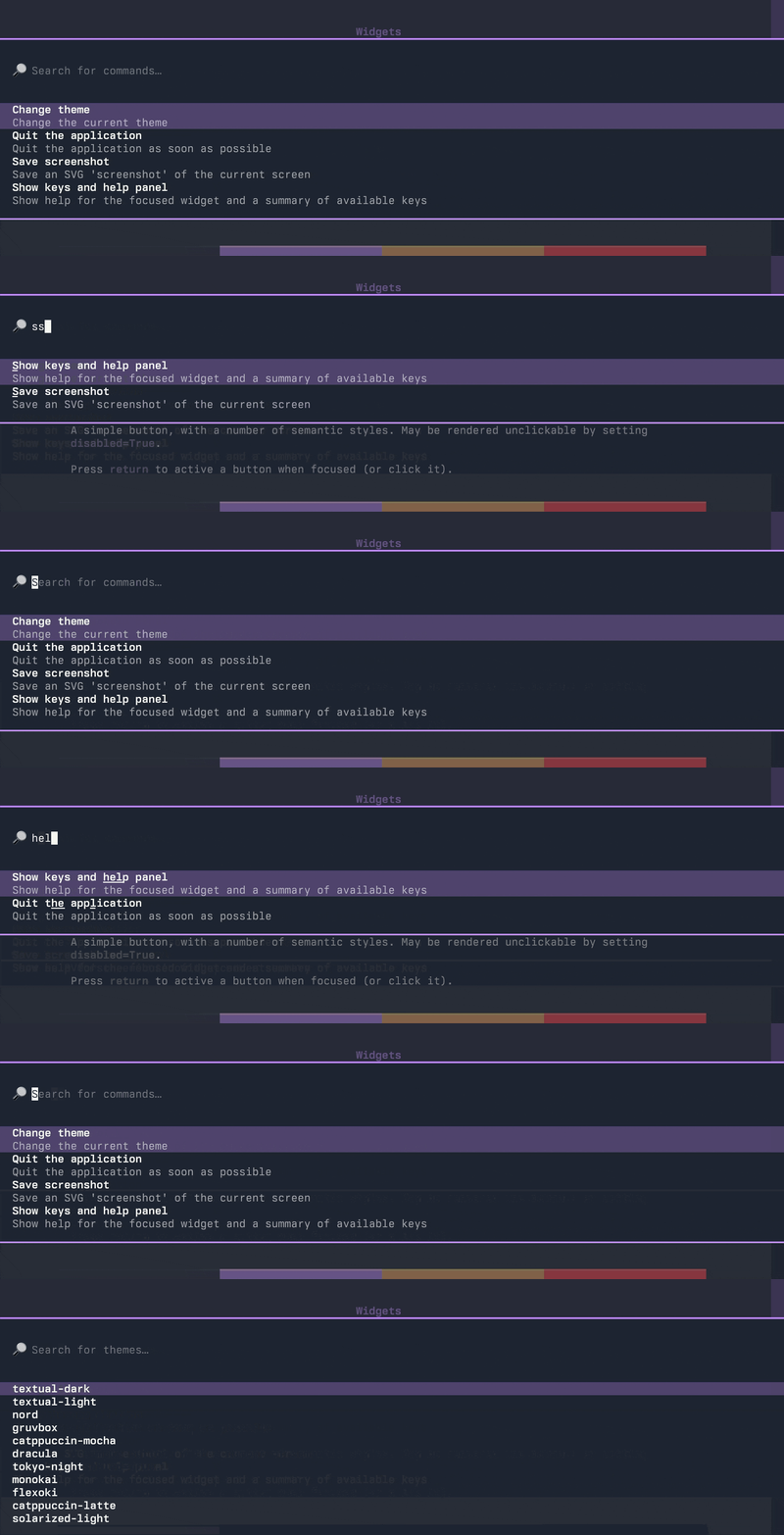
Textual apps have a fuzzy search command palette.
Hit ctrl+p to open the command palette.
It is easy to extend the command palette with custom commands for your application.
Textual ❤️ Web
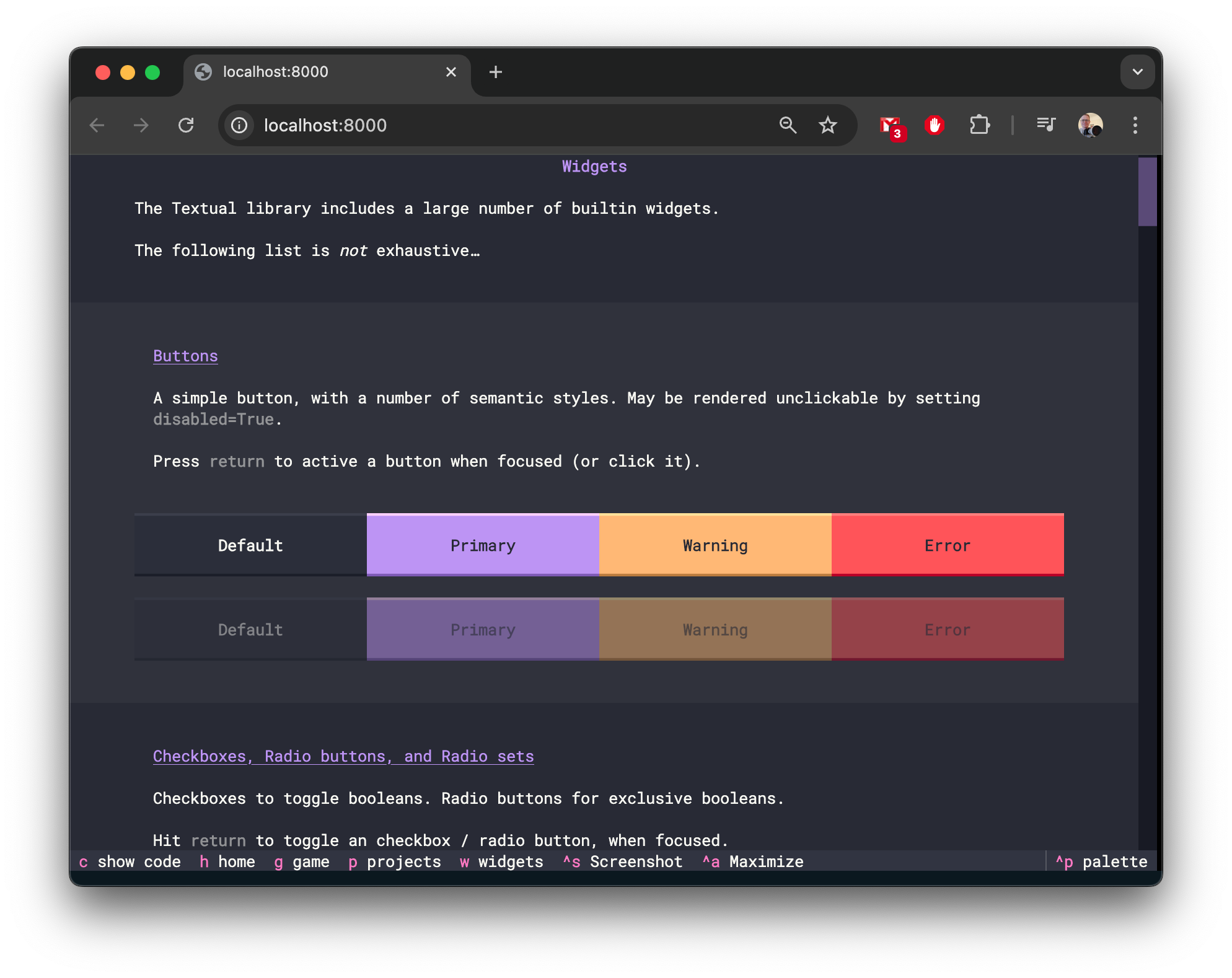
Textual apps are equally at home in the browser as they are the terminal. Any Textual app may be served with textual serve — so you can share your creations on the web.
Here's how to serve the demo app:
textual serve "python -m textual"
In addition to serving your apps locally, you can serve apps with Textual Web.
Textual Web's firewall-busting technology can serve an unlimited number of applications.
Since Textual apps have low system requirements, you can install them anywhere Python also runs. Turning any device into a connected device. No desktop required!
Join us on Discord
Join the Textual developers and community on our Discord Server.
Release history Release notifications | RSS feed


Download files
Download the file for your platform. If you're not sure which to choose, learn more about installing packages.
Source Distribution
Built Distribution
Filter files by name, interpreter, ABI, and platform.
If you're not sure about the file name format, learn more about wheel file names.
Copy a direct link to the current filters
File details
Details for the file textual-8.2.6.tar.gz.
File metadata
- Download URL: textual-8.2.6.tar.gz
- Upload date:
- Size: 1.9 MB
- Tags: Source
- Uploaded using Trusted Publishing? No
- Uploaded via: poetry/2.3.2 CPython/3.12.11 Darwin/25.3.0
File hashes
| Algorithm | Hash digest | |
|---|---|---|
| SHA256 |
cef3714498a120a99278b98d4c165c278844e73db50f1db039aaabd89f2d1b63
|
|
| MD5 |
019d43da39262437bf26bc0829f49e37
|
|
| BLAKE2b-256 |
1cb3b62658f6cf808d28e4d16a07509728a7b17824f55a6d3533f017fd4566b0
|
File details
Details for the file textual-8.2.6-py3-none-any.whl.
File metadata
- Download URL: textual-8.2.6-py3-none-any.whl
- Upload date:
- Size: 729.9 kB
- Tags: Python 3
- Uploaded using Trusted Publishing? No
- Uploaded via: poetry/2.3.2 CPython/3.12.11 Darwin/25.3.0
File hashes
| Algorithm | Hash digest | |
|---|---|---|
| SHA256 |
17c92bec7ff1617bd7db2a3d9734b0c3b7d2c274c67d5eba94371ea2f99a63fd
|
|
| MD5 |
8b38b0317a9933aafe775a0205511461
|
|
| BLAKE2b-256 |
b8b4c2b876f445e52522824cb900f2c7db3a7c24f89d20449ef278b4195d0ecb
|






