
textual-serve
Every Textual application is now a web application.
With 3 lines of code, any Textual app can run in the browser.
|
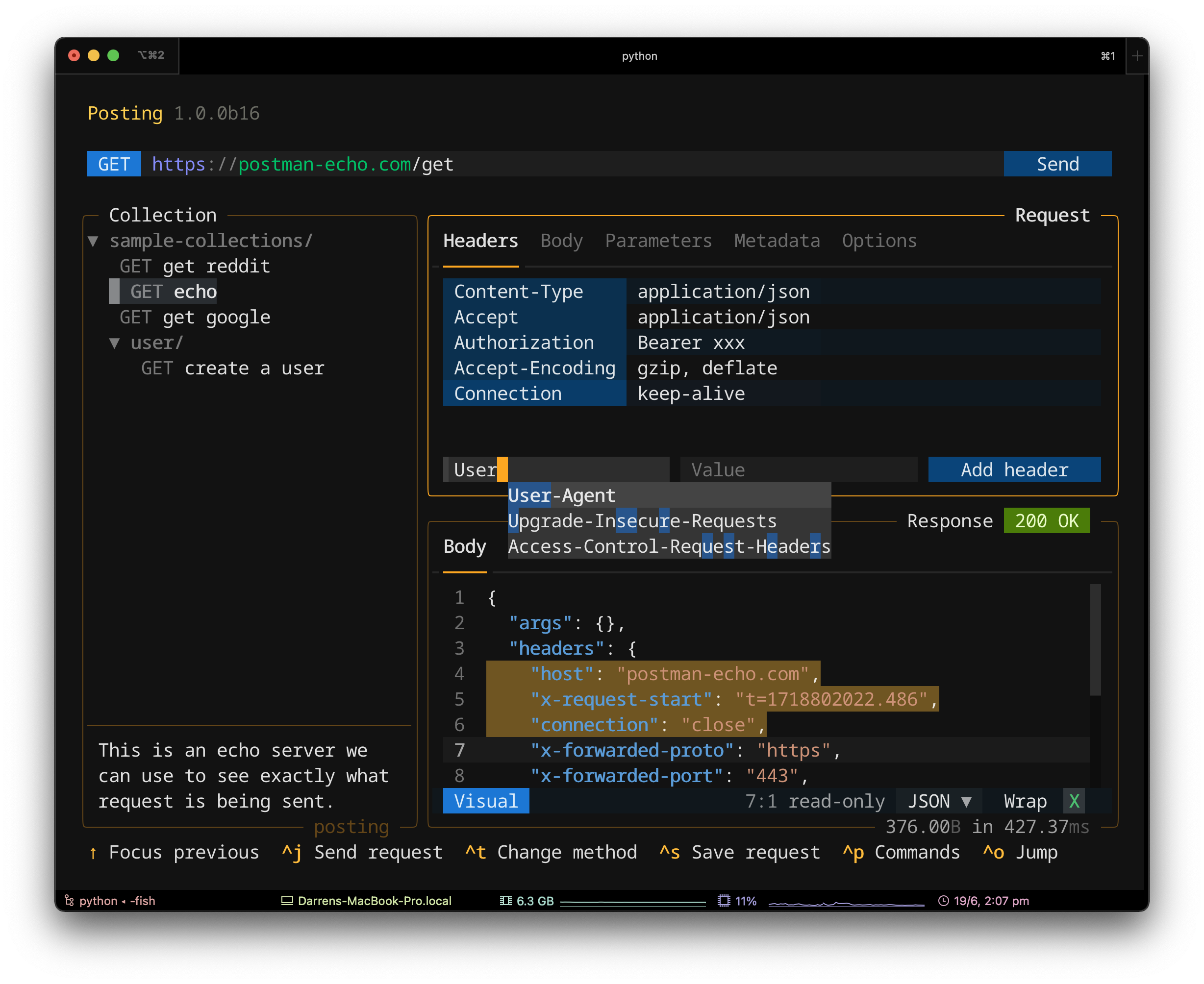
This is Posting running in the terminal. |
|
|
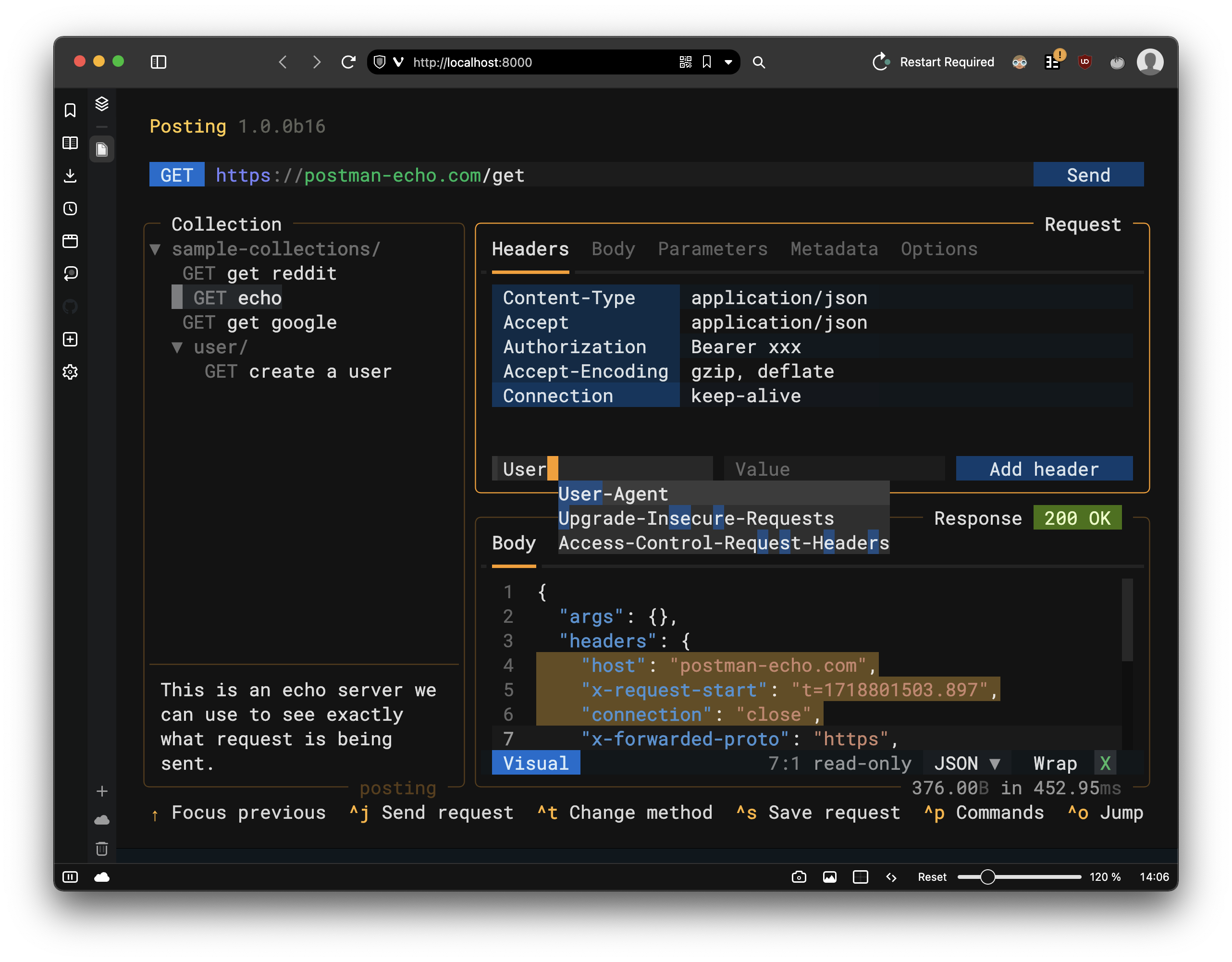
This is Posting running in the browser. |
|
Getting Started
First, install (or upgrade) Textual.
Then install textual-serve from PyPI:
pip install textual-serve
Creating a server
First import the Server class:
from textual_serve.server import Server
Then create a Server instance and pass the command that launches your Textual app:
server = Server("python -m textual")
The command can be anything you would enter in the shell, as long as it results in a Textual app running.
Finally, call the serve method:
server.serve()
You will now be able to click on the link in the terminal to run your app in a browser.
Summary
Run this code, visit http://localhost:8000
from textual_serve.server import Server

server = Server("python -m textual")
server.serve()
Configuration
The Server class has the following parameters:
| parameter | description |
|---|---|
| command | A shell command to launch a Textual app. |
| host | The host of the web application (defaults to "localhost"). |
| port | The port for the web application (defaults to 8000). |
| title | The title show in the web app on load, leave as None to use the command. |
| public_url | The public URL, if the server is behind a proxy. None for the local URL. |
| statics_path | Path to statics folder, relative to server.py. Default uses directory in module. |
| templates_path | Path to templates folder, relative to server.py. Default uses directory in module. |
The Server.serve method accepts a debug parameter.
When set to True, this will enable textual devtools.
How does it work?
When you visit the app URL, the server launches an instance of your app in a subprocess, and communicates with it via a websocket.
This means that you can serve multiple Textual apps across all the CPUs on your system.
Note that Textual-serve uses a custom protocol to communicate with Textual apps. It does not simply expose a shell in your browser. There is no way for a malicious user to do anything the app-author didn't intend.
See also
See also textual-web which serves Textual apps on a public URL.
You can consider this project to essentially be a self-hosted equivalent of Textual-web.
1 maintainer

Release files for textual-serve 1.1.3
For a detailed explanation of source distributions (sdists) and built distributions (wheels), please see the package formats documentation.
Source distribution (sdist)
| File | Size | Uploaded | |
|---|---|---|---|
| textual_serve-1.1.3.tar.gz | 448.3 kB | Details |
Built distribution (wheel)
| File | Interpreter | ABI | Platform | Reset |
|---|---|---|---|---|
| textual_serve-1.1.3-py3-none-any.whl | Python 3 | none | any | Details |
Total release size: 895.7 kB
Release files / textual_serve-1.1.3.tar.gz
| Download URL | textual_serve-1.1.3.tar.gz |
|---|---|
| Size | 448.3 kB |
| Tags | Source |
|
SHA-256 checksum How to use checksums |
f8f636ae2f5fd651b79d965473c3e9383d3521cdf896f9bc289709185da3f683
|
|
BLAKE2b-256 checksum How to use checksums |
c27e62fecc552853ec6a178cb1faa2d6f73b34d5512924770e7b08b58ff14148
|
| Upload date | |
|
Uploaded using Trusted Publishing? What is trusted publishing? |
No |
| Uploaded via |
poetry/2.1.3 CPython/3.12.11 Darwin/25.0.0
|
Release files / textual_serve-1.1.3-py3-none-any.whl
| Download URL | textual_serve-1.1.3-py3-none-any.whl |
|---|---|
| Size | 447.3 kB |
| Tags | Python 3 |
|
SHA-256 checksum How to use checksums |
207a472bc6604e725b1adab4ab8bf12f4c4dc25b04eea31e4d04731d8bf30f18
|
|
BLAKE2b-256 checksum How to use checksums |
b5fe108e7773349d500cf363328c3d0b7123e03feda51e310a3a5b136ac8ca71
|
| Upload date | |
|
Uploaded using Trusted Publishing? What is trusted publishing? |
No |
| Uploaded via |
poetry/2.1.3 CPython/3.12.11 Darwin/25.0.0
|














