texture-generator
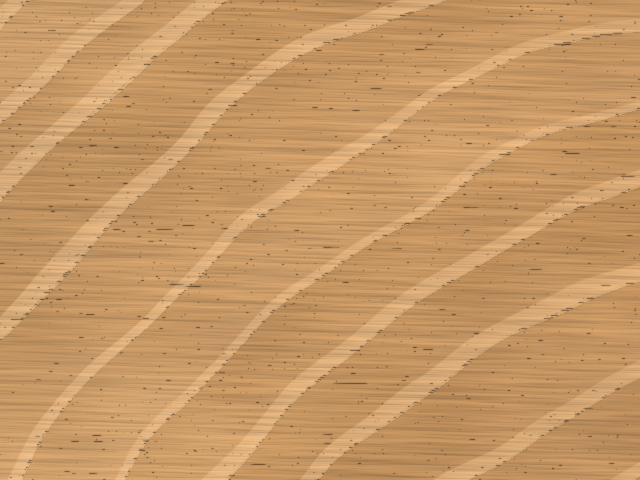
Generate random material textures with Python: metal, plastic, wood and paper, as Pillow images or NumPy arrays. Choose a size and seed to create a reproducible texture, then save it as a PNG. Generation runs locally using NumPy and Pillow, without models, downloaded assets or network access.
Installation
Requires Python 3.14 or later.
pip install texture-generator
The distribution is named texture-generator; the Python import is
texture_generators, and the command-line program is texture-gen.
Installation includes NumPy, Pillow and Click (used by the CLI).
Quickstart
from texture_generators import generate

image = generate("wood", size=(640, 480), seed=42, variant="board")
image.save("wood.png")
print(image.mode, image.size)
# RGB (640, 480)
This writes wood.png in the current directory. Sizes are (width, height);
an integer such as size=512 creates a square. Both dimensions must be at least
2 pixels. The same arguments reproduce the same image with the same package,
dependency versions and platform. Omit seed for a fresh texture.
For raw pixels or a labelled sheet of every variant:
from texture_generators import generate_array, sample_sheet

pixels = generate_array("metal", size=256, seed=7, variant="brushed")
print(pixels.shape, pixels.dtype)
# (256, 256, 3) float32

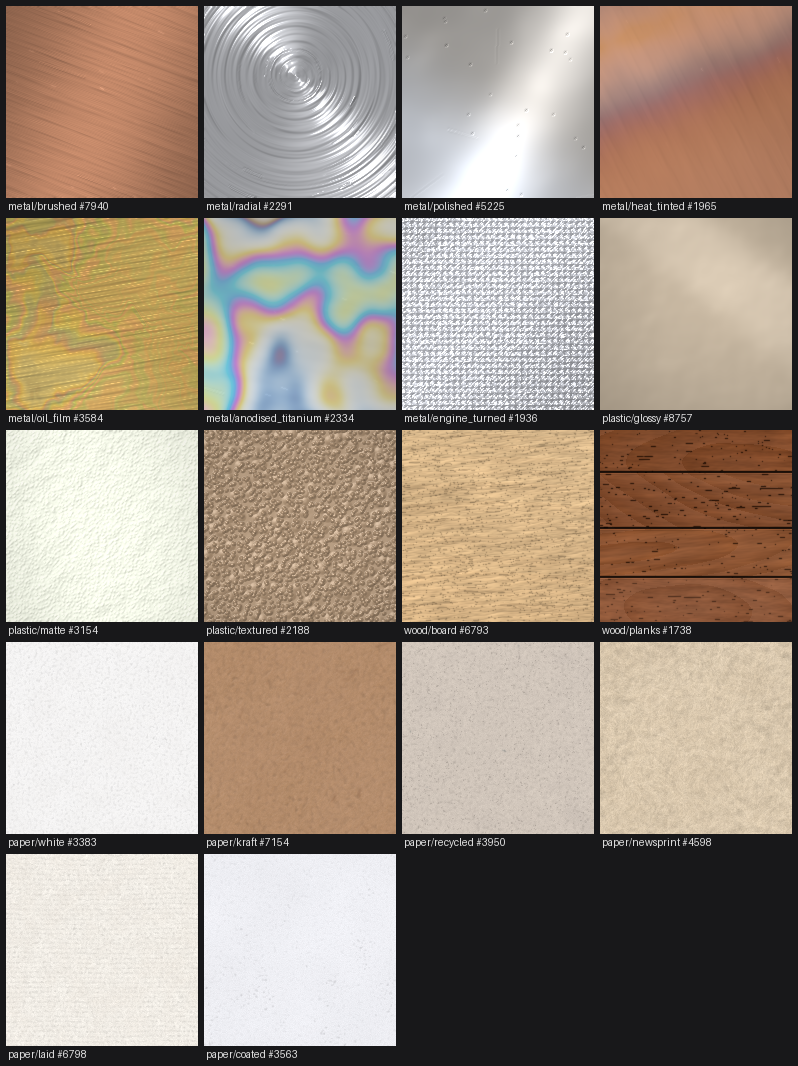
sheet = sample_sheet(size=128, seed=7)
sheet.save("materials.png")
Arrays contain RGB values in [0, 1]. The
API reference
covers all public functions and material parameters.
Brushing direction
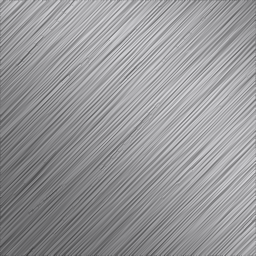
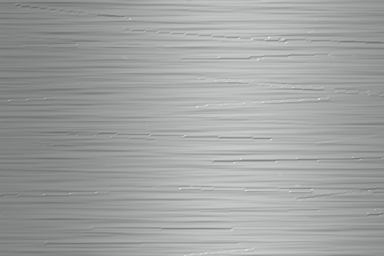
From version 0.4.0, set brush_angle for the brushed metal variant. Angles are
degrees clockwise in image coordinates: 0 is horizontal, 90 is vertical,
and 45 runs from top left to bottom right. Finite angles wrap at 360 degrees.
image = generate("metal", size=(640, 480), seed=42, variant="brushed", brush_angle=90)
image.save("vertical-brushing.png")
The same keyword works with generate_array(), and can be combined with a metal
film override. It controls grooves, scratches, directional shading, sheen and
glints, plus groove diffraction on unfilmed metal. The light itself keeps its
direction. Omit brush_angle or use None to retain the random direction and
existing seeded output. An explicit angle requires material="metal" and
variant="brushed".
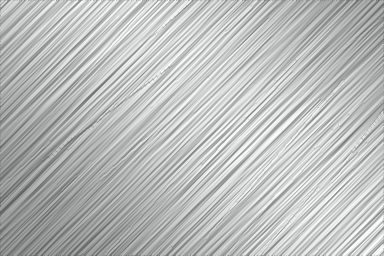
These examples share seed 42 and a size of 384 × 256 pixels:
| 0° — horizontal | 45° | 90° — vertical | 135° |
|---|---|---|---|
 |
 |
 |
 |
Command line
texture-gen wood --variant board --size 640x480 --seed 42 -o wood.png
texture-gen list
texture-gen sheet --size 128 --seed 7 -o materials.png
texture-gen wood --help
texture-gen metal --variant brushed --brush-angle 90 --seed 42 -o vertical-brushing.png
python -m texture_generators runs the same CLI. It also supports batches,
JSON reports, shell completion and browser galleries for comparing seeds and
parameters. See the
CLI reference.
--brush-angle is available on metal and requires --variant brushed.
It also works with --count; JSON reports include the angle when it is supplied.
Materials
| Material | Variants |
|---|---|
| Metal | brushed, radial, polished, heat_tinted, oil_film, anodised_titanium, engine_turned |
| Plastic | glossy, matte, textured |
| Wood | board, planks |
| Paper | white, kraft, recycled, newsprint, laid, coated |
The generators combine noise, material anatomy and lighting. Albedo, height and
roughness share underlying fields so visible features also affect shading.
These are procedural approximations with documented calibration assumptions.
Metal, plastic and wood do not tile seamlessly; paper tiles when creases are
disabled with creases=0.0.
Read the technical reference for the algorithms, wood and paper models, core modules, performance estimates and limitations. See the changelog for changes and GitHub issues to report a bug.
Examples
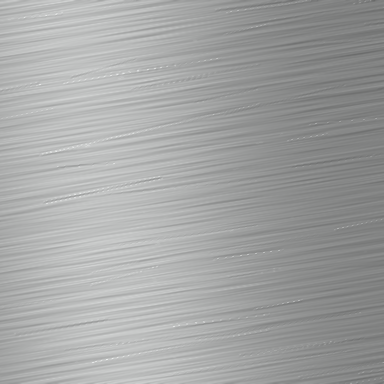
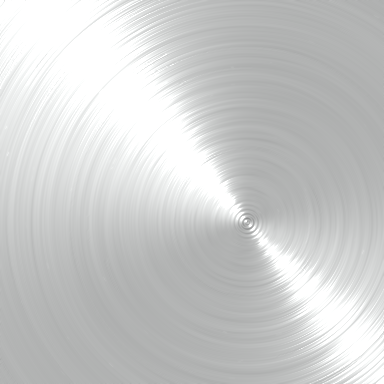
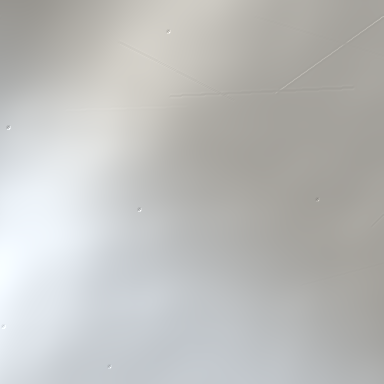
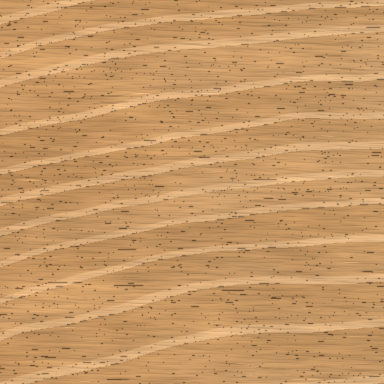
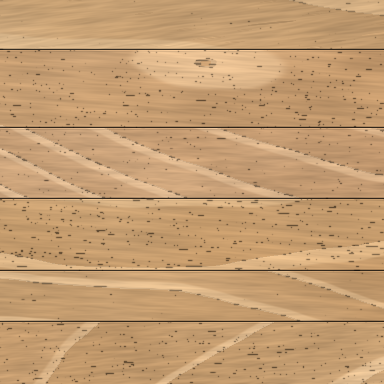
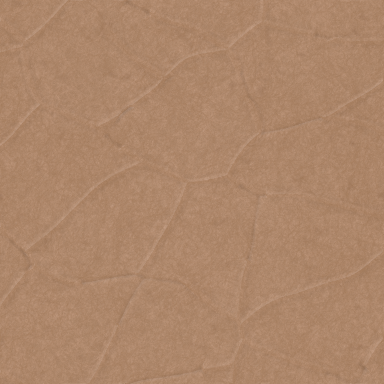
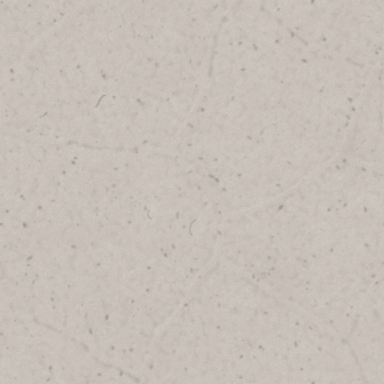
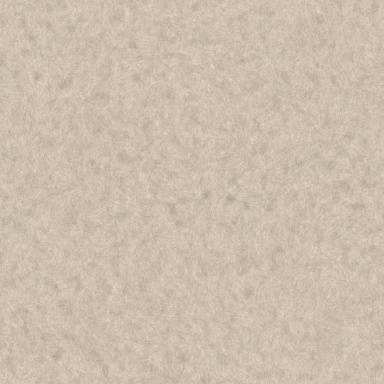
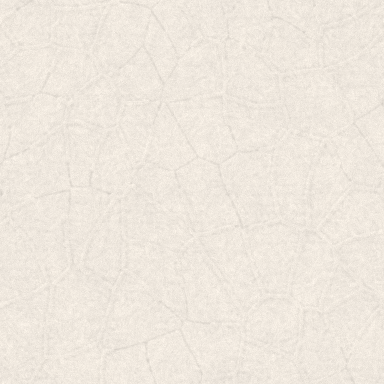
Every variant below is rendered at 384 × 384 pixels with seed 42 and an explicit variant name. The full results gallery includes the notebook's outputs and links to each PNG; the recipe manifest records how they were generated.
Metal
| Brushed | Radial | Polished | Heat tinted |
|---|---|---|---|
 |
 |
 |
 |
| Oil film | Anodised titanium | Engine turned | |
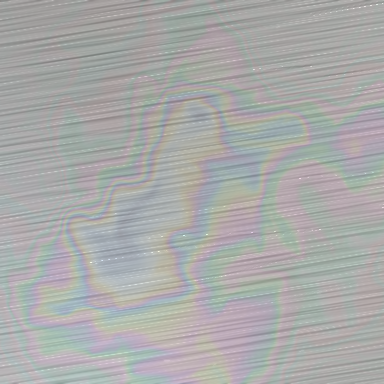 |
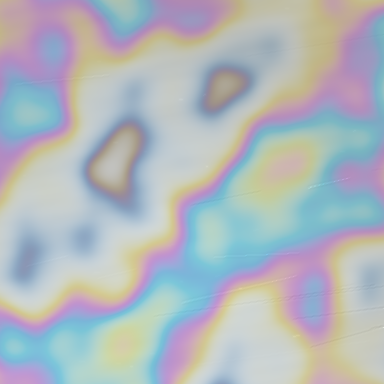 |
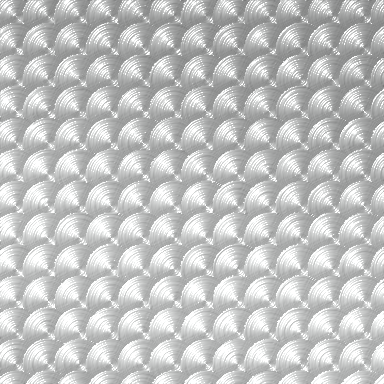 |
Plastic
| Glossy | Matte | Textured |
|---|---|---|
 |
 |
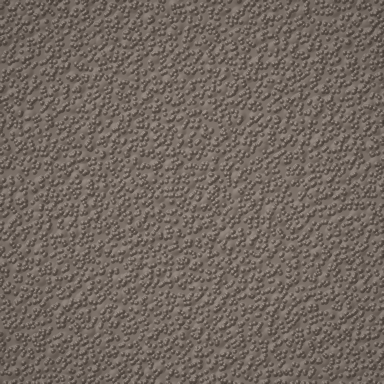 |
Wood
| Board | Planks |
|---|---|
 |
 |
Paper
| White | Kraft | Recycled |
|---|---|---|
 |
 |
 |
| Newsprint | Laid | Coated |
 |
 |
 |
Run the notebook
Open the workflow notebook to work through the importable Python API, save images and arrays as PNGs, and build a contact sheet. Preview the standalone wood image, metal array saved as an image and contact sheet.
From the repository root, install the optional notebook tools and launch JupyterLab:
uv sync --group examples
uv run --group examples jupyter lab examples/texture_generator_workflow.ipynb
Choose Run → Run All Cells. The notebook writes the separate PNGs to
examples/images/, records their recipes in examples/manifest.json, and
regenerates examples/results.md. Notebook tools live in the optional
examples dependency group.
Development
Install uv, then:
git clone https://github.com/nmpowell/texture-generator.git
cd texture-generator
uv sync --locked
uv run pytest
uv run ruff check .
uv run ruff format --check .
uv sync --locked installs the project editable and uses the committed lockfile.
Use uv run ruff format . to apply formatting. The tests exercise rendering,
determinism, material physics, the CLI and built-package contents. Internal mypy
checks have existing findings and are informational; see the
development notes.
The version lives in pyproject.toml; texture_generators.__version__ reads
the installed package metadata. The
release guide
covers artifact checks and Trusted Publishing.
License
1 maintainer

Download files
Download the file for your platform. If you're not sure which to choose, learn more about installing packages.
Source Distribution
Built Distribution
Filter files by name, interpreter, ABI, and platform.
If you're not sure about the file name format, learn more about wheel file names.
Copy a direct link to the current filters
File details
Details for the file texture_generator-0.4.0.tar.gz.
File metadata
- Download URL: texture_generator-0.4.0.tar.gz
- Upload date:
- Size: 7.3 MB
- Tags: Source
- Uploaded using Trusted Publishing? Yes
- Uploaded via:
twine/7.0.0 CPython/3.13.14
File hashes
| Algorithm | Hash digest | |
|---|---|---|
| SHA256 |
8b5f6ea5721cf3b900b8c25a18dbd77c80ea3fa6b3dc35e8a29f18bea2329870
|
|
| MD5 |
f702eb8f5af98554699ccc0df09866a3
|
|
| BLAKE2b-256 |
79d8ebfe30dcf212a6ee9228489a87a1392e16fd99b331e9bfdc07da6fc541eb
|
Provenance
The following attestation bundles were made for texture_generator-0.4.0.tar.gz:
Publisher:
publish.yml on nmpowell/texture-generator
-
Statement:
-
Statement type:
https://in-toto.io/Statement/v1 -
Predicate type:
https://docs.pypi.org/attestations/publish/v1 -
Subject name:
texture_generator-0.4.0.tar.gz -
Subject digest:
8b5f6ea5721cf3b900b8c25a18dbd77c80ea3fa6b3dc35e8a29f18bea2329870 - Sigstore transparency entry: 2757982446
- Sigstore integration time:
-
Permalink:
nmpowell/texture-generator@46d57f9f4954c79924c776863e8b224201fd0f2a -
Branch / Tag:
refs/tags/0.4.0 - Owner: https://github.com/nmpowell
-
Access:
public
-
Token Issuer:
https://token.actions.githubusercontent.com -
Runner Environment:
github-hosted -
Publication workflow:
publish.yml@46d57f9f4954c79924c776863e8b224201fd0f2a -
Trigger Event:
release
-
Statement type:
File details
Details for the file texture_generator-0.4.0-py3-none-any.whl.
File metadata
- Download URL: texture_generator-0.4.0-py3-none-any.whl
- Upload date:
- Size: 155.5 kB
- Tags: Python 3
- Uploaded using Trusted Publishing? Yes
- Uploaded via:
twine/7.0.0 CPython/3.13.14
File hashes
| Algorithm | Hash digest | |
|---|---|---|
| SHA256 |
4fbda74a90005daffd599d55e314a18f00d9fbc846b7eaef7c7dc358d8570fc5
|
|
| MD5 |
92c1dd965d9aac2881d4f7d373664d39
|
|
| BLAKE2b-256 |
dcca929ff0b81ef5f19c330bfb974db0d6fb496df745d917b68be275b60e4cf0
|
Provenance
The following attestation bundles were made for texture_generator-0.4.0-py3-none-any.whl:
Publisher:
publish.yml on nmpowell/texture-generator
-
Statement:
-
Statement type:
https://in-toto.io/Statement/v1 -
Predicate type:
https://docs.pypi.org/attestations/publish/v1 -
Subject name:
texture_generator-0.4.0-py3-none-any.whl -
Subject digest:
4fbda74a90005daffd599d55e314a18f00d9fbc846b7eaef7c7dc358d8570fc5 - Sigstore transparency entry: 2757982490
- Sigstore integration time:
-
Permalink:
nmpowell/texture-generator@46d57f9f4954c79924c776863e8b224201fd0f2a -
Branch / Tag:
refs/tags/0.4.0 - Owner: https://github.com/nmpowell
-
Access:
public
-
Token Issuer:
https://token.actions.githubusercontent.com -
Runner Environment:
github-hosted -
Publication workflow:
publish.yml@46d57f9f4954c79924c776863e8b224201fd0f2a -
Trigger Event:
release
-
Statement type: