tfs-test-runner
Convert Azure DevOps / TFS test case
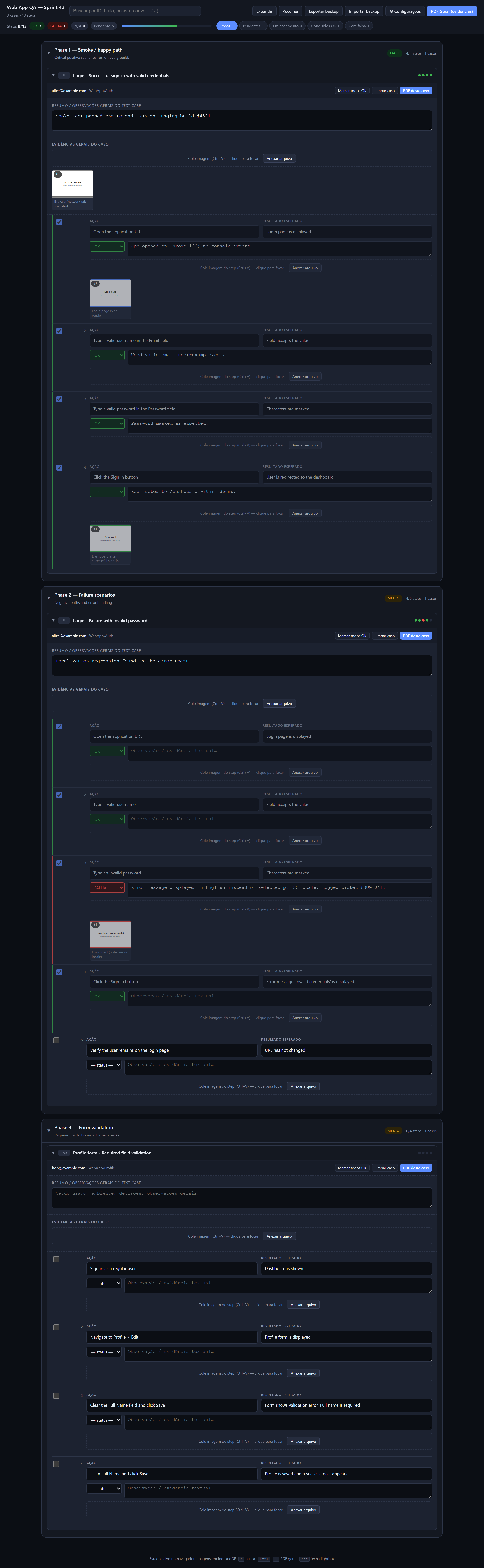
xlsxexports into a self-contained HTML test execution kit with screenshot capture, status tracking, notes, and PDF evidence export. No server, works offline. Optional GPT translation.




📖 Full docs: luizhcrs.github.io/tfs-test-runner (PT-BR)
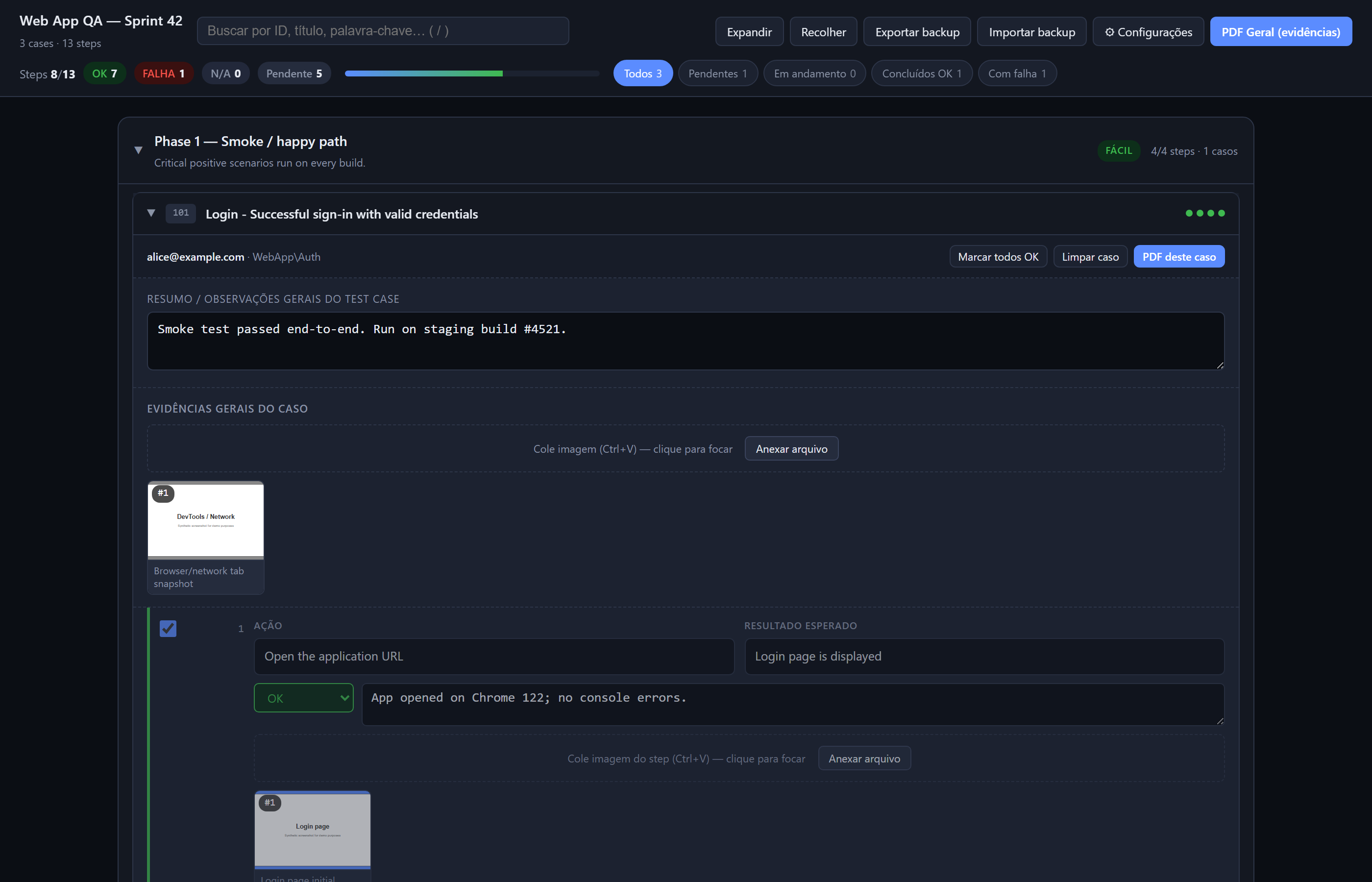
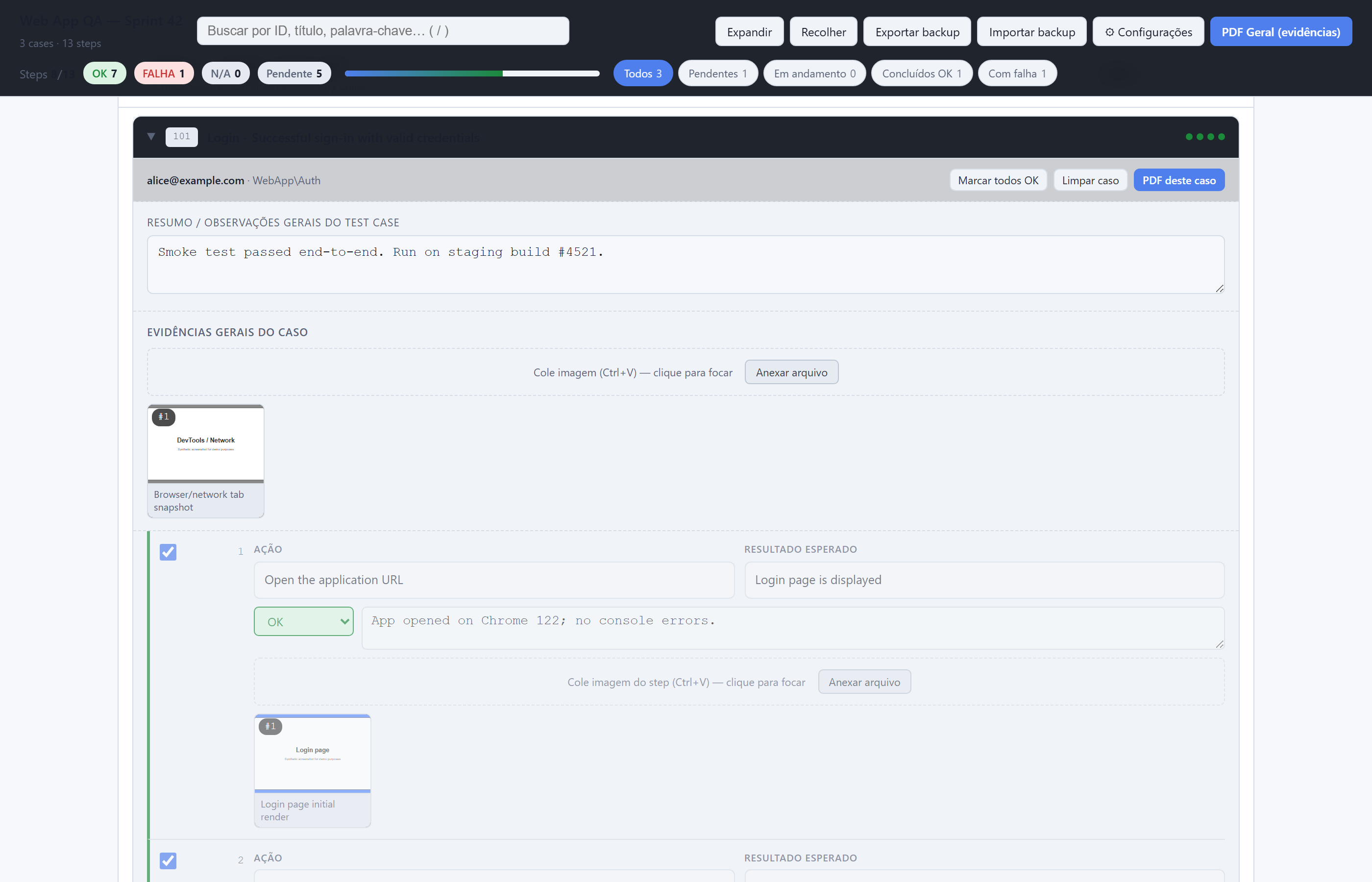
| Dark theme (default) | Light theme |
|---|---|
 |
 |
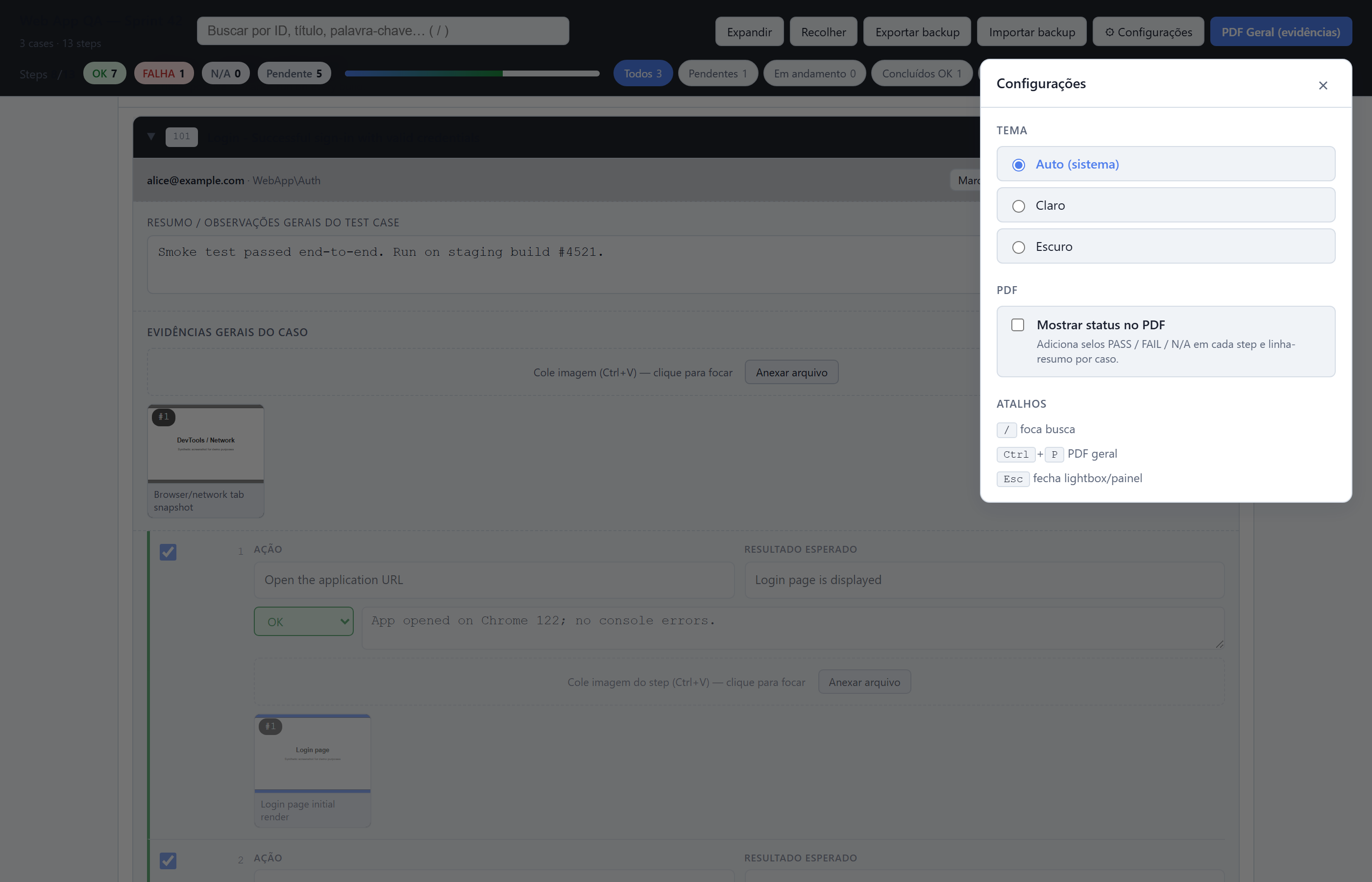
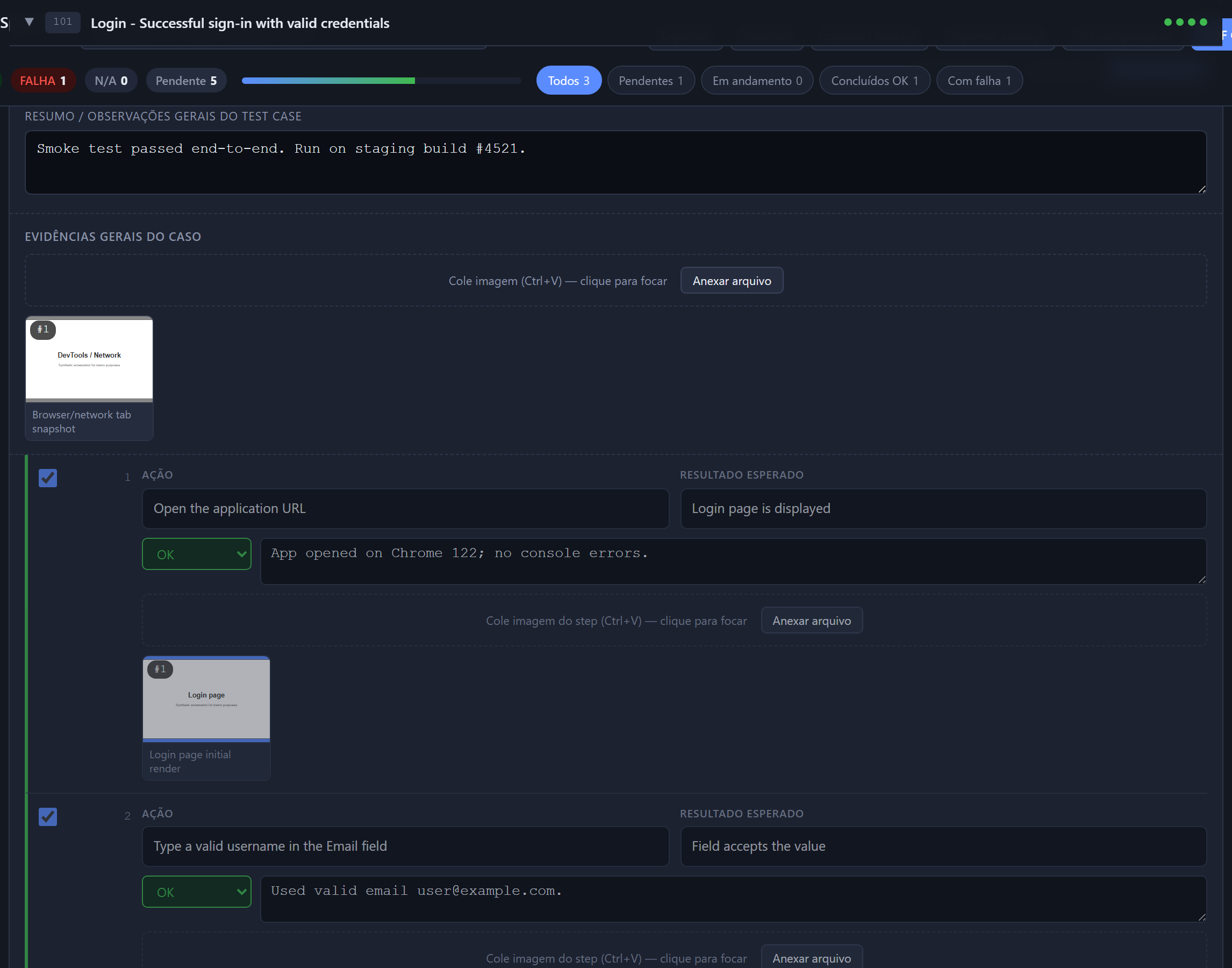
| Settings panel (theme + PDF options) | Case detail with evidence |
|---|---|
 |
 |
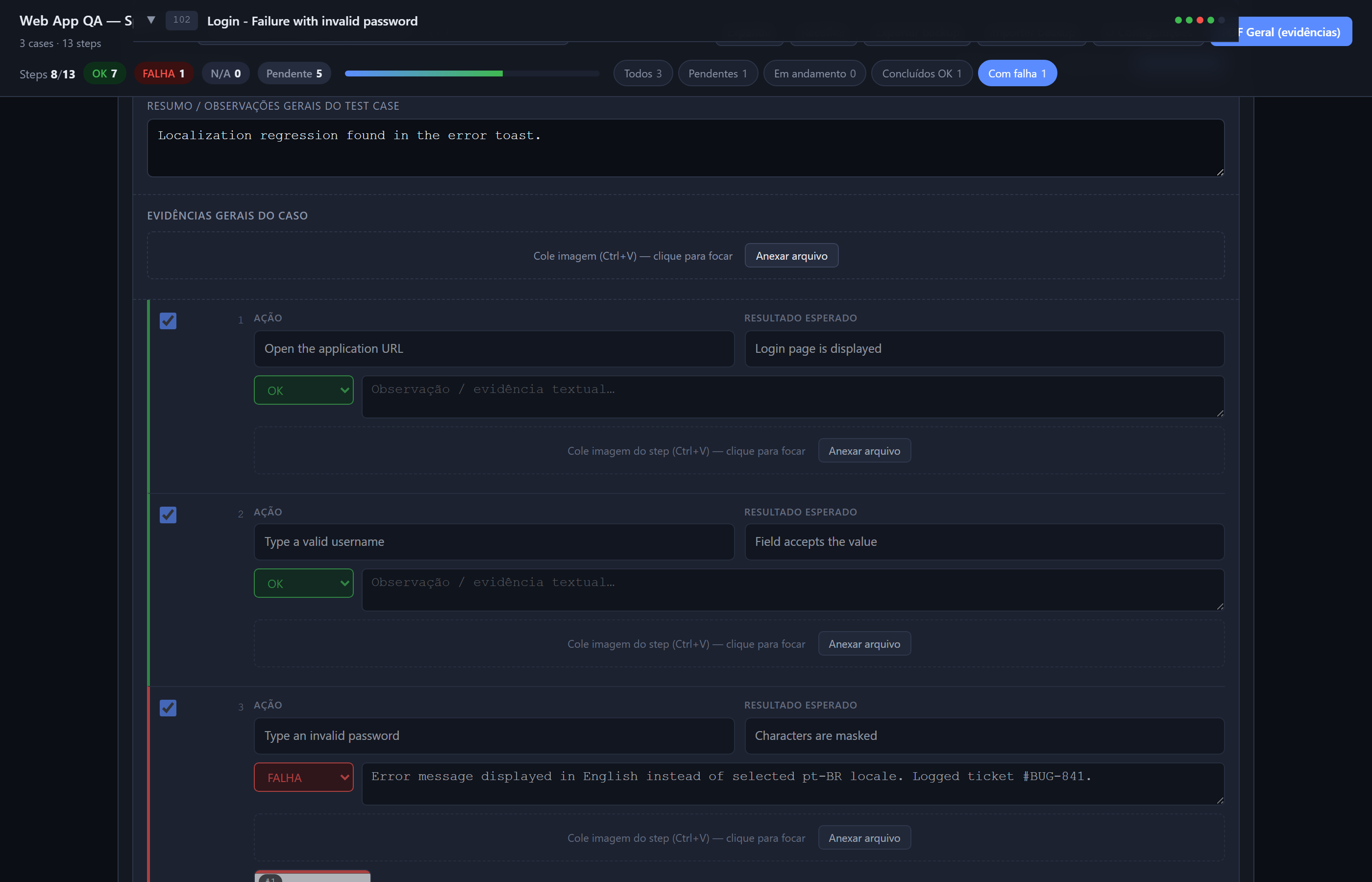
More screenshots — failures filter, PDF evidence, PDF with status badges, full plan, mobile, empty state
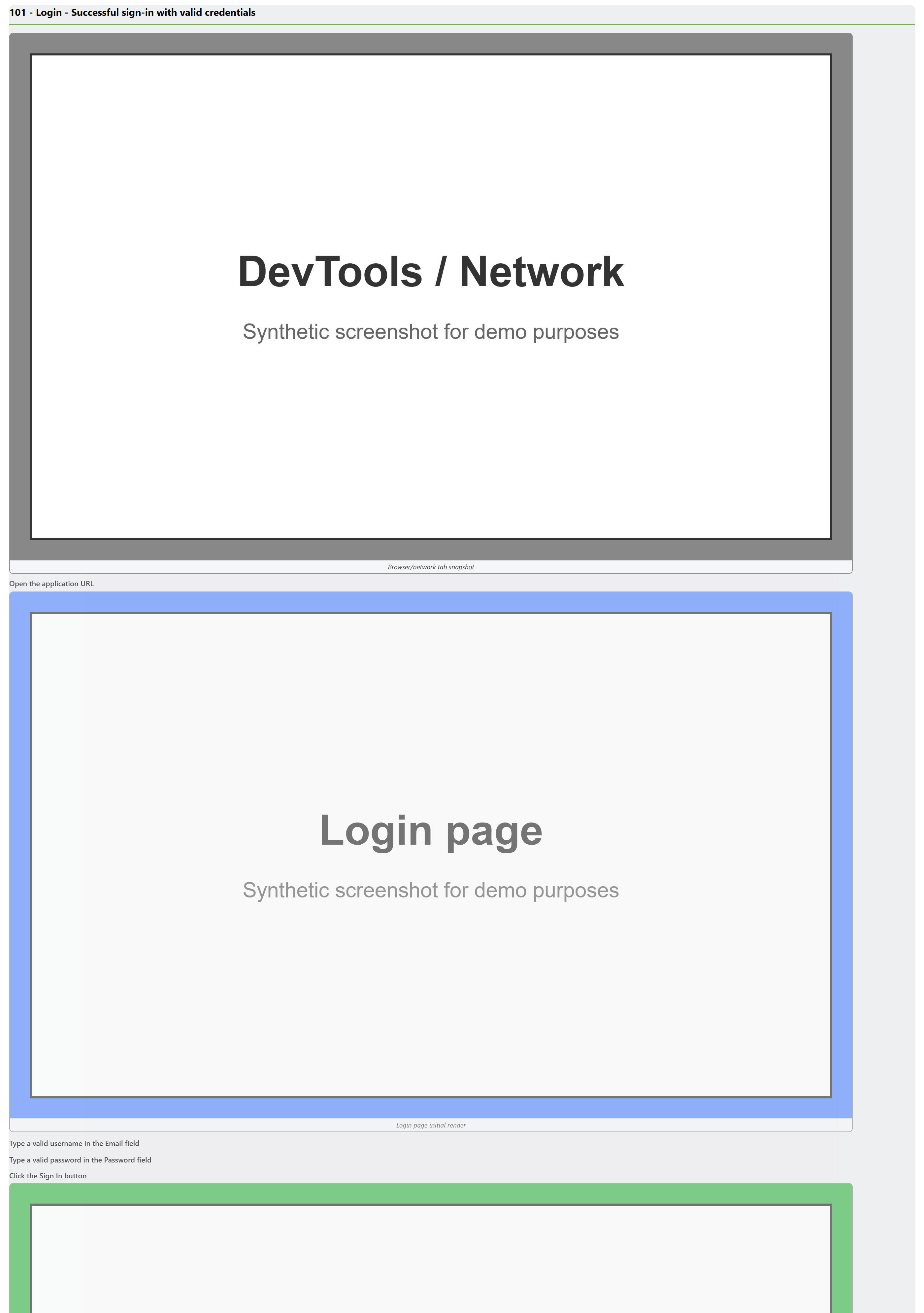
| Filter "Failures" | PDF evidence (default) |
|---|---|
 |
 |
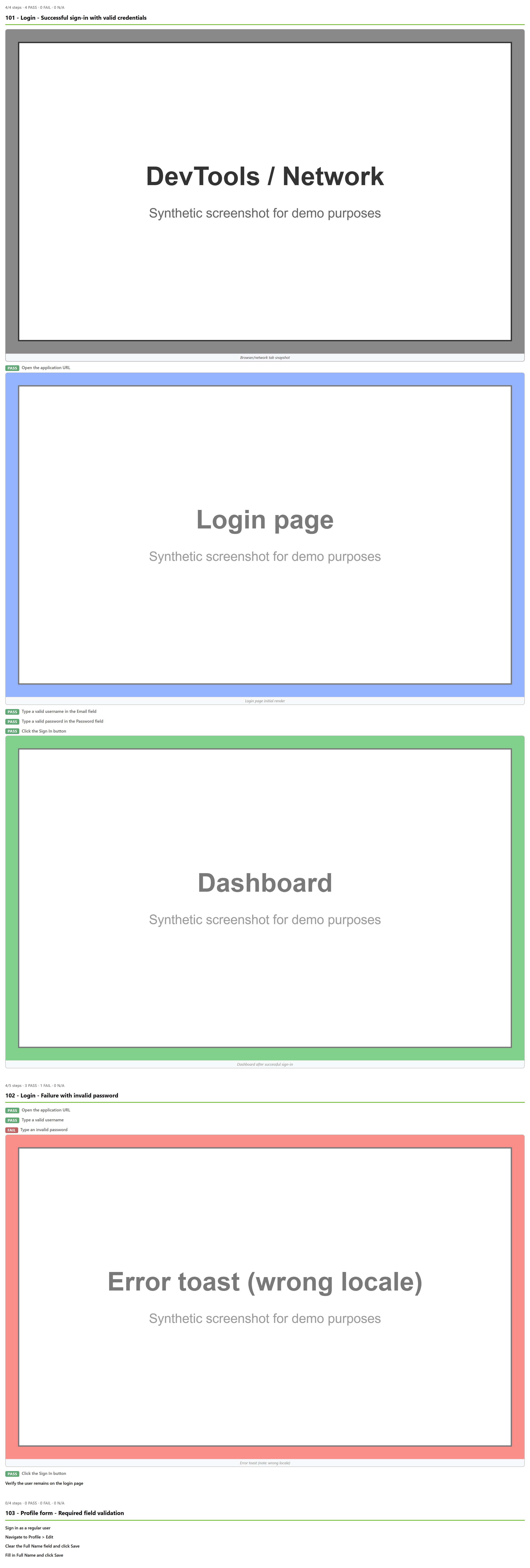
| PDF with status pills (toggle ON) | Mobile / narrow viewport |
|---|---|
 |
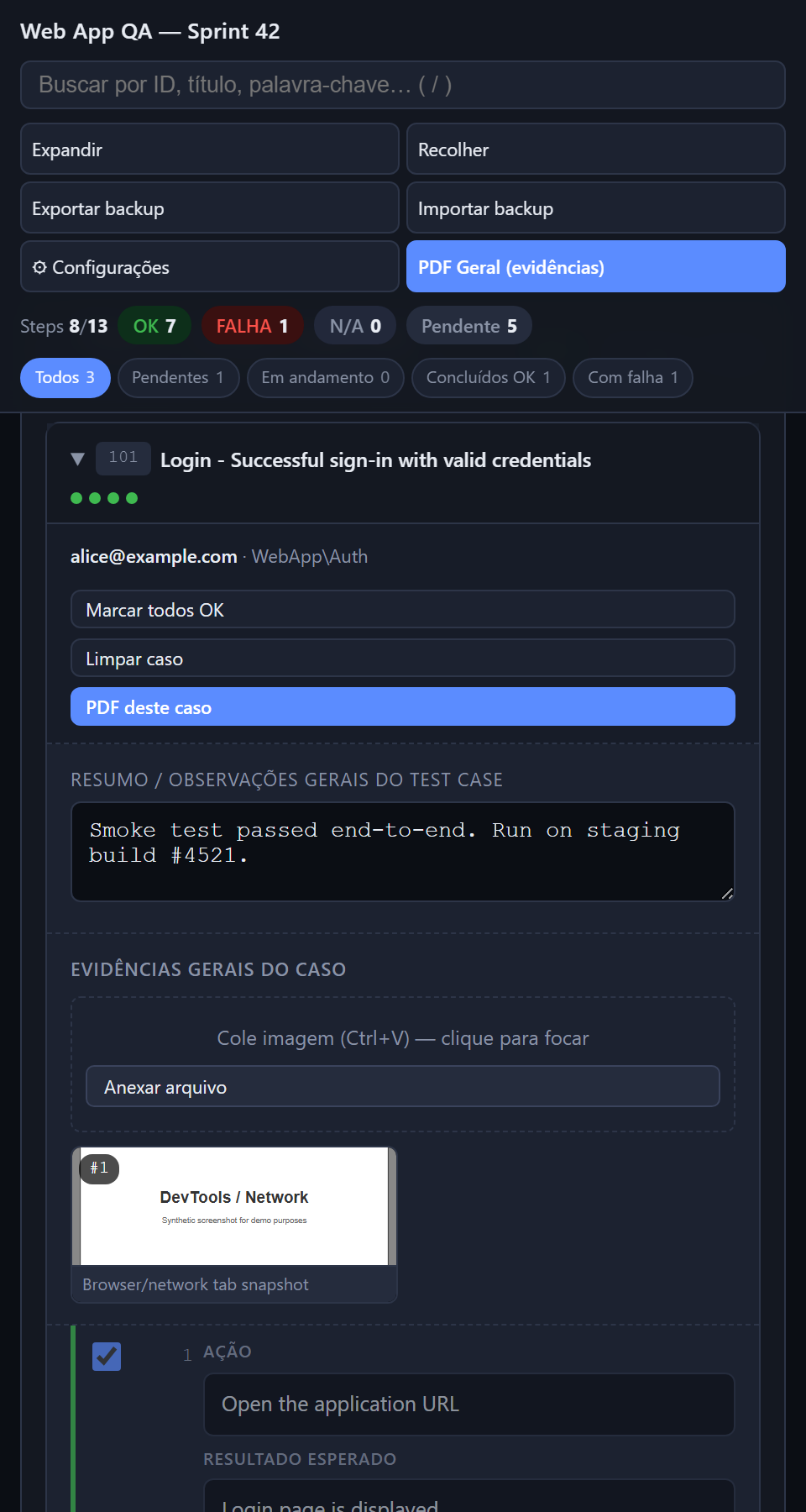 |
| Empty state | Full plan (long screenshot) |
|---|---|
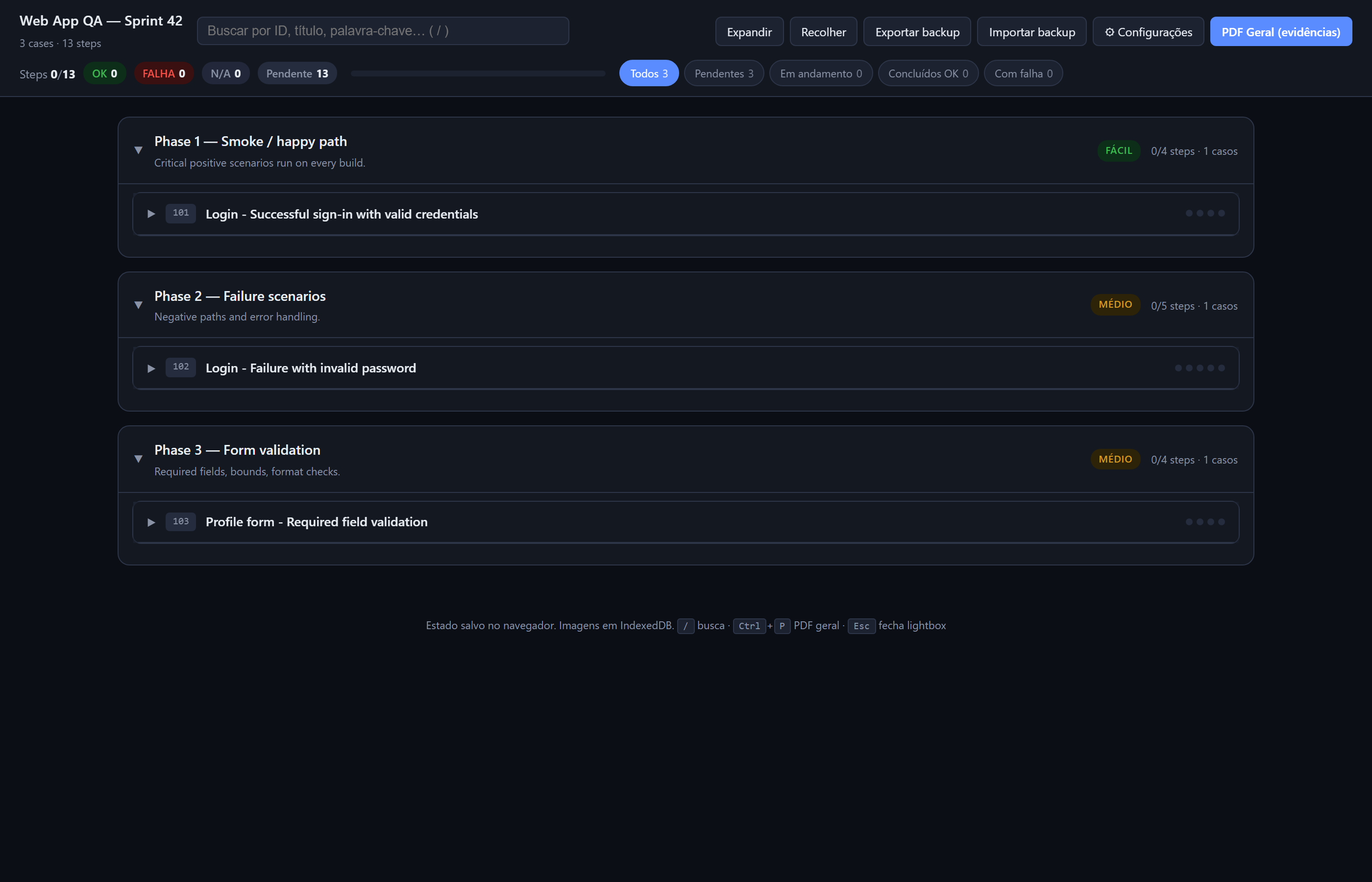 |
03-full-plan.png |
Quick start
pip install tfs-test-runner

# Scaffold a fresh QA plan directory with templates
tfs-test-runner init my-qa-plan
cd my-qa-plan
# … fill in cases.xlsx …

# Validate the schema
tfs-test-runner validate cases.xlsx

# Generate the HTML execution kit
tfs-test-runner plan cases.xlsx -o plan.html
Open plan.html in any browser. The tester pastes screenshots (Ctrl+V) at each step, marks PASS/FAIL/N/A, writes notes, then clicks PDF for an evidence deliverable.
No Azure DevOps? Use init
tfs-test-runner init scaffolds a directory with a blank xlsx template (cell comments documenting each column) plus example phases.yaml and glossary.yaml. Fill the xlsx manually — same schema as Azure DevOps Test Plans → Export to Excel.
Subcommands
tfs-test-runner --help                    # full command list
tfs-test-runner plan cases.xlsx           # generate HTML kit
tfs-test-runner validate cases.xlsx       # check schema, print stats
tfs-test-runner init my-plan              # scaffold new plan
tfs-test-runner screenshots               # regen docs prints (maintainers)
Common flags
# GPT translation (paid, best quality)
export OPENAI_API_KEY=sk-...
tfs-test-runner plan cases.xlsx --llm --lang pt-BR -o plan.html

# Argos translation (free, offline; auto-installs language pair)
pip install 'tfs-test-runner[argos]'
tfs-test-runner plan cases.xlsx --argos --lang pt-BR -o plan.html

# Phase grouping + custom title + logo
tfs-test-runner plan cases.xlsx \
    --phases phases.yaml \
    --title "Sprint 42 — Acceptance" \
    --logo company.png -o plan.html

# Validate before generating
tfs-test-runner validate cases.xlsx --strict
Features
- Phase / case / step tree, search (
/), filter chips, expand/collapse - Per-step PASS / FAIL / N/A, notes textarea, paste/drop/pick screenshot
- Per-image captions, lightbox zoom
- Per-case PDF (evidence-only) and full-plan PDF with cover sheet
- Settings panel (gear icon): light/dark/auto theme + status-in-PDF toggle
- JSON backup/restore (state + images)
- Keyboard:
/search,Ctrl+PPDF,Escclose lightbox/settings
💡 In the print dialog, uncheck "Headers and footers" so the browser doesn't inject
file:///…and date/time at every page.
Documentation
- docs/USAGE.md · PT-BR — full walkthrough for testers
- docs/ARCHITECTURE.md · PT-BR — pipeline, data shapes, design choices
- CONTRIBUTING.md — dev setup
- CHANGELOG.md — release notes
YAML configs (examples in examples/)
# phases.yaml — group cases
phases:
  - id: p1
    title: "Phase 1 — Smoke"
    level: easy
    case_ids: ["101", "104"]
  - id: p2
    title: "Phase 2 — Failures"
    match: ["failure", "invalid", "error"]
# glossary.yaml — refine LLM translation (optional)
preserve: ["Sign In", "Save", "Cancel"]
notes: "Domain: web QA. Tone: technical, imperative."
Python API
from tfs_test_runner import parse_xlsx, translate_cases, assign_phases, render

cases = parse_xlsx("cases.xlsx")
translate_cases(cases, backend="llm", target_lang="pt-BR")
render(assign_phases(cases), "plan.html", page_title="My Plan")
Development
pip install -e .[dev]
pytest -q
CI matrix: Ubuntu / macOS / Windows × Python 3.10 / 3.11 / 3.12.
License
MIT — © 2026 luizhcrs. PRs welcome.
1 maintainer

Metadata
1 maintainer
Release files for tfs-test-runner 2.1.3
For a detailed explanation of source distributions (sdists) and built distributions (wheels), please see the package formats documentation.
Source distribution (sdist)
| File | Size | Uploaded | |
|---|---|---|---|
| tfs_test_runner-2.1.3.tar.gz | 39.4 kB | Details |
Built distribution (wheel)
| File | Interpreter | ABI | Platform | Reset |
|---|---|---|---|---|
| tfs_test_runner-2.1.3-py3-none-any.whl | Python 3 | none | any | Details |
Total release size: 75.0 kB
Release files / tfs_test_runner-2.1.3.tar.gz
| Download URL | tfs_test_runner-2.1.3.tar.gz |
|---|---|
| Size | 39.4 kB |
| Tags | Source |
|
SHA-256 checksum How to use checksums |
7ae5450018a5c430f2d11cdebe57e5badccc3f8f7fcece34f75b1e248373f784
|
|
BLAKE2b-256 checksum How to use checksums |
4ac353f8b06a388a637d4bb0f8a8fb3e96fe050d37e7c5cda777f688a1acbd96
|
| Upload date | |
|
Uploaded using Trusted Publishing? What is trusted publishing? |
Yes |
| Uploaded via |
twine/6.1.0 CPython/3.13.12
|
Provenance
Provenance describes where a file came from. On PyPI, provenance is shared via attestations, which provide a verifiable record of the build or publishing details. View details, limitations and caveats.


PyPI Publish Attestation
PyPI verified that this artifact, at this checksum, originated from the publisher listed below.
Signed by GitHub Actions, verified by PyPI on Apr 29, 2026.
Transparency logRelease files / tfs_test_runner-2.1.3-py3-none-any.whl
| Download URL | tfs_test_runner-2.1.3-py3-none-any.whl |
|---|---|
| Size | 35.6 kB |
| Tags | Python 3 |
|
SHA-256 checksum How to use checksums |
ab9947a1b8a22155fde7f58f521e37b561d56904929704aa02744081bf15d2d1
|
|
BLAKE2b-256 checksum How to use checksums |
ac1e69ff12aaa9ac153d7070b66839e40b84d6a46ca4c5ac3a09d601a50e85bb
|
| Upload date | |
|
Uploaded using Trusted Publishing? What is trusted publishing? |
Yes |
| Uploaded via |
twine/6.1.0 CPython/3.13.12
|
Provenance
Provenance describes where a file came from. On PyPI, provenance is shared via attestations, which provide a verifiable record of the build or publishing details. View details, limitations and caveats.
PyPI Publish Attestation
PyPI verified that this artifact, at this checksum, originated from the publisher listed below.
Signed by GitHub Actions, verified by PyPI on Apr 29, 2026.
Transparency log