
Automatically find and apply the best TextFSM template for your network device output

Project description
tfsm_fire 🔥
TextFSM Auto-Detection Engine - Automatically find and apply the best TextFSM template for your network device output.



Overview
tfsm_fire solves a common network automation challenge: given raw CLI output from a network device, which TextFSM template should you use to parse it?
Traditional approaches require you to know the platform and command beforehand:
# The old way - you must know platform + command
template = "cisco_ios_show_version"
tfsm_fire flips this - give it raw output and it finds the right template:
# The tfsm_fire way - auto-detect from output
best_template, parsed_data, score, _ = engine.find_best_template(device_output)
This is particularly valuable for:
- Multi-vendor environments where you don't always know what you're connecting to
- Legacy network discovery where device types are unknown
- Batch processing captures from heterogeneous networks
Note: To our knowledge, tfsm_fire is the first FOSS solution to provide automatic TextFSM template detection and scoring. Existing tools require explicit platform/command specification.
Features
- Auto-Detection Engine - Automatically scores and ranks template matches
- Smart Scoring Algorithm - Evaluates record count, field richness, population rate, and consistency
- SQLite Template Database - Store and manage hundreds of templates efficiently
- Thread-Safe - Safe for use in multi-threaded applications
- GUI Included - Full-featured PyQt6 interface for testing and template management
- NTC-Templates Integration - Download templates directly from the popular ntc-templates repository
Installation
pip install tfsm-fire
For GUI support:
pip install tfsm-fire[gui]
Quick Start
Library Usage
from tfsm_fire import TextFSMAutoEngine

# Initialize with your template database
engine = TextFSMAutoEngine("tfsm_templates.db", verbose=True)

# Raw output from a network device
device_output = """
Device ID           Local Intf     Hold-time  Capability      Port ID
switch1             Eth1/1         120        R               Ethernet1/1
switch2             Eth1/2         120        R               Ethernet1/2
"""

# Find the best matching template
best_template, parsed_data, score, all_scores = engine.find_best_template(
    device_output,
    filter_string="lldp_neighbor"  # Optional: narrow the search
)

print(f"Best Template: {best_template}")
print(f"Score: {score}")
print(f"Parsed Records: {len(parsed_data)}")

for record in parsed_data:
    print(record)
Output
Best Template: cisco_ios_show_lldp_neighbors
Score: 85.5
Parsed Records: 2
{'NEIGHBOR': 'switch1', 'LOCAL_INTERFACE': 'Eth1/1', 'CAPABILITY': 'R', 'NEIGHBOR_INTERFACE': 'Ethernet1/1'}
{'NEIGHBOR': 'switch2', 'LOCAL_INTERFACE': 'Eth1/2', 'CAPABILITY': 'R', 'NEIGHBOR_INTERFACE': 'Ethernet1/2'}
Scoring Algorithm
tfsm_fire uses a 100-point scoring system to evaluate template matches:
| Factor | Points | Description |
|---|---|---|
| Record Count | 0-30 | Did the template extract data? More records = better (with diminishing returns) |
| Field Richness | 0-30 | How many fields per record? Richer extractions score higher |
| Population Rate | 0-25 | What percentage of fields contain actual data? |
| Consistency | 0-15 | Are the same fields populated across all records? |
Templates that fail to parse or return no data score 0.
API Reference
TextFSMAutoEngine
class TextFSMAutoEngine:
    def __init__(self, db_path: str, verbose: bool = False):
        """
        Initialize the auto-detection engine.

        Args:
            db_path: Path to SQLite database containing templates
            verbose: Enable detailed logging output
        """

    def find_best_template(
        self,
        device_output: str,
        filter_string: Optional[str] = None
    ) -> Tuple[Optional[str], Optional[List[Dict]], float, List[Tuple[str, float, int]]]:
        """
        Find the best matching template for the given device output.

        Args:
            device_output: Raw CLI output from network device
            filter_string: Optional filter to narrow template search
                          (e.g., "show_version", "lldp", "cisco_ios")

        Returns:
            Tuple containing:
            - best_template: Name of the best matching template (or None)
            - parsed_data: List of parsed records as dictionaries (or None)
            - best_score: Score of the best match (0-100)
            - all_scores: List of (template_name, score, record_count) for all non-zero matches
        """

    def get_filtered_templates(
        self,
        connection: sqlite3.Connection,
        filter_string: Optional[str] = None
    ) -> List[sqlite3.Row]:
        """
        Get templates from database matching the filter.

        Args:
            connection: Active database connection
            filter_string: Filter terms (underscores/hyphens treated as separators)

        Returns:
            List of matching template rows
        """
GUI Application
tfsm_fire includes a full-featured GUI for template testing and management.
Launch the GUI
tfsm-gui
Or from Python:
from tfsm_fire.tfsm_gui import main
main()
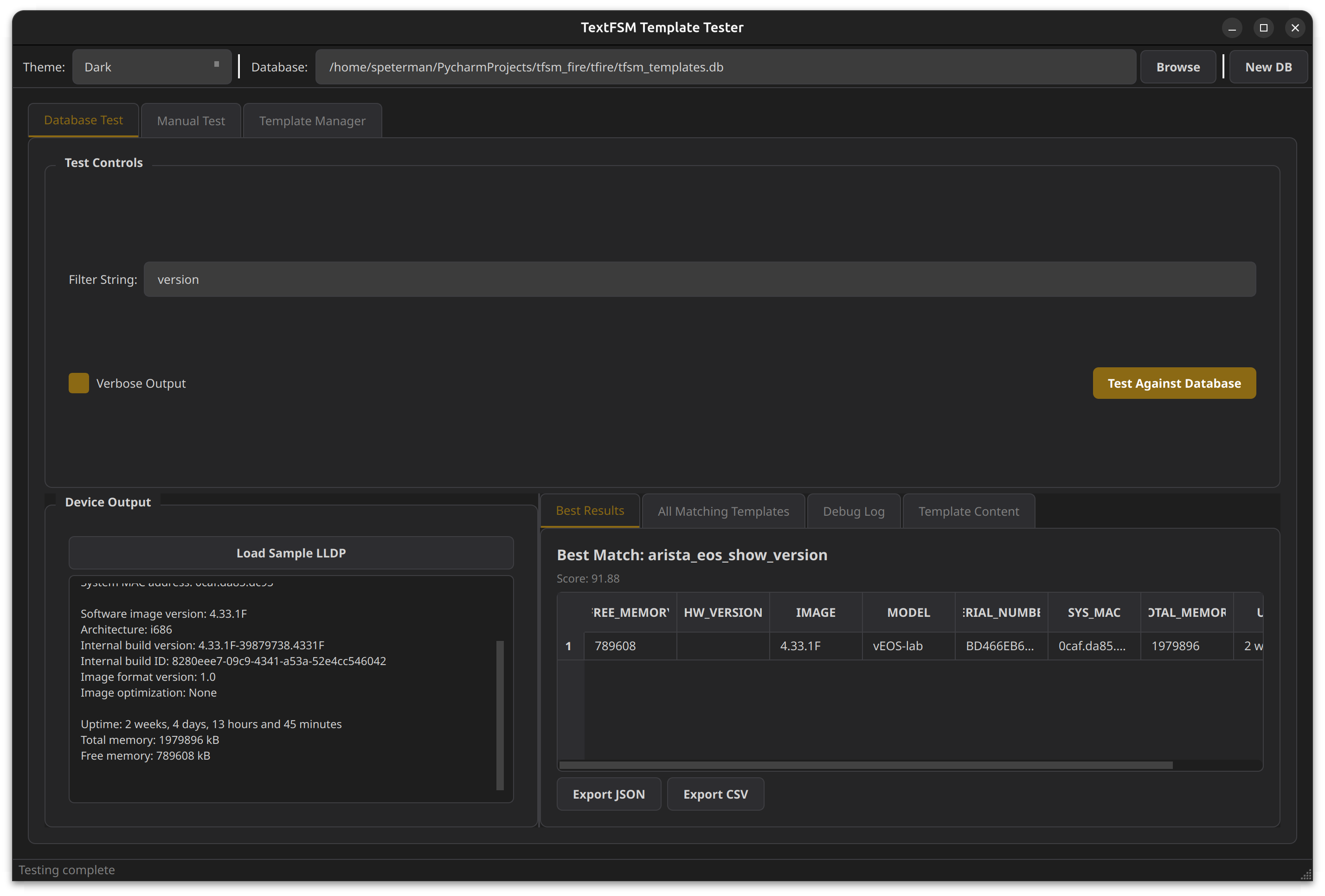
Database Test Tab
Test device output against your template database and see scoring results:
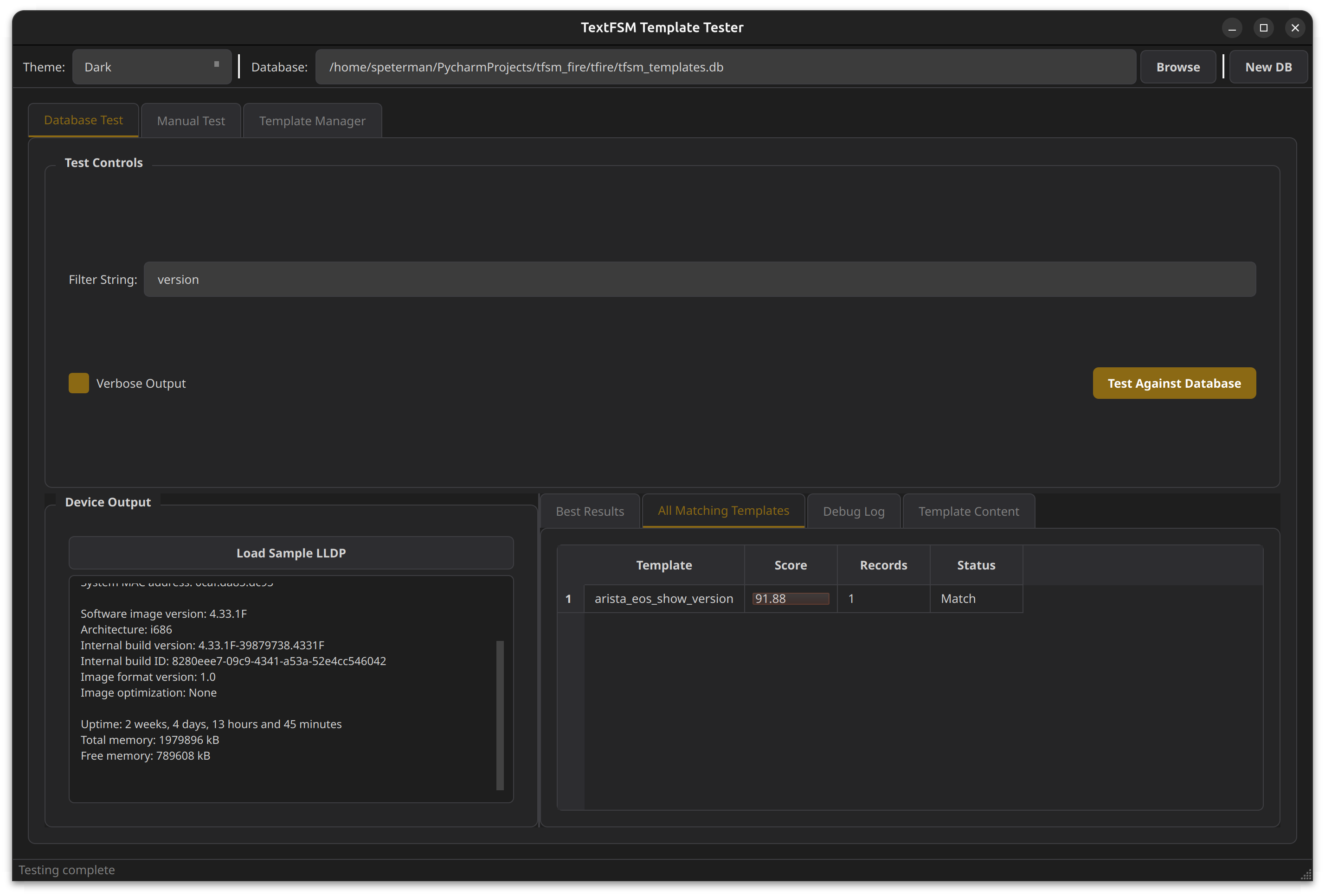
View all matching templates with scores:
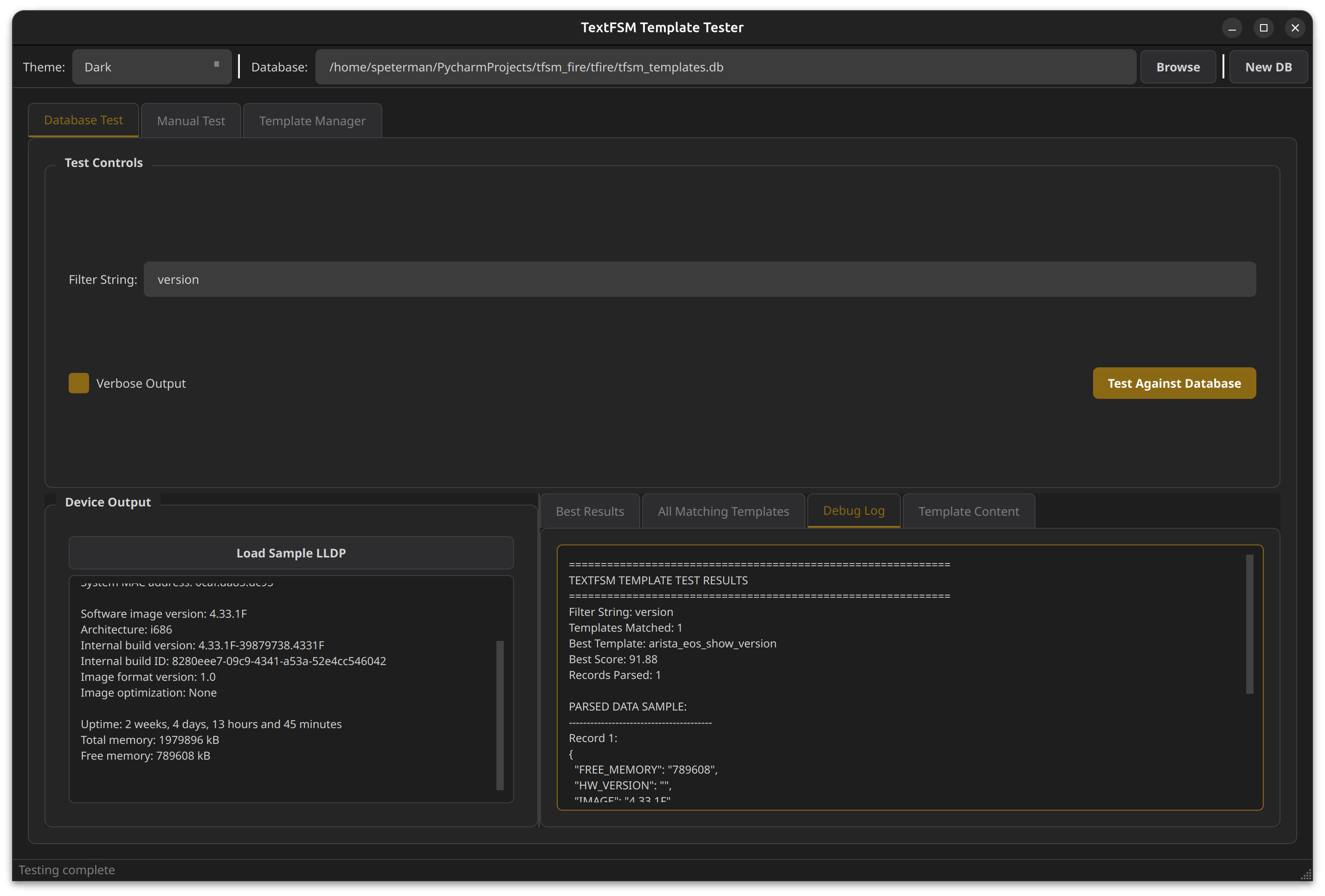
Detailed debug logging:
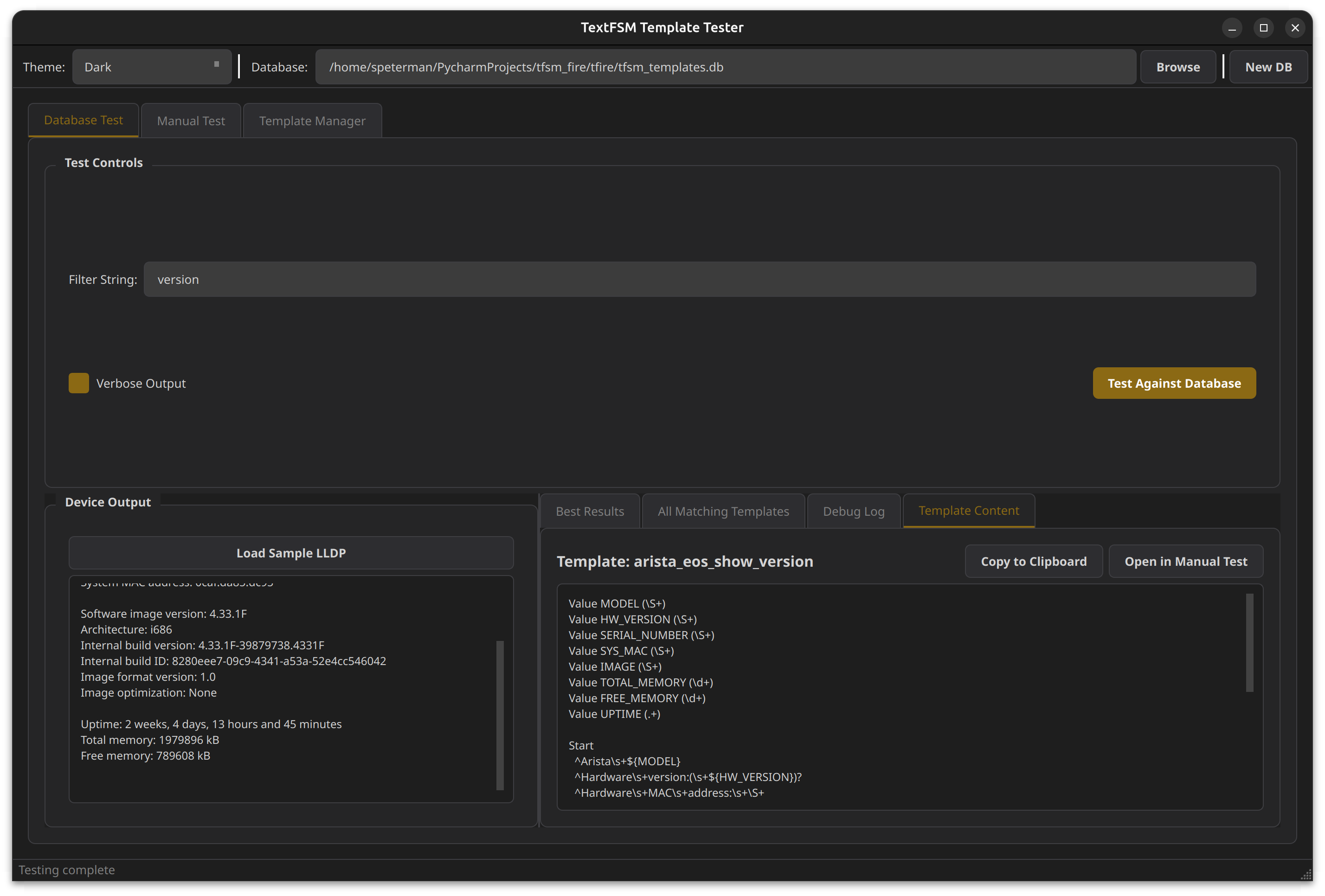
View the winning template content:
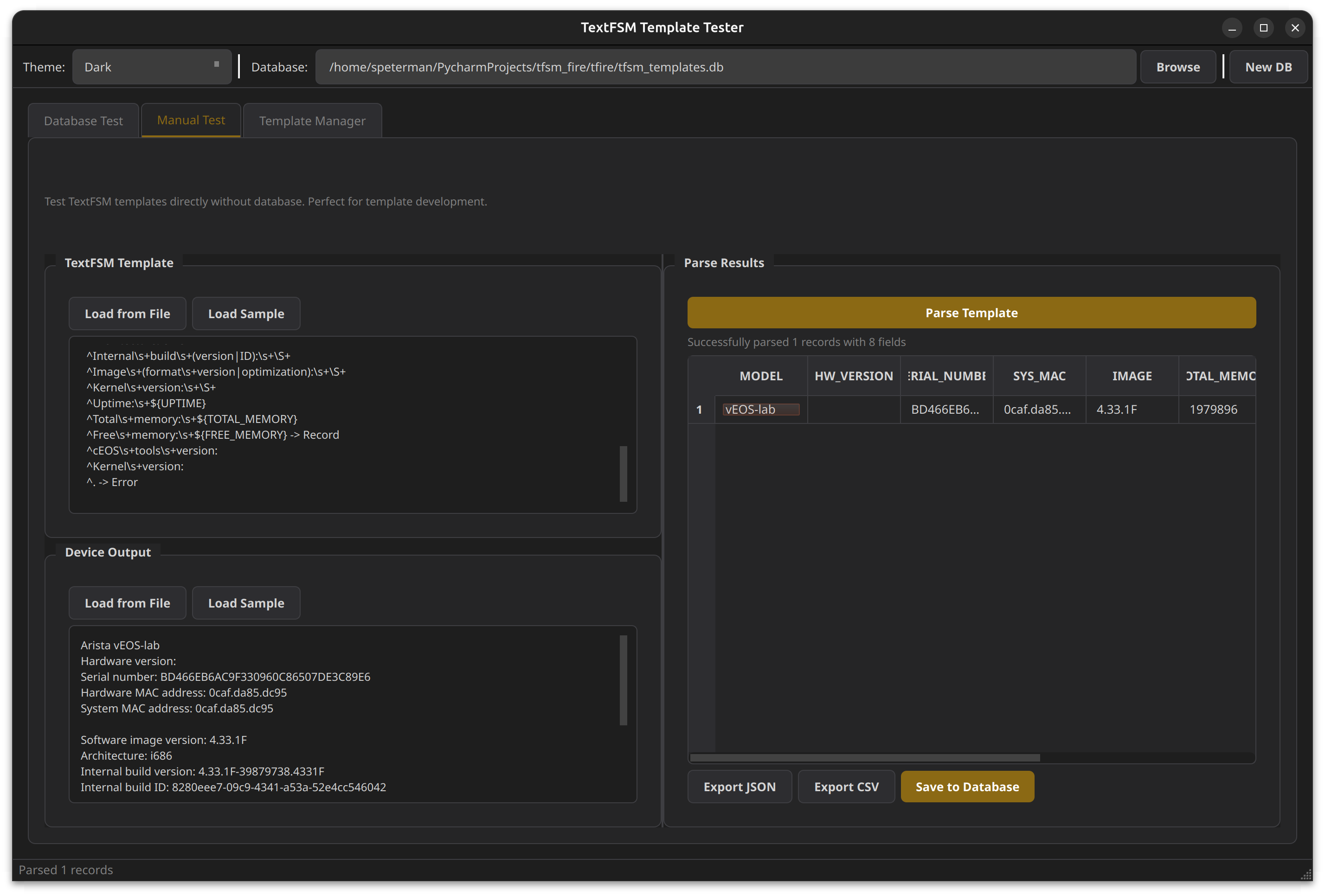
Manual Test Tab
Test templates directly without a database - perfect for template development:
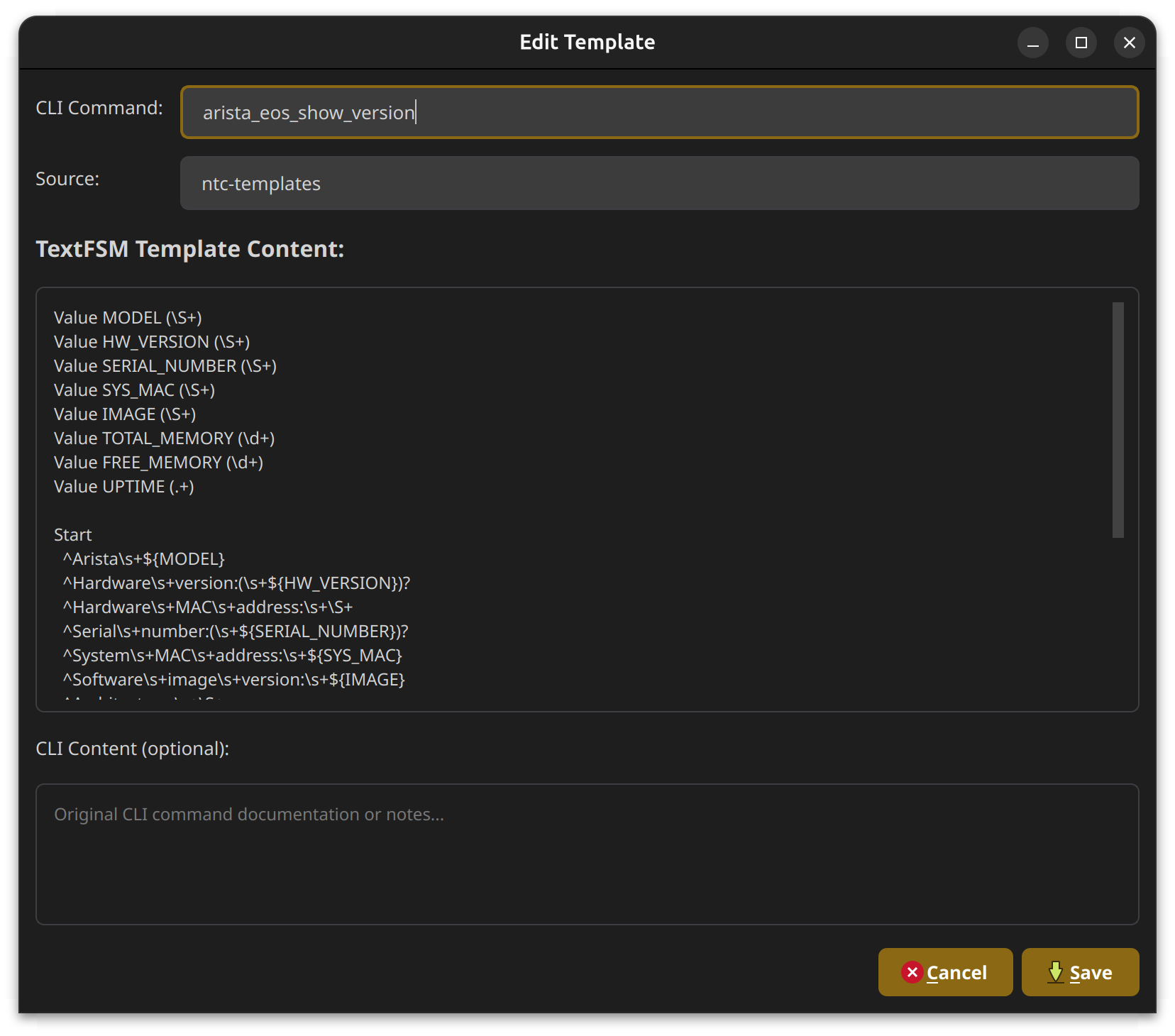
Template Manager
Full CRUD interface for managing your template database:
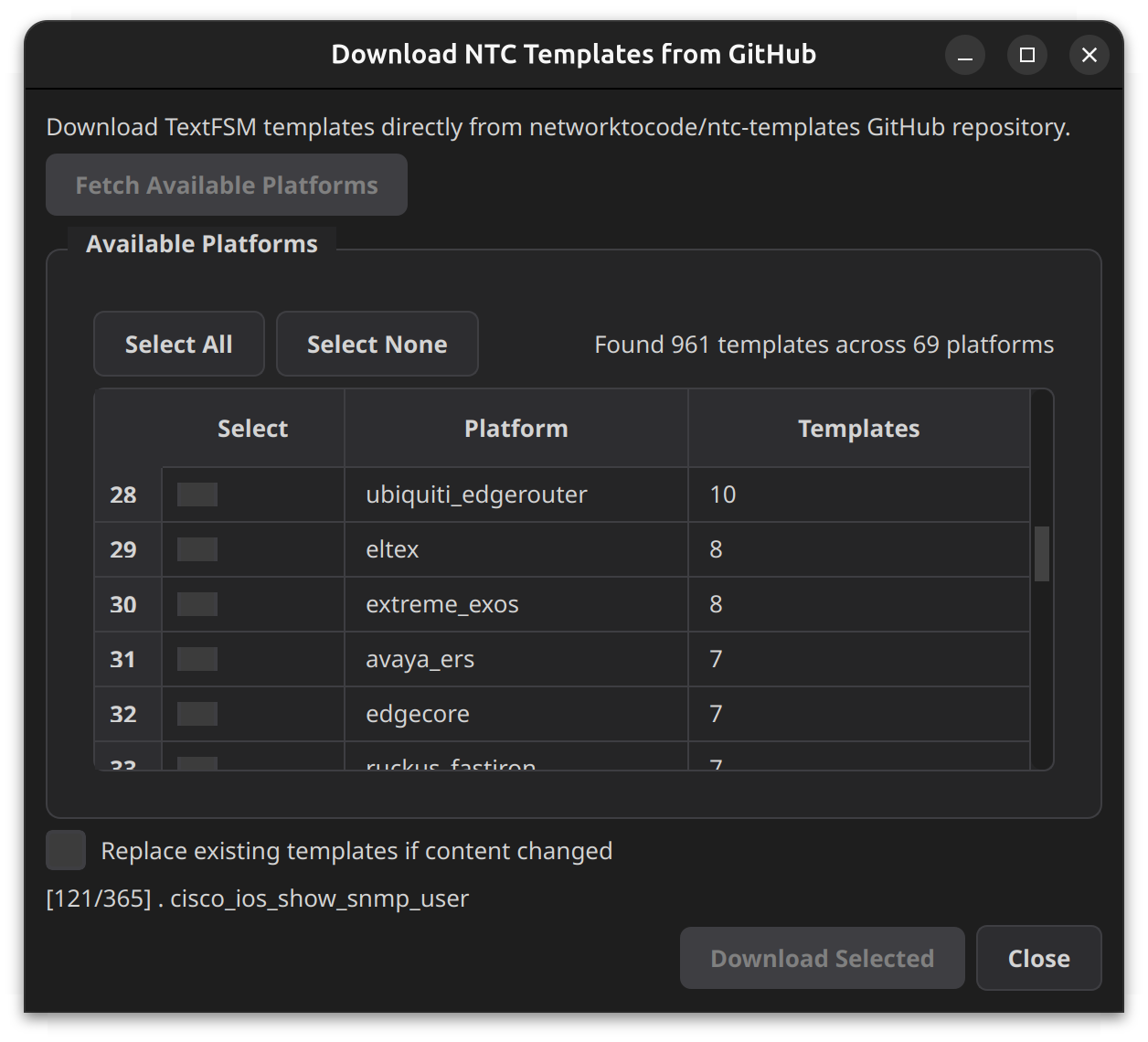
Download from NTC-Templates
Import templates directly from the networktocode/ntc-templates GitHub repository:
Database Schema
tfsm_fire uses a simple SQLite schema:
CREATE TABLE templates (
    id INTEGER PRIMARY KEY AUTOINCREMENT,
    cli_command TEXT NOT NULL,      -- Template identifier (e.g., "cisco_ios_show_version")
    cli_content TEXT,               -- Optional: example CLI output
    textfsm_content TEXT NOT NULL,  -- The TextFSM template content
    textfsm_hash TEXT,              -- MD5 hash for change detection
    source TEXT,                    -- Origin (e.g., "ntc-templates", "custom")
    created TEXT                    -- ISO timestamp
);
Creating a Template Database
Option 1: Download from NTC-Templates (GUI)
- Launch the GUI:
tfsm-gui - Go to Template Manager tab
- Click Download from NTC
- Select platforms and download
Option 2: Import from Local Directory
import sqlite3
import hashlib
from pathlib import Path
from datetime import datetime

def create_database(db_path: str, templates_dir: str):
    conn = sqlite3.connect(db_path)
    conn.execute("""
        CREATE TABLE IF NOT EXISTS templates (
            id INTEGER PRIMARY KEY AUTOINCREMENT,
            cli_command TEXT NOT NULL,
            cli_content TEXT,
            textfsm_content TEXT NOT NULL,
            textfsm_hash TEXT,
            source TEXT,
            created TEXT
        )
    """)

    for template_file in Path(templates_dir).glob("*.textfsm"):
        content = template_file.read_text()
        conn.execute("""
            INSERT INTO templates (cli_command, textfsm_content, textfsm_hash, source, created)
            VALUES (?, ?, ?, ?, ?)
        """, (
            template_file.stem,
            content,
            hashlib.md5(content.encode()).hexdigest(),
            "local",
            datetime.now().isoformat()
        ))

    conn.commit()
    conn.close()

create_database("my_templates.db", "/path/to/ntc-templates/templates")
Batch Processing
tfsm_fire includes a batch processor for parsing large collections of network device captures.
Usage
python tfsm_batch_processor.py \
    --capture-dir /path/to/captures \
    --output-dir /path/to/parsed_results \
    --db-path tfsm_templates.db \
    --min-score 10 \
    --verbose
Options
| Option | Description |
|---|---|
-c, --capture-dir |
Path to capture directory containing ._output files |
-o, --output-dir |
Output directory for parsed JSON results |
-d, --db-path |
Path to TextFSM templates database |
-m, --min-score |
Minimum score threshold (default: 10) |
-f, --folder |
Process only a specific folder (e.g., "version") |
-v, --verbose |
Enable verbose output |
--dry-run |
Preview without writing files |
Sample Output
======================================================================
PROCESSING SUMMARY
======================================================================

Files processed:     1308/1308
Successfully parsed: 828
Below threshold:     0
No match found:      480
Skipped (empty):     0

Total records:       828
Score range:         61.0 - 100.0 (avg: 83.9)

Processing time:     7.6s
Rate:                171.2 files/sec

Top Templates Used:
  297x  paloalto_panos_show_system_info
  257x  hp_procurve_show_system
  234x  cisco_ios_show_version
   40x  cisco_nxos_show_version

Per-Folder Results:
Folder                     Matched    Total    Records  Avg Score
-----------------------------------------------------------------
version                        828     1308        828       83.9
The batch processor automatically maps folder names to appropriate template filters and outputs structured JSON with metadata:
{
  "source_file": "version/device1._output",
  "template": "cisco_ios_show_version",
  "score": 91.88,
  "record_count": 1,
  "parsed_at": "2025-01-01T12:00:00",
  "data": [
    {
      "VERSION": "15.2(4)M3",
      "HOSTNAME": "router1",
      "UPTIME": "2 weeks, 3 days"
    }
  ]
}
Use Cases
Multi-Vendor Network Discovery
from tfsm_fire import TextFSMAutoEngine

engine = TextFSMAutoEngine("tfsm_templates.db")

# Works regardless of vendor
for device in devices:
    output = device.send_command("show version")
    template, parsed, score, _ = engine.find_best_template(output, "show_version")

    if parsed:
        print(f"{device.hostname}: {parsed[0].get('VERSION', 'Unknown')}")
Template Development Workflow
- Capture device output
- Use the GUI Manual Test tab to develop your template
- Save to database when complete
- Test against the full database to ensure it wins for your output
CI/CD Template Validation
def test_template_coverage():
    engine = TextFSMAutoEngine("tfsm_templates.db")

    test_cases = [
        ("show_version_ios.txt", "cisco_ios_show_version"),
        ("show_version_eos.txt", "arista_eos_show_version"),
    ]

    for output_file, expected_template in test_cases:
        with open(output_file) as f:
            output = f.read()

        best, _, score, _ = engine.find_best_template(output)
        assert best == expected_template, f"Expected {expected_template}, got {best}"
        assert score > 50, f"Score too low: {score}"
Requirements
- Python 3.8+
- textfsm
- click
For GUI:
- PyQt6
- requests (for NTC download feature)
Contributing
Contributions welcome! Please feel free to submit a Pull Request.
Acknowledgments
The database schema design was adapted from an earlier project by slurpit.io, originally released under the MIT License.
License
GPL v3 License - see LICENSE for details.
Related Projects
- ntc-templates - Network to Code TextFSM templates
- textfsm - Google's TextFSM library
Author
Scott Peterman
tfsm_fire - Stop guessing which template to use. Let the engine find it for you. 🔥
Release history Release notifications | RSS feed

Download files
Download the file for your platform. If you're not sure which to choose, learn more about installing packages.
Source Distributions
Built Distribution
Filter files by name, interpreter, ABI, and platform.
If you're not sure about the file name format, learn more about wheel file names.
Copy a direct link to the current filters
File details
Details for the file tfsm_fire-0.1.0-py3-none-any.whl.
File metadata
- Download URL: tfsm_fire-0.1.0-py3-none-any.whl
- Upload date:
- Size: 26.8 kB
- Tags: Python 3
- Uploaded using Trusted Publishing? No
- Uploaded via: twine/6.2.0 CPython/3.12.3
File hashes
| Algorithm | Hash digest | |
|---|---|---|
| SHA256 |
61b9853d629579ca17ef64c336b9b385732c43a2713f6676c28cc1aa978a162e
|
|
| MD5 |
16be8e365a81a23d14ef7f98801415f7
|
|
| BLAKE2b-256 |
2bbb61eeb2d0c9f8558124ca0f3543950026d53f8783bfbacf5cfa80d1eb4d41
|






