
Terraform Textual User Interface

Project description
TFTUI - The Terraform textual UI



TFTUI is a powerful textual UI that empowers users to effortlessly view and interact with their Terraform state.
With its latest version you can easily visualize the complete state tree, gaining deeper insights into your infrastructure's current configuration. Additionally, the ability to search the tree and inspect individual resource states allows you to focus on specific details for better analysis and management. It's also possible to select specific resources and perform actions such as tainting, untainting and deleting them. Finally, you are now able to create and apply plans directly from the UI.
Key Features
- Comprehensive display of the entire Terraform state tree
- Effortlessly view and navigate through a single resource state
- Search the state tree and resource definitions
- Create plans, present them in full colors and apply them directly from the TUI
- Single/multiple resource selection
- Operate on resources: taint, untaint, delete, destroy
- Support for Terraform wrappers (e.g. terragrunt)
Changelog (latest versions)
Version 0.12
- Enabled targeting specific resources for plan creation
- Introducing cli argument: tfvars file
- Added destroy functionality
- Added a help screen
- Added dynamic value for "targets" checkbox (checkbox is marked when resources are selected)
- Added a short summary of the suggested plan before applying it
- Added a redacted error tracker on unhandeled exceptions (only when usage reporting is enabled)
- Fixed: search through full module names
Version 0.11
- Added support for creating plans (in vivid colors!) and applying them
- Changed the confirmation dialog to a modal screen
- Added coloring to tainted resources considering some terminals can't display strikethrough correctly
- Improved loading screen mechanism
Version 0.10
- Perform actions on a single highlighted resource without pre-selecting it
- User interface overhaul: added logo, fixed coloring and loading indicator
- Added resource selection via the space key and tree traversal via the arrow keys
- Added a lightmode command-line argument
- Added a debug log command-line argument
- Copy to clipboard now copies the resource name in the tree view
- Fixed a bug in the remove resource functionality
- Fixed a bug in the parsing mechanism (colons, dots)
- Refactor: globals
Demo

Installation
| Tool | Install | Upgrade | Run |
|---|---|---|---|
| Homebrew | brew install idoavrah/homebrew/tftui |
brew upgrade tftui |
cd /path/to/terraform/project && tftui |
| PIP | pip install tftui |
pip install --upgrade tftui |
cd /path/to/terraform/project && tftui |
| PIPX | pipx install tftui |
pipx upgrade tftui |
cd /path/to/terraform/project && tftui |
Usage Tracking
- TFTUI utilizes PostHog to track usage of the application.
- This is done to help us understand how the tool is being used and to improve it.
- No personal data is being sent to the tracking service. Returning users are being uniquely identified by a generated fingerprint.
- You can opt-out of usage tracking completely by setting the
-dflag when running the tool.
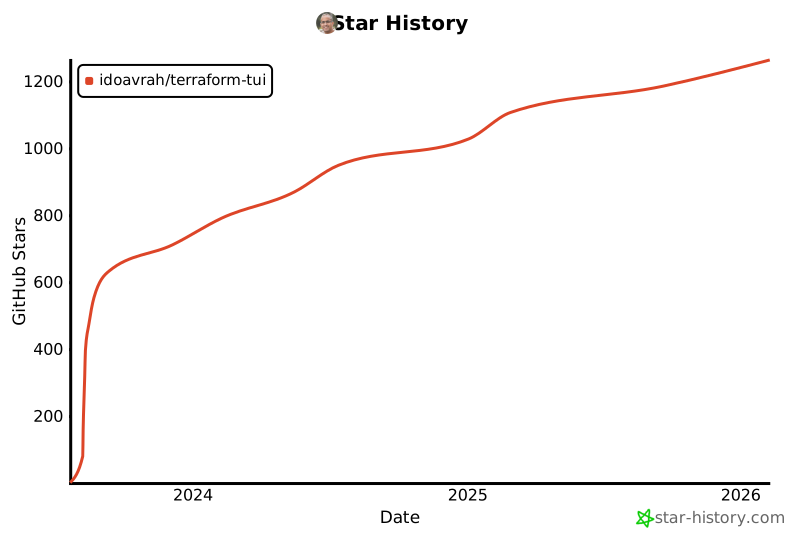
Star History
Release history Release notifications | RSS feed


Download files
Download the file for your platform. If you're not sure which to choose, learn more about installing packages.
Source Distribution
Built Distribution
Filter files by name, interpreter, ABI, and platform.
If you're not sure about the file name format, learn more about wheel file names.
Copy a direct link to the current filters
File details
Details for the file tftui-0.12.4.tar.gz.
File metadata
- Download URL: tftui-0.12.4.tar.gz
- Upload date:
- Size: 29.1 kB
- Tags: Source
- Uploaded using Trusted Publishing? Yes
- Uploaded via: twine/4.0.2 CPython/3.11.7
File hashes
| Algorithm | Hash digest | |
|---|---|---|
| SHA256 |
138634a80ed2a283251e1fa8485525d617db9698abaff25d6f50b67ea538dedd
|
|
| MD5 |
8a01320e37b5310b9027e4200bcedf83
|
|
| BLAKE2b-256 |
491336b293388b421066dc8ca3c3af1285b6a58e0b2b076c0df76f00a4df53e6
|
File details
Details for the file tftui-0.12.4-py3-none-any.whl.
File metadata
- Download URL: tftui-0.12.4-py3-none-any.whl
- Upload date:
- Size: 29.3 kB
- Tags: Python 3
- Uploaded using Trusted Publishing? Yes
- Uploaded via: twine/4.0.2 CPython/3.11.7
File hashes
| Algorithm | Hash digest | |
|---|---|---|
| SHA256 |
2bb5492d6d6e1f211d13db8b5cd87290e44ee5c3ca8afb2189583206726a9fbd
|
|
| MD5 |
935163348f42c835751f8c1cc337e38a
|
|
| BLAKE2b-256 |
6b2f2dbbe7a497c5521262ccbea00c96460a1941bdfbef79380582d318473ca5
|






