
TelegramBackup v5.1
Don't forget to look at changelog!
TelegramBackup — console application created to backup Telegram accounts. Due to the features of Telegram you will be not able to log into your account if you lose access to the phone number (SIM card). TGBACK provides the ability to create an alternative session (as if you were logging in from another device) and get login code or change the number on which the account is linked.
TelegramBackup produces a special .tgback file as well as a QR code - both are your backup. You can choose what is more convenient for you to store, as .tgback and a QR code represent the same session. For encryption of backups, AES-256-CBC is used with a scrypt key.
Download & Install
Windows
You can download builds from the Releases or from official TGBACK Channel.
Linux and making Windows executable
If you want to make a TelegramBackup app then you need to install all dependencies. For the program to work correctly, you need to have Python 3.7+, ZBar (for QR features, you may ignore it) and pip (it can be already installed with Python 3.7+, type pip or pip3 in your terminal/cmd). After that, run:
# You can install TGBACK from PIP
pip install tgback[QR] # Not a Pure-python, with QR
# pip install tgback # Pure-python, no QR support
# Or install from GitHub with GIT by cloning repository
git clone https://github.com/NotStatilko/tgback
pip install ./tgback[QR] # Not a Pure-python, with QR
# pip install ./tgback # Pure-python, no QR support
tgback # Run installed TGBACK app
If you want to make executable on Linux or Windows then install pyinstaller
pip install pyinstaller
Go to tgback/pyinstaller (you should clone repo from GitHub) folder and run
pyinstaller TelegramBackup.spec
After making TelegramBackup executable check it if it works and after that you can remove all tgback-related stuff (ZBar [if you not on linux], Python, etc).
Linux
If you want to use tgback on Linux with QR-features then you will need to have a libzbar0 (or analogue) onto your machine.
# Debian OS / Ubuntu OS
sudo apt install libzbar0
Backup creation
To create a backup you need to select first mode
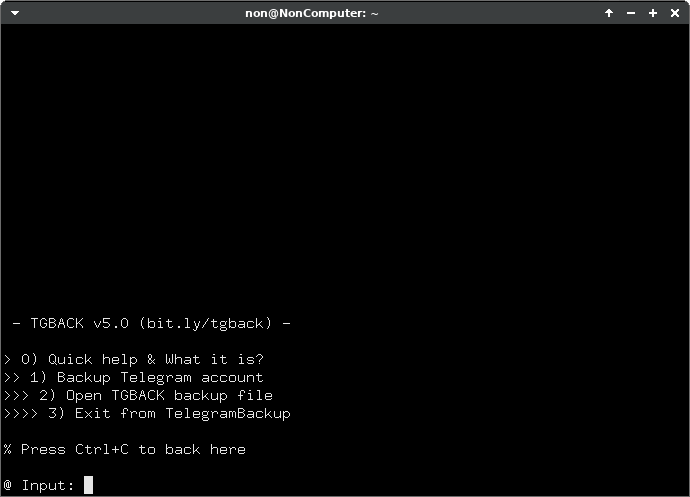
And choose the way you will create it.
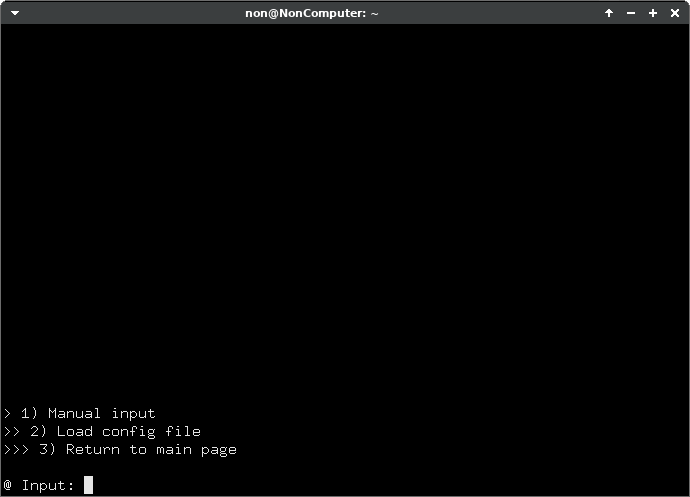
You can enter everything manually, or create a special tgback-config file. If the first method is inconvenient for you, create a text file and fill it out using this template:
phone_number; telegram_password; backup_password; backup_filename
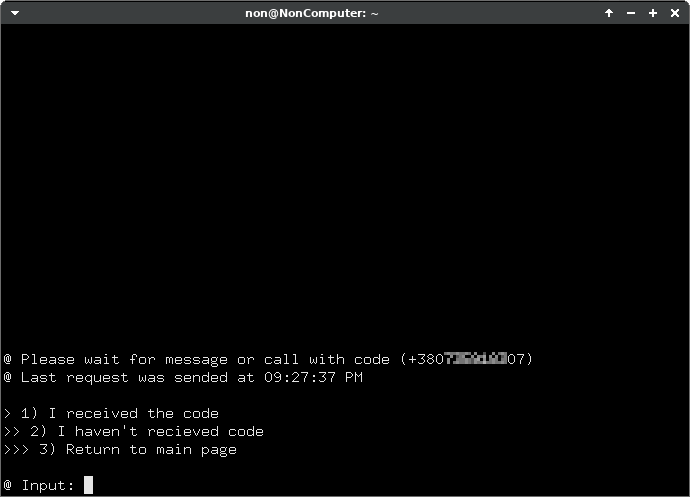
Next, you will need to enter the code that Telegram will send you. If this doesn't happen, then you can request the code again. After three attempts, Telegram will call you and the robot will dictate it.
After all operations, you will receive a QR code and .tgback file. Please check your backups for validity for first.
Backup refresh and number replacement
Due to discovered problem backups need to be updated periodically, so that the session doesn't turn off automatically due to inactivity. At the moment once every three months. We can probably increase it to five, but testing is needed.
TelegramBackup automatically creates a reminder message, so you will be notified a week before the deadline. You can refresh the backup and change the number in the mode under number 2. After refreshing the backup, you will receive a new updated QR code and .tgback file. Old backups will remain working, but they will be show the wrong amount of time before the expiration.
A bit about security
The backups you created shouldn't be active since the last update. If you notice something suspicious – immediately disconnect (via Destroy option or Telegram) your backup session. After disconnecting a session, ALL backups that are attached to it will be inacessible.
TelegramBackup backups store session, upon receipt of which the attacker will receive FULL control over your account. Use complex passwords.
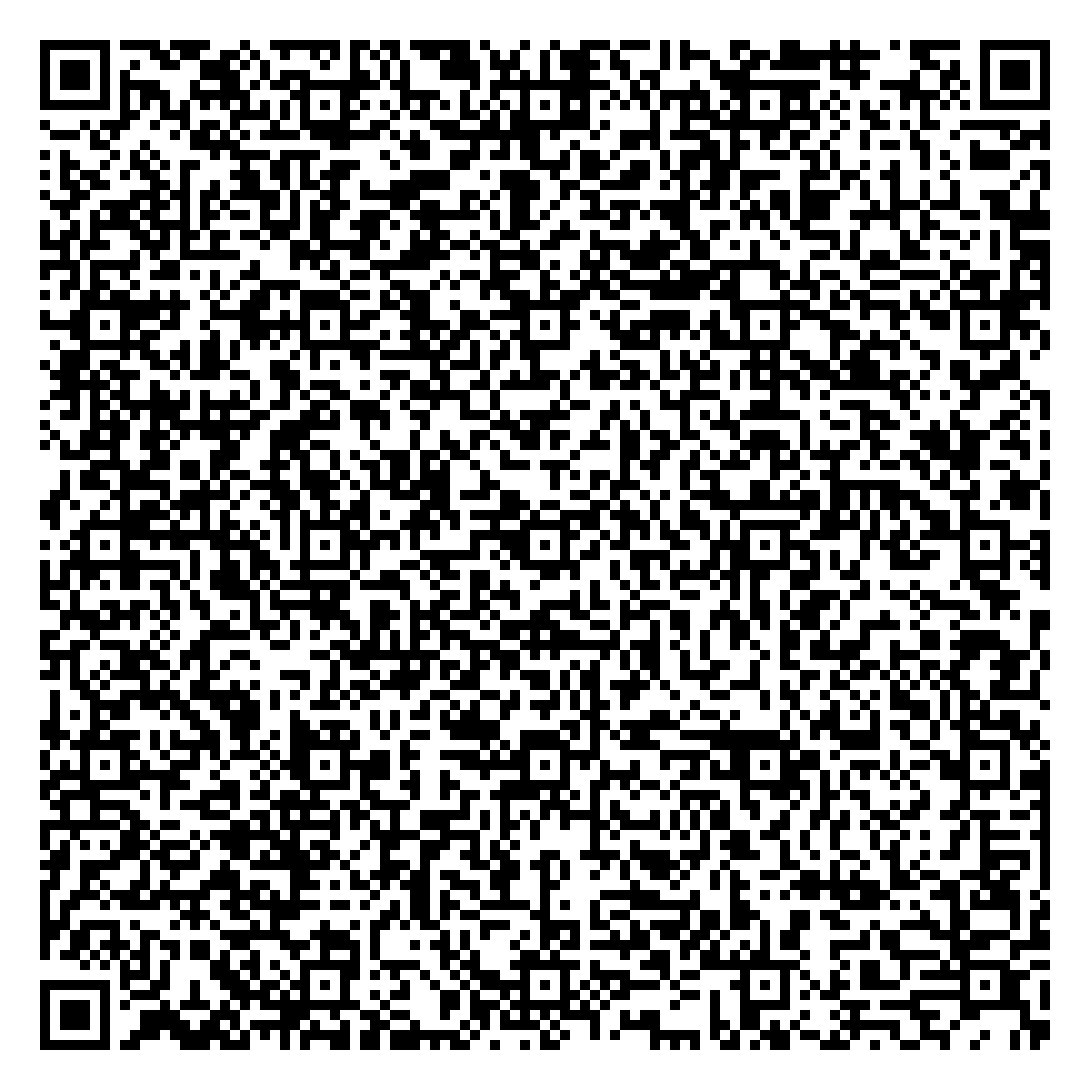
Also, no security audits have been conducted by competent people, so I do not guarantee complete cryptographic strength. If you have any suggestions, open issue. I am attaching a QR-backup of my account here, try to hack it if you want!
Involved libraries
1 maintainer

Release files for tgback 5.2.1
For a detailed explanation of source distributions (sdists) and built distributions (wheels), please see the package formats documentation.
Source distribution (sdist)
| File | Size | Uploaded | |
|---|---|---|---|
| tgback-5.2.1.tar.gz | 16.4 kB | Details |
Built distribution (wheel)
| File | Interpreter | ABI | Platform | Reset |
|---|---|---|---|---|
| tgback-5.2.1-py3-none-any.whl | Python 3 | none | any | Details |
Total release size: 31.2 kB
Release files / tgback-5.2.1.tar.gz
| Download URL | tgback-5.2.1.tar.gz |
|---|---|
| Size | 16.4 kB |
| Tags | Source |
|
SHA-256 checksum How to use checksums |
3deae6d763d9f51710adff7cc5fab7fb139013c3280c11b13c73a6e9f52e7d0b
|
|
BLAKE2b-256 checksum How to use checksums |
9f15256e07b97e0dcbea49bf7e12bfbf4f036c4fadfe7957a81e54dc632eb9a3
|
| Upload date | |
|
Uploaded using Trusted Publishing? What is trusted publishing? |
No |
| Uploaded via |
twine/4.0.2 CPython/3.11.2
|
Release files / tgback-5.2.1-py3-none-any.whl
| Download URL | tgback-5.2.1-py3-none-any.whl |
|---|---|
| Size | 14.8 kB |
| Tags | Python 3 |
|
SHA-256 checksum How to use checksums |
577bbff263e1a2dcc17d823e68eba91de0dd5e3d397cb5a4004df99234181034
|
|
BLAKE2b-256 checksum How to use checksums |
829e2ce17bc64e7dd5fe0d88bf7d73116f31fa9d3d600cf9d36d7c1305f46f3e
|
| Upload date | |
|
Uploaded using Trusted Publishing? What is trusted publishing? |
No |
| Uploaded via |
twine/4.0.2 CPython/3.11.2
|














