
tgblocks
A tiny text DSL and three visual editors for Telegram bots on aiogram 3.
Five lines of text - or five dragged blocks - and you get ordinary, editable aiogram code. No account, no cloud, no lock-in: the editor is a local server on 127.0.0.1, and the result is a normal bot.py you can read, commit and deploy.


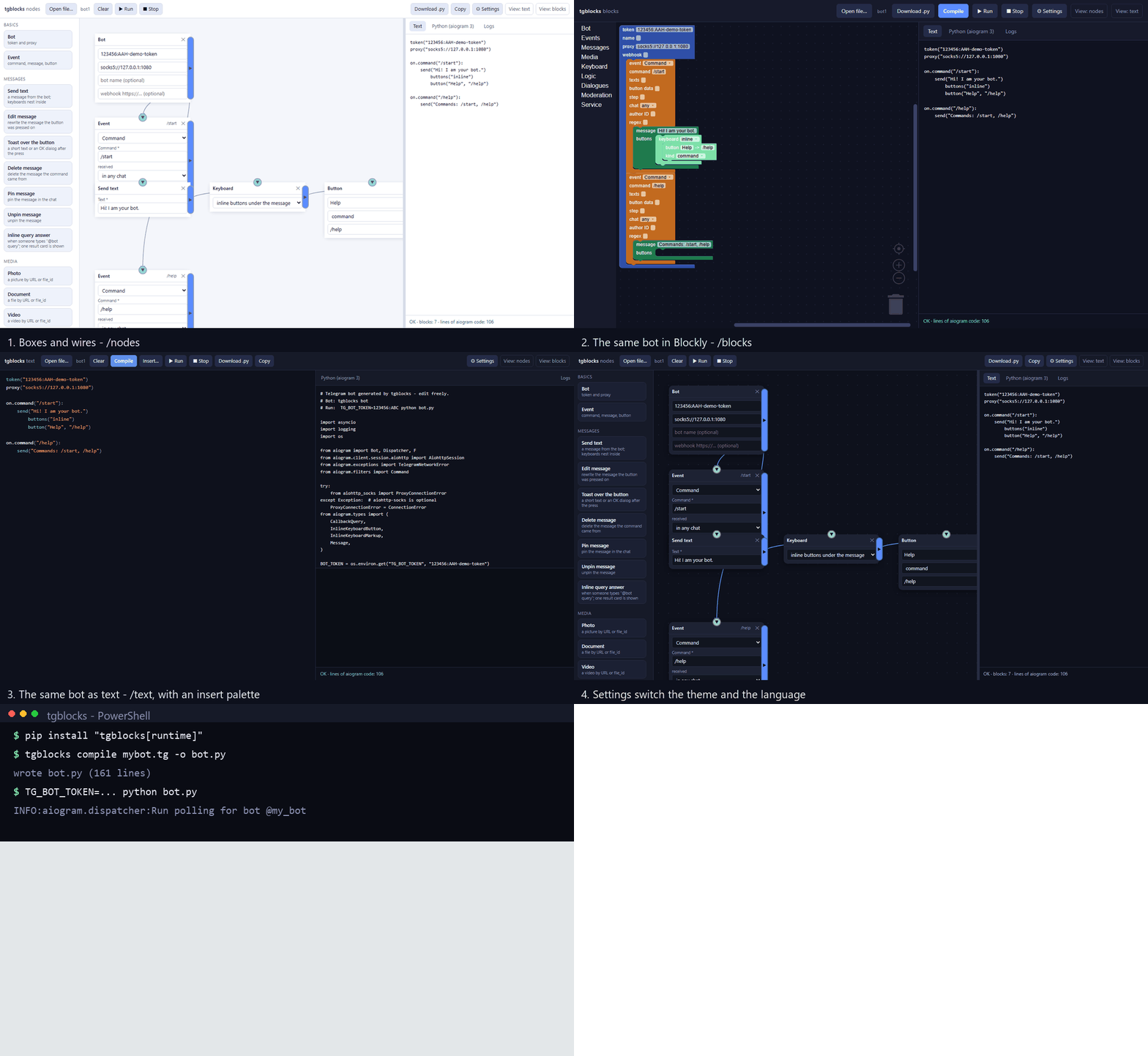
Install
pip install "tgblocks[runtime]"     # runtime adds aiogram: ready to run bots
tgblocks                            # opens the editor at http://127.0.0.1:8765/
Without the extra: pip install tgblocks installs the compiler and the editors only,
which is enough to generate and read code. To follow the newest commit instead of the
release:
pip install "tgblocks[runtime] @ git+https://github.com/Pupka228228/tgblocks.git"
From a clone, for development:
python -m venv .venv
source .venv/bin/activate          # Windows: .venv\Scripts\activate
pip install -e ".[dev,runtime]"
Three views, one compiler
/nodes - boxes and wires
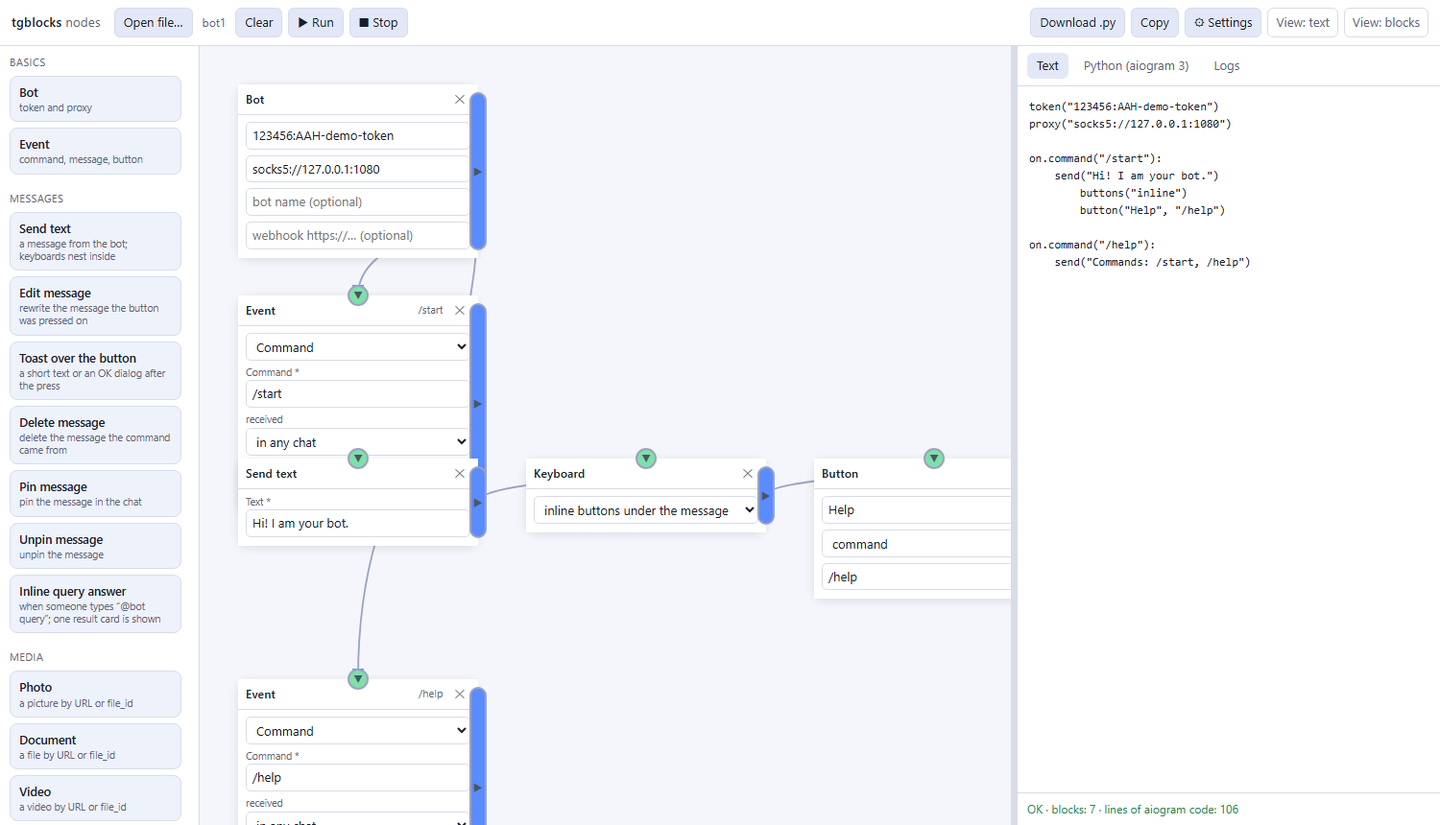
Blocks come from the palette on the left, and they do not connect by themselves: drag
from a dot to the block you want, and ✕ in the middle of a wire removes it. Drag the
background to pan, wheel to zoom, Ctrl+Z and Ctrl+Y undo and redo.
/blocks - Blockly
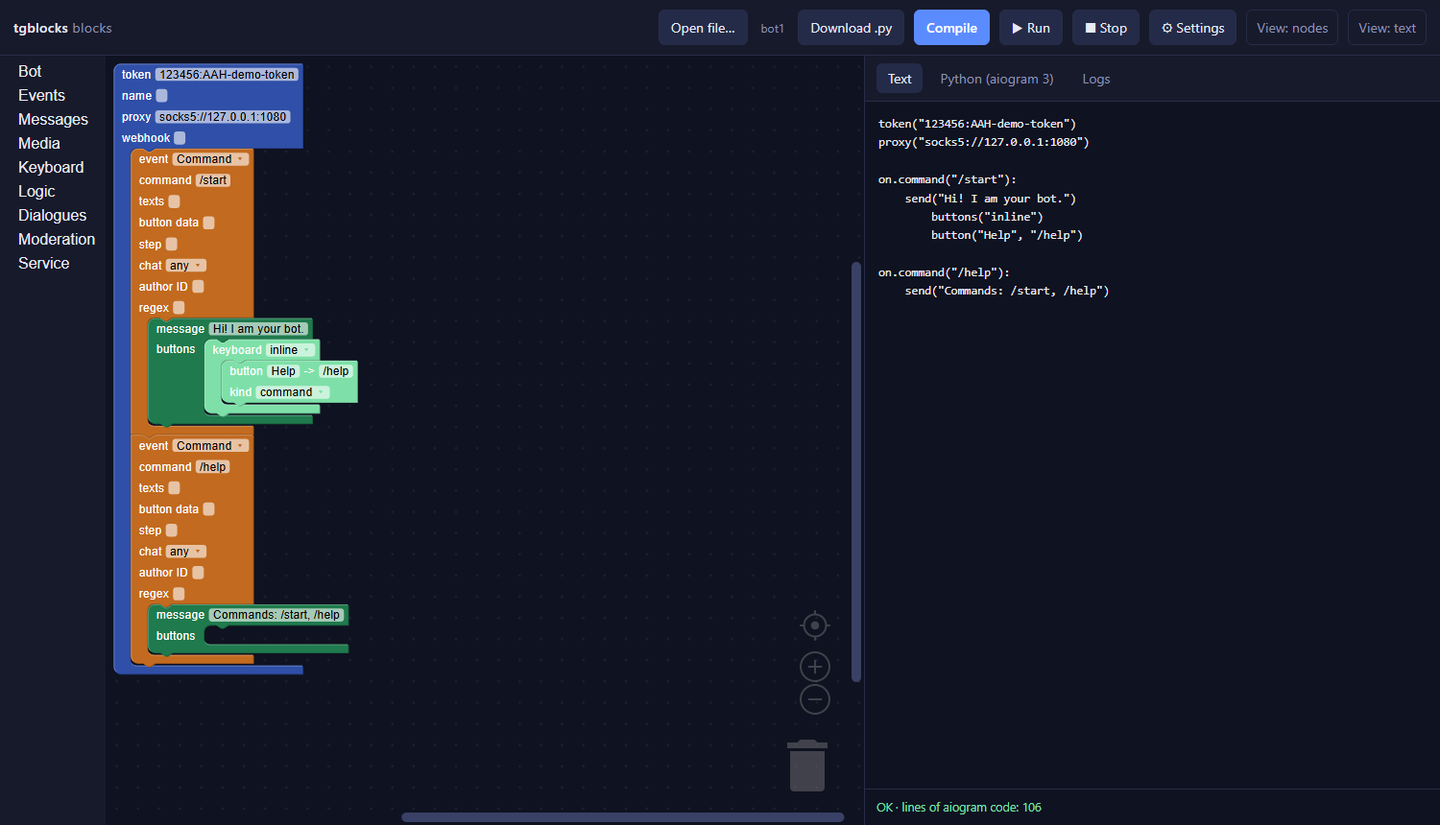
The same bot with blocks generated from the same catalogue. Blockly ships inside the package, so this view works without internet.
/text - the code, with help
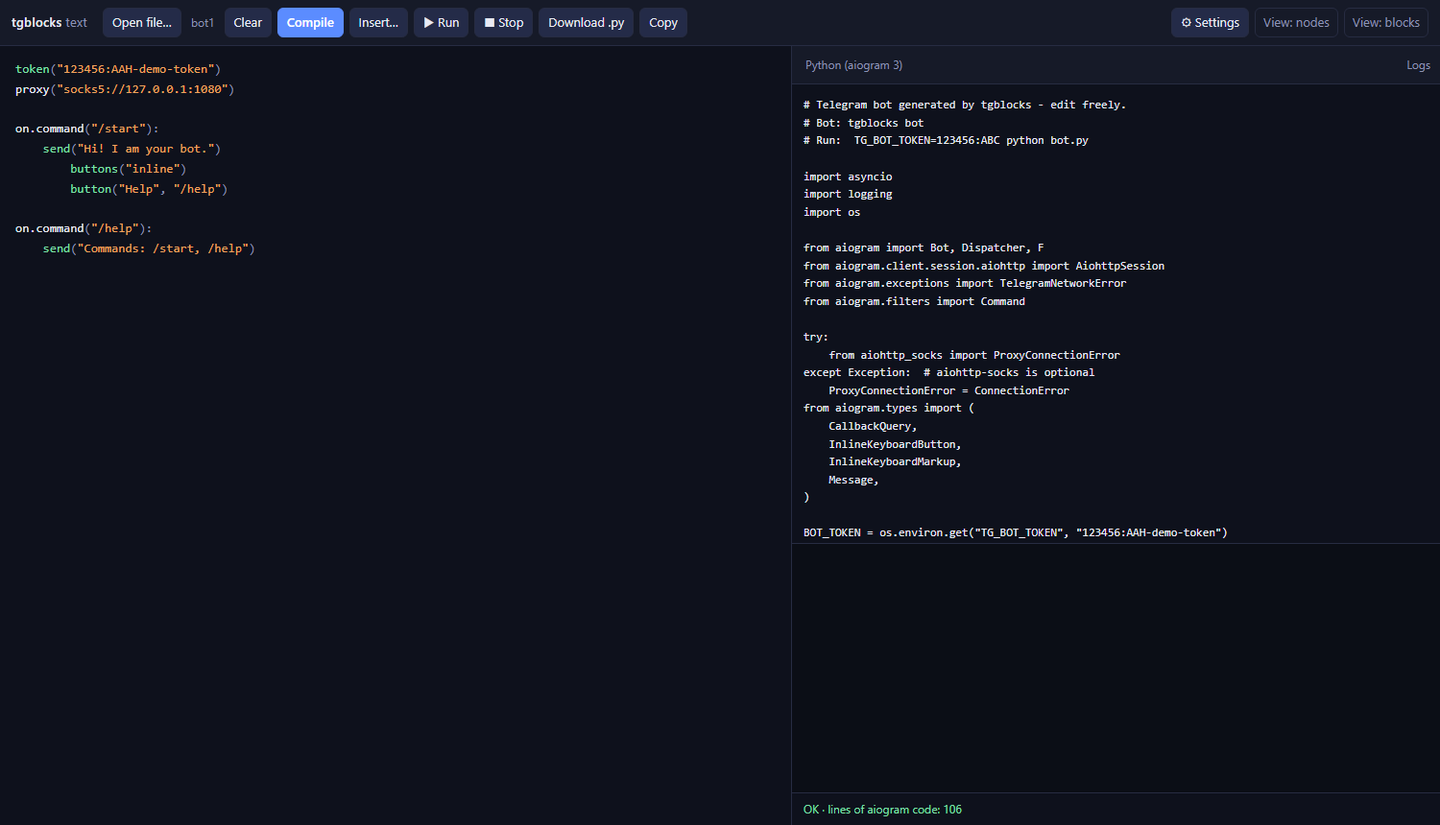
Syntax highlighting, auto-indent, and an Insert… palette that puts any call the compiler knows at the cursor.
All three are one document. A change in any view shows up in the other two within a second, and clearing one clears the bot everywhere. The ⚙ panel in the header switches the theme and the interface language - English by default, Russian at one click, and the block names, field captions and hints change with it.
Why
Paid bot constructors keep your bot inside their panel: you rent the hosting, you cannot read the code, and leaving means starting again. Writing aiogram 3 by hand is the opposite - full control, but the first hour is dispatcher, routers, filters, keyboards, callbacks and an async entrypoint before anything answers.
tgblocks is the middle: a language small enough to fit on a postcard, or an editor where a bot is boxes with wires. Both produce the same readable aiogram code, and the code is yours.
Quick start
bot.tg:
bot token "123456:ABC"
bot name "Hello bot"

on /start:
    send "Hi! I am your bot."
    buttons:
        "Help" -> /help
        "Site" -> url "https://example.com"

on /help:
    send "Commands: /start, /help"

on message:
    when text contains "hi":
        send "Hello there!"
    else:
        send "Not sure what you mean. Try /help."
tgblocks check bot.tg              # parse, a one-line summary and warnings
tgblocks compile bot.tg -o bot.py  # aiogram 3 code
tgblocks run bot.tg --dry-run      # print the code, start nothing
TG_BOT_TOKEN=123456:ABC python bot.py
One command is enough to work: tgblocks opens the editor, tgblocks bot.tg starts
that bot, and both work from any folder once the package is installed.
The token is not written into bot.py unless you ask for it (--embed-token):
generated code reads TG_BOT_TOKEN at startup, so the file is safe to commit.
tgblocks run passes the token from the file or from --token through the
environment.
Editor commands
tgblocks                        # http://127.0.0.1:8765/  -> boxes and wires
tgblocks --view text            # / -> text editor
tgblocks --view blocks          # / -> Blockly
tgblocks --port 9000            # another port (flags work without the subcommand)
Every editor has Run / Stop and a Logs tab: the generated bot runs as a
separate process and its output streams into the page. Each editor can download the
.tg text and the .py code.
Starting tgblocks again while the editor is open does not fail on a busy port: if it
is the same version it just opens the editor that runs, and if the port is held by an
old window (or another program) it starts on the next free port and prints that one
address.
The catalogue is the source of truth
Everything a bot can do is described once, in src/tgblocks/model.py: an action, its
parameters, its labels, the aiogram method it lands on. The DSL parser, the text
parser, the converters (text ⇄ node board ⇄ Blockly XML) and the code generator all
read that one table, and /api/schema hands it to the three pages, so their palettes
and property fields are generated too. Adding an aiogram method is a catalogue entry
plus one emitter - not five copies that drift apart.
What a bot can do
Messages     send  edit_text  delete  answer_callback  pin  unpin

Media        send_photo  send_document  send_video  send_animation  send_audio
             send_voice  send_sticker  send_location  send_contact  send_poll
             send_dice

Keyboard     inline buttons: -> /command, -> url "…", -> web_app "…"
             reply keyboards, -> contact, -> location

Logic        when text == / != / contains / startswith / endswith
             several values at once, else

Dialogues    state order, set_state order, clear_state, on state order:

Moderation   ban_user, unban_user, mute_user

Service      typing, delay 2, log "…", pass
Events
Commands     on /start:

Messages     on message:            on message "a", "b":
             on photo:              on sticker:            on voice:
             on video:              on video_note:         on audio:
             on document:           on animation:          on location:
             on contact:            on poll:               on dice:
             on new_members:        on left_member:        on pinned:
             on web_app_data:

Other        on edited:             on any:               on callback:
             on callback "/data":   on inline_query:      on chat_member:
             on my_chat_member:     on poll_answer:       on channel_post:

Filters      on message chat=supergroup:
             on message from_user=123:
             on message regex="^[0-9]+$":
Webhook mode is a directive, not a rewrite: bot webhook "https://example.com/hook"
makes the generated bot serve the update endpoint instead of polling, and it still
falls back to polling when TG_WEBHOOK_URL is empty.
Full step-by-step reference in Russian: ИНСТРУКЦИЯ.md. A bot that uses everything: examples/full.tg.
Errors with line numbers
bot.tg:7:5: error: expected a quoted text
   7 |     send Hello!
     |         ^
  hint: wrap the value in double quotes, for example: "Hello!"
Two handlers that claim the same messages are refused at parse time: aiogram calls only the first one, so the second would silently never run. A button that calls a command nobody handles is a warning, not an error - the bot still builds.
Telegram is blocked? Use a proxy
bot token "123456:ABC"
bot proxy "socks5://127.0.0.1:1080"
socks5://, socks4://, http:// and https:// work; socks needs aiohttp-socks
(in the runtime extra). The value can also come from TG_PROXY. When the connection
fails, the generated bot prints a short explanation instead of a full aiohttp
traceback.
Paste only the URL into the bot's proxy field - not the whole record from a proxy
list. To check that a proxy actually reaches Telegram before running a bot:
tgblocks proxy socks5://host:port
It performs the same steps the bot will (SOCKS5/HTTP CONNECT → TLS → api.telegram.org)
and prints the ready-to-paste lines for all three editors when the proxy works.
Security model
The editor is a local tool that can start processes, so the server treats the browser as a potential attacker:
- it answers only on
127.0.0.1, and only to aHostheader that is one of its own (a hostile domain pointing at 127.0.0.1 is refused); - cross-site requests are refused by
OriginandSec-Fetch-Sitechecks, and a POST body must beapplication/json- the two ways a foreign page could otherwise drive it; - running a preview is a child process by design, so
--hostneeds--allow-remotebefore that is exposed to the network.
Secrets stay out of artefacts: compile writes code without the token unless you pass
--embed-token.
Python API
from tgblocks import compile_source, compile_text- DSL text or editor text to aiogram code.from tgblocks import parse, generate- AST in, code out.from tgblocks import run- a DSL string inside a normal.pyfile.tgblocks.dsl.parser.DSLParseErrorcarriesline,column,messageandhint.
Project layout
src/tgblocks/
    model.py             the catalogue: every action and event, once
    dsl/parser.py        DSL text -> AST, with line/column errors
    dsl/codegen.py       AST -> readable aiogram 3 code
    textlang.py          the Python-looking syntax -> the same AST
    convert.py           AST <-> text, <-> node board, <-> Blockly XML
    cli.py               check / compile / run / proxy / visual
    runner.py            compile and execute a bot from DSL text
    visual/server.py     the local editor server (API + same-origin guards)
    visual/static/       nodes.html, blocks.html, text.html, shared project store
                         plus vendor/blockly.js, which ships with the package
tests/                   the suite: golden code, fake Telegram, editors, security
examples/                hello.tg, full.tg, features.txt
tools/                   build_scaffold.py, check_javascript.py, qa_smoke.py
docs/                    screenshots and the demo GIF used by this README
scaffold.py              a single-file generator of this project
Tests
python -m pytest -q # 261 tests
The suite runs the generated bots on a fake Telegram, so a broken /start fails a
test instead of failing in production:
tests/test_golden.py- pins the generated code for a corpus of bots and imports every sample into the real aiogram package;tests/test_bots.py,tests/test_features.py,tests/test_examples.py- feed real updates through a realDispatcherand assert the API calls a user would cause;tests/test_sync.py,tests/test_ui.py- the editors: one document for three views, the schema, and both "compile this canvas" paths;tests/test_security.py- the CSRF, rebinding and wide-bind refusals;tests/test_scaffold.py-scaffold.pycannot drift from the tree again.
Beyond pytest:
python tools/build_scaffold.py --check   # the single-file generator is fresh
python tools/check_javascript.py         # editor JS parses and defines its helpers
python tools/qa_smoke.py                 # endpoints plus the editor-to-editor hand-off
Limitations (on purpose)
- No payments, no scenes, no arbitrary callback payloads: buttons carry a command.
- One handler per filter: several
on message:blocks are refused, branch withwhen. - The editors do not turn hand-written Python back into blocks: the DSL text is the source of truth once you leave the browser.
scaffold.pycarries a copy of the project;tools/build_scaffold.pyregenerates it andtests/test_scaffold.pyfails if it went stale.
License
MIT - see LICENSE.
Русский
tgblocks - маленький язык и три редактора для Telegram-ботов на aiogram 3. Написал
пять строк (или собрал блоки мышкой) - получил обычный bot.py, который можно читать,
править и выкладывать.
pip install "tgblocks[runtime]"       # пакет и aiogram, чтобы запускать ботов
tgblocks                              # редактор в браузере, 127.0.0.1:8765
tgblocks check examples/full.tg       # проверить бота
tgblocks run examples/full.tg         # запустить бота из DSL
tgblocks compile examples/hello.tg -o mybot.py
Всё работает на твоём компьютере: никаких аккаунтов, облака и подписок. Три вида
(узлы, текст, блоки) - это один и тот же бот, поэтому правка в одном виде сразу видна
в двух других. В шапке есть кнопка настроек: тёмная или светлая тема и русский или
английский интерфейс. Токен в сгенерированный файл не пишется, если не попросить
--embed-token.
Пакет уже лежит на PyPI, поэтому ставится одной строкой - файлы никто не скачивает:
pip install "tgblocks[runtime]"
Если нужен самый свежий коммит, а не релиз:
pip install "tgblocks[runtime] @ git+https://github.com/Pupka228228/tgblocks.git"
Подробно по шагам, с разбором ошибок: ИНСТРУКЦИЯ.md.
1 maintainer

Metadata
1 maintainer
Release files for tgblocks 0.2.9
For a detailed explanation of source distributions (sdists) and built distributions (wheels), please see the package formats documentation.
Source distribution (sdist)
| File | Size | Uploaded | Provenance | |
|---|---|---|---|---|
| tgblocks-0.2.9.tar.gz | 329.4 kB | With provenance | Details |
Built distribution (wheel)
| File | Interpreter | ABI | Platform | Reset |
|---|---|---|---|---|
| tgblocks-0.2.9-py3-none-any.whl | Python 3 | none | any | Details |
Total release size: 632.7 kB
Release files / tgblocks-0.2.9.tar.gz
| Download URL | tgblocks-0.2.9.tar.gz |
|---|---|
| Size | 329.4 kB |
| Tags | Source |
|
SHA-256 checksum How to use checksums |
f42677f0d9e502f482c7dc1906a1c6449ede36429e3df1a04a3ac3cdeb10a295
|
|
BLAKE2b-256 checksum How to use checksums |
6236e50e2ab455fe2e2cf4384b7638412ae9d8a7e35011303b0a4c2212193815
|
| Upload date | |
|
Uploaded using Trusted Publishing? What is trusted publishing? |
Yes |
| Uploaded via |
twine/7.0.0 CPython/3.13.16
|
Provenance
Provenance describes where a file came from. On PyPI, provenance is shared via attestations, which provide a verifiable record of the build or publishing details. View details, limitations and caveats.


PyPI Publish Attestation
PyPI verified that this artifact, at this checksum, originated from the publisher listed below.
Signed by GitHub Actions, verified by PyPI on Oct 22, 2026.
Transparency logRelease files / tgblocks-0.2.9-py3-none-any.whl
| Download URL | tgblocks-0.2.9-py3-none-any.whl |
|---|---|
| Size | 303.2 kB |
| Tags | Python 3 |
|
SHA-256 checksum How to use checksums |
cb984d9d51d004c2aee069627ee97d0b41ba45ff85eafa401abc1fb3b2e39b9e
|
|
BLAKE2b-256 checksum How to use checksums |
9f9d3388ff6f210bbf8cc9d0c23ebea430b7006e26c457d28ac1ef2fad29f291
|
| Upload date | |
|
Uploaded using Trusted Publishing? What is trusted publishing? |
Yes |
| Uploaded via |
twine/7.0.0 CPython/3.13.16
|
Provenance
Provenance describes where a file came from. On PyPI, provenance is shared via attestations, which provide a verifiable record of the build or publishing details. View details, limitations and caveats.
PyPI Publish Attestation
PyPI verified that this artifact, at this checksum, originated from the publisher listed below.
Signed by GitHub Actions, verified by PyPI on Oct 22, 2026.
Transparency logSecurity for tgblocks 0.2.9
Provenance
Provenance describes where a file came from. On PyPI, provenance is shared via attestations, which provide a verifiable record of the build or publishing details. View details, limitations and caveats.
Full provenance
All 2 files in this release have been uploaded with provenance metadata.
Attestation for tgblocks-0.2.9.tar.gz
PyPI Publish Attestation
PyPI verified that this artifact, at this checksum, originated from the publisher listed below.
Signed by GitHub Actions, verified by PyPI on Oct 22, 2026.
Transparency logA note on package security
PyPI is a repository for distributing packages, not a service for auditing them. While third-party security researchers and our staff do their best to detect and remove malicious packages, PyPI cannot guarantee the quality, security or suitability of any given package.














