

 ________
///// \\\\
\________/________________________________________________________________
|_____                               : ___                                \
| |   |                              :|   \                               /
| |   |___   ___  |___  |_____   ___ :|___/  ___   |___   ___   ___  |___ \
| |   |   | /   \ |   \ |  |  | /   \:|     /   |  |   \ /     /   \ |   \/
| |   |   | |___/ |     |  |  | |   |:|     |   |  |     \___  |___/ |    \_____
| |   |   | \___  |     |  |  | \___/:|     \___|_ |         \ \___  |    :3.3.0\
|____________________________________:_______________________/____________:_____/



ThermoParser is a toolkit used to simplify the analysis of data produced by specialist materials science codes, centred around thermoelectrics, but also useful for anything pertaining to electronic and/ or phononic transport. ThermoParser is a Python library which contains functions for data retrieval, manipulation and plotting, which can be easily used with a little Python knowlege to generate a wide array of high-quality plots in only a few lines of code. ThermoParser also contains a suite of command-line tools which can retrieve specific data, save derived properties and plot graphs in a single command.
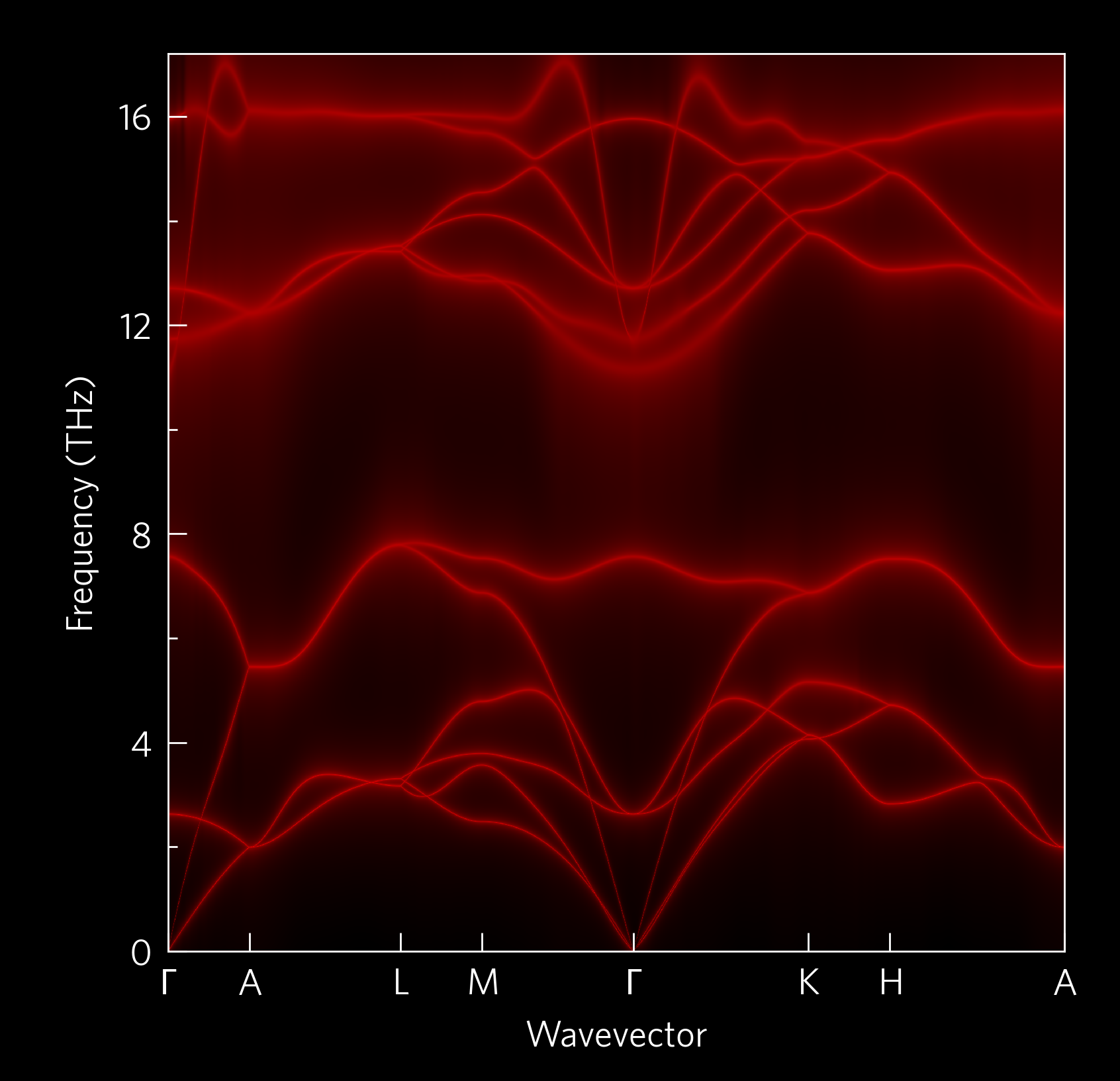
Click on the image to go to the gallery!
Installation
ThermoParser can be installed from PyPI with pip:
pip install thermoparserNote the package is imported as tp. To install the latest development version instead, or to work on ThermoParser itself, use git:
git clone https://github.com/smtg-bham/ThermoParser.git
cd ThermoParser
pip install .
After installing, you may want to copy tp/tprc.yaml to ~/.config/tprc.yaml, if you want to set your own default axis labels, unit conversions, default style sheets (two are provided), other aesthetic alterations and more! Its location in an installed copy can be found with:
python3 -c "import os, tp; print(os.path.join(os.path.dirname(tp.__file__), 'tprc.yaml'))"Mac
If installing on an m1 mac, you can’t currently pip install h5py, so a longer process is required:
Install brew
Install hdf5 with brew
python3 -m pip install cython numpy
brew info hdf5 to retrieve the path to your hdf5 install
HDF5_DIR=YOUR_HDF5_PATH --no-build-isolation h5py
git clone https://github.com/smtg-bham/ThermoParser.git
cd ThermoParser
pip install --user -e .
Using conda may circumvent this process.
Command Line Interface (CLI)
ThermoParser uses click, which has an easily navigable structure from the command-line, detailed in the tutorials. The most frequently useful commands are included in the CLI for maximum ease, including the tp get functions, which verbosely retrieve data from files which are normally tiresome and error-prone to navigate; and most of the simplest plot-types available through the Python interface.
Python Interface
ThermoParser is designed to have four main stages:
- Axes:
Pick an axis layout from tp.axes.
- Load:
Use the functions is tp.data.load to load the relevant data.
- Add:
Use functions in tp.plot modules to add graphs to the axes.
- Save:
Use plt.savefig or equivalent to produce the figure.
As ThermoParser is dependent on matplotlib, each stage can be substituted with bespoke code, e.g. using matplotlib.pyplot.subplots or matplotlib.axes.Axes.scatter. These can still be supplemented with ThermoParser helper functions, such as default labels which the user can set in tp.settings, colourmap generators in tp.plot.colour or legend helpers such as tp.axes.legend.alphabetise.
The best way to get a feel for ThermoParser is to see it in action: Take a look at our examples and tutorials. Currently supported codes are:
Current plotting modes are split into four areas.
tp.plot.phonons contains plots along a high-symmetry path, including phonon dispersions and plots which project other quantities onto these paths in various ways.
tp.plot.frequency plots frequency on the x-axis, including density of states (DoS), cumulative kappa, “waterfall” and density plots. Each function has a main argument, which can be useful when plotting multiple quantities on the same set of axes; and an invert argument, which swaps the x and y axes to let you plot DoS-style next to a tp.plot.phonons plot.
tp.plot.mfp contains a cumulative kappa against mean free path plot.
tp.plot.heatmap contains a heatmap plotter, and wrappers which format appropriately for ZT against temperature and doping concentration; and one which plots the lattice thermal conductivity required to reach a target ZT, again against temperature and doping.
A set of example scripts is provided in the tp/examples folder and in our online examples, and there is documentation.
Contributing
We welcome any contributions, whether they be a feature request or a new piece of code (or anything else). Adding options is inteded to be straightforward; the modularity of the code means that each step is mostly independent of the others.
Bugs and feature requests can be submitted to the issue tracker, while contributions can be made using the fork and pull approach. Contributions should include comprehensive docstrings, and where appropriate examples, further documentation and tests are greatly appreciated. Documentation uses the sphinx package, and can be built from the docs directory with sphinx-build -b html src/ .. In order to build the docs, download the extra dependencies with, e.g., pip install .[docs] from the ThermoParser directory.
Testing
Tests use the unittest package, which is part of the Python standard library and so needs no installation. They can be run from the ThermoParser directory with python3 -m unittest.
Contributors
Many thanks to all those who contributed code or ideas to ThermoParser! Roughly chronologically, they are so far:
Kieran B. Spooner
Maud Einhorn
David O. Scanlon
Daniel W. Davies
Bonan Zhu
Sean R. Kavanagh
Warda Rahim
Katarina Brlec
Joe Willis
Dale Gaines II
Thanks also to the JOSS reviewers, Evan Walter Clarke Spotte-Smith, Enric Tomás Grau-Luque, and Francesco Nattino; and the editor Mojtaba Barzegari. An unintimidating and productive review process, which I would recommend if the opportunity arises!
License
ThermoParser is licensed under the GNU Affero General Public License v3 (AGPLv3).
Requirements
ThermoParser uses the following open-source packages:
1 maintainer

Metadata
1 maintainer
Release files for thermoparser 3.3.0
For a detailed explanation of source distributions (sdists) and built distributions (wheels), please see the package formats documentation.
Source distribution (sdist)
| File | Size | Uploaded | |
|---|---|---|---|
| thermoparser-3.3.0.tar.gz | 108.2 kB | Details |
Built distribution (wheel)
| File | Interpreter | ABI | Platform | Reset |
|---|---|---|---|---|
| thermoparser-3.3.0-py3-none-any.whl | Python 3 | none | any | Details |
Total release size: 227.5 kB
Release files / thermoparser-3.3.0.tar.gz
| Download URL | thermoparser-3.3.0.tar.gz |
|---|---|
| Size | 108.2 kB |
| Tags | Source |
|
SHA-256 checksum How to use checksums |
b0c82d444d5eb1fa5372b5106996f2619b4787b2b734387d2e14b55b15255ea3
|
|
BLAKE2b-256 checksum How to use checksums |
e488cab4bdf9a59d9cef4404d622680c4bd10ad68cacad3bb4ab181377cc4d16
|
| Upload date | |
|
Uploaded using Trusted Publishing? What is trusted publishing? |
Yes |
| Uploaded via |
twine/7.0.0 CPython/3.13.14
|
Provenance
Provenance describes where a file came from. On PyPI, provenance is shared via attestations, which provide a verifiable record of the build or publishing details. View details, limitations and caveats.


PyPI Publish Attestation
PyPI verified that this artifact, at this checksum, originated from the publisher listed below.
Signed by GitHub Actions, verified by PyPI on Aug 12, 2026.
Transparency logRelease files / thermoparser-3.3.0-py3-none-any.whl
| Download URL | thermoparser-3.3.0-py3-none-any.whl |
|---|---|
| Size | 119.3 kB |
| Tags | Python 3 |
|
SHA-256 checksum How to use checksums |
5cd300775d089e65cd6335ad8b714759518cb8070209962866e5b16841b57309
|
|
BLAKE2b-256 checksum How to use checksums |
19efc5f3465ae53eb6e6ca31b6c1a359e15c5b2ba874e083ab11039fbe4c001f
|
| Upload date | |
|
Uploaded using Trusted Publishing? What is trusted publishing? |
Yes |
| Uploaded via |
twine/7.0.0 CPython/3.13.14
|
Provenance
Provenance describes where a file came from. On PyPI, provenance is shared via attestations, which provide a verifiable record of the build or publishing details. View details, limitations and caveats.
PyPI Publish Attestation
PyPI verified that this artifact, at this checksum, originated from the publisher listed below.
Signed by GitHub Actions, verified by PyPI on Aug 12, 2026.
Transparency log












