
thqm
Remote command execution made easy.




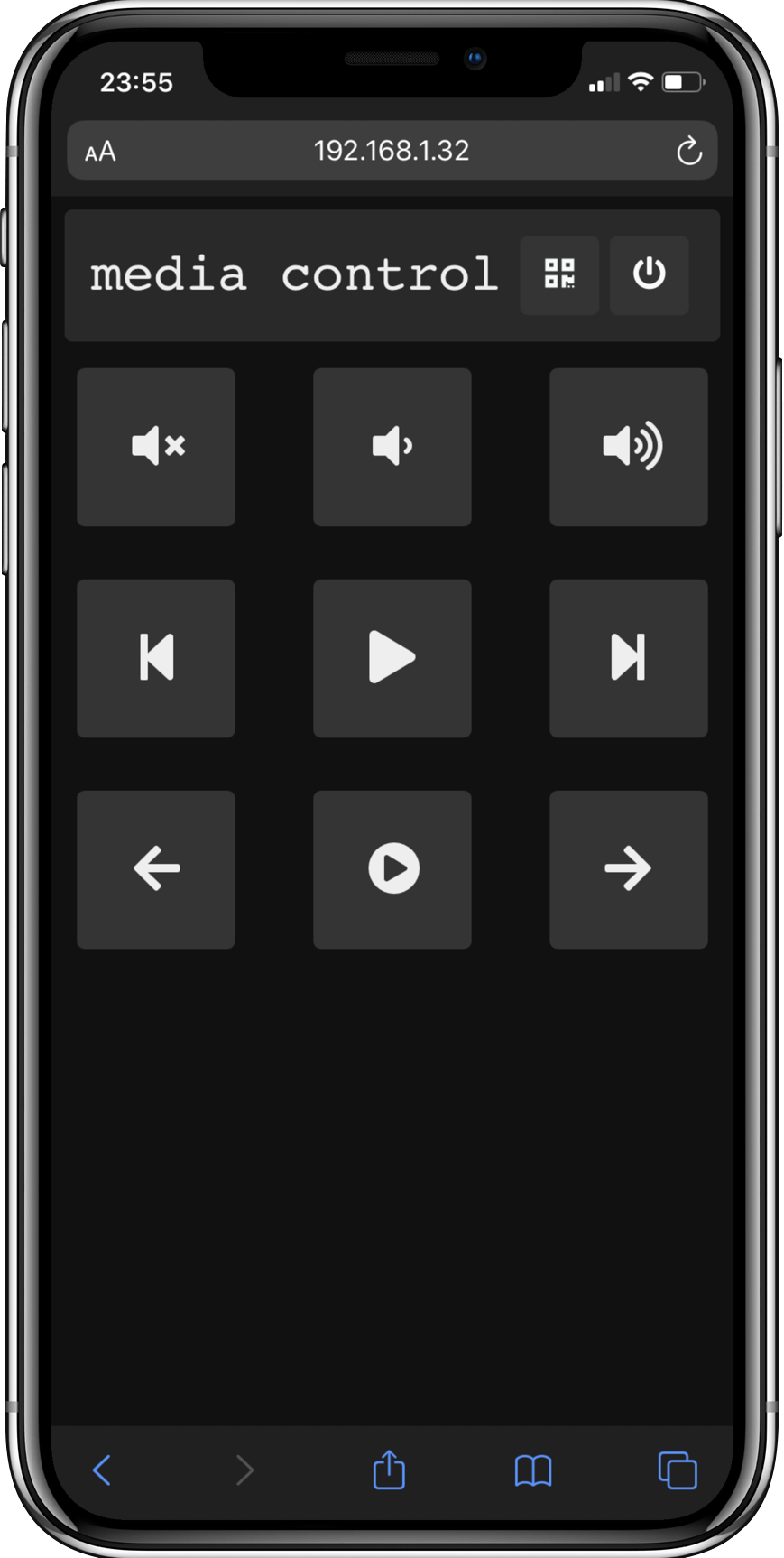
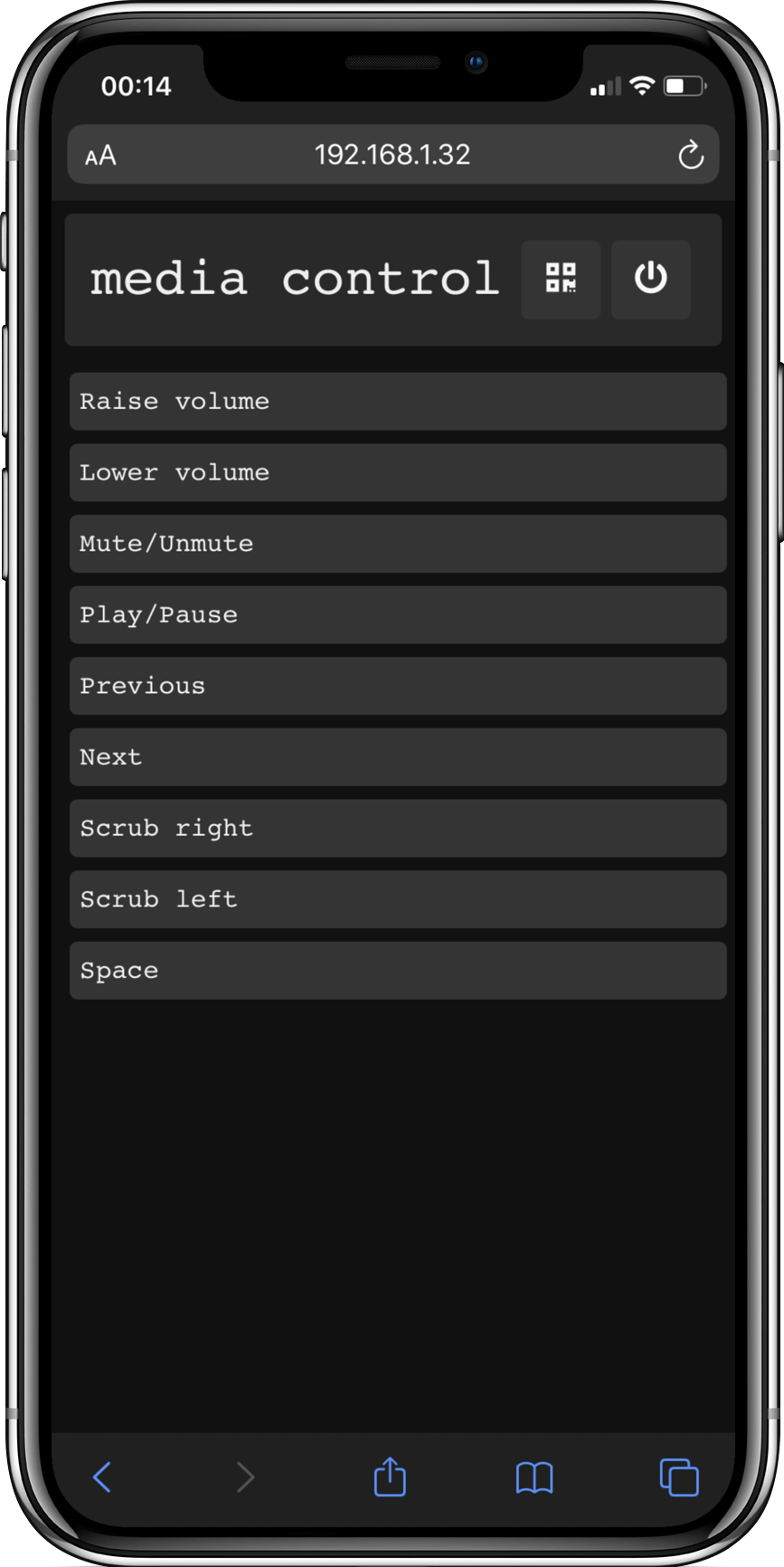
thqmtakes its name from the arabic تحكم, pronounced tahakum, meaning control.
thqm makes it very easy to setup a simple remote control interface on the host machine.
thqm is a nifty little HTTP server which reads from standard input. It dynamically generates a simple button menu based on the provided stdin and outputs any button the user presses to stdout.
In a sense its kind of like the dmenu/rofi of HTTP servers.
This makes it very flexible and script friendly. See the examples folder for some scripts.
Installation
pip install thqm
or with pyqrcode
pip install 'thqm[qrcode]'
thqm should work on linux, MacOS and Windows.
It usually is a good idea to use a virtual environment, or maybe consider using pipx.
Dependencies
thqm requires the following to run:
python3jinja
Optional:
pyqrcodefor qrcode generation.
Configuration
thqm will create a config folder:
- Linux:
$XDG_CONFIG_HOME/thqm(or$HOME/.config/thqmif$XDG_CONFIG_HOMEis not set) - MacOS:
~/Library/Application Support/thqm - Windows:
%LOCALAPPDATA%/thqm(or~/thqm)
This folder holds thqm's custom styles. A bare bone example, pure_html, will be created.
To add your own custom style, follow the folder structure of the provided example. Maybe have a look at the default style.
Note: the base folder of the server will the style's folder. So to access files in the static folder from your index.html:
<link rel="stylesheet" type="text/css" href="static/index.css" />
Usage
Check the examples folder for some usage examples.
usage: thqm [-h] [-p PORT] [-u USERNAME] [-pw PASSWORD] [-s SEPERATOR] [-t TITLE] [--interface INTERFACE]
            [--style {fa-grid,default,pure_html}] [--extra-template-args JSON] [-q] [-sq PATH] [-l] [-o] [--no-shutdown]
            [--no-qrcode] [--custom-event-input] [--version]

Remote command execution made easy.

Custom styles should be added to /home/lcoyle/.config/thqm

options:
  -h, --help            show this help message and exit
  -p PORT, --port PORT  Port number. (default: 8901)
  -u USERNAME, --username USERNAME
                        Authentication username, only used if a PASSWORD is provided. (default: 'thqm')
  -pw PASSWORD, --password PASSWORD
                        Authentication password. (default: None)
  -s SEPERATOR, --seperator SEPERATOR
                        Entry seperator pattern. (default: '\n')
  -t TITLE, --title TITLE
                        Page title. (default: 'thqm')
  --interface INTERFACE
                        Network interface to use to find the local ip. If not provided, will try to infer the appropriate network interface. (default: None)
  --style {fa-grid,default,pure_html}
                        Page style. (default: 'default')
  --extra-template-args JSON
                        Extra template arguments, json string. (default: '{}')
  -q, --show-qrcode     Show the qrcode in terminal, requires "pyqrcode". (default: False)
  -sq PATH, --save-qrcode PATH
                        Save the qrcode png to the provided path, requires "pyqrcode". (default: None)
  -l, --show-url        Show the page url. (default: False)
  -o, --oneshot         Shutdown server after first click. (default: False)
  --no-shutdown         Remove server shutdown button. (default: False)
  --no-qrcode           Remove qrcode button. (default: False)
  --custom-event-input  Add a text field input. (default: False)
  --version             Show version and exit. (default: False)
Use the -u and -pw arguments to set a username and password to restrict access. The authentication is handled with HTTP basic authentication.
With the -s argument you can define the pattern on which to split stdin.
The -o flag will stop the server after the first button press.
The -q (requires pyqrcode) flag will print a qr-code in the terminal, this qr-code contains the credentials so it will bypass any authentication, the same is true for the in browser qr-code. This makes it particularly easy to share access with others.
Use -t to change the page title.
--no-shutdown removes the shutdown server button.
--no-qrcode removes the qrcode button.
Select the page style using the --style argument. You can add custom styles in thqm's config folder.
1 maintainer

Metadata
1 maintainer
Release files for thqm 1.4.0
For a detailed explanation of source distributions (sdists) and built distributions (wheels), please see the package formats documentation.
Source distribution (sdist)
| File | Size | Uploaded | |
|---|---|---|---|
| thqm-1.4.0.tar.gz | 463.2 kB | Details |
Built distribution (wheel)
| File | Interpreter | ABI | Platform | Reset |
|---|---|---|---|---|
| thqm-1.4.0-py3-none-any.whl | Python 3 | none | any | Details |
Total release size: 928.7 kB
Release files / thqm-1.4.0.tar.gz
| Download URL | thqm-1.4.0.tar.gz |
|---|---|
| Size | 463.2 kB |
| Tags | Source |
|
SHA-256 checksum How to use checksums |
409ca52c60ed401695e9e6c94096940667451169828db990d338447d3408ac18
|
|
BLAKE2b-256 checksum How to use checksums |
91783e5f0722c731a6121b525ec9cb14cc290a5e6c047c39d96d0066199a2252
|
| Upload date | |
|
Uploaded using Trusted Publishing? What is trusted publishing? |
No |
| Uploaded via |
poetry/1.1.12 CPython/3.10.1 Linux/5.15.13-arch1-1
|
Release files / thqm-1.4.0-py3-none-any.whl
| Download URL | thqm-1.4.0-py3-none-any.whl |
|---|---|
| Size | 465.5 kB |
| Tags | Python 3 |
|
SHA-256 checksum How to use checksums |
14bbb22de40c5efa64a00e9d906f714644b1201de7edd6e99891f2dcd3910531
|
|
BLAKE2b-256 checksum How to use checksums |
86562850961c49371129876069b90088395508515f7484d226bc62b20e8389a9
|
| Upload date | |
|
Uploaded using Trusted Publishing? What is trusted publishing? |
No |
| Uploaded via |
poetry/1.1.12 CPython/3.10.1 Linux/5.15.13-arch1-1
|














