
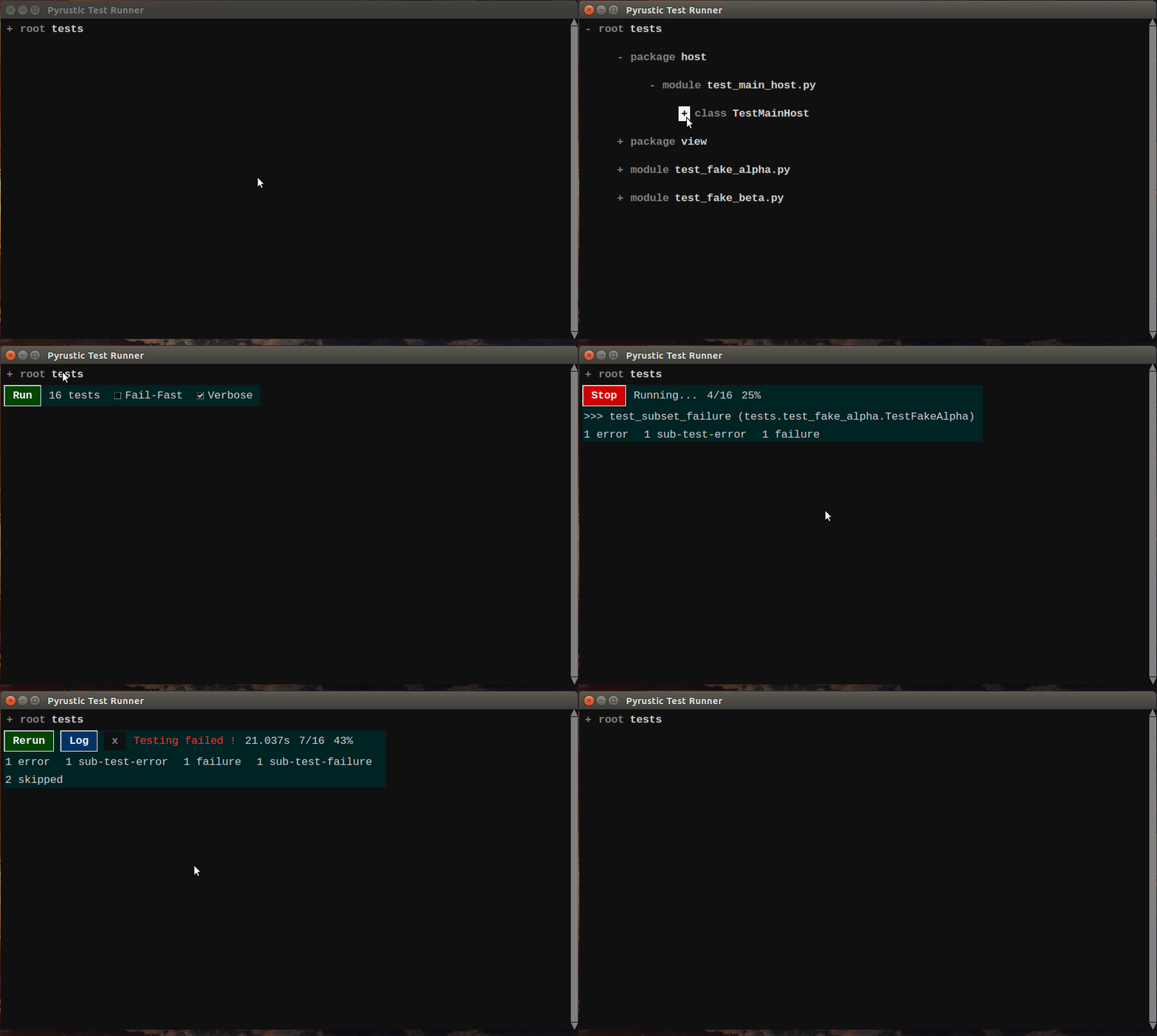
Jupitest uses Threadom to perform smooth real-time test reports
Threadom
Threadom is a Python library to perform Tkinter-compatible multithreading. It's part of the Pyrustic Open Ecosystem.
Installation | Reference | Website
Overview
It is well known how difficult it is to implement multithreading in a Tkinter application.
Let's simulate a background task that lasts 3 seconds in a Tkinter app.
import tkinter as tk
import time
from threadom import Threadom


def task():
    """This task lasts 3 seconds"""
    time.sleep(3)
    print("Task completed")


def on_start(root):
    """Function called when the button is clicked"""
    threadom = Threadom(root)
    threadom.run(task)


# root
root = tk.Tk()

# label
label = tk.Label(root, text="Multithreading Demo")
label.pack()

# button
command = lambda root=root: on_start(root)
button = tk.Button(root, text="Start", command=command)
button.pack()

# mainloop !
root.mainloop()
You can click the button Start 5 times quickly:
- the user interface doesn't freeze at all;
- you don't even notice that tasks are running in background;
- you have the proof that tasks have been run when you read the output "Task completed".
Now, let's send some data to the task function. This time, we care about the output of the task function and also we want it to raise an exception when the input data is an odd number.
import tkinter as tk
import time
import random
from threadom import Threadom


def task(data):
    """
    This task lasts 3 seconds and returns data*2 if all right.
    It raises an exception when data is an odd number.
    """
    time.sleep(3)
    if (data % 2) != 0: # oops, odd number !
        raise Exception
    return data*2


def on_start(root):
    """Function called when the button is clicked"""
    # Random integer
    random_int = random.choice(range(10))
    # Threadom instance
    threadom = Threadom(root)
    # Consumer callback, called when the task returns
    consumer = lambda result: print("Task result: ", result)
    # Upstream exception handler, called when an exception is raised while running the task
    exception_handler = lambda error: print("Exception caught")
    # Run the task
    threadom.run(task, target_args=(random_int,), consumer=consumer,
                 upstream_exception_handler=exception_handler)
    # Note: as you can guess, if the upstream_exception_handler parameter exists,
    # a downstream_exception_handler parameter should exists too.
    # The downstream_exception_handler is called when an exception is raised
    # while running the consumer handler.


# root
root = tk.Tk()

# label
label = tk.Label(root, text="Multithreading Demo")
label.pack()

# button
command = lambda root=root: on_start(root)
button = tk.Button(root, text="Start", command=command)
button.pack()

# mainloop !
root.mainloop()
This seems nice, but what if we have a long-running task that produces some data that should be immediately consumed by the GUI ? You know, a task we can't wait it returns.
import tkinter as tk
import time
from threadom import Threadom, QueueTail


def task(queue):
    """
    This task puts a number in the queue every second.
    """
    for x in range(10):
        time.sleep(1)
        queue.put(x)
    # use QueueTail to indicate the tail of the queue
    queue.put(QueueTail)


def display_data(data, strvar):
    if data is QueueTail:
        data = "Task completed"
    strvar.set(data)


def on_start(root, strvar):
    """Function called when the button is clicked"""
    # Threadom instance
    threadom = Threadom(root)
    # Consumer callback, called when the task returns
    consumer = lambda data: print("Task completed")
    # Get a queue
    queue = threadom.q()
    # Run the task
    threadom.run(task, target_args=(queue,), consumer=consumer)
    # Consume the queue
    consumer = lambda data, strvar=strvar: display_data(data, strvar)
    threadom.consume(queue, consumer=consumer)


# root
root = tk.Tk()

# label
strvar = tk.StringVar(value="Multithreading Demo")
label = tk.Label(root, textvariable=strvar)
label.pack()

# button
command = lambda root=root, strvar=strvar: on_start(root, strvar)
button = tk.Button(root, text="Start", command=command)
button.pack()

# mainloop !
root.mainloop()
You can pause the queue consuming process whenever you want, resume it, or stop it. The Threadom.consume method returns a qid (queue ID). So you can do threadom.pause(qid). Read the reference to get more details. I recommend you to use the class threadom.QueueTail to indicate the tail of a queue.
This library is part of the Pyrustic Open Ecosystem. This is a work in progress. If you like it, adopt it, spread the words ;)
Installation
Pyrustic Framework and Dresscode come with Threadom, so you don't need to worry about the individual installation of Threadom if you use one of these frameworks.
First time
Install for the first time:
$ pip install threadom
Upgrade
To upgrade Threadom:
$ pip install threadom --upgrade --upgrade-strategy eager
1 maintainer

Metadata
1 maintainer
Release files for threadom 0.0.7
For a detailed explanation of source distributions (sdists) and built distributions (wheels), please see the package formats documentation.
Source distribution (sdist)
| File | Size | Uploaded | |
|---|---|---|---|
| threadom-0.0.7.tar.gz | 9.8 kB | Details |
Built distribution (wheel)
| File | Interpreter | ABI | Platform | Reset |
|---|---|---|---|---|
| threadom-0.0.7-py3-none-any.whl | Python 3 | none | any | Details |
Total release size: 26.4 kB
Release files / threadom-0.0.7.tar.gz
| Download URL | threadom-0.0.7.tar.gz |
|---|---|
| Size | 9.8 kB |
| Tags | Source |
|
SHA-256 checksum How to use checksums |
fdc0b287aa0c0da8dd50c2f07424aaa58b6fd9d36085bd79c7fa4da31d9a9c4f
|
|
BLAKE2b-256 checksum How to use checksums |
697d97ad2ca71f1a3d4978ff89656b18b4a267025943fcc145c4fb24574a4af8
|
| Upload date | |
|
Uploaded using Trusted Publishing? What is trusted publishing? |
No |
| Uploaded via |
twine/1.15.0 pkginfo/1.6.1 requests/2.9.1 setuptools/50.3.2 requests-toolbelt/0.9.1 tqdm/4.54.0 CPython/3.5.2
|
Release files / threadom-0.0.7-py3-none-any.whl
| Download URL | threadom-0.0.7-py3-none-any.whl |
|---|---|
| Size | 16.6 kB |
| Tags | Python 3 |
|
SHA-256 checksum How to use checksums |
e6be0ea384ceaaf4b76a193aec69c0b85c07ada564cd033879c11a5781f41fb3
|
|
BLAKE2b-256 checksum How to use checksums |
e0bfcdc8df1aad6c8d9bca4f2deaeb5f9506e57f3defe46cae579d19ee6ab15f
|
| Upload date | |
|
Uploaded using Trusted Publishing? What is trusted publishing? |
No |
| Uploaded via |
twine/1.15.0 pkginfo/1.6.1 requests/2.9.1 setuptools/50.3.2 requests-toolbelt/0.9.1 tqdm/4.54.0 CPython/3.5.2
|














