
No project description provided


Project description
What is 3DOptix?
The fastest, most intuitive, non-sequential, ray tracing, cloud-based, optical system simulation software.
3DOptix’s innovative GPU and cloud-based ray tracing engine can trace billions of rays per second, faster than any other simulation software on the market. Our easy-to-use application enables you to easily design both simple and complex optical systems and make smart decisions based on real data. 3DOptix Warehouse is the first ever cloud-based workspace for sharing optical designs. With numerous designs available, the 3DOptix Warehouse offers engineers an unparalleled resource for exploring new ideas, discovering innovative solutions, and finding great starting points for their own designs.
Optical Simulation SDK
Our SDK is released in a beta version and has only limited features support at the moment. We are working on supporting more features and you can expect new versions to come out soon.
Complete manual can be found in 3DOptix application: https://simulation.3doptix.com/ > "help" > "API"
Installation
3DOptix python package installation is available using PyPi:
pip install threed-optix
Usage
import threed_optix as tdo

#Your API key from 3DOptix user interface
api_key = '<your_api_key>'

#api is the object that manages the communication with 3DOptix systems
api = tdo.Client(api_key)
Note The rest of the usage instructions can be found in 3DOptix simulation interface under "Help > API"
Get Your API Key
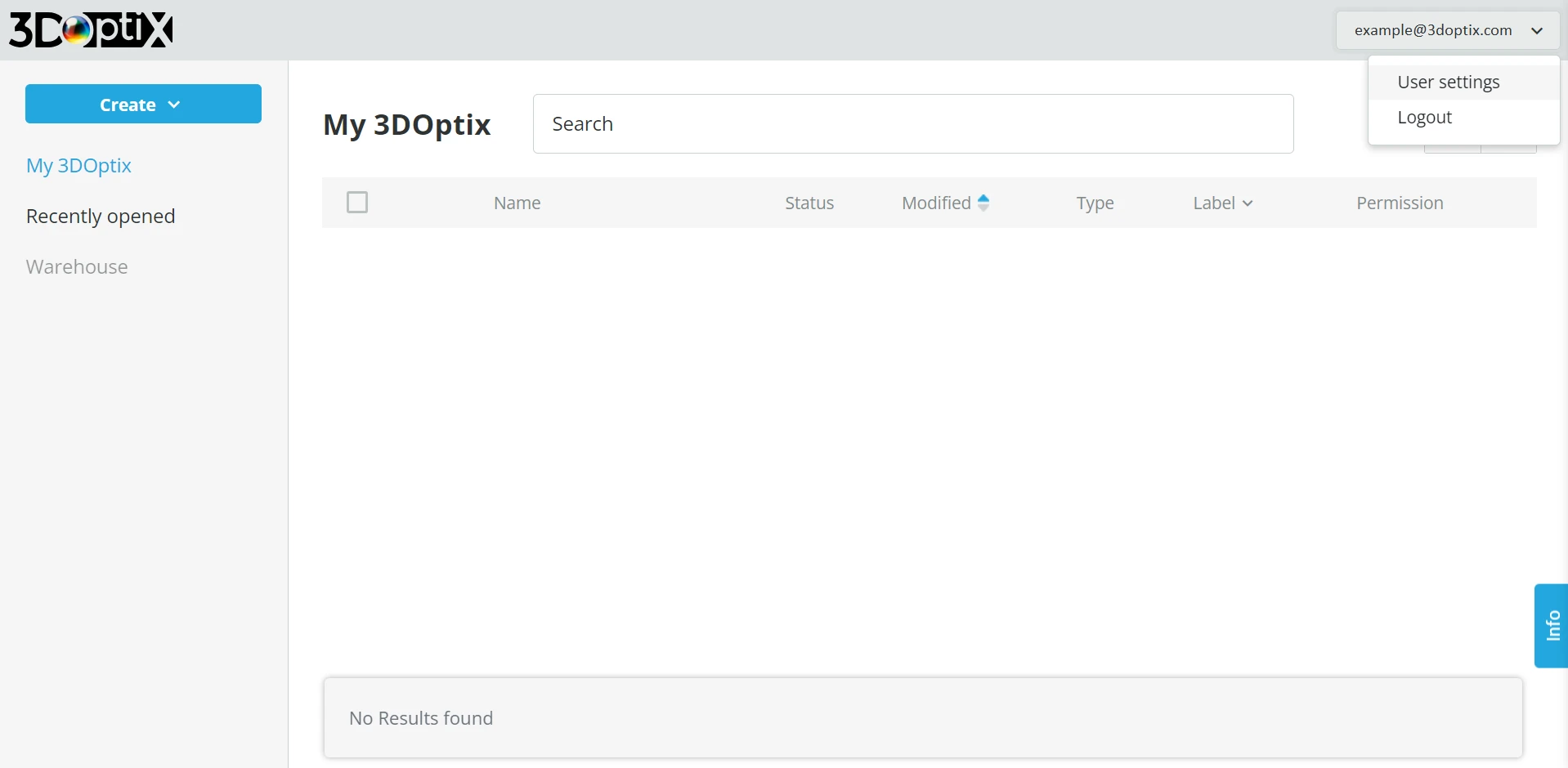
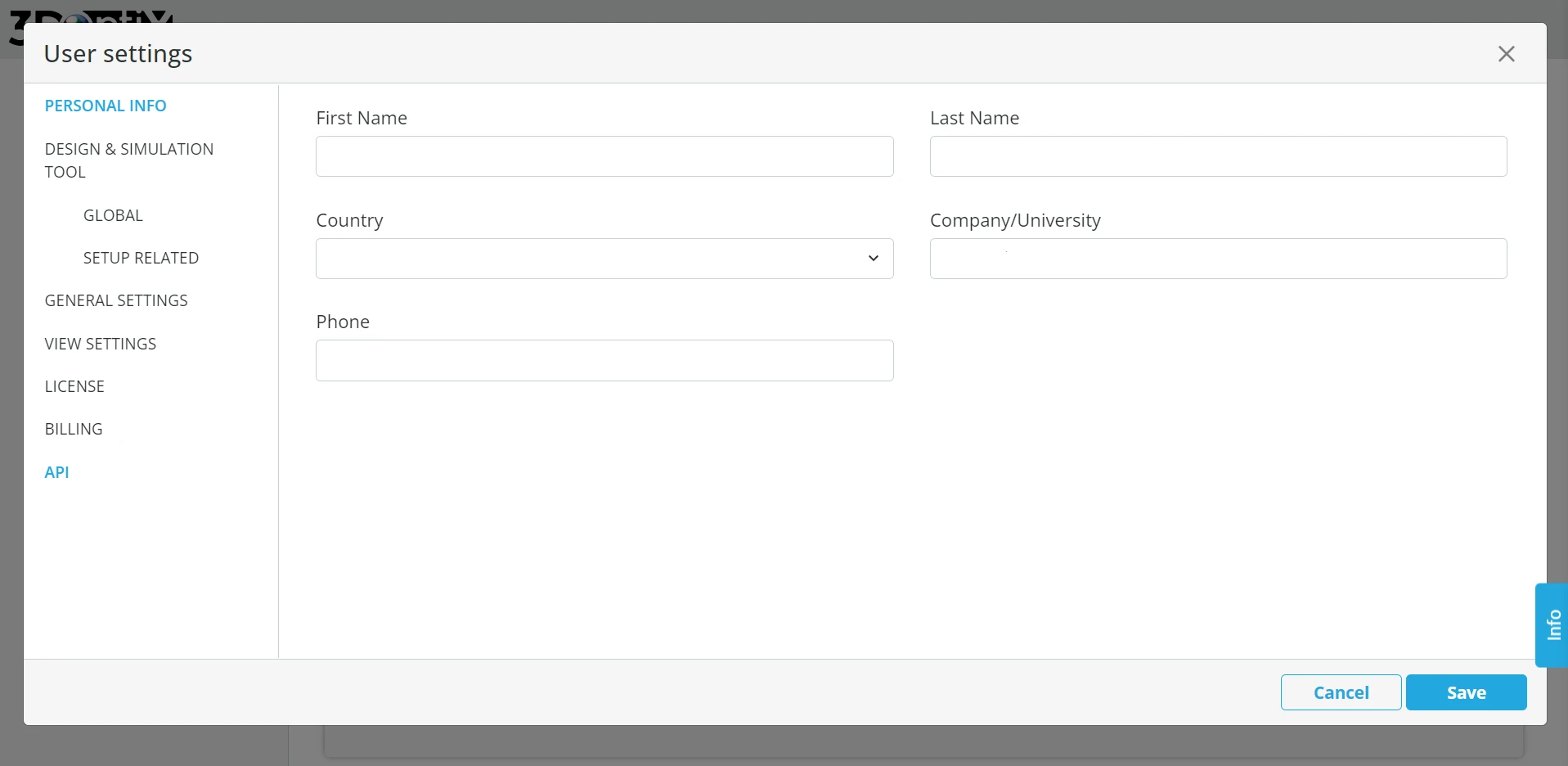
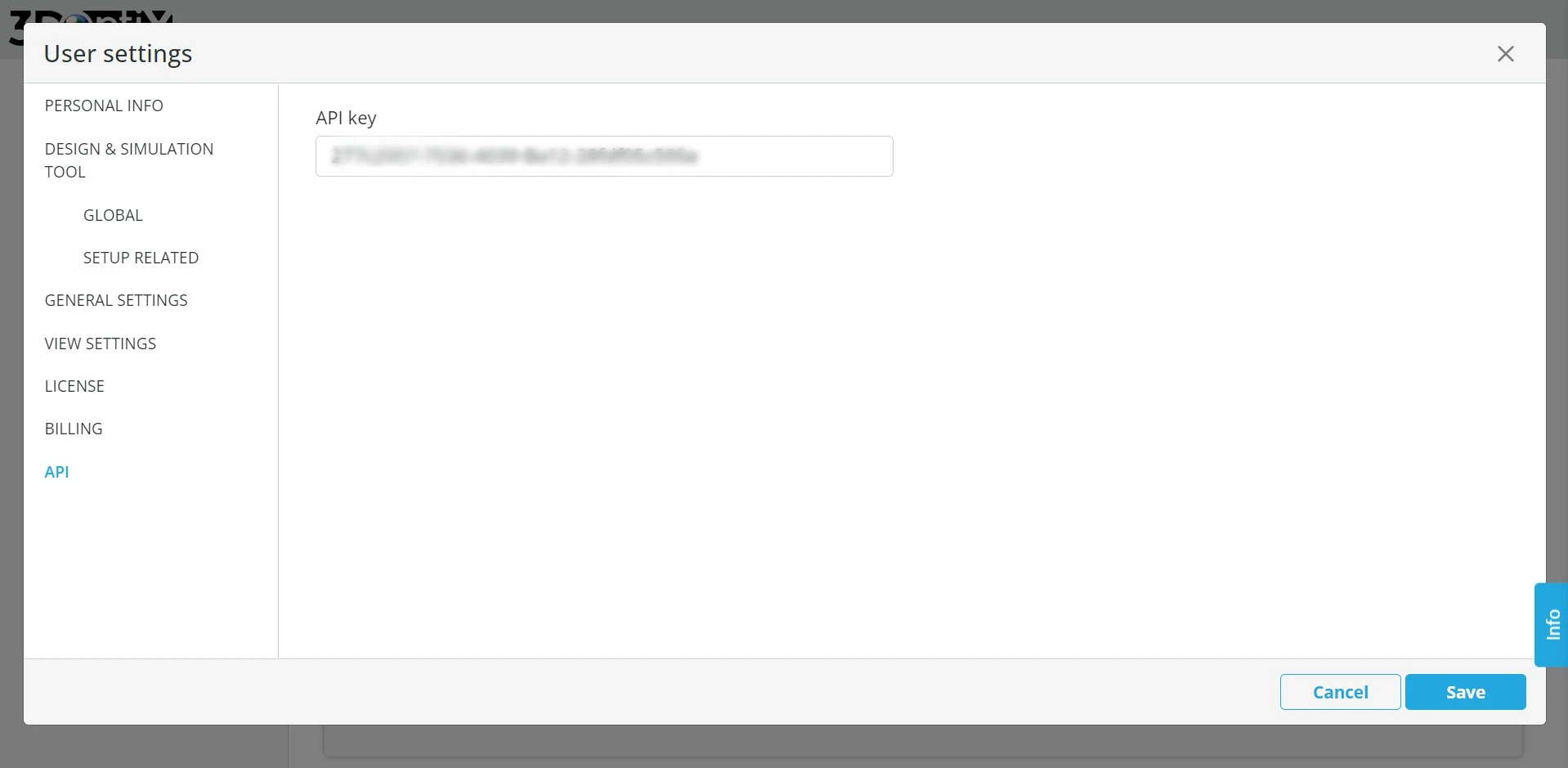
Get your API key from 3DOptix user interface (under "user settings"):
- Click on your email, and choose "user settings" in the drop-down
- On the buttom of the settings manu, click on "API"
- Copy your API key
License
3DOptix API is available with MIT License.
Release history Release notifications | RSS feed


Download files
Download the file for your platform. If you're not sure which to choose, learn more about installing packages.
Source Distribution
Built Distribution
Filter files by name, interpreter, ABI, and platform.
If you're not sure about the file name format, learn more about wheel file names.
Copy a direct link to the current filters
File details
Details for the file threed_optix-5.0.33.tar.gz.
File metadata
- Download URL: threed_optix-5.0.33.tar.gz
- Upload date:
- Size: 60.8 kB
- Tags: Source
- Uploaded using Trusted Publishing? No
- Uploaded via: twine/6.2.0 CPython/3.14.5
File hashes
| Algorithm | Hash digest | |
|---|---|---|
| SHA256 |
f8630f38c02697b2524cfb8c0f643e7ec7e343176bf8e6aec13f7f3422db2b6f
|
|
| MD5 |
ebe62acf36dedaad92559927bfd3e5db
|
|
| BLAKE2b-256 |
1720303ec57ea8833c75db4a688b30f69e25a790cd6ea7c12d994e13f2a31f0e
|
File details
Details for the file threed_optix-5.0.33-py3-none-any.whl.
File metadata
- Download URL: threed_optix-5.0.33-py3-none-any.whl
- Upload date:
- Size: 63.8 kB
- Tags: Python 3
- Uploaded using Trusted Publishing? No
- Uploaded via: twine/6.2.0 CPython/3.14.5
File hashes
| Algorithm | Hash digest | |
|---|---|---|
| SHA256 |
fdcf0f49820f53ee5853f5f0052280021294c09113224dd8f8ea06f97e0f82c7
|
|
| MD5 |
35de5c5ac5543de7c070d7c3240bce99
|
|
| BLAKE2b-256 |
24fbd50f6ced18b011ac9cb55e0141ea695f93da41d1291c9d44fc7d1f4a9058
|






