




Thymus
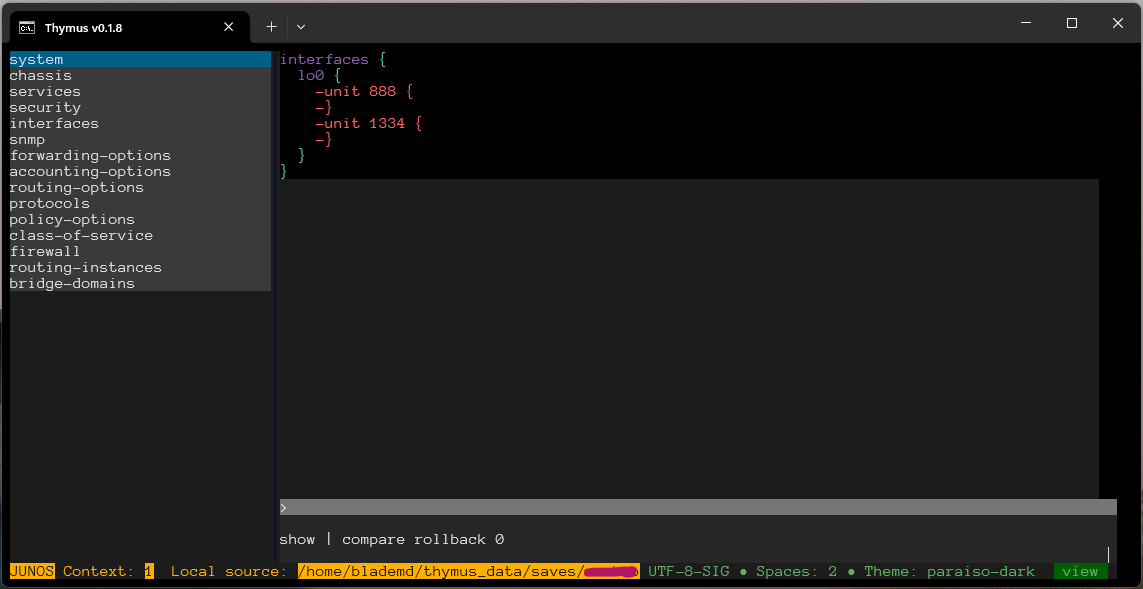
Thymus — is a config browser and editor. Thymus understands the context of a network configuration file compared to popular text editors. It mimics the CLI of a selected platform. That allows you to navigate, display, and edit selected configuration parts based on their paths just like in your favorite network operation system. You can save edited versions many times, creating a history log. Thymus supports the diff among them and can roll back to any saved version.
Thymus does not require a connection to any network device but it can fetch a configuration from a remote machine via Telnet or SSH. Also, it can be used over SSH from a remote machine.
Thymus supports:
- Juniper JunOS (and probably other JunOS-like systems, e.g. SR-OS with MD-CLI)
- Cisco IOS/IOS-XE/NX-OS/XR-OS (and probably other IOS-like systems)
- Arista EOS
Screenshots
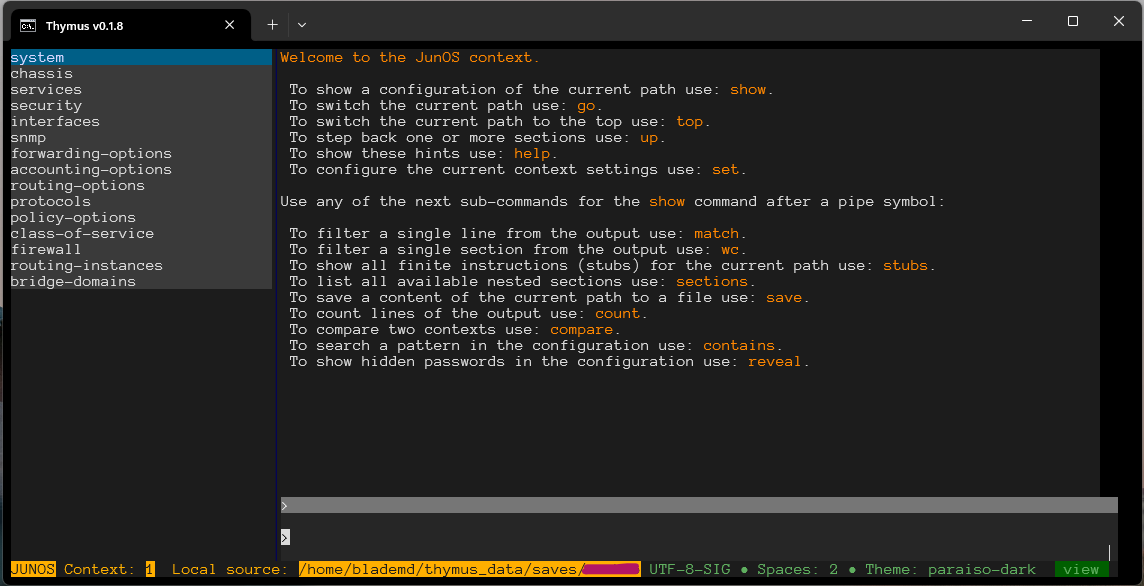
JunOS context screen
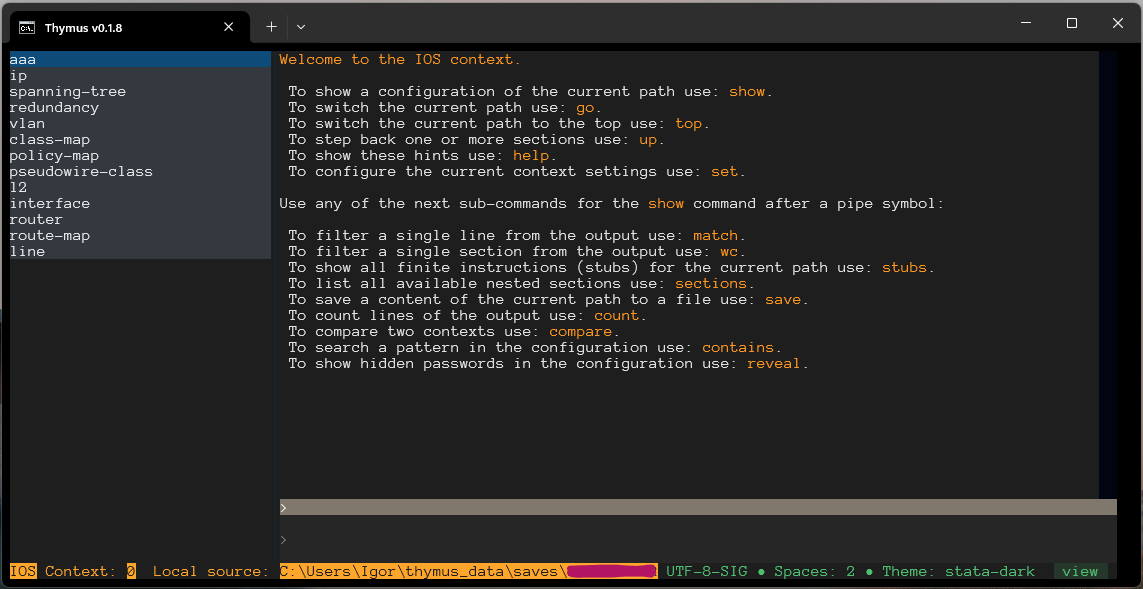
IOS context screen
Compare/diff between two configs (JunOS is just as an example)
Installation
Use pip or pipx to install the package (e.g., pip install thymus or pipx install thymus).
Requires Python 3.9!
Operations
Thymus operates in TUI-based mode thanks to the Textual library. This mode draws the full-scale user interface in your console with mouse support. From the Textual documentation:
> On modern terminal software (installed by default on most systems), Textual apps can use **16.7 million** colors with mouse support and smooth flicker-free animation. A powerful layout engine and re-usable components makes it possible to build apps that rival the desktop and web experience.

> Textual runs on Linux, macOS, Windows and probably any OS where Python also runs.
To run Thymus use the command:
python -m thymus
Documentation
Please, refer to Wiki.
Feedback
1 maintainer

Metadata
1 maintainer
Release files for thymus 0.1.8.1
For a detailed explanation of source distributions (sdists) and built distributions (wheels), please see the package formats documentation.
Source distribution (sdist)
| File | Size | Uploaded | Provenance | |
|---|---|---|---|---|
| thymus-0.1.8.1.tar.gz | 47.6 kB | Without provenance | Details |
Built distribution (wheel)
| File | Interpreter | ABI | Platform | Reset |
|---|---|---|---|---|
| thymus-0.1.8.1-py3-none-any.whl | Python 3 | none | any | Details |
Total release size: 113.2 kB
Release files / thymus-0.1.8.1.tar.gz
| Download URL | thymus-0.1.8.1.tar.gz |
|---|---|
| Size | 47.6 kB |
| Tags | Source |
|
SHA-256 checksum How to use checksums |
aa9f44f2f43859c0cee089c2a3d9b37e8954e4aef3fdbc616424faf44d2c7fad
|
|
BLAKE2b-256 checksum How to use checksums |
5914de17cdf93b0ab29e7b736c57f94c668874b471663c151c7dd1ca74db9ce7
|
| Upload date | |
|
Uploaded using Trusted Publishing? What is trusted publishing? |
No |
| Uploaded via |
twine/4.0.2 CPython/3.11.1
|
Release files / thymus-0.1.8.1-py3-none-any.whl
| Download URL | thymus-0.1.8.1-py3-none-any.whl |
|---|---|
| Size | 65.6 kB |
| Tags | Python 3 |
|
SHA-256 checksum How to use checksums |
33e573217bb788d0eae42dc932b02534a08bde6befc5cc3027b34460ada0a855
|
|
BLAKE2b-256 checksum How to use checksums |
ff5450babdb231444c86aed7c45e8f37dee85e980916e0642835c5811a55be32
|
| Upload date | |
|
Uploaded using Trusted Publishing? What is trusted publishing? |
No |
| Uploaded via |
twine/4.0.2 CPython/3.11.1
|
Security for thymus 0.1.8.1
Provenance
Provenance describes where a file came from. On PyPI, provenance is shared via attestations, which provide a verifiable record of the build or publishing details. View details, limitations and caveats.
No provenance found
None of the files in this release were uploaded with provenance metadata.
A note on package security
PyPI is a repository for distributing packages, not a service for auditing them. While third-party security researchers and our staff do their best to detect and remove malicious packages, PyPI cannot guarantee the quality, security or suitability of any given package.
To learn more about protecting yourself from malicious actors, visit our package security documentation.














