


ticktick-py
Unofficial TickTick API Client for Python 3
Full Documentation
Description
ticktick-py is an unofficial API library for interacting with TickTick.com.
It allows
users a way to interact with their TickTick account
using Python.
Features
The library automatically fetches all the tasks, tags, lists, and more linked to your profile and stores them in a
dictionary named state.
- Tasks
- Create, Update, and Delete Tasks
- Acquire all your uncompleted tasks
- Move tasks easily between projects
- Acquire all completed tasks in a certain date range
- Tags
- Batch create, update, and delete tags
- Create tags with parameters that are not usually allowed:
\\ / " # : * ? < > | Space
- Projects
- Batch create, update, and delete 'lists' (projects)
- Batch archive projects
Example: Creating A Task
Lets create a task in our inbox titled "Get Groceries"
name = 'Get Groceries'                      # Task Name
local_task = client.task.builder(name)      # Create a dictionary for the task
groceries = client.task.create(local_task)  # Actually create the task
Result
A simplified dictionary for the newly created task is returned.
print(groceries)

{'id': '60c6a40b8f083f896c9444a0', 'projectId': 'inbox115781412', 'title': 'Get Groceries', 'timeZone': '',
 'reminders': [], 'priority': 0, 'status': 0, 'sortOrder': -3298534883328, 'items': []}
You can retrieve the full dictionary with every parameter by using the get_by_id method.
full_task = client.get_by_id(groceries['id'])
print(full_task)

{'id': '60c6a40b8f083f896c9444a0', 'projectId': 'inbox115781412', 'sortOrder': -3298534883328,
 'title': 'Get Groceries', 'timeZone': '', 'isFloating': False, 'reminder': '', 'reminders': [],
 'priority': 0, 'status': 0, 'items': [], 'modifiedTime': '2021-06-14T00:34:19.907+0000', 'etag': 't8xnwewi',
 'deleted': 0, 'createdTime': '2021-06-14T00:34:19.907+0000', 'creator': 113581412, 'tags': [], 'kind': 'TEXT'}
Created Task In TickTick

Most methods will return the object that was changed. Consult the usage documentation for more information on specific methods.
Installation
Note: ticktick-py requires Python 3.6 or above.
pip install ticktick-py
Get Started
Register A New TickTick App
The library now uses TickTick's OpenAPI scheme when possible. This requires registering a new app through TickTick's developer documentation.
Click on Manage Apps in the top right corner. You will be prompted to login with your
normal TickTick credentials if you are not already logged in.
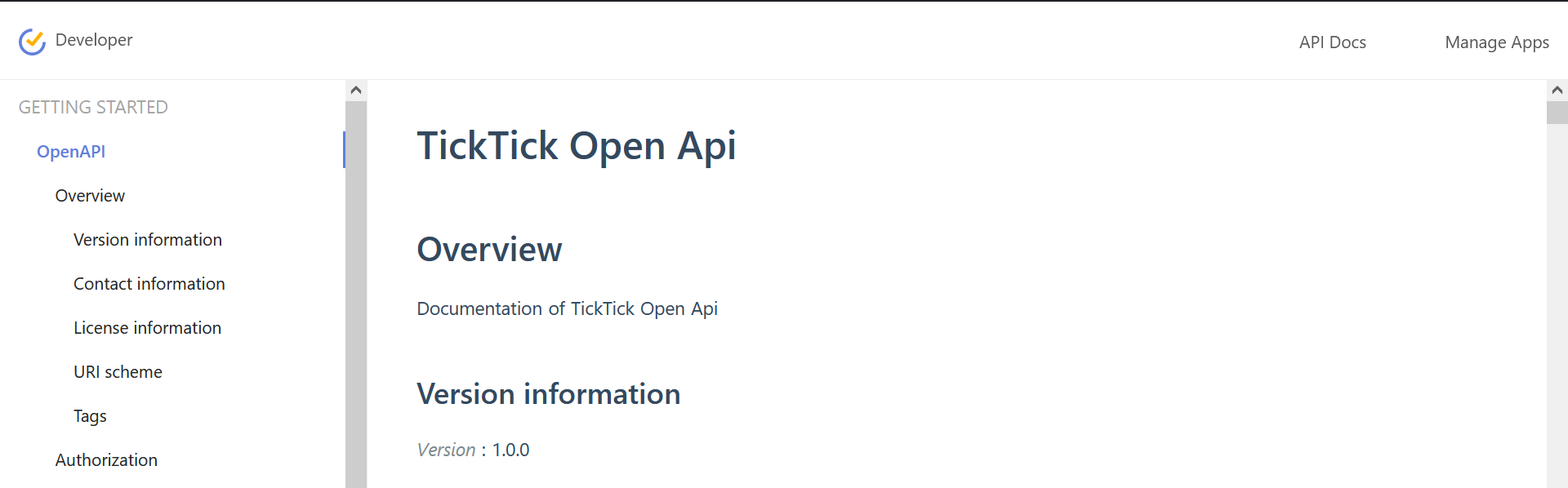
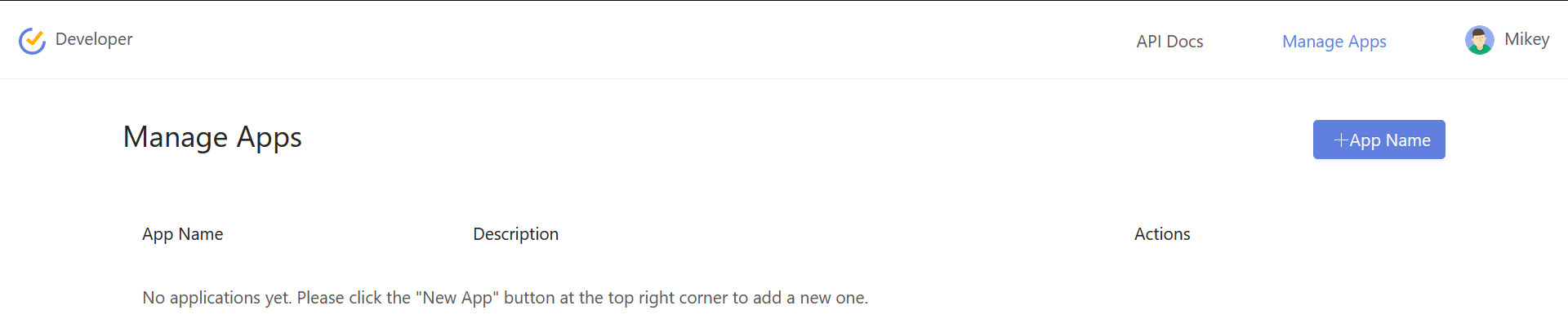
Register a new app by clicking the +App Name button.
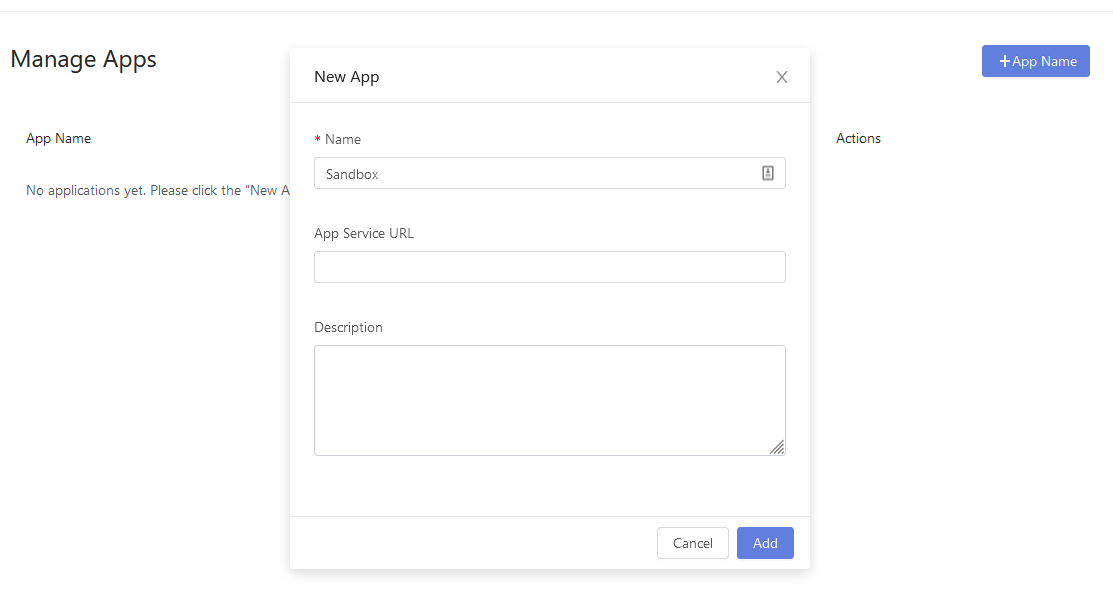
Name is the only required parameter here. Once created you should see the app and be able to edit it.
There should now be a generated Client ID and Client Secret parameters. It is recommended you save these to your
environment, and make sure you do not share your actual Client Secret.
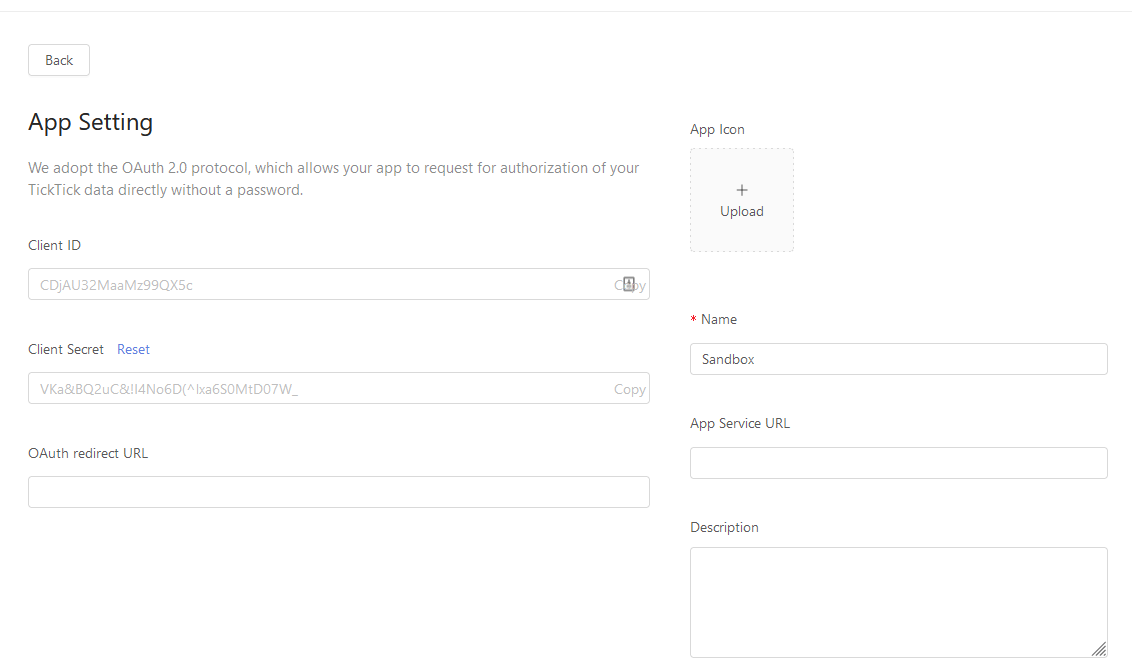
For OAuth Redirect URL enter any URL you would like to be redirected to upon giving permissions to your account.
It does not have to be an actually live URL - this local host URL is fine for most purposes. It is also recommended you
save this URL to your environment.

Once you have registered the app, you can now proceed with the rest of the setup.
Required Imports
from ticktick.oauth2 import OAuth2        # OAuth2 Manager
from ticktick.api import TickTickClient   # Main Interface
Setup
auth_client = OAuth2(client_id=client_id,
                     client_secret=client_secret,
                     redirect_uri=uri)

client = TickTickClient(username, password, auth_client)
The first time the OAuth2 object runs, you will need to manually accept permissions. A webbrowser will automatically open.
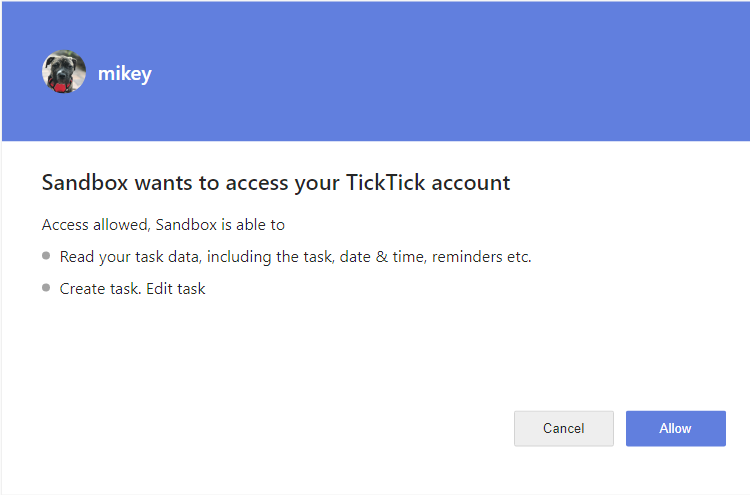
The default permissions are to Read and Write tasks (and are the only options right now). You can change the permissions
by specifying the scope parameter when creating your OAuth2 instance. More information can be found in the
OAuth2 documention.
In the console you will be prompted to enter the URL that you were redirected to. It will be your specified OAuth URL with some added parameters.
Enter the URL you were redirected to:
>? http://127.0.0.1:8080/?code=RK3dSi&state=None
That is it! Your token information is cached in a file (default is .token-oauth) so you will only have to manually
allow access the first time, and whenever the token expires. As of now it seems tokens expire after about 6 months.
Future Plans
- General
- Enhanced Team Support
- Tasks
- Get and Restore From Trash
- Projects
- Smart List Support
- Column Creation For Kanban View
- Pomo and Focus
- Getting the focus / pomo statistics for your profile
- Starting and stopping the focus / pomo timer
- Habits
- Get, create, archive, delete, and complete habits
1 maintainer

Metadata
1 maintainer
Release files for ticktick-py-fork 0.1.0
For a detailed explanation of source distributions (sdists) and built distributions (wheels), please see the package formats documentation.
Source distribution (sdist)
| File | Size | Uploaded | Provenance | |
|---|---|---|---|---|
| ticktick_py_fork-0.1.0.tar.gz | 45.2 kB | Without provenance | Details |
Built distribution (wheel)
| File | Interpreter | ABI | Platform | Reset |
|---|---|---|---|---|
| ticktick_py_fork-0.1.0-py3-none-any.whl | Python 3 | none | any | Details |
Total release size: 91.3 kB
Release files / ticktick_py_fork-0.1.0.tar.gz
| Download URL | ticktick_py_fork-0.1.0.tar.gz |
|---|---|
| Size | 45.2 kB |
| Tags | Source |
|
SHA-256 checksum How to use checksums |
aeb7e5a7f1d791a9f163805539abada114d4bf73a39c323c2f2564ed6428368b
|
|
BLAKE2b-256 checksum How to use checksums |
c8cb22a0d8211ca92a5820846629919dbc977165a4f346078463d0f6a3721bf3
|
| Upload date | |
|
Uploaded using Trusted Publishing? What is trusted publishing? |
No |
| Uploaded via |
uv/0.6.16
|
Release files / ticktick_py_fork-0.1.0-py3-none-any.whl
| Download URL | ticktick_py_fork-0.1.0-py3-none-any.whl |
|---|---|
| Size | 46.1 kB |
| Tags | Python 3 |
|
SHA-256 checksum How to use checksums |
34130d4e4f0285f8d932fd28b2bacd1ae0a2f541f6642e9cc96dd394d6e4f961
|
|
BLAKE2b-256 checksum How to use checksums |
a4359626d1b4d1194762e177fe0dfd25ffae9167eead1b665e3e98c8c155f240
|
| Upload date | |
|
Uploaded using Trusted Publishing? What is trusted publishing? |
No |
| Uploaded via |
uv/0.6.16
|
Security for ticktick-py-fork 0.1.0
Provenance
Provenance describes where a file came from. On PyPI, provenance is shared via attestations, which provide a verifiable record of the build or publishing details. View details, limitations and caveats.
No provenance found
None of the files in this release were uploaded with provenance metadata.
A note on package security
PyPI is a repository for distributing packages, not a service for auditing them. While third-party security researchers and our staff do their best to detect and remove malicious packages, PyPI cannot guarantee the quality, security or suitability of any given package.













