
This release is a pre-release and may not be stable for production use.
Tidy3D









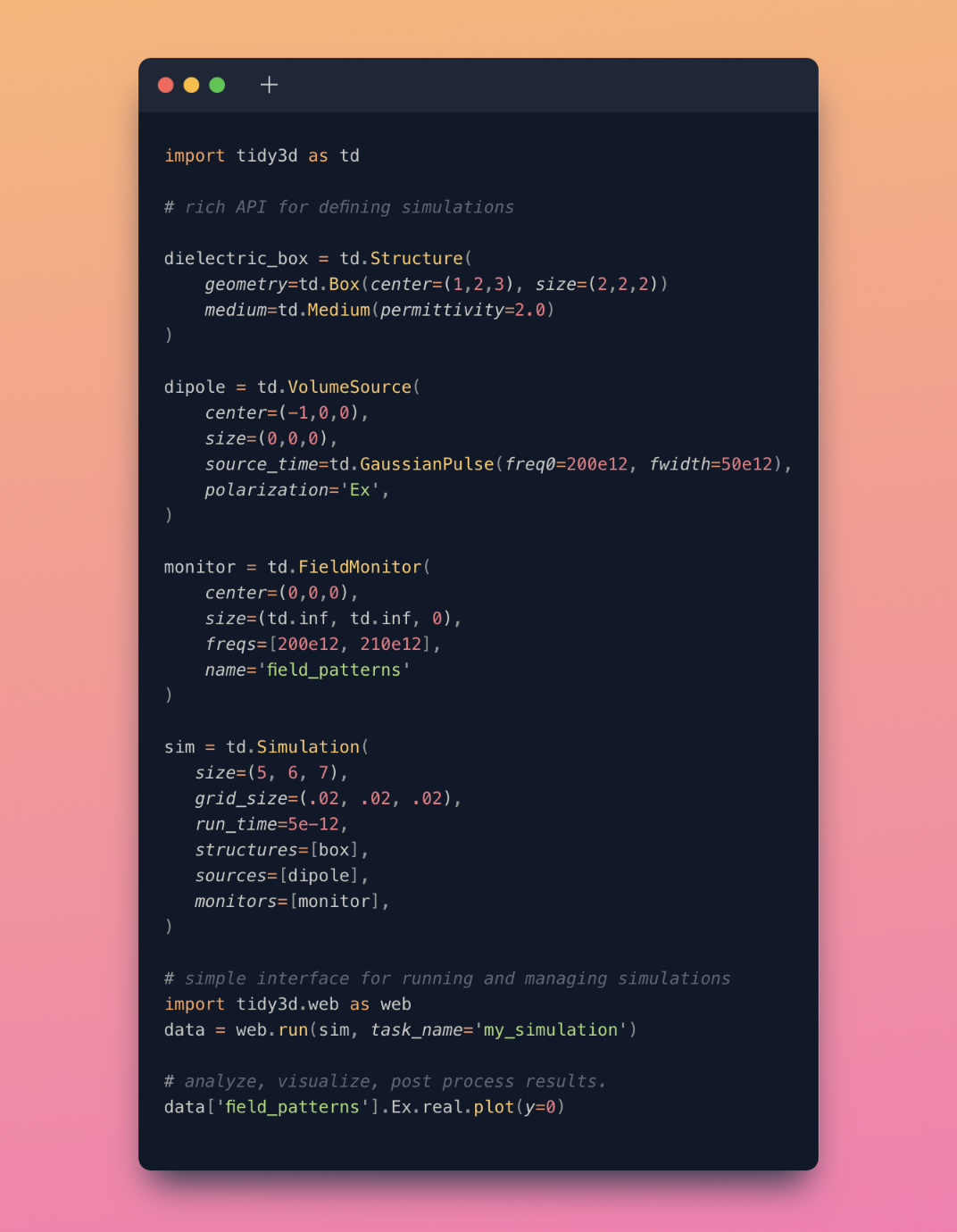
Tidy3D is a software package for solving extremely large electrodynamics problems using the finite-difference time-domain (FDTD) method. It can be controlled through either an open source python package or a web-based graphical user interface.
This repository contains the python API to allow you to:
- Programmatically define FDTD simulations.
- Submit and manage simulations running on Flexcompute's servers.
- Download and postprocess the results from the simulations.
Installation
Signing up for tidy3d
Note that while this front end package is open source, to run simulations on Flexcompute servers requires an account with credits. You can sign up for an account here. After that, you can install the front end with the instructions below, or visit this page in our documentation for more details.
Quickstart Installation
To install the Tidy3D Python API locally, the following instructions should work for most users.
pip install --user tidy3d
tidy3d configure --apikey=XXX
Where XXX is your API key, which can be copied from your account page in the web interface.
In a hosted jupyter notebook environment (eg google colab), it may be more convenient to install and configure via the following lines at the top of the notebook.
!pip install tidy3d
import tidy3d.web as web
web.configure("XXX")
Advanced installation instructions for all platforms is available in the documentation installation guides.
Authentication Verification
To test the authentication, you may try importing the web interface via.
python -c "import tidy3d.web as web; web.test()"
It should pass without any errors if the API key is set up correctly.
Troubleshooting
If an installation, authentication, upload, or connection problem persists, generate a diagnostic report to share with Tidy3D support:
tidy3d troubleshoot report
The command prompts for a short problem description and collects Python, package, configuration, and connectivity information. Use --no-connection for an offline report or --output tidy3d-support-report.txt to save it.
Review the report before sharing it. Narrative answers and traceback files are included verbatim, and the environment section contains local paths and installed package versions. Do not share reports created with --private-network-details outside your institution.
See the troubleshooting guide for the environment-only and connection-only commands and all available options. You can also run tidy3d troubleshoot --help or tidy3d troubleshoot report --help.
To get started, our documentation has a lot of examples for inspiration.
Common Documentation References
| API Resource | URL |
|---|---|
| Installation Guide | https://docs.flexcompute.com/projects/tidy3d/en/latest/install.html |
| Documentation | https://docs.flexcompute.com/projects/tidy3d/en/latest/index.html |
| Example Library | https://www.flexcompute.com/tidy3d/learning-center/example-library/ |
| FAQ | https://www.flexcompute.com/tidy3d/learning-center/faq/ |
FlexAgent MCP
FlexAgent connects AI clients to Tidy3D through the Model Context Protocol (MCP). For AI coding agents, install the Tidy3D plugin from the Flexcompute plugin marketplace. The plugin provides Tidy3D guidance and MCP registration backed by the independently released tidy3d-mcp runtime.
Claude Code
In Claude Code:
/plugin marketplace add flexcompute/plugin-marketplace
/plugin install tidy3d@flexcompute
If Claude Code is already running, reload plugins after installation:
/reload-plugins
Codex CLI (v0.122.0+)
Add the Flexcompute marketplace:
codex plugin marketplace add flexcompute/plugin-marketplace
Then open Codex, run /plugins, choose the Flexcompute marketplace, and install Tidy3D.
ChatGPT desktop app (Work or Codex)
Clone the Flexcompute plugin marketplace and open the folder in the app. In Plugins, choose Flexcompute Plugins and install Tidy3D.
Configure Tidy3D through uvx:
uvx tidy3d configure
You can also set SIMCLOUD_APIKEY instead of running the configure command.
For advanced manual MCP setup, use Tidy3D's integrated command. It delegates to the same runtime shipped by tidy3d-mcp and forwards all remaining command-line arguments:
uvx tidy3d mcp
If you install the standalone runtime package directly, its equivalent command is:
tidy3d-mcp
For raw MCP client config, run the same command:
{
  "mcpServers": {
    "tidy3d": {
      "command": "uvx",
      "args": ["tidy3d", "mcp"]
    }
  }
}
Issues / Feedback / Bug Reporting
Your feedback helps us immensely!
If you find bugs, file an Issue. For more general discussions, questions, comments, anything else, open a topic in the Discussions Tab.
License
3 maintainers


Metadata
3 maintainers
Release files for tidy3d 2.13.0.dev1
For a detailed explanation of source distributions (sdists) and built distributions (wheels), please see the package formats documentation.
Source distribution (sdist)
| File | Size | Uploaded | Provenance | Actions |
|---|---|---|---|---|
| tidy3d-2.13.0.dev1.tar.gz | 1.9 MB | Without provenance | Details for tidy3d-2.13.0.dev1.tar.gz |
Built distribution (wheel)
| File | Interpreter | ABI | Platform | Actions Reset |
|---|---|---|---|---|
| tidy3d-2.13.0.dev1-py3-none-any.whl | Python 3 | none | any | Details for tidy3d-2.13.0.dev1-py3-none-any.whl |
Total release size: 4.0 MB
Release files / tidy3d-2.13.0.dev1.tar.gz
| Download URL | tidy3d-2.13.0.dev1.tar.gz |
|---|---|
| Size | 1.9 MB |
| Tags | Source |
|
SHA-256 checksum How to use checksums |
46bd4539e6aeccaeba049679c57e57da278da34486bb7e86e98911bd5d948273
|
|
BLAKE2b-256 checksum How to use checksums |
588461e78c9b0b30a0ccdf4ea19b22058992f6049223fc64d74128dbdb1540c9
|
| Upload date | |
|
Uploaded using Trusted Publishing? What is trusted publishing? |
No |
| Uploaded via |
twine/7.0.0 CPython/3.10.22
|
Release files / tidy3d-2.13.0.dev1-py3-none-any.whl
| Download URL | tidy3d-2.13.0.dev1-py3-none-any.whl |
|---|---|
| Size | 2.1 MB |
| Tags | Python 3 |
|
SHA-256 checksum How to use checksums |
ac65b1771d8b090840b55f6a4d864dc1f2a3d1ef61cd4420891a77f4ea99dc9e
|
|
BLAKE2b-256 checksum How to use checksums |
0c0e48dedb75e12983e0b173c0eb23f6686ac311802cefbf3bc42b2126aa9fbb
|
| Upload date | |
|
Uploaded using Trusted Publishing? What is trusted publishing? |
No |
| Uploaded via |
twine/7.0.0 CPython/3.10.22
|
Security for tidy3d 2.13.0.dev1
Provenance
Provenance describes where a file came from. On PyPI, provenance is shared via attestations, which provide a verifiable record of the build or publishing details. View details, limitations and caveats.
No provenance found
None of the files in this release were uploaded with provenance metadata.
A note on package security
PyPI is a repository for distributing packages, not a service for auditing them. While third-party security researchers and our staff do their best to detect and remove malicious packages, PyPI cannot guarantee the quality, security or suitability of any given package.
To learn more about protecting yourself from malicious actors, visit our package security documentation.














