
A Policy Gradient RL agent for time series prediction using PyTorch Lightning.

Project description
TimeSeries Agent is a powerful reinforcement learning library designed for time series analysis and prediction. Built on top of PyTorch and PyTorch Lightning, it provides a flexible framework for training RL agents to work with time series data.


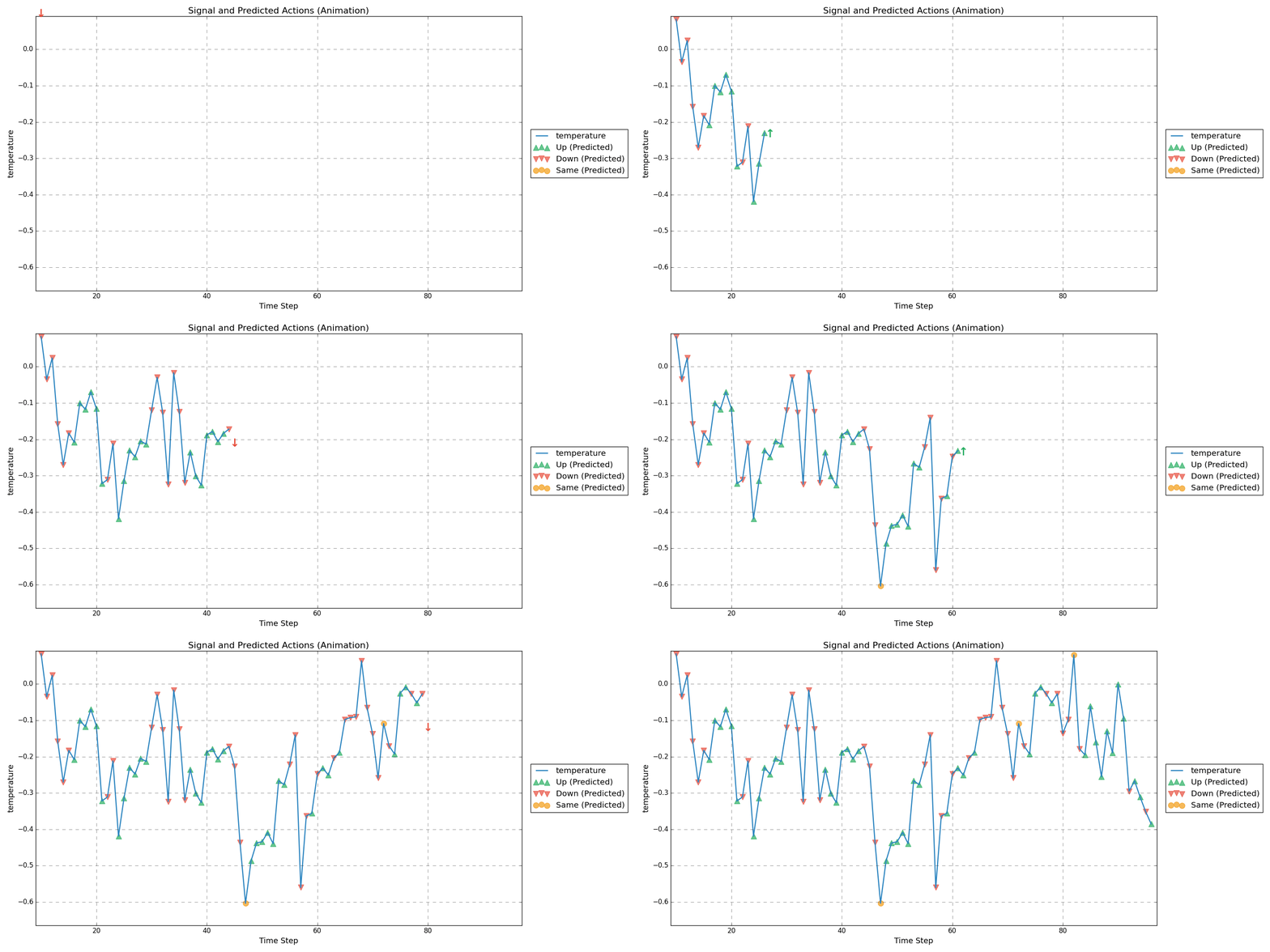
Key Features
- Policy gradient-based reinforcement learning for time series prediction
- Easy integration with existing PyTorch workflows
- Support for custom time series datasets (multivariate)
- Built-in state normalization and reward calculation
- Flexible neural network architecture configuration (and activation function)
- Real-time prediction capabilities
Installation
You can install TimeSeries Agent using pip:
pip install timeseries-agent
Getting Started
We provide two interactive Colab tutorials to help you get started:
- Basic Tutorial - Walks through a complete example of training and testing a time series agent.
- Tuner Tutorial - Shows how to use the ModelTuner to find optimal hyperparameters for your agent.
Using Your Own Data
To use TimeSeries Agent with your own data, you need to:
- Prepare your time series data as a pandas DataFrame.
import pandas as pd
from timeseries_agent import SequentialTimeSeriesDataset, PolicyGradientAgent

# Load your time series data
data_df = pd.DataFrame({
    'value': your_target_values,
    'feature1': your_feature1_values,
    'feature2': your_feature2_values,
    # ... add more features as needed
})

# Configure the RL environment
LOOKBACK = 7                       # Number of past time steps to consider
TARGET_COLUMN = 'value'            # Column for reward calculation
NUM_FEATURES = data_df.shape[1]    # Number of features in dataset

# Create and train the agent
agent = PolicyGradientAgent(
    full_data=data_df,
    target_column=TARGET_COLUMN,
    input_features=NUM_FEATURES,
    lookback=LOOKBACK,
    hidden_layers=[100, 100, 10],  # Customize network architecture
    normalize_state=True           # Enable state normalization
)
Key considerations when preparing your data:
- Ensure your DataFrame has no missing values
- The target column should contain the values you want to predict
- Additional features can help improve prediction accuracy
- The lookback period determines how much historical data the agent considers
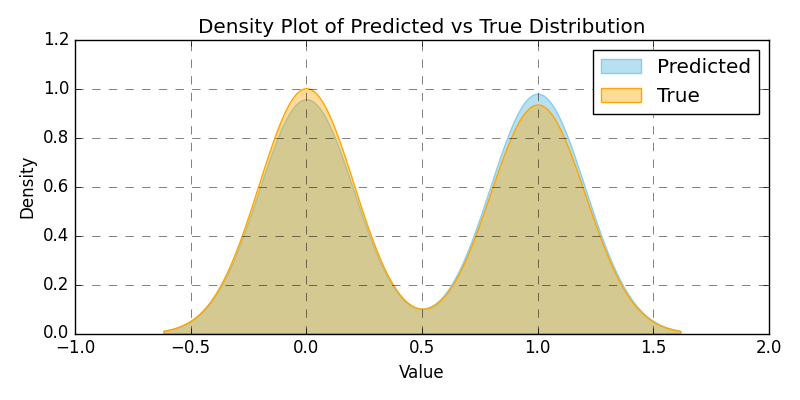
- Ensure a balanced distribution of the actions you want to predict
Development
TimeSeries Agent is actively being developed on GitHub. Please note that the API is subject to change as we continue to improve and enhance the library.
Contributing
We welcome contributions to TimeSeries Agent! Whether it's improving documentation, adding new features, fixing bugs, or suggesting improvements, your help is appreciated. Feel free to submit pull requests or open discussions on GitHub.
Issues and Bug Reports
If you encounter any issues or bugs, please report them on our GitHub Issues page. Your feedback helps us improve the library and fix problems faster.
License
TimeSeries Agent is released under the Apache License 2.0 License. See LICENSE file for details.
Release history Release notifications | RSS feed


Download files
Download the file for your platform. If you're not sure which to choose, learn more about installing packages.
Source Distributions
Built Distribution
Filter files by name, interpreter, ABI, and platform.
If you're not sure about the file name format, learn more about wheel file names.
Copy a direct link to the current filters
File details
Details for the file timeseries_agent-0.0.28-py3-none-any.whl.
File metadata
- Download URL: timeseries_agent-0.0.28-py3-none-any.whl
- Upload date:
- Size: 22.5 kB
- Tags: Python 3
- Uploaded using Trusted Publishing? No
- Uploaded via: twine/6.0.0 CPython/3.12.6
File hashes
| Algorithm | Hash digest | |
|---|---|---|
| SHA256 |
b68d2e102d5d84936eeff9bb82f3441f6f9e24b18a988eff84625204528eb101
|
|
| MD5 |
ec32ab2f4c301ff90217fffbebbeca16
|
|
| BLAKE2b-256 |
e5abfcfc473c3e5e35f8931d4d38cb9f38631e6c40e0f8a03109f671dcef1667
|






