
MCP server for Google's TimesFM 2.5 foundation model — give any AI agent zero-config time-series forecasting.

Project description
timesfm-mcp


MCP server for Google's TimesFM 2.5 — give any AI agent zero-config time-series forecasting.
Plug TimesFM 2.5, Google's 200M-parameter foundation model for time-series, directly into Claude Code, Claude Desktop, Cursor, or any MCP client. The agent calls forecast, gets point predictions + uncertainty bands + a trend/seasonality summary, and writes the explanation itself.
No ML configuration. No data pipelines. One line to run.
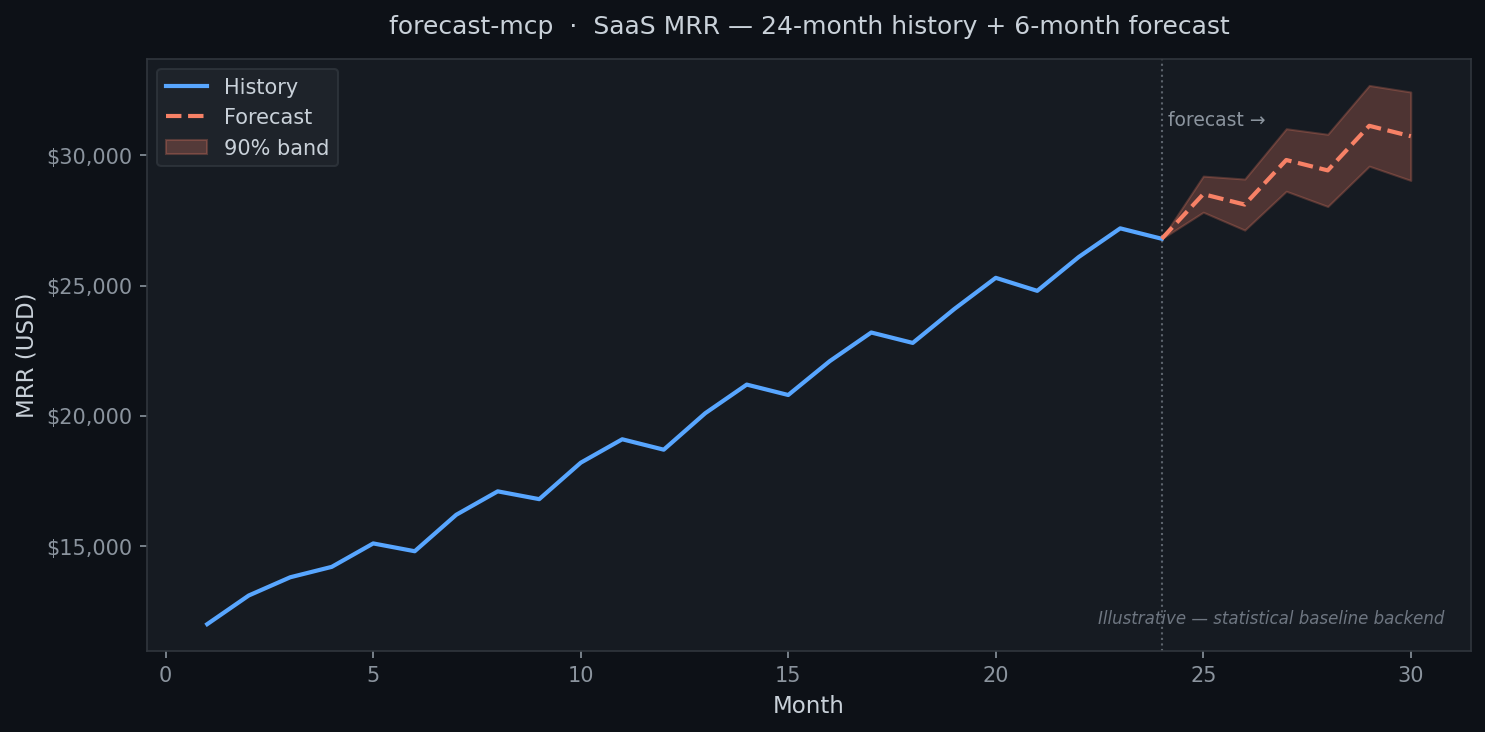
Chart generated with the statistical baseline. See "Enable TimesFM 2.5" below to use the full neural model.
Quickstart (30 seconds)
uvx timesfm-mcp # runs over stdio for local agents
Add to your Claude Desktop / Claude Code / Cursor config:
{
  "mcpServers": {
    "forecast": { "command": "uvx", "args": ["timesfm-mcp"] }
  }
}
Then ask your agent: "Forecast the next 6 months from this revenue data and tell me what to expect."
Enable TimesFM 2.5 (optional)
System requirements: ≥ 16 GB RAM · ~800 MB disk (model weights, downloaded on first use) · PyTorch
Not sure? Skip this —
uvx timesfm-mcpalready works great on any machine.
pip install "timesfm-mcp[timesfm]"
The TimesFM 2.5 source is bundled inside this package (Apache-2.0, Google LLC) — no separate git clone needed. The server auto-detects it and upgrades automatically; no config change required.
Two backends, zero config
| Backend | When active | System requirement | Install |
|---|---|---|---|
| Statistical baseline | Always — default | Any machine | uvx timesfm-mcp |
| TimesFM 2.5 (Google) | When installed | ≥ 16 GB RAM + ~800 MB disk | pip install "timesfm-mcp[timesfm]" |
Start with the baseline. It runs on any machine, installs in seconds, and delivers production-ready forecasts. Upgrade to TimesFM only if you need the neural model's extra accuracy and have the RAM for it.
Tools
| Tool | What it does |
|---|---|
forecast |
Forecast a single series with optional uncertainty bands |
list_backends |
Report which engine is active (timesfm / baseline) |
backtest |
Hold out the last N points — compare TimesFM vs baseline MAE/sMAPE |
Documentation
Full docs in the docs/ folder:
- Getting Started — installation and first forecast
- Client Setup — Claude Desktop, Claude Code, Cursor configs
- Tool Reference — full parameter docs
- Cookbook — SaaS MRR, e-commerce demand, traffic, cloud spend
- How It Works — the math and model
Migrating from forecast-mcp
timesfm-mcp is the renamed continuation of forecast-mcp. Update your install:
pip install timesfm-mcp      # replaces: pip install forecast-mcp
uvx timesfm-mcp              # replaces: uvx forecast-mcp
Update your agent config: change "args": ["forecast-mcp"] → "args": ["timesfm-mcp"].
License
Apache-2.0


Download files
Download the file for your platform. If you're not sure which to choose, learn more about installing packages.
Source Distribution
Built Distribution
Filter files by name, interpreter, ABI, and platform.
If you're not sure about the file name format, learn more about wheel file names.
Copy a direct link to the current filters
File details
Details for the file timesfm_mcp-0.1.6.tar.gz.
File metadata
- Download URL: timesfm_mcp-0.1.6.tar.gz
- Upload date:
- Size: 137.3 kB
- Tags: Source
- Uploaded using Trusted Publishing? No
- Uploaded via: twine/6.2.0 CPython/3.12.11
File hashes
| Algorithm | Hash digest | |
|---|---|---|
| SHA256 |
79eb4241410eb1f29fd5b3e79f9bfe38a6c426fe4a7ac995fe5be07663bf737c
|
|
| MD5 |
8cc9cbd42d747fab9ad40e563cafc30b
|
|
| BLAKE2b-256 |
1d894c5cd8cd8984bad067f51852086aced34acd881d3eef9766c01d2be2ea0c
|
File details
Details for the file timesfm_mcp-0.1.6-py3-none-any.whl.
File metadata
- Download URL: timesfm_mcp-0.1.6-py3-none-any.whl
- Upload date:
- Size: 51.5 kB
- Tags: Python 3
- Uploaded using Trusted Publishing? No
- Uploaded via: twine/6.2.0 CPython/3.12.11
File hashes
| Algorithm | Hash digest | |
|---|---|---|
| SHA256 |
3541cfb4f930e32f78741782350fe58a140dae9ecb11d91ef6fbdce8d0e789b8
|
|
| MD5 |
7c4a0072c6b7b428b57edf6b735a6f91
|
|
| BLAKE2b-256 |
dbc9ba6d4df3c9cf9435b1e34dc899ef81f5da6b0e83402df09810c3f629f336
|






