
Pandas-friendly time tracking from the CLI

Project description
Timetracker-csv



Track time spent on multiple projects, one repo at a time from the CLI
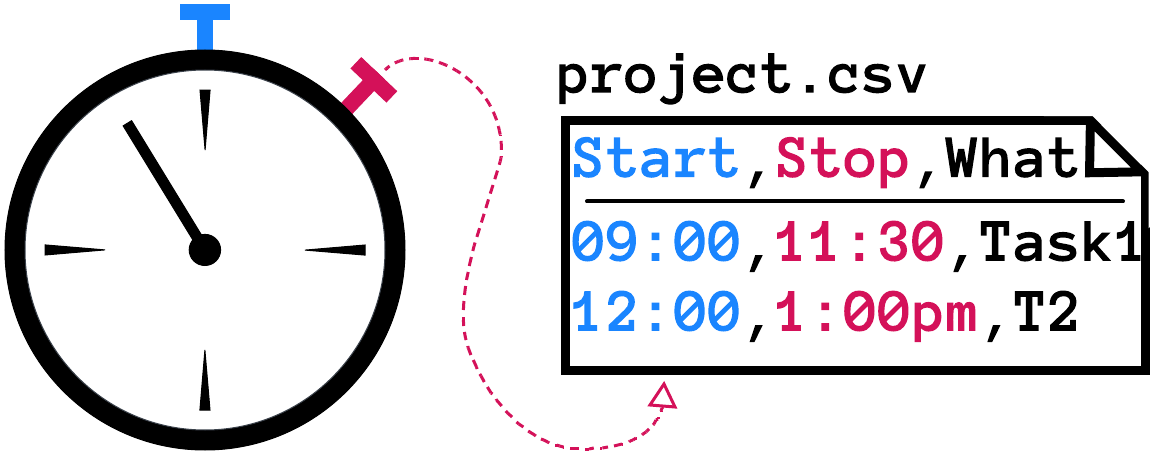
Time is saved in pandas-friendly CSV files.
CSV files for each project can be combined into a single CSV file for analysis and plotting.
Advantages
- Libre Software (aka open-source)
- Quick to set up
- Own your data
- NO invasive tracking ever of keystrokes, browser activity, mouse-clicks, etc., as is done by multitudinous other timetracking apps
- Human-readable ASCII data stored in CSV (comma-separated values) plaintext files:
- Ready for pandas, the Python Data Analysis Library for tabular data
- Editable using many editors, including vim and Notepad++
- Modify your data if you forget to log time
- Quickly see the current task being recorded
- Quickly see elapsed time spent on the current task
- No clicking and clicking and clicking on a GUI
- No required use of the internet or cloud-based services
- Data supported for each time interval includes:
- A required free-form descriptive message
- An optional
activityor type - Any number of tags
- Export data for import by external time-tracking viewers
Quickstart
The name used by this time tracker is determined by the USER environmental variable by default.
1) Initialize a timetracker project
$ cd ~/projects/meetinghouse

$ trk init
Initialized timetracker directory: /home/bez/projects/meetinghouse/.timetracker
2) Start the timer
$ trk start
Timetracker started now: Mon 09:00 AM: 2025-03-24 09:00:00
3) Stop the timer
$ trk stop -m 'Received architectural plans'
Timer stopped at Mon 2025-03-24 12:00:00 PM
Elapsed H:M:S 0:03:00 appended to timetracker_meetinghouse_bez.csv
4) Report my time units for this project
$ trk report
Day  Date        Span     Total  Description
Sun  2025-03-24  03:00    03:00  Received architectural plans
You can also get the total hours that you spent on a project:
$ trk hours
0:03:00 H:M:S or 3.000 hours
Installation
Install with timetracker-csv pip:
$ pip install timetracker-csv
Or install from source:
$ git clone git@github.com:dvklopfenstein/timetracker.git
$ cd timetracker
$ pip install .
Other timetrackers
- 700+ stars Bartib
- 740+ stars timetrace
- 13k stars ActivityWatch
- 85 stars ti
- 44 stars tim
- 6 stars Jupyter timetracker uses aTimeLogger CSV format
- https://atimelogger.pro/ CSV files
- List of timetrackers in PyPi
- web-based time tracking application
- Wage Labor record:
- jupyter-timetracker - GUI too complex/too close to DB editing tools. No support for clients
- tim CLI only, no idle time detection but uses hledger as a backend!
- salary-timetracker CLI only, tracking bound to git repos, fixed hourly rate but hey it uses CSV files!
- ttrac CLI only, no idle time detection, no support for clients or tasks but uses JSON files!
- tickertock only with a StreamDeck, wants to use cloud service as backend but uses a hardware interface!
- mttt CLI only, no idle time detection but uses plain text files!
- tt-cli CLI only, no idle time detection, no support for clients
- timetracker CLI only, no idle time detection, no support for clients
- 1k stars hamster comes pretty close but seems outdated/abandoned and a little bit too complex
Copyright (C) 2025-present, DV Klopfenstein, PhD. All rights reserved
Release history Release notifications | RSS feed


Download files
Download the file for your platform. If you're not sure which to choose, learn more about installing packages.
Source Distributions
Built Distribution
Filter files by name, interpreter, ABI, and platform.
If you're not sure about the file name format, learn more about wheel file names.
Copy a direct link to the current filters
File details
Details for the file timetracker_csv-0.5a6-py3-none-any.whl.
File metadata
- Download URL: timetracker_csv-0.5a6-py3-none-any.whl
- Upload date:
- Size: 69.5 kB
- Tags: Python 3
- Uploaded using Trusted Publishing? No
- Uploaded via: twine/6.1.0 CPython/3.9.18
File hashes
| Algorithm | Hash digest | |
|---|---|---|
| SHA256 |
4a6008f08c730a29878842a284cb7f8204cdff136d7c64ea6fbde05cfc3b4c9d
|
|
| MD5 |
ced664765c5c7723b54045d363b19a03
|
|
| BLAKE2b-256 |
5d002c307e4a076f52dd0aedf1d6309adae3d96a7f9cd9bb28ea75ac29279bdf
|






