
tinkerforge2mqtt





Connect Tinkerforge Bricks/Bricklets via MQTT to Home Assistant...
Currently only a few Bricks/Bricklets are supported. See existing /tinkerforge2mqtt/device_map/ files.
Forum threads:
- https://community.home-assistant.io/t/tinkerforge2mqtt-homeassistant/708678 (en)
- https://www.tinkerunity.org/topic/12220-tinkerforge2mqtt (de)
Usage
Preperation
Setup APT repository for Tinkerforge: https://www.tinkerforge.com/doc/Software/APT_Repository.html
Install Tinkerforge Brick Daemon: https://www.tinkerforge.com/doc/Software/Brickd.html
sudo apt install brickd
start development
At least uv is needed. Install e.g.: via pipx:
apt-get install pipx
pipx install uv
Clone the project and just start the CLI help commands. A virtual environment will be created/updated automatically.
~$ git clone https://github.com/jedie/tinkerforge2mqtt.git
~$ cd tinkerforge2mqtt
~/tinkerforge2mqtt$ ./cli.py --help
~/tinkerforge2mqtt$ ./dev-cli.py --help
usage: ./cli.py [-h] {discover,discover-map,edit-settings,local-hat-info,print-settings,publish-loop,systemd-debug,systemd-logs,systemd-remove,systemd-setup,systemd-status,systemd-stop,update-readme-history,version}


╭─ options ────────────────────────────────────────────────────────────────────────────────────────────────────────────╮
│ -h, --help        show this help message and exit                                                                    │
╰──────────────────────────────────────────────────────────────────────────────────────────────────────────────────────╯
╭─ subcommands ────────────────────────────────────────────────────────────────────────────────────────────────────────╮
│ (required)                                                                                                           │
│   • discover      Discover Victron devices with Instant Readout                                                      │
│   • discover-map  Discover Victron devices with Instant Readout                                                      │
│   • edit-settings                                                                                                    │
│                   Edit the settings file. On first call: Create the default one.                                     │
│   • local-hat-info                                                                                                   │
│                   Just print information about from `/proc/device-tree/hat/` files.                                  │
│   • print-settings                                                                                                   │
│                   Display (anonymized) MQTT server username and password                                             │
│   • publish-loop  Publish Tinkerforge devices events via MQTT to Home Assistant.                                     │
│   • systemd-debug                                                                                                    │
│                   Print Systemd service template + context + rendered file content.                                  │
│   • systemd-logs  Show systemd service logs. (May need sudo)                                                         │
│   • systemd-remove                                                                                                   │
│                   Remove Systemd service file. (May need sudo)                                                       │
│   • systemd-setup                                                                                                    │
│                   Write Systemd service file, enable it and (re-)start the service. (May need sudo)                  │
│   • systemd-status                                                                                                   │
│                   Display status of systemd service. (May need sudo)                                                 │
│   • systemd-stop  Stops the systemd service. (May need sudo)                                                         │
│   • update-readme-history                                                                                            │
│                   Update project history base on git commits/tags in README.md Will be exited with 1 if the          │
│                   README.md was updated otherwise with 0.                                                            │
│                                                                                                                      │
│                   Also, callable via e.g.:                                                                           │
│                       python -m cli_base update-readme-history -v                                                    │
│   • version       Print version and exit                                                                             │
╰──────────────────────────────────────────────────────────────────────────────────────────────────────────────────────╯
dev cli
usage: ./dev-cli.py [-h] {coverage,install,lint,mypy,nox,pip-audit,publish,test,update,update-readme-history,update-test-snapshot-files,version}


╭─ options ────────────────────────────────────────────────────────────────────────────────────────────────────────────╮
│ -h, --help    show this help message and exit                                                                        │
╰──────────────────────────────────────────────────────────────────────────────────────────────────────────────────────╯
╭─ subcommands ────────────────────────────────────────────────────────────────────────────────────────────────────────╮
│ (required)                                                                                                           │
│   • coverage  Run tests and show coverage report.                                                                    │
│   • install   Install requirements and 'tinkerforge2mqtt' via pip as editable.                                       │
│   • lint      Check/fix code style by run: "ruff check --fix"                                                        │
│   • mypy      Run Mypy (configured in pyproject.toml)                                                                │
│   • nox       Run nox                                                                                                │
│   • pip-audit                                                                                                        │
│               Run pip-audit check against current requirements files                                                 │
│   • publish   Build and upload this project to PyPi                                                                  │
│   • test      Run unittests                                                                                          │
│   • update    Update dependencies (uv.lock) and git pre-commit hooks                                                 │
│   • update-readme-history                                                                                            │
│               Update project history base on git commits/tags in README.md Will be exited with 1 if the README.md    │
│               was updated otherwise with 0.                                                                          │
│                                                                                                                      │
│               Also, callable via e.g.:                                                                               │
│                   python -m cli_base update-readme-history -v                                                        │
│   • update-test-snapshot-files                                                                                       │
│               Update all test snapshot files (by remove and recreate all snapshot files)                             │
│   • version   Print version and exit                                                                                 │
╰──────────────────────────────────────────────────────────────────────────────────────────────────────────────────────╯
Screenshots
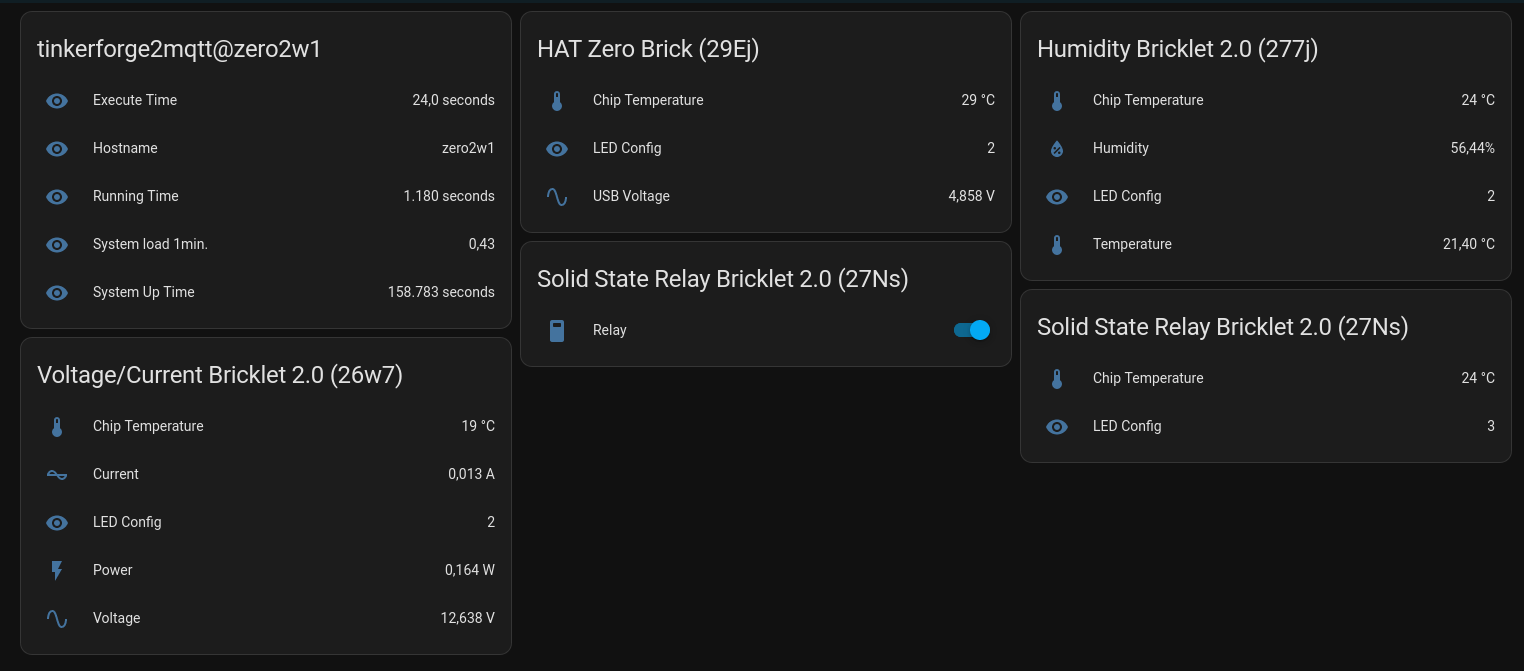
2024-03-25tinkerforge2mqtt3.png
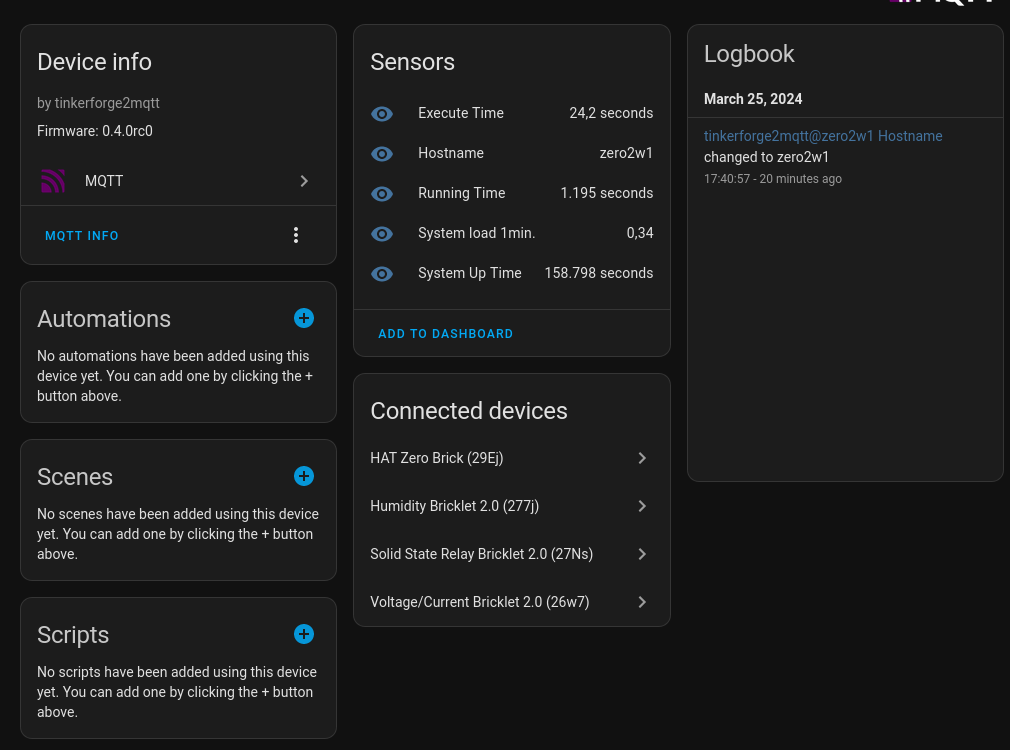
2024-03-25tinkerforge2mqtt2.png
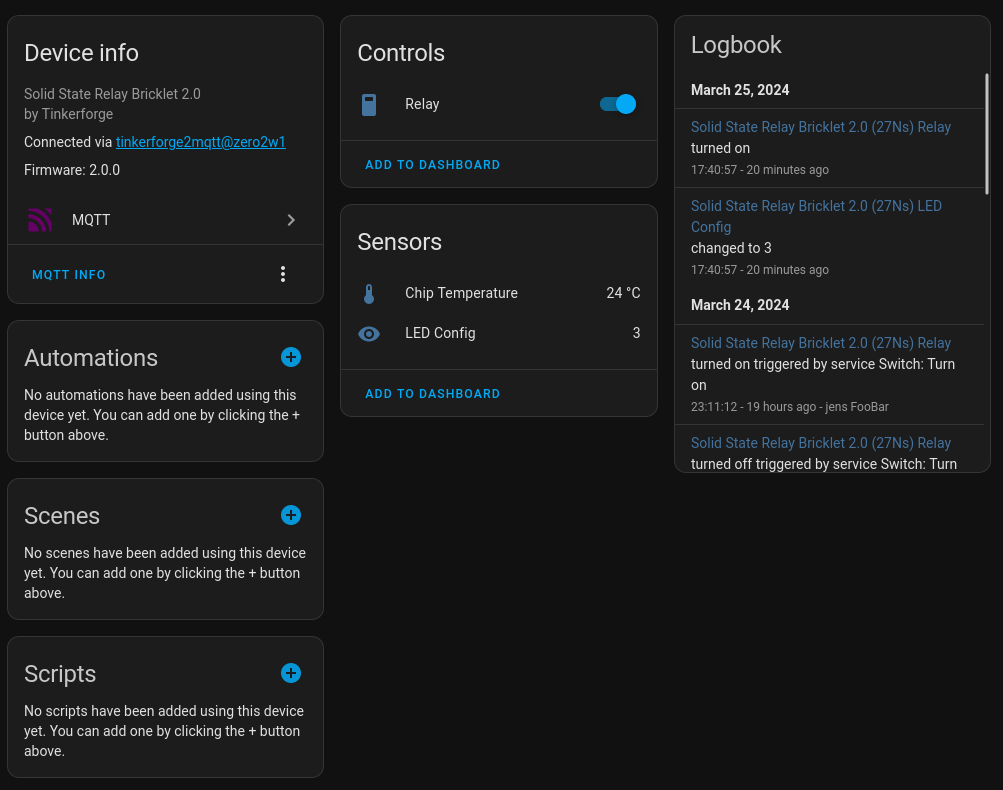
2024-03-25tinkerforge2mqtt1.png
- v0.9.4
- 2026-02-08 - Apply manageprojects updates: set min. Python to v3.12 und uv direct
- 2025-12-09 - Update requirements
- v0.9.3
- 2025-10-25 - Fix #27 BrickletHumidityV2Mapper AttributeError
- 2025-10-25 - Add PyCharm config files
- 2025-10-25 - NEW: Show systemd service logs via CLI
- v0.9.2
- 2025-10-25 - Cleanup: Remove obsolete files
- 2025-10-21 - switch to uv-python
- 2025-09-20 - Update requirements
- v0.9.1
- 2024-05-23 - Update requirements
- 2024-05-23 - Remove rich_traceback_install()
- 2024-05-23 - Bugfix Dew Point sensor
- 2024-05-21 - Add bricklet LED config and analog in oversampling to HA
Expand older history entries ...
- v0.9.0
- 2024-05-20 - BrickletHumidityV2Mapper: Calculate "dew point"
- 2024-05-20 - fix huminity log message
- 2024-05-20 - Update requirements
- v0.8.0
- 2024-04-12 - Add support for BrickletAnalogInV3
- 2024-04-12 - Update requirements
- v0.7.0
- 2024-03-27 - Update to ha-services==2.5.0
- v0.6.0
- 2024-03-26 - Update to ha-services>=2.4.0
- v0.5.0
- 2024-03-26 - Update ha-services>=2.3.0
- 2024-03-25 - Update README.md
- v0.4.0
- 2024-03-25 - Update README.md
- 2024-03-25 - fix prefixing
- v0.3.0
- 2024-03-25 - Use "via-device" from ha-services v2.1
- v0.2.2
- 2024-03-24 - Update requirements e.g.: ha-services v2.0.1
- v0.2.1
- 2024-03-23 - Bugfix wrong values in VoltageCurrentV2 bricklet
- v0.2.0
- 2024-03-23 - Use new ha-services v2
- v0.1.0
- 2024-03-16 - fix publising
- 2024-03-13 - Emit some MQTT events
- 2024-03-12 - WIP
- 2024-03-10 - first commit
1 maintainer

Metadata
1 maintainer
Release files for tinkerforge2mqtt 0.9.4
For a detailed explanation of source distributions (sdists) and built distributions (wheels), please see the package formats documentation.
Source distribution (sdist)
| File | Size | Uploaded | |
|---|---|---|---|
| tinkerforge2mqtt-0.9.4.tar.gz | 96.4 kB | Details |
Built distribution (wheel)
| File | Interpreter | ABI | Platform | Reset |
|---|---|---|---|---|
| tinkerforge2mqtt-0.9.4-py3-none-any.whl | Python 3 | none | any | Details |
Total release size: 129.5 kB
Release files / tinkerforge2mqtt-0.9.4.tar.gz
| Download URL | tinkerforge2mqtt-0.9.4.tar.gz |
|---|---|
| Size | 96.4 kB |
| Tags | Source |
|
SHA-256 checksum How to use checksums |
d4cda09021647f25b7a1e4e3a72ff26052b8b4ce36e180445fd9cd9e9493dc56
|
|
BLAKE2b-256 checksum How to use checksums |
88e546c53b50012d11471c46ec231b44491b005d18662a056a39d7bb9dc7f70b
|
| Upload date | |
|
Uploaded using Trusted Publishing? What is trusted publishing? |
No |
| Uploaded via |
twine/6.2.0 CPython/3.12.3
|
Release files / tinkerforge2mqtt-0.9.4-py3-none-any.whl
| Download URL | tinkerforge2mqtt-0.9.4-py3-none-any.whl |
|---|---|
| Size | 33.1 kB |
| Tags | Python 3 |
|
SHA-256 checksum How to use checksums |
e5aca3ddb2e45207b86ddf070e8f2056c0ae6183bd365bfcf7546c64d418c474
|
|
BLAKE2b-256 checksum How to use checksums |
081a05207714c83d387e36f699e2ce7f879e6fcf8a97cbe54fc08d6c01432cfc
|
| Upload date | |
|
Uploaded using Trusted Publishing? What is trusted publishing? |
No |
| Uploaded via |
twine/6.2.0 CPython/3.12.3
|














