
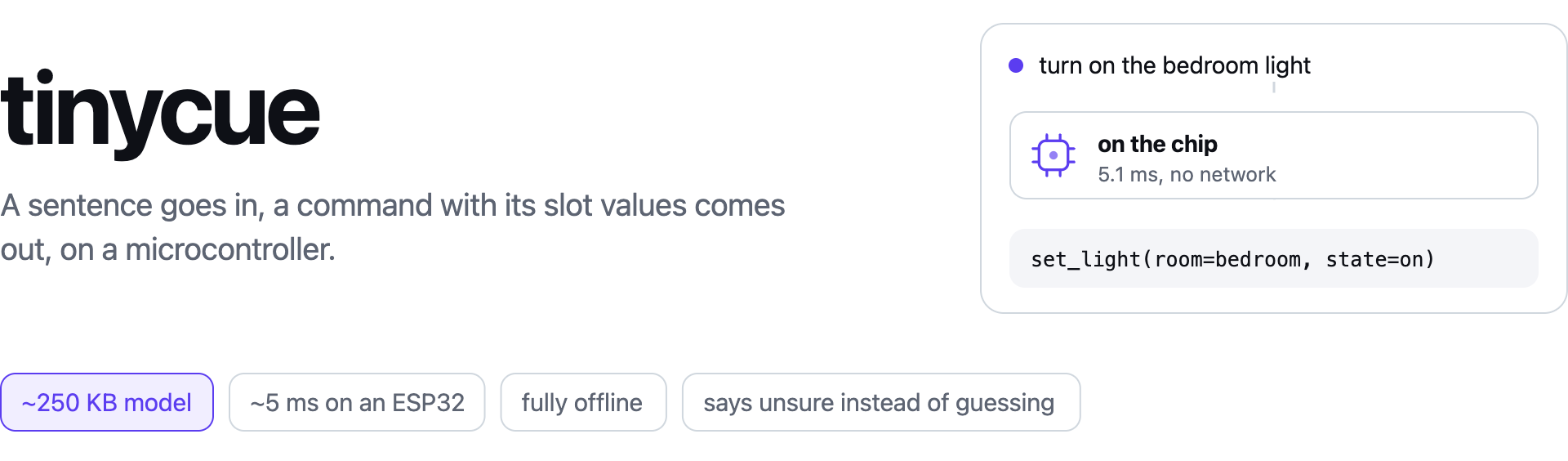
tinycue turns a short list of example commands into a model small enough to live in flash and a C99 runtime small enough to live in your firmware. It does not listen: it reads text, typed or from a recogniser. Early preview.
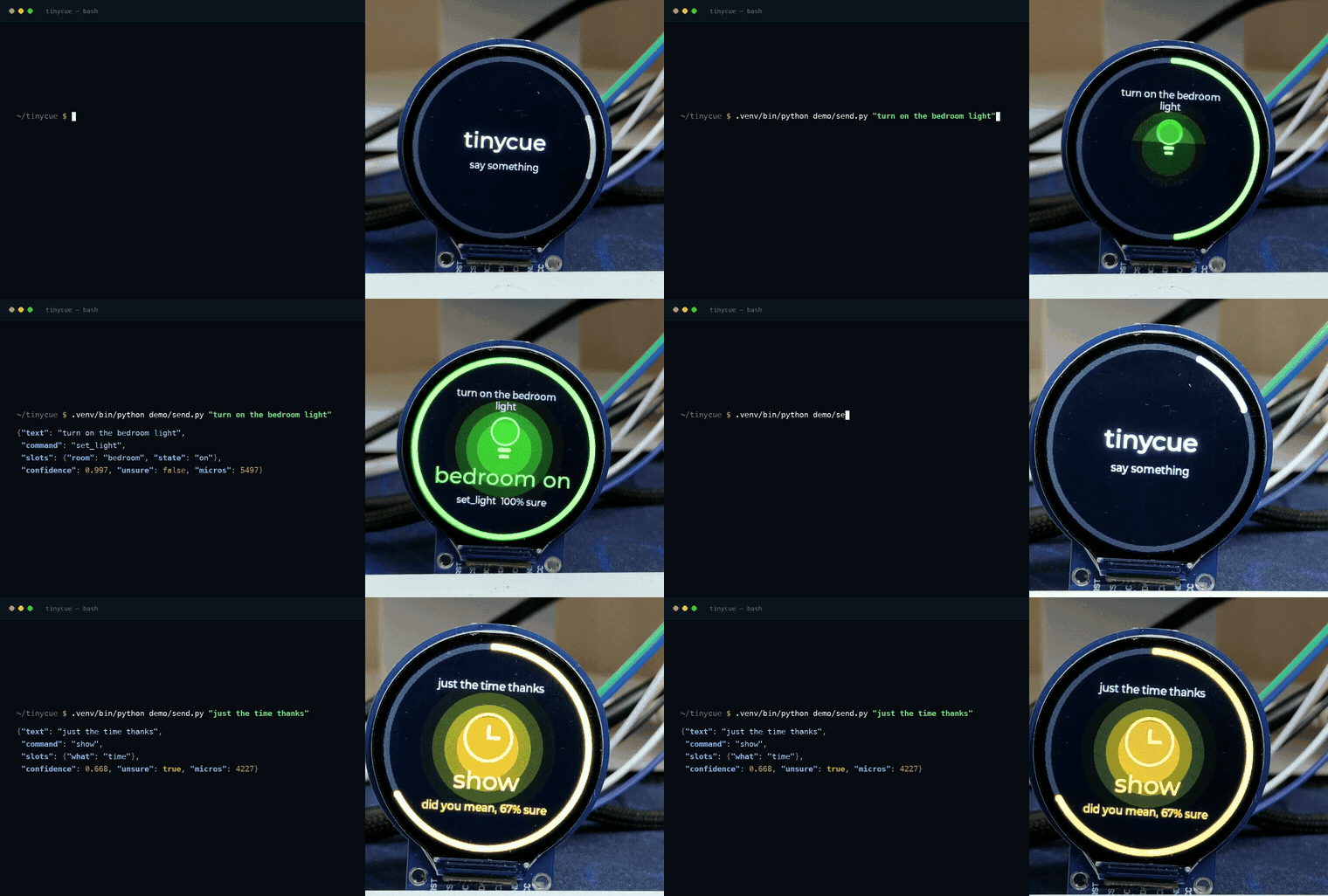
A classic ESP32 with a 1.28 inch round screen, filmed off the bench. The JSON on the left is what the chip sent back over the serial port, not a mock-up. Nothing in the loop is online.
Quickstart
pip install tinycue
tinycue init coffee
tinycue train coffee.yaml --extra coffee.extra.yaml --dev coffee.dev.yaml -o out/model
tinycue parse out/model "make me two lattes"
tinycue export out/model -o out/device --with-runtime
Now delete the coffee machine and write your own. tinycue doctor names what to write next.
Use it on a device
Export leaves four files in out/device: tinycue.c, tinycue.h, and your model as
model_data.c and model_data.h. Add both .c files to the firmware build, and link libm.
#include "tinycue.h"
#include "model_data.h"

static tcue_model model;
static tcue_result answer;
static uint8_t scratch[12288] __attribute__((aligned(8)));

void cue_begin(void) { tcue_init(&model, tcue_model_data, tcue_model_data_len); }
void cue_line(const char *sentence)
{
    if (tcue_parse(&model, sentence, &answer, scratch, sizeof scratch) != TCUE_OK) return;
    if (answer.unsure || answer.is_none) ask(sentence); else run(&answer);
}
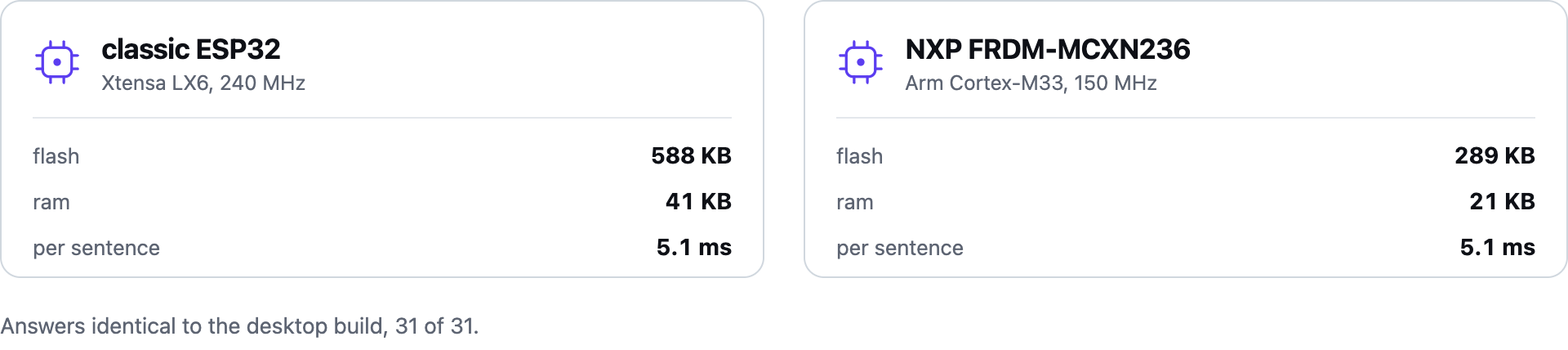
The budget is a 32 bit part with about 300 KB of free flash and 12 KB of RAM.
Tested on
Unsure instead of wrong
The confidence is calibrated and the cut-off is fitted on held-out data, not guessed. A device
that acts on a shaky answer is worse than one that asks, so unsure is a first-class result
rather than an error.
| smart home | robot | |
|---|---|---|
| right answer, everyday phrasing | 96.4% | 93.5% |
| right answer, deliberately awkward phrasing | 84.0% | 70.4% |
| right when it says it is sure | 98.1% | 98.2% |
Three limits: it only knows the words you have shown it, it is not speech to text, and typed Hinglish works while spoken Hinglish depends on your recogniser having those words at all.
Docs
Everything else, including the commands file reference, the model format, the two board demos and the agent skill, is in the repository.
Licence
Apache-2.0.
1 maintainer

Release files for tinycue 0.1.1
For a detailed explanation of source distributions (sdists) and built distributions (wheels), please see the package formats documentation.
Source distribution (sdist)
| File | Size | Uploaded | |
|---|---|---|---|
| tinycue-0.1.1.tar.gz | 4.0 MB | Details |
Built distribution (wheel)
| File | Interpreter | ABI | Platform | Reset |
|---|---|---|---|---|
| tinycue-0.1.1-py3-none-any.whl | Python 3 | none | any | Details |
Total release size: 4.1 MB
Release files / tinycue-0.1.1.tar.gz
| Download URL | tinycue-0.1.1.tar.gz |
|---|---|
| Size | 4.0 MB |
| Tags | Source |
|
SHA-256 checksum How to use checksums |
d4e2b362465114db794b1ee19181ff852d242fcc4fd6e047060417323c1ea0fb
|
|
BLAKE2b-256 checksum How to use checksums |
74c790e810ba8ab0e20acee4f9359e80516ed277ea4b4d912a6b54172163fa4f
|
| Upload date | |
|
Uploaded using Trusted Publishing? What is trusted publishing? |
No |
| Uploaded via |
twine/7.0.0 CPython/3.12.13
|
Release files / tinycue-0.1.1-py3-none-any.whl
| Download URL | tinycue-0.1.1-py3-none-any.whl |
|---|---|
| Size | 88.2 kB |
| Tags | Python 3 |
|
SHA-256 checksum How to use checksums |
baf418768c91dbb46289b4f255caa8a3cde08eb02c72339bb584b6489bdb01b8
|
|
BLAKE2b-256 checksum How to use checksums |
0813d5fbda42d30d18157015a643331d4b371411898c963cc52e0cd521636287
|
| Upload date | |
|
Uploaded using Trusted Publishing? What is trusted publishing? |
No |
| Uploaded via |
twine/7.0.0 CPython/3.12.13
|













