
Tio Magic Animation Toolkit


Tio Magic Animation Toolkit is designed to simplify the use of open and closed-source video AI models for animation. The Animation Toolkit empowers animators, developers, and AI enthusiasts to easily generate animated videos without the pain of complex technical setup, local hardware limitations, and haphazard documentation.
This toolkit leverages Modal for cloud computing and runs various open/closed-source video generation models.
Supported Features
Image to Video
Prompt: Woman smiling at the camera, waving her right hand as if she was saying hi and greeting someone.
 Wan 2.1 Vace 14b |
 Framepack I2V HY |
 Wan 2.1 I2V FusionX (LoRA) |
 LTX Video |
 Pusa V1 |
 Veo 2 |
Interpolate
Prompt: An anime-style young man in a blue t-shirt starts in a standing position. He lifts his right hand and waves to the camera.
 Framepack I2V HY |
 Wan FLFV 14b |
 Wan 2.1 Vace 14b |
Pose Guidance
Prompt: Anime-style cartoon animation of a man waving, empty white background. Skin tone, shading, lighting should be the same as the reference image.
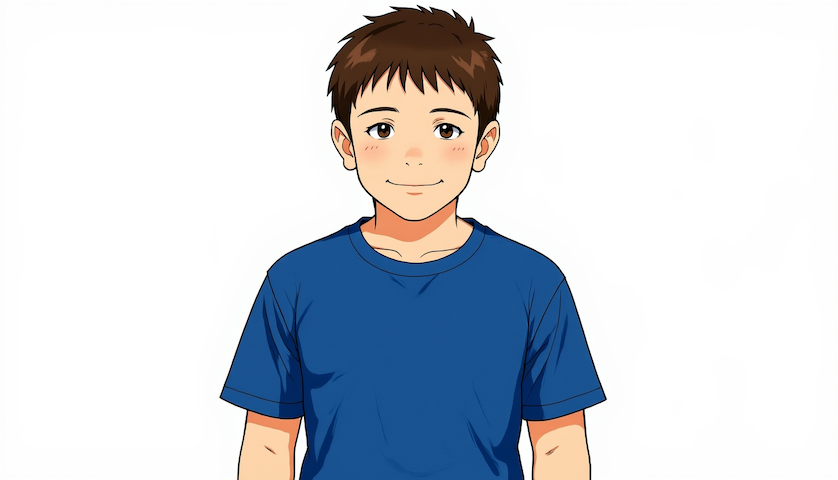 Starting Image |
 Pose Video |
 Wan 2.1 Vace 14b |
Text to Video
Prompt: A playful cartoon-style penguin with a round belly and flappy wings waddles up to a pair of green sunglasses lying on the ground. The penguin leans forward, carefully picks up the sunglasses with its flipper, and smoothly lifts them up to its face. It tilts its head with a confident smile as the green sunglasses rest perfectly on its beak. The animation is smooth and expressive, with exaggerated, bouncy cartoon motion.
 Wan 2.1 PhantomX (LoRA) |
 Pusa V1 |
 Wan 2.1 14b |
Usage
Go to Tio Magic Animation Toolkit Docs for detailed information on usage.
Environment Preparation
First, create a virtual environment and activate it.
python3 -m venv venv
source venv/bin/activate # on MacOS/Linux
venv/Scripts/activate # on Windows Command Prompt
Then, install TioMagic package:
pip install tiomagic
Then, create a .env file. Depending on what provider(s) you are using, copy/pase appropriate access keys to the .env file. For starters, we recommend registering for a Modal account and create an access token:
MODAL_TOKEN_ID=...
MODAL_TOKEN_SECRET=...
Create a Hugging Face account and add the token to your Modal account (this is needed to access open source models)
How to Run Modal Demo
Copy/paste modal_demo.py from repository to run a Modal example of this toolkit
Run python3 modal_demo.py
Please note that this demo runs on Modal credits. The number of credits used per run is dependent on the model you are running and the gpu. The first time you run a model and load it onto Modal will cost more than running subsequent generationa. The approximate cost of running modal_demo.py for the first time is about $0.93. For more information on Modal pricing, refer to the Modal Pricing Page
Gradio GUI
A locally hosted Gradio GUI is provided for your convenience
- Clone the Tio Magic Animation Toolkit
- Follow Usage instructions above
- Run python3 gradio_wrapper.py
Supported Providers and Models
Modal
Image to Video
- Cogvideox 5b I2V
- Framepack I2V HY
- LTX video
- Pusa V1
- Wan 2.1 I2V 14b 720p
- Wan 2.1 Vace 14b
- Wan 2.1 I2V FusionX (LoRA)
Interpolate
Pose Guidance
Text to Video
- Cogvideox 5b
- Pusa V1
- Wan 2.1 T2V FantomX (LoRA)
- Wan 2.1 14b
- Wan 2.1 Vace 14b
- Wan 2.1 PhantomX (LoRA)
Local
Image to Video
Interpolate
Changelog
1.0.0 - 2025-08-08
- Release of Tio Magic Animation Toolkit.
Disclaimer
TL;DR: We don't make the videos - the AI models do. We just make it easier to use them.
TioMagic Animation is an interface toolkit that sits between you and various video generation AI models. Think of it as a universal remote control for AI video models.
What we do:
✅ Provide a simple Python API to access multiple video models
✅ Handle the complexity of deploying models on Modal/cloud infrastructure
✅ Eliminate the need for expensive local GPUs
✅ Manage job queuing, status tracking, and result retrieval
✅ Abstract away provider-specific implementation details
What we don't do:
❌ Create or train the AI models
❌ Modify or enhance model outputs
❌ Own any rights to the generated content
❌ Control what the models can or cannot generate
Important Notes:
- All generated content comes directly from the underlying models (e.g., Wan2.1-VACE, CogVideoX)
- You must comply with each model's individual license terms
- Model availability and capabilities depend on the model creators, not us
1 maintainer

Metadata
1 maintainer
Release files for tiomagic 1.0.0
For a detailed explanation of source distributions (sdists) and built distributions (wheels), please see the package formats documentation.
Source distribution (sdist)
| File | Size | Uploaded | |
|---|---|---|---|
| tiomagic-1.0.0.tar.gz | 46.0 kB | Details |
Built distribution (wheel)
| File | Interpreter | ABI | Platform | Reset |
|---|---|---|---|---|
| tiomagic-1.0.0-py3-none-any.whl | Python 3 | none | any | Details |
Total release size: 118.0 kB
Release files / tiomagic-1.0.0.tar.gz
| Download URL | tiomagic-1.0.0.tar.gz |
|---|---|
| Size | 46.0 kB |
| Tags | Source |
|
SHA-256 checksum How to use checksums |
7c4544a56cdf4595d3ac1f8a20af7e26eed96a60296612115ba9c9b27147e4ee
|
|
BLAKE2b-256 checksum How to use checksums |
c24e5307445cea7e9a585c644ce6633fcc8ed72bd92fa97581d2d948b04323ea
|
| Upload date | |
|
Uploaded using Trusted Publishing? What is trusted publishing? |
No |
| Uploaded via |
twine/6.1.0 CPython/3.10.4
|
Release files / tiomagic-1.0.0-py3-none-any.whl
| Download URL | tiomagic-1.0.0-py3-none-any.whl |
|---|---|
| Size | 72.0 kB |
| Tags | Python 3 |
|
SHA-256 checksum How to use checksums |
9cd5b588717d511d790a813b8d289cbedaaba4c529276eac31e118e5b342a510
|
|
BLAKE2b-256 checksum How to use checksums |
21717572047fccc8bcc4bf1985454ed2c3c33dc73856962b0459efb5b6b54b14
|
| Upload date | |
|
Uploaded using Trusted Publishing? What is trusted publishing? |
No |
| Uploaded via |
twine/6.1.0 CPython/3.10.4
|














