
This project is deprecated. Please use Gaspium instead. Gaspium is a better framework for a lot of reasons
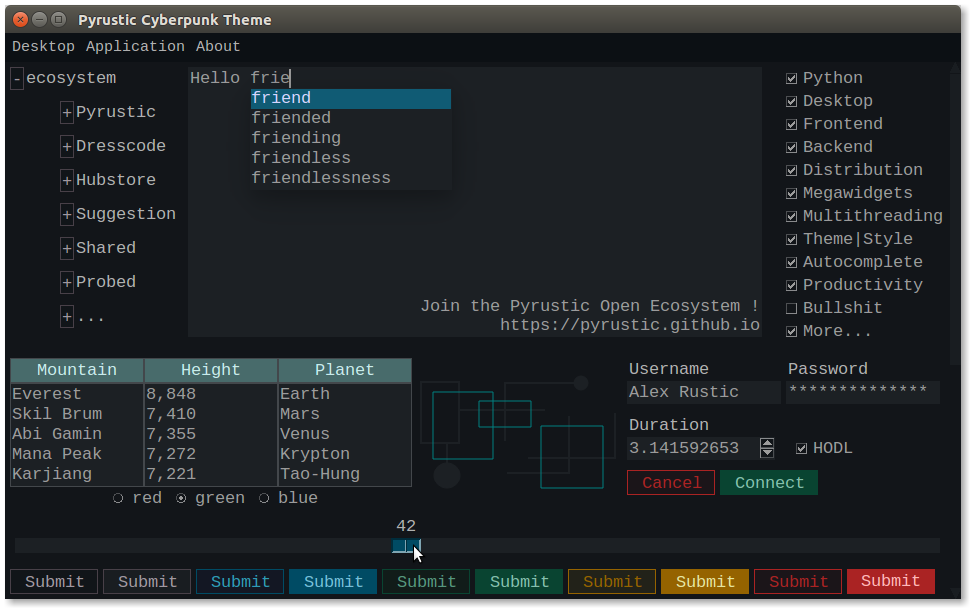
TkF
Lightweight Tkinter-based framework to build Python apps
This project is part of the Pyrustic Open Ecosystem.
Installation | Documentation | Latest
Table of contents
Overview
This package includes several other packages and above all exposes tkf.App, the main class of the framework.
Main class
The main class tkf.App allows you to:
- display the first view of the application;
- activate the theme of your choice;
- define the width and height of the app window;
- center the application window on the screen;
- make the application window full screen;
- restart the application;
- stop the application;
- et cetera.
Example
This is an example of usage of tkf.App:
Click to expand or collapse
import tkinter as tk
from tkf import App
from cyberpunk_theme import Cyberpunk


def get_view(app):
    """This is a view function"""
    root = app.root
    # Body
    body = tk.Frame(root)
    # Label 'Hello Friend'
    label = tk.Label(body, text="Hello Friend")
    label.pack(pady=10)
    # Button 'Quit'
    button = tk.Button(body, text="Quit", command=app.exit)
    button.pack(pady=10)
    # Return the body of this view
    return body


# An instance of tkf.App
app = App()

# Size
app.geometry = "300x100"

# Title
app.title = "Example"

# Cyberpunk is a dark theme
app.theme = Cyberpunk()

# A view is either a function that returns a Tkinter widget
# or a Viewable (see the library Viewable)
app.view = get_view

# Center the window on the screen
app.center()

# Start the app (mainloop !)
app.start()
And this is what it looks like:
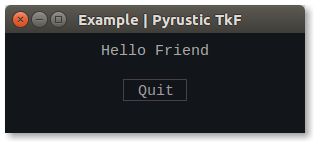
Example
Read more about the class tkf.App.
Batteries included
These are the packages included in TkF:
Libraries
| Name | Description |
|---|---|
| Shared | Library to store, expose, read, and edit collections of data |
| TkStyle | Library to create styles and themes for Python apps |
| Litemark | Lightweight Markdown dialect for Python apps |
| Megawidget | Collection of megawidgets to build graphical user interfaces for Python apps |
| Viewable | Class to implement a GUI view with lifecycle |
| Threadom | Tkinter-compatible multithreading |
| Suggestion | Democratizing auto-complete(suggest) for Python desktop applications |
| Kurl | Konnection URL: HTTP requests in Python with an implementation of conditional request and a responses caching system |
| Litedao | Library to perform intuitive interaction with SQLite database |
| Probed | Probed collections for Python |
Note: The libraries listed above can be downloaded from
PyPIand installed individually for use as is in new or existing projects without having to use theTkFframework.
Themes
| Name | Description |
|---|---|
| Cyberpunk-Theme | A modern dark theme for Python apps |
| Winter-Theme | A modern light theme for Python apps |
Note: The themes listed above can be downloaded from
PyPIand installed individually for use as is in new or existing projects without having to use theTkFframework.
Command line tools
| Name | Description |
|---|---|
| Backstage | CLI tool to manage, test, build, and release your Python projects |
Note: The tools listed above can be downloaded from
PyPIand installed individually for use as is in new or existing projects without having to use theTkFframework.
Demo
Here is a demo that you can copy and paste and run as is:
Click to expand or collapse
import tkinter as tk
from tkf import App
from viewable import Viewable
from megawidget import Toast
from cyberpunk_theme import Cyberpunk
from cyberpunk_theme.widget.button import get_button_red_style, get_button_blue_style


class Hello(Viewable):
    """Graphical equivalent of a Hello World"""
    def __init__(self, app):
        super().__init__()
        self._app = app
        self._root = app.root
        self._btn_max = None

    def _build(self):
        """This method is part of the view lifecycle"""
        self._body = tk.Frame(self._root)
        self._root.geometry("500x300")
        # Label
        label = tk.Label(self._body, text="Hello Friend !")
        label.pack(expand=1, fill=tk.BOTH)
        # Footer
        footer = tk.Frame(self._body)
        footer.pack(side=tk.BOTTOM, fill=tk.X, padx=2, pady=2)
        # Button Maximize
        self._btn_max = tk.Button(footer, text="Maximize",
                                  command=self._on_click_btn_max)
        self._btn_max.pack(side=tk.RIGHT, padx=(2, 0))
        # Button Crash
        btn_crash = tk.Button(footer, text="Crash",
                              command=self._on_click_btn_crash)
        btn_crash.pack(side=tk.RIGHT)
        # Styling
        button_red_style = get_button_red_style()
        button_blue_style = get_button_blue_style()
        button_red_style.target(btn_crash)
        button_blue_style.target(self._btn_max)

    def _on_click_btn_max(self):
        self._app.maximize()
        self._btn_max.destroy()

    def _on_click_btn_crash(self):
        toast = Toast(self._body, message="This app is going to crash...")
        toast.wait_window()
        self._app.crash_resistant = False
        raise Exception("Deliberately raised exception !")


def main():
    # The App
    app = App()
    # Set the title
    app.title = "demo"
    # Resizable
    app.resizable = (True, True)
    # Set the theme
    app.theme = Cyberpunk()
    # Set the view
    app.view = Hello
    # Center the window on the screen
    app.center()
    # Lift off !
    app.start()


if __name__ == "__main__":
    main()
And this is what it looks like:
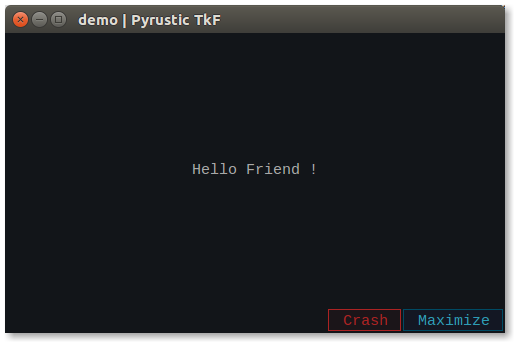
Demo
Installation
TkF is cross platform and versions under 1.0.0 will be considered Beta at best. It is built on Ubuntu with Python 3.8 and should work on Python 3.5 or newer.
For the first time
pip install tkf
Upgrade
$ pip install tkf --upgrade --upgrade-strategy eager
External learning resources
Some interesting links below to get started with Python, Tkinter and SQLite.
Introduction to Python
- python-guide
- python tutorial
- freeCodeCamp on Youtube
Introduction to Tkinter
- tkdocs
- tkinter tutorial
- freeCodeCamp on Youtube
Introduction to SQLite
- sqlitetutorial
- freeCodeCamp on Youtube
Note: I am not affiliated with any of these entities. A simple web search brings them up.
Gaspium
Gaspium is a high-productivity framework for building GASP applications. Under the hood, Gaspium uses TkF. If TkF is C, Gaspium would be Python.
Discover Gaspium !
1 maintainer

Metadata
1 maintainer
Release files for tkf 0.0.4
For a detailed explanation of source distributions (sdists) and built distributions (wheels), please see the package formats documentation.
Source distribution (sdist)
| File | Size | Uploaded | |
|---|---|---|---|
| tkf-0.0.4.tar.gz | 11.3 kB | Details |
Built distribution (wheel)
| File | Interpreter | ABI | Platform | Reset |
|---|---|---|---|---|
| tkf-0.0.4-py3-none-any.whl | Python 3 | none | any | Details |
Total release size: 22.5 kB
Release files / tkf-0.0.4.tar.gz
| Download URL | tkf-0.0.4.tar.gz |
|---|---|
| Size | 11.3 kB |
| Tags | Source |
|
SHA-256 checksum How to use checksums |
666a717fd1bcd87e97fae0817866c96522b29faa6c3a4a8602e8c809eeadbaa9
|
|
BLAKE2b-256 checksum How to use checksums |
83ada7059c28f795fa4421cdba8a4e883d634038a0090843ae1135d850b6068a
|
| Upload date | |
|
Uploaded using Trusted Publishing? What is trusted publishing? |
No |
| Uploaded via |
twine/1.15.0 pkginfo/1.6.1 requests/2.9.1 setuptools/50.3.2 requests-toolbelt/0.9.1 tqdm/4.54.0 CPython/3.5.2
|
Release files / tkf-0.0.4-py3-none-any.whl
| Download URL | tkf-0.0.4-py3-none-any.whl |
|---|---|
| Size | 11.3 kB |
| Tags | Python 3 |
|
SHA-256 checksum How to use checksums |
5bb0aa2d62feff534efbb951b6df0bcd72733b6d6c87e9f736f3df9141d1d43e
|
|
BLAKE2b-256 checksum How to use checksums |
8d34d35ef2633fd27114655dada22ffcc3ebd2ddb773c2c7cb270cdbf93dcabb
|
| Upload date | |
|
Uploaded using Trusted Publishing? What is trusted publishing? |
No |
| Uploaded via |
twine/1.15.0 pkginfo/1.6.1 requests/2.9.1 setuptools/50.3.2 requests-toolbelt/0.9.1 tqdm/4.54.0 CPython/3.5.2
|














