




tkreload | Automated Tkinter App Reloading for a Smoother Development Workflow
Effortlessly reload Tkinter-based Python applications in the terminal, saving valuable development time.
Installation • Usage • Features • Testing • Contributing • License
🚀 Problem Statement
For developers, frequent manual restarts of terminal applications during development can add up quickly, especially in complex Tkinter projects that require regular updates. tkreload provides a solution to this by automating the reload process, resulting in significant time savings.
⏳ Estimated Time Saved with tkreload
Imagine restarting your terminal application 15 times daily, with each reload taking 30 seconds. That’s approximately 7.5 minutes daily or about 3 hours per month. tkreload helps avoid this productivity drain.
🔍 Solution Overview
tkreload automates reloading for terminal-based Python applications, designed specifically for Tkinter. By eliminating the need for manual restarts, it streamlines the development process, saving developers valuable time and enhancing productivity.
Without tkreload:
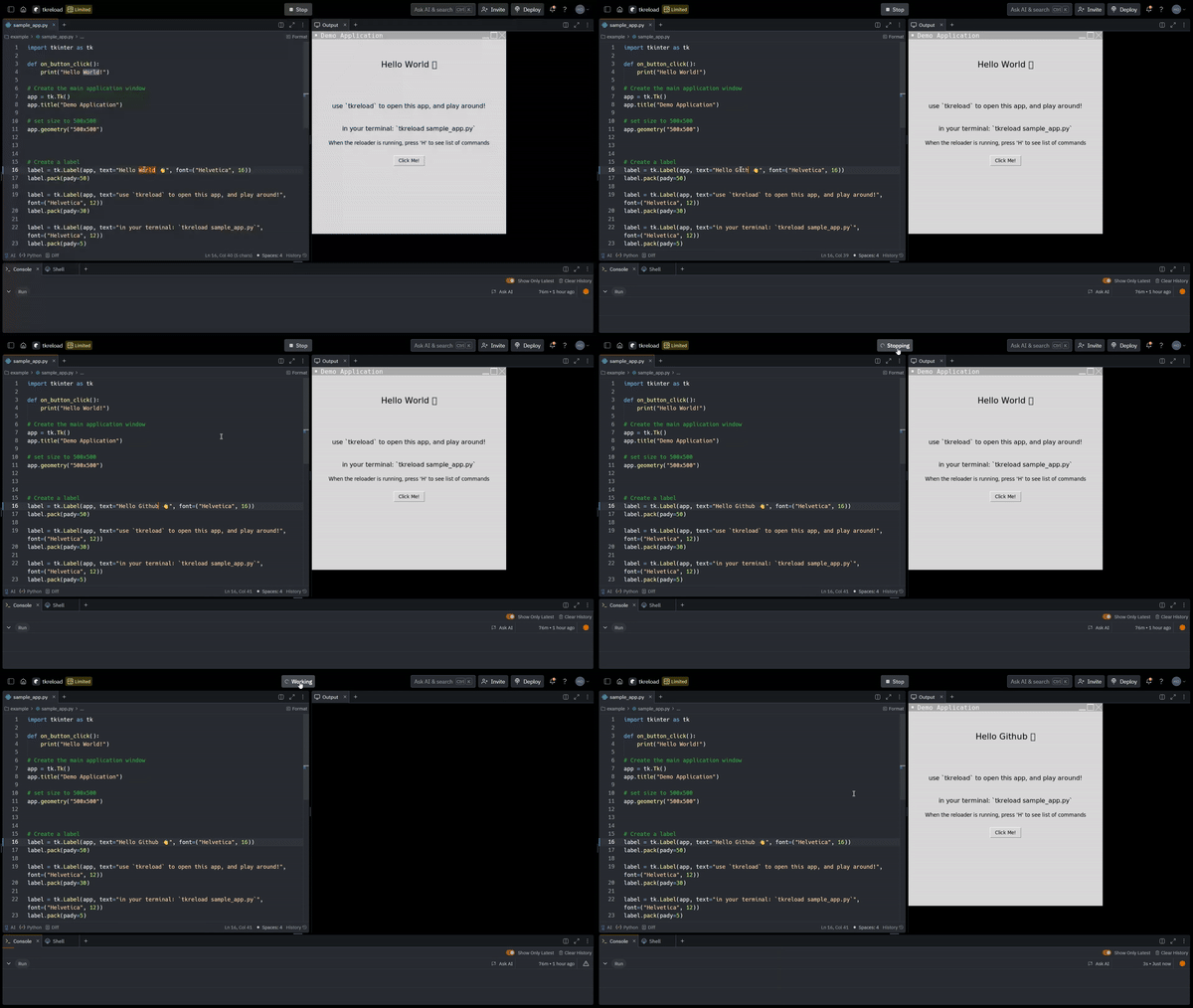
With tkreload:
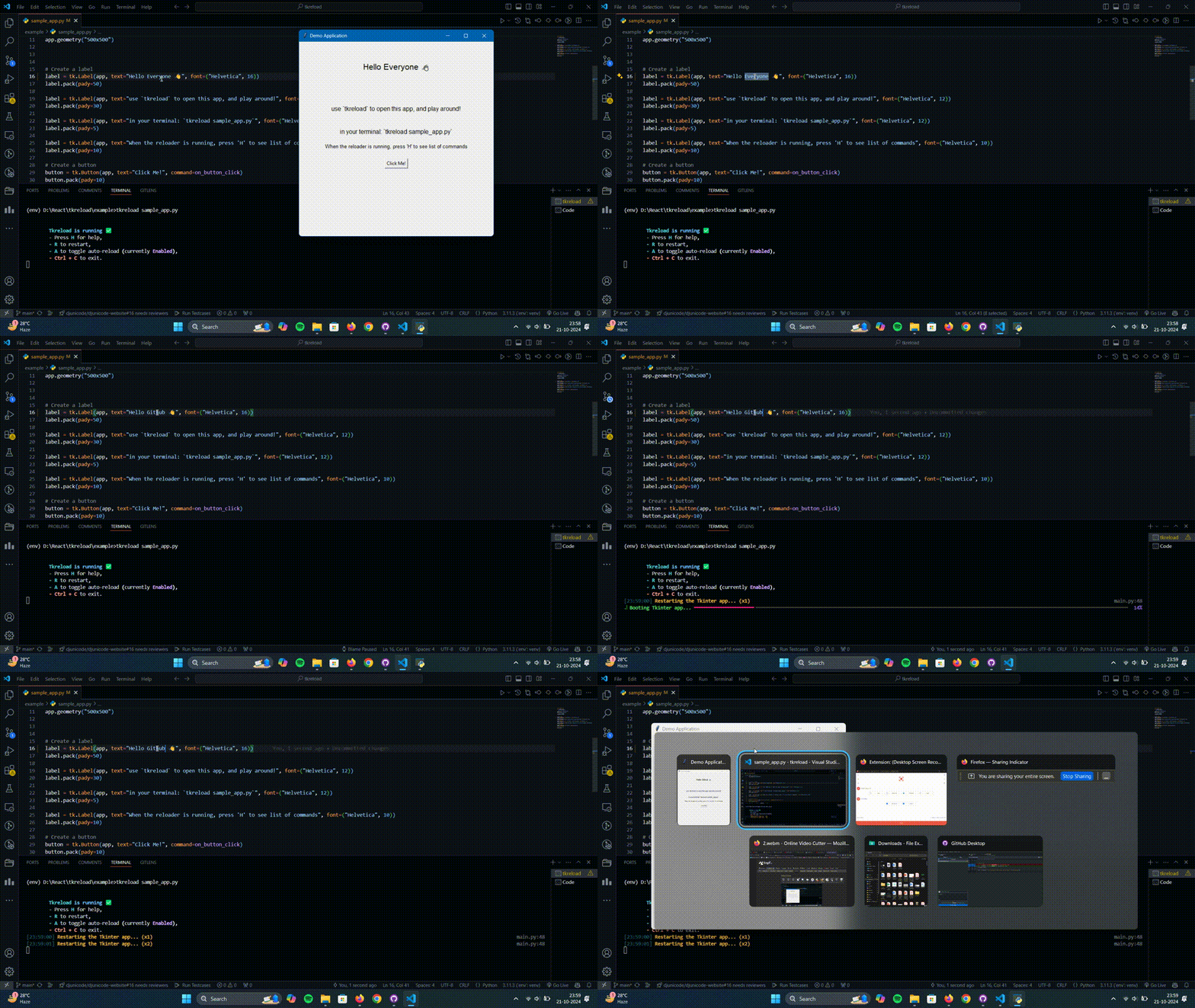
🛠️ Getting Started
Prerequisites
- Python 3.9+
- pip for dependency management
Installation
1. Clone the Repository
git clone https://github.com/iamDyeus/tkreload.git
cd tkreload
2. Create and activate a virtual environment:
python -m venv venv
source venv/bin/activate  # On Windows, use `venv\Scripts\activate`
- Install tkreload (in editable mode):
pip install -e.[test]
Usage
To run the app with tkreload, use the following command in your terminal:
tkreload your_app.py
Now, whenever you save changes to your script, tkreload will automatically reload your application.
🌟 Features
- Automatic Reloading: Automatically restarts Tkinter apps upon file changes.
- Command-Based Control:
H: View help commandsR: Restart the applicationA: Toggle auto-reloadCtrl + C: Exit the application
- Real-Time Feedback: Uses
richfor styled console feedback and progress indicators.
Testing
To verify tkreload functionality, follow these steps:
1.Install Testing Dependencies: Make sure all testing libraries are installed as per the requirements.txt file.
2.Run Tests Using Pytest
pytest -v
This will run the test suite and confirm tkreload is working as expected.
Contributing
Contributions are welcome and greatly appreciated! Here's how you can contribute:
- Fork the Project
- Create your Feature Branch (
git checkout -b feature/AmazingFeature) - Commit your Changes (
git commit -m 'Add some AmazingFeature') - Push to the Branch (
git push origin feature/AmazingFeature) - Open a Pull Request

License
Distributed under the Apache-2.0 License. See LICENSE for more information.
Acknowledgments
- Inspired by the need for efficient development workflows
- Thanks to all contributors and supporters of this project
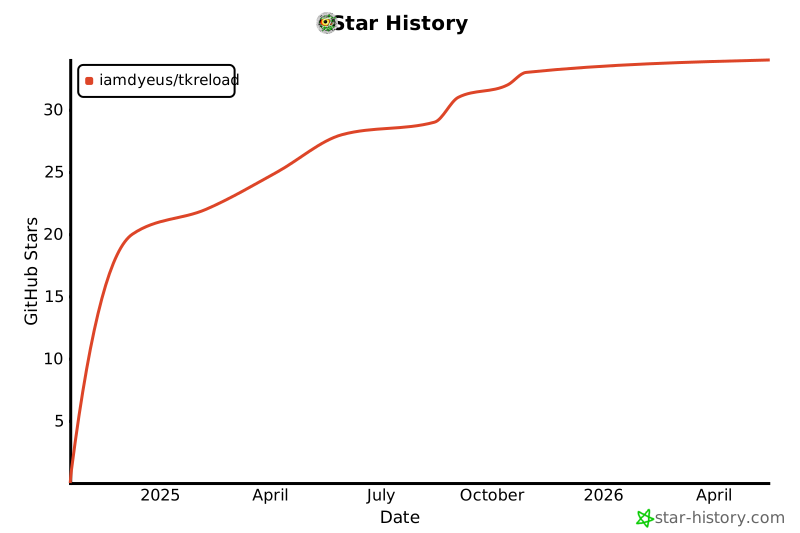
Star History
1 maintainer

Metadata
1 maintainer
Release files for tkreload 1.0.4
For a detailed explanation of source distributions (sdists) and built distributions (wheels), please see the package formats documentation.
Source distribution (sdist)
| File | Size | Uploaded | Provenance | |
|---|---|---|---|---|
| tkreload-1.0.4.tar.gz | 1.6 MB | With provenance | Details |
Built distribution (wheel)
| File | Interpreter | ABI | Platform | Reset |
|---|---|---|---|---|
| tkreload-1.0.4-py3-none-any.whl | Python 3 | none | any | Details |
Total release size: 1.6 MB
Release files / tkreload-1.0.4.tar.gz
| Download URL | tkreload-1.0.4.tar.gz |
|---|---|
| Size | 1.6 MB |
| Tags | Source |
|
SHA-256 checksum How to use checksums |
ccceedaee9c3df4fb1a5b4c17e566620b309b766d9ead80889357a44e3780b5d
|
|
BLAKE2b-256 checksum How to use checksums |
d0dc882efba3377891d84f209fee6b1cc0b14733449ece73112523b20320e490
|
| Upload date | |
|
Uploaded using Trusted Publishing? What is trusted publishing? |
Yes |
| Uploaded via |
twine/5.1.1 CPython/3.12.7
|
Provenance
Provenance describes where a file came from. On PyPI, provenance is shared via attestations, which provide a verifiable record of the build or publishing details. View details, limitations and caveats.


PyPI Publish Attestation
PyPI verified that this artifact, at this checksum, originated from the publisher listed below.
Signed by GitHub Actions, verified by PyPI on Nov 21, 2024.
Transparency logRelease files / tkreload-1.0.4-py3-none-any.whl
| Download URL | tkreload-1.0.4-py3-none-any.whl |
|---|---|
| Size | 12.3 kB |
| Tags | Python 3 |
|
SHA-256 checksum How to use checksums |
b5b26bfd172b74223d99d75c6667c89182d67e7e97959f72a39f3837eb3f46cf
|
|
BLAKE2b-256 checksum How to use checksums |
92d39272c6cb7e27fb0b9f0fe8b40731e3cb095149b5751500a9ae89d2319c52
|
| Upload date | |
|
Uploaded using Trusted Publishing? What is trusted publishing? |
Yes |
| Uploaded via |
twine/5.1.1 CPython/3.12.7
|
Provenance
Provenance describes where a file came from. On PyPI, provenance is shared via attestations, which provide a verifiable record of the build or publishing details. View details, limitations and caveats.
PyPI Publish Attestation
PyPI verified that this artifact, at this checksum, originated from the publisher listed below.
Signed by GitHub Actions, verified by PyPI on Nov 21, 2024.
Transparency logSecurity for tkreload 1.0.4
Provenance
Provenance describes where a file came from. On PyPI, provenance is shared via attestations, which provide a verifiable record of the build or publishing details. View details, limitations and caveats.
Full provenance
All 2 files in this release have been uploaded with provenance metadata.
Attestation for tkreload-1.0.4.tar.gz
PyPI Publish Attestation
PyPI verified that this artifact, at this checksum, originated from the publisher listed below.
Signed by GitHub Actions, verified by PyPI on Nov 21, 2024.
Transparency logA note on package security
PyPI is a repository for distributing packages, not a service for auditing them. While third-party security researchers and our staff do their best to detect and remove malicious packages, PyPI cannot guarantee the quality, security or suitability of any given package.
To learn more about protecting yourself from malicious actors, visit our package security documentation.














