
A powerful, beautiful CLI + TUI todo application for developers who live in the terminal

Project description
📋 TodoX
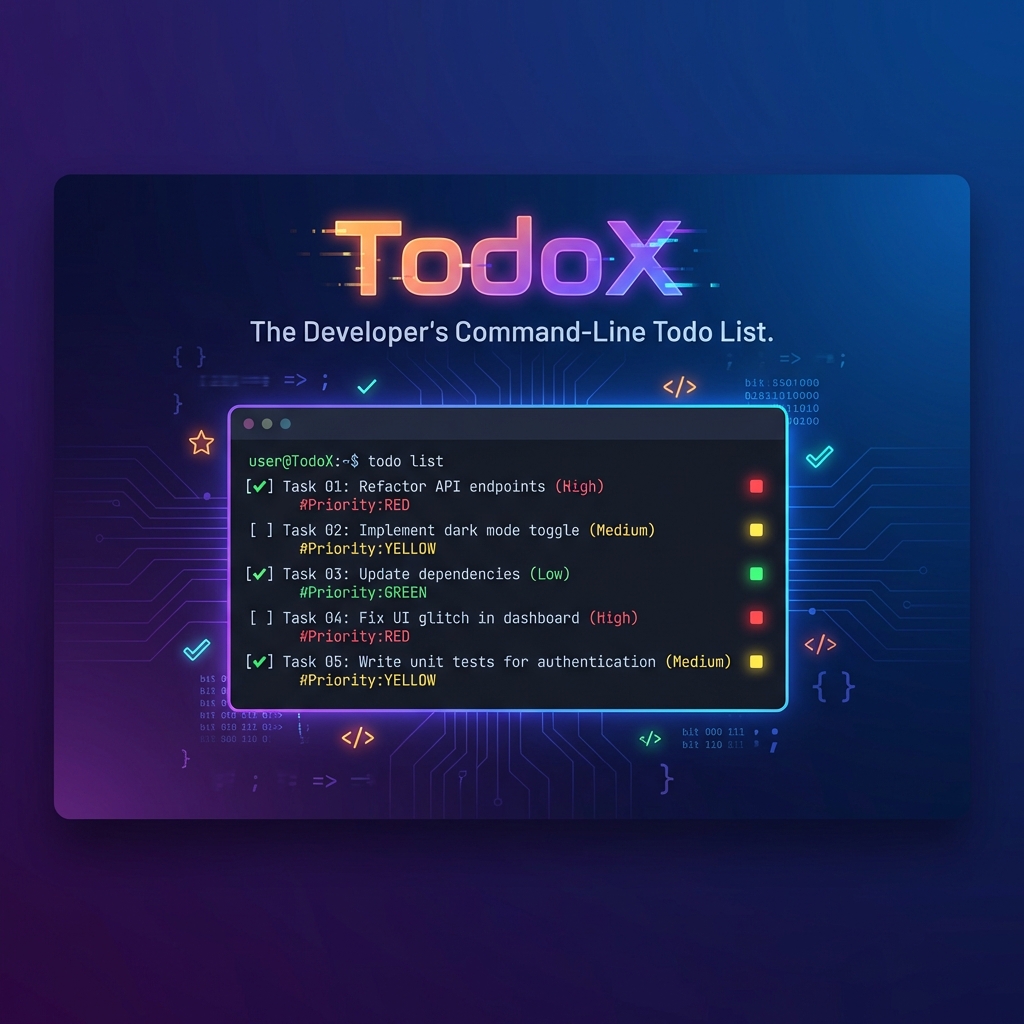
The Developer's Command-Line Todo List



TodoX is a powerful, beautiful CLI + TUI todo application built for developers who live in the terminal. Manage tasks with priorities, due dates, Git context awareness, and stunning rich UI.
Features • Installation • Quick Start • Usage • Contributing
✨ Features
🎨 Rich Visual Interface
- Beautiful Tables: Colorful, formatted tables with priority indicators
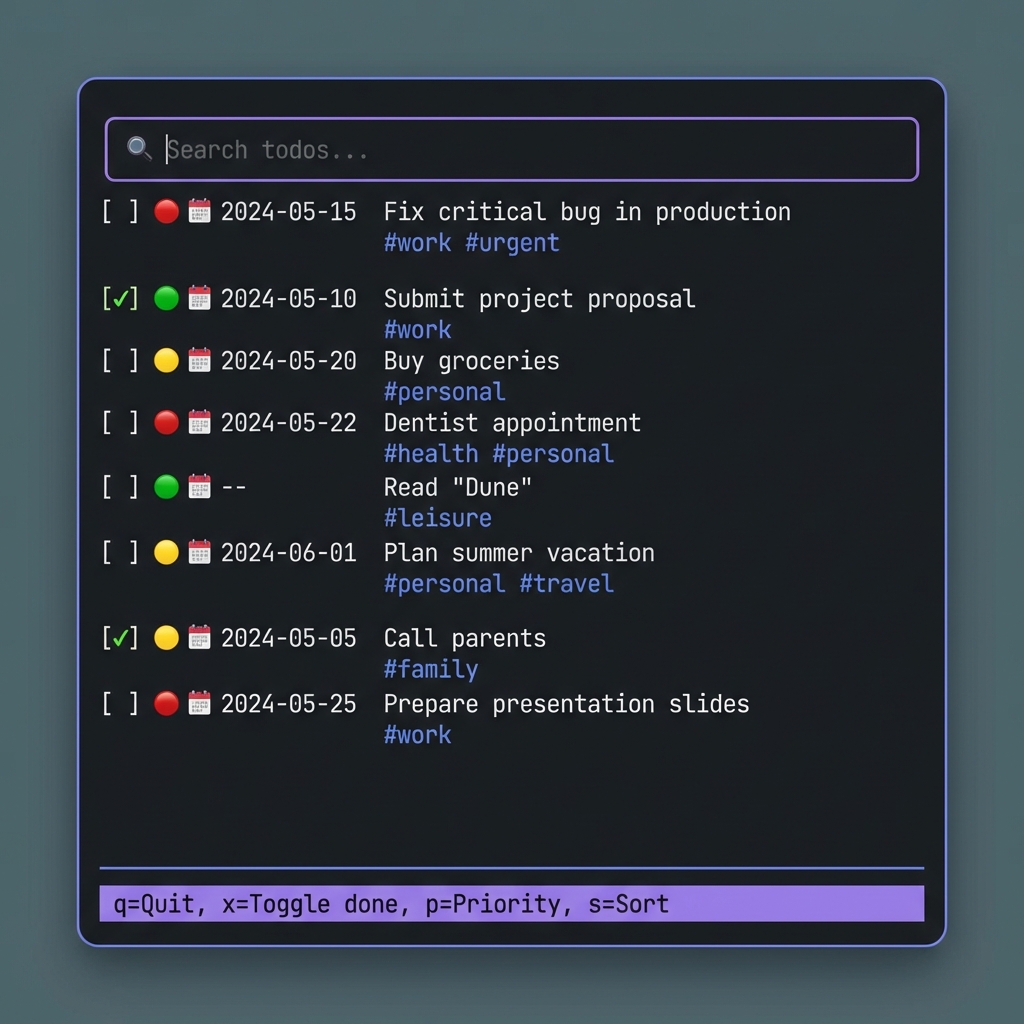
- Interactive TUI: Full-featured terminal UI with keyboard shortcuts
- Color-Coded Priorities: High (🔴), Medium (🟡), Low (🟢)
- Icons & Emojis: Visual task status, due dates, and timers
🚀 Developer-Friendly
- Git Integration: Automatic repository and branch detection
- Context Filtering: Filter tasks by current Git repository
- Time Tracking: Built-in timer for tracking work sessions
- Notes Support: Add detailed notes to any task using your
$EDITOR
💪 Powerful Features
- Priority Management: Set and cycle through task priorities
- Due Dates: Track deadlines with ISO format dates
- Tag System: Organize tasks with custom tags
- Fuzzy Search: Quick task lookup with intelligent matching
- Sorting: Sort by priority, due date, or custom criteria
📦 Installation
From PyPI (Recommended)
pip install todox
From Source
git clone https://github.com/Padhysai/todox.git
cd todox
pip install -e .
🚀 Quick Start
Add Your First Task
# Simple task
todox add "Implement authentication"

# With priority and due date
todox add "Fix critical bug" --priority high --due 2024-02-15

# With tags
todox add "Update docs" work,docs
View Your Tasks
# Beautiful table view
todox list

# Filter by current Git repo
todox list --context

# Show completed tasks too
todox list --all
Launch the TUI
todox ui
📖 Usage
CLI Commands
| Command | Description | Example |
|---|---|---|
add |
Create a new task | todox add "Task title" -p high -d 2024-12-31 |
list |
Display tasks in a table | todox list --context |
done |
Mark a task as complete | todox done 5 |
edit |
Edit task notes | todox edit 3 |
start |
Start time tracking | todox start 2 |
stop |
Stop time tracking | todox stop |
search |
Find tasks by title | todox search "bug" |
stats |
View statistics | todox stats |
ui |
Launch interactive TUI | todox ui |
TUI Keybindings
| Key | Action |
|---|---|
↑/↓ |
Navigate tasks |
x |
Toggle task completion |
p |
Cycle priority (Low → Medium → High) |
s |
Sort by priority |
t |
Toggle timer |
space |
Select/highlight task |
q |
Quit |
Priority Options
low/-p low- 🟢 Low prioritymedium/-p medium- 🟡 Medium priority (default)high/-p high- 🔴 High priority
🎯 Advanced Usage
Git Context Awareness
TodoX automatically detects your current Git repository and branch:
# Tasks are tagged with repo/branch info
cd ~/projects/my-app
todox add "Add feature X"  # Tagged with 'my-app' repo

# Filter tasks for current repo only
todox list --context
Time Tracking
Track how much time you spend on tasks:
todox start 5      # Start timer for task #5
# ... work on task ...
todox stop         # Stop timer

todox stats        # View total time spent
Task Notes
Add detailed notes to any task using your default editor:
export EDITOR=vim  # Or nano, code, etc.
todox edit 3       # Opens editor with task notes
Environment Variables
TODOX_DB_PATH: Custom database location (default:~/.todox.json)EDITOR: Default editor for notes (default:vim)
🛠️ Development
Setup
# Clone the repository
git clone https://github.com/Padhysai/todox.git
cd todox

# Create virtual environment
python -m venv .venv
source .venv/bin/activate  # On Windows: .venv\Scripts\activate

# Install in development mode
pip install -e .
Project Structure
todox/
├── todox/
│   ├── cli.py      # CLI commands and rich formatting
│   ├── tui.py      # Textual-based TUI
│   ├── models.py   # Data models
│   ├── store.py    # JSON storage
│   └── gitutils.py # Git integration
├── pyproject.toml
└── README.md
🤝 Contributing
Contributions are welcome! Here's how you can help:
- 🍴 Fork the repository
- 🌱 Create a feature branch (
git checkout -b feature/amazing-feature) - 💾 Commit your changes (
git commit -m 'Add amazing feature') - 📤 Push to the branch (
git push origin feature/amazing-feature) - 🎉 Open a Pull Request
Ideas for Contributions
- 📱 Export tasks to various formats (JSON, CSV, Markdown)
- 🔔 Notifications for due dates
- 📊 More detailed statistics and analytics
- 🌐 Cloud sync support
- 🎨 Custom themes for TUI
📄 License
This project is licensed under the MIT License - see the LICENSE file for details.
🙏 Acknowledgments
Built with:
⭐ Star this repo if you find it helpful!
Made with ❤️ for developers who love the terminal
Release history Release notifications | RSS feed


Download files
Download the file for your platform. If you're not sure which to choose, learn more about installing packages.
Source Distribution
Built Distribution
Filter files by name, interpreter, ABI, and platform.
If you're not sure about the file name format, learn more about wheel file names.
Copy a direct link to the current filters
File details
Details for the file todox-0.1.2.tar.gz.
File metadata
- Download URL: todox-0.1.2.tar.gz
- Upload date:
- Size: 12.3 kB
- Tags: Source
- Uploaded using Trusted Publishing? No
- Uploaded via: twine/6.2.0 CPython/3.11.9
File hashes
| Algorithm | Hash digest | |
|---|---|---|
| SHA256 |
6b5b586f44d0d235d5b79566fcab39a1ffadab5cb7e2a17eaf48eb77385c23e3
|
|
| MD5 |
615b900f65d0515bde81dc8be5ae1030
|
|
| BLAKE2b-256 |
739b3f5b3b48d78764e81c0638a248f75948d0dae8a908706516da7666cbd6b5
|
File details
Details for the file todox-0.1.2-py3-none-any.whl.
File metadata
- Download URL: todox-0.1.2-py3-none-any.whl
- Upload date:
- Size: 10.2 kB
- Tags: Python 3
- Uploaded using Trusted Publishing? No
- Uploaded via: twine/6.2.0 CPython/3.11.9
File hashes
| Algorithm | Hash digest | |
|---|---|---|
| SHA256 |
bfae7dd6e4600c4dc1c384f241be5b5f5767f3c977c9c58a2adc77e5923133eb
|
|
| MD5 |
a52451aaecbd905e3626a1771cc48580
|
|
| BLAKE2b-256 |
5113ee857de5b58d141893e383cfe88dda1bf314cd331945f7448b3839bda6c5
|






