


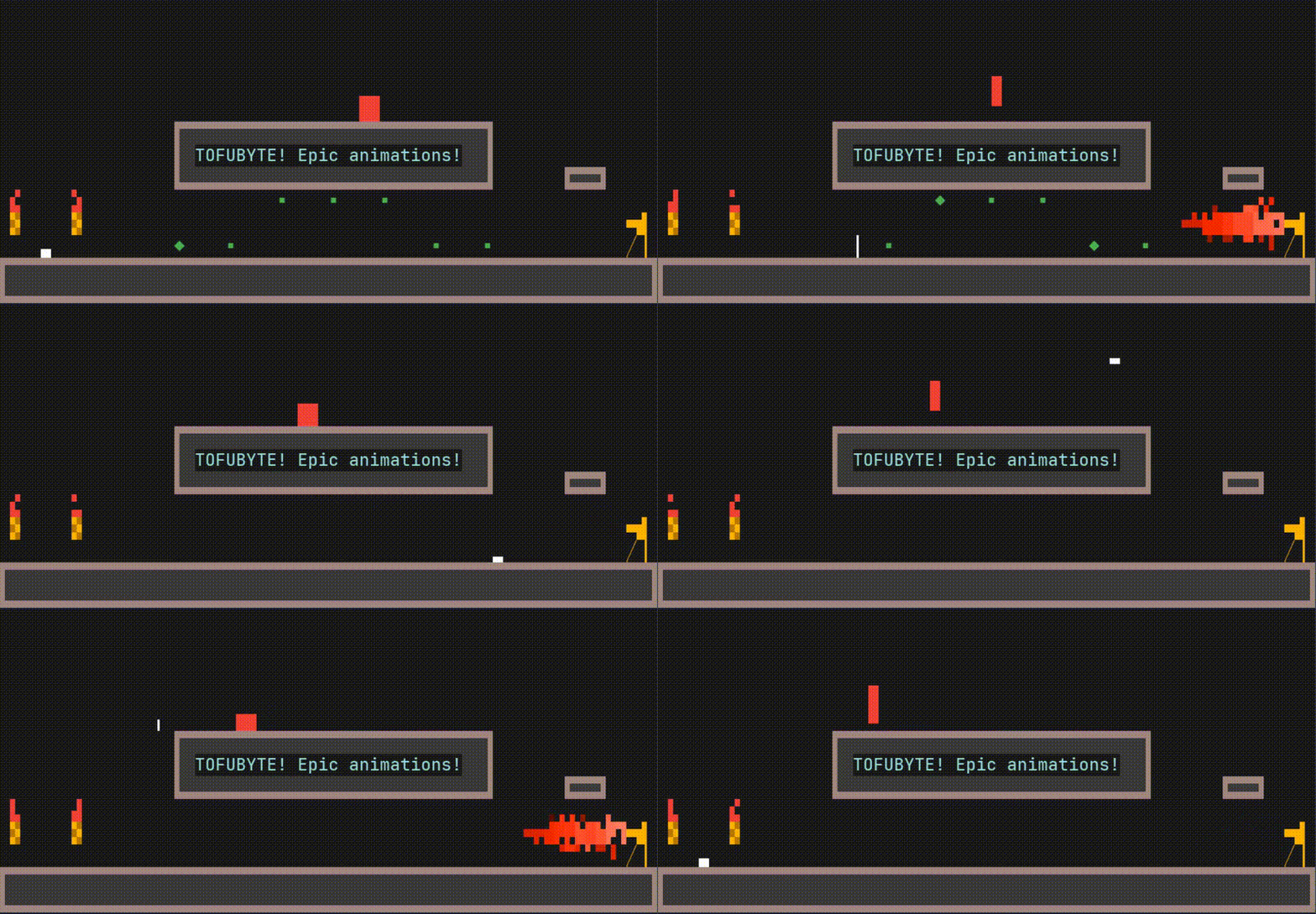
Terminal game with sweet block of tofu character!
[!WARNING]
Game uses Pynput to handle input. If you got banner with input system problems, read the Troubleshooting section.
How to install
Prerequisites
To properly display all characters:
- Use a modern terminal emulator.
- Install a Unicode-ready font (e.g., NerdFonts).
- Ensure your shell environment is configured to use UTF-8 encoding.
Installation and running TofuByte
With uv
uvx tofubyte
or using pipx
pipx install tofubyte
tofubyte
If you prefer mauall Installation:
# Create virtual environment
python -m venv .venv
source .venv/bin/activate  # On Windows: .venv\Scripts\activate

# Install the package
pip install tofubyte

# Run the game
tofubyte
Input system
The game uses pynput for handling keyboard input. As it is not a terminal-native input system, it might not work as expected in all terminal environments or operating systems.
I plan to implement scroll mode in the game that will not require any additional input system.
Troubleshooting
Input issues (Pynput)
If keyboard input is not working, the game should inform you with an in-game message. This is likely due to pynput compatibility issues with your terminal or operating system. It might also be affected by whether you are running X11 or Wayland.
Currently, you can try the following:
- Run the game with
sudo tofubyte - Run the terminal emulator with
sudo - Run the game with
PYNPUT_BACKEND_KEYBOARD=uinput tofubyte(This forcespynputto use theuinputbackend, which might be more compatible on some Linux systems.) - Try running the game in a different terminal emulator:
- Guake (should work without
sudo) - Wezterm (should work without
sudo) - Kitty (requires
sudo) - Ghostty (requires
sudo) - Terminator (requires
sudo)
- Guake (should work without
- On macOS, you can try running with
sudoor refer to this StackOverflow comment for alternative solutions. - Windows WSL - As the
Further reading and potential solutions can be found in the Pynput Documentation.
If you are concerned about how Pynput is used, feel free to review the available source code.
Also if you found solution for your problem, share this in the issue so it can help others.
Map Editing
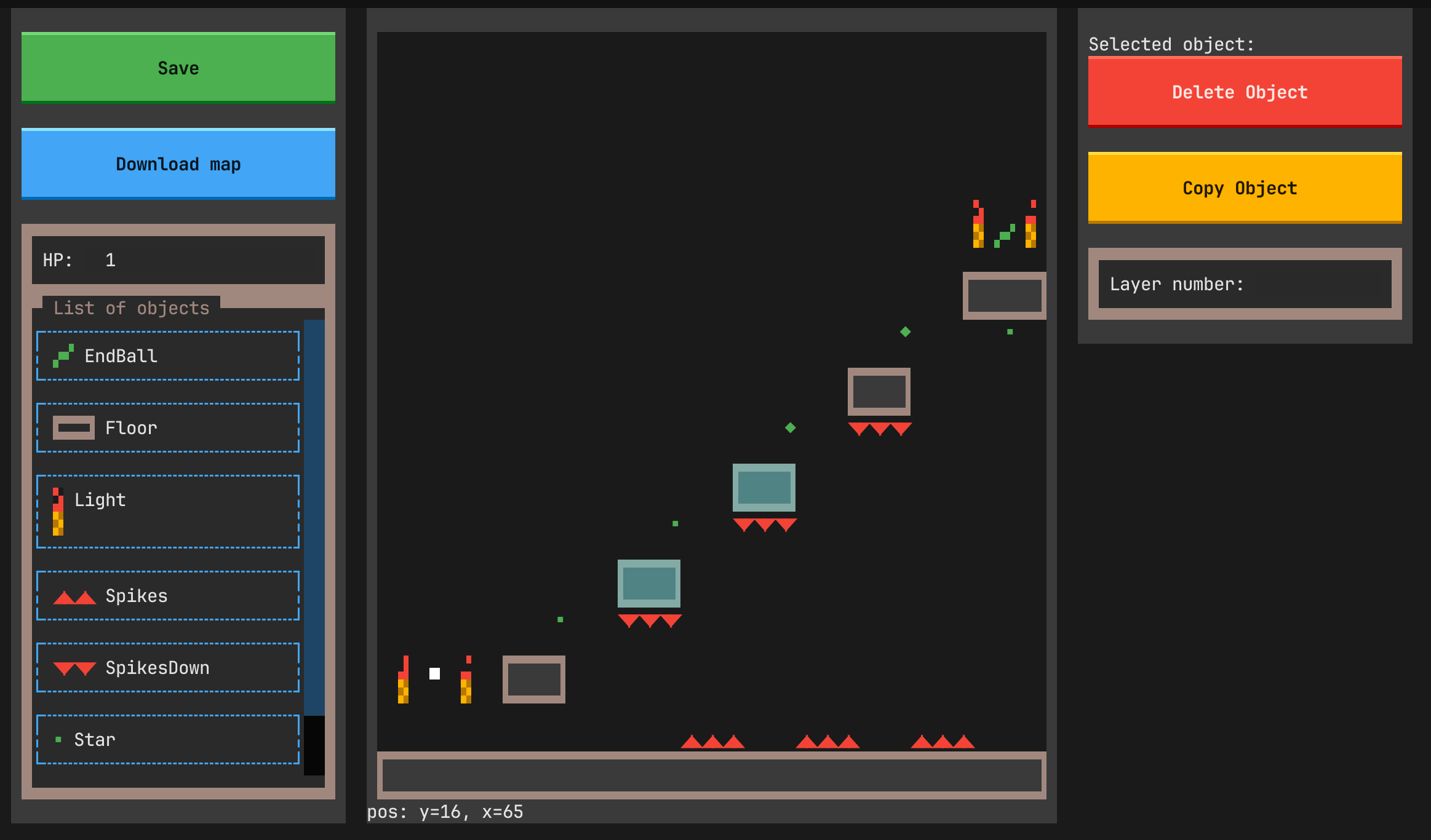
You can edit and create maps with built in editor!
[!WARNING]
Currently when creating new map it is created inside user directory, hard to access. You can "Download" map from editor, to get in directory from which you run the app.
There are some keybindings worth to know:
- ctrl+mouse_move - resize selected
- ctrl+mouse_click - selects multiple
- ctrl+v - to copy-paste selected objects
Some tutorial will be provided soon.
Community Maps
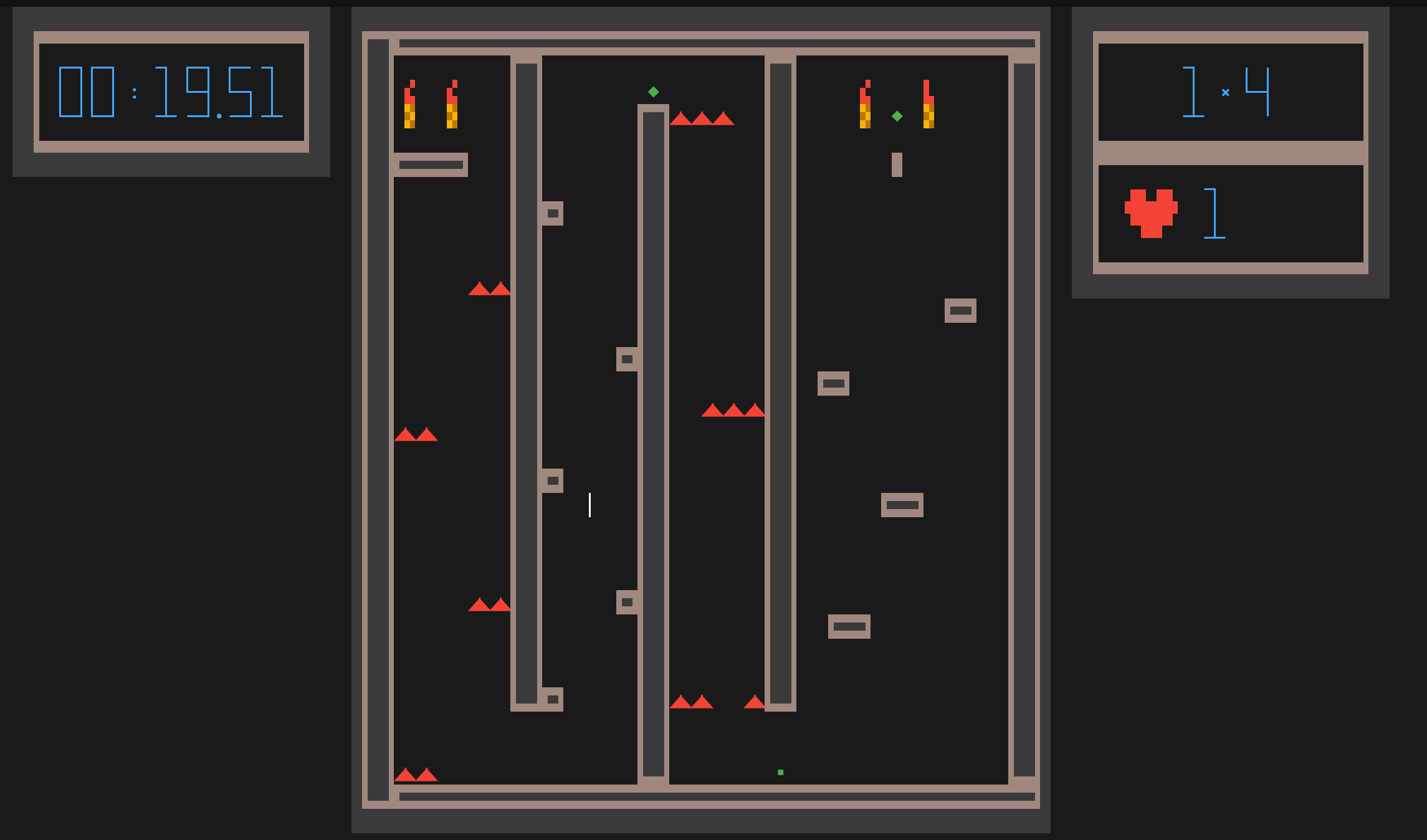
TofuByte supports community-created maps! You can browse them on GitHub by searching for the tofubyte-map topic.
[!WARNING] The author does not maintain these community maps and takes no responsibility for their content or any consequences arising from their download and use. Please make this game a safe and fun place to be.
Explore community maps on GitHub: https://github.com/topics/tofubyte-map
To play a community map:
- Download the
.jsonmap file from GitHub. - Place the downloaded
.jsonfile into your custom maps directory. This directory is typically located at~/.local/share/TofuByte/maps/custom_mapson Linux, but the exact path might vary depending on your operating system.
Contributing Your Own Maps to GitHub
If you've created a map you'd like to share with the TofuByte community and make it discoverable through the in-game browser, follow these steps:
- Create a New GitHub Repository: Create a new public repository on GitHub for your map.
- Upload Your Map File: Add your
.jsonmap file (created using the in-game editor) to this new repository. It's recommended to include aREADME.mdin your repository with a description of your map, screenshots, and any special instructions. - Add the
tofubyte-mapTopic: To make your repository discoverable by the TofuByte community maps browser, you must add thetofubyte-maptopic to your repository.- On your GitHub repository page, look for the "About" section on the right sidebar.
- Click on the gear icon (⚙️) or "Manage topics" to edit topics.
- Add
tofubyte-mapto the list of topics and save your changes.
Your map will now be browsable in the TofuByte client!
Development
There are some additional tools I have used during developed. They show some stats and other things that helped debug:
uv run textual run --dev tofu_byte.command_line:run --debug contact_dir,step,fps,footer,player_stats
Speciall thanks
As always, huge shot out to Textualize team!
TofuByte was created as result of exploration of what can be done to display game with such a nice framework as Textual.
License and Community
This is my little independent game, developed in my personal time.
As I have many plans for further changes and wish to maintain a clear mental model of the project, I am not currently planning to accept code contributions.
However, feedback is very welcome. If you encounter bugs, issues, or have feature ideas, please open an issue on GitHub.
I also plan to implement features for uploading, browsing, and downloading maps directly from within the game.
1 maintainer

Metadata
1 maintainer
Release files for TofuByte 0.4.0
For a detailed explanation of source distributions (sdists) and built distributions (wheels), please see the package formats documentation.
Source distribution (sdist)
| File | Size | Uploaded | |
|---|---|---|---|
| tofubyte-0.4.0.tar.gz | 57.5 kB | Details |
Built distribution (wheel)
| File | Interpreter | ABI | Platform | Reset |
|---|---|---|---|---|
| tofubyte-0.4.0-py3-none-any.whl | Python 3 | none | any | Details |
Total release size: 138.1 kB
Release files / tofubyte-0.4.0.tar.gz
| Download URL | tofubyte-0.4.0.tar.gz |
|---|---|
| Size | 57.5 kB |
| Tags | Source |
|
SHA-256 checksum How to use checksums |
dc87c36e6004f3c7b9bdf4a1fd402b9c29f9ca032d130f2fc4b0fe4cd599661f
|
|
BLAKE2b-256 checksum How to use checksums |
dac1573fb6bda25f58c63551ac2e9be8a5b67c59d2324fa18e2cb522b7c66871
|
| Upload date | |
|
Uploaded using Trusted Publishing? What is trusted publishing? |
No |
| Uploaded via |
uv/0.9.16 {"installer":{"name":"uv","version":"0.9.16","subcommand":["publish"]},"python":null,"implementation":{"name":null,"version":null},"distro":{"name":"EndeavourOS","version":null,"id":null,"libc":null},"system":{"name":null,"release":null},"cpu":null,"openssl_version":null,"setuptools_version":null,"rustc_version":null,"ci":null}
|
Release files / tofubyte-0.4.0-py3-none-any.whl
| Download URL | tofubyte-0.4.0-py3-none-any.whl |
|---|---|
| Size | 80.6 kB |
| Tags | Python 3 |
|
SHA-256 checksum How to use checksums |
50c0d32c0c0493164ea5ff657c4cf7bbcf1ce9c7d3c5cc39996fbd5e59a9ef71
|
|
BLAKE2b-256 checksum How to use checksums |
4f0a49e5bd36358d2377b25a329cfe986d99403da51f3204db5f4116118d53bd
|
| Upload date | |
|
Uploaded using Trusted Publishing? What is trusted publishing? |
No |
| Uploaded via |
uv/0.9.16 {"installer":{"name":"uv","version":"0.9.16","subcommand":["publish"]},"python":null,"implementation":{"name":null,"version":null},"distro":{"name":"EndeavourOS","version":null,"id":null,"libc":null},"system":{"name":null,"release":null},"cpu":null,"openssl_version":null,"setuptools_version":null,"rustc_version":null,"ci":null}
|














