

tokenusage
Stop getting throttled without warning. Know your AI coding costs in 0.08s.





English | 中文
Install in one line
npm i -g tokenusage # or: cargo install tokenusage --bin tu
Run it
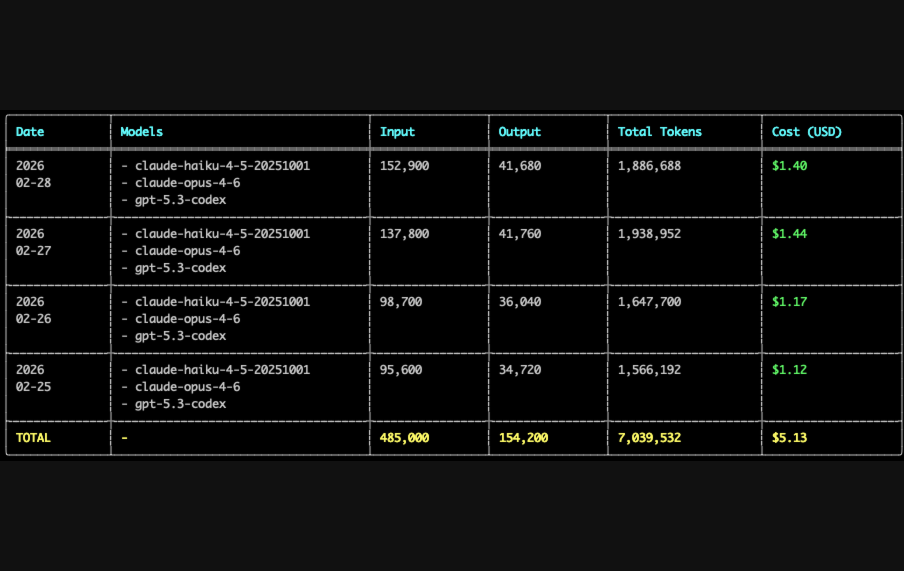
tu # daily cost report in 0.08s
214x faster than ccusage on Claude logs · 138x faster on Codex logs · See benchmark
If tokenusage saves you time, give it a star — it directly helps other Codex and Claude users find it.
Screenshots
tu — daily report
|
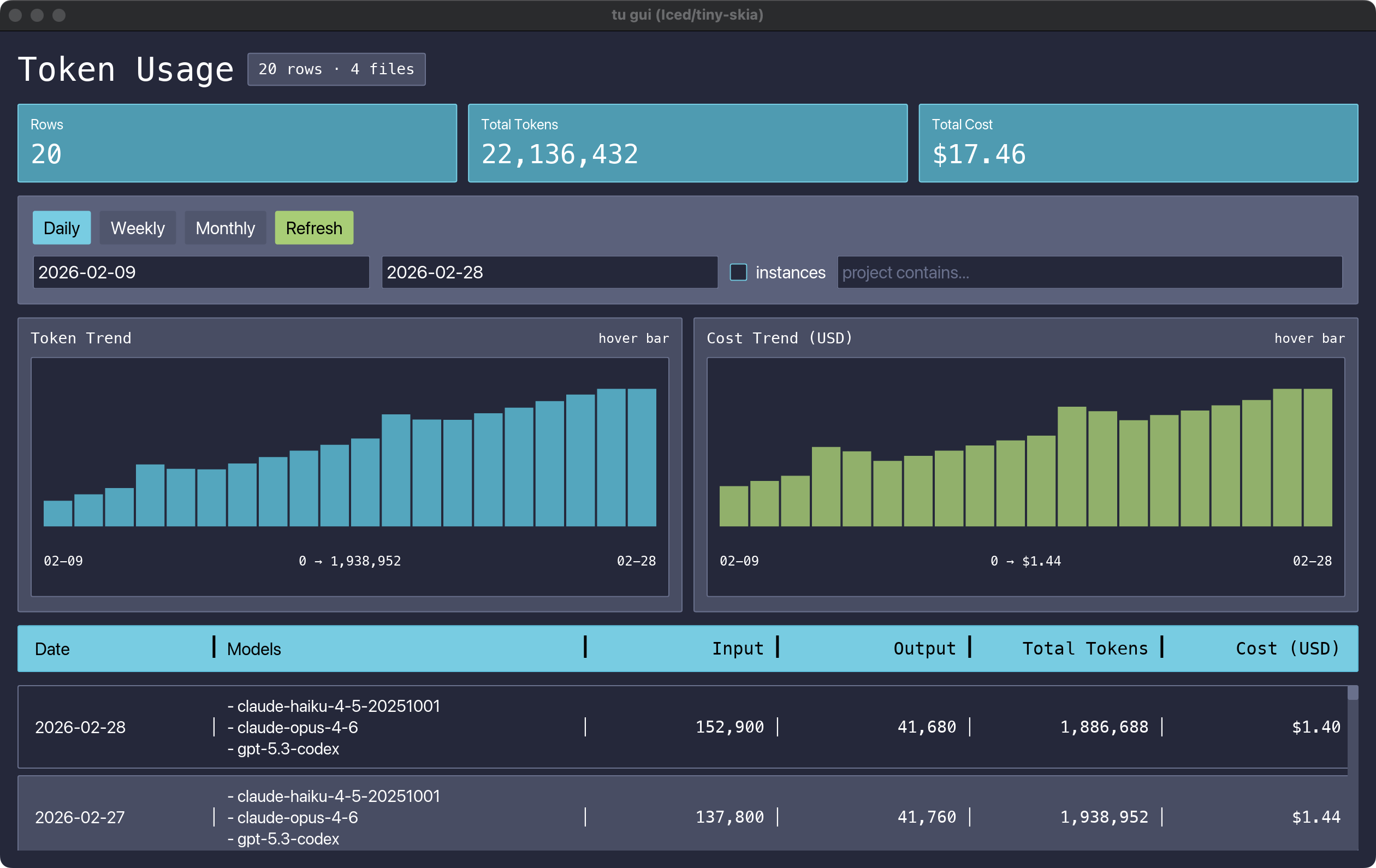
tu gui — desktop dashboard
|
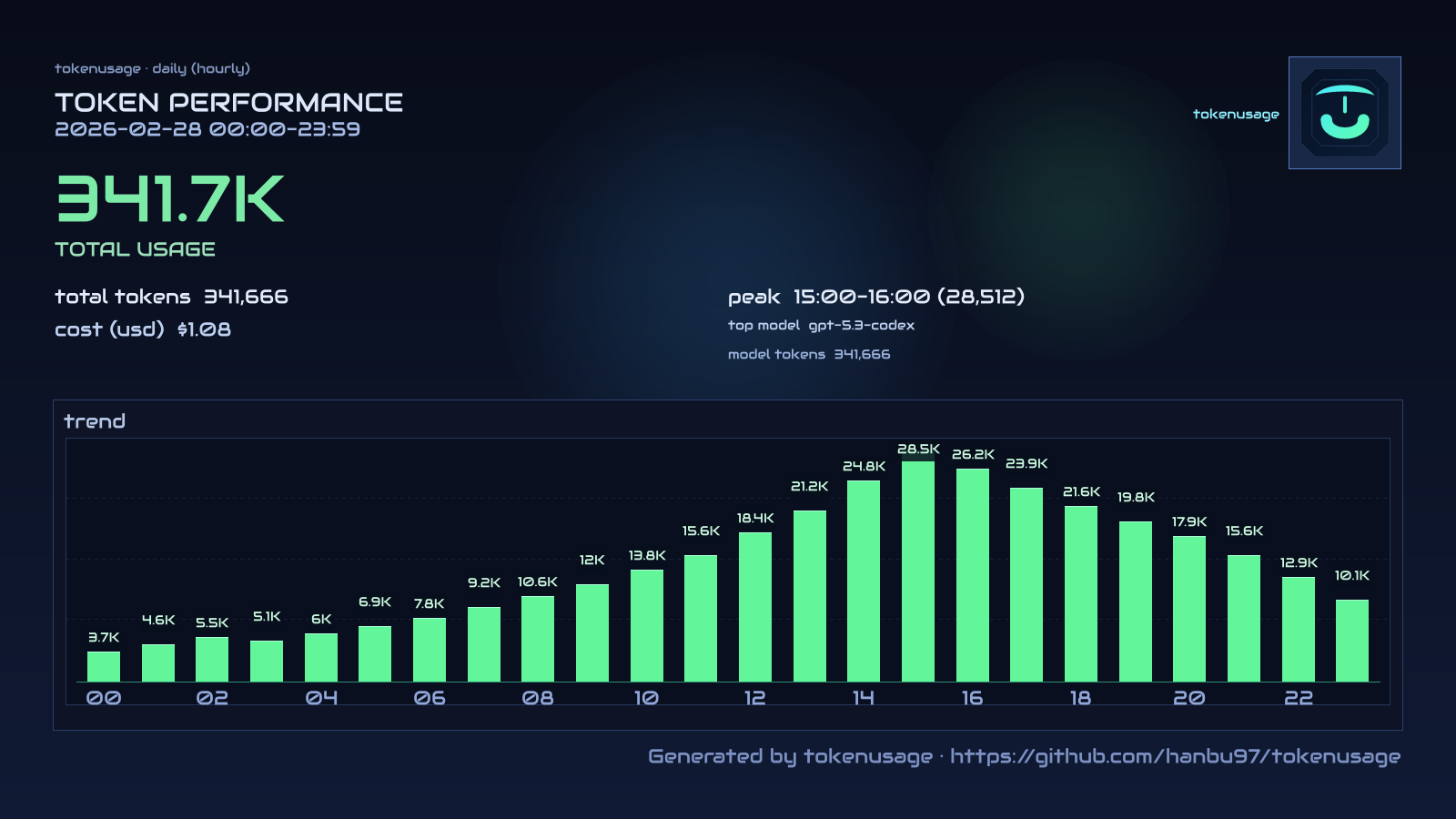
tu img day — shareable card
|
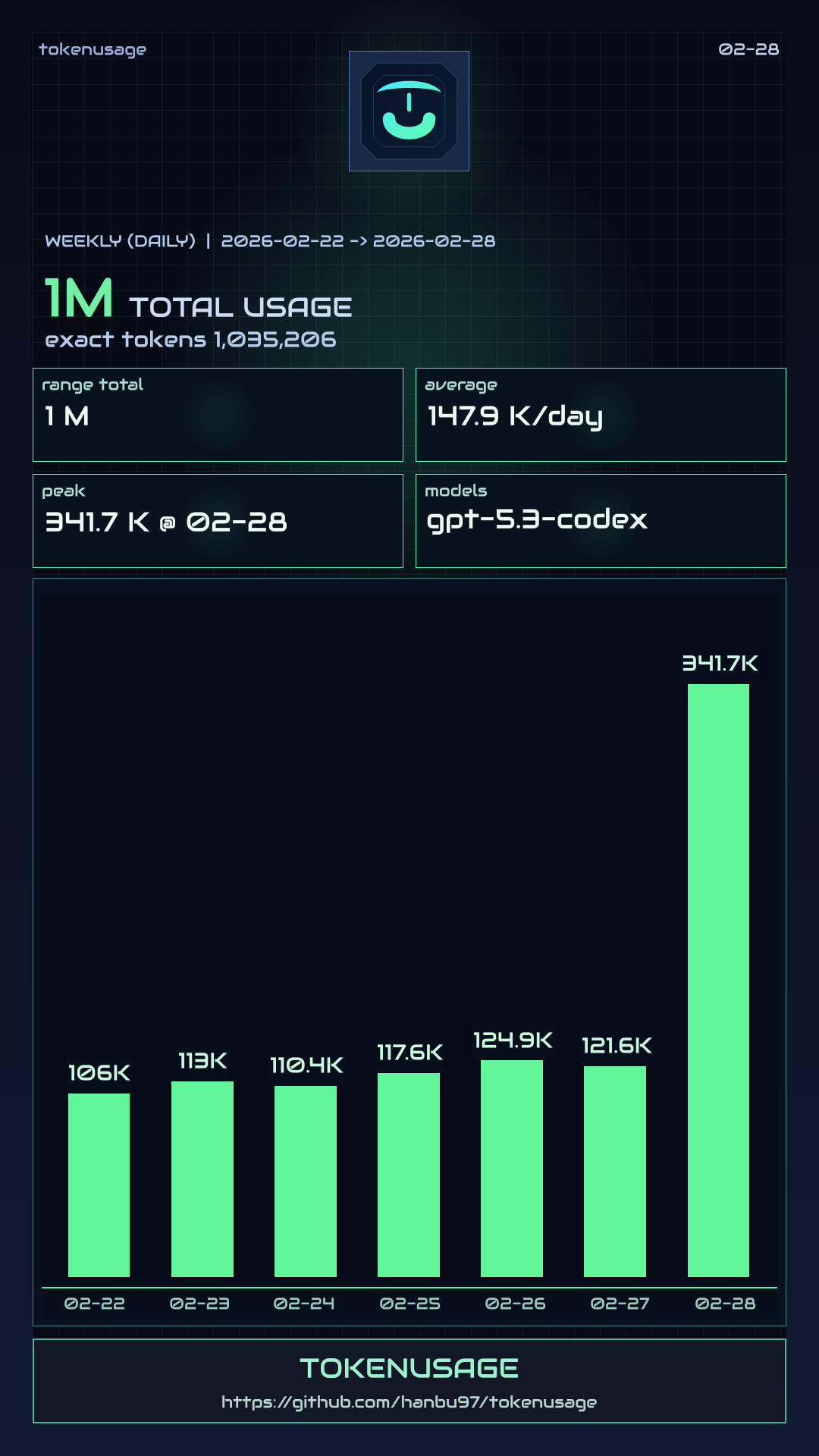
tu img week — weekly card
|
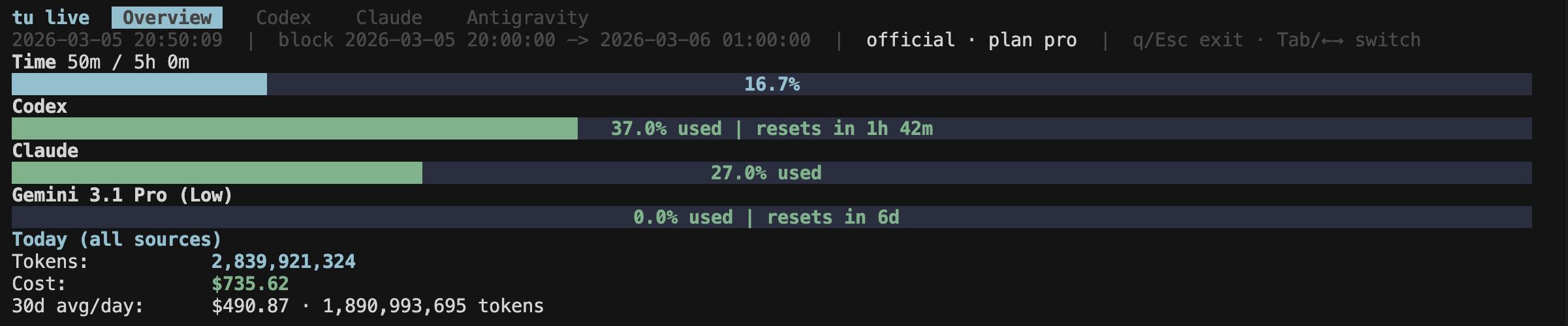
tu live — real-time TUI monitor
|
|
Why tokenusage
| Problem | tokenusage solution |
|---|---|
| Hit rate limits mid-refactor, no warning | tu live shows usage in real-time |
| No idea what AI coding costs per day | tu gives daily cost breakdown in 0.08s |
| Codex + Claude logs in separate places | One merged dashboard across all sources |
| Existing tools are slow on large logs | 214x faster than ccusage (Rust + parallel scan + cache) |
| Don't want to upload logs to a cloud | 100% local parsing, no data leaves your machine |
| Want coding-time context, not just raw tokens | tu keeps the classic token table by default; --with-activity opt-in adds coding time and tokens/hour |
| Want to share usage stats | tu img generates shareable image cards |
Install
npm (recommended)
npm install -g tokenusage
cargo (crates.io)
cargo install tokenusage --bin tu
pip (PyPI)
pip install tokenusage
cargo-binstall (prebuilt binary)
cargo binstall tokenusage --no-confirm
Quick Start
# Daily report (default)
tu                          # classic merged token report
tu --tui                    # same report in terminal UI

# Source-specific
tu codex
tu claude
tu antigravity

# Date filter
tu --since 2026-02-01 --until 2026-02-28

# Weekly / monthly
tu weekly --start-of-week monday
tu monthly

# Native time views inferred from local AI usage
tu today
tu activity
tu activity --days 14
tu activity --project tokenusage

# Add locally inferred coding activity columns (Coding / Tok/hr)
tu --with-activity
tu --with-activity --tui
tu live --with-activity

# Native local heartbeat collector
tu heartbeat watch .
tu heartbeat stats
tu heartbeat ping src/main.rs --write

# Live monitor (tabs: Codex / Claude / Antigravity)
tu live
tu live codex
tu live claude
tu live antigravity

# Real-time per-session viewer (htop for tokens)
tu top
tu top --active-hours 12    # show sessions active in last 12h
tu top --active-hours 0     # show all sessions

# GUI dashboard
tu gui

# Share image card (for social posting)
tu img
tu img day
tu img week
Benchmark Details
Setup:
- Machine: Apple M3 Max, macOS 15.6.1
tuversion:1.2.6·ccusageversion:18.0.8·@ccusage/codexversion:18.0.8- Default mode (no date filters, online pricing, network enabled)
Codex — 91 JSONL files, 1.7 GB (~/.codex/sessions)
tu codex |
bunx @ccusage/codex |
Speedup | |
|---|---|---|---|
| Cold (rebuild cache) | 0.92s | 20.76s | 22.6x |
| Warm (best of 5 / avg of 3) | 0.15s | 20.76s | 138x |
Claude — 1 521 JSONL files, 2.2 GB (~/.claude/projects)
tu claude |
bunx ccusage |
Speedup | |
|---|---|---|---|
| Cold (rebuild cache) | 0.73s | 17.15s | 23.5x |
| Warm (best of 5 / avg of 3) | 0.08s | 17.15s | 214x |
Results vary by hardware, filesystem cache state, and log volume.
For a detailed feature comparison, see tokenusage vs ccusage.
FAQ
Where does the data come from?
From local log directories and IDE probes:
- Claude:
~/.config/claude/projects,~/.claude/projects - Codex:
~/.codex/sessions,~/.config/codex/sessions - Antigravity: probed from running IDE language server (no log files needed)
You can override with --claude-projects-dir and --codex-sessions-dir.
How is cost estimated?
tu uses OpenRouter pricing when available, caches it for 6 hours, and falls back to built-in offline rates when network pricing is unavailable.
How does --with-activity work?
tu infers coding activity locally from your machine. By default it clusters nearby AI usage events into active windows. If you enable the native heartbeat collector (tu heartbeat watch ...), tu will prefer heartbeat-backed activity on days with sufficient heartbeat coverage and fall back to token-event inference elsewhere.
From that local activity signal, tu derives:
- coding time
- tokens per coding hour
- cost per coding hour
- project / language / source breakdowns
The dedicated time views (tu today, tu activity) enable this automatically. --with-activity adds the same local activity context to daily/weekly/monthly reports and tu live.
By default, tu keeps the original merged token report layout. The extra Coding / Tok/hr columns only appear when activity context is explicitly enabled with --with-activity, or when you use the dedicated time views.
Is my data private?
Yes for usage logs: parsing is local. tu only requests pricing metadata unless you run --offline.
Command Overview
tu [daily|today|activity|heartbeat|codex|claude|antigravity|monthly|weekly|img|session|blocks|live|top|statusline|gui]
Useful commands:
tu --tuitu --with-activity --tuitu daily --tuitu daily --jsontu daily --jq '.rows[0]'tu todaytu activity --days 14tu heartbeat watch .tu heartbeat statstu blocks --activetu blocks --livetu livetu img --output tokenusage-share.png(today, hourly)tu img --period weekly --output tokenusage-week.png(7 days, daily)tu img --logo ./logo.png --brand-url tokenusage.devtu statusline
Config File
Config search order:
./.tu/tu.json~/.config/tu/tu.json~/.config/tokenusage/tokenusage.json
Use an explicit config file:
tu --config /path/to/tu.json
Example:
{
  "defaults": {
    "timezone": "Asia/Shanghai",
    "workers": 16,
    "compact": false
  },
  "commands": {
    "daily": {
      "instances": true
    },
    "live": {
      "sessionLength": 5,
      "refreshInterval": 1
    },
    "img": {
      "period": "daily",
      "bars": 24,
      "brand": "tokenusage",
      "brandUrl": "https://github.com/hanbu97/tokenusage"
    },
    "weekly": {
      "startOfWeek": "monday"
    }
  }
}
Pricing
tu --pricing-file ./pricing.json
Offline-only mode:
tu --offline
Demo Dataset (No Real Data)
python3 examples/demo/generate_demo_data.py
tu daily --config ./examples/demo/tu.demo.json --since 2026-02-09 --until 2026-02-28
tu live --config ./examples/demo/tu.demo.json
tu gui --config ./examples/demo/tu.demo.json --since 2026-02-09 --until 2026-02-28
tu img --config ./examples/demo/tu.demo.json --since 2026-02-28 --until 2026-02-28 --output ./docs/images/share-demo.png
tu img --config ./examples/demo/tu.demo.json --period weekly --since 2026-02-22 --until 2026-02-28 --output ./docs/images/share-week-demo.png
Development
cargo fmt
cargo clippy --all-targets --all-features
cargo check
License
MIT. See LICENSE.
1 maintainer

Metadata
1 maintainer
Release files for tokenusage 1.5.2
For a detailed explanation of source distributions (sdists) and built distributions (wheels), please see the package formats documentation.
Source distribution (sdist)
| File | Size | Uploaded | Provenance | |
|---|---|---|---|---|
| tokenusage-1.5.2.tar.gz | 6.8 kB | Without provenance | Details |
Built distribution (wheel)
| File | Interpreter | ABI | Platform | Reset |
|---|---|---|---|---|
| tokenusage-1.5.2-py3-none-any.whl | Python 3 | none | any | Details |
Total release size: 14.6 kB
Release files / tokenusage-1.5.2.tar.gz
| Download URL | tokenusage-1.5.2.tar.gz |
|---|---|
| Size | 6.8 kB |
| Tags | Source |
|
SHA-256 checksum How to use checksums |
0e10aee57769323d1b3c26b9682b0e368461417a53870bfd3db1ef04b2405f7f
|
|
BLAKE2b-256 checksum How to use checksums |
419411b45023c27e0c7c66d46e625a71b1d268989e1db563bc61d20a40954521
|
| Upload date | |
|
Uploaded using Trusted Publishing? What is trusted publishing? |
No |
| Uploaded via |
twine/6.2.0 CPython/3.12.12
|
Release files / tokenusage-1.5.2-py3-none-any.whl
| Download URL | tokenusage-1.5.2-py3-none-any.whl |
|---|---|
| Size | 7.8 kB |
| Tags | Python 3 |
|
SHA-256 checksum How to use checksums |
ef6f14895d3aee33bb88a87d43f3e95f945913c17c08c1e4e01bfe47dcf7ec7a
|
|
BLAKE2b-256 checksum How to use checksums |
9c21737ef909401d67d3979cc66d681d0724dfdce5cbefecbb9cef009dc77d69
|
| Upload date | |
|
Uploaded using Trusted Publishing? What is trusted publishing? |
No |
| Uploaded via |
twine/6.2.0 CPython/3.12.12
|
Security for tokenusage 1.5.2
Provenance
Provenance describes where a file came from. On PyPI, provenance is shared via attestations, which provide a verifiable record of the build or publishing details. View details, limitations and caveats.
No provenance found
None of the files in this release were uploaded with provenance metadata.
A note on package security
PyPI is a repository for distributing packages, not a service for auditing them. While third-party security researchers and our staff do their best to detect and remove malicious packages, PyPI cannot guarantee the quality, security or suitability of any given package.














