
🍅 Tomato Timer

Tomato Timer is a simple command line pomodoro app.
Installation
Install python from https://www.python.org/
- Install via pip:
$ pip install tomato-timer
- Install via source code:
$ git clone https://github.com/pashkatrick/tomato-timer.git
$ cd tomato-timer
$ chmod +x tomato.py
How to use
- if you install via pip
$ tomato                              # start a 20 minutes tomato clock + 10 minutes break in 9 times
$ tomato --work 25 --rest 5 --loop 4  # start a 25 minutes tomato clock + 5 minutes break in 4 times
$ tomato -h                           # help
- if you install via source code
$ ./tomato.py                              # start a 30 minutes tomato clock + 10 minutes break in 9 times
$ ./tomato.py --work 25 --rest 5 --loop 4  # start a 25 minutes tomato clock + 5 minutes break in 4 times
$ ./tomato.py -h                           # help
Terminal Output
🍅 tomato 25 minutes. Ctrl+C to exit
 🍅🍅---------------------------------------------- [8%] 23:4 ⏰
Desktop Notification
- MacOS
$ brew install terminal-notifier
terminal-notifier actually is a cross-platform desktop notifier, please refer to ➜ terminal-notifier
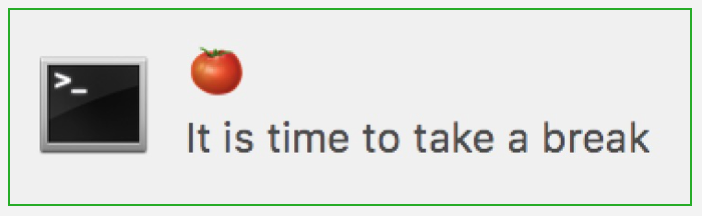
- Ubuntu
notify-send

Voice Notification
We use say(text-to-speech) for voice notification
- MacOS
MacOS already has say. see here or more detail
- Ubuntu
see this link: say
sudo apt-get install gnustep-gui-runtime
1 maintainer

Metadata
1 maintainer
Release files for tomato-timer 1.0.4
For a detailed explanation of source distributions (sdists) and built distributions (wheels), please see the package formats documentation.
Source distribution (sdist)
| File | Size | Uploaded | Provenance | |
|---|---|---|---|---|
| tomato-timer-1.0.4.tar.gz | 4.5 kB | Without provenance | Details |
Built distribution (wheel)
| File | Interpreter | ABI | Platform | Reset |
|---|---|---|---|---|
| tomato_timer-1.0.4-py3-none-any.whl | Python 3 | none | any | Details |
Total release size: 9.1 kB
Release files / tomato-timer-1.0.4.tar.gz
| Download URL | tomato-timer-1.0.4.tar.gz |
|---|---|
| Size | 4.5 kB |
| Tags | Source |
|
SHA-256 checksum How to use checksums |
552f4667c5de53d783a89ab7243e33f2ff8a2b58fd13babc1b1b7fb1454a803e
|
|
BLAKE2b-256 checksum How to use checksums |
4954ef7253f6c1e456b557ab54a2f8514db5f8817aff3b75530860ee81f8ad63
|
| Upload date | |
|
Uploaded using Trusted Publishing? What is trusted publishing? |
No |
| Uploaded via |
twine/3.3.0 pkginfo/1.7.0 requests/2.25.1 setuptools/49.2.1 requests-toolbelt/0.9.1 tqdm/4.56.0 CPython/3.9.1
|
Release files / tomato_timer-1.0.4-py3-none-any.whl
| Download URL | tomato_timer-1.0.4-py3-none-any.whl |
|---|---|
| Size | 4.6 kB |
| Tags | Python 3 |
|
SHA-256 checksum How to use checksums |
61a9cd4a5456aaac565e0d442f923dcba4b3f65698e681637284788ffb7c733d
|
|
BLAKE2b-256 checksum How to use checksums |
093c37a1f2091eb7115186209458c4045feb151cd3a30ba108225b50eff01a85
|
| Upload date | |
|
Uploaded using Trusted Publishing? What is trusted publishing? |
No |
| Uploaded via |
twine/3.3.0 pkginfo/1.7.0 requests/2.25.1 setuptools/49.2.1 requests-toolbelt/0.9.1 tqdm/4.56.0 CPython/3.9.1
|
Security for tomato-timer 1.0.4
Provenance
Provenance describes where a file came from. On PyPI, provenance is shared via attestations, which provide a verifiable record of the build or publishing details. View details, limitations and caveats.
No provenance found
None of the files in this release were uploaded with provenance metadata.
A note on package security
PyPI is a repository for distributing packages, not a service for auditing them. While third-party security researchers and our staff do their best to detect and remove malicious packages, PyPI cannot guarantee the quality, security or suitability of any given package.














