
Tonic Validate Ragas Logger
The Tonic Validate Ragas Logger is a tool to upload your results from Ragas to the Tonic Validate UI for visualization. The UI is completely free to use.
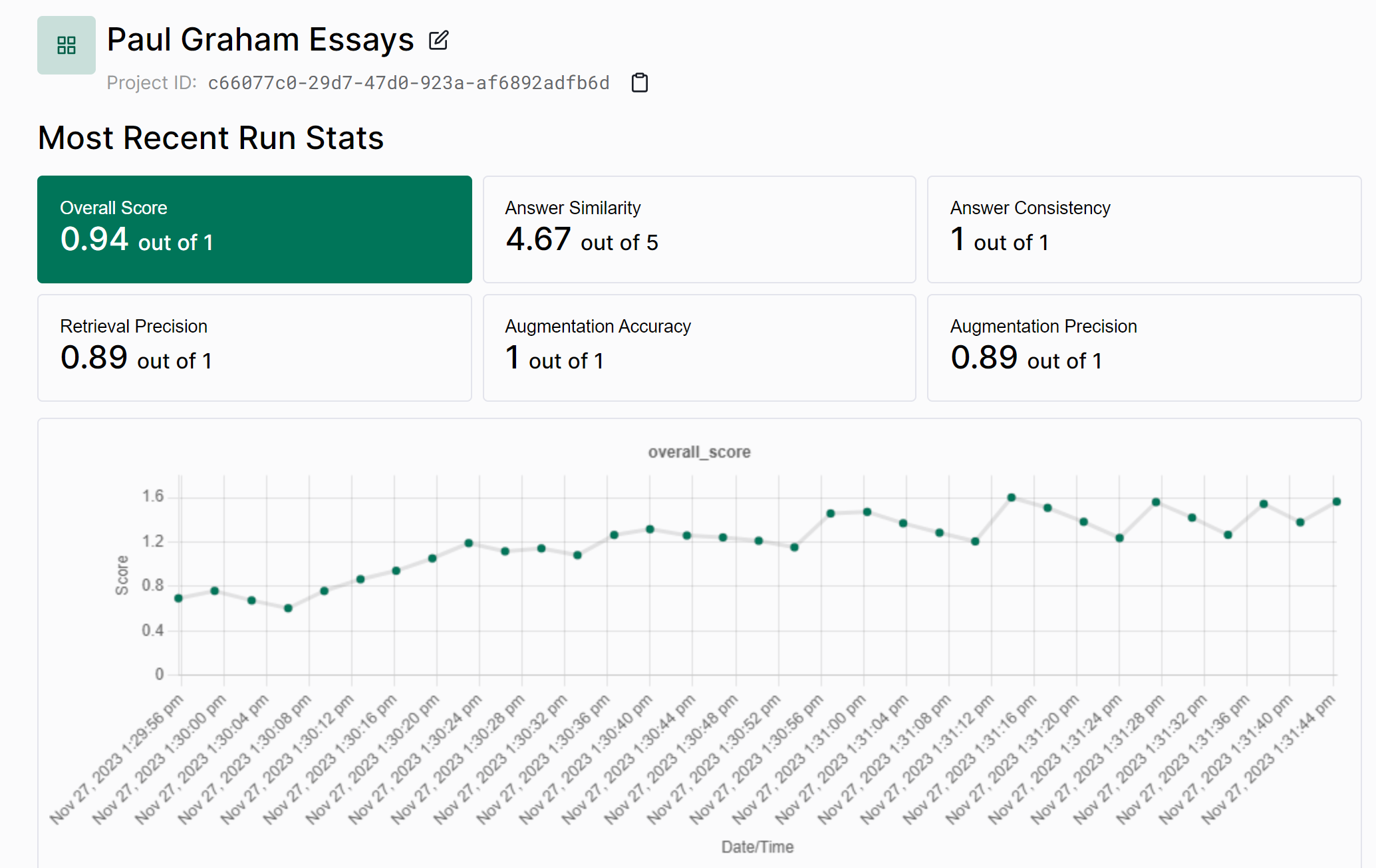
To get started, install the validate-ragas-logger library.
pip install tonic-ragas-logger
After the library is installed, you can start uploading your Ragas results. Here is an example of how to upload Ragas results.
from ragas import evaluate
from datasets import Dataset
from tonic_ragas_logger import RagasValidateApi

dataset = Dataset.from_dict({
    'question': [
        'What is the capital of France?'
    ],
    'contexts': [
        ['Paris is the capital of France.']
    ],
    'answer': ['Paris'],
    'ground_truths': [['Paris']]
})

results = evaluate(dataset)

# Upload results to the Tonic Validate UI
validate_api = RagasValidateApi("your-api-key")
validate_api.upload_results("your-project-id", results)
To get an API key for Tonic Validate, sign up for an account on our website. When you sign up, you can create an API key on the sidebar.
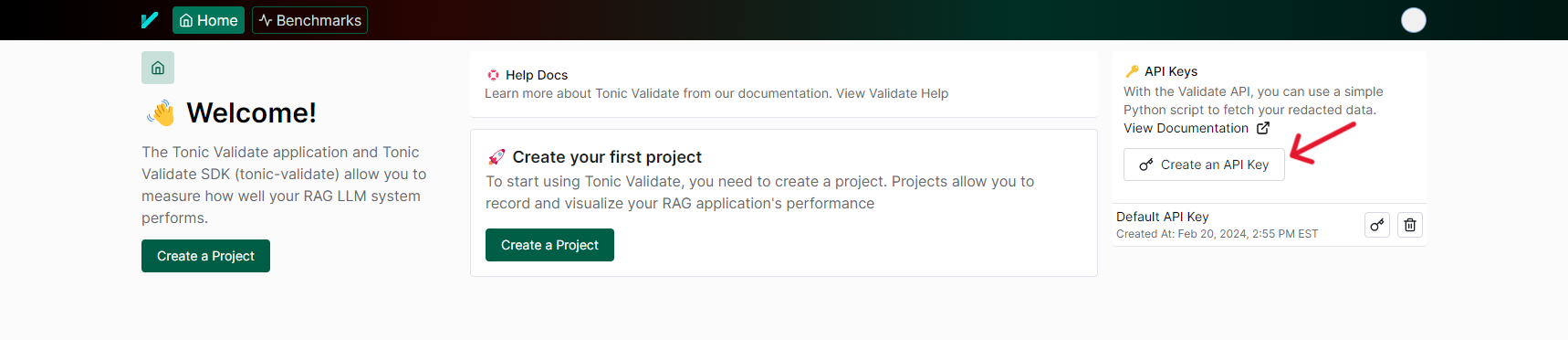
Once you have an API key, you can either set it in the TONIC_VALIDATE_API_KEY environment variable or you can input it into the RagasValidateApi constructor like so
validate_api = RagasValidateApi("your-api-key")
After you have created an API key, you can create a project which allows you to upload your results to the UI. To do so, click on the create a project button on the homepage of Tonic Validate.
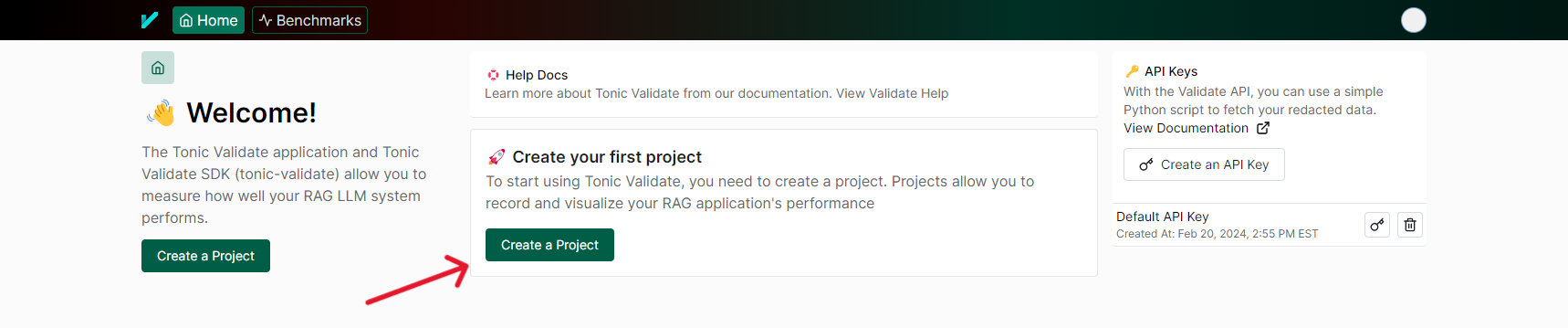
After creating your project, you will be provided a project id which you can copy into upload_results.
validate_api.upload_results("your-project-id", results)
After you execute upload_results, your results should be visible in the UI.
Congratulations, now you have uploaded your Ragas results to Tonic Validate!
Telemetry
Tonic Ragas Logger collects minimal telemetry to help us figure out what users want and how they're using the product. We do not use any existing telemetry framework and instead created our own privacy focused setup. Only the following information is tracked
- What metrics were used for a run
- Number of questions in a run
- SDK Version
- Is being run on a CI machine
We do NOT track things such as the contents of the questions / answers, your scores, or any other sensitive information. For detecting CI/CD, we only check for common environment variables in different CI/CD environments. We do not log the values of these environment variables.
We also generate a random UUID to help us figure out how many users are using the product. This UUID is linked to your Tonic Validate account only to help track who is using the SDK and UI at once and to get user counts. If you want to see how we implemented telemetry, you can do so in the tonic_ragas_logger/utils/telemetry.py file
If you wish to opt out of telemetry, you only need to set the TONIC_RAGAS_DO_NOT_TRACK environment variable to True.
1 maintainer

Metadata
1 maintainer
Release files for tonic-ragas-logger 1.2.3
For a detailed explanation of source distributions (sdists) and built distributions (wheels), please see the package formats documentation.
Source distribution (sdist)
| File | Size | Uploaded | |
|---|---|---|---|
| tonic_ragas_logger-1.2.3.tar.gz | 5.9 kB | Details |
Built distribution (wheel)
| File | Interpreter | ABI | Platform | Reset |
|---|---|---|---|---|
| tonic_ragas_logger-1.2.3-py3-none-any.whl | Python 3 | none | any | Details |
Total release size: 13.9 kB
Release files / tonic_ragas_logger-1.2.3.tar.gz
| Download URL | tonic_ragas_logger-1.2.3.tar.gz |
|---|---|
| Size | 5.9 kB |
| Tags | Source |
|
SHA-256 checksum How to use checksums |
4a1e8c88becdb556529536fa47387dab8236579bc5517f22267261c5ff109539
|
|
BLAKE2b-256 checksum How to use checksums |
1ccc4c5143594c15bdd30ce09841f7285f808297886a84e413311140d37b91fb
|
| Upload date | |
|
Uploaded using Trusted Publishing? What is trusted publishing? |
No |
| Uploaded via |
twine/5.1.1 CPython/3.9.20
|
Release files / tonic_ragas_logger-1.2.3-py3-none-any.whl
| Download URL | tonic_ragas_logger-1.2.3-py3-none-any.whl |
|---|---|
| Size | 7.9 kB |
| Tags | Python 3 |
|
SHA-256 checksum How to use checksums |
017a0e19a2a4612e023c6415d3ece7d6bd41806a479d1ed2174fd77e8feab234
|
|
BLAKE2b-256 checksum How to use checksums |
e7546e292f819b2ce0aeb58f6a76087b14686fcf9f205b5acd4dbf612e9f2e9a
|
| Upload date | |
|
Uploaded using Trusted Publishing? What is trusted publishing? |
No |
| Uploaded via |
twine/5.1.1 CPython/3.9.20
|














