
Manage Tonuino RFID and SD cards by one configuration file. Easy, lightweight and feature-rich

Project description
Tonuino Cards Manager




Welcome to the Tonuino Cards Manager, a convenient utility designed to streamline the process of managing and organizing music for Tonuino music boxes. This tool simplifies managing your Tonuino's SD card content and RFID cards settings.
Table of Contents
Overview
The Tonuino Cards Manager provides an easy way to prepare and manage music collections for your Tonuino music box. Whether you want to assign single songs or entire albums to specific RFID cards, this tool handles the setup seamlessly through a single YAML configuration file.
Features
- Easy Configuration: Use a simple YAML file to define which music plays for each RFID card.
- Multiple Sources: Assign songs or albums from various sources to one RFID card.
- All modi: The tool supports all modern playing modi, e.g. single and party mode.
- Automated Management: The tool automates the copying and organizing of music files into the appropriate structure for Tonuino.
- QR Code Generation: QR codes will be generated for each card which allows you to quickly configure your cards, e.g. with TonUINO NFC Tools
- User-Friendly: Intuitive and designed with simplicity in mind for managing kids' music collections.
Installation
To install the Tonuino Cards Manager, you need to have Python (at least version 3.10) installed. You can install the application using pip:
pip3 install tonuino-cards-manager
Usage
Once installed, you can use the tool by following these steps:
- Prepare your YAML configuration file (e.g.
mybox.yaml), specifying the music for each RFID card. - Run the tool with the following command:
tonuino-cards-manager --config mybox.yaml --destination /path/to/tonuino-sd-card/
- The tool will process the YAML file and organize your music according to the specified configuration (see below).
Check out tonuino-cards-manager --help for all available options.
Demo
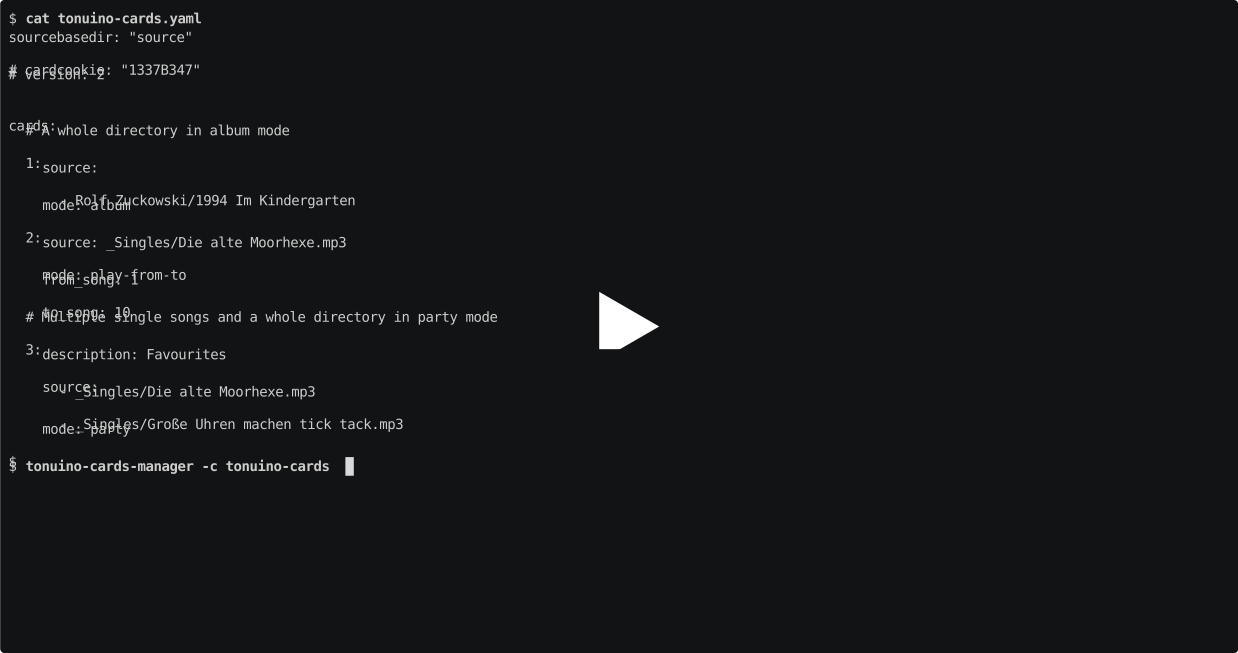
The resulting QR code(s) can be scanned with TonUINO NFC Tools. There, you can press on "Enter list" and "Read QR code", and thereby program your RFID cards in batch.
Configuration
The core of the Tonuino Cards Manager is the configuration file where you define your music setup. Here's a basic example of what the configuration might look like:
# sourcebasedir: ""
# cardcookie: "1337B347"
# version: 2

cards:
  # A whole directory in album mode
  1:
    source:
      - Rolf Zuckowski/1994 Im Kindergarten
    mode: album
  # A whole directory in party mode. A single source can also be written this way
  2:
    source: Fredrik Vahle/1990 Der Spatz
    mode: party
  # A whole directory, play one of the 10 first episodes randomly
  3:
    source: Audio Books/Benjamin Blümchen/
    mode: play-from-to
    from_song: 1
    to_song: 10
  # Multiple single songs and a whole directory in party mode
  4:
    description: Favourite songs of the last few weeks
    source:
      - Singles/Die alte Moorhexe.mp3
      - Singles/Große Uhren machen tick tack.mp3
      - Singles/Best of Last Vacation/
    mode: party
Configuration Details
- sourcebasedir: If all your music is in one directory, you can add the path here and make the
sourceentries for the cards relative to this directory. Default:"" - cardcookie: The card cookie of your Tonuino box. Background here. Default:
1337B347 - version: Card format version,
2for Tonuino 2.1.x and TNG. Default:2 - cards: A list of RFID cards.
- id: The number of the card. These numbers must be unique and be actual numbers, not texts.
- description: A free-text field to describe the card, useful for collections of single songs. Only relevant for your information when handling the QR code. Default:
"" - source: A string or list of paths to songs or albums assigned to the card. Mandatory.
- mode: The play mode for this card. Can be any of the following modes. Default:
play-randomplay-random: play a random file from the folder, front-back buttons lockedalbum: play the complete folderparty: play files in the folder in random ordersingle: play a specific file in the folderaudiobook: play a folder and save the progressadmin: create an admin cardplay-from-to: play a random file between the start and end file (you need to setfrom_songandto_song)album-from-to: play all files between the start and end file in consecutive order (you need to setfrom_songandto_song)party-from-to: play all files between the start and end file at random (you need to setfrom_songandto_song)
- from_song: If you set one of the
*-from-tomodes, write the number of the song you want to start from (from the list of sources you provided). Default:0 - to_song: Equivalent to
from_song. Default:0
- description: A free-text field to describe the card, useful for collections of single songs. Only relevant for your information when handling the QR code. Default:
- id: The number of the card. These numbers must be unique and be actual numbers, not texts.
Limitations
The tool currently has a few limitation. Please feel free to contribute to the project or share your ideas how to fix them.
- A maximum of 99 cards will be supported as every configured card will create a separate folder. A typical Tonuino's MP3 player component can only support folders between 01-99.
- Version 1 of the RFID cards format is not tested as I don't have such a box.
Contributing
Contributions are welcome! To contribute to the Tonuino Cards Manager, please check out the Contribution guide.
License
This project is licensed under the GNU General Public License v3.0 (GPL-3.0-only). See the LICENSE file for details.
There may be components under different, but compatible licenses and from different copyright holders. The project is REUSE compliant which makes these portions transparent. You will find all used licenses in the LICENSES directory.
Happy listening with your Tonuino music box! If you have any questions or need further assistance, please open an issue on GitHub.
Release history Release notifications | RSS feed


Download files
Download the file for your platform. If you're not sure which to choose, learn more about installing packages.
Source Distribution
Built Distribution
Filter files by name, interpreter, ABI, and platform.
If you're not sure about the file name format, learn more about wheel file names.
Copy a direct link to the current filters
File details
Details for the file tonuino_cards_manager-0.1.3.tar.gz.
File metadata
- Download URL: tonuino_cards_manager-0.1.3.tar.gz
- Upload date:
- Size: 41.8 kB
- Tags: Source
- Uploaded using Trusted Publishing? No
- Uploaded via: poetry/2.1.2 CPython/3.13.1 Linux/6.8.0-1021-azure
File hashes
| Algorithm | Hash digest | |
|---|---|---|
| SHA256 |
523d3bb9c90163d5acbd5a0f7920f0fe2357f7046c577bb0066512de07a7c8cf
|
|
| MD5 |
e84522e4ea9d6d52bb8482a4f995e57c
|
|
| BLAKE2b-256 |
93dfb3a799d9547e2314c679cab65f2ba4d2d820360f98cfe382a816f72da885
|
File details
Details for the file tonuino_cards_manager-0.1.3-py3-none-any.whl.
File metadata
- Download URL: tonuino_cards_manager-0.1.3-py3-none-any.whl
- Upload date:
- Size: 46.1 kB
- Tags: Python 3
- Uploaded using Trusted Publishing? No
- Uploaded via: poetry/2.1.2 CPython/3.13.1 Linux/6.8.0-1021-azure
File hashes
| Algorithm | Hash digest | |
|---|---|---|
| SHA256 |
e24d111f3095b2f0dd03307eb17d4308eecd7a1c20dd91f03575efc95979000f
|
|
| MD5 |
70e7208345cf21a5372a6e4ee5ed024c
|
|
| BLAKE2b-256 |
c24dad5beb6ad4f5184f2424509a01ad968fbf6e85791e9ee45bbb0b8a0e82ce
|






