
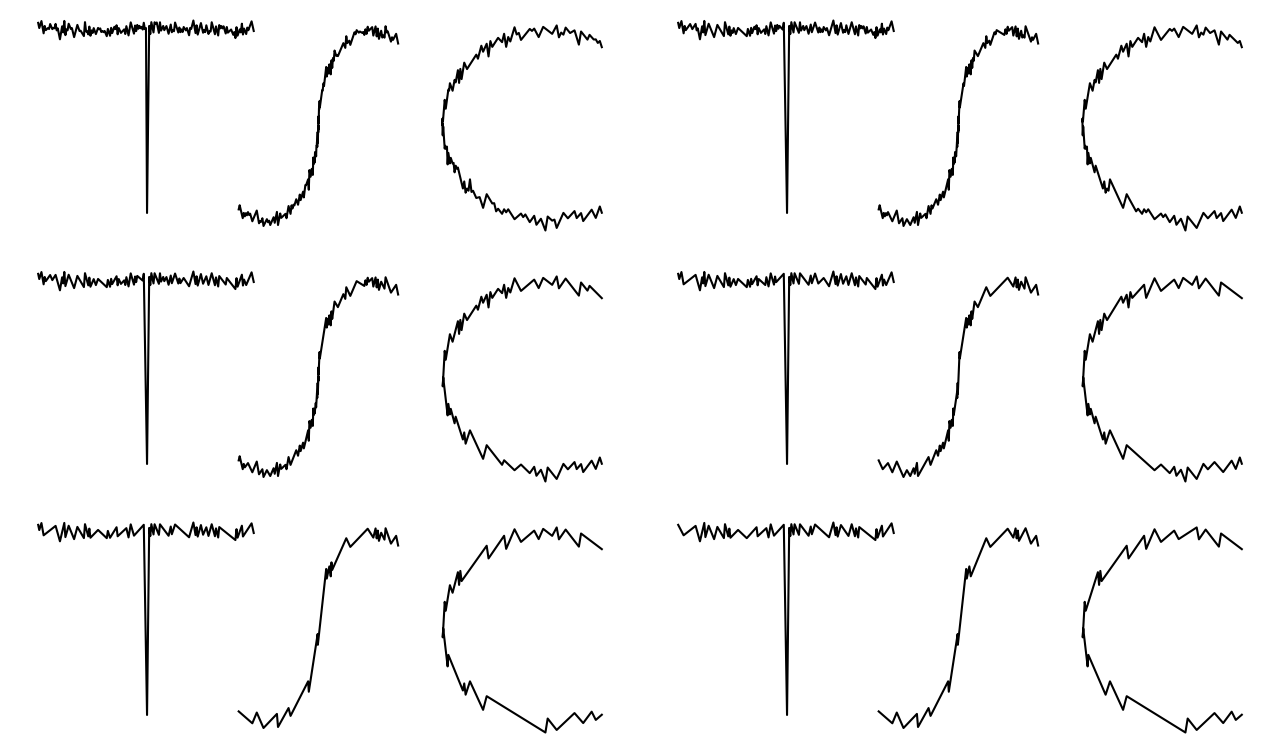
A persistent homology-based signal compression method.
For background information, see:
The paper is also available on arXiv.
Installation
Installing from PyPI
Base Package
The base package can be installed via PyPI by running:
pip install topological-signal-compression
which will only install the dependencies that support the TSC compression and reconstruction algorithms.
[extras] Installation
There is also an option to install additional pip dependencies to support running:
- Counterfactual signal compression algorithms.
- Data readers.
- Visualization of persistence diagrams.
These extra dependencies can be installed by running:
pip install topological-signal-compression[extras]
WARNING: additional [extras] dependencies that cannot be installed with pip
Note, that the counterfactual compression code, specifically the Opus compression method,
also depends on installing the opus-tools and ffmpeg packages, both of which are
available for conda installation by running:
conda install -c conda-forge opus-tools
conda install -c conda-forge ffmpeg
from within a conda environment. There are other unix-equivalent installations that can be done to maintain
functionality, but we only test against the conda-based installation.
Development Environment
To install the conda environment and the jupyter kernel with the full development environment,
clone the repo and run:
cd path/to/topological-signal-compression
bash install.sh
Note, this installation script tries to use mamba (for faster installation), but falls back to conda if mamba is not available.
To uninstall the environment and kernel, be sure to deactivate the conda environment, then run:
cd path/to/topological-signal-compression
bash uninstall.sh
Documentation
Once the repo is cloned, sphinx documentation can be built after installing the conda environment and installing
the [docs] dependencies:
source activate tsc
cd path/to/topological-signal-compression
pip install -e .[extras,docs]
bash build_sphinx_docs.sh
It can also be built after installing the [docs] version of the code from PyPI:
pip install topological-signal-compression[extras,docs]
cd path/to/topological-signal-compression
bash build_sphinx_docs.sh
Then, open up <path/to/topological-signal-compression>/public/index.html in a web browser to view the documentation.
Notebooks
All jupyter notebooks are contained in the ./notebooks directory. These are tested to make sure they run end-to-end
without error, and can be run in the Python (tsc) kernel that is created by ./install.sh. These notebooks are also
embedded in the sphinx documentation (see the "Documentation" section for more information).
Testing
Testing is broken into several sets of tests. There are unit tests on the code as well as end-to-end tests on the maintained jupyter
notebooks in ./notebooks.
Note, running the tests requires additional dependencies. These are built into the conda environment (tsc.yml) installed via
install.sh, or the testing dependencies can instead be installed by running:
pip install topological-signal-compression[testing]
Once the testing dependencies are installed, there are several options for testing.
To run the unit tests on the full topological-signal-compression[extras] package
(including the counterfactual compression algorithms, keep in mind the "WARNING" section above), run:
cd path/to/topological-signal-compression
pytest
To run the unit tests on only the topological-signal-compression base installation:
cd path/to/topological-signal-compression
pytest -c tests/pytest_tsc_base_only.ini
To run the notebooks tests:
cd path/to/topological-signal-compression
pytest -c tests/pytest_notebooks.ini
3 maintainers


Metadata
3 maintainers
Release files for topological-signal-compression 0.11.4
For a detailed explanation of source distributions (sdists) and built distributions (wheels), please see the package formats documentation.
Source distribution (sdist)
| File | Size | Uploaded | Provenance | Actions |
|---|---|---|---|---|
| topological_signal_compression-0.11.4.tar.gz | 177.3 kB | Without provenance | Details for topological_signal_compression-0.11.4.tar.gz |
Built distribution (wheel)
| File | Interpreter | ABI | Platform | Actions Reset |
|---|---|---|---|---|
| topological_signal_compression-0.11.4-py3-none-any.whl | Python 3 | none | any | Details for topological_signal_compression-0.11.4-py3-none-any.whl |
Total release size: 355.7 kB
Release files / topological_signal_compression-0.11.4.tar.gz
| Download URL | topological_signal_compression-0.11.4.tar.gz |
|---|---|
| Size | 177.3 kB |
| Tags | Source |
|
SHA-256 checksum How to use checksums |
cdc4e66fd542fad61fb9a86bf72e758dbe51d82d2ea6881b75163f1073d418e2
|
|
BLAKE2b-256 checksum How to use checksums |
ea147ceb57e34581247b225b467f9788e0d6469908c53d8446a07003ce810bf5
|
| Upload date | |
|
Uploaded using Trusted Publishing? What is trusted publishing? |
No |
| Uploaded via |
twine/7.0.0 CPython/3.11.15
|
Release files / topological_signal_compression-0.11.4-py3-none-any.whl
| Download URL | topological_signal_compression-0.11.4-py3-none-any.whl |
|---|---|
| Size | 178.4 kB |
| Tags | Python 3 |
|
SHA-256 checksum How to use checksums |
3db81bd6e85fd5a7b860cb7b5a20292d64319f5df4533479fe61574ea2aaf49e
|
|
BLAKE2b-256 checksum How to use checksums |
68c97ddabf5f226dfafce2885adc9061e601de035232523a0538f49133d6ba1d
|
| Upload date | |
|
Uploaded using Trusted Publishing? What is trusted publishing? |
No |
| Uploaded via |
twine/7.0.0 CPython/3.11.15
|
Security for topological-signal-compression 0.11.4
Provenance
Provenance describes where a file came from. On PyPI, provenance is shared via attestations, which provide a verifiable record of the build or publishing details. View details, limitations and caveats.
No provenance found
None of the files in this release were uploaded with provenance metadata.
A note on package security
PyPI is a repository for distributing packages, not a service for auditing them. While third-party security researchers and our staff do their best to detect and remove malicious packages, PyPI cannot guarantee the quality, security or suitability of any given package.
To learn more about protecting yourself from malicious actors, visit our package security documentation.














