
Decode Total Commander wcx_ftp.ini FTP passwords from their stored hexadecimal representation.

Project description
Total Commander FTP password recovery (Python)




Total Commander (formerly known as Windows Commander) is a classic file manager for Windows, Windows CE, Windows Phone, and now also Android.
Total Commander has a built-in FTP/FXP client and it keeps the FTP logins and encrypted passwords in wcx_ftp.ini configuration file.
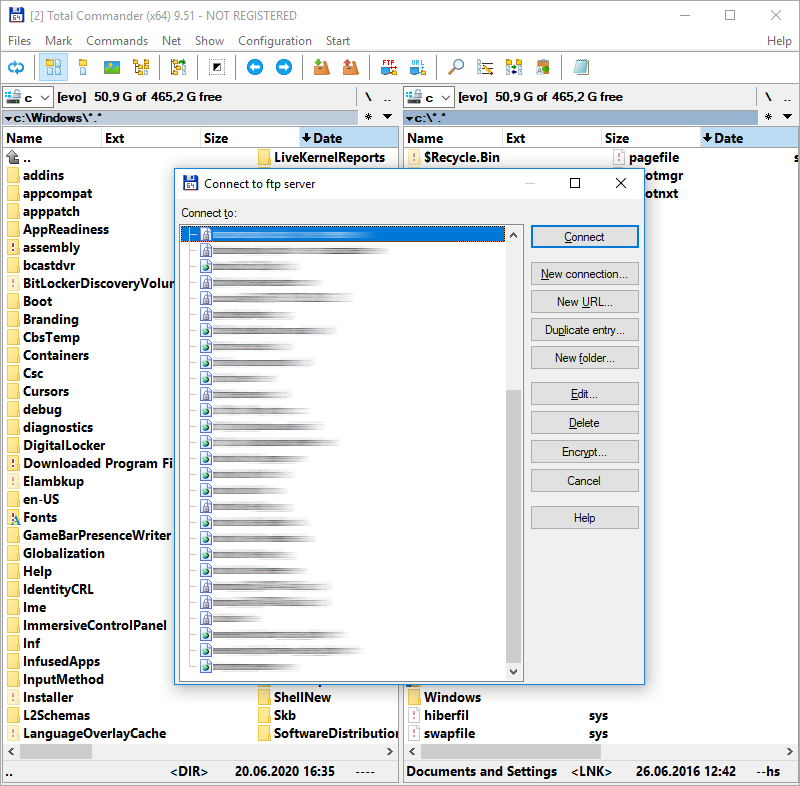
I have reverse engineered and recreated the password decoding algorithm years ago.
It was made available by me to another FlashFXP software to import FTP connection profiles from Total Commander.
I give you source codes for both the original assembly decoding algorithm and a Python implementation of this algorithm.
Total Commander Online Password Decoder
You can either use one of the provided source codes or use my own online implementation to make things faster:
https://www.pelock.com/products/total-commander-ftp-password-recovery
Requirements
- Python 3.11+.
- pip (and a virtual environment for local development).
Installation
pip install total-commander-ftp-password-recovery
For local development from a git checkout:
pip install -e ".[dev]"
Usage (library)
from binascii import hexlify

from total_commander_ftp_password import TotalCommanderPasswordDecoder

cipher_hex = "00112233445566778899aabbccddeeff"

decoder = TotalCommanderPasswordDecoder()
plain = decoder.decrypt_password(cipher_hex)

if plain is None:
    raise RuntimeError("Invalid ciphertext (bad hex, odd length, or too short).")

print(plain)  # decoded bytes
print(hexlify(plain).decode("ascii"))  # optional hex view
decrypt_password() accepts flexible hex input: ASCII case is ignored and whitespace between byte pairs is allowed (useful when pasting from an .ini file).
CLI
After installation via pip, use the console script:
tc-ftp-password-decode 00112233445566778899aabbccddeeff
From a git checkout (after pip install -e .), you can also run:
python -m total_commander_ftp_password.cli 00112233445566778899aabbccddeeff
Examples
examples/basic_usage.py— minimal decrypt script.
Tests
pip install -e ".[dev]"
pytest
References
- Total Commander FTP Password Recovery (article / online tool)
- Source code recovery / reverse engineering services
Author
Bartosz Wójcik
- Visit my site at — https://www.pelock.com
- X — https://x.com/PELock
- GitHub — https://github.com/PELock
Release history Release notifications | RSS feed

Download files
Download the file for your platform. If you're not sure which to choose, learn more about installing packages.
Source Distribution
Built Distribution
Filter files by name, interpreter, ABI, and platform.
If you're not sure about the file name format, learn more about wheel file names.
Copy a direct link to the current filters
File details
Details for the file total_commander_ftp_password_recovery-1.0.0.tar.gz.
File metadata
- Download URL: total_commander_ftp_password_recovery-1.0.0.tar.gz
- Upload date:
- Size: 11.7 kB
- Tags: Source
- Uploaded using Trusted Publishing? No
- Uploaded via: twine/6.2.0 CPython/3.14.4
File hashes
| Algorithm | Hash digest | |
|---|---|---|
| SHA256 |
88b91b8990aa3079067f3a2f98f99e230bdf7a190d66835bb04fe4129a74d325
|
|
| MD5 |
d449bb4ea113c93f73a623cf3dcd6d2d
|
|
| BLAKE2b-256 |
c93a318051c9d1a1b107b9e9ede55defb74f680876b55d97984e816cbefc9430
|
File details
Details for the file total_commander_ftp_password_recovery-1.0.0-py3-none-any.whl.
File metadata
- Download URL: total_commander_ftp_password_recovery-1.0.0-py3-none-any.whl
- Upload date:
- Size: 9.5 kB
- Tags: Python 3
- Uploaded using Trusted Publishing? No
- Uploaded via: twine/6.2.0 CPython/3.14.4
File hashes
| Algorithm | Hash digest | |
|---|---|---|
| SHA256 |
c540bcb440685ca346a116c304580c417da14010477f7f72f6b23155f27a1060
|
|
| MD5 |
dc600d64ec786552b96f64c8728da73f
|
|
| BLAKE2b-256 |
55f95cf0a791e97fb08138120561ada4e3c163c540d852844db43fa695a7bdcd
|






