
Total Commander FTP password recovery (Python)




Total Commander (formerly known as Windows Commander) is a classic file manager for Windows, Windows CE, Windows Phone, and now also Android.
Total Commander has a built-in FTP/FXP client and it keeps the FTP logins and encrypted passwords in wcx_ftp.ini configuration file.
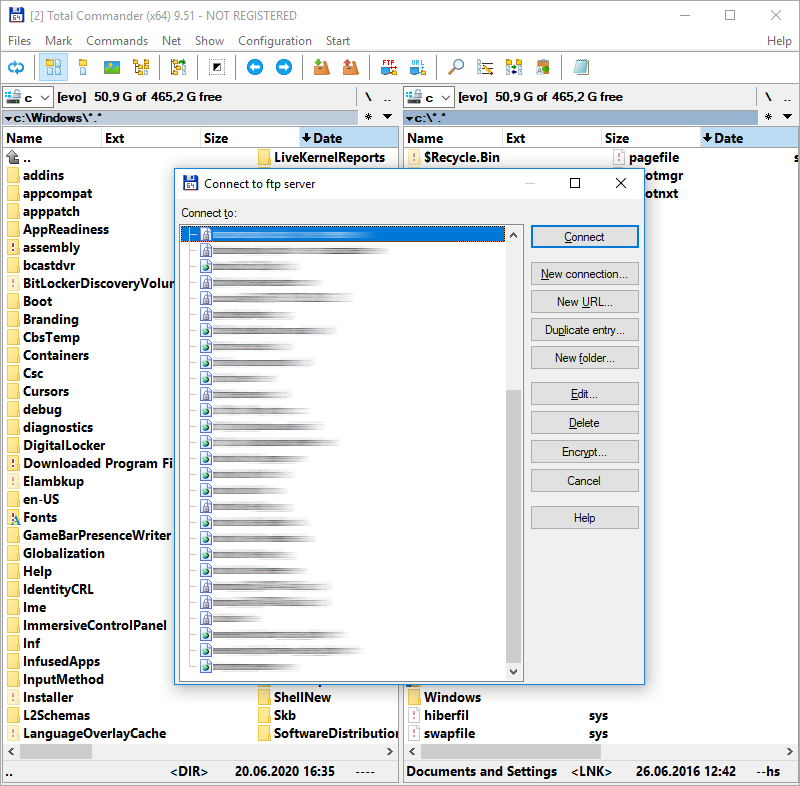
I have reverse engineered and recreated the password decoding algorithm years ago.
It was made available by me to another FlashFXP software to import FTP connection profiles from Total Commander.
I give you source codes for both the original assembly decoding algorithm and a Python implementation of this algorithm.
Total Commander Online Password Decoder
You can either use one of the provided source codes or use my own online implementation to make things faster:
https://www.pelock.com/products/total-commander-ftp-password-recovery
Requirements
- Python 3.11+.
- pip (and a virtual environment for local development).
Installation
pip install total-commander-ftp-password-recovery
For local development from a git checkout:
pip install -e ".[dev]"
Usage (library)
from binascii import hexlify

from total_commander_ftp_password import TotalCommanderPasswordDecoder

cipher_hex = "00112233445566778899aabbccddeeff"

decoder = TotalCommanderPasswordDecoder()
plain = decoder.decrypt_password(cipher_hex)

if plain is None:
    raise RuntimeError("Invalid ciphertext (bad hex, odd length, or too short).")

print(plain)  # decoded bytes
print(hexlify(plain).decode("ascii"))  # optional hex view
decrypt_password() accepts flexible hex input: ASCII case is ignored and whitespace between byte pairs is allowed (useful when pasting from an .ini file).
CLI
After installation via pip, use the console script:
tc-ftp-password-decode 00112233445566778899aabbccddeeff
From a git checkout (after pip install -e .), you can also run:
python -m total_commander_ftp_password.cli 00112233445566778899aabbccddeeff
Examples
examples/basic_usage.py— minimal decrypt script.
Tests
pip install -e ".[dev]"
pytest
References
- Total Commander FTP Password Recovery (article / online tool)
- Source code recovery / reverse engineering services
Author
Bartosz Wójcik
- Visit my site at — https://www.pelock.com
- X — https://x.com/PELock
- GitHub — https://github.com/PELock
1 maintainer

Metadata
1 maintainer
Release files for total-commander-ftp-password-recovery 1.0.0
For a detailed explanation of source distributions (sdists) and built distributions (wheels), please see the package formats documentation.
Source distribution (sdist)
| File | Size | Uploaded | |
|---|---|---|---|
| total_commander_ftp_password_recovery-1.0.0.tar.gz | 11.7 kB | Details |
Built distribution (wheel)
| File | Interpreter | ABI | Platform | Reset |
|---|---|---|---|---|
| total_commander_ftp_password_recovery-1.0.0-py3-none-any.whl | Python 3 | none | any | Details |
Total release size: 21.3 kB
Release files / total_commander_ftp_password_recovery-1.0.0.tar.gz
| Download URL | total_commander_ftp_password_recovery-1.0.0.tar.gz |
|---|---|
| Size | 11.7 kB |
| Tags | Source |
|
SHA-256 checksum How to use checksums |
88b91b8990aa3079067f3a2f98f99e230bdf7a190d66835bb04fe4129a74d325
|
|
BLAKE2b-256 checksum How to use checksums |
c93a318051c9d1a1b107b9e9ede55defb74f680876b55d97984e816cbefc9430
|
| Upload date | |
|
Uploaded using Trusted Publishing? What is trusted publishing? |
No |
| Uploaded via |
twine/6.2.0 CPython/3.14.4
|
Release files / total_commander_ftp_password_recovery-1.0.0-py3-none-any.whl
| Download URL | total_commander_ftp_password_recovery-1.0.0-py3-none-any.whl |
|---|---|
| Size | 9.5 kB |
| Tags | Python 3 |
|
SHA-256 checksum How to use checksums |
c540bcb440685ca346a116c304580c417da14010477f7f72f6b23155f27a1060
|
|
BLAKE2b-256 checksum How to use checksums |
55f95cf0a791e97fb08138120561ada4e3c163c540d852844db43fa695a7bdcd
|
| Upload date | |
|
Uploaded using Trusted Publishing? What is trusted publishing? |
No |
| Uploaded via |
twine/6.2.0 CPython/3.14.4
|













