
Touying Exporter
Export presentation slides in various formats for Touying.
HTML Export
We generate SVG image files and package them with impress.js into an HTML file. This way, you can open and present it using a browser, and it supports GIF animations and speaker notes.

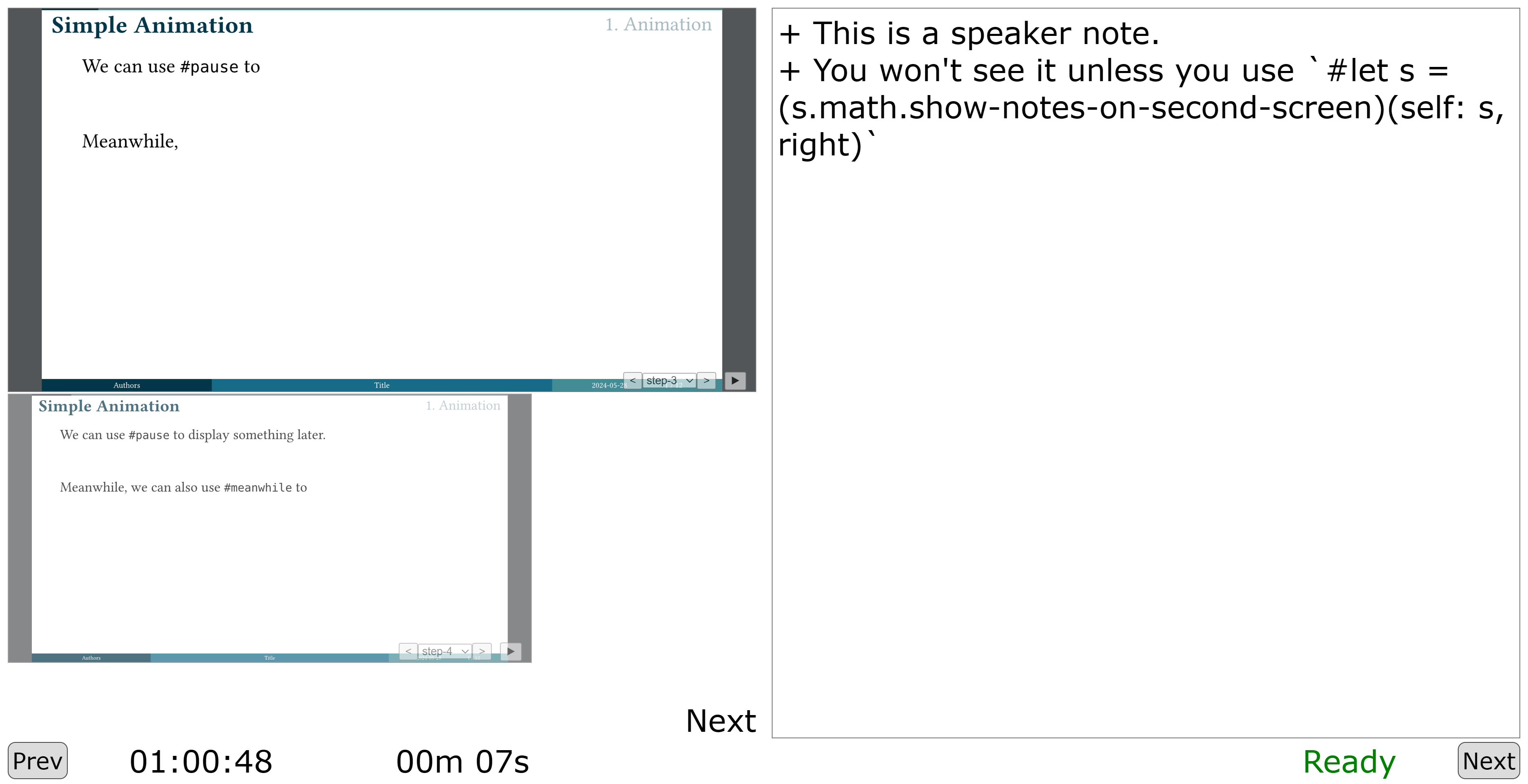
Touying template for online presentation. Online
PPTX Export
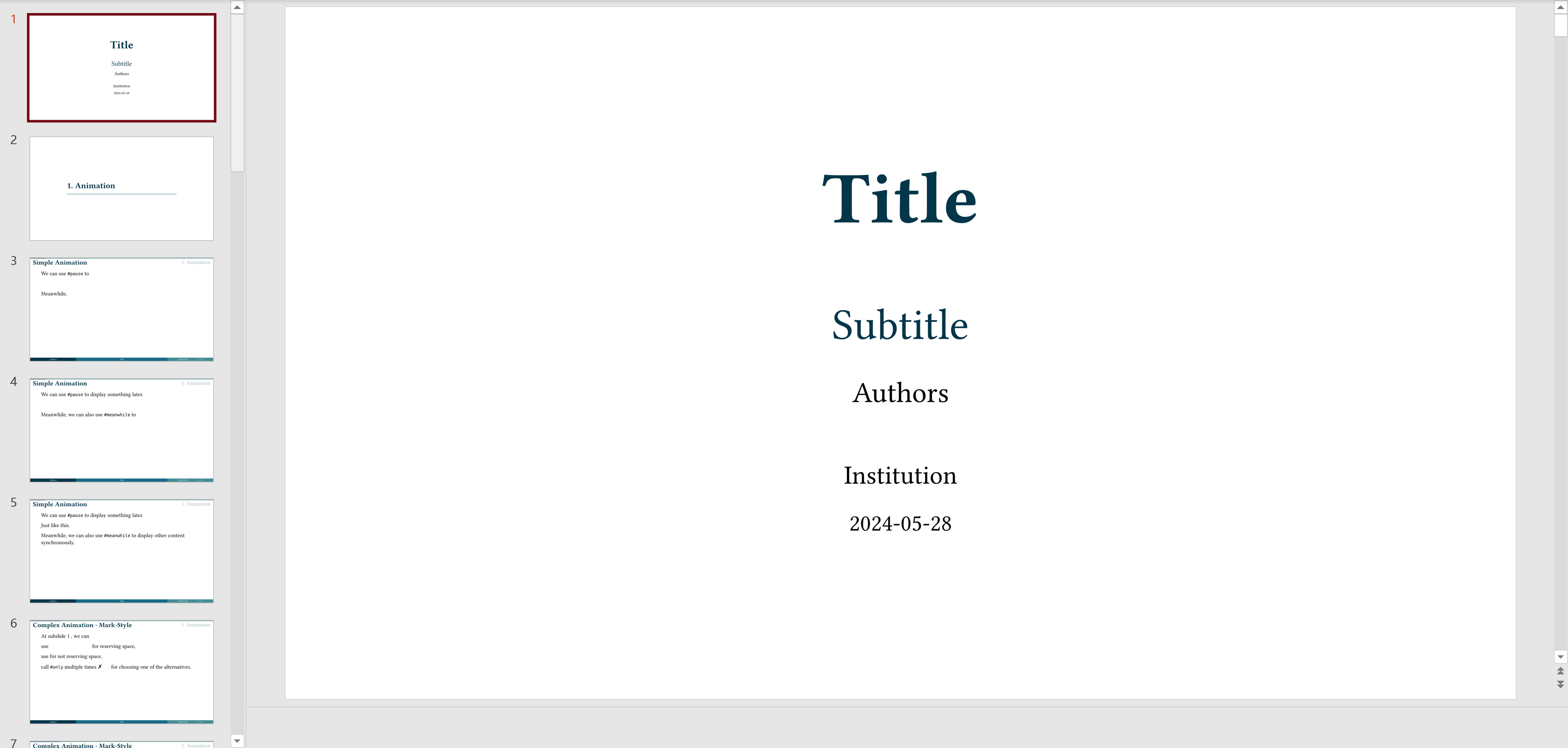
We generate PNG image files and package them into a PPTX file. This way, you can open and present it using PowerPoint, and it supports speaker notes.
Install
pip install touying
CLI
usage: touying compile [-h] [--output OUTPUT] [--root ROOT] [--font-paths [FONT_PATHS ...]] [--start-page START_PAGE] [--count COUNT] [--ppi PPI] [--silent SILENT] [--format {html,pptx,pdf,pdfpc}] [--sys-inputs SYS_INPUTS] input

positional arguments:
  input                 Input file

options:
  -h, --help            show this help message and exit
  --output OUTPUT       Output file
  --root ROOT           Root directory for typst file
  --font-paths [FONT_PATHS ...]
                        Paths to custom fonts
  --start-page START_PAGE
                        Page to start from
  --count COUNT         Number of pages to convert
  --ppi PPI             Pixels per inch for PPTX format
  --silent SILENT       Run silently
  --format {html,pptx,pdf,pdfpc}
                        Output format
  --sys-inputs SYS_INPUTS
                        JSON string to pass to typst's sys.inputs
For example:
touying compile example.typ
You will get a example.html file. Open it with your browser and start your presentation :-)
Passing variables to typst
You can pass variables to your typst files using the --sys-inputs parameter:
touying compile example.typ --sys-inputs '{"title":"My Presentation","author":"John Doe"}'
In your typst file, you can access these variables like this:
#let title = sys.inputs.at("title", default: "Default Title")
#let author = sys.inputs.at("author", default: "Default Author")

= #title
By #author
Use it as a python package
import touying

touying.to_html("example.typ")
Thanks
1 maintainer

Metadata
1 maintainer
Release files for touying 0.14.4
For a detailed explanation of source distributions (sdists) and built distributions (wheels), please see the package formats documentation.
Source distribution (sdist)
| File | Size | Uploaded | |
|---|---|---|---|
| touying-0.14.4.tar.gz | 25.4 kB | Details |
Built distribution (wheel)
| File | Interpreter | ABI | Platform | Reset |
|---|---|---|---|---|
| touying-0.14.4-py3-none-any.whl | Python 3 | none | any | Details |
Total release size: 50.4 kB
Release files / touying-0.14.4.tar.gz
| Download URL | touying-0.14.4.tar.gz |
|---|---|
| Size | 25.4 kB |
| Tags | Source |
|
SHA-256 checksum How to use checksums |
091d439e421201b688cb9582da3fed351d8977493d1e2c67277dba4452f8c4a4
|
|
BLAKE2b-256 checksum How to use checksums |
d7e24482f90cfe23e7fdfe67eeb97e9d469fb60ed1aa9ee852ab3292557e00ba
|
| Upload date | |
|
Uploaded using Trusted Publishing? What is trusted publishing? |
No |
| Uploaded via |
twine/6.2.0 CPython/3.9.25
|
Release files / touying-0.14.4-py3-none-any.whl
| Download URL | touying-0.14.4-py3-none-any.whl |
|---|---|
| Size | 25.0 kB |
| Tags | Python 3 |
|
SHA-256 checksum How to use checksums |
c76ddbb4e75ae14ab26f8582c4f05e88801b4a56a255b9b9103eaedfa4764291
|
|
BLAKE2b-256 checksum How to use checksums |
49face133b0eb86b7c92eb523f0b8b52220bca5aefa1f40cf49b8476fd6d17f5
|
| Upload date | |
|
Uploaded using Trusted Publishing? What is trusted publishing? |
No |
| Uploaded via |
twine/6.2.0 CPython/3.9.25
|














