
Touying Exporter
Export presentation slides in various formats for Touying.
HTML Export
We generate SVG image files and package them with impress.js into an HTML file. This way, you can open and present it using a browser, and it supports GIF animations and speaker notes.

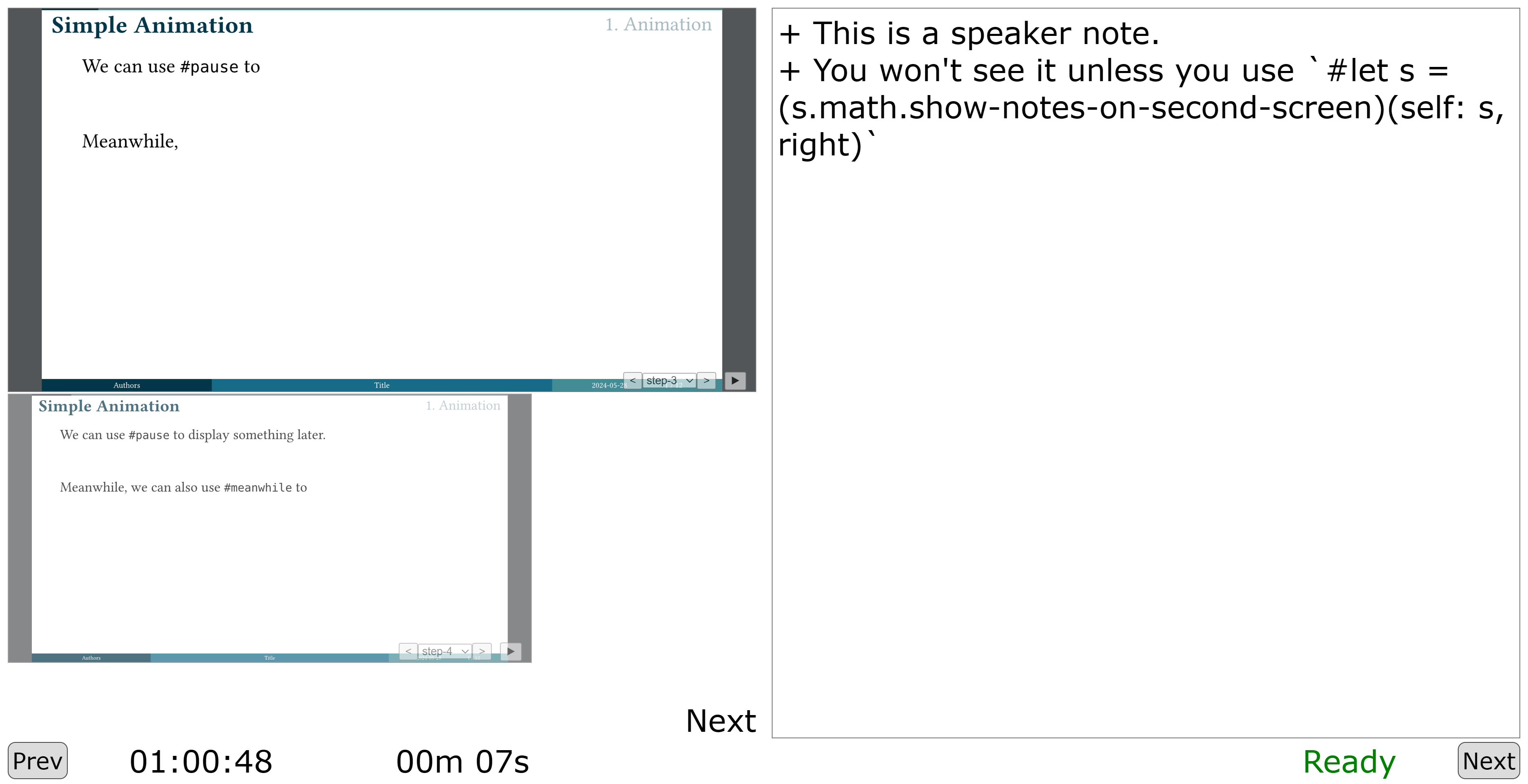
Touying template for online presentation. Online
PPTX Export
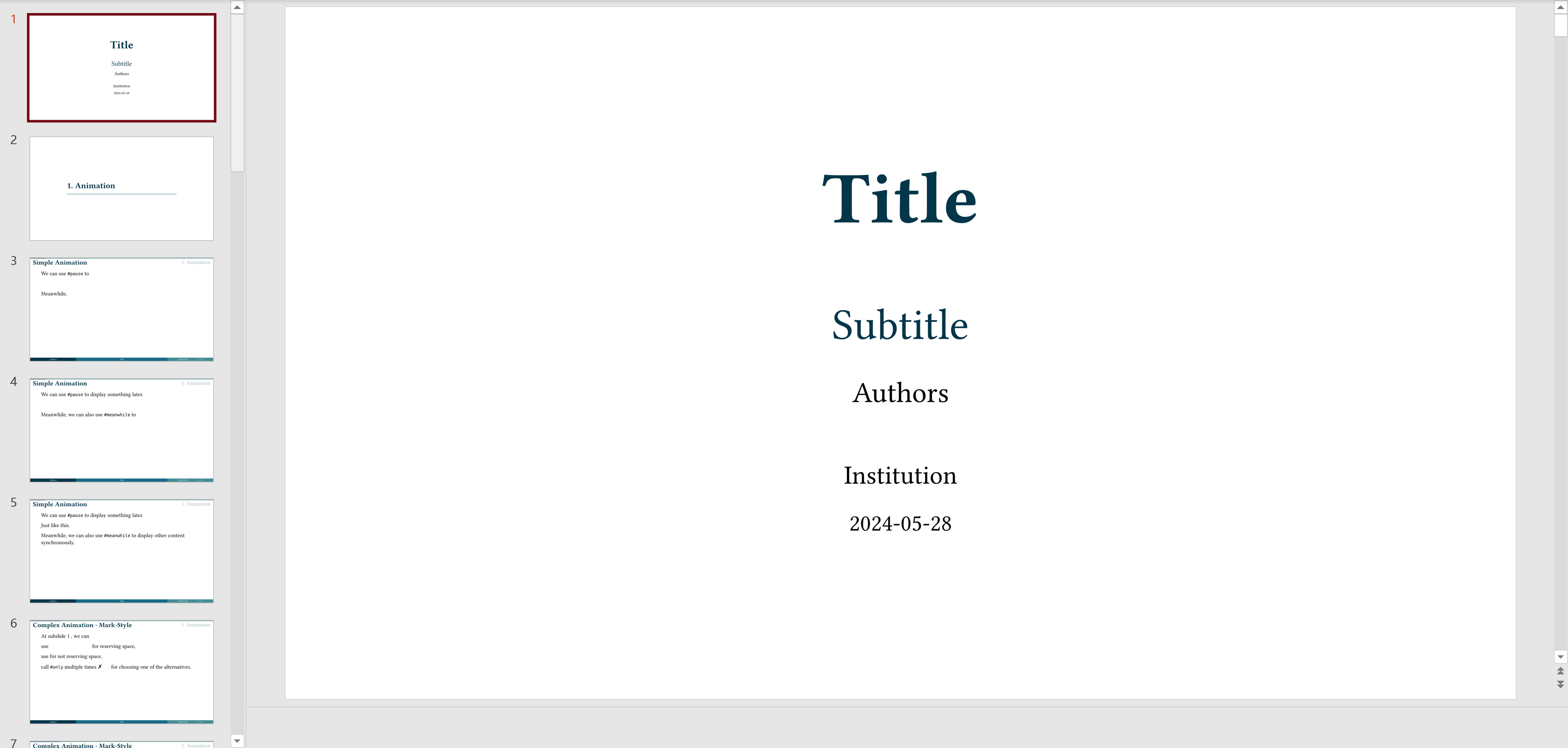
We generate PNG image files and package them into a PPTX file. This way, you can open and present it using PowerPoint, and it supports speaker notes.
Install
pip install touying
CLI
usage: touying compile [-h] [--output OUTPUT] [--root ROOT] [--font-paths [FONT_PATHS ...]] [--start-page START_PAGE] [--count COUNT] [--ppi PPI] [--silent SILENT] [--format {html,pptx,pdf,pdfpc}] [--sys-inputs SYS_INPUTS] input

positional arguments:
  input                 Input file

options:
  -h, --help            show this help message and exit
  --output OUTPUT       Output file
  --root ROOT           Root directory for typst file
  --font-paths [FONT_PATHS ...]
                        Paths to custom fonts
  --start-page START_PAGE
                        Page to start from
  --count COUNT         Number of pages to convert
  --ppi PPI             Pixels per inch for PPTX format
  --silent SILENT       Run silently
  --format {html,pptx,pdf,pdfpc}
                        Output format
  --sys-inputs SYS_INPUTS
                        JSON string to pass to typst's sys.inputs
For example:
touying compile example.typ
You will get a example.html file. Open it with your browser and start your presentation :-)
Passing variables to typst
You can pass variables to your typst files using the --sys-inputs parameter:
touying compile example.typ --sys-inputs '{"title":"My Presentation","author":"John Doe"}'
In your typst file, you can access these variables like this:
#let title = sys.inputs.at("title", default: "Default Title")
#let author = sys.inputs.at("author", default: "Default Author")

= #title
By #author
Use it as a python package
import touying

touying.to_html("example.typ")
Thanks
1 maintainer

Download files
Download the file for your platform. If you're not sure which to choose, learn more about installing packages.
Source Distribution
Built Distribution
Filter files by name, interpreter, ABI, and platform.
If you're not sure about the file name format, learn more about wheel file names.
Copy a direct link to the current filters
File details
Details for the file touying-0.14.4.tar.gz.
File metadata
- Download URL: touying-0.14.4.tar.gz
- Upload date:
- Size: 25.4 kB
- Tags: Source
- Uploaded using Trusted Publishing? No
- Uploaded via:
twine/6.2.0 CPython/3.9.25
File hashes
| Algorithm | Hash digest | |
|---|---|---|
| SHA256 |
091d439e421201b688cb9582da3fed351d8977493d1e2c67277dba4452f8c4a4
|
|
| MD5 |
d51ecc6cb4797b7e079864414cf493b3
|
|
| BLAKE2b-256 |
d7e24482f90cfe23e7fdfe67eeb97e9d469fb60ed1aa9ee852ab3292557e00ba
|
File details
Details for the file touying-0.14.4-py3-none-any.whl.
File metadata
- Download URL: touying-0.14.4-py3-none-any.whl
- Upload date:
- Size: 25.0 kB
- Tags: Python 3
- Uploaded using Trusted Publishing? No
- Uploaded via:
twine/6.2.0 CPython/3.9.25
File hashes
| Algorithm | Hash digest | |
|---|---|---|
| SHA256 |
c76ddbb4e75ae14ab26f8582c4f05e88801b4a56a255b9b9103eaedfa4764291
|
|
| MD5 |
70254b2a960231864859034727df5466
|
|
| BLAKE2b-256 |
49face133b0eb86b7c92eb523f0b8b52220bca5aefa1f40cf49b8476fd6d17f5
|







