

trackers
Plug-and-play object tracking in Python (multi-object) for any detection model.






trackers is an object tracking library for Python. Keeping track of objects across video frames is one of those problems that sounds simple until you try it — occlusions, fast motion, similar-looking targets, and moving cameras all conspire against you. trackers gives you clean, benchmarked implementations of SORT, ByteTrack, OC-SORT, BoT-SORT, C-BIoU, and McByte so you can skip the plumbing and focus on your application. It speaks supervision.Detections natively, which means it slots into any detector you already use — YOLO, DETR, RT-DETR, or anything else — without glue code. Whether you are a researcher comparing algorithms, an engineer shipping a production pipeline, or a hobbyist building something cool, trackers gives you a single consistent interface for all of them. Requires Python ≥ 3.10.
Why trackers?
- Clean-room implementations. Every algorithm is re-implemented from the original paper — not a thin wrapper around someone else's code. You can read it, understand it, and modify it.
- Detector-agnostic. Works with YOLO, DETR, RT-DETR, or any model that produces bounding boxes. No inference library required or assumed.
supervision.Detectionsnative. Plugs directly into the supervision ecosystem. Pass detections in, get tracked detections back — zero glue code.- Benchmarked across four datasets. MOT17, SportsMOT, SoccerNet, and DanceTrack have default-parameter results, with tuned results where available. McByte has default results only.
- Tunable with one extra. Install
trackers[tune]withpip install "trackers[tune]"to use Optuna-based hyperparameter search viatrackers tune. - Camera motion compensation. BoT-SORT handles moving cameras natively, keeping track IDs stable even when the whole frame shifts.
Install
pip install trackers
Install from source
pip install git+https://github.com/roboflow/trackers.git
For more options, see the install guide.
Quick Start
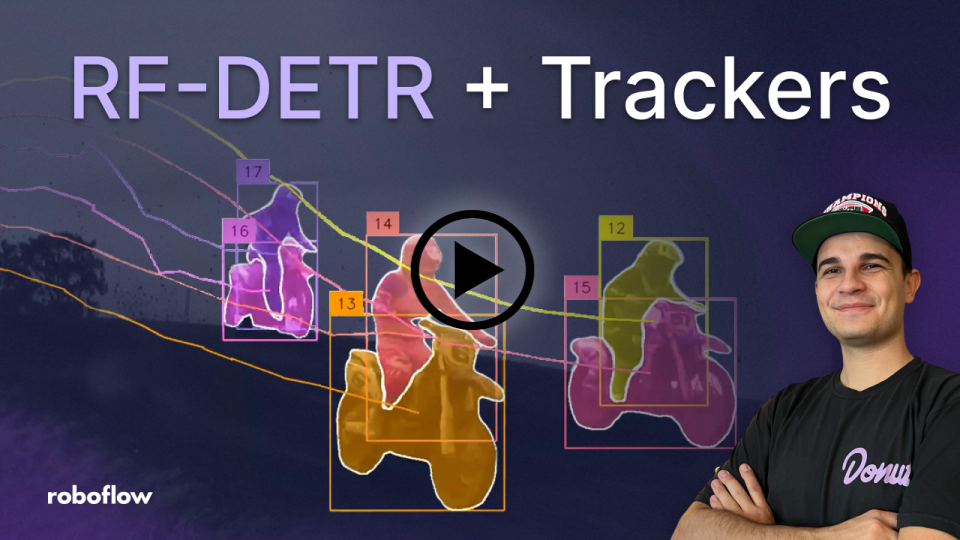
Add tracking to your existing detection pipeline in a few lines. Every tracker shares the same update(detections, frame=None) interface, so switching algorithms later is a one-line change. The example below uses the separate inference package for detection (pip install inference); it is not included with trackers. You can use any detector that returns supervision.Detections.
import cv2
import supervision as sv
from inference import get_model
from trackers import ByteTrackTracker

model = get_model(model_id="rfdetr-medium")
tracker = ByteTrackTracker()

cap = cv2.VideoCapture("video.mp4")
while cap.isOpened():
    ret, frame = cap.read()
    if not ret:
        break

    result = model.infer(frame)[0]
    detections = sv.Detections.from_inference(result)
    tracked = tracker.update(detections)
For more examples, see the tracking guide.
Track from CLI
Prefer the terminal? Point trackers track at a video, webcam feed, RTSP stream, or image directory and it handles detection, tracking, and annotated output in one command — no Python script required.
trackers track \
    --source video.mp4 \
    --output output.mp4 \
    --model rfdetr-medium \
    --tracker bytetrack \
    --show-labels \
    --show-trajectories
For all CLI options, see the tracking guide.
Algorithms
Each tracker below is a faithful implementation of its original paper. Pick the one that fits your scene, or run the benchmark to find out which performs best on your data.
| Algorithm | Description | MOT17 HOTA | SportsMOT HOTA | SoccerNet HOTA | DanceTrack HOTA |
|---|---|---|---|---|---|
| SORT | Kalman filter + Hungarian matching baseline. | 58.4 | 70.8 | 81.6 | 47.2 |
| ByteTrack | Two-stage association using high and low confidence detections. | 60.1 | 73.0 | 84.0 | 53.3 |
| OC-SORT | Observation-centric recovery for lost tracks. | 61.9 | 71.7 | 78.4 | 54.1 |
| BoT-SORT | Camera motion compensation | 63.7 | 73.8 | 84.5 | 57.8 |
| C-BIoU | Cascaded buffered IoU matching for fast or irregular motion. | 63.0 | 73.1 | 82.6 | 56.7 |
| McByte | Mask-conditioned tracking with propagated SAM/Cutie masks. | 64.1 | 76.5 | 85.0 | 67.2 |
All scores use default parameters on the standard split. The benchmarks use YOLOX detections for MOT17, SportsMOT, and DanceTrack, and ground-truth boxes for SoccerNet, so results can vary with detector quality. See the tracker comparison for tuned numbers and methodology.
trackers also ships McByte, a mask-conditioned tracker that extends BoT-SORT-style association with temporally propagated SAM/Cutie segmentation masks as an extra matching cue. It requires optional heavyweight dependencies (torch, SAM, Cutie) not installed by default — see the McByte docs for setup and benchmark numbers.
Evaluate
Once you have tracking results, you want to know how good they are. trackers eval computes CLEAR, HOTA, and Identity metrics against ground-truth annotations and prints a per-sequence breakdown alongside the combined score.
trackers eval \
    --gt-dir ./data/mot17/val \
    --tracker-dir results \
    --metrics CLEAR HOTA Identity \
    --columns MOTA HOTA IDF1
Example output: scores depend on the detections used and are not directly comparable with the YOLOX-based benchmark table above.
Sequence                        MOTA    HOTA    IDF1
----------------------------------------------------
MOT17-02-FRCNN                30.192  35.475  38.515
MOT17-04-FRCNN                48.912  55.096  61.854
MOT17-05-FRCNN                52.755  45.515  55.705
MOT17-09-FRCNN                51.441  50.108  57.038
MOT17-10-FRCNN                51.832  49.648  55.797
MOT17-11-FRCNN                55.501  49.401  55.061
MOT17-13-FRCNN                60.488  58.651  69.884
----------------------------------------------------
COMBINED                      47.406  50.355  56.600
For the full evaluation workflow, see the evaluation guide.
Download Datasets
Need benchmark data to evaluate against? trackers download pulls MOT17 and SportsMOT with a single command, handling splits and assets selectively so you only download what you need.
trackers download mot17 \
    --split val \
    --asset annotations,detections
| Dataset | Description | Splits | Assets | License |
|---|---|---|---|---|
mot17 |
Pedestrian tracking with crowded scenes and frequent occlusions. | train, val, test |
frames, annotations, detections |
CC BY-NC-SA 3.0 |
sportsmot |
Sports broadcast tracking with fast motion and similar-looking targets. | train, val, test |
frames, annotations |
CC BY 4.0 |
The table lists assets across splits, not assets available in every split. MOT17 test has no annotations; SportsMOT has no pre-computed detections, and its test split contains frames only.
For more download options, see the download guide.
Try It
Want to see it in action before writing any code? Try trackers in your browser with our Hugging Face Playground — no install required.
Where to go next
- New to tracking? Start with the tracking guide — it walks through the Python API and CLI end to end.
- Want benchmarks? The tracker comparison covers all six algorithms across four datasets, with default results and tuned results where available.
- Building a research pipeline? The evaluation guide and download guide cover the full offline benchmarking workflow.
- Full API reference → trackers.roboflow.com
- Try without installing → Hugging Face Playground
- Questions? Find us on Discord.
Contributing
We welcome contributions. Read our contributor guidelines to get started.
License
The code is released under the Apache 2.0 license.
1 maintainer

Release files for trackers 2.6.1
For a detailed explanation of source distributions (sdists) and built distributions (wheels), please see the package formats documentation.
Source distribution (sdist)
| File | Size | Uploaded | |
|---|---|---|---|
| trackers-2.6.1.tar.gz | 189.4 kB | Details |
Built distribution (wheel)
| File | Interpreter | ABI | Platform | Reset |
|---|---|---|---|---|
| trackers-2.6.1-py3-none-any.whl | Python 3 | none | any | Details |
Total release size: 414.1 kB
Release files / trackers-2.6.1.tar.gz
| Download URL | trackers-2.6.1.tar.gz |
|---|---|
| Size | 189.4 kB |
| Tags | Source |
|
SHA-256 checksum How to use checksums |
e8363838384cea25967b4501fff2565cc9c0e234a6f7eaea3ba5343b65a30561
|
|
BLAKE2b-256 checksum How to use checksums |
af159aaaf90700b2464fc13553811cfb7620d84ede37c08870cdd68a4370e5e5
|
| Upload date | |
|
Uploaded using Trusted Publishing? What is trusted publishing? |
Yes |
| Uploaded via |
twine/7.0.0 CPython/3.13.14
|
Provenance
Provenance describes where a file came from. On PyPI, provenance is shared via attestations, which provide a verifiable record of the build or publishing details. View details, limitations and caveats.


PyPI Publish Attestation
PyPI verified that this artifact, at this checksum, originated from the publisher listed below.
Signed by GitHub Actions, verified by PyPI on Sep 25, 2026.
Transparency logRelease files / trackers-2.6.1-py3-none-any.whl
| Download URL | trackers-2.6.1-py3-none-any.whl |
|---|---|
| Size | 224.7 kB |
| Tags | Python 3 |
|
SHA-256 checksum How to use checksums |
b5188de630f449958be3ce787fbb0375c69cfde094b6e4b4329cd79a98108501
|
|
BLAKE2b-256 checksum How to use checksums |
7216237ec75a634fc7e58c0470bdded80846d92979939ee66af804dae2161114
|
| Upload date | |
|
Uploaded using Trusted Publishing? What is trusted publishing? |
Yes |
| Uploaded via |
twine/7.0.0 CPython/3.13.14
|
Provenance
Provenance describes where a file came from. On PyPI, provenance is shared via attestations, which provide a verifiable record of the build or publishing details. View details, limitations and caveats.
PyPI Publish Attestation
PyPI verified that this artifact, at this checksum, originated from the publisher listed below.
Signed by GitHub Actions, verified by PyPI on Sep 25, 2026.
Transparency log













