





Welcome to trackio: a lightweight, free experiment tracking library built by Hugging Face for humans and AI agents 🤗.
Why Trackio when other experiment-tracking libraries exist? Trackio has a few qualities that make it particularly useful for agents:
- It is local-first, because you shouldn't need to make an account to log data
- Logs are stored in SQLite database (with support for "freezing" logs to Parquet), which not only lets Trackio supports very high throughputs for parallel experiments, but also
- provides an easy CLI interface for querying data (including directly on the SQL data), perfect for LLM-driven analysis.
So whether you are using agents to run entire research experiments autonomously or whether you are just using LLMs to analyze data, Trackio is for you.
For human users, Trackio also ships with a Gradio-inspired dashboard so you can view metrics, media, tables, alerts, etc.:
https://github.com/user-attachments/assets/2683cf27-7520-4fff-9ee9-bdc08a8ca404
Trackio's main features:
-
API compatible with
wandb.init,wandb.log, andwandb.finish. Drop-in replacement: justimport trackio as wandb
and keep your existing logging code.
-
Local-first, cloud-optional design: dashboard runs locally by default. But note that you can also log metrics to a Hugging Face Space with
space_idwhich is also free and useful for collaborative experiments. -
LLM-friendly: Built with autonomous ML experiments in mind, Trackio includes a CLI for programmatic access and a Python API for run management, making it easy for LLMs to log metrics and query experiment data.
- Use
trackio query project --project <name> --sql "SELECT ..."for read-only SQL whentrackio listandtrackio getare not enough - See the storage schema and direct query reference at https://huggingface.co/docs/trackio/storage_schema
- Use
-
Free: Everything here, including hosting on Hugging Face, is free!
Installation
Trackio requires Python 3.10 or higher. Install with pip:
pip install trackio
or with uv:
uv pip install trackio
Usage
To get started, you can run a simple example that logs some fake training metrics:
import trackio
import random
import time

runs = 3
epochs = 8


for run in range(runs):
    trackio.init(
        project="my-project",
        config={"epochs": epochs, "learning_rate": 0.001, "batch_size": 64}
    )

    for epoch in range(epochs):
        train_loss = random.uniform(0.2, 1.0)
        train_acc = random.uniform(0.6, 0.95)

        val_loss = train_loss - random.uniform(0.01, 0.1)
        val_acc = train_acc + random.uniform(0.01, 0.05)

        trackio.log({
            "epoch": epoch,
            "train_loss": train_loss,
            "train_accuracy": train_acc,
            "val_loss": val_loss,
            "val_accuracy": val_acc
        })

        time.sleep(0.2)

trackio.finish()
Running the above will print to the terminal instructions on launching the dashboard.
The usage of trackio is designed to be identical to wandb in most cases, so you can easily switch between the two libraries.
import trackio as wandb
Dashboard
You can launch the dashboard by running in your terminal:
trackio show
or, in Python:
import trackio

trackio.show()
You can also provide an optional project name as the argument to load a specific project directly:
trackio show --project "my-project"
or, in Python:
import trackio

trackio.show(project="my-project")
You can also point Trackio at a custom static frontend directory:
trackio show --frontend ./my-trackio-frontend
import trackio

trackio.show(frontend_dir="./my-trackio-frontend")
The directory only needs an index.html file. Trackio keeps serving the same backend API under /api/*, so you can replace the UI without forking the backend. If the directory is missing or invalid, Trackio falls back to a minimal starter template.
To make a custom frontend apply everywhere by default:
trackio config set frontend ./my-trackio-frontend
Reset it with:
trackio config unset frontend
Running in the Cloud (Hugging Face Spaces)
When calling trackio.init(), by default the service will run locally and store project data on the local machine.
But if you pass a space_id to init, like:
trackio.init(project="my-project", space_id="orgname/space_id")
or
trackio.init(project="my-project", space_id="username/space_id")
it will use an existing or automatically deploy a new Hugging Face Space as needed. You should be logged in with the huggingface-cli locally and your token should have write permissions to create the Space.
You can view each Trackio Space individually, or all of your Trackio dashboards in one place: https://trackio-laboratory.hf.space/
Self-hosted Trackio server
You can run the Trackio dashboard and API on your own machine or infrastructure and point training jobs at it over HTTP. Pass the write-access URL from trackio.show() (which may include write_token in the query), or a base URL plus the TRACKIO_WRITE_TOKEN environment variable. Set TRACKIO_WRITE_TOKEN before launching the server if you want to provide the server write token instead of using a random startup token. The client sends that token on requests; it is not your Hugging Face token.
trackio.init(project="my-project", server_url="http://127.0.0.1:7860?write_token=YOUR_TOKEN")
You can also set TRACKIO_SERVER_URL (and optionally TRACKIO_WRITE_TOKEN if the URL has no query string). If space_id / TRACKIO_SPACE_ID and server_url / TRACKIO_SERVER_URL are both set, Trackio uses the Hugging Face Space and ignores the self-hosted URL.
See the documentation: Self-host the Server.
Syncing Offline Projects to Spaces
If you've been tracking experiments locally and want to move them to Hugging Face Spaces for sharing or collaboration, use the sync function:
import trackio

trackio.sync(
    project="my-project",
    space_id="username/space_id",
    frontend_dir="./my-trackio-frontend",
)
This uploads your local project database to a new or existing Space. The Space will display all your logged experiments and metrics, and if a custom frontend is configured or passed explicitly it will be deployed there too.
Static Trackio Spaces (sdk="static") are read-only browser-only snapshots, so their snapshot data must be public. Use the default Gradio Space for private dashboards; sdk="static" does not support private=True.
Example workflow:
import trackio

# Start tracking locally
trackio.init(project="my-project", config={"lr": 0.001})
trackio.log({"loss": 0.5})
trackio.finish()

# Later, sync to Spaces
trackio.sync(
    project="my-project",
    space_id="username/my-experiments",
    frontend_dir="./my-trackio-frontend",
)
Embedding a Trackio Dashboard
One of the reasons we created trackio was to make it easy to embed live dashboards on websites, blog posts, or anywhere else you can embed a website.
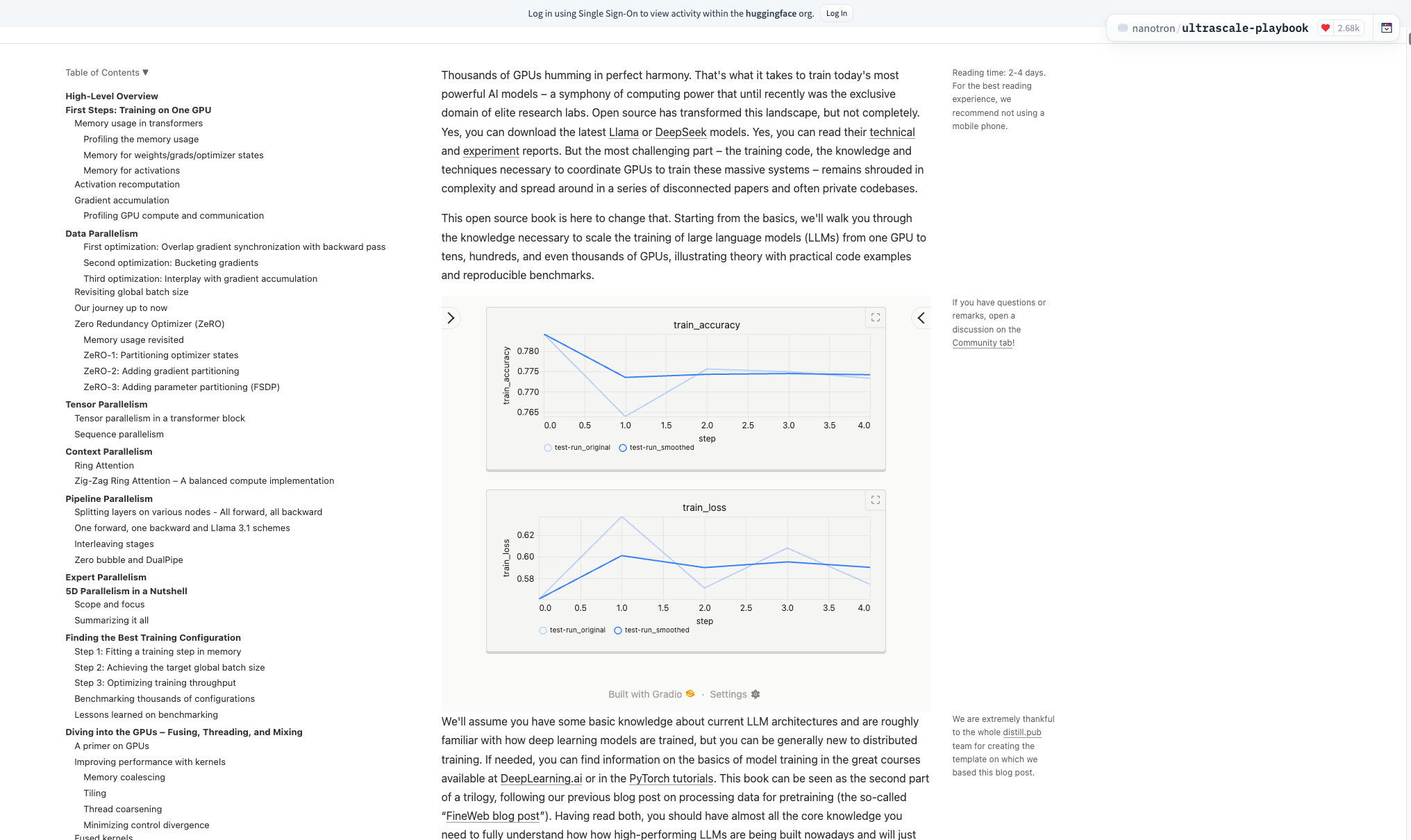
If you are hosting your Trackio dashboard on Spaces, then you can embed the url of that Space as an IFrame. You can even use query parameters to only specific projects and/or metrics, e.g.
<iframe src="https://abidlabs-trackio-1234.hf.space/?project=my-project&metrics=train_loss,train_accuracy&sidebar=hidden" style="width:1600px; height:500px; border:0;">
Supported query parameters:
project: (string) Open the dashboard on this project only. The project picker is hidden and the selection cannot be changed while this parameter is present (useful for embeds). The aliasselected_projectis accepted for the same behavior.metrics: (comma-separated list) Show only metrics whose names match exactly (after splitting on commas), e.g.train_loss,train_accuracy. Applied as the metrics filter on the Metrics page.sidebar: (string) One ofauto,visible,collapsed, orhidden. The default isauto, which opens or collapses the sidebar based on the viewport width.visiblestarts with the full sidebar open,collapsedstarts with only the narrow rail, andhiddenremoves the sidebar entirely. Explicit modes are not changed when the viewport is resized.footer: (string: "false"). When set to "false", hides the Gradio footer (Gradio-hosted Spaces). By default, the footer is visible.xmin/xmax: (numbers, use both together) Set the initial horizontal zoom range on the Metrics plots (shared x-axis window). Both must be valid numbers withxmin < xmax.x_axis: (string) Set the initial Metrics page x-axis, e.g.step,time, or a numeric logged metric/column such asepoch. The aliasx-axisis also accepted. If the requested x-axis is unavailable, Trackio falls back to the defaultstepaxis.smoothing: (number) Set the initial value of the smoothing slider (0-20, where 0 = no smoothing).plots_per_row: (autoor integer from 1 to 6) Set the initial value of the Plots per row control. The default isauto, which fits plots to the available width.accordion: (string: "hidden"). When set to "hidden", hides the section header accordions around metric groups. By default, section headers are visible.theme: (string) Dashboard theme, e.g.lightordark(see theme behavior in the app).write_token: (string) One-time token written to a cookie for write access on Hugging Face Spaces deployments; stripped from the URL after load.
Alerts
Trackio supports alerts that let you flag important events during training. Alerts are printed to the terminal, stored in the database, displayed in the dashboard, and optionally sent to webhooks (Slack, Discord, or any URL).
import trackio

trackio.init(
    project="my-project",
    webhook_url="https://hooks.slack.com/services/T.../B.../xxx",
    webhook_min_level=trackio.AlertLevel.WARN,
)

for epoch in range(100):
    loss = train(...)
    trackio.log({"loss": loss})

    if epoch > 10 and loss > 5.0:
        trackio.alert(
            title="Loss spike",
            text=f"Loss jumped to {loss:.2f} at epoch {epoch}",
            level=trackio.AlertLevel.ERROR,
        )

trackio.finish()
You can query alerts via the CLI (trackio get alerts --project "my-project" --json), the Python API (trackio.Api().alerts("my-project")), or the HTTP endpoint (/get_alerts). For full details, see the Alerts guide and the ML Agents guide.
Examples
To get started and see basic examples of usage, see these files:
Throughput & Rate Limits
Local logging
trackio.log() is a non-blocking call that appends to an in-memory queue and returns immediately. A background thread drains the queue every 0.5 s and writes to the local SQLite database. Because log calls never touch the network or disk on the calling thread, the client-side throughput is effectively unlimited -- you can burst thousands of calls per second without slowing down your training loop.
Trackio is written defensively so Trackio-side failures should never take down your main experiment code. Under normal usage, issues inside Trackio's logging, flushing, or delivery paths degrade to warnings and local buffering rather than exceptions from your training loop.
Logging to a Hugging Face Space
When a space_id is provided, the same background thread batches queued entries and pushes them to the Space via the Gradio client API. The main factors that affect end-to-end throughput are:
| Metric | Measured | Notes |
|---|---|---|
| Burst from a single run | 2,000 logs delivered in < 8 s | log() calls themselves complete in ~0.01 s; the rest is network drain time. |
| Parallel runs (32 threads) | 32,000 logs (32 × 1,000) delivered in ~14 s wall time | Each thread opens its own Gradio client connection to the Space. |
| Logs per batch | No hard cap | All entries queued during the 0.5 s interval are sent in a single predict() call. |
| Data safety | Zero-loss | If a batch fails to send, it is persisted to local SQLite and retried automatically when the connection recovers. |
These numbers were measured against a free-tier Hugging Face Space (2 vCPU / 16 GB RAM). Throughput will scale with the Space hardware tier, and local-only logging is orders of magnitude faster since no network round-trip is involved.
Tip: For high-frequency logging (e.g. logging every training step), Trackio's queue-and-batch design means your training loop is never blocked by network I/O. Even if the Space is temporarily unreachable, logs accumulate locally and are replayed once the connection is restored.
Trackio features (vs. W&B)
Trackio covers the core experiment-tracking workflow while staying lightweight, local-first, and easy to self-host. Here, we provide feature-by-feature comparison with W&B
| Feature | Trackio | Weights & Biases |
|---|---|---|
| Metrics, configs, and run tracking | ✅ | ✅ |
| Live dashboards and run comparison | ✅ | ✅ |
| Images, audio, and video | ✅ | ✅ |
| Tables | ✅ | ✅ |
| Automatic system metrics | ✅ | ✅ |
| Alerts and webhooks | ✅ | ✅ |
| Hosted dashboards and sharing | ✅ Hugging Face Spaces | ✅ W&B Cloud |
| Versioned artifacts and lineage | ✅ | ✅ |
| Experiment reports | ✅ | ✅ |
| Artifact registry | ✅ | ✅ |
| 💸 Free for unlimited personal and team use? | ✅ YES | ❌ No! |
Trackio is designed to be lightweight and forkable: Python for the backend and API, Svelte 5 for the dashboard, so developers can fork the repository and extend either side.
Note: Trackio is in Beta (DB Schema May Change)
Note that Trackio is in pre-release right now and we may release breaking changes. In particular, the schema of the Trackio sqlite database may change. Newer Trackio databases now use a stable run_id plus a non-unique run_name, while older databases remain readable in compatibility mode by treating run_name as the effective run identifier. Existing database files are located by default at: ~/.cache/huggingface/trackio.
The current SQLite and parquet layout is documented in the Storage Schema and Direct Queries guide, including examples for trackio query.
Since Trackio is in beta, your feedback is welcome! Please create issues with bug reports or feature requests.
License
MIT License
Documentation
The complete documentation and API reference for each version of Trackio can be found at: https://huggingface.co/docs/trackio/index
Contribute
We welcome contributions to Trackio! Whether you're fixing bugs, adding features, or improving documentation, your contributions help make Trackio better for the entire machine learning community.

To start contributing, see our Contributing Guide.
Development Setup
To set up Trackio for development, clone this repo and run:
pip install -e ".[dev,tensorboard]"
Forking Trackio
Trackio is designed to be extremely forkable. The Trackio the backend is written in Python, and the built-in dashboard is Svelte 5 under trackio/frontend/ (with a production build bundled into the Python package). UI controls that mirror Gradio are implemented using Gradio’s component source as a starting point. You can fork the repo, change Python, frontend, or both (e.g. new dashboard pages, metrics, API routes), and see updates when running locally after installing in editable mode and rebuilding the frontend where needed.
If you deploy your Trackio dashboard to Hugging Face Spaces (by setting a space_id in trackio.init()), the Space UI reflects your checkout of Trackio—including any changes to the Python backend and the built Svelte assets.
To get started, follow the Contributing Guide instructions to set up Trackio locally, then make your changes and run trackio show to preview them locally.
Pronunciation
Trackio is pronounced TRACK-yo, as in "track yo' experiments"
3 maintainers


Metadata
3 maintainers
Release files for trackio 0.41.0
For a detailed explanation of source distributions (sdists) and built distributions (wheels), please see the package formats documentation.
Built distribution (wheel)
| File | Interpreter | ABI | Platform | Reset |
|---|---|---|---|---|
| trackio-0.41.0-py3-none-any.whl | Python 3 | none | any | Details |
Release files / trackio-0.41.0-py3-none-any.whl
| Download URL | trackio-0.41.0-py3-none-any.whl |
|---|---|
| Size | 3.1 MB |
| Tags | Python 3 |
|
SHA-256 checksum How to use checksums |
c4854270b22260b3bb6d9ced4ee45bf6ce2879129494fbd44d2b2e75fe1ebb00
|
|
BLAKE2b-256 checksum How to use checksums |
a2793e6af2d973c6c92e90521d8912f4c99f638b50f2d336c6e625889672c89f
|
| Upload date | |
|
Uploaded using Trusted Publishing? What is trusted publishing? |
Yes |
| Uploaded via |
twine/6.2.0 CPython/3.10.12
|
Provenance
Provenance describes where a file came from. On PyPI, provenance is shared via attestations, which provide a verifiable record of the build or publishing details. View details, limitations and caveats.


PyPI Publish Attestation
PyPI verified that this artifact, at this checksum, originated from the publisher listed below.
Signed by GitHub Actions, verified by PyPI on Oct 7, 2026.
Transparency log













