


trainplot
Dynamically updating plots in Jupyter notebooks, e.g. for visualizing machine learning training progress.
pip install trainplot
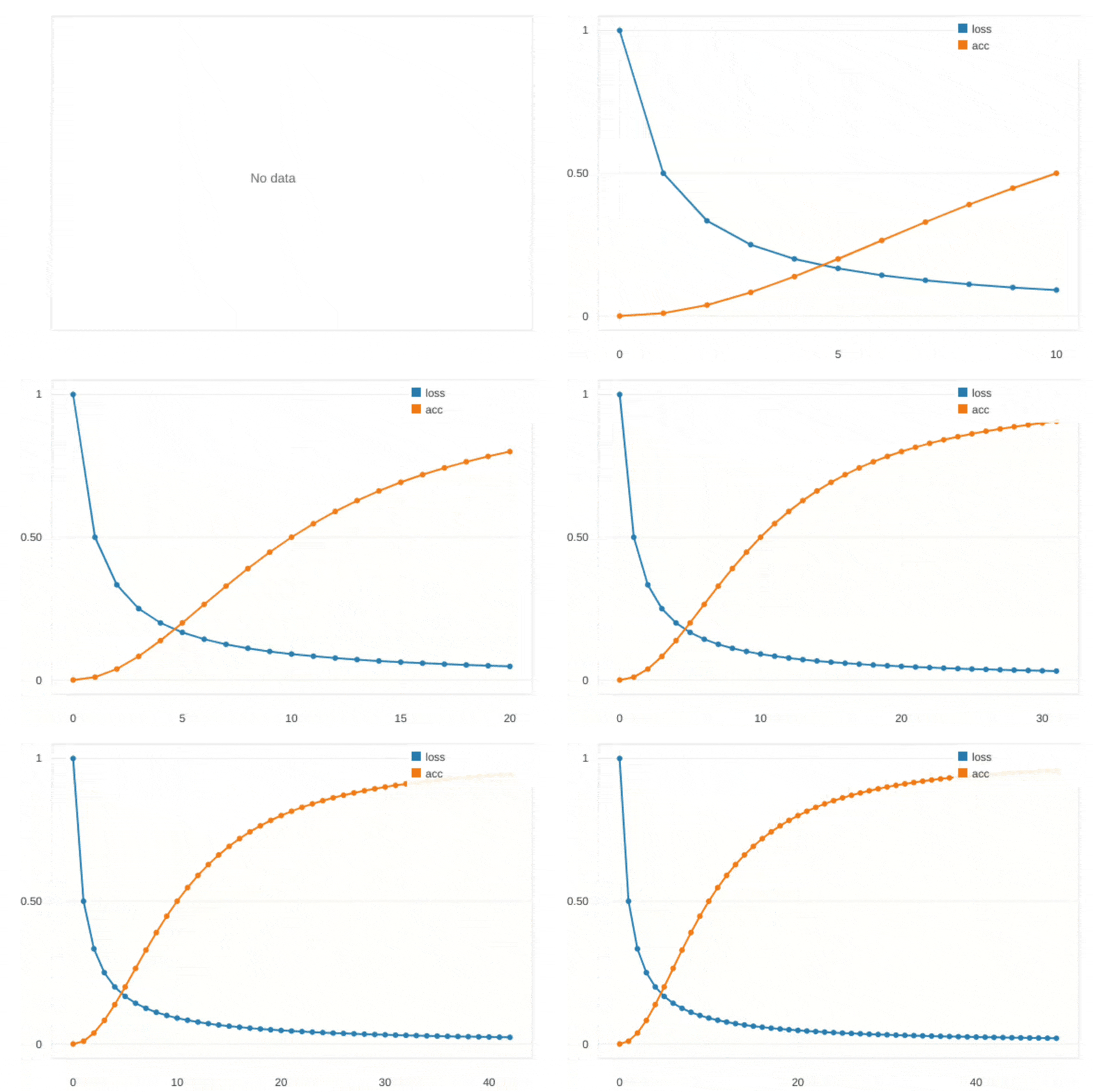
Usage
Basic usage (in a Jupyter notebook):
from trainplot import plot

for i in range(100):
    loss = ...
    acc = ...
    plot(loss=loss, accuracy=acc)
You can also update plots from a different cell or add extra configuration options.
# %%
from trainplot import TrainPlot
tp = TrainPlot(update_period=0.2)

# %%
# New cell

from time import sleep
for i in range(100):
    tp(loss = 1/(i+1), acc = 1-1/(.01*i**2+1))
    sleep(0.05)
For keras, you can use the TrainPlotKerasCallback:
from trainplot import TrainPlotKerasCallback

model = ...
model.fit(x_train, y_train, validation_data=(x_test, y_test), epochs=10, callbacks=[TrainPlotKerasCallback()])
For more examples, see the examples folder.
Features
- Lightweight: No external plotting dependencies
- Custom rendering: Uses HTML5 Canvas for fast, smooth updates
- Multiple series: Automatically handles multiple data series with different colors
- Real-time updates: Configurable update periods to balance performance and responsiveness
- Keras support: Built-in callback for TensorFlow/Keras models
How it works
Trainplot uses a custom HTML5 Canvas-based plotting solution that renders directly in Jupyter notebooks. For synchronization between Python and the JavaScript-based plotting function, anywidget is used. To avoid wasting resources and flickering, the plot is only updated with a given update_period. A post_run_cell callback is added to the IPython instance, so that all updated TrainPlot figures include all new data when a cell execution is finished. When using trainplot.plot, a TrainPlot object is created for the current cell.
Trainplot supports various notebook environments, including Jupyter Notebook, Jupyter Lab, VS Code Notebooks, and Google Colab.
1 maintainer

Metadata
1 maintainer
Release files for trainplot 0.4.1
For a detailed explanation of source distributions (sdists) and built distributions (wheels), please see the package formats documentation.
Source distribution (sdist)
| File | Size | Uploaded | |
|---|---|---|---|
| trainplot-0.4.1.tar.gz | 13.2 kB | Details |
Built distribution (wheel)
| File | Interpreter | ABI | Platform | Reset |
|---|---|---|---|---|
| trainplot-0.4.1-py3-none-any.whl | Python 3 | none | any | Details |
Total release size: 24.5 kB
Release files / trainplot-0.4.1.tar.gz
| Download URL | trainplot-0.4.1.tar.gz |
|---|---|
| Size | 13.2 kB |
| Tags | Source |
|
SHA-256 checksum How to use checksums |
d5898e80d28f5d9842fd8a538784a264c76b3de06ab42dcd52d8772f56126f3f
|
|
BLAKE2b-256 checksum How to use checksums |
7d0d7e54757ce4a077001c6ccd5ed7a6d4bf7b4bcaf014dddcb082d30d79c9bc
|
| Upload date | |
|
Uploaded using Trusted Publishing? What is trusted publishing? |
No |
| Uploaded via |
twine/6.1.0 CPython/3.13.12
|
Release files / trainplot-0.4.1-py3-none-any.whl
| Download URL | trainplot-0.4.1-py3-none-any.whl |
|---|---|
| Size | 11.3 kB |
| Tags | Python 3 |
|
SHA-256 checksum How to use checksums |
5c04265fec2013a9915b38b2c01b11abbce605ff6f886887df9f6ba3de0dc94b
|
|
BLAKE2b-256 checksum How to use checksums |
c4bc184b42cd2a08c343b13034c71065f546397afcd6c3d63e1f9061269c960c
|
| Upload date | |
|
Uploaded using Trusted Publishing? What is trusted publishing? |
No |
| Uploaded via |
twine/6.1.0 CPython/3.13.12
|














