

trame-vtk extend trame widgets with components that can interface with VTK and/or ParaView.
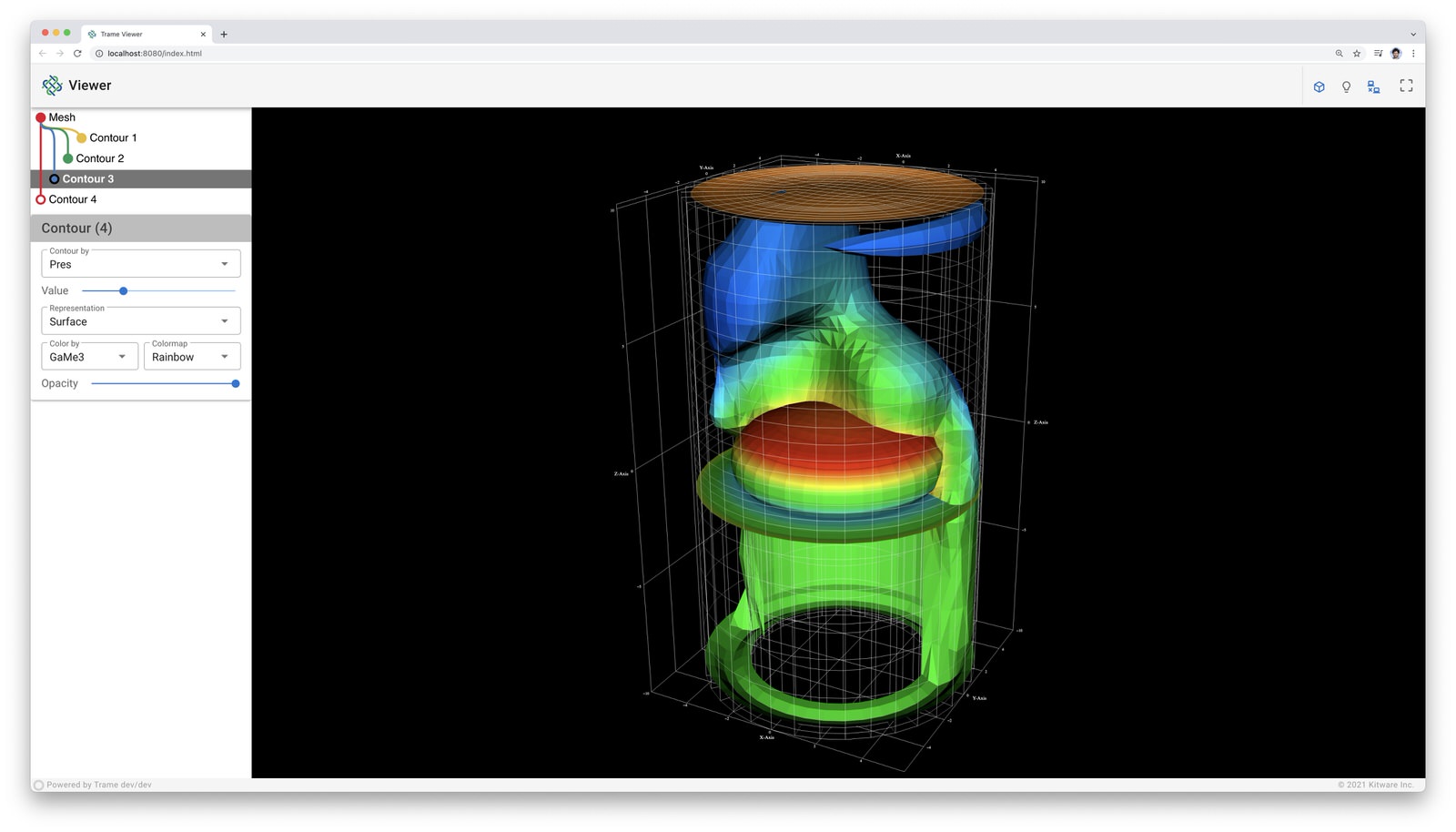
VTK integration in trame allows you to create rich visualization and data processing applications by leveraging the Python wrapping of the VTK library. Several components are available so you can leverage VTK either for its data processing and/or rendering. trame lets you choose if you want to leverage Remote Rendering or if the client should do the rendering by leveraging vtk.js under the hood.
Installing
trame-vtk can be installed with pip:
pip install --upgrade trame-vtkUsage
The Trame Tutorial is the place to go to learn how to use the library and start building your own application.
The API Reference documentation provides API-level documentation.
License
trame-vtk is made available under the BSD-3-Clause License. For more details, see LICENSE This license has been chosen to match the one use by VTK and ParaView which can be exposed via this library.
Community
Trame | Discussions | Issues | | Contact Us

Enjoying trame?
Share your experience with a testimonial or with a brand approval.
Development: Grabbing client before push to PyPI
To update the client code, run the following command line while updating the targeted version
bash .fetch_externals.shTrame widgets
VtkRemoteView
The VtkRemoteView component relies on the server for rendering by sending images to the client by simply binding your vtkRenderWindow to it. This component gives you controls to the image size reduction and quality to reduce latency while interacting.
How to use it?
The component allows you to directly tap into a vtk.js interactor’s events so you can bind your own method from Python to them. The list of available events can be found here.
The component also provides a convenient method for pushing a new image to the client when you’re modifying your scene on the Python side.
from trame.widgets import vtk

def end():
    pass

remote_view = vtk.vtkRemoteView(
    view=...,               # Instance of vtkRenderWindow (required)
    ref=...,                # Identifier for this component
    interactive_quality=60, # [0, 100] 0 for fastest render, 100 for best quality
    interactive_ratio=...,  # [0.1, 1] Image size scale factor while interacting
    interactor_events=(     # Enable vtk.js interactor events for method binding
        "events",
        ["EndAnimation"],
    ),
    EndAnimation=end,       # Bind method to the enabled event
)

remote_view.update()  # Force image to be pushed to client
Examples
VtkLocalView
The VtkLocalView component relies on the server for defining the vtkRenderWindow but then only the geometry is exchanged with the client. The server does not need a GPU as no rendering is happening on the server. The vtkRenderWindow is only used to retrieve the scene data and parameters (coloring by, representations, …). By relying on the same vtkRenderWindow, you can easily switch from a VtkRemoteView to a VtkLocalView or vice-versa. This component gives you controls on how you want to map mouse interaction with the camera. The default setting mimic default VTK interactor style so you will rarely have to override to the interactor_settings. The VtkLocalView supports WebXR thanks to the VtkWebXRHelper component. Please refer to the examples for details on how to use it.
How to use it?
The component allows you to directly tap into a vtk.js interactor events so you can bind your own method from python to them. The list of available events can be found here.
The component also provides a convenient method to push the scene to the client when you’re modifying your scene on the python side.
from trame.widgets import vtk

def end():
    pass

local_view = vtk.VtkLocalView(
    view=...,                # Instance of vtkRenderWindow (required)
    ref=...,                 # Identifier for this component
    context_name=...,        # Namespace for geometry cache
    interactor_settings=..., # Options for camera controls. See below.
    interactor_events=(      # Enable vtk.js interactor events for method binding
        "events",
        ['EndAnimation'],
    ),
    EndAnimation=end,        # Bind method to the enabled event
)

local_view.update()  # Force geometry to be pushed
Interactor Settings
For the interactor_settings we expect a list of mouse event type linked to an action. The example below is what is used as default:
interactor_settings=[
  {
    button: 1,
    action: 'Rotate',
  }, {
    button: 2,
    action: 'Pan',
  }, {
    button: 3,
    action: 'Zoom',
    scrollEnabled: true,
  }, {
    button: 1,
    action: 'Pan',
    shift: true,
  }, {
    button: 1,
    action: 'Zoom',
    alt: true,
  }, {
    button: 1,
    action: 'ZoomToMouse',
    control: true,
  }, {
    button: 1,
    action: 'Roll',
    alt: true,
    shift: true,
  }
]
A mouse event can be identified with the following set of properties:
Attribute |
Value |
Description |
|---|---|---|
button |
1, 2, 3 |
Which button should be down |
shift |
true/false |
Is the Shift key down |
alt |
true/false |
Is the Alt key down |
control |
true/false |
Is the Ctrl key down |
scrollEnabled |
true/false |
Some action could also be triggered by scroll |
dragEnabled |
true/false |
Mostly used to disable default drag behavior |
And the action could be one of the following:
Action |
Description |
|---|---|
Pan |
Will pan the object on the plane normal to the camera |
Zoom |
Will zoom closer or further from the object based on the drag direction |
Roll |
Will rotate the object around the view direction |
ZoomToMouse |
Will zoom while keeping the location that was initially under the mouse at the same spot |
Examples
VtkRemoteLocalView
The VtkRemoteLocalView component is a blend of VtkLocalView and VtkRemoteView where the user can choose dynamically which mode they want to be in. When instantiating a VtkRemoteLocalView several variables and triggers will be created for you to more easily control your view.
How to use it?
from trame.html import vtk

rl_view = vtk.VtkRemoteLocalView(
    view=...,                # Instance of vtkRenderWindow (required)

    # Just VtkRemoteLocalView params
    namespace=...,           # Prefix for variables and triggers. See below. (required)
    mode="local",            # Decide between local or remote. See below.

    # VtkRemoteView params
    **remote_view_params,

    # VtkLocalView params
    **local_view_params,
)

rl_view.update_geometry()  # Force update to geometry
rl_view.update_image()     # Force update to image
rl_view.view()             # Get linked vtkRenderWindow instance
Namespace parameter
Constructing a VtkRemoteLocalView will set several variables, prefixed by a namespace. In the example below we used namespace="view".
Variable |
Description |
|---|---|
viewId |
str representing the vtkRenderWindow id |
viewMode |
local`or `remote to control which View is displayed to the user |
Constructing a VtkRemoteLocalView will also set several trame triggers.
Trigger |
Description |
|---|---|
viewCamera |
When call with no arguments, the server will push its camera to the client |
viewAnimateStart |
Start the animation loop for constantly rendering |
viewAnimateStop |
Stop the animation loop |
The namespace will also be used as ref= unless provided by the user.
Mode parameter
The mode is driven by the variable {namespace}Mode but can be provided when instantiated so the default can be overridden and a JavaScript expression can be used instead of the default variable. This attribute behaves the same way as any trame one except, we won’t register the left side as a state entry since we already have one under {namespace}Mode. This means we will evaluate the left side of the expression assuming a tuple is provided and the right side of the tuple is used to set its initial value.
Examples
Development
Install the library
# Create venv and install all dependencies
uv sync --all-extras --dev

# Activate environment
source .venv/bin/activate

# Install commit analysis
pre-commit install
pre-commit install --hook-type commit-msg
JavaScript dependency
This Python package bundle the vue-vtk-js@3.3.4 JavaScript library. If you would like us to upgrade it, please reach out.
3 maintainers


Download files
Download the file for your platform. If you're not sure which to choose, learn more about installing packages.
Source Distribution
Built Distribution
Filter files by name, interpreter, ABI, and platform.
If you're not sure about the file name format, learn more about wheel file names.
Copy a direct link to the current filters
File details
Details for the file trame_vtk-2.11.15.tar.gz.
File metadata
- Download URL: trame_vtk-2.11.15.tar.gz
- Upload date:
- Size: 829.8 kB
- Tags: Source
- Uploaded using Trusted Publishing? Yes
- Uploaded via:
twine/6.1.0 CPython/3.13.14
File hashes
| Algorithm | Hash digest | |
|---|---|---|
| SHA256 |
b35386f8533463c27fa2db19616d38ab8cb28cc855013360c1f08c2d314ea71b
|
|
| MD5 |
f2cf711f84c051c6b6ac5147b5e4a8b1
|
|
| BLAKE2b-256 |
0a17e4f82f0ca04d7d41c4de771fd07f9e1dfc3df0074ec78c2f139b0f3aded1
|
Provenance
The following attestation bundles were made for trame_vtk-2.11.15.tar.gz:
Publisher:
test_and_release.yml on Kitware/trame-vtk
-
Statement:
-
Statement type:
https://in-toto.io/Statement/v1 -
Predicate type:
https://docs.pypi.org/attestations/publish/v1 -
Subject name:
trame_vtk-2.11.15.tar.gz -
Subject digest:
b35386f8533463c27fa2db19616d38ab8cb28cc855013360c1f08c2d314ea71b - Sigstore transparency entry: 2275234677
- Sigstore integration time:
-
Permalink:
Kitware/trame-vtk@470517773a76de0015fdc204c1007fefa89fa597 -
Branch / Tag:
refs/heads/master - Owner: https://github.com/Kitware
-
Access:
public
-
Token Issuer:
https://token.actions.githubusercontent.com -
Runner Environment:
github-hosted -
Publication workflow:
test_and_release.yml@470517773a76de0015fdc204c1007fefa89fa597 -
Trigger Event:
push
-
Statement type:
File details
Details for the file trame_vtk-2.11.15-py3-none-any.whl.
File metadata
- Download URL: trame_vtk-2.11.15-py3-none-any.whl
- Upload date:
- Size: 851.8 kB
- Tags: Python 3
- Uploaded using Trusted Publishing? Yes
- Uploaded via:
twine/6.1.0 CPython/3.13.14
File hashes
| Algorithm | Hash digest | |
|---|---|---|
| SHA256 |
61e0f1a21fc6f1282ac7baf65c90198b3ccc9ad11efb383d17255d90ed8d8606
|
|
| MD5 |
09b105be155a1cdf8bd5100ffb873012
|
|
| BLAKE2b-256 |
8e9c7b65678d4b3a59affa2e9fb9cacea1ca5ec28912d0ba3871d7c0c5af635f
|
Provenance
The following attestation bundles were made for trame_vtk-2.11.15-py3-none-any.whl:
Publisher:
test_and_release.yml on Kitware/trame-vtk
-
Statement:
-
Statement type:
https://in-toto.io/Statement/v1 -
Predicate type:
https://docs.pypi.org/attestations/publish/v1 -
Subject name:
trame_vtk-2.11.15-py3-none-any.whl -
Subject digest:
61e0f1a21fc6f1282ac7baf65c90198b3ccc9ad11efb383d17255d90ed8d8606 - Sigstore transparency entry: 2275234741
- Sigstore integration time:
-
Permalink:
Kitware/trame-vtk@470517773a76de0015fdc204c1007fefa89fa597 -
Branch / Tag:
refs/heads/master - Owner: https://github.com/Kitware
-
Access:
public
-
Token Issuer:
https://token.actions.githubusercontent.com -
Runner Environment:
github-hosted -
Publication workflow:
test_and_release.yml@470517773a76de0015fdc204c1007fefa89fa597 -
Trigger Event:
push
-
Statement type:







