

traPYze
Run your Python tools without the technical bits.
A friendly desktop for the scripts you, a colleague or an AI wrote:
tiles, settings windows, schedules and a vault. No terminal needed.





Install · Tour · Make a tool · Full guide · Questions
Why traPYze?
Python is the easiest way to automate the boring parts of life: fetch prices, tidy a folder, turn a bank export into a summary, mail yourself a report. AI chats write such scripts in seconds. Running them is the hard part: a terminal, packages that must be installed, settings changed inside the code, passwords typed into the script, and scheduled runs that need cron or Task Scheduler.
traPYze takes all of that away.
| Without traPYze | With traPYze |
|---|---|
| Open a terminal, find the folder, type the command | Click a tile |
| Change values inside the code before each run | A settings window, made from the script's own label |
pip install and broken environments |
Each tool gets exactly the packages it needs, invisibly, pinned and tested |
| API keys and passwords typed into the script | A PIN-protected vault; tools get only the keys you allowed |
| Cron or Task Scheduler for daily runs | Plans like "every weekday at 07:30", also while you're logged out |
| Results scattered over folders | Every run with its files, settings and log, newest first |
| "What does this script do? Why did it fail?" | A health check, and Ask AI with any chat site |
Who it's for: anyone with a few useful scripts and no wish to babysit them: hobbyists, analysts and traders, small businesses, teachers, researchers, and everyone who got a script from ChatGPT, Copilot, Gemini or Claude.
Install
Windows: download traPYze-Setup.exe and open it. Or paste this into PowerShell:
irm https://github.com/kapistyn/trapyze/releases/latest/download/install.ps1 | iex
macOS and Linux: paste this into a terminal:
curl -LsSf https://github.com/kapistyn/trapyze/releases/latest/download/install.sh | sh
Already use uv? traPYze is also on PyPI:
uv tool install "trapyze[desktop]"
trapyze shortcut
You don't need Python: the installer adds uv, which fetches and runs Python for traPYze. No administrator needed. traPYze opens when it's done, with three example tools, and adds a shortcut to your desktop, Start menu or Applications. It updates itself: when there's a new version, it says so and installs it with one click.
A quick tour
Tools on shelves, sorted for you
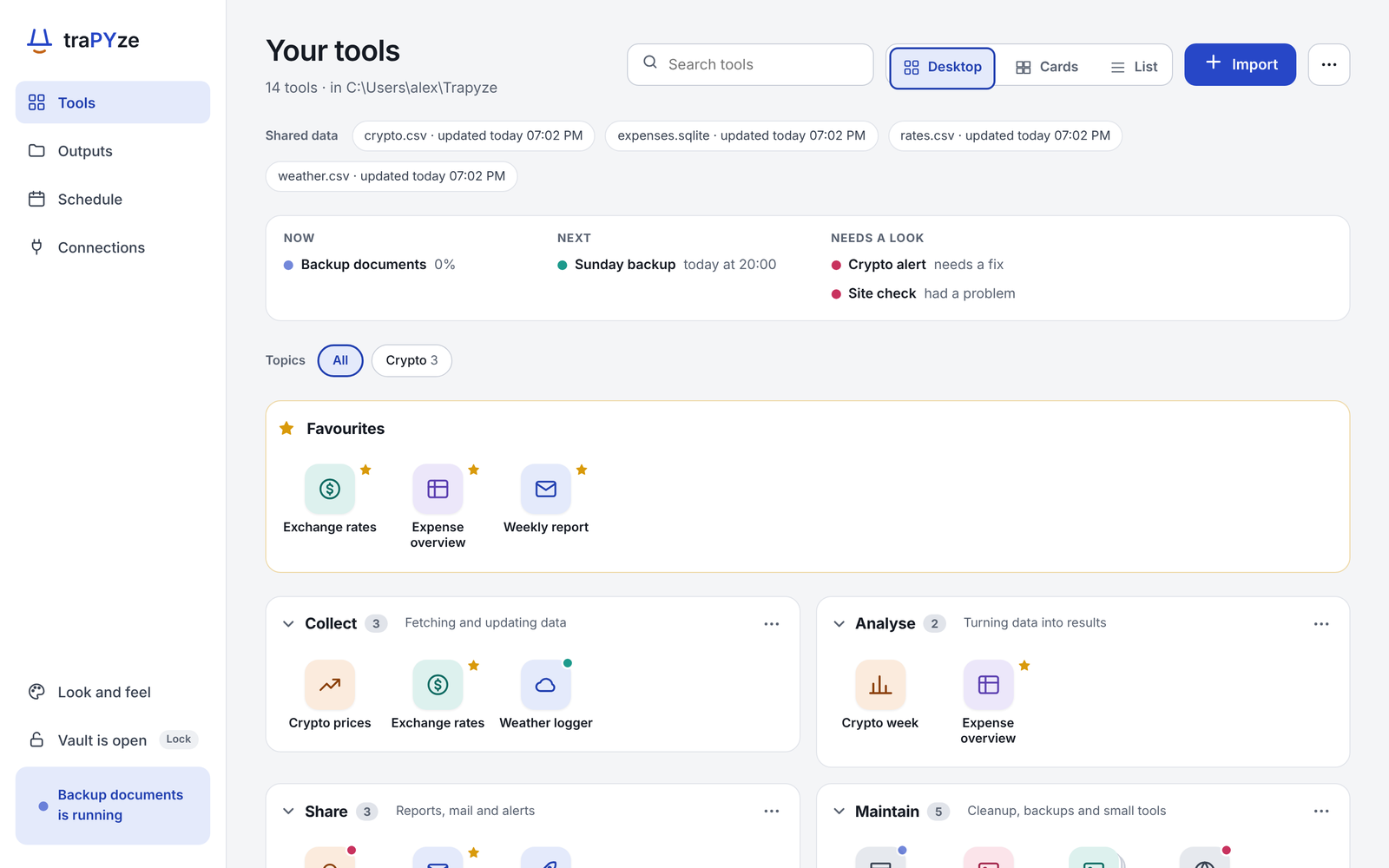
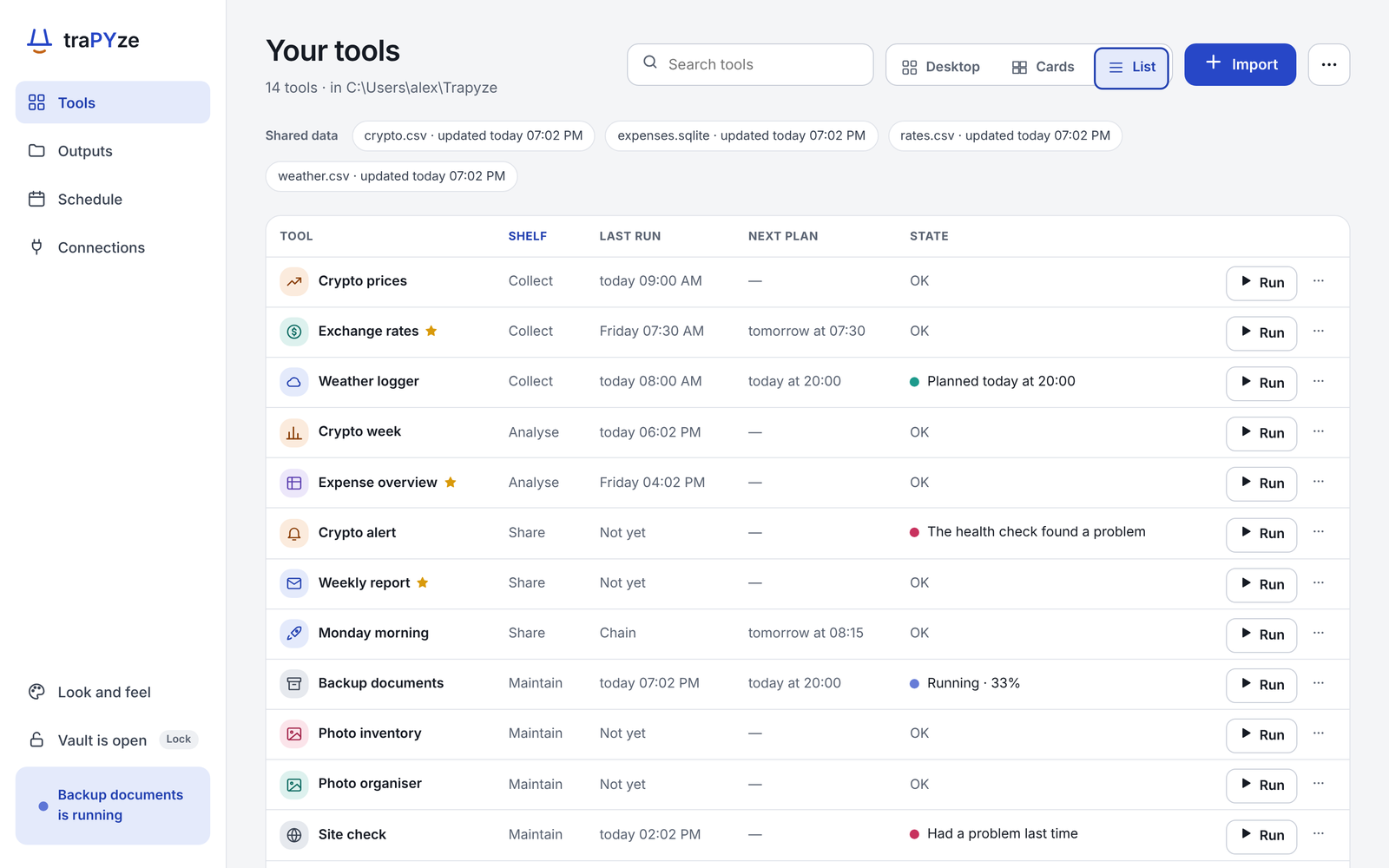
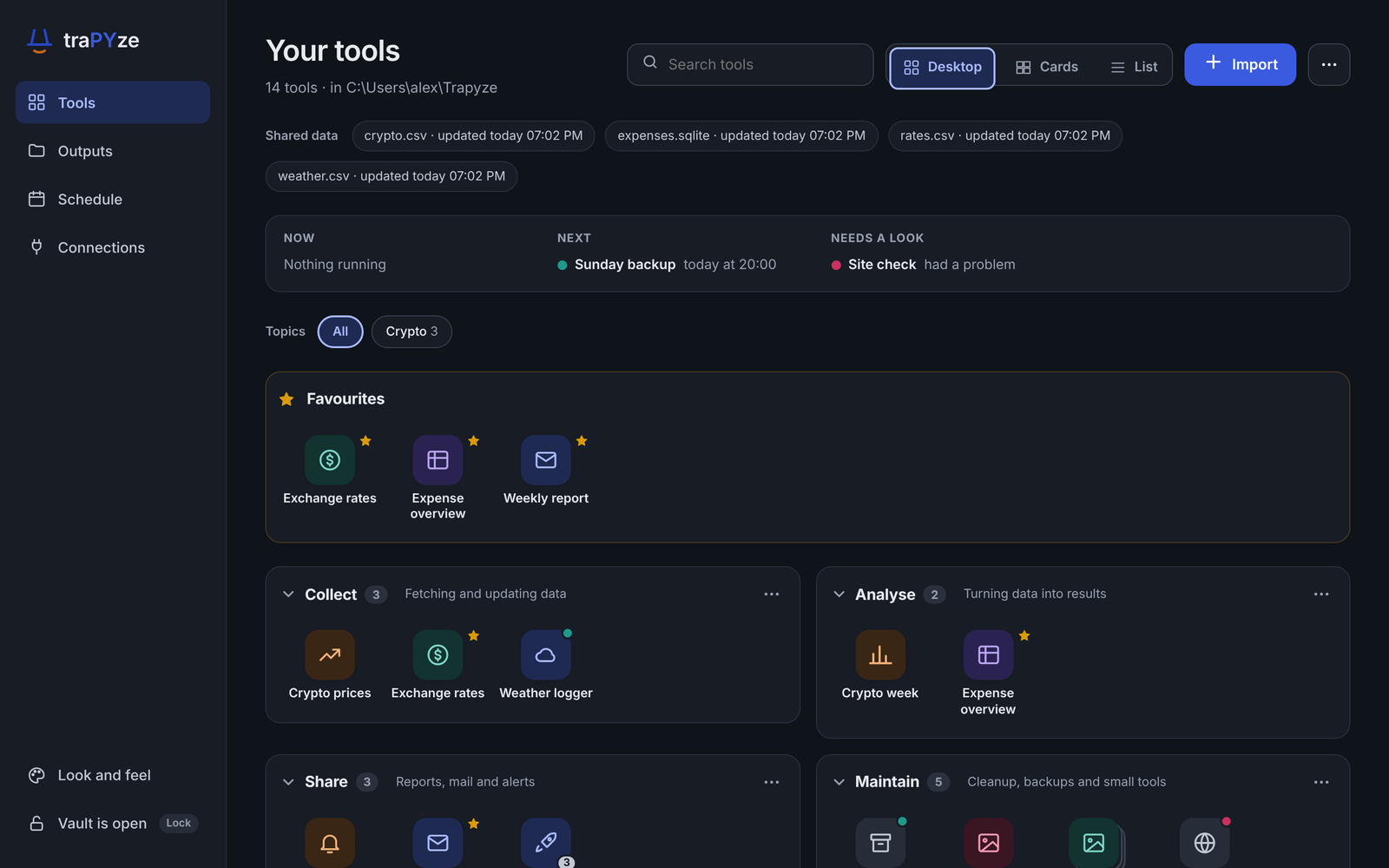
Tools sit on shelves by what they do: Collect, Analyse, Share, Maintain and Apps. traPYze sorts them itself from what each script does; drag them anywhere you like after that. Star your daily tools, filter by topic, and see at a glance what's running, what's next and what needs a look. Prefer a table? Switch to the List view.
A settings window for every script, and live progress
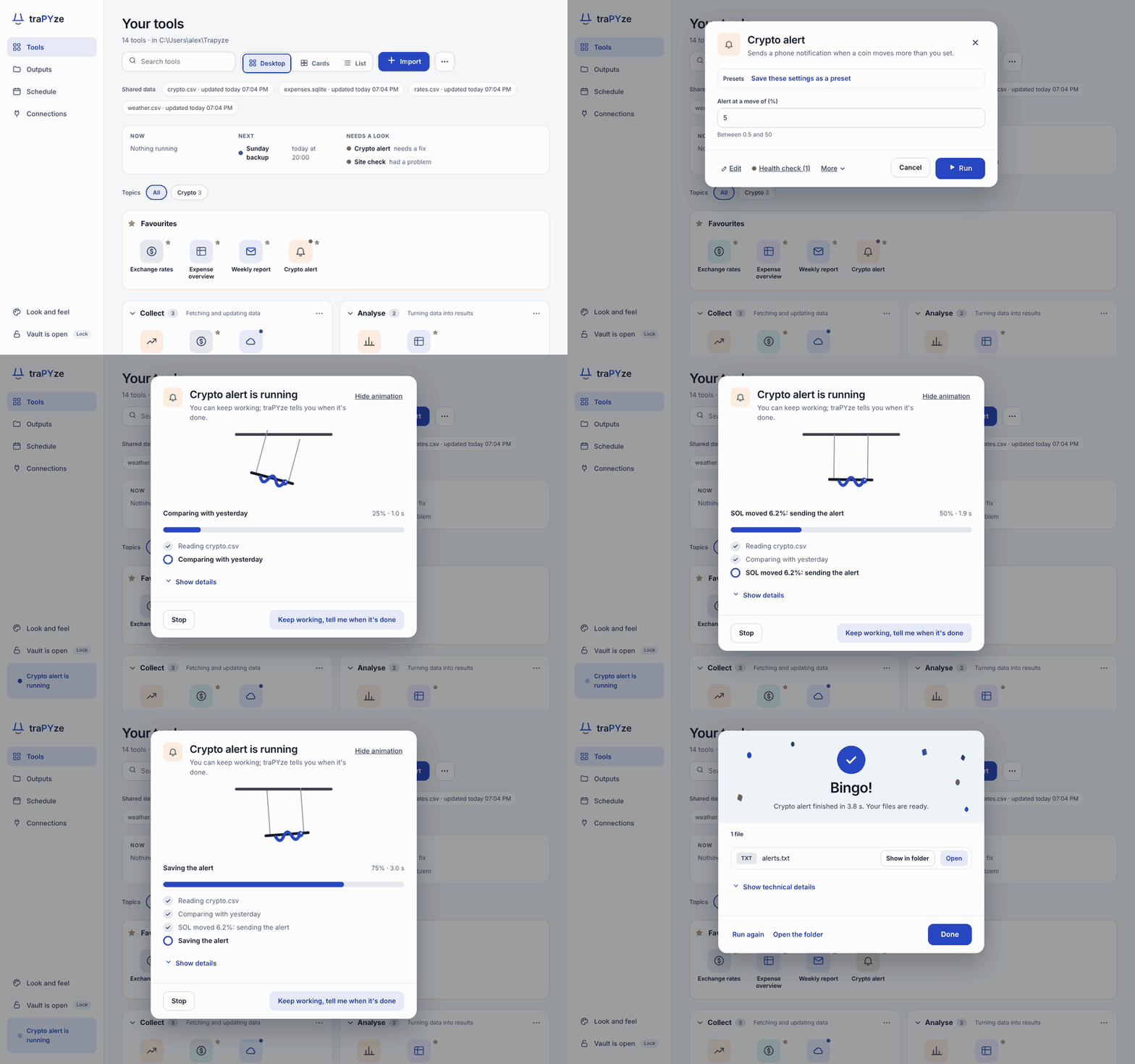
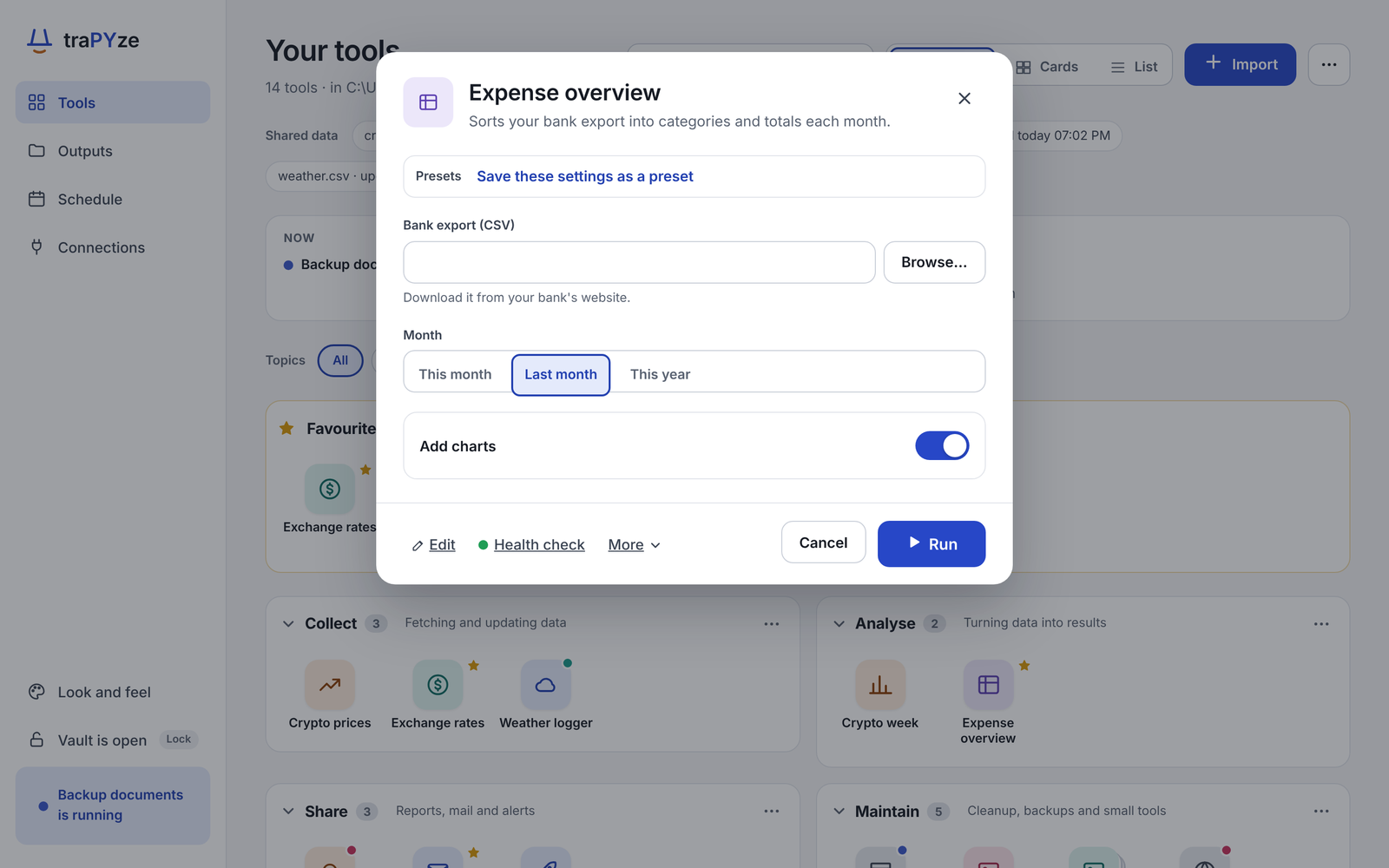
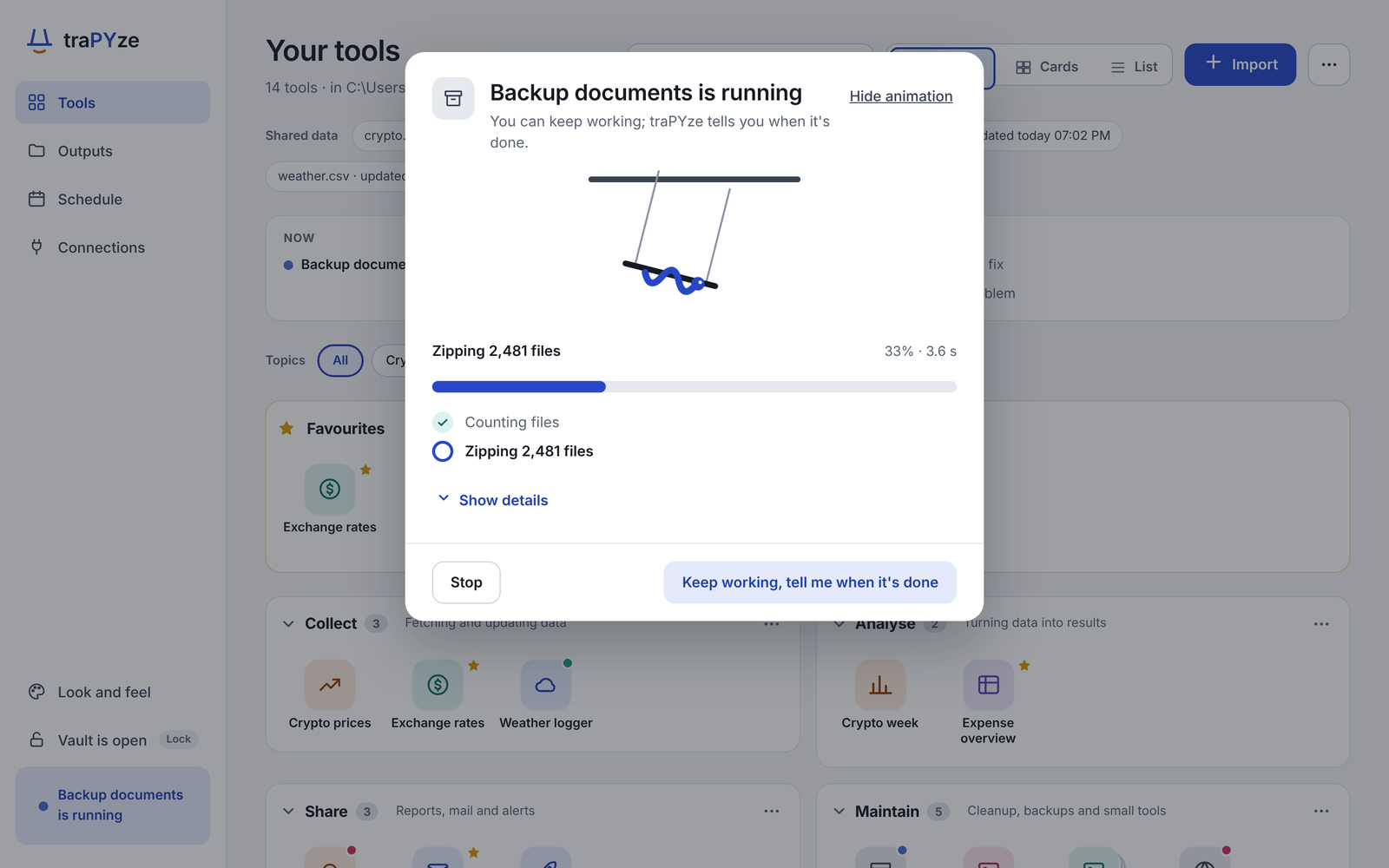
The settings come from a few lines at the top of the script (its label), so every tool explains itself. Press Run and keep working: traPYze shows the progress and tells you when it's done.
 |
 |
Everything it made, in one place
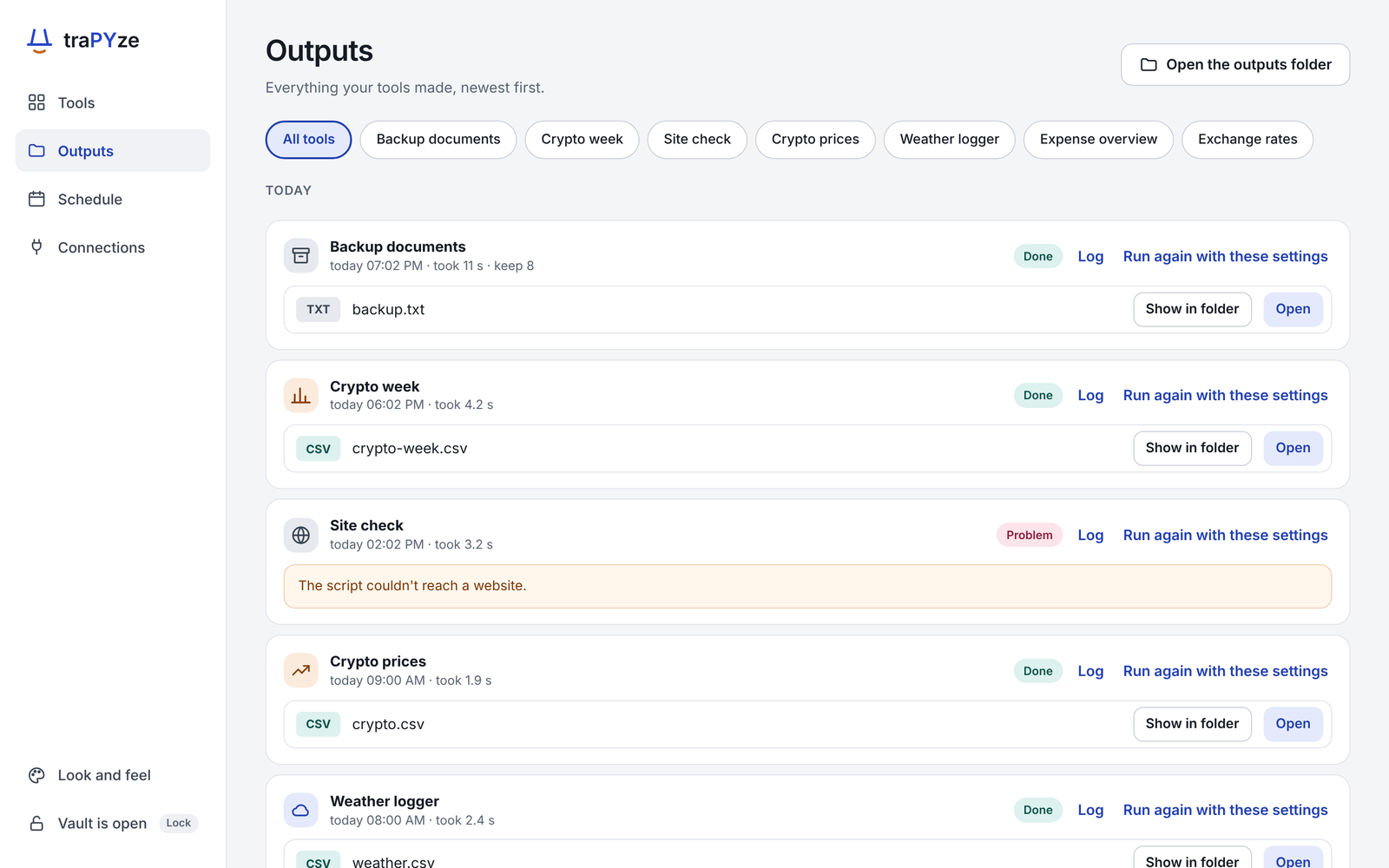
Every run with its files, the settings it used and its log, newest first. "Run again with these settings" is one click; a run that failed says why in plain words.
Plans that run by themselves, and a vault for your keys
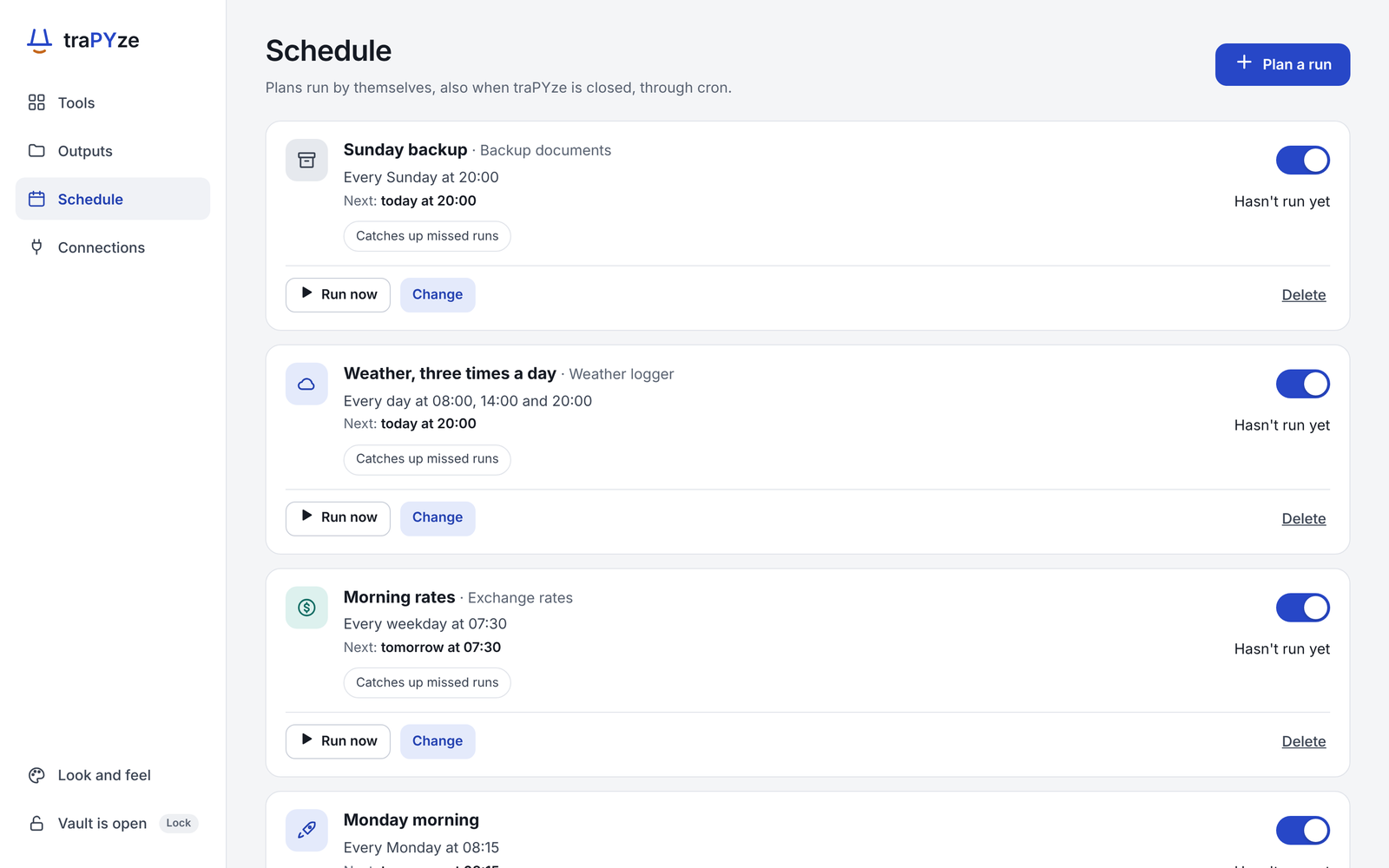
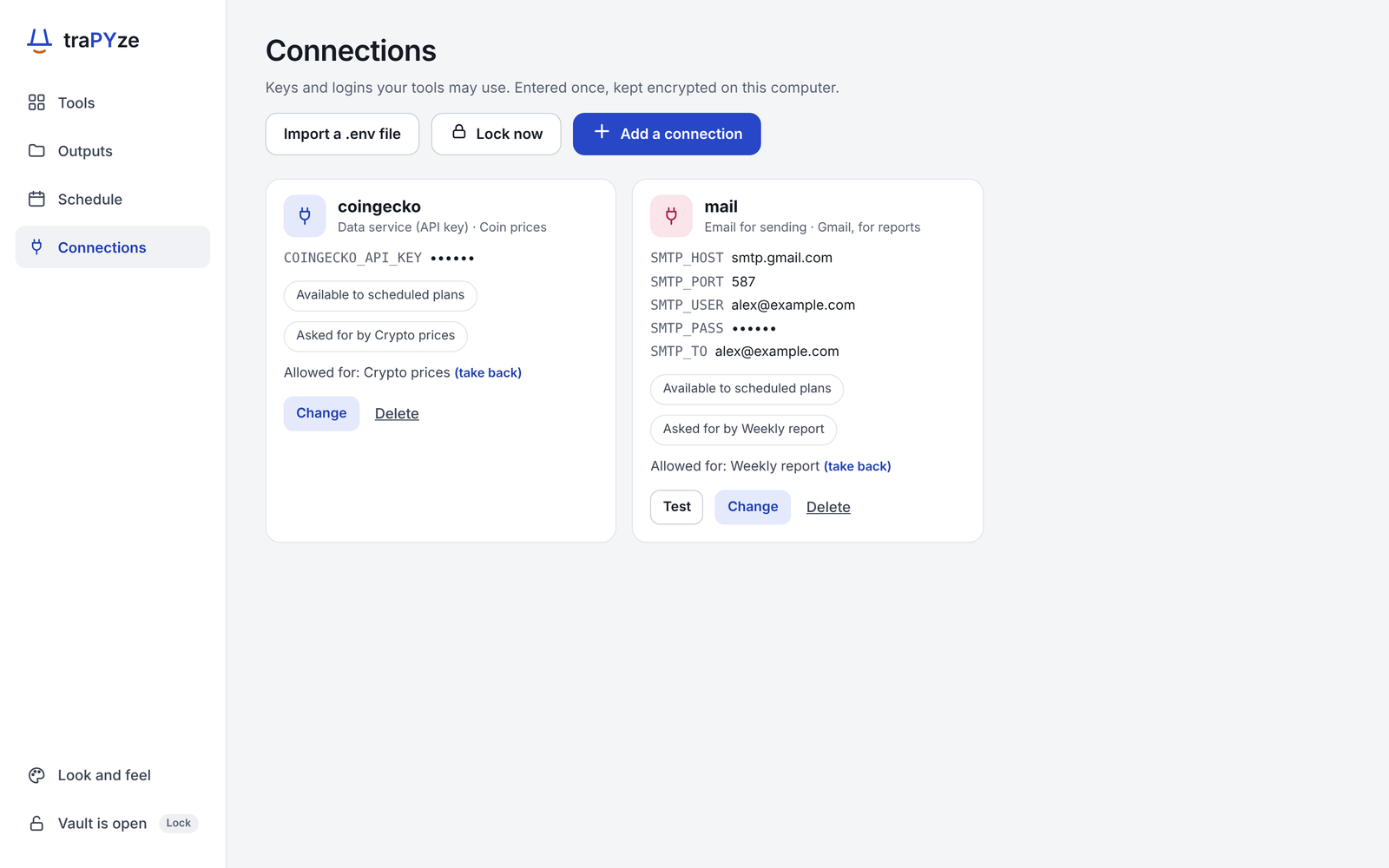
"Every weekday at 07:30", "Sundays at 20:00". Plans use your computer's own scheduler, so they run even when traPYze is closed; missed runs catch up. Chain tools together: fetch, then analyse, then mail. Keys and logins live encrypted behind your PIN and only reach the tools you allowed.
 |
 |
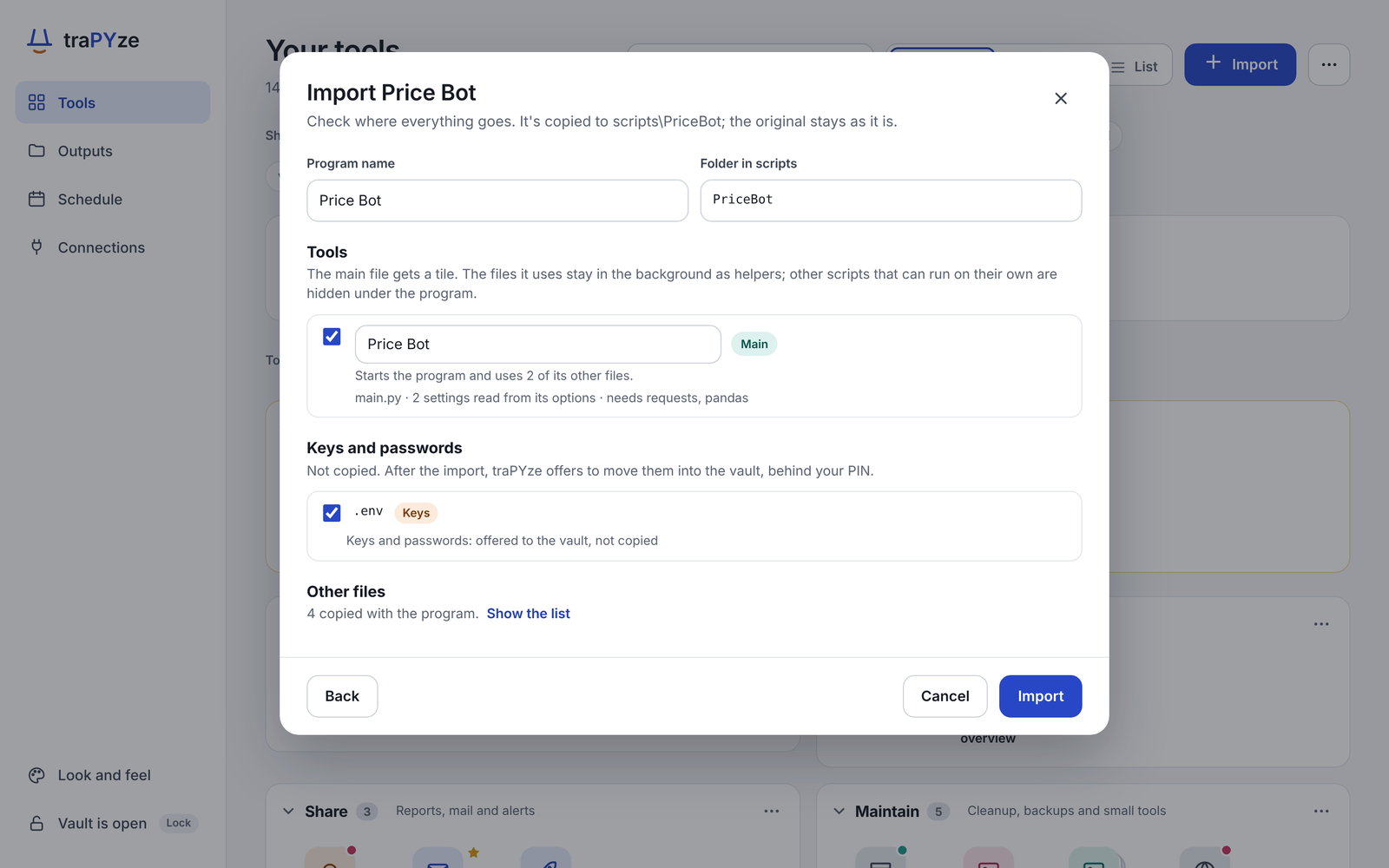
Import anything, even a whole program
Point traPYze at a script, a folder, a .zip or a folder in WSL. It finds the
main script, turns its command-line options into settings, works out the
packages it needs, offers .env keys to the vault, and keeps the helper
scripts out of sight. Your original is never changed.
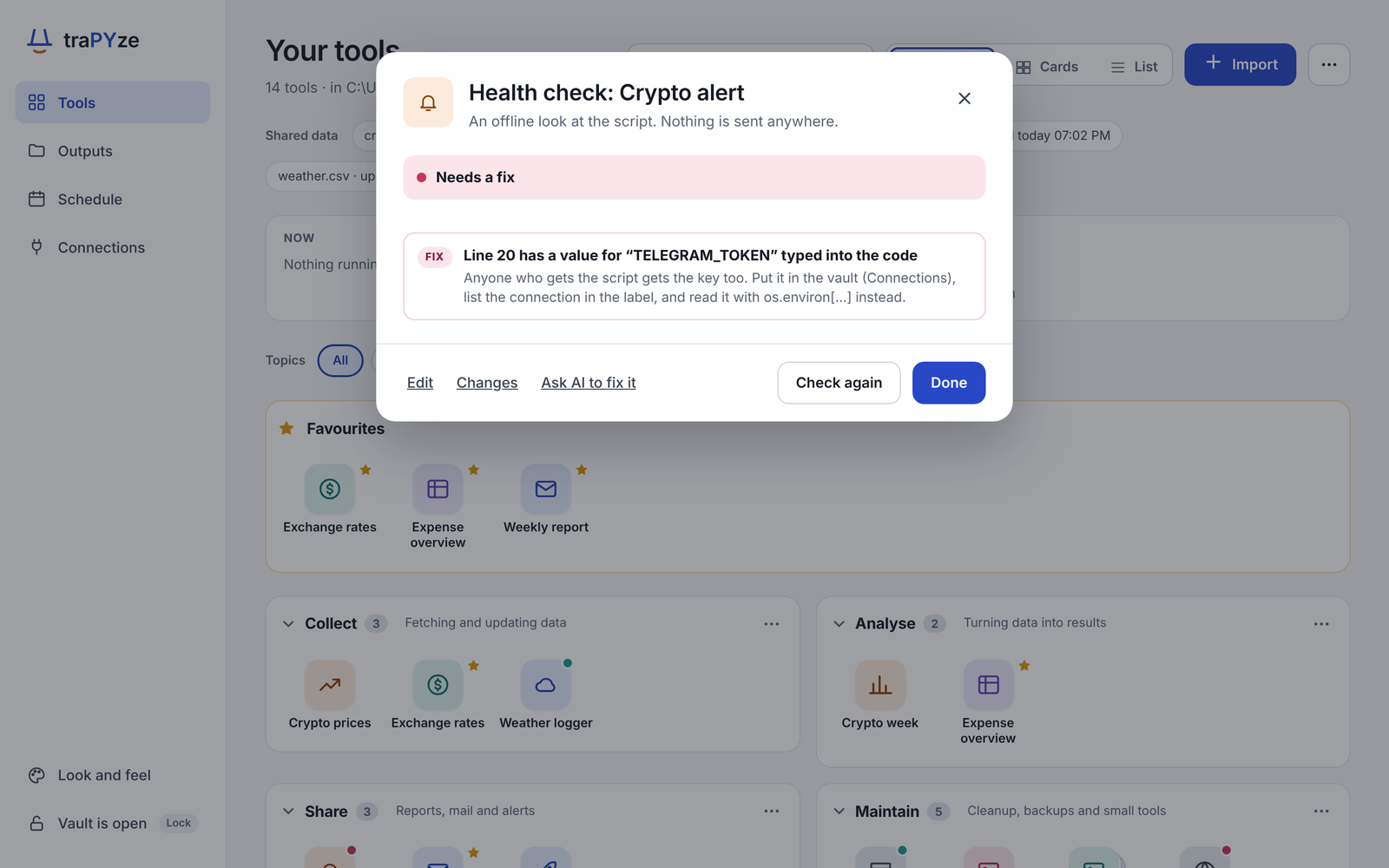
A health check, and AI help that shows its work
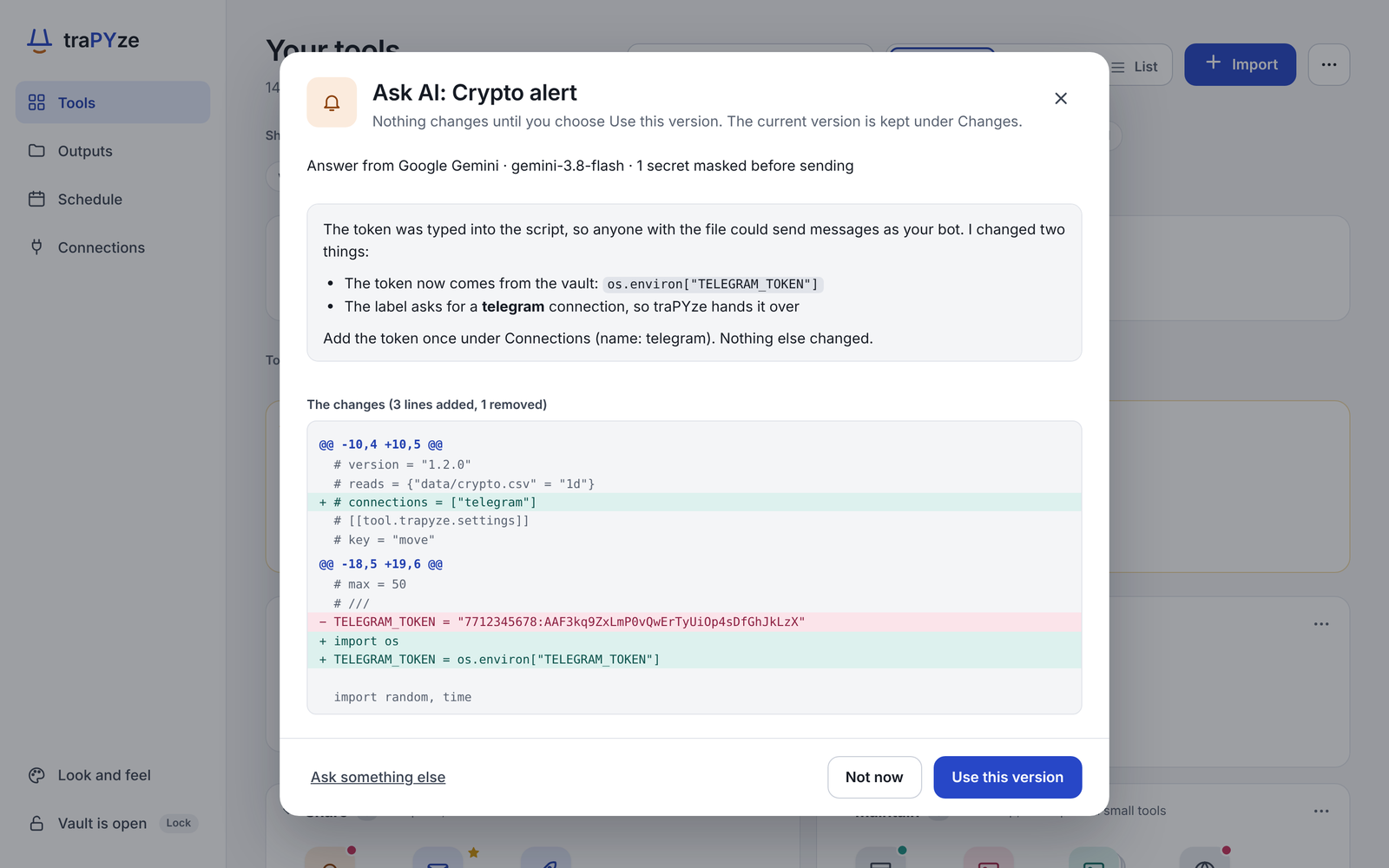
The health check reads a script offline: will it start, are packages missing, is a key typed into the code, are there risky lines? Ask AI explains a script, says why a run failed, or changes it, with a free chat site (Copilot, Gemini, ChatGPT, Claude) or your own key. Secrets are masked first, and you see every change before it's saved.
 |
 |
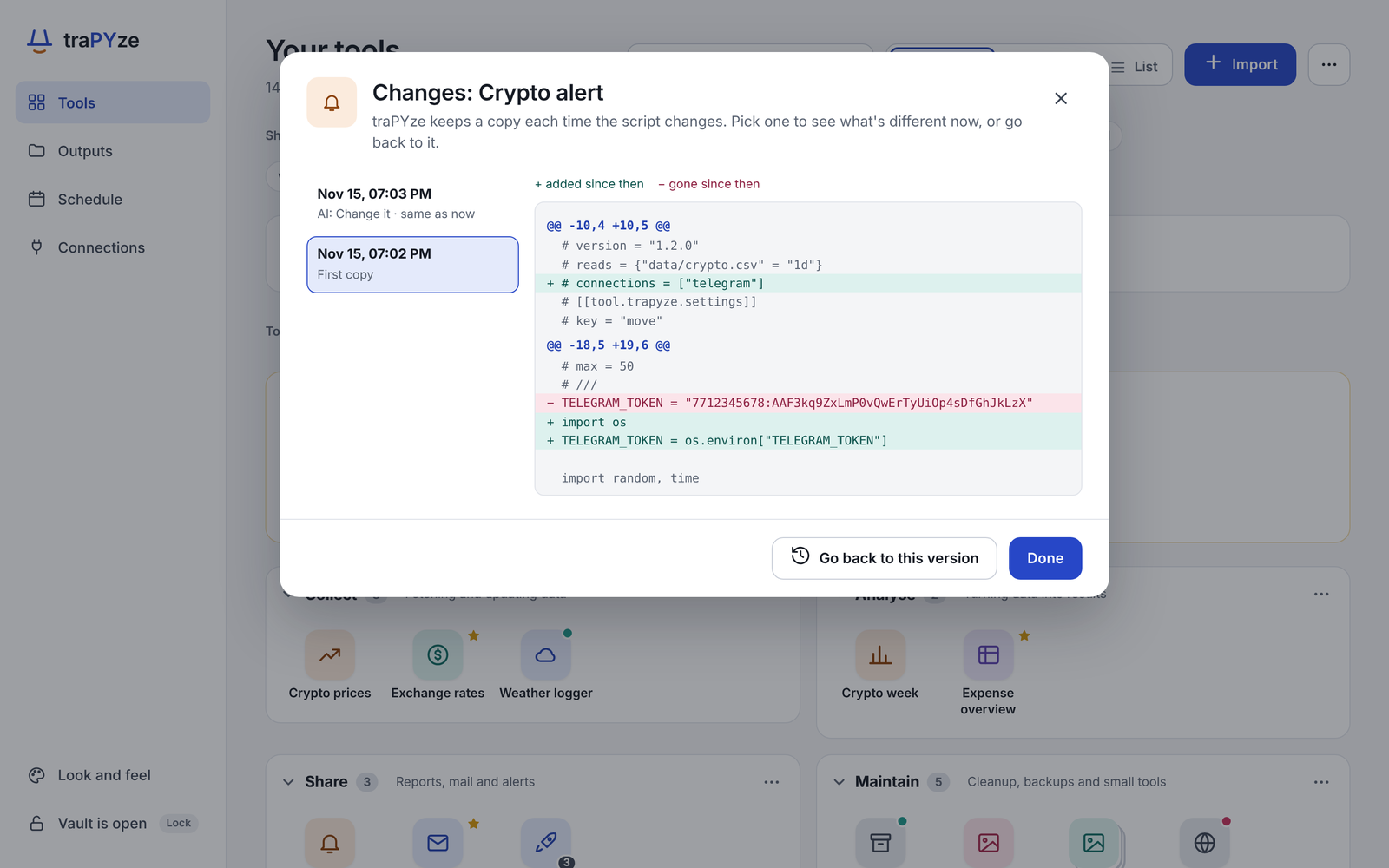
Every change kept, and new tools in a minute
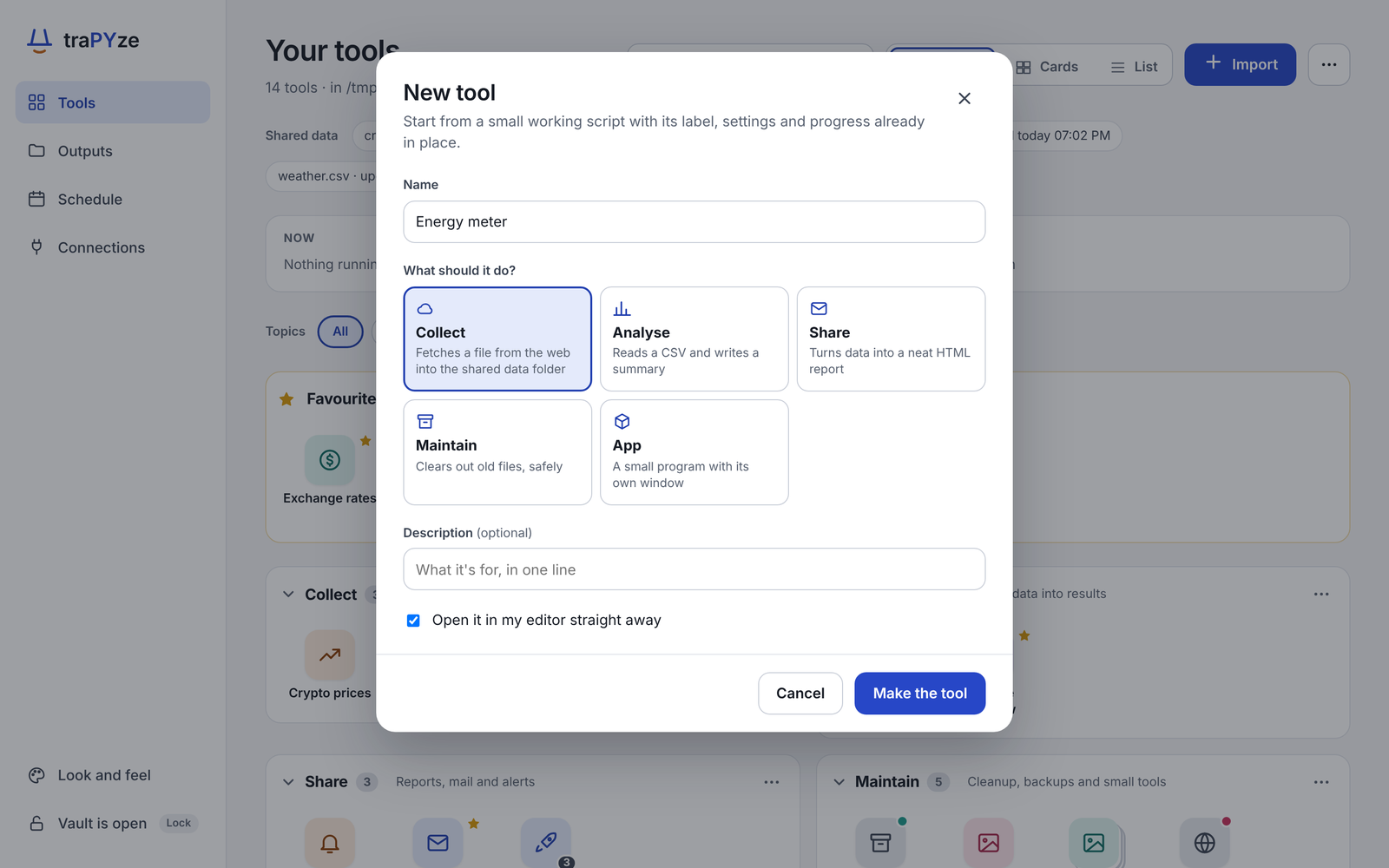
traPYze keeps a copy each time a script changes, whether by you, your editor or an AI, and goes back with one click. Edit opens a script in VS Code, PyCharm, Notepad++ or whichever editor you use. New tool gives you a small working script to start from.
 |
 |
Light or dark, your colours, its own window
Its own window with a tray icon (or your browser), light and dark themes, accent colours, compact or comfortable, and your own icon per tool.
Ready-made tools
New to Python tools? Get tools adds packs that come with traPYze. They work without the internet and need nothing installed:
| Pack | Tools |
|---|---|
| Everyday files | Tidy a folder · Find duplicate files · Set duplicates aside · Back up a folder · Restore a backup · Rename files · What takes the space? |
| Home finance | Bank statement overview by category and month · Find subscriptions |
| Tables and data | Check a download · Merge CSV files · CSV into a database · Database table to CSV |
Tools that change files show you a list first and never delete or overwrite your files; your bank statement never leaves your computer.
Make your own tool
Any Python script works. A few comment lines at the top make it a proper traPYze tool with its own settings window:
# /// script
# dependencies = ["requests"]
#
# [tool.trapyze]
# name = "Exchange rates"
# description = "Fetches today's euro exchange rates."
# icon = "coin"
#
# [[tool.trapyze.settings]]
# key = "currencies"
# label = "Currencies"
# type = "text"
# default = "USD, GBP, JPY"
# ///
import requests
import trapyze_helper as tz

s = tz.settings()                        # what the user chose in the window
tz.progress(0.5, "Asking the central bank")
...
tz.output_path("rates.csv").write_text(csv_text)   # shows up under Outputs
The top block is the standard PEP 723 format, so the script still runs anywhere else too. Don't want to write it yourself? New tool, Have an AI write it: describe what you want, and traPYze tells the AI how its tools work, so the script arrives ready. The same prompt works in any AI chat, and Ask AI, Make it traPYze-ready adds the label to a script you already have.
How it works
flowchart LR
    A[Your script<br/>with its label] --> B[traPYze reads<br/>the label]
    B --> C[Settings window]
    C --> D[uv runs it with<br/>exactly its packages]
    V[(Vault)] -. only allowed keys .-> D
    P[Plans] --> D
    D --> E[Progress, results<br/>and history]
- The engine is uv: each tool runs with its own packages, pinned per tool, so tools never break each other.
- Everything stays on your computer. traPYze listens only on 127.0.0.1 with a fresh key per session. Nothing is sent anywhere unless a tool does so, or you use Ask AI; traPYze itself only looks for newer packages and a newer traPYze, once a day.
- Your scripts stay yours: plain .py files in your Trapyze folder, working with or without traPYze.
Questions
Is it free? Yes, free and open source under the MIT licence, with no ads and no tracking.
Do I need to know Python? No, to use tools. A little, to write your own, and Ask AI helps with that.
Is it safe? traPYze keeps your keys encrypted and away from scripts that weren't allowed to use them, and a tool you imported or an AI wrote shows what it can do before its first run. But a tool is a program that can do anything you can: only run tools from people you trust. See SECURITY.md.
Does it work offline? Yes. Only installing a tool's packages the first time, tools that fetch data, Ask AI and the update check need the internet.
Where are my things? In the Trapyze folder in your home folder:
scripts, outputs and data. Back it up like any other folder.
Can I run a tool from the terminal too? Yes: trapyze run "exchange rates" --set currencies=USD. See the guide.
Helping
traPYze is free and stays free. The best ways to help:
- ⭐ Star the project on GitHub, so more people find it
- Report a problem or share an idea
- Share a tool you made (see CONTRIBUTING.md)
Documentation
- The full guide: every screen and option, step by step
- Changelog · Contributing · Security
Running the tests
uv run --with pytest --with pandas python -m pytest -q
No internet needed. See CONTRIBUTING.md for more.
Licence
MIT, see LICENSE.
1 maintainer

Metadata
1 maintainer
Release files for trapyze 0.18.0
For a detailed explanation of source distributions (sdists) and built distributions (wheels), please see the package formats documentation.
Source distribution (sdist)
| File | Size | Uploaded | Provenance | Actions |
|---|---|---|---|---|
| trapyze-0.18.0.tar.gz | 324.2 kB | With provenance | Details for trapyze-0.18.0.tar.gz |
Built distribution (wheel)
| File | Interpreter | ABI | Platform | Actions Reset |
|---|---|---|---|---|
| trapyze-0.18.0-py3-none-any.whl | Python 3 | none | any | Details for trapyze-0.18.0-py3-none-any.whl |
Total release size: 636.8 kB
Release files / trapyze-0.18.0.tar.gz
| Download URL | trapyze-0.18.0.tar.gz |
|---|---|
| Size | 324.2 kB |
| Tags | Source |
|
SHA-256 checksum How to use checksums |
c8d9db127326a391a153bda2b1887175cb5f963599dc798bbcb69f7fe71aa12c
|
|
BLAKE2b-256 checksum How to use checksums |
a9d979a7f928605640bb004cb566a3644afb606f1dd89b105cc45acb41504767
|
| Upload date | |
|
Uploaded using Trusted Publishing? What is trusted publishing? |
Yes |
| Uploaded via |
twine/7.0.0 CPython/3.13.16
|
Provenance
Provenance describes where a file came from. On PyPI, provenance is shared via attestations, which provide a verifiable record of the build or publishing details. View details, limitations and caveats.


PyPI Publish Attestation
PyPI verified that this artifact, at this checksum, originated from the publisher listed below.
Signed by GitHub Actions, verified by PyPI on Nov 22, 2026.
Transparency logRelease files / trapyze-0.18.0-py3-none-any.whl
| Download URL | trapyze-0.18.0-py3-none-any.whl |
|---|---|
| Size | 312.6 kB |
| Tags | Python 3 |
|
SHA-256 checksum How to use checksums |
b3123e79c51a9fa5f7d5cf950a48d4d119d23f3347b0b2ed388673d18a9a371d
|
|
BLAKE2b-256 checksum How to use checksums |
6cf597695872c82c5879d21fa4288e9d6945a6292509cab61873eaada7683c0e
|
| Upload date | |
|
Uploaded using Trusted Publishing? What is trusted publishing? |
Yes |
| Uploaded via |
twine/7.0.0 CPython/3.13.16
|
Provenance
Provenance describes where a file came from. On PyPI, provenance is shared via attestations, which provide a verifiable record of the build or publishing details. View details, limitations and caveats.
PyPI Publish Attestation
PyPI verified that this artifact, at this checksum, originated from the publisher listed below.
Signed by GitHub Actions, verified by PyPI on Nov 22, 2026.
Transparency logSecurity for trapyze 0.18.0
Provenance
Provenance describes where a file came from. On PyPI, provenance is shared via attestations, which provide a verifiable record of the build or publishing details. View details, limitations and caveats.
Full provenance
Both files in this release have been uploaded with provenance metadata.
Attestation for trapyze-0.18.0.tar.gz
PyPI Publish Attestation
PyPI verified that this artifact, at this checksum, originated from the publisher listed below.
Signed by GitHub Actions, verified by PyPI on Nov 22, 2026.
Transparency logA note on package security
PyPI is a repository for distributing packages, not a service for auditing them. While third-party security researchers and our staff do their best to detect and remove malicious packages, PyPI cannot guarantee the quality, security or suitability of any given package.
To learn more about protecting yourself from malicious actors, visit our package security documentation.














