
Jupyter widgets for working with chemical datasets

Project description




Summary
About
The Trident Chemwidgets (TCW) package provides a set of Jupyter widgets to improve data visibility in cheminformatics and molecular machine learning.
Trident Chemwidgets is a product of Trident Bioscience. Trident Bioscience builds machine learning applications for the biotech and pharmaceutical industries. If you're interested in learning more, you can visit us at trident.bio or email us at info@trident.bio.
Installation
Trident Chemwidgets is available from pip and conda:
pip:
pip install trident-chemwidgets
conda:
conda install -c conda-forge trident-chemwidgets
Then, for Jupyter Lab, run:
jupyter labextension install trident-chemwidgets
Documentation
Click the link above to access the documentation. If you're looking for example notebooks, check out the links below (clone this repository to use them directly).
Usage
We suggest importing Trident Chemwidgets using the convention tcw, as shown below.
import trident_chemwidgets as tcw
Input functions
JSME
To facilitate molecular input, TCW provides an interface to the JSME Molecule Editor with added functionality.
editor = tcw.JSME()
editor
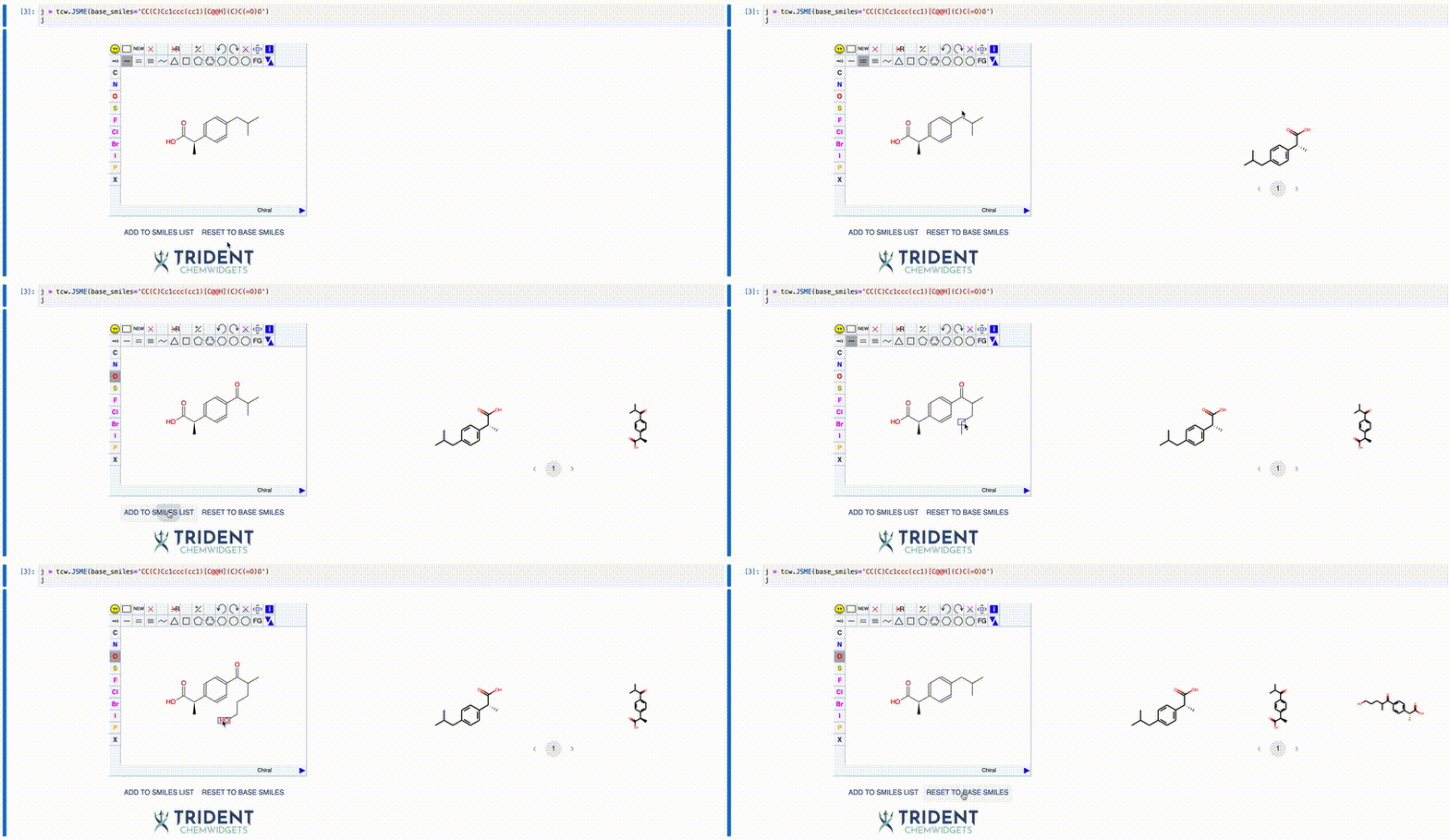
You can play with JSME widget in this notebook.
Plotting functions
Understanding the distribution of your data is critical to many cheminformatic tasks. To this end, we supply a number of interactive plotting functions that allow you to display both the data and underlying molecular structures. You can even subset and save the data based on the property values for use in downstream analysis.
Histogram
For 1-dimensional datasets, TCW provides a histogram plot function:
histogram = tcw.Histogram(data=data, smiles='smiles', x='tpsa', x_label='TPSA')
histogram
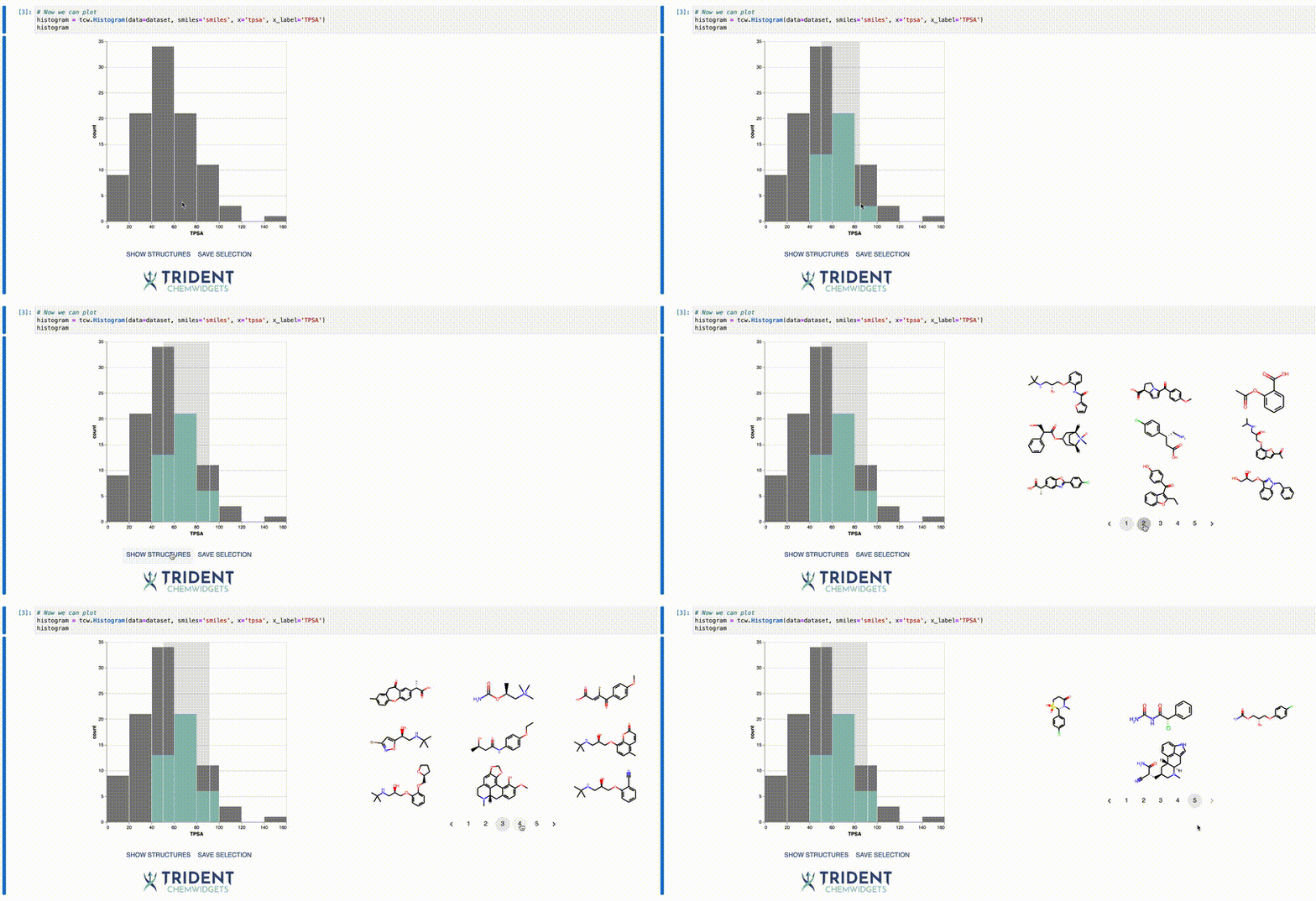
You can play with Histogram widget in this notebook.
Scatter plot
For 2-dimensional datasets, TCW provides a scatter plot function:
scatter = tcw.Scatter(data=data, smiles='smiles', x='mwt', y='logp',
                      x_label='Molecular Weight', y_label='logP')
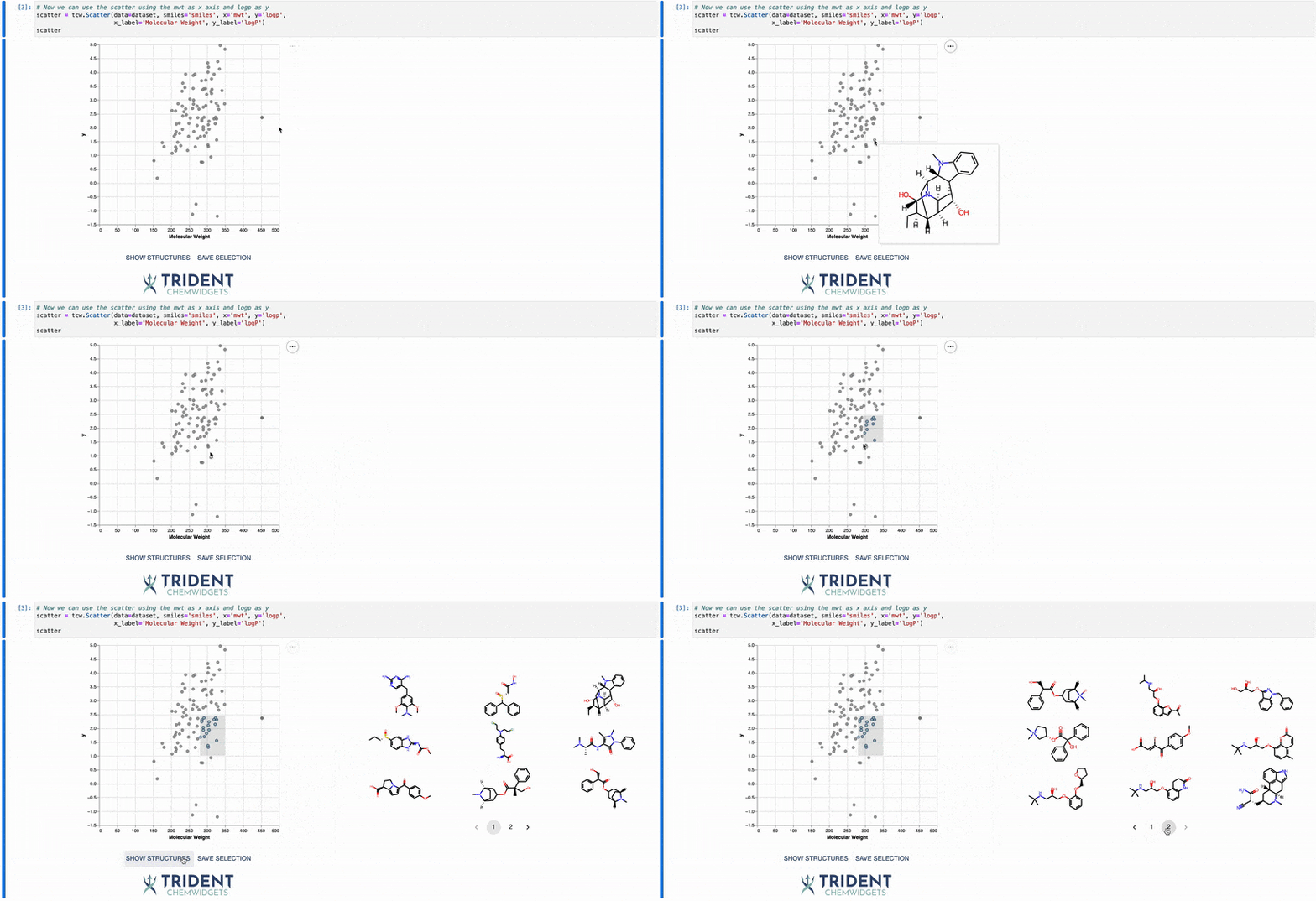
You can play with Scatter widget in this notebook.
Output functions
Interactive molecule
To examine features at the atom level, TCW provides a function to plot a molecule and allow users to explore the atom-specific features:
mol = tcw.InteractiveMolecule('CC(C)CC1=CC=C(C=C1)C(C)C(=O)O', data=atom_data)
mol
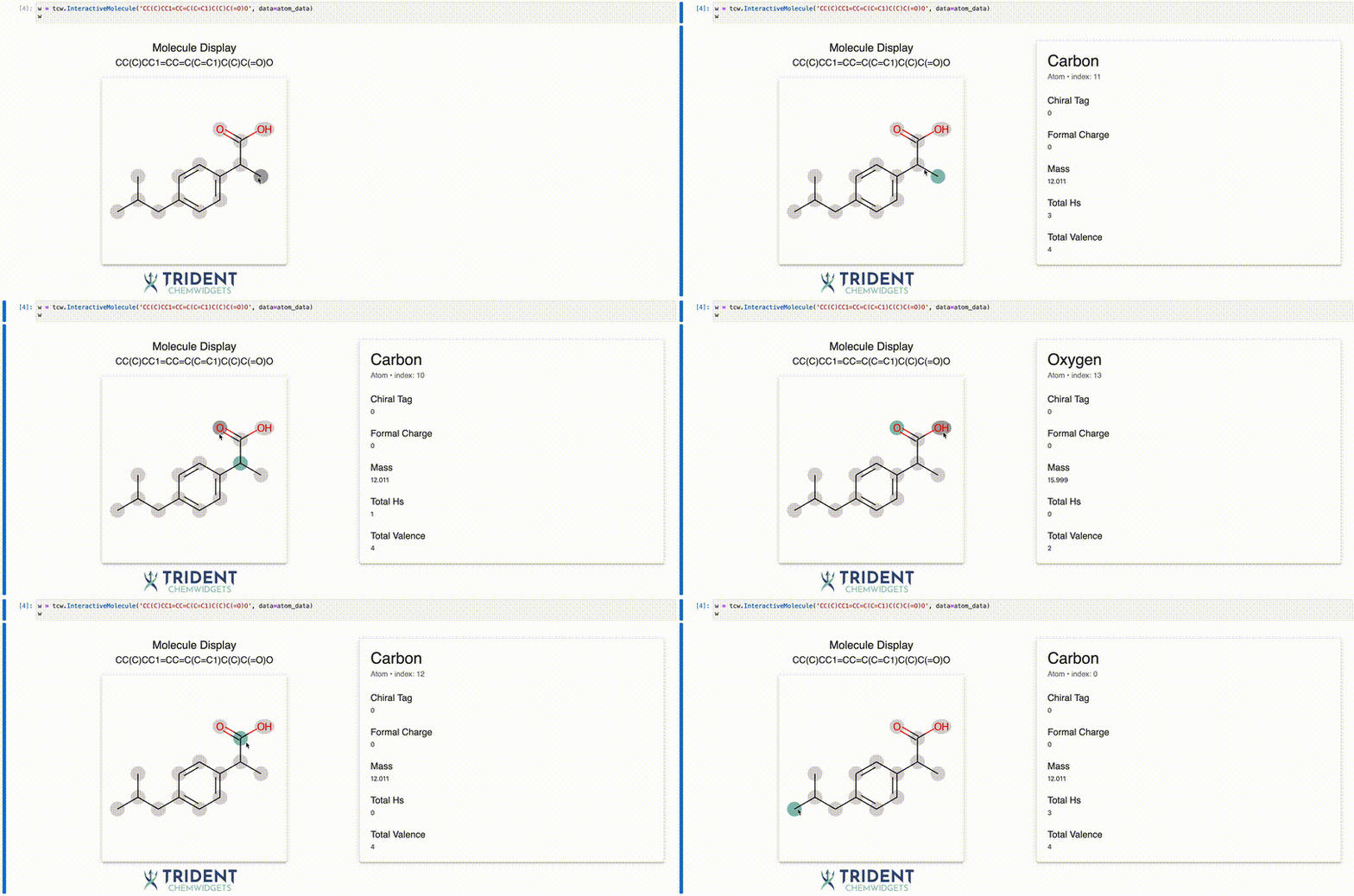
You can play with InteractiveMolecule widget in this notebook.
Release history Release notifications | RSS feed


Download files
Download the file for your platform. If you're not sure which to choose, learn more about installing packages.
Source Distribution
Built Distribution
Filter files by name, interpreter, ABI, and platform.
If you're not sure about the file name format, learn more about wheel file names.
Copy a direct link to the current filters
File details
Details for the file trident_chemwidgets-0.2.1.tar.gz.
File metadata
- Download URL: trident_chemwidgets-0.2.1.tar.gz
- Upload date:
- Size: 13.9 MB
- Tags: Source
- Uploaded using Trusted Publishing? No
- Uploaded via: twine/4.0.1 CPython/3.9.13
File hashes
| Algorithm | Hash digest | |
|---|---|---|
| SHA256 |
ffeba55709a8b264a82bb149502fc26920e103577c2eab517584ae1843d7ca46
|
|
| MD5 |
de5cb282b964ebe19846840d4ae3dd09
|
|
| BLAKE2b-256 |
c4c7a147e469bddf17133efbaa2ee1f432e4b64d6cdac5d7576d9d767b094830
|
File details
Details for the file trident_chemwidgets-0.2.1-py2.py3-none-any.whl.
File metadata
- Download URL: trident_chemwidgets-0.2.1-py2.py3-none-any.whl
- Upload date:
- Size: 16.6 MB
- Tags: Python 2, Python 3
- Uploaded using Trusted Publishing? No
- Uploaded via: twine/4.0.1 CPython/3.9.13
File hashes
| Algorithm | Hash digest | |
|---|---|---|
| SHA256 |
f1c273c85c9ec03a63a495750cd57e167e62ba61442731007d993e3def682630
|
|
| MD5 |
a105c4837a15bbfa3a89c0b94f7784a1
|
|
| BLAKE2b-256 |
199e06c6d48ed30540b2acdfed3e4a5bf441db7b037c2d90c3efb3e9628a489e
|






