
tringa is a tool for querying test output across multiple CI builds on GitHub.
It is in early development and not ready for use.
Install
Use uv:
$ uv tool install git+https://github.com/dandavison/tringa
And log in with gh.
$ gh auth login
Example usage
$ tringa --help
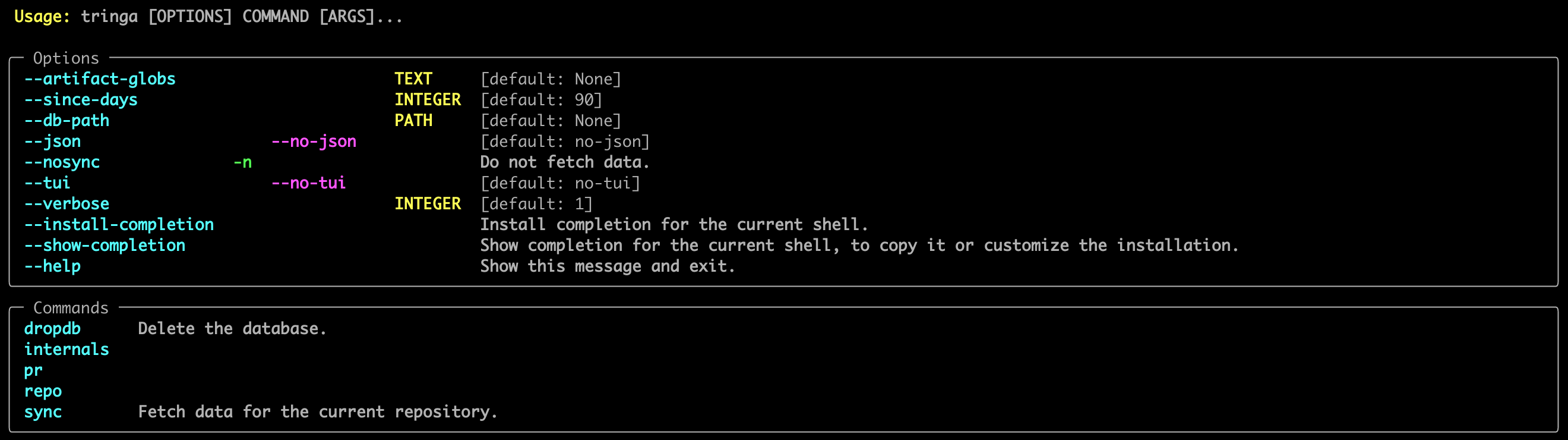
Some commands print to the terminal, some bring up a TUI, and some bring up a SQL REPL for interactive queries.
By default the database is duckdb and persists across invocations.
The REPL can be a traditional SQL REPL, or a Python session using the DuckDB Python API.
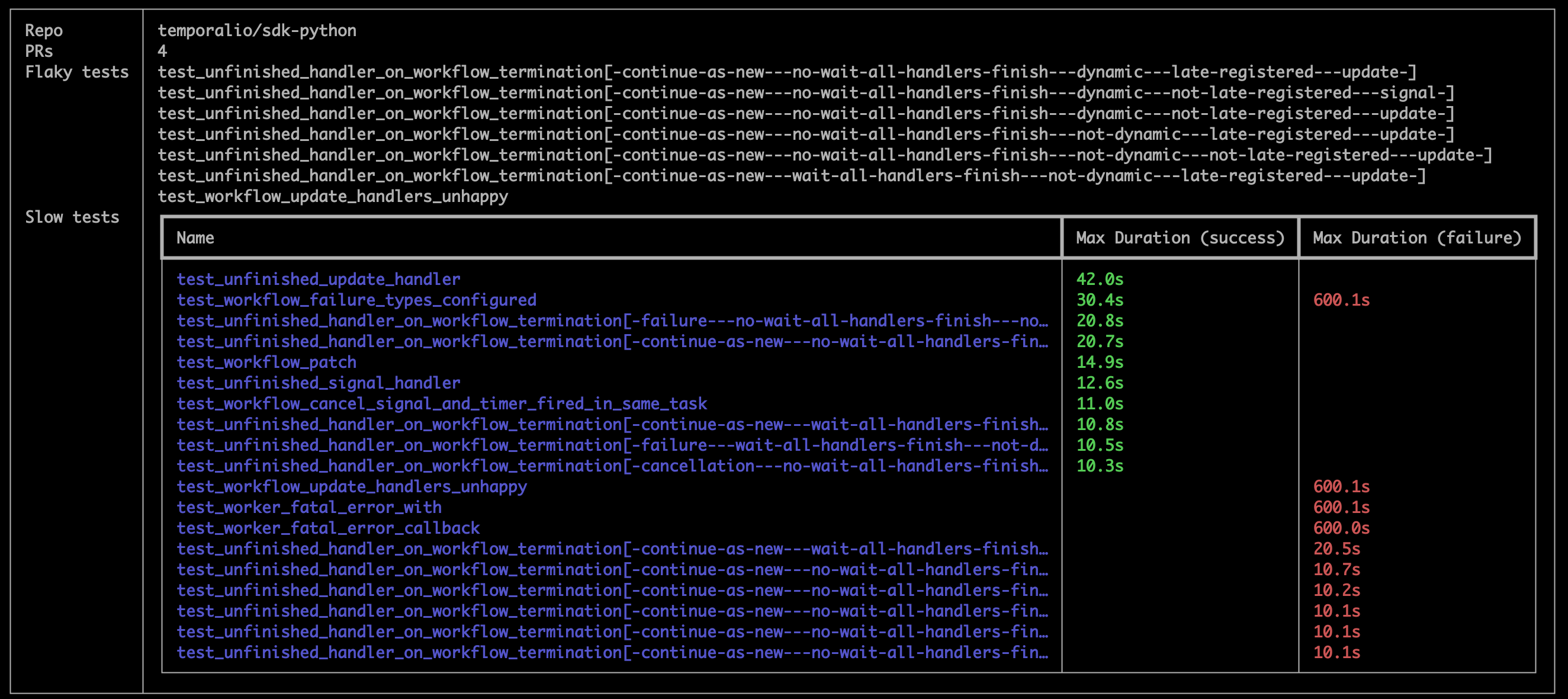
Repo overview
$ tringa repo show
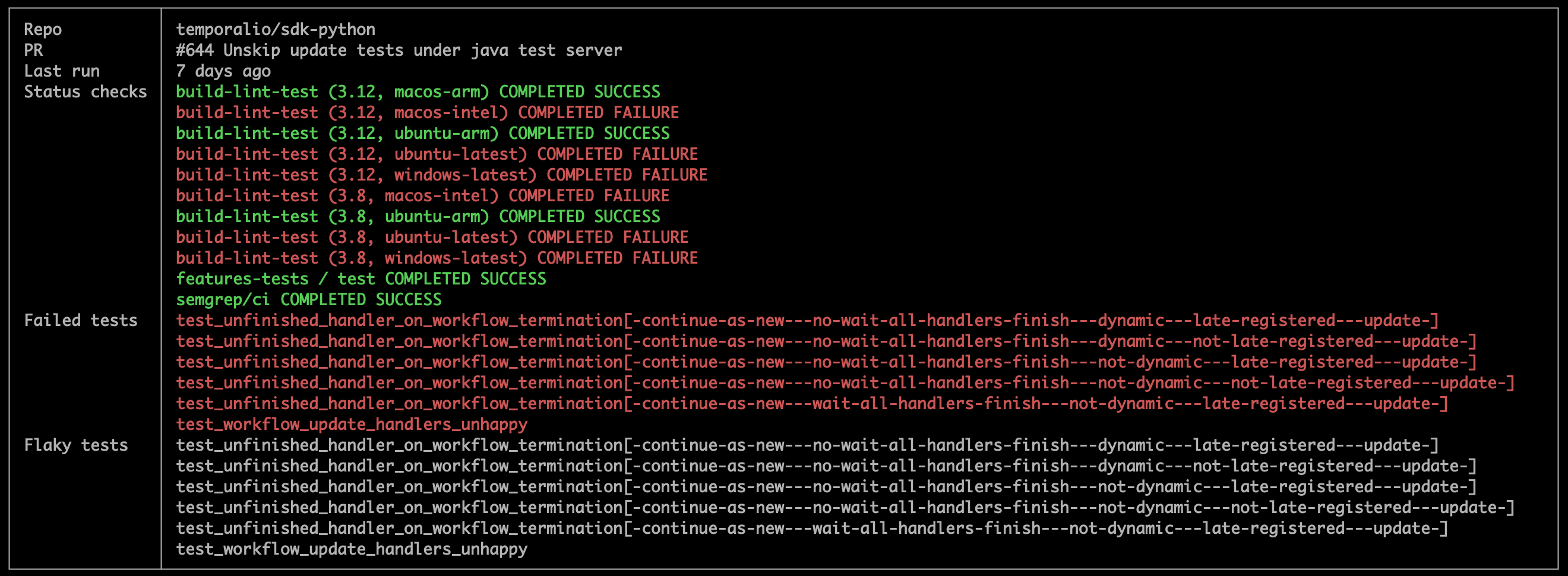
PR overview
$ tringa pr show
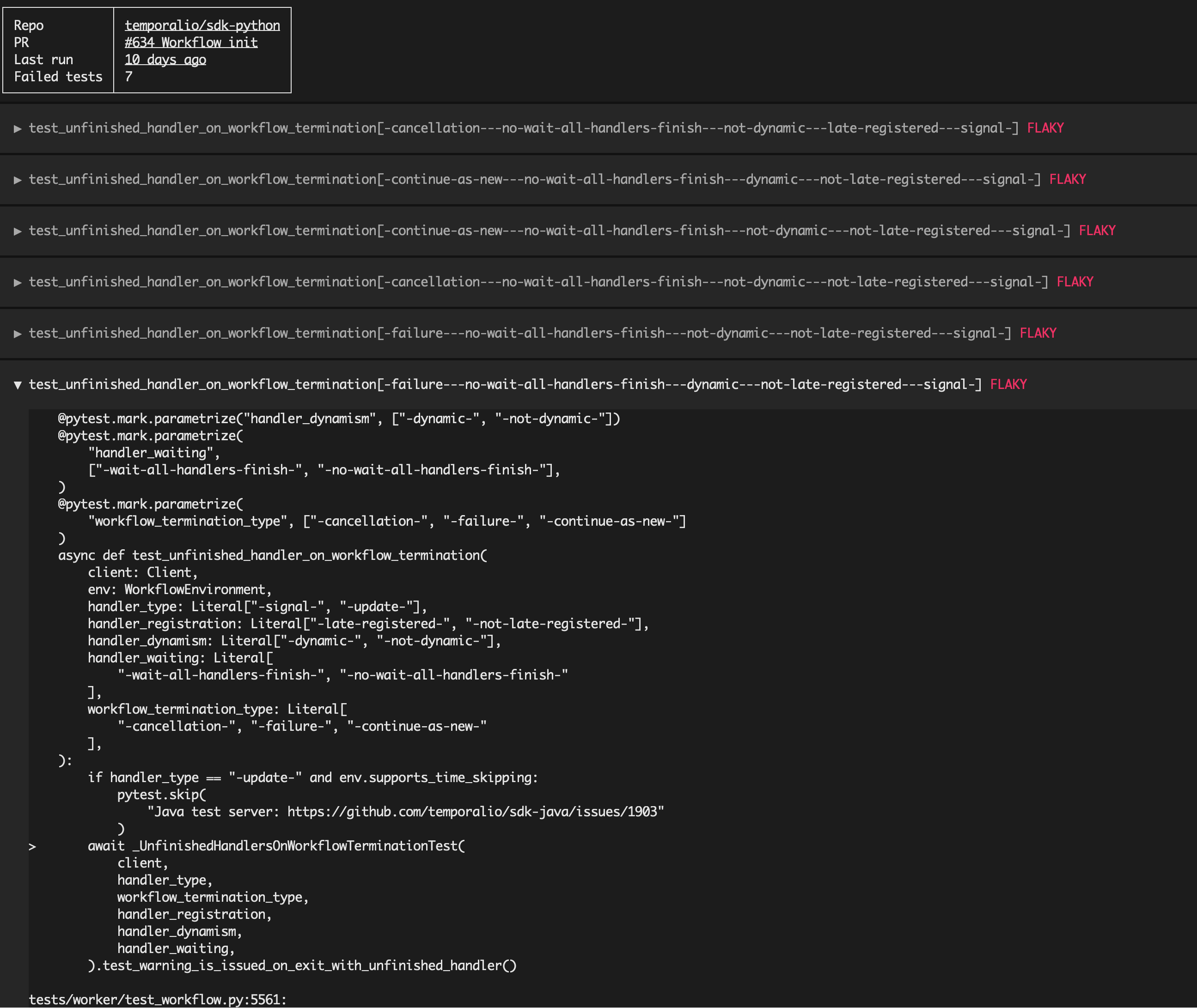
TUI
$ tringa pr tui
SQL REPL
The DB has one table, named test.
$ tringa pr repl
D select artifact, name from test
  where passed = false and skipped = false and repo = 'temporalio/cli';
┌───────────────────────────────────────────┬─────────────────────────────────────────────────────────┐
│               artifact                    │                          name                           │
│                  varchar                  │                         varchar                         │
├───────────────────────────────────────────┼─────────────────────────────────────────────────────────┤
│ junit-xml--10631569269--1--ubuntu-latest  │ TestSharedServerSuite/TestWorkflow_Update_Execute       │
│ junit-xml--10631569269--1--ubuntu-latest  │ TestSharedServerSuite/TestWorkflow_Update_Start         │
│ junit-xml--10631569269--1--ubuntu-latest  │ TestSharedServerSuite                                   │
│ junit-xml--10884926916--1--windows-latest │ TestServer_StartDev_ConcurrentStarts                    │
│ junit-xml--10885937402--1--ubuntu-arm     │ TestSharedServerSuite/TestActivity_Complete             │
│ junit-xml--10885937402--1--ubuntu-arm     │ TestSharedServerSuite/TestWorkflow_Reset_ReapplyExclude │
│ junit-xml--10885937402--1--ubuntu-arm     │ TestSharedServerSuite                                   │
└───────────────────────────────────────────┴─────────────────────────────────────────────────────────┘

D SELECT name, type FROM pragma_table_info('test');
┌─────────────────┬───────────┐
│      name       │   type    │
│     varchar     │  varchar  │
├─────────────────┼───────────┤
│ artifact        │ VARCHAR   │
│ repo            │ VARCHAR   │
│ branch          │ VARCHAR   │
│ run_id          │ VARCHAR   │
│ sha             │ VARCHAR   │
│ file            │ VARCHAR   │
│ suite           │ VARCHAR   │
│ suite_time      │ TIMESTAMP │
│ suite_duration  │ FLOAT     │
│ name            │ VARCHAR   │
│ classname       │ VARCHAR   │
│ duration        │ FLOAT     │
│ passed          │ BOOLEAN   │
│ skipped         │ BOOLEAN   │
│ flaky           │ BOOLEAN   │
│ message         │ VARCHAR   │
│ text            │ VARCHAR   │
├─────────────────┴───────────┤
│ 17 rows           2 columns │
└─────────────────────────────┘
Required changes to GitHub Actions workflows
For tringa to find output from a CI workflow run, at least one job in the run must upload an artifact containing a directory of junit-xml format files (named uniquely for that job).
For example, the following fragment of GitHub Actions workflow yaml creates a directory containing junit-xml output from two different test suite runs, and uploads the directory as an artifact.
You must ensure that the artifact name is unique within the repository (so you'll probably want to use ${{github.run_id}} at least)
- run: mkdir junit-xml
- run: my-test-command --test-suite-variant=something --junit-xml=junit-xml/${{ matrix.python }}-${{ matrix.os }}-something.xml
- run: my-test-command --test-suite-variant=something-else --junit-xml=junit-xml/${{ matrix.python }}-${{ matrix.os }}-something-else.xml
- name: "Upload junit-xml artifacts"
uses: actions/upload-artifact@v4
if: always()
with:
    name: junit-xml--${{github.run_id}}--${{github.run_attempt}}--${{ matrix.python }}--${{ matrix.os }}
    path: junit-xml
    retention-days: 30
1 maintainer

Metadata
1 maintainer
Release files for tringa 0.2.0
For a detailed explanation of source distributions (sdists) and built distributions (wheels), please see the package formats documentation.
Source distribution (sdist)
| File | Size | Uploaded | |
|---|---|---|---|
| tringa-0.2.0.tar.gz | 23.9 MB | Details |
Built distribution (wheel)
| File | Interpreter | ABI | Platform | Reset |
|---|---|---|---|---|
| tringa-0.2.0-py3-none-any.whl | Python 3 | none | any | Details |
Total release size: 24.0 MB
Release files / tringa-0.2.0.tar.gz
| Download URL | tringa-0.2.0.tar.gz |
|---|---|
| Size | 23.9 MB |
| Tags | Source |
|
SHA-256 checksum How to use checksums |
54c5b5b13e7e62ae27c715f2ea151b67daf0606b5affeb836d9333d03cbb49a6
|
|
BLAKE2b-256 checksum How to use checksums |
ccf2b4bfacc969ef29768440ebe8489ae1e3bc8fd7bcb805582b7af2f97e0826
|
| Upload date | |
|
Uploaded using Trusted Publishing? What is trusted publishing? |
No |
| Uploaded via |
twine/5.1.1 CPython/3.12.5
|
Release files / tringa-0.2.0-py3-none-any.whl
| Download URL | tringa-0.2.0-py3-none-any.whl |
|---|---|
| Size | 29.2 kB |
| Tags | Python 3 |
|
SHA-256 checksum How to use checksums |
94762c2e56a6d49890ea706a65cdd6fe9b735356d2d34b042e4060e59da7886d
|
|
BLAKE2b-256 checksum How to use checksums |
6b48426d2184b7d085261a19f8df8b73359e45a76bcfd61ffd2e5cb9dff915a9
|
| Upload date | |
|
Uploaded using Trusted Publishing? What is trusted publishing? |
No |
| Uploaded via |
twine/5.1.1 CPython/3.12.5
|














