
Truera Python SDK.

Project description

Overview
As you build and deploy ML models, TruEra plugs into your ML stack to let you test, debug and monitor your projects to ensure each model is doing what it's supposed to be doing — and, if not, why not? From feature development that helps you refine your data to efficiently training and evaluating your models to validating a final model for production, TruEra has you covered.
Quickstart
This guide will help you explain, test, and debug your machine learning models for issues with performance, drift or fairness.
Start improving your machine learning models with the following steps:
1. Create your account
Sign up for a free account here!
2. Get your authentication token
When you sign up, we will generate an authentication token. Find it using the link below:
Retrieve your authentication token
3. Install with pypi
You can install the TruEra SDK from pypi directly in your command line or in a notebook.
pip install truera
4. Intialize your TruEra workspace
from truera.client.truera_workspace import TrueraWorkspace #import truera
from truera.client.truera_authentication import TokenAuthentication # import authentication
tru = TrueraWorkspace("https://app.truera.net", TokenAuthentication("ADD YOUR AUTH TOKEN"))
tru.set_environment("local") # set the workspace environment
5. Create your project, add data and models
tru.add_project("Project 1", score_type="CHOOSE A SCORE TYPE: regression, classification, probits or logits")
tru.add_data_collection("Data Collection 1") # think of this as the schema that will hold your data "splits"
tru.add_data_split("data_split_1", X, label_data=y, id_col_name = "id") # X must be a dataframe, X and y must have ID
tru.add_python_model("model_1", my_model_object) #add python model
tru.upload_project() # sync to remote
5. Test, debug and explain your models!
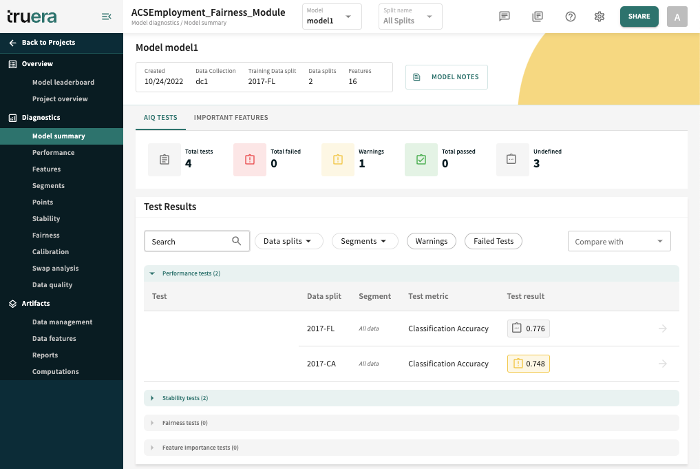
Test for Performance
# Create performance tests
tru.tester.add_performance_test(
    test_name="Accuracy Test 1",
    data_split_names=["split1_name", "split2_name"],
    metric="CLASSIFICATION_ACCURACY",
    warn_if_less_than=0.85,
    fail_if_less_than=0.82
)
Find error hotspots in the web app
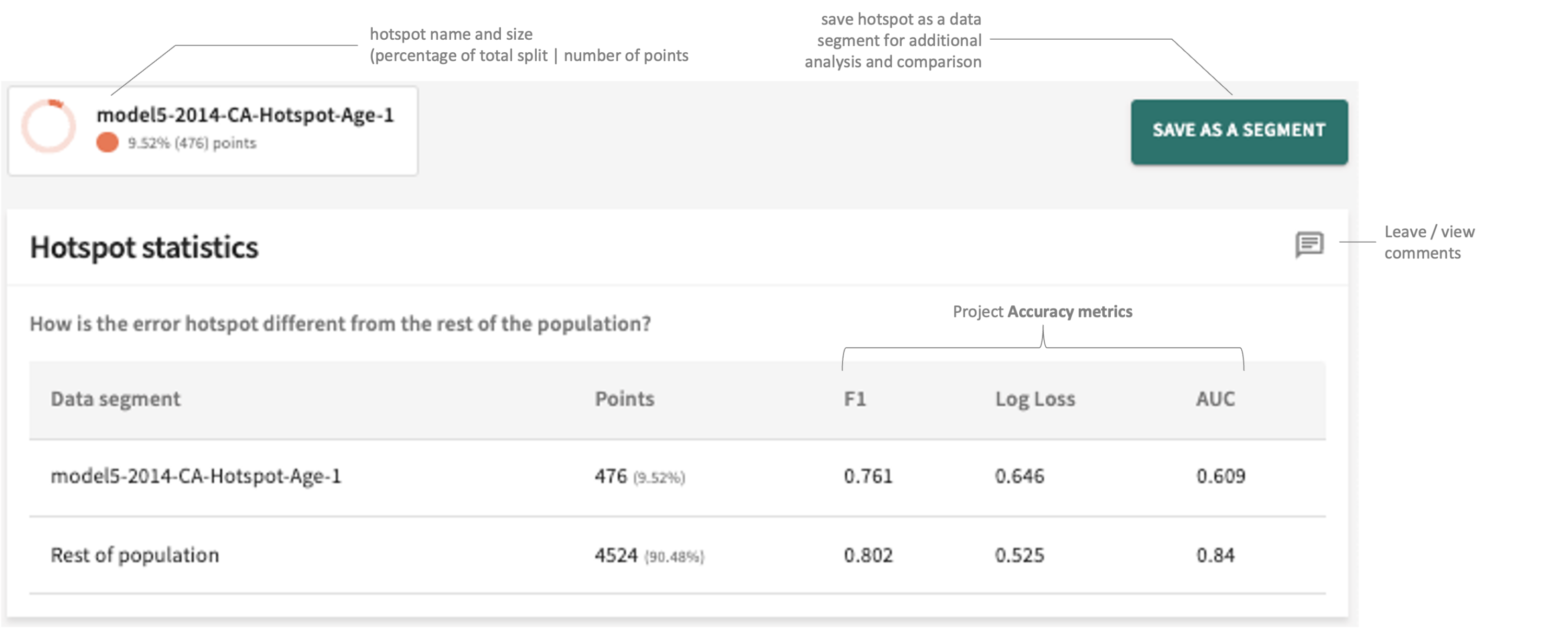
Or find hotspots in the python SDK
# find error hotspots
explainer = tru.get_explainer("split2_name")
explainer.find_hotspots(metric_of_interest="MSE")
Test for drift
# Create a drift/stability test
tru.tester.add_stability_test(
    test_name="Stability Test",
    comparison_data_split_names=["split1_name", "split2_name"],
    base_data_split_name="reference_split_name",
    metric="DIFFERENCE_OF_MEAN",
    warn_if_outside=[-1, 1],
    fail_if_outside=[-2, 2]
)
Find contributors to drift in the web app
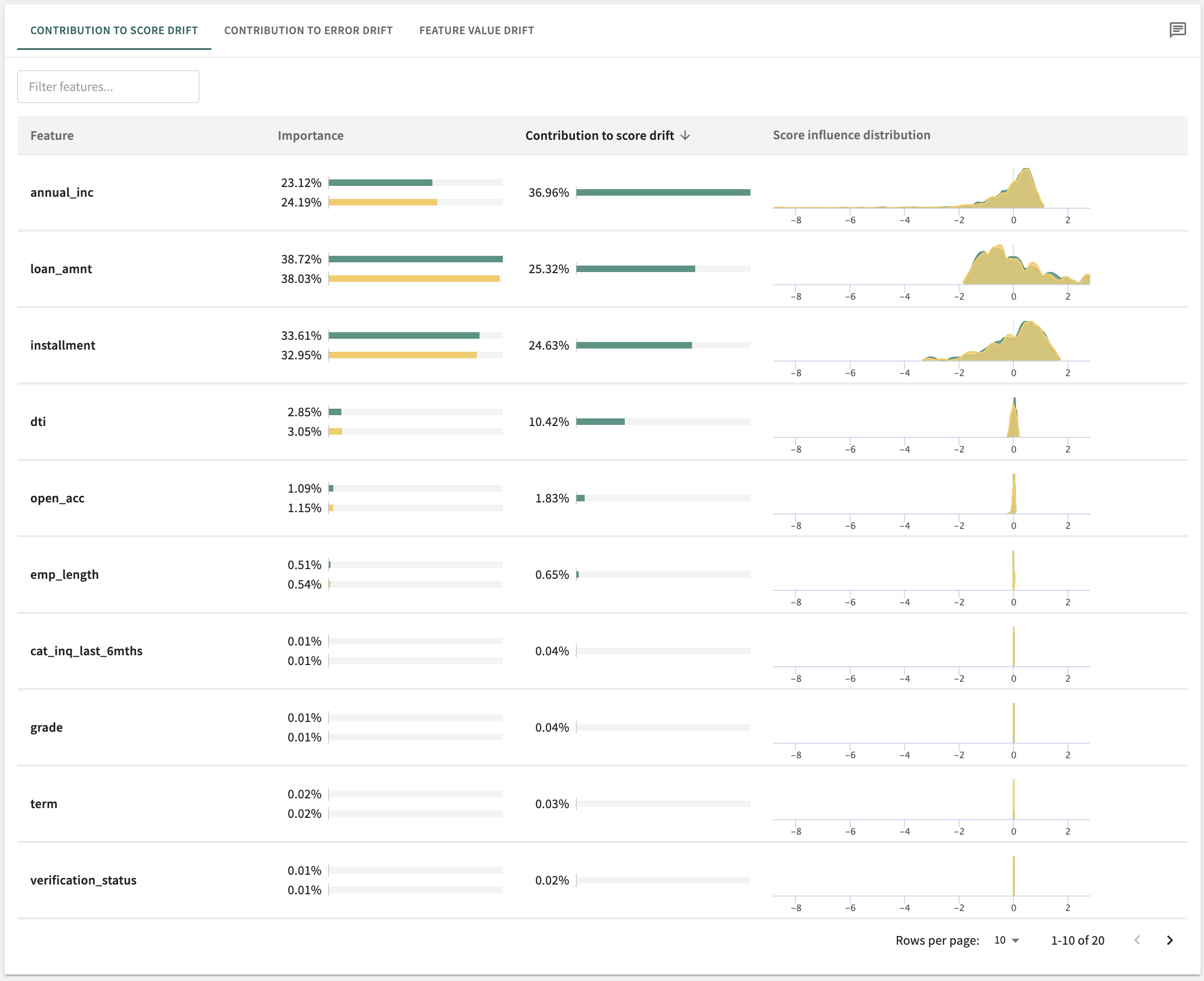
Or find contributors to drift in the python SDK
# Find contributors to drift
explainer = tru.get_explainer("split1")
explainer.set_comparison_data_splits(["split2", "split3"])
explainer.compute_feature_contributors_to_instability()
Test for fairness
# Create fairness tests
tru.tester.add_fairness_test(
    test_name="Fairness Test",
    data_split_names=["split1_name", "split2_name"],
    protected_segments=[("segment_group_name", "protected_segment_name")],
    metric="DISPARATE_IMPACT_RATIO",
    warn_if_outside=[0.9, 1.15],
    fail_if_outside=[0.8, 1.25]
)
Analyze fairness in the web app
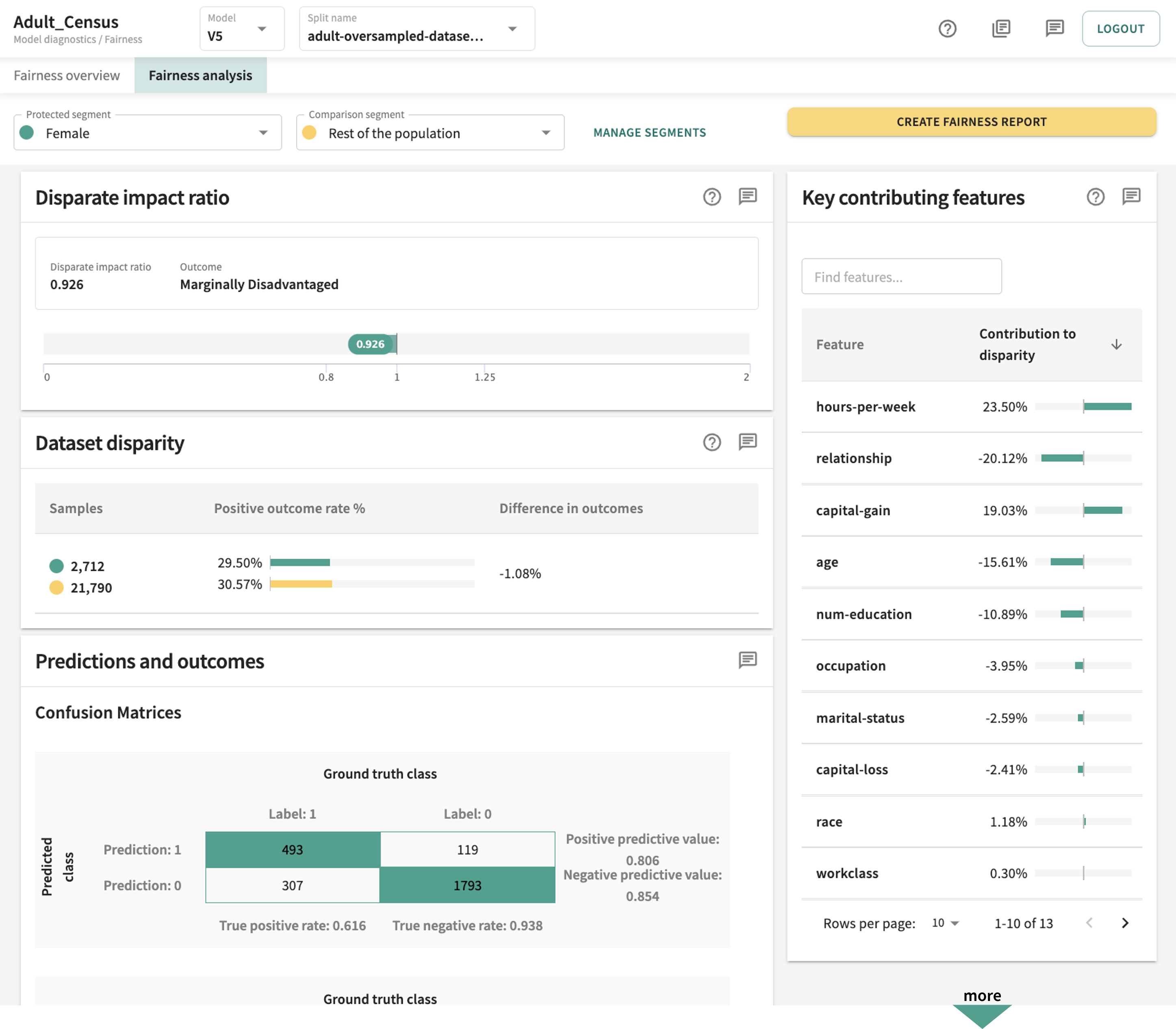
Understand your model features in the web app
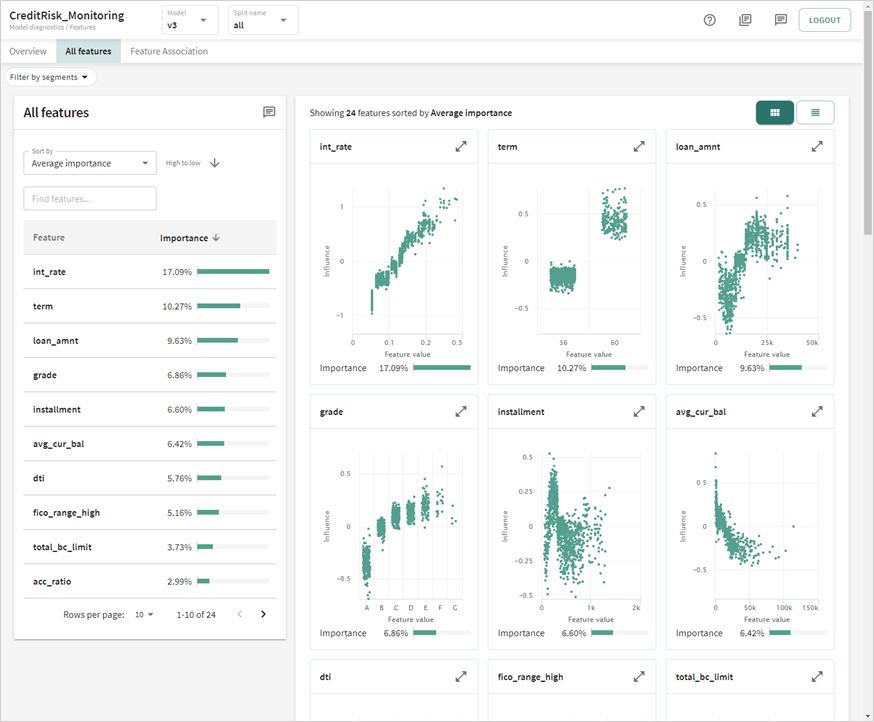
Or explain your model in the python SDK
# Plot Influence Sensitivity Plots (ISPs) and Partial Dependance Plots (PDPs)
explainer = tru.get_explainer("split1")
explainer.plot_isps()
explainer.plot_pdps()

# Create feature importance tests
tru.tester.add_feature_importance_test(
    test_name="Feature Importance Test",
    data_split_names=["split1_name", "split2_name"],
    min_importance_value=0.01,
    background_split_name="background split name",
    score_type=<score_type>, # (e.g., "regression", or "logits"/"probits"
                            # for the classification project)
    warn_if_greater_than=5, # warn if number of features with global importance values lower than `min_importance_value` is > 5
    fail_if_greater_than=10
)
More Resources
Release history Release notifications | RSS feed


Download files
Download the file for your platform. If you're not sure which to choose, learn more about installing packages.
Source Distributions
Built Distribution
Filter files by name, interpreter, ABI, and platform.
If you're not sure about the file name format, learn more about wheel file names.
Copy a direct link to the current filters
File details
Details for the file truera-12.1.1-py3-none-any.whl.
File metadata
- Download URL: truera-12.1.1-py3-none-any.whl
- Upload date:
- Size: 930.6 kB
- Tags: Python 3
- Uploaded using Trusted Publishing? No
- Uploaded via: twine/4.0.2 CPython/3.10.6
File hashes
| Algorithm | Hash digest | |
|---|---|---|
| SHA256 |
464dea0cfd5ac86ecf90380cf119fa9c446ef0e89f181c38e4d244be5652b0d3
|
|
| MD5 |
701b9369cf3d2674d7b6f810f8db0f19
|
|
| BLAKE2b-256 |
192190141096e8541af3a485d832a974cb3726140f1f33e17c2cf35fc2a22f11
|






